In LinkedIn research published on Aug 26, 2025, 77% of B2B marketing leaders said buyers rely on their network to vet brands, in a Censuswide survey of 7,000 B2B marketers run in July 2025. If you sell, your buyer checks you in public before you hear from them.
You see the post, the comment and the job move after your rivals do. You work from a list you built last quarter. You miss the person who asks for a tool like yours, likes a rival post twice, or joins a target account this week.
My view: you win on the signal you act on first, not on the size of your list. A like on its own tells you little. A buyer post that names a problem, a comment on a rival and a job change in one account tell you where to start.
I compared 5 tools on the LinkedIn signal each one reads, how each one hands it to you, and what you pay, with prices checked on Oct 19, 2026.
TL;DR#
I rank by one test. You get a signal you can act on first, with context you can use in a reply, at a price you can state in one line.
Tool | Fits best |
CommunityTracker | Buyer posts that name a problem, a brand or a rival |
LinkedIn Sales Navigator | Saved lead and account lists you build inside LinkedIn |
PhantomBuster | Exports of likers and commenters from posts you name |
CommunityTracker: pick it for LinkedIn posts where a buyer names a problem, a brand or a rival, with intent scoring and daily alerts. Free costs $0 for 1 keyword on Reddit only. LinkedIn starts on Starter at $39 a month billed monthly.
LinkedIn Sales Navigator: pick it for search, saved lists and alerts inside LinkedIn. Core costs $119.99 a month per licence billed monthly.
PhantomBuster: pick it for exports of likers and commenters from posts you name, run on demand. Start costs $56 a month billed annually.
Common Room: pick it for company page engagement plus signals from other channels in one record. Essential costs $2,500 a month billed annually.
UserGems: pick it for job changes among past buyers and users, written into Salesforce or HubSpot. Core costs $40,000 a year, plus a one time implementation fee.
You pay for speed and for fit. A $56 a month billed annually export helps if you run it each week.
A watch tool helps if you miss posts while you do other work. You need to pick the job first.
At a glance#
Signal job | CommunityTracker | Sales Navigator | PhantomBuster | Common Room | UserGems |
Watches LinkedIn posts that name a problem, brand or rival | Yes | No | No | No | No |
Exports likers and commenters from a post you name | No | No | Yes | No | No |
Reads LinkedIn company page posts, comments and reactions | No | No | No | Yes | No |
Tracks job changes among past buyers, users or customers | No | No | No | Yes | Yes |
Alerts on saved leads and accounts you built | No | Yes | No | No | No |
Writes the lead into Salesforce | No | No | No | Yes | Yes |
Writes the lead into HubSpot | No | No | No | Yes | Yes |
1. CommunityTracker: for buyer posts that name a problem#
You want the post where a buyer names the problem in public. CommunityTracker reads that post first, and that order sets this rank.
You set keywords for your brand, your rivals and problem terms buyers use on LinkedIn. The tool reads LinkedIn posts that match, scores each post for buying intent, and sends you daily alerts.
On Pro you get Slack delivery. You start from the post text, so you see the problem in the buyer words before you open a profile.
I put it first for one reason. Most tools here start from a person: a liker, a follower, a past customer who moved jobs.
This tool starts from a statement of need. A statement gives you a reply angle on day one.
A like gives you a name and forces you to guess.
You still do work. You tune keywords.
You drop posts that match a word but miss the problem. You check the score against the text.
The score saves you sort time, but it does not replace your read.
Features#
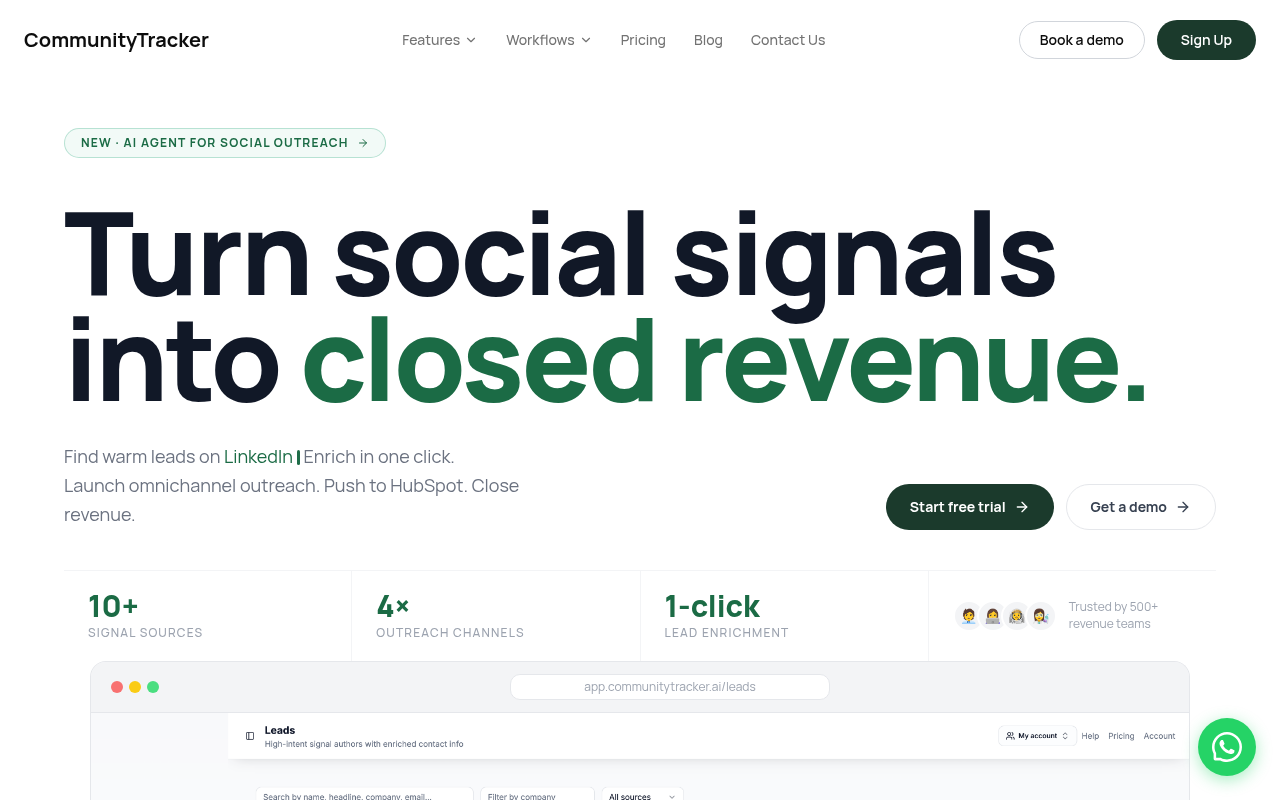
Reads LinkedIn posts that name a problem, a brand or a rival, based on keywords you set
Scores each post for buying intent, so you sort by intent before you sort by time
Sends daily alerts, with Slack delivery on Pro
Covers LinkedIn in Starter, with other community sources in the wider product
Gives you 1 keyword on Free on Reddit only, 4 keywords on Starter and 10 keywords on Pro
Pricing#
Paid plans bill monthly, with no long term contract.
Free: $0. You get 1 keyword on Reddit only, daily alerts and basic analytics. You do not get LinkedIn on Free.
Starter: $39 a month billed monthly. You get LinkedIn in Starter, 4 keywords, access to Reddit, LinkedIn, Hacker News and GitHub, daily alerts, basic analytics, 5,000 mentions, up to 100 warm emails a month and a response generator.
Pro: $99 a month billed monthly. You get 10 keywords, advanced AI filtering, access to all communities, unlimited mentions, unlimited warm emails, daily Slack alerts, AI scoring, Share of Voice and Community AI.
Advanced: $199 a month billed monthly. You get 20 keywords, Community Intelligence, Share of Voice Exporter and AI Visibility, plus the Pro set.
Free tests one keyword on Reddit with daily alerts and basic analytics, so you judge alert quality before you pay. You do not test LinkedIn on Free, because LinkedIn sits in Starter.
If your buyers post on LinkedIn and not on Reddit, Free proves the alert flow and nothing about LinkedIn match quality. Budget Starter for the LinkedIn test, and judge Pro on Slack delivery, AI scoring and Share of Voice, not on keyword count alone.
Pro gives you 10 keywords against 4 on Starter, so a brand, 3 rivals and 6 problem terms fit Pro and break Starter. That keyword math, not a seat count, sets your first paid tier.
Run the math on keywords, not on seats. If you track 2 brands, 3 rivals and 5 problem terms, you pass Starter on count alone.
Pro at $99 a month billed monthly costs $60 a month more than Starter. That $60 buys you Slack delivery and room to track the full set in one place.
If you track one brand and one rival only, Starter covers the job and Pro adds comfort, not cover.
Pros#
Starts from a buyer post that names a problem, so you reply with context in the first line
LinkedIn sits in Starter at $39 a month billed monthly, so you do not buy a top tier to get LinkedIn, and Free at $0 covers Reddit only
Daily alerts push work to you, so you do not pull reports by hand each morning
Intent scoring sorts the list, so you read high intent posts first
Monthly billing limits risk, so a poor keyword fit costs a month, not a year
Cons#
CommunityTracker has no reviews on review sites yet
Daily alerts on every plan, with Slack delivery from Pro
Partial news and web coverage
Daily alerts mean you do not get a post the minute it lands, so you lose speed in a thread that moves in hours
Keyword tuning falls on you, so a broad term floods you and a narrow term starves you
You get the post and the person, but you still write and send the reply in your own stack
Summary#
I would pick this tool if your buyers name problems on LinkedIn in public posts. You get the words, the score and the alert in one flow, at $39 a month billed monthly for Starter.
Pick it if: you sell to buyers who post problems, ask for tools and name rivals on LinkedIn, and you check alerts each day.
Skip it if: your buyers stay silent on LinkedIn, your job is job change tracking only, or you need alerts in minutes, not in a daily batch. In those cases you pay for a watch you do not use.
2. LinkedIn Sales Navigator: for saved lists inside LinkedIn#
You know this tool as a database first. I rank it second because the signal sits inside the database, and you build the watch before you get the alert.
You search with filters, save leads and accounts, and get alerts on job and role changes and new posts from saved leads. On Advanced you get Buyer Intent.
The tool helps if you start from a named account list. It helps less if you start from a problem post in the wild, because you catch that post only if the author sits in a saved list.
Price sets the bar. Core costs more than CommunityTracker Starter and PhantomBuster Start in this list, and you pay per licence.
For a solo seller that math works if you live in LinkedIn each day. For a team of 5, you multiply the licence cost before you add enrichment or outreach.
Reviews on G2 (https://ai.g2.com/product/linkedin-sales-navigator), TrustRadius (https://www.trustradius.com/products/linkedin-sales-navigator/reviews) and Capterra (https://www.capterra.com.sg/software/1011474/linkedin-sales-navigator).
Features#
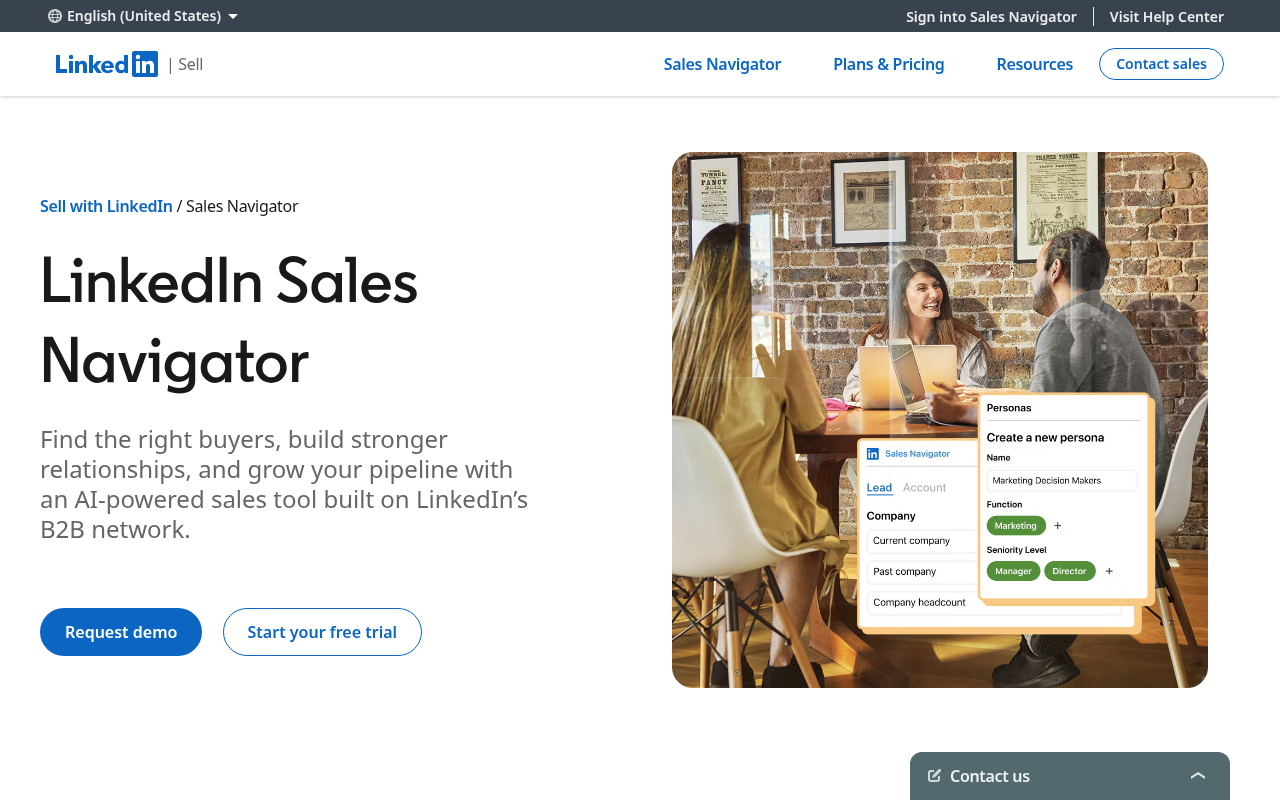
Search with filters for people and companies, then save leads and accounts into lists
Alerts on saved leads for job changes, role changes and new posts
Buyer Intent on Advanced and Advanced Plus
InMail credits by plan, inside LinkedIn
CRM sync on higher tiers, with core work inside LinkedIn
Pricing#
Core: $119.99 a month per licence billed monthly, or $1,079.88 a year per licence
Advanced: $159.99 a month per licence billed monthly, or $1,799.88 a year per licence
Run team math before you buy. Five Core licences billed monthly cost $599.95 a month. Five Core licences billed annually cost $5,399.40 a year, at the annual price.
Pros#
Search and filtering find decision makers by role, company size, industry and activity, per Dipak, Director in India, on Capterra, Jan 3, 2026, who also praised lead recommendations and account insights
Stakeholder search, CRM integration, saved leads and accounts, and buying intent insights cut steps in prospecting, per Verified Reviewer on Capterra, May 24, 2026
Relationship Explorer, Smart Links and TeamLink map org charts and surface hidden stakeholders, per Verified Reviewer on Capterra, Feb 13, 2026
Filters drew praise from Brian Milliron, CEO at ECR Security, on TrustRadius, May 29, 2026, who signed up to research clients and send InMails and connection requests
Filtering by criteria is easy to use, per Semih, Business Development Lead in Thailand, on Capterra, Oct 29, 2025
Cons#
Pricing feels high for smaller teams, and InMail response rates depend on message quality, and filters limit you when profiles do not update, per Dipak on Capterra, Jan 3, 2026
Customer service is terrible, and the tool was a waste of money and time for his use, per Brian Milliron on TrustRadius, May 29, 2026
Not worth the asking price, with bugs, InMail response rates nowhere near email, and support below standards, per Semih on Capterra, Oct 29, 2025, who switched after 5 years as a customer
Data can be stale, with a current employee who had left 3 months before, and the InMail interface feels siloed from workflow, per Verified Reviewer on Capterra, Feb 13, 2026
Workflow between Sales Navigator and main LinkedIn feels disconnected, with switching back and forth to message or view profiles, per Verified Reviewer on Capterra, May 24, 2026
Summary#
Sales Navigator earns #2 as the database case. You get search, lists and alerts in one place inside LinkedIn, and you pay per seat for that place.
Pick it if: you work named accounts, you live in LinkedIn each day, and you need alerts on saved leads more than you need posts from the open feed.
Skip it if: you start from problem posts by strangers, you need emails and export in the same tool, or you run a team where per seat cost blocks rollout. You will buy a second tool anyway, so price the pair, not the licence alone.
3. PhantomBuster: for exports from posts you name#
You run this tool when you know the post. It does not watch the feed for you.
You name a LinkedIn post, run a Phantom to export likers or commenters, and get a file of people to enrich or contact. That job has value.
A rival post with 400 comments holds buyers who raised a hand in public. Export turns that thread into a list in minutes, where manual copy takes hours.
The limit is timing. You export after the thread peaks.
You miss the next thread until you run again. If you run weekly, you build a habit.
If you run once, you buy a tool for one list.
Reviews on Capterra (https://www.capterra.com/p/173165/Phantombuster/) and G2 (https://www.g2.com/products/phantombuster/reviews).
Features#
LinkedIn Post Likers Export and LinkedIn Post Commenters Export for posts you name
Profile and search exports from LinkedIn and Sales Navigator
Cloud runs for Phantoms, with slots and execution time by plan
Export to file and push to CRM or other tools in wider workflows
Automations for other sources beyond LinkedIn, if you run them
Pricing#
Start: $56 a month billed annually, at $672 billed annually
Grow: $128 a month billed annually
Scale: $352 a month billed annually
Price turns on time and slots, not on seats alone. If you run long exports each day, execution time burns first.
Price the run you plan: posts per week, likers per post, and re runs when a Phantom breaks. A $56 a month billed annually plan with no time left in week 2 costs you the thread you wanted.
Pros#
A single Phantom takes less than 5 minutes to set up, and the tool saves considerable time, per Julien G., RevOps Specialist, on Capterra, Oct 27, 2025
Web scraping is good and accurate for lead generation, and support was quick with video links, per MAROON G. on Capterra, Sep 27, 2025. Flag: this review is older than 12 months at Oct 19, 2026.
Many useful features drew praise, and the app held hours of exploration, per James B. on Capterra, Jan 19, 2025. Flag: this review is older than 12 months at Oct 19, 2026.
The tool saves time on basic extraction, per Guillaume M. on Capterra, Feb 17, 2024. Flag: this review is older than 12 months at Oct 19, 2026.
Automation is easy to use and complete, per Marco Genaro P., Founder, on Capterra, Dec 7, 2023. Flag: this review is older than 12 months at Oct 19, 2026.
Cons#
Scraping can take a long time, and error logs give little information, per Julien G. on Capterra, Oct 27, 2025
Setup for some tasks needs software knowledge, and instruction videos cover LinkedIn more than Facebook, per MAROON G. on Capterra, Sep 27, 2025. Flag: this review is older than 12 months at Oct 19, 2026.
A 14 day trial left her not satisfied, per Laura G. on Capterra, Mar 31, 2025. Flag: this review is older than 12 months at Oct 19, 2026.
Quality gaps sit in parts of the product, with areas not running as they should, per James B. on Capterra, Jan 19, 2025. Flag: this review is older than 12 months at Oct 19, 2026.
Serious scraping needs an additional tool or paid credits, and enrichment sits outside the product, per Guillaume M. on Capterra, Feb 17, 2024. Flag: this review is older than 12 months at Oct 19, 2026.
Price is too high, per Marco Genaro P. on Capterra, Dec 7, 2023. Flag: this review is older than 12 months at Oct 19, 2026.
Summary#
PhantomBuster earns #3 as the on demand case. You trade watch cover for control over one post at a time.
Pick it if: you know which rival, partner or influencer posts draw your buyers, and you run exports each week as a habit.
Skip it if: you need a tool that watches while you do other work, you hate fixing automations, or you need outreach and data in one tool. An export alone books no meetings.
4. Common Room: for many signal sources in one record#
You buy Common Room for more than LinkedIn. I rank it fourth in a LinkedIn list for that reason, and for price.
LinkedIn cover here stops at your company page: posts, comments, reactions and mentions. Personal profiles sit out of scope.
If your buyers engage with reps as people, not with your company page, LinkedIn cover here misses the posts that matter. The wider product reads job changes, website visits, community and product signals, and builds a contact record.
That breadth helps a team with many channels. It adds cost and setup if LinkedIn is your only channel.
Reviews on G2 (https://www.g2.com/products/common-room/reviews) and TrustRadius (https://www.trustradius.com/products/common-room/reviews).
Features#
LinkedIn company page posts, comments, reactions and mentions
Job change signals plus signals from website, community and product sources
Contact and account records that tie signals to a person and a company
Segments and workflows that route a signal to a rep, Slack or CRM
RoomieAI research and draft help in the wider product
Pricing#
Essential: $2,500 a month billed annually. That price equals $30,000 a year before add ons, by math on the monthly figure.
Advanced: custom price
Enterprise: custom price
Place the price next to the job. At $2,500 a month billed annually, Essential costs about 64 times Starter for CommunityTracker at $39 a month billed monthly, by math on prices.
That math does not prove value. It proves you need more than LinkedIn company page cover to justify the line.
If you use 5 signal sources each day, the case changes. If you use one, it does not.
Pros#
One place identifies key contacts and accounts to pursue, per Joe H., GTM Engineer, on G2, Jul 14, 2026
Website visit tracking with GitHub data helps prospecting, and reps get a direct flow, per Ben L. on G2, Jul 9, 2026
UI is intuitive, learning is easy, workflows are simple to build, and reports are straightforward, per Anonymous on G2, Jul 7, 2026
Job movers are great for tracking high value ICP folks, and LinkedIn engagements that are not conversions could be tracked, per Verified User, Director in Marketing, on TrustRadius, Dec 27, 2025
Data aggregation and signal capture help gather signals from buyers across the funnel, per Verified User, Manager in Marketing, on TrustRadius, Dec 27, 2025
Cons#
Organizations and accounts overlap and confuse, and you cannot move columns in account or contact views, per Joe H. on G2, Jul 14, 2026
Worry that bigger tools take over the capabilities, per Ben L. on G2, Jul 9, 2026
Flows for reps feel hacky, HubSpot integration feels hacky at times, and reports are bare bones with columns moved only through support, per Anonymous on G2, Jul 7, 2026
HubSpot integration was difficult to use, and the data could not be made actionable in HubSpot, per Verified User, Director in Marketing, on TrustRadius, Dec 27, 2025
Setting up saved search plays to find the ICP was hard, and help from customer success came later in onboarding, per Verified User, Employee in Sales, on TrustRadius, Dec 27, 2025
Summary#
Common Room earns #4 as the multi source case with a LinkedIn limit. Breadth is the buy. LinkedIn company page only cover is the cut.
Pick it if: you run signals from website, community, product and LinkedIn company page in one queue, and you have RevOps time to map CRM fields right.
Skip it if: LinkedIn personal posts drive your pipeline, you need LinkedIn only, or you cannot commit $30,000 a year on Essential math. You pay for breadth you do not use.
5. UserGems: for past buyer job changes#
You track people who knew you and moved. UserGems does that job at a price that screens out most teams before features matter.
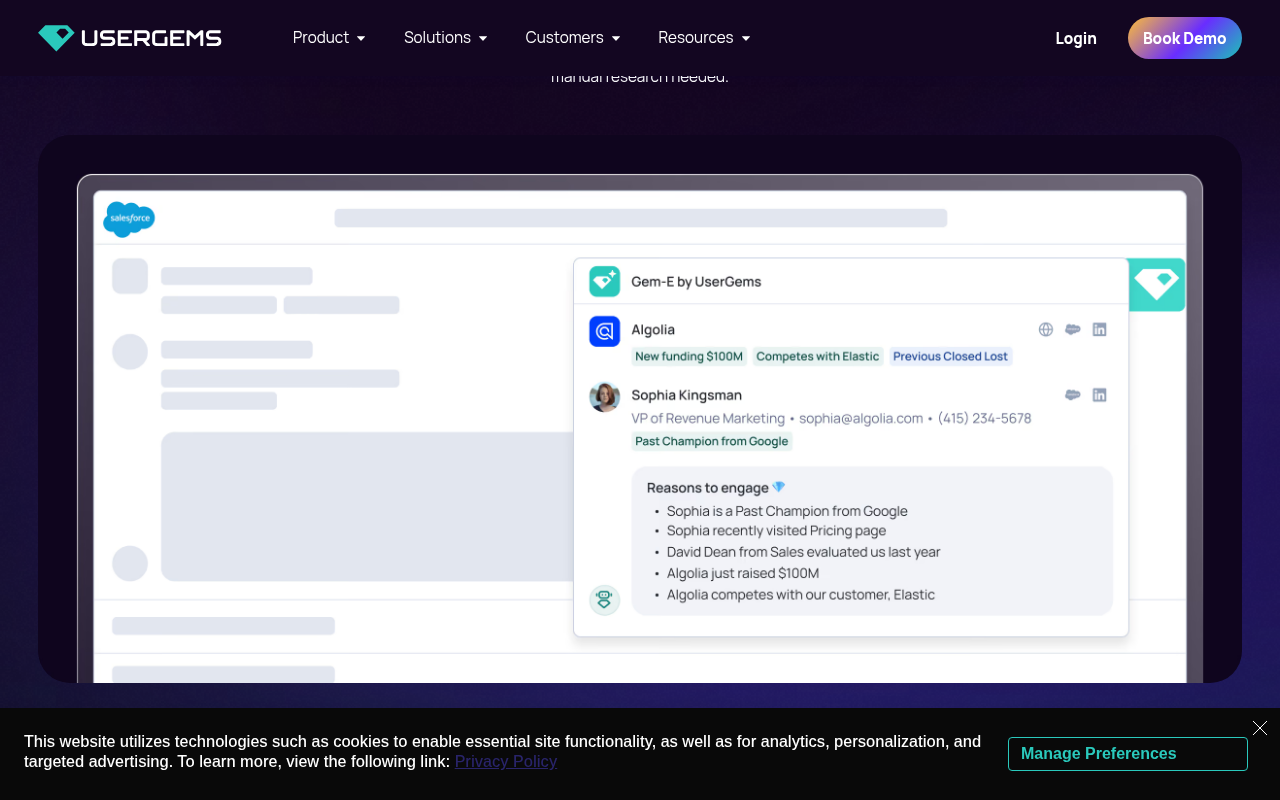
The tool reads job changes among past buyers and users, plus new hires and other account signals, scores accounts, and writes leads into Salesforce or HubSpot. Gem-E drafts outreach in the wider product.
If a past champion joins a target account, you get a warm path: a person who used your product, now in a new seat. That path beats cold outreach when past use was real and the move is current.
Core costs $40,000 a year, plus a one time implementation fee. At $40,000 a year, you need pipeline math, not feature math.
If one champion deal pays $50,000, one win covers the year. If your deal pays $5,000, you need 8 wins from this source alone.
Reviews on G2 (https://www.g2.com/products/usergems/reviews), TrustRadius (https://www.trustradius.com/products/usergems/reviews) and Capterra (https://www.capterra.co.uk/software/1029998/usergems).
Features#
Job change tracking for past buyers, users and champions
New hire and account signals beyond job changes
Account scoring with signal reasons you can inspect
Write back into Salesforce and HubSpot, with sequence enrolment via Outreach and SalesLoft in the wider product
Gem-E draft help for outreach in the wider product
Pricing#
Core: $40,000 a year, plus a one time implementation fee with no amount printed here
Advanced: $75,000 a year
Elite: $150,000 a year
Ask for caps, credit limits and add on prices in writing before you sign.
Pros#
Champion tracking flags a past champion at a new company, so you contact them warm instead of cold, and it turned into pipeline, per Fenil P., GTM Engineer, on G2, Jun 17, 2026
Connects the team to leads they would not otherwise follow, with leads familiar with the product or in a role that fits the ICP, per Verified User, Manager in Sales, on TrustRadius, Jul 17, 2026
Informed when a former worker of a client business transfers to a new company, which helps personalized outreach and more meetings, per Renato, Sales Development Representative, on Capterra, Jun 16, 2023. Flag: this review is older than 12 months at Oct 19, 2026.
Tracks and finds people who used the services we sell, which makes reengagement at their new company easier, per Gordan, SDR, on Capterra, Jun 21, 2023. Flag: this review is older than 12 months at Oct 19, 2026.
Automated monitoring of a vast user database updates Salesforce when users change jobs, with no manual uploads, per Verified Reviewer on Capterra, Jun 14, 2023. Flag: this review is older than 12 months at Oct 19, 2026.
Cons#
Job change data lags by weeks at times, and new company or title can be slightly off, so he double checks before outreach, per Fenil P. on G2, Jun 17, 2026
The platform itself is not easy to use, per Verified User, Manager in Sales, on TrustRadius, Jul 17, 2026
Similar names can cause account information to become muddled, per Renato, Sales Development Representative, on Capterra, Jun 16, 2023. Flag: this review is older than 12 months at Oct 19, 2026.
Inaccurate data on phones and emails makes you use supplemental technology, per Gordan, SDR, on Capterra, Jun 21, 2023. Flag: this review is older than 12 months at Oct 19, 2026.
Recommended leads include contacts that do not align perfectly with the ideal customer profile, per Verified Reviewer on Capterra, Jun 14, 2023. Flag: this review is older than 12 months at Oct 19, 2026.
Summary#
UserGems earns #5 on price and on job width. Champion work is real. The invoice narrows the buyer set to teams with past user volume and deal size to match.
Pick it if: you hold thousands of past buyers and users in CRM, you run Salesforce or HubSpot, and one champion win pays the year at your deal size.
Skip it if: you hold a thin past customer list, your deal size needs many wins to pay $40,000 a year, or you need problem posts from strangers more than moves by known people.
How I evaluated#
I rank on results first, then features, then pricing, then problem solved, and I state prices with billing basis in each pricing section. The check date sits in the intro and in this method paragraph only, with prices checked on Oct 19, 2026, and flag dates next to older reviews do not count as check date claims. Results ask what signal you get and what context rides with it, features ask if a tool watches or waits and where the lead lands, pricing asks what cash you commit, and problem solved asks which job of four the tool removes: find a buyer post that names a problem, build and watch a saved list inside LinkedIn, export people from one post, or track job changes among people who know you. CommunityTracker sits at #1 because it reads the post that names the problem and alerts you daily with LinkedIn on Starter at $39 a month billed monthly, Sales Navigator sits at #2 because you build the watch list by hand but get search, lists and alerts inside LinkedIn, PhantomBuster sits at #3 because you run it post by post, Common Room sits at #4 because LinkedIn stops at your company page and Essential costs $2,500 a month billed annually, UserGems sits at #5 because Core costs $40,000 a year for champion work. A review count proves sample size, not pipeline: LinkedIn Sales Navigator shows 2,209 reviews on G2 at 4.4 out of 5, fetched from G2 on Oct 19, 2026, Common Room shows 114 reviews on G2, UserGems shows 162 reviews on G2, and PhantomBuster shows 64 reviews on Capterra, and I also use dated TrustRadius reviews for Common Room and UserGems and dated Capterra reviews for UserGems where those pages give a name and a date, while CommunityTracker has no reviews on review sites yet and its pros in this piece rest on product facts, not review proof. For review evidence I keep only stories with a reviewer name as shown on the site and a date, I flag every story before Oct 19, 2025 as older than 12 months next to the story, and I cut undated theme points and undated stories rather than presenting them as dated reviews. You can read more on buying signals on LinkedIn (https://www.communitytracker.ai/blog/detect-buying-signals-on-linkedin), LinkedIn social listening (https://www.communitytracker.ai/blog/linkedin-social-listening), and types of B2B buying signals (https://www.communitytracker.ai/blog/list-of-b2b-buying-signals). I confirm internal blog links in the blog index for this draft, and I link review evidence to the G2, Capterra or TrustRadius page I fetched for that tool. I dropped comparison table rows and cells I could not confirm and I do not guess a Yes, so ask a vendor for proof in writing for a cell I dropped. I do not print an amount for the UserGems one time implementation fee because I could not pin that fee to one number.
How to decide, by situation#
I close with situation, not with a slogan. Find your line, then price the tool that fits that line.
If a buyer post that names a problem is worth a call to you, pick CommunityTracker. You start from words that state need. Budget $39 a month billed monthly for Starter or $99 a month billed monthly for Pro, and staff keyword tuning each week.
If you work named accounts inside LinkedIn each day, pick Sales Navigator and price the team, not the seat. Five Core seats billed monthly cost $599.95 a month at $119.99 per licence. Add enrichment cost if you need email off LinkedIn.
If you know the posts that draw your buyers, pick PhantomBuster and run it weekly. Start at $56 a month billed annually, only works if you turn exports into outreach each week. One export proves little.
If you run many signal sources and you have RevOps staff, test Common Room with LinkedIn limits in writing. Essential at $2,500 a month billed annually, needs breadth to pay. Map CRM fields in the pilot, because Joe H. on G2, Jul 14, 2026 flags account overlap as friction, and mapping decides if you feel it daily.
If past champions drive deals and your deal size pays the invoice, test UserGems. Core at $40,000 a year, needs a past user list and a RevOps owner. Check lag on your own champions in the pilot by seeding known moves.
Stay where you are if you get signals you act on today and reps reply in thread the same day. A new tool adds cost and setup. It pays only if it surfaces a signal you miss now, at a speed you use, for a price your deal size covers.
Most teams buy the list. I think you should buy the first signal you can act on, with words you can quote in your reply. Rank your week by that test, and the tool choice gets clear.