18 of the 40 newest Sprout Social reviews on Trustpilot describe a fight over cancellation, auto-renewal or contract length (checked Oct 15, 2026). Bryce DeCora wrote that his team asked a rep to cancel in January, then Sprout "auto-renewed our annual contract in April" (Trustpilot, Apr 22, 2026).
His team noticed 6 days later and heard "too bad, you're locked in". An agency reviewer reports a bill of "this additional $9,576 in charges" after someone added 2 users (MAsencio, Trustpilot, Feb 28, 2026). Fans of the product feel it too: "It can get quite expensive if you require several user licenses" (Zach, Capterra UK, Feb 22, 2026).
My view: your seat count and your contract type move the bill more than the plan name does.
This review covers the $199 seat, the profile cap, the cancel paths, what 80 users report, 5 limits and 4 alternatives.
TL;DR#
What it is: Sprout Social is a per-seat social media suite. You plan and publish posts, answer comments, DMs and reviews from one Smart Inbox, monitor keywords, and build reports across Facebook, Instagram, X, LinkedIn, TikTok, Threads, YouTube, Pinterest and more.
Where it wins: Standard puts an inbox, review management, keyword monitoring and 24/5 live chat and phone support on one $199 seat billed annually. Reviewers on Capterra, TrustRadius and Software Advice praise the reports and the calendar.
Where it breaks: Standard stops at 5 social profiles. Approvals and competitor reports start on Professional at $299 a seat billed annually, and the terms give no refund when you cancel or downgrade.
Cost for 3 seats: $597 a month on Standard ($7,164 a year), $897 on Professional ($10,764 a year), $1,197 on Advanced ($14,364 a year), all billed annually.
Reviews: 4.4 on Capterra UK (609 reviews), 8.4/10 on TrustRadius (632 reviews and ratings) and 1.8 on Trustpilot (88 reviews), all checked Oct 15, 2026.
My verdict: Sprout Social pays off first for a team on Professional ($299 a seat billed annually) that handles comments, DMs and Yelp or TripAdvisor reviews daily across more than 5 profiles and runs approvals and competitor reports. A second, smaller fit is one person running a 5-profile inbox and reviews desk on a $199 Standard seat. Pass on it if a small team mostly schedules posts, because Buffer Team gives unlimited users and approvals for $10 per channel a month billed annually. Pass on it too if your goal is buyers in Reddit, LinkedIn or Slack threads, because CommunityTracker Pro tracks 10 keywords for $99 a month.
Sprout Social Review at a Glance#
What I checked | What I found |
What it is | Social publishing, a Smart Inbox, keyword monitoring, review management, reports and the Trellis AI agent in one app |
Who it fits | Teams on Professional that answer messages and reviews on more than 5 brand profiles every day; a solo desk on 5 profiles is the second fit |
Starting price | Essentials at $79 per seat per month, billed annually (checked Oct 15, 2026) |
The pricing trap | Every user is a seat, profile 6 forces Professional, and monthly billing costs $20 to $100 more per seat |
Ratings | Capterra UK 4.4 (609), TrustRadius 8.4/10 (632), Trustpilot 1.8 (88), checked Oct 15, 2026 |
Contract risk | Auto-renewal. 18 of the 40 newest Trustpilot reviews describe a fight over cancellation, renewal or contract length |
How I Analyzed Sprout Social#
Last checked: Oct 15, 2026, IST. I checked every price, plan limit, term and review count below that day.
Reviews I read: 80 user reviews: the 40 newest on Trustpilot, the 10 newest on TrustRadius, 25 on Software Advice and 5 on Capterra UK, dated Nov 2017 to Oct 2026. I cite 32 of them, with 7 liked and 7 disliked points below.
Plans I checked: Essentials, Standard, Professional, Advanced and Enterprise on sproutsocial.com/pricing, including the full plan comparison table and the pricing FAQ, on Oct 15, 2026. I priced each plan at 1, 3 and 10 seats.
Terms I read: the Sprout Social Terms of Service (effective May 9, 2025), Sections 3.9 (free trials), 5 (fees and payment) and 6 (cancellation and termination).
Selection rule: I used a review only if I could link to it and quote it exactly, and every quote names the reviewer (or their role) and the date.
Sprout Social#
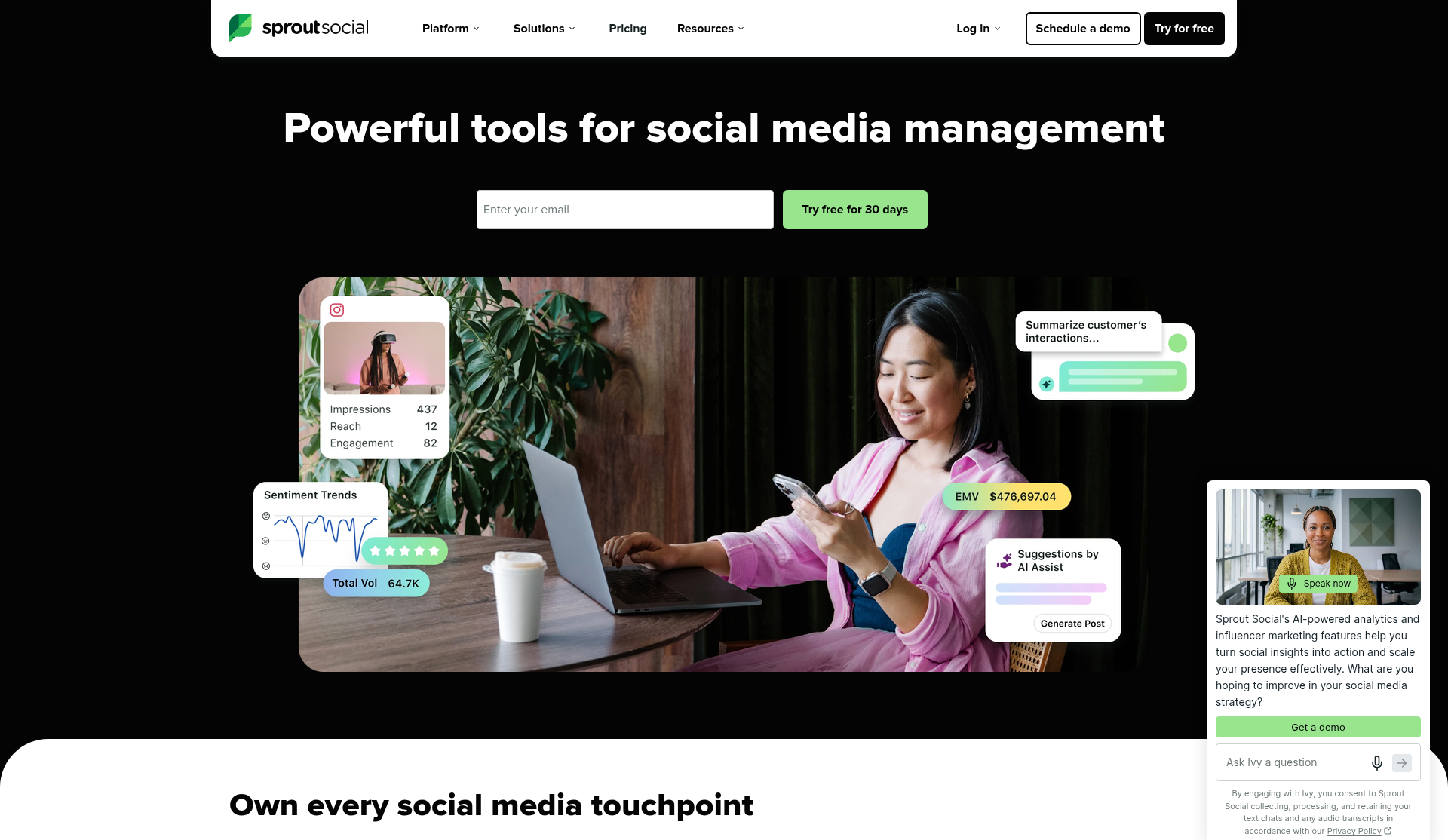
Source: the Sprout Social homepage (https://sproutsocial.com/), captured Oct 15, 2026.
Sprout Social launched in Chicago in 2010 and now counts 1,400+ employees and customers in 100+ countries (about).
You connect your brand profiles on Facebook, Instagram, X, LinkedIn, TikTok, Threads, YouTube, Pinterest and Snapchat. Then you work in four places:
Publishing: you write a post once, adjust it per network, and drop it on a shared content calendar or into the Sprout Queue.
Smart Inbox: comments, DMs, mentions and (from Standard up) reviews from Yelp, TripAdvisor, Trustpilot and Glassdoor land in one stream your team works through.
Reports: profile, post and group reports pull from the accounts you connected, and Professional adds competitor and paid reports.
Trellis: the AI agent answers questions about your data, with 100 credits per seat each month.
Listening across public conversations, Premium Analytics, Employee Advocacy and influencer marketing sit outside the plans as add-ons or separate products.
Sprout manages the accounts you own. It does not score strangers' posts for buying intent or run outreach to the people who wrote them.
Features#
Publishing: a collaborative calendar, multi-day scheduling, message drafts, an image editor, AI alt text, hashtag suggestions and optimal send times on every plan. The Sprout Queue holds 10 messages a day on Essentials and Standard, 20 on Professional and 30 on Advanced.
Bulk and campaign tools: Professional adds bulk scheduling, Instagram grid planning, campaign tagging, a digital asset library and custom link tracking.
Smart Inbox: Standard adds the inbox, contact views with notes and history, reply collision detection, comment moderation, Meta ads comment moderation and case management. Standard keeps 90 days of conversation history, and Professional keeps the full history.
Review management: Standard connects Yelp, TripAdvisor, Trustpilot and Glassdoor, plus WhatsApp and Google's business messages for chat.
Monitoring: Standard and Professional track 10 brand keywords per group, and Advanced tracks 20. Essentials tracks none.
Approvals: Professional adds a message approval workflow. Advanced adds external approvals, reply approvals and a publishing rule builder.
Reports: every plan gets profile, post, group, network and Google Analytics reports. Professional adds competitor reports for Facebook, X and Instagram, paid performance, tag reports and report branding. Advanced adds team reports, scheduled report delivery and BI tool connections.
Integrations: Canva, Slack, Google Drive, Dropbox and Bitly on every plan, Shopify and WooCommerce on Professional, and Salesforce, HubSpot, Zendesk, Marketo and Microsoft Dynamics 365 on Advanced. The Sprout API also sits on Advanced.
Support: live phone and chat support 24 hours a day, 5 days a week, on every plan.
Feature | Essentials | Standard | Professional | Advanced |
Unlimited social profiles | No | No | Yes | Yes |
All-in-one social inbox | No | Yes | Yes | Yes |
Keyword and brand monitoring | No | Yes | Yes | Yes |
Review moderation | No | Yes | Yes | Yes |
Bulk scheduling | No | No | Yes | Yes |
Message approval workflow | No | No | Yes | Yes |
Competitor reports | No | No | Yes | Yes |
Saved replies | No | No | Yes | Yes |
Sentiment classification | No | No | No | Yes |
Sprout API | No | No | No | Yes |
Salesforce and HubSpot integration | No | No | No | Yes |
My take on Sprout's features: Standard is the first plan that answers messages, so treat Essentials as a scheduler with reports. Count your profiles and your approvers before you pick, because profile 6 and approver 1 both push you to Professional.
Pricing#
Sprout sells four self-serve plans per seat, plus custom Enterprise. Sprout offers no free plan, and the 30-day trial needs no credit card. When it ends, Sprout asks you to pick a plan and enter payment details.
Prices below come from sproutsocial.com/pricing on Oct 15, 2026, before tax. Annual billing means one upfront payment for the whole year.
Essentials ($79 per seat/month billed annually, $99 billed monthly): 5 social profiles, the calendar and scheduler, optimal send times, post and profile reports, 100 Trellis credits. No inbox.
Standard ($199 per seat/month billed annually, $249 billed monthly): 5 profiles, the Smart Inbox, keyword and location monitoring with 10 brand keywords per group, review management, 90 days of conversation history.
Professional ($299 per seat/month billed annually, $399 billed monthly): unlimited profiles, approvals, bulk scheduling, message tagging, saved replies, competitor and paid reports, AI post enhancement.
Advanced ($399 per seat/month billed annually, $499 billed monthly): sentiment, spike alerts, the Sprout API, helpdesk and CRM integrations, team and customer care reports, chatbots, CSAT and NPS surveys.
Enterprise (custom): onboarding and implementation, SSO setup, priority support.
Here is what three team shapes pay on annual billing:
1 person, 5 profiles, answers DMs and reviews: Standard at $199 a month, or $2,388 a year. That is $39.80 per profile per month.
3 people, 5 profiles: Standard at 3 x $199 = $597 a month, or $7,164 a year.
3 people, 12 profiles, with approvals: Professional at 3 x $299 = $897 a month, or $10,764 a year.
The jump from profile 5 to profile 6 costs $100 per seat per month. For a team of 3, that is $3,600 a year for one more profile.
Monthly billing costs $20 more per seat on Essentials, $50 more on Standard and $100 more on Professional and Advanced. One Standard seat on monthly billing costs $2,988 a year, $600 more than annual.
AI beyond the 100 included credits costs extra: Trellis Plus runs $28 per user a month billed annually, or $35 billed monthly. For 3 users on annual billing, that adds $1,008 a year.
Contract terms to check before you pay:
Refunds: Section 5 of the terms gives no refund or credit for prepaid, unused fees when you cancel on a monthly, annual or annual-with-monthly-payments plan. Section 6.1 allows a prorated refund only when Sprout fails to cure a material breach within 30 days of your written notice.
Auto-renewal: annual plans renew for another year and charge you on the same date unless you cancel before the renewal date.
How you cancel depends on how you pay: if you pay in the app, the Account Owner cancels on the billing page. If you sign an annual plan with monthly payments, or pay by invoice, you email your customer success manager or successteam@sproutsocial.com at least 30 days before the term ends.
Only the Account Owner can cancel: the terms require the current Account Owner to make the cancellation, so check who holds that role before renewal day.
Price increases: Sprout can raise an annual renewal by up to 7%, and by more if it gives you 60 days' notice. Monthly prices can change on the next pay date after notice. On one Standard seat, 7% adds $167.16 a year.
Downgrades and add-ons: removing an add-on or downgrading gives no refund. Upgrades bill prorated and renew with the main plan.
Late payments: unpaid amounts carry a 1.5% monthly finance charge.
Data after you leave: Sprout can delete your account data and content within 30 days after a plan ends. Trial content can disappear if you do not buy before the trial ends.
Trial ends at purchase: the trial period ends the day you buy a paid plan, so a mid-trial purchase starts billing that day.
Sprout accepts major credit cards and PayPal online, and sales can set up prepayment. US nonprofits can apply for special pricing on Professional and Advanced.
My take on Sprout's pricing: Professional is the plan that earns its price. A team that works an inbox with daily traffic across more than 5 profiles gets approvals, saved replies and competitor reports for $299 a seat. Standard is the second fit, for one person on 5 profiles at $199. The risk sits in the seat count: each extra person adds $3,588 a year on Professional, so seat only the people who work the inbox. Pay in the app if you can, so the billing page cancel option stays in your hands, and put the renewal date in your calendar the day you pay.
Pros#
One Standard seat combines the Smart Inbox, review management, keyword monitoring and 24/5 live support for $199 a month billed annually.
Review management covers Yelp, TripAdvisor, Trustpilot and Glassdoor from Standard up.
The 30-day trial needs no card, twice the 14 days that Hootsuite and Buffer give.
Sprout publishes its monthly prices for all four self-serve plans in the pricing FAQ.
Advanced connects Salesforce, HubSpot, Zendesk and the Sprout API.
Cons#
Every user is a paid seat, so a team of 3 on Standard costs $7,164 a year.
Essentials and Standard stop at 5 social profiles.
Approvals, bulk scheduling and competitor reports need Professional at $299 a seat.
The terms give no refund on cancellation or downgrade, and annual plans auto-renew.
Listening and Premium Analytics cost extra and go through a demo, with no public price.
Sprout has no free plan, so you pay from day 31.
Summary#
Sprout charges per person for an inbox-first social desk. One Standard seat costs $2,388 a year, the bill climbs with each person and each profile past 5, and a missed renewal date locks in another year.
What Real Users Are Saying About Sprout Social in 2026#
Product reviewers and contract reviewers tell two stories. Capterra, Software Advice and TrustRadius praise reports, the calendar and the inbox. Trustpilot collects renewals, contracts and support waits.
Capterra UK: 4.4/5 (609 reviews, checked Oct 15, 2026)#
Capterra UK shows 323 five-star and 14 one-star reviews, and rates value for money at 3.9, the lowest of its three sub-scores. Software Advice and GetApp, sister sites under Gartner, show the same 4.4 from 609 reviews.
TrustRadius: 8.4/10 (632 reviews and ratings, checked Oct 15, 2026)#
TrustRadius lists 203 written reviews. Every one of the 10 newest carries an "Incentivized" tag.
Trustpilot: 1.8/5 (88 reviews, checked Oct 15, 2026)#
On Trustpilot, 70% of reviews give 1 star and 17% give 5 stars, with 13 reviews in the last 12 months.
What users liked#
A dozen handles or 55 accounts from one login. "Our organization operates nearly a dozen main social handles and multiple sub-brands, Sprout Social has made it incredibly easy to manage all of our social handles across several platforms" (Zach, Capterra UK, Feb 22, 2026). Heather Mills at YMH Studios writes: "My team manages 55+ active organic social accounts and publishes 1500 pieces of content every month across those platforms" (TrustRadius, Jun 26, 2026).
Reports you hand to a client or a boss. Zach calls the reporting tools "top tier" and says it is "incredibly simple to generate visually appealing reports, especially for paid campaigns." An agency partner says Sprout "created beautiful dashboards and PDF files for reporting for our clients" (Christian Estrellado, TrustRadius, Apr 7, 2026). Heather Mills adds that you can customize reports "so you don't need to rebuild your report in an external deck."
One inbox for comments and DMs. "They make it easy to see our entire inbox and messages we have. We're also able to respond directly to messages and comments from Sprout Social" (Jeff, Capterra UK, Sep 16, 2025). A retail user wrote: "The Smart Inbox is fantastic since it saves me the trouble of signing into different services just to respond to comments and messages" (Terry E., Software Advice, Aug 2023).
Drafts other people can comment on and approve. "Approvals: People can comment directly on my drafts" (Jackelyn Chavez, Trustpilot, Mar 22, 2025). A PR agency reviewer likes "that multiple people can work within a client and have approvals for each post" (TrustRadius, Aug 29, 2026). Greg A. chose Sprout because "it allowed us to draft posts and then send inside the software to others in the organization for review, notes, and approval" (Software Advice, Oct 2022).
A calendar for planning a month ahead. A utilities strategist writes: "Typically we schedule content at least a month out, so Spout's highly visual content calendar is helpful for content planning and tracking" (TrustRadius, Jun 26, 2026). Lindsay B. says: "The calendar view is super clean, and the reports save a lot of time when I need to show how things are going" (Software Advice, Jun 2025).
Review replies next to social replies. "We also use it to monitor our Google Business page for reviews and respond to those reviews via the Sprout platform" (Bob Sadowski, TrustRadius, Jun 26, 2026).
Users who bring it from job to job. "I've used Sprout Social at every company I've worked at since 2013" (Bridgett Colling, Trustpilot, Apr 4, 2025). A UK digital marketing manager lists "reliable social publishing" and a "social advocacy bolt on which is useful for getting employees to share content" (Richard, Capterra UK, Oct 29, 2025).
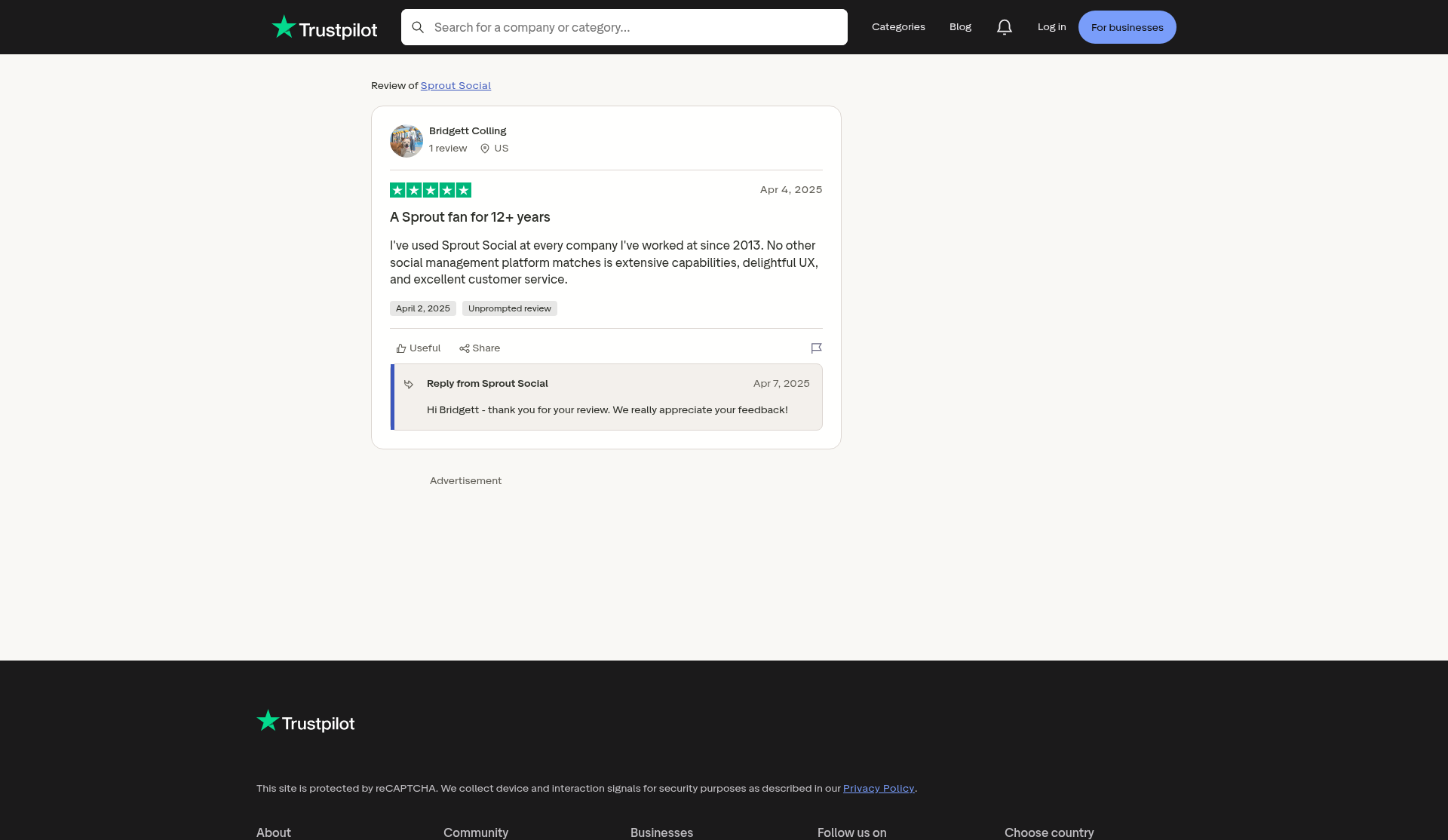
Source: Trustpilot, review by Bridgett Colling (Apr 4, 2025), https://www.trustpilot.com/reviews/67ef406033103cbc0237230e, captured Oct 15, 2026.
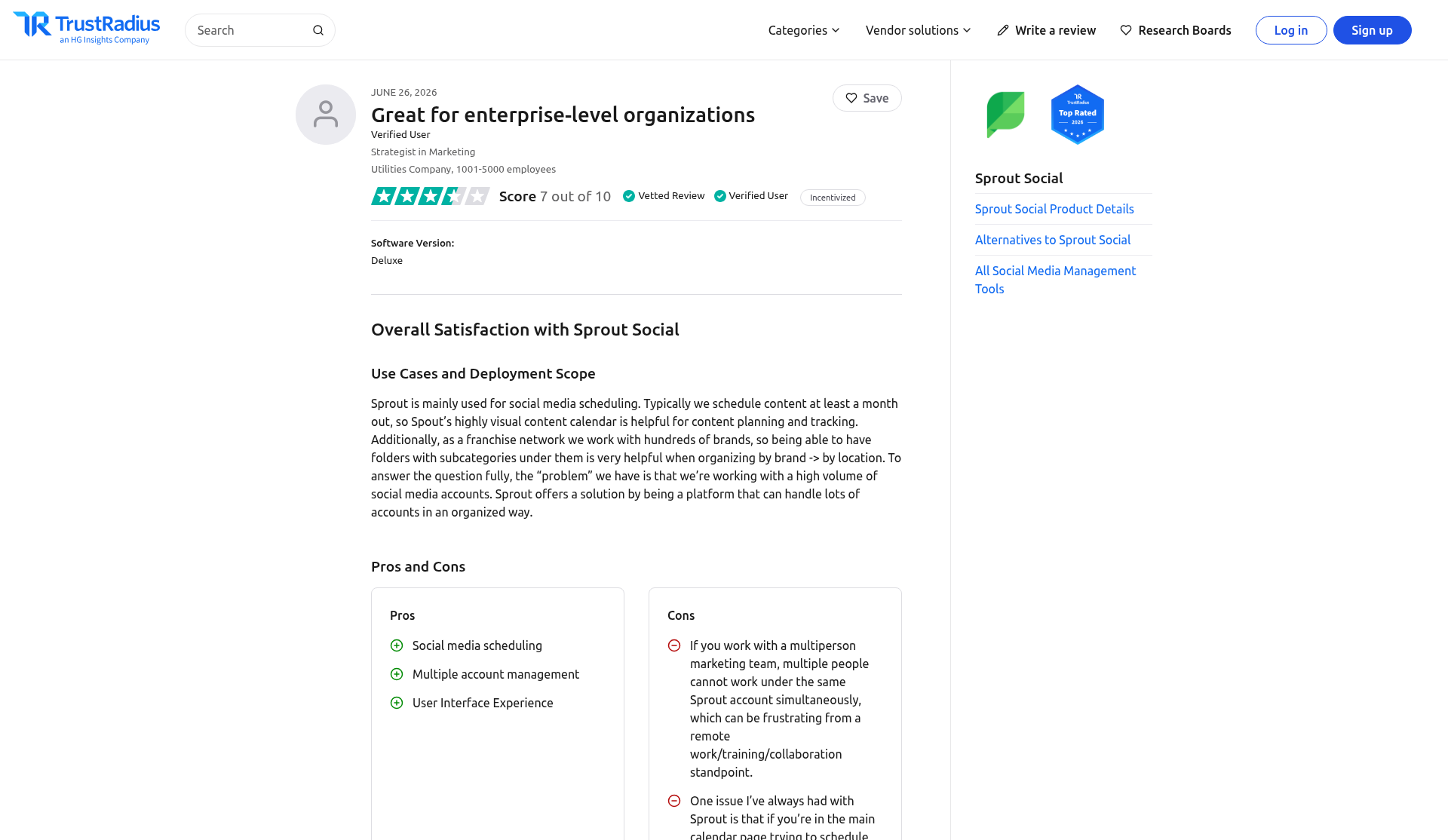
Source: TrustRadius, the "Great for enterprise-level organizations" review by a Strategist in Marketing (Jun 26, 2026), https://www.trustradius.com/reviews/sprout-social-2026-06-17-09-45-46, captured Oct 15, 2026. This excerpt covers the header, the 7 out of 10 score, the use case and the first pros and cons; the rest of the review sits below the frame.
What users disliked#
Renewals that bill after you asked to leave. "Tried cancelling 3 times in emails and then they still auto renewed me and then told me I was locked in for another year" (Diego, Trustpilot, Aug 5, 2026). Another team got told "that we had locked into an annual contract under fine print of the agreement they sent" after it tried to cancel a monthly plan (Chris, Trustpilot, Sep 30, 2026). Shawn Owens warns: "If you fail to give exactly 30 days' notice, this company will not offer a prorated cancellation or any reasonable accommodation" (Trustpilot, Jan 31, 2026).
Contracts longer than the buyer expected. A Canadian small business owner says a sales rep "signed me up for a 24-month contract but assured me this was merely a formality for their accounting purposes" (Jim Gilbert's Wheels and Deals, Trustpilot, Nov 19, 2025). Crystal Cun's team learned it "couldn't get out of a contract that a prior employee had signed that we were unaware of" (Trustpilot, Jul 14, 2025). A C-level agency reviewer gave 3 out of 10 because of "a recent and ongoing issue I am facing with getting out of our current agreement" (TrustRadius, Mar 25, 2026).
Seat costs that add up. "We were priced out of the service. We like it but can't afford it" (Jeb B., Software Advice, Jan 2025). The utilities strategist writes: "Sprout is very pricey, and I don't think there's an obvious standout element that helps differentiate it from other scheduling platforms." MAsencio says Sprout "charged our American Express almost double the agreed contract amount, they say because someone at our agency added 2 additional users" (Trustpilot, Feb 28, 2026).
Support and account managers who go quiet. "Trying to communicate with our account manager Jack - nothing back for weeks from him & no response from 'customer-success' team either" (Tommy S, Trustpilot, Oct 15, 2026). Jessica says Sprout would not help with setup and would "direct you to their chat bot, which doesn't provide any adequate assistance" (Trustpilot, Apr 15, 2026). Richard on Capterra UK lists "customer success managers and account management was also not great."
An inbox where messages slip. The C-level agency reviewer lists "Complexity of the social inbox. Our Community Manager has missed comments and DM's frequently because of this." An enterprise marketing employee lists "Social inbox" under cons and adds that for "anything more complex for your social media needs, it struggles" (TrustRadius, Sep 6, 2026).
Gaps in report data. "There are times when certain metrics display incomplete data and you need the assistance of Sprout Support to backfill missing data points" (Laura D., Software Advice, Apr 2025). Lisa Oda wants "more robust analytics, especially where LinkedIn is concerned" (Trustpilot, Mar 24, 2025). A Canadian agency VP lists "Multiple reporting errors" (Étienne, Capterra UK, Sep 18, 2026).
Workflow steps that cost time. "Not being able to edit a post after submitting it for review is very difficult" (Rachel Vague, Trustpilot, Mar 12, 2025). The utilities strategist adds that "multiple people cannot work under the same Sprout account simultaneously." Shelby D. says Sprout "has a lot of features, which can be overwhelming at first if you just need something simple" (Software Advice, Apr 2026).
One complaint confirms the monthly rate. Tibor Sandor wrote that "the so called special lower price is $499 if you go with a monthly payment," the same figure the pricing FAQ lists for Advanced on monthly billing (Trustpilot, May 4, 2025).
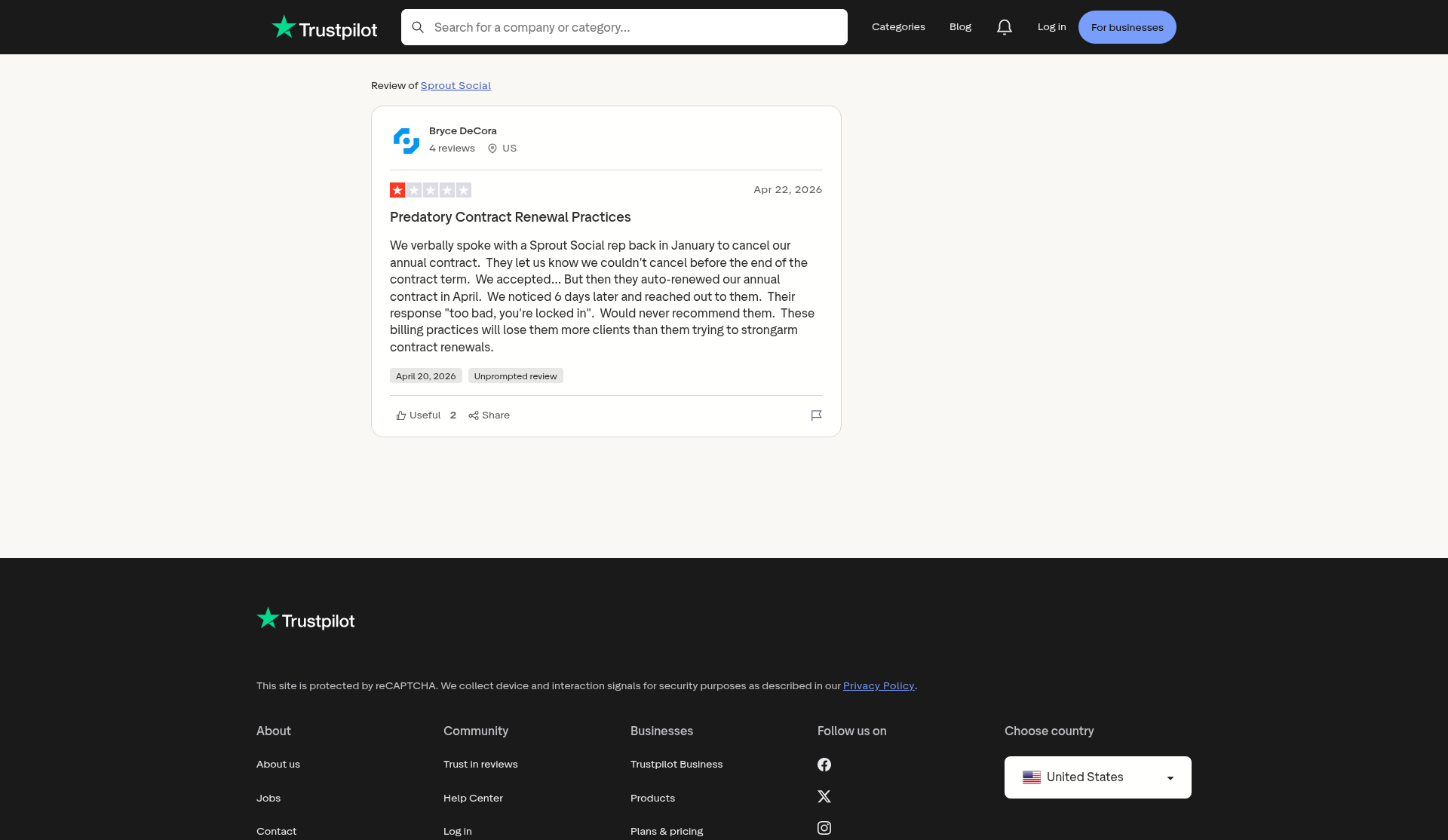
Source: Trustpilot, review by Bryce DeCora (Apr 22, 2026), https://www.trustpilot.com/reviews/69e7f055dc0db73936d7d0f8, captured Oct 15, 2026.
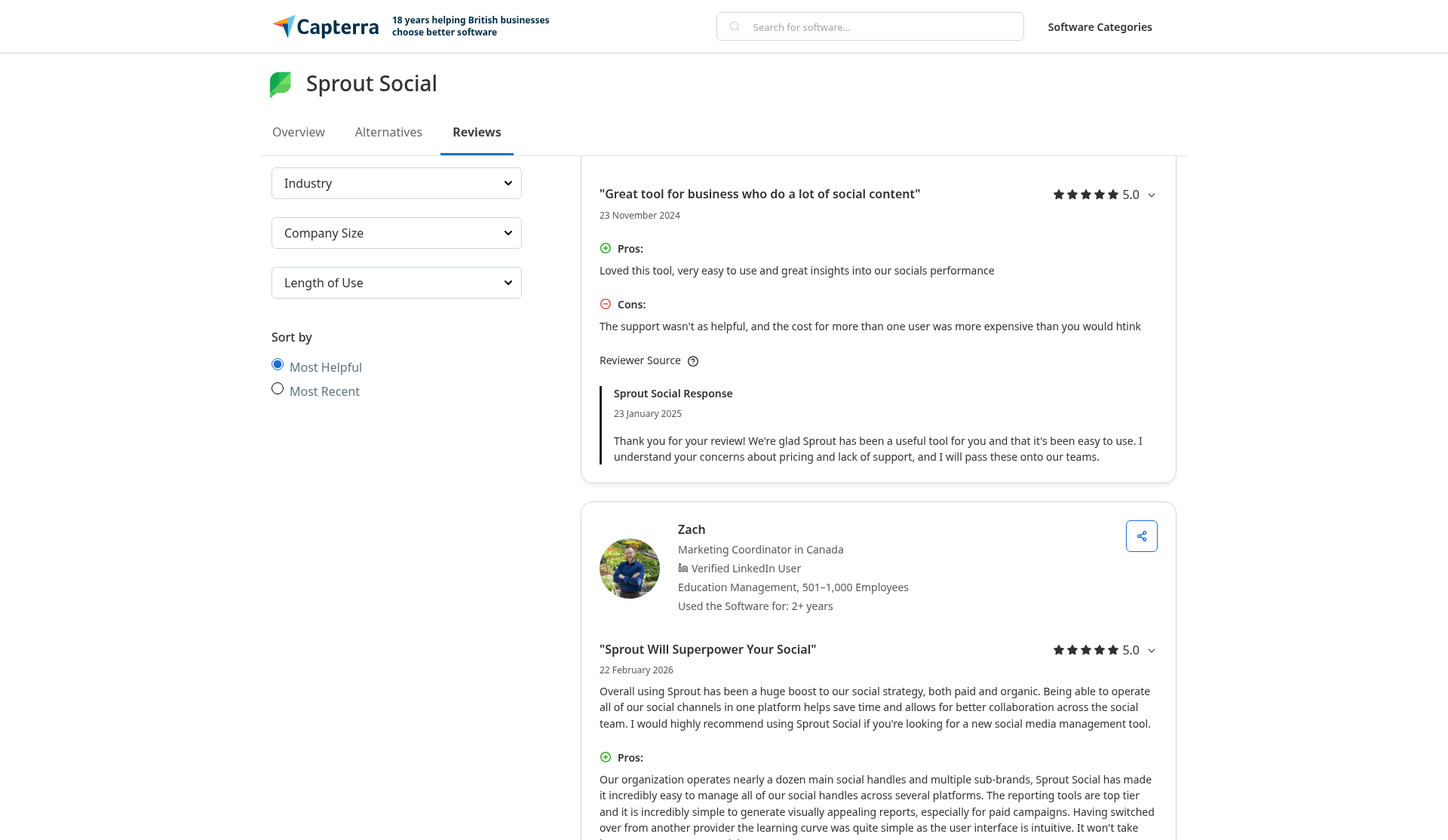
Source: Capterra UK, reviews by Joe (Nov 23, 2024) and Zach (Feb 22, 2026), https://www.capterra.co.uk/reviews/121447/sprout-social, captured Oct 15, 2026. The image shows Joe's full review and the start of Zach's.
How far can you trust Sprout's ratings in 2026?#
Each site answers a different question:
Reviewer pools: on Capterra UK, 20 of 609 reviews give 1 or 2 stars (3.3%). On Trustpilot, 70% give 1 star. Gartner and TrustRadius reviewers write about the product. Trustpilot reviewers write about contracts and support.
The contract signal: 18 of the 40 newest Trustpilot reviews describe a fight over cancellation, auto-renewal or contract length.
Incentives: all 10 of the newest TrustRadius reviews and 11 of the 25 Software Advice reviews I read carry an incentive tag. In its summary of 33 reviews from the last 18 months, TrustRadius counts 30% who find Sprout "expensive due to add-ons and multi-year contracts."
Clusters and strays: 9 of the 40 newest Trustpilot reviews praise Sprout, and 6 of those 9 went up between Mar 11 and Mar 24, 2025. 3 of the 40 describe other apps (a resume app, SproutGigs and a task app) and do not rate Sprout Social.
Dates: the 25 Software Advice reviews I read run from Nov 2017 to Apr 2026, and one from Oct 2022 mentions a 10-profile limit that no current plan matches. GetApp's feature analysis covers 43 reviews from September 2021 to September 2024, before Essentials and Trellis.
My take on the ratings: Read Capterra and TrustRadius for how Sprout works day to day, and read Trustpilot for how its contracts end. The praise is about reports, the calendar and the inbox. The complaints are about renewals, seats and account managers.
Limitations to Know Before You Buy#
1. Standard stops at 5 social profiles#
Essentials and Standard both connect 5 profiles. Profile 6 moves every seat to Professional at $299, which adds $100 per person per month.
Your move: list every profile, including regional pages, a YouTube channel and a Threads account, before you pick a plan. A brand with Facebook, Instagram, LinkedIn, X and TikTok already sits at 5.
2. Essentials has no inbox and no keyword monitoring#
The $79 Essentials plan publishes and reports. The comparison table marks the social inbox, keyword monitoring, review moderation and conversation history as not included.
Budget note: if anyone on your team answers comments or DMs from Sprout, plan for Standard at $199 a seat from day one.
3. Approvals start at $299 a seat, and external approvals at $399#
The message approval workflow starts on Professional. External approvals, reply approvals and the rule builder sit on Advanced. A writer plus an approver on Professional costs 2 x $299 = $598 a month billed annually.
In 2024, an agency owner bought Professional for client sign-off and then found "they only allow 3 external approvers for the whole account" (Chris Rouse, Trustpilot, Oct 23, 2024).
Before you sign: ask sales, in writing, how many approvers and clients your plan covers.
4. Cancellation gives no refund, and the cancel path changes with your contract#
The terms give no refund for unused, prepaid fees on any self-serve plan. In-app plans cancel on the billing page. Annual plans with monthly payments and invoiced plans need an email from the Account Owner at least 30 days before the term ends.
On day one: confirm your payment type. Then set two reminders, 45 days and 31 days before renewal, and save the cancellation confirmation.
5. Listening and Premium Analytics sit behind a demo#
Listening (Smart Categories, sentiment scoring, spike alerts) and Premium Analytics are add-ons on Standard and up. The pricing page gives no price for either and routes you to a demo.
If listening drives the purchase: get the add-on quote before you commit the seats, because the seat price alone understates the bill.
Sprout Social Alternatives Compared on Price#
Pick a Sprout Social alternative by the Sprout cost you want to cut: the seat price, the 5-profile cap, the $299 approval tier or the Listening add-on you would buy to find new buyers. Here is what each rival charged on Oct 15, 2026, next to Sprout:
Tool | Entry plan | Next plan up |
CommunityTracker | Starter: $39 a month | Pro: $99 a month |
Hootsuite | Standard: $99 per user a month, billed annually | Professional: $199 per user a month, billed annually |
Agorapulse | Standard: $79 per user a month billed annually ($99 monthly) | Professional: $119 per user a month billed annually ($149 monthly) |
Buffer | Essentials: $5 per channel a month billed annually ($6 monthly) | Team: $10 per channel a month billed annually ($12 monthly) |
Sprout Social (for reference) | Essentials: $79 per seat a month billed annually ($99 monthly) | Standard: $199 per seat a month billed annually ($249 monthly) |
Take a 3-person team on 10 profiles. Sprout puts it on Professional, since Standard stops at 5 profiles, for $897 a month billed annually. The same team pays $297 on Hootsuite Standard, $237 on Agorapulse Standard and $100 on Buffer Team.
Once you know which Sprout job you want to replace, coverage tells you more than price:
Feature | Sprout Social | CommunityTracker | Hootsuite | Agorapulse | Buffer |
Posts to your own brand accounts | Yes | No | Yes | Yes | Yes |
Inbox for comments | Yes | No | Yes | Yes | Yes |
Inbox for DMs | Yes | No | Yes | Yes | No |
Listening beyond your own accounts (add-ons count) | Yes | Yes | Yes | Yes | No |
Buying-intent scoring and outreach to thread authors | No | Yes | No | No | No |
Approval workflows | Yes | Yes | Yes | Yes | Yes |
Free plan | No | Yes | No | No | Yes |
Monthly prices published | Yes | Yes | No | Yes | Yes |
Price set per user seat | Yes | No | Yes | Yes | No |
If approvals are the reason you would pay for Sprout Professional, check where each rival puts them: Hootsuite on its $399 Advanced seat, Agorapulse on its $119 Professional seat and Buffer on Team at $10 per channel. CommunityTracker's approvals apply to outreach messages, because it publishes no posts. Buffer's inbox answers comments and Google reviews, without DMs. Sprout's own Yes in the inbox row starts at Standard, since Essentials has no inbox.
Sprout Social Alternative: CommunityTracker#
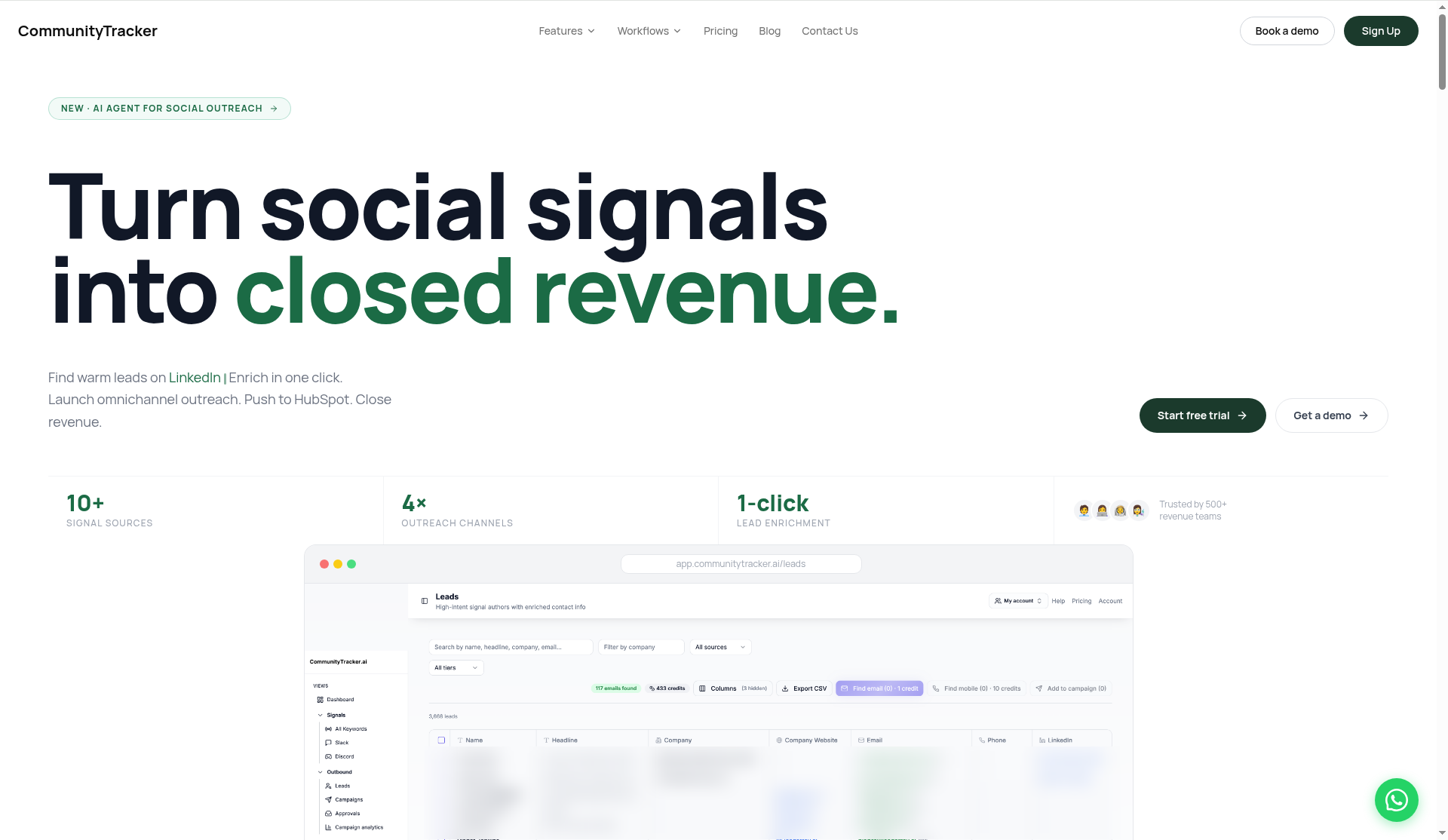
Source: the CommunityTracker homepage (https://www.communitytracker.ai/), captured Oct 15, 2026.
My #1 alternative is CommunityTracker if your gap is finding buyers in community threads.
Sprout's keyword monitoring pulls mentions of your brand keywords into the Smart Inbox, and the Listening add-on widens that net for a price you only get in a demo. CommunityTracker starts from the buyer's side: it hunts for people in public threads who ask for a product like yours, rates how ready each one is to buy and lets you contact them.
Its sources are Reddit, LinkedIn, X, Slack communities, Discord, GitHub, Hacker News, Product Hunt, Dev.to and Indie Hackers (communitytracker.ai).
Features#
Intent scores instead of brand mentions: where Sprout Standard watches 10 brand keywords per group, CommunityTracker rates each matching post by how likely its author is to buy and writes a draft reply for you.
Author lookup: a single click returns the poster's email, LinkedIn profile and company details, a step no Sprout plan lists.
Outreach from the same screen: you contact the author by email sequence, LinkedIn DM, Reddit reply or AI voice call.
HubSpot hand-off: found leads go to HubSpot, a connection Sprout keeps for its $399 Advanced seat.
Sign-off on outreach: admins can hold messages for approval before anything goes out, the way Sprout Professional holds posts.
Reports: Pro tracks share of voice, and Advanced adds community intelligence and AI visibility.
Pricing#
CommunityTracker charges one flat monthly fee per plan, signs you to no long-term contract and lets you cancel when you choose. Pro comes with a free trial. These plans sat on communitytracker.ai/pricing on Oct 15, 2026:
Free ($0): one Reddit keyword with daily alerts and basic analytics.
Starter ($39/month): four keywords across Reddit, LinkedIn, Hacker News and GitHub, up to 5,000 mentions and 100 warm emails a month, plus a reply generator.
Pro ($99/month): ten keywords on every supported community, no cap on mentions or warm emails, AI scoring, share of voice and daily Slack alerts.
Advanced ($199/month): twenty keywords plus community intelligence, a share of voice export and AI visibility.
Set Pro against a $199 Sprout Standard seat: it costs $100 less, and its 10 keywords match the 10 brand keywords Standard watches per group. Advanced costs the same $199 as that one seat.
Pros#
Month-to-month billing, so you never face the annual auto-renewal that 18 of the 40 newest Sprout Trustpilot reviews fight over.
Pro puts no cap on mentions, so a wide keyword never adds an overage.
It reads posts inside Slack communities and Discord servers, and Sprout's plan table does not list Discord at all.
You find, enrich and contact a lead without leaving the tool.
The free plan runs one Reddit keyword at no cost, while Sprout has no free tier at all.
Cons#
Nothing to publish: none of the plans include a scheduler, a calendar or a brand inbox, so it cannot replace Sprout's publishing or Smart Inbox.
No review desk: your Yelp, TripAdvisor and Trustpilot reviews stay in Sprout, because CommunityTracker does not pull them.
Daily alerts: Pro and Advanced report to Slack once a day, while Sprout's inbox monitoring runs in real time.
Coverage gaps: podcasts and newsletters fall outside its sources, and it reaches blogs, news sites and the open web only in part.
Lower tiers cover less: the free plan reads one keyword on Reddit, and Starter stops at Reddit, LinkedIn, Hacker News and GitHub, without X or Slack.
Plan placement unstated: the pricing cards do not say which tier gets enrichment, AI voice calls or HubSpot sync, so get that answer in writing before you pay.
I found no readable user reviews of CommunityTracker on G2, Capterra, TrustRadius, Trustpilot, Product Hunt, AppSumo or SaaSHub.
Summary#
If your Sprout seats pay for brand mentions while your sales team wants people who ask for your category in Reddit or Slack threads, add CommunityTracker Pro at $99 a month and keep Sprout for posts and the inbox. With no third-party reviews to read, start on the free Reddit keyword and judge the leads yourself.
Sprout Social Alternative: Hootsuite#
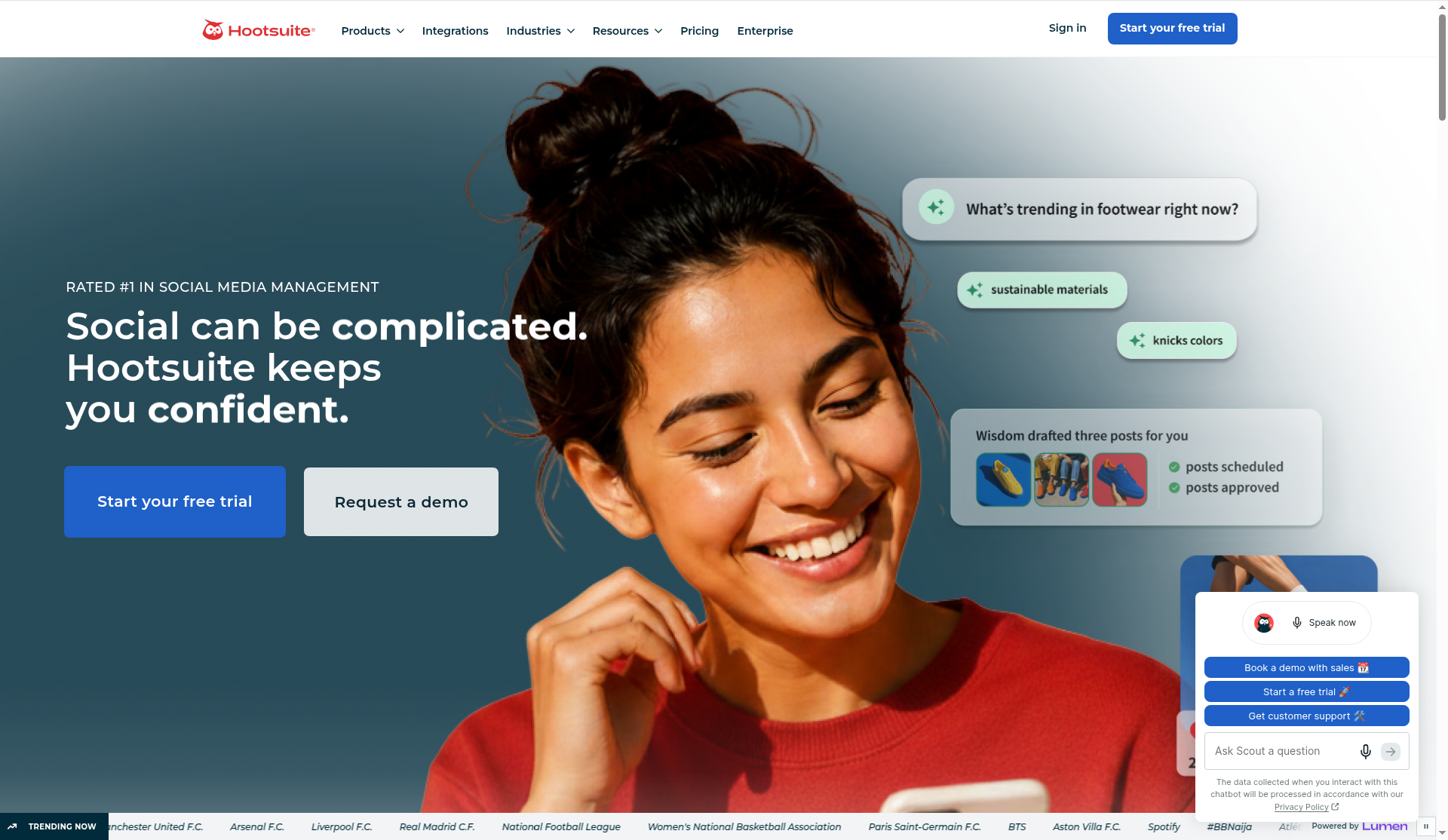
Source: the Hootsuite homepage (https://www.hootsuite.com/), captured Oct 15, 2026.
Hootsuite also prices per seat, but its $99 Standard seat connects 10 social accounts where Sprout Standard stops at 5. It ships as five modules: Perch for publishing, Nest for the inbox, Lumen for listening, Wisdom for AI and Parliament for advocacy on Enterprise.
Features#
Publishing: unlimited scheduled posts, a drag-and-drop calendar, recommended posting times and a link-in-bio tool.
Inbox: one inbox for Facebook, Instagram, LinkedIn, X, Threads, TikTok, Google Business Profile and WhatsApp on Standard.
Listening: 7-day searches on Standard and 30-day searches with export on Professional, where Sprout sells wider listening as an add-on.
Benchmarks: 5 competitors on Standard, 20 on Professional.
Approvals: on Advanced.
Pricing#
Hootsuite sells per user, with prices from hootsuite.com/plans on Oct 15, 2026. It does not publish the monthly-billing rate.
Standard ($99 per user/month billed annually): 10 accounts, the inbox, 7-day listening and benchmarks against 5 competitors.
Professional ($199 per user/month billed annually): unlimited accounts, 30-day listening, inbox automation and 20 competitors.
Advanced ($399 per user/month billed annually): approvals, message routing and team reports.
Enterprise (custom): SSO and 13 months of listening history.
Hootsuite's trial runs 14 days with no card, half of Sprout's 30. The payment terms make paid fees non-refundable, and plans auto-renew.
Pros#
10 accounts on a $99 seat, against 5 on a $199 Sprout Standard seat.
Listening and competitor benchmarks come inside Standard, with no add-on.
Unlimited accounts on Professional at $199, against $299 on Sprout Professional.
Cons#
Approvals cost $399 a seat on Advanced, against $299 on Sprout Professional.
Standard listening looks back 7 days.
No monthly prices on the plans page.
Fees are non-refundable, and Trustpilot shows 1.3 from 556 reviews (checked Oct 15, 2026).
Summary#
Three people on 10 accounts pay $297 a month on Hootsuite Standard and $897 on Sprout Professional, both billed annually, so the switch saves $7,200 a year. The math flips once you need approvals, because Hootsuite puts them on the $399 seat.
Sprout Social Alternative: Agorapulse#
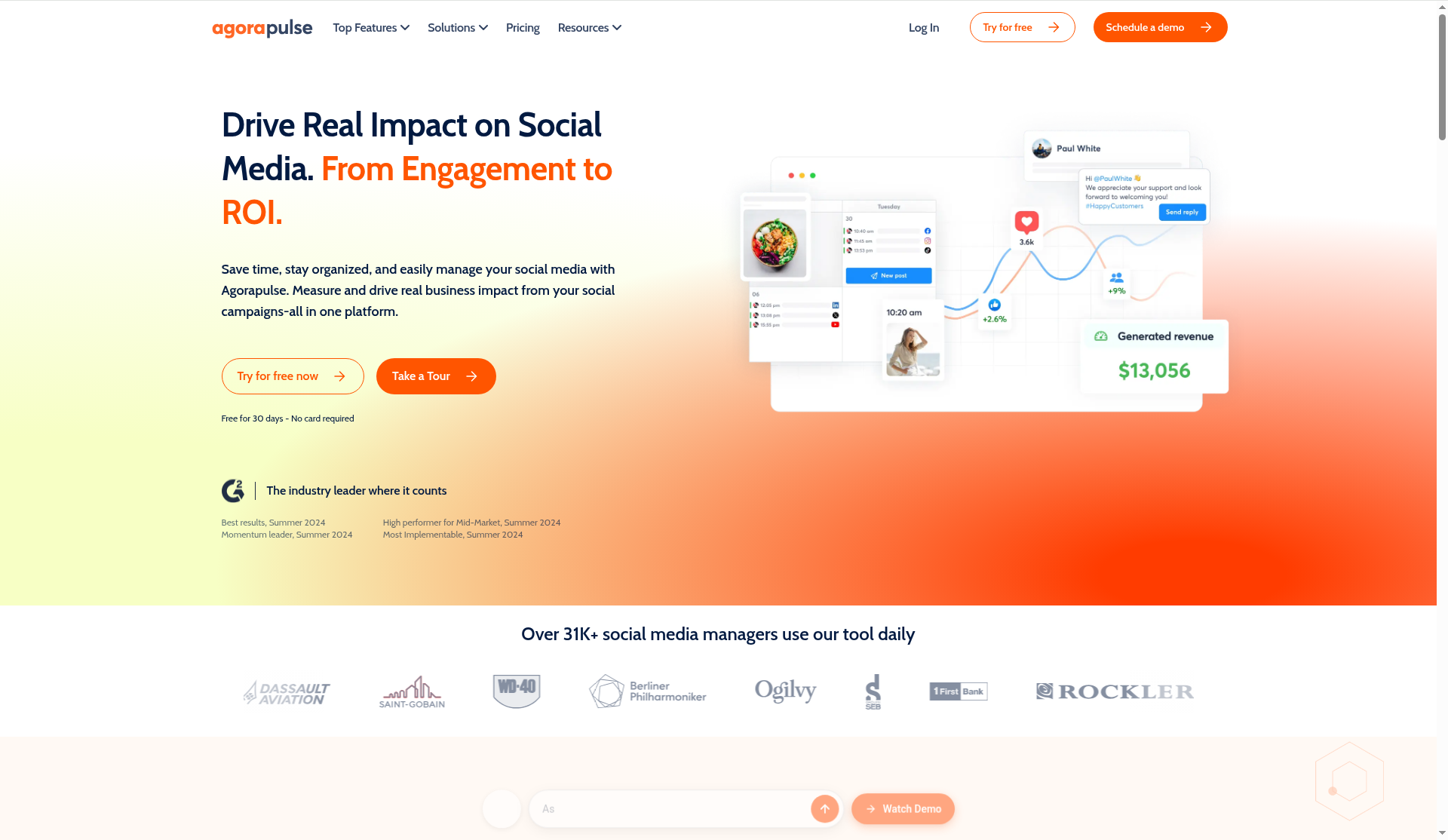
Source: the Agorapulse homepage (https://www.agorapulse.com/), captured Oct 15, 2026.
Agorapulse matches Sprout's $79 entry price per seat, but its $79 Standard plan includes an inbox and 10 profiles. Each plan also states a first-response time for support.
Features#
Publishing: posts schedule without a limit, and you get a shared calendar, first comments, threads and link tracking.
Inbox: messages, organic comments and Google Business Profile reviews land in one inbox from the $79 Standard plan, and you reply to all three there. Sprout saves its inbox for the $199 Standard seat. Ad comments join on Professional.
Moderation: automated rules hide, label, assign or delete inbox items on every plan. Standard, Professional and Advanced allow 1 rule per profile, and Custom lifts the cap.
Team: approvals and assignments on Professional, labels and saved replies on Advanced.
Reporting: branded report exports on Standard, ROI and competitor reports on Advanced.
Support: Agorapulse promises a first reply within 6 hours on Standard, 2 hours on Professional and 1 hour on Advanced. Sprout offers live chat and phone 24/5 on every plan without a stated reply time.
Pricing#
Agorapulse also bills per user. I loaded these prices from agorapulse.com/pricing on Oct 15, 2026:
Standard: $79 per user a month billed annually ($99 monthly), with 10 profiles, unlimited posts, an inbox with Google review replies, 1 automated moderation rule per profile and 6 months of data.
Professional: $119 per user a month billed annually ($149 monthly), adding approvals, assignments, ad comments and 12 months of data.
Advanced: $149 per user a month billed annually ($199 monthly), adding labels, saved replies, ROI and competitor reports and 24 months of data.
Custom (quote): unlimited profiles, SSO, multi-step approvals and the API.
You get 30 days free without entering a card, the same length as Sprout's trial, and the trial does not turn into a charge on its own. Listening sits outside the plans as an add-on, much like Sprout's Listening.
Pros#
Standard includes an inbox at $79 a seat, where Sprout's $79 Essentials has none.
You answer Google reviews from that same $79 inbox, a source Sprout's review list does not name.
Approvals at $119 a seat, against $299 on Sprout Professional.
Published monthly prices for every self-serve plan, as Sprout has.
Cons#
Profile 11 needs a custom quote on every self-serve plan.
Listening costs extra as an add-on.
Standard keeps 6 months of data.
Agorapulse holds 4.0 from 57 reviews on Trustpilot (checked Oct 15, 2026).
Summary#
I would move a 2-person team from Sprout Professional to Agorapulse Professional if it needs approvals on 10 profiles or fewer: $238 a month instead of $598, billed annually. I would stay on Sprout if your team answers Yelp, TripAdvisor, Trustpilot or Glassdoor reviews, since Agorapulse's plan table names Google reviews and no other review site.
Sprout Social Alternative: Buffer#
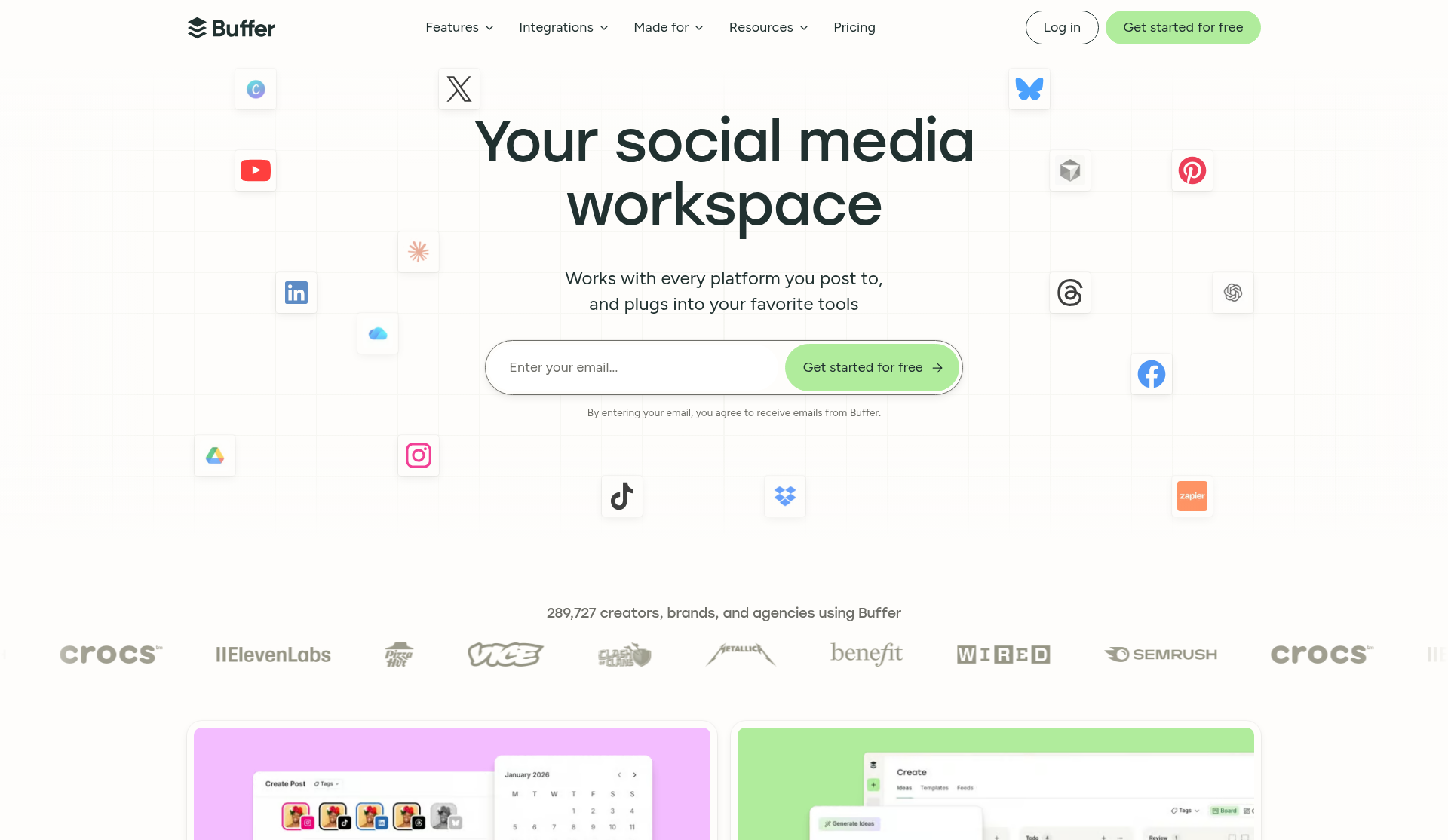
Source: the Buffer homepage (https://buffer.com/), captured Oct 15, 2026.
Buffer prices by channel instead of by seat, so adding a person costs nothing on Team. If Sprout's seat count is the problem, this is the model to compare.
Features#
Publishing: a queue, a calendar, threads for X, Bluesky, Threads and Mastodon, and first-comment scheduling.
Community: comment replies on 10 networks, with AI and saved replies. Sprout holds saved replies for Professional.
Analytics: post insights with CSV and PDF exports. Team adds branded reports, which Sprout keeps for the $299 Professional seat.
Team: the Team plan gives unlimited users plus approvals and access controls, where Sprout charges a seat per person and holds approvals for Professional.
Pricing#
Buffer charges by connected channel. From buffer.com/pricing on Oct 15, 2026:
Free ($0): 3 channels and 1 user, with 10 queued posts per channel.
Essentials ($5 per channel/month billed annually, $6 monthly): unlimited scheduled posts for 1 user.
Team ($10 per channel/month billed annually, $12 monthly): unlimited users, approvals and branded reports.
Ten channels on Team cost $100 a month billed annually, $99 less than one $199 Sprout Standard seat. The 14-day trial drops to Free if you add no payment method.
Pros#
Unlimited users on Team, against one paid seat per person on Sprout.
Approvals for $10 per channel, against $299 per seat on Sprout Professional.
You can run 3 channels on the free plan, and Sprout has no free tier.
Developers get API keys on every Buffer plan (3,000 requests a month on Free), while Sprout opens its API only on the $399 Advanced seat.
Cons#
No plan lists social listening, keyword monitoring or competitor reports.
Buffer's inbox covers comments and Google reviews, with no DMs and no Yelp or TripAdvisor reviews.
Essentials is single-user, so a second person means moving to Team.
Buffer's Trustpilot score is 3.9 across 130 reviews (checked Oct 15, 2026), against 1.8 for Sprout.
Summary#
Use Buffer if your team schedules posts and replies to comments, and nobody answers DMs or Yelp reviews from the tool. Keep Sprout if your support team lives in the inbox, because Buffer covers no DMs, no Yelp or TripAdvisor reviews and no keyword monitoring.
Final Verdict: Is Sprout Social Worth It in 2026?#
Yes, and mainly for one group: a team on Professional that works an inbox of comments, DMs and Yelp or TripAdvisor reviews every day across more than 5 profiles, with approvals and competitor reports in its routine. At $299 a seat billed annually, Professional holds all of that in one app. The second fit is smaller: one person who answers DMs and reviews on 5 profiles or fewer gets the same inbox on a $199 Standard seat. A team that mostly schedules posts pays for an inbox it barely opens, while Buffer Team covers unlimited users and approvals at $10 per channel a month billed annually. If you want buyers from Reddit, LinkedIn or Slack threads, CommunityTracker Pro tracks 10 keywords for $99 a month.
Three moments change the answer: profile 6, each seat you add, and a renewal date nobody wrote down.
Buy Sprout Social if:
Your team shares an inbox across more than 5 profiles: Professional at $299 a seat adds unlimited profiles, approvals, saved replies and competitor reports.
Your support people answer reviews next to social messages: from Standard up, Sprout pulls in Yelp, TripAdvisor, Trustpilot and Glassdoor.
You need the API or a Salesforce or Zendesk connection: Advanced lists all three at $399 a seat.
As a second fit, you run a solo desk on 5 profiles or fewer: one Standard seat covers the inbox, review management and keyword monitoring for $2,388 a year.
Skip Sprout Social if:
Your 3 people post to 10 profiles but rarely answer messages: Sprout Professional costs $897 a month, Hootsuite Standard $297 and Buffer Team $100, all billed annually.
You only schedule posts: Essentials at $79 has no inbox, and Buffer Essentials costs $5 per channel.
You want leads from community threads: Sprout manages your own profiles. Finding buyers in Reddit or Slack threads needs a tool built for that job.
A 12-month commitment does not fit your budget: the terms give no refund when you cancel an annual plan.
My first pick for Sprout is a 3-person care team on Professional that answers DMs and reviews across 8 to 12 profiles: $10,764 a year buys approvals, saved replies and full conversation history for all three. My second pick is a single marketer on Standard who handles 5 profiles for a local brand, at $2,388 a year. I would not buy it for a 4-person agency that mostly schedules client posts, because that team pays $14,352 a year on Professional for an inbox it barely uses.
Next step: start the 30-day trial, connect the 5 profiles that get the most messages, route one week of DMs and reviews through the Smart Inbox, and confirm in writing how your plan cancels before you enter a card.
FAQs#
1. Is Sprout Social worth it in 2026? Yes, if you run a team that answers comments, DMs and reviews every day across more than 5 profiles and needs approvals: that is Professional, at $299 a seat billed annually. A solo marketer on 5 profiles or fewer fits too, as a second case, on the $199 Standard seat. Teams that mostly schedule posts overpay for an inbox they will not open, and Buffer Team charges $10 per channel a month with unlimited users. For buyers in Reddit, LinkedIn or Slack threads, CommunityTracker Pro does the job for $99 a month.
2. How much does Sprout Social cost? Essentials costs $79, Standard $199, Professional $299 and Advanced $399 per seat per month, billed annually (checked Oct 2026). Monthly billing costs $99, $249, $399 and $499. Enterprise pricing comes from sales. Price your full headcount, because Sprout bills every user as a seat.
3. Does Sprout Social have a free plan or free trial? Sprout offers no free plan. The 30-day trial needs no credit card, and when it ends Sprout asks you to pick a plan and pay. Buying a plan mid-trial ends the trial that day, so use the full 30 days to connect every profile you plan to manage.
4. Can I get a refund from Sprout Social? The terms give no refund or credit for prepaid, unused fees when you cancel or downgrade a self-serve plan (checked Oct 2026). The one listed exception is a prorated refund if Sprout fails to fix a material breach within 30 days of your written notice. Treat the annual payment as spent the day you pay.
5. How do I cancel Sprout Social? If you pay in the app, the Account Owner cancels on the billing page before the renewal date. If you have an annual plan with monthly payments or an invoice, the Account Owner emails the customer success manager or successteam@sproutsocial.com at least 30 days before the term ends. Save the confirmation.
6. Does Sprout Social include social listening? Standard and Professional include keyword and brand monitoring with 10 brand keywords per group, and Advanced allows 20 (checked Oct 2026). The Listening add-on, with sentiment scoring and spike alerts across wider conversations, costs extra and goes through a demo. Get that quote before you sign for seats.
7. Sprout Social vs Hootsuite: which costs less? Hootsuite costs less on every plan with an inbox below Advanced: $99 against $199 at Standard and $199 against $299 at Professional, per seat billed annually (checked Oct 2026). Both charge $399 for Advanced, and Hootsuite Standard connects 10 accounts where Sprout Standard connects 5. Pick Sprout if you need approvals at the $299 tier or review management for Yelp and TripAdvisor.