Google Alerts is one of the simplest monitoring tools available. It's free, quick to set up, and can surface new mentions of your brand, competitors, or industry topics across the web.
But many teams set it up once, get flooded with irrelevant emails, and stop checking it.
Most of the time, the problem isn’t the tool; it’s how the alerts were configured.
With the right queries and a small review routine, Google Alerts can help you notice brand mentions, discover unlinked citations, track competitor announcements, and spot articles worth responding to.
This guide explains what Google Alerts is and how it works, how to set it up properly, and which alerts actually produce useful signals instead of inbox noise.
What Google Alerts Actually Does#
Google Alerts monitors Google’s search index for pages that match the keywords you specify.
When Google discovers a newly indexed page containing that keyword, it sends you an email or RSS notification.
That sounds straightforward, but a few limitations matter.
It only sees pages Google indexes. If a page isn't indexed — because it’s private, behind a login, or simply not crawled yet — Google Alerts won’t detect it.
Alerts depend on indexing speed. Google may take hours or days to index a new page, so Alerts are not a real-time monitoring tool.
Keyword design determines result quality.
A broad keyword like Nike generates thousands of irrelevant matches.
A query like "Nike" complaint or "Nike" pricing surfaces more meaningful results.
Understanding those constraints helps you set alerts that actually produce useful signals.
Start tracking conversations across communities with CommunityTracker.
Why Monitoring Your Brand Matters#
Even small companies get mentioned online in places they never see.
Monitoring helps you catch those mentions early.
Reputation management Complaints or negative reviews sometimes appear on blogs or forums and quietly rank on Google later. Catching them early allows you to respond before they become the first search result people see.
PR and link opportunities Bloggers frequently mention products without contacting the company. When you notice those mentions, you can thank the author or request a backlink.
Competitor intelligence Alerts for competitor names paired with words like launch, pricing, or funding can reveal updates without actively tracking every company announcement.
Unlinked mentions If a website references your brand without linking to your site, that’s often an easy outreach opportunity.
How to Set Up Google Alerts#
Here are the steps to set up Google Alerts:
Step 1 — Open Google Alerts#
Go to Google Alerts
Enter your first keyword.
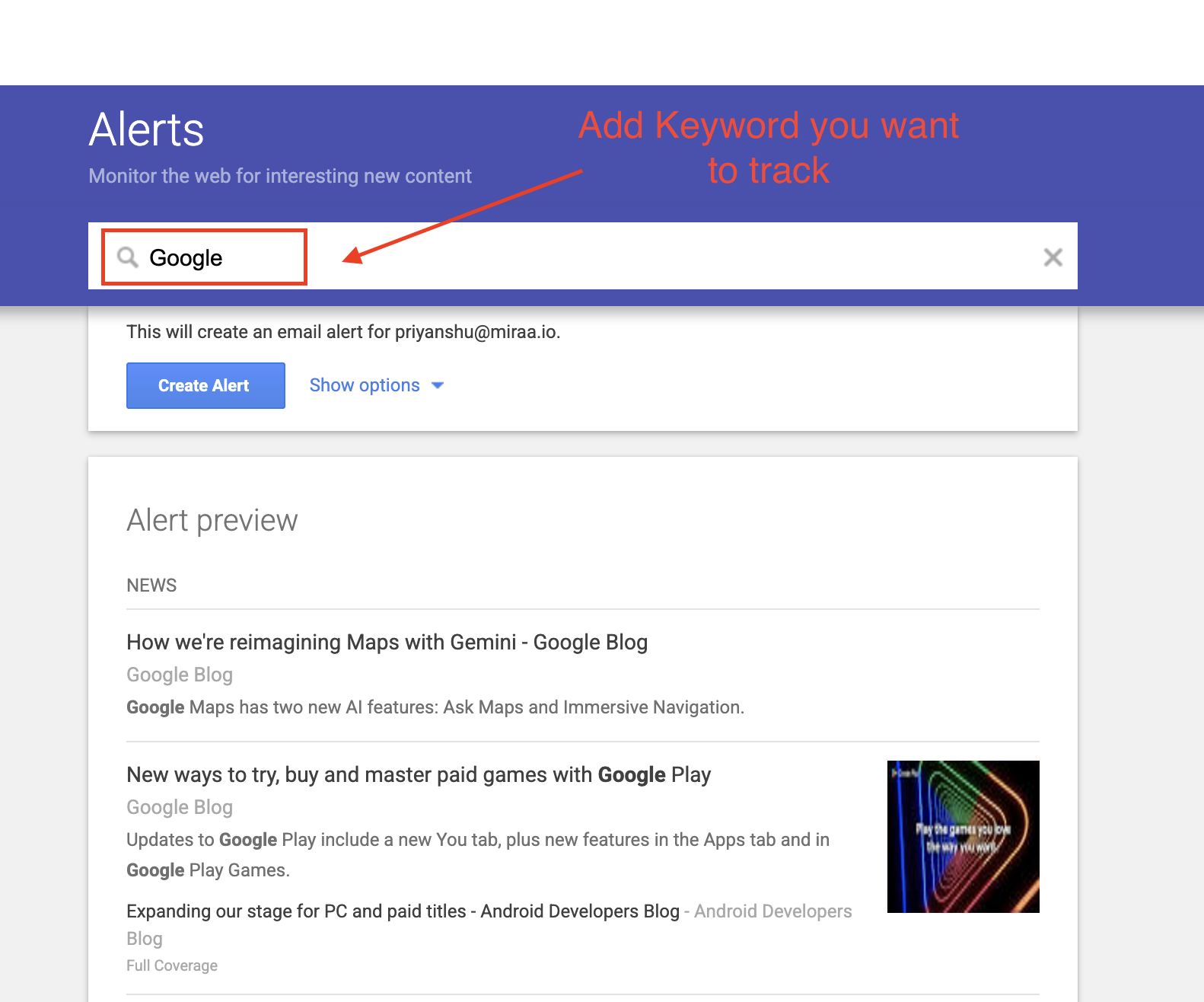
If your brand contains multiple words, always use quotation marks.
Example:
"Google Alerts"
This tells Google to search for the exact phrase rather than pages containing the words separately.
Step 2 — Configure the alert settings#

Click Show options and review each setting.
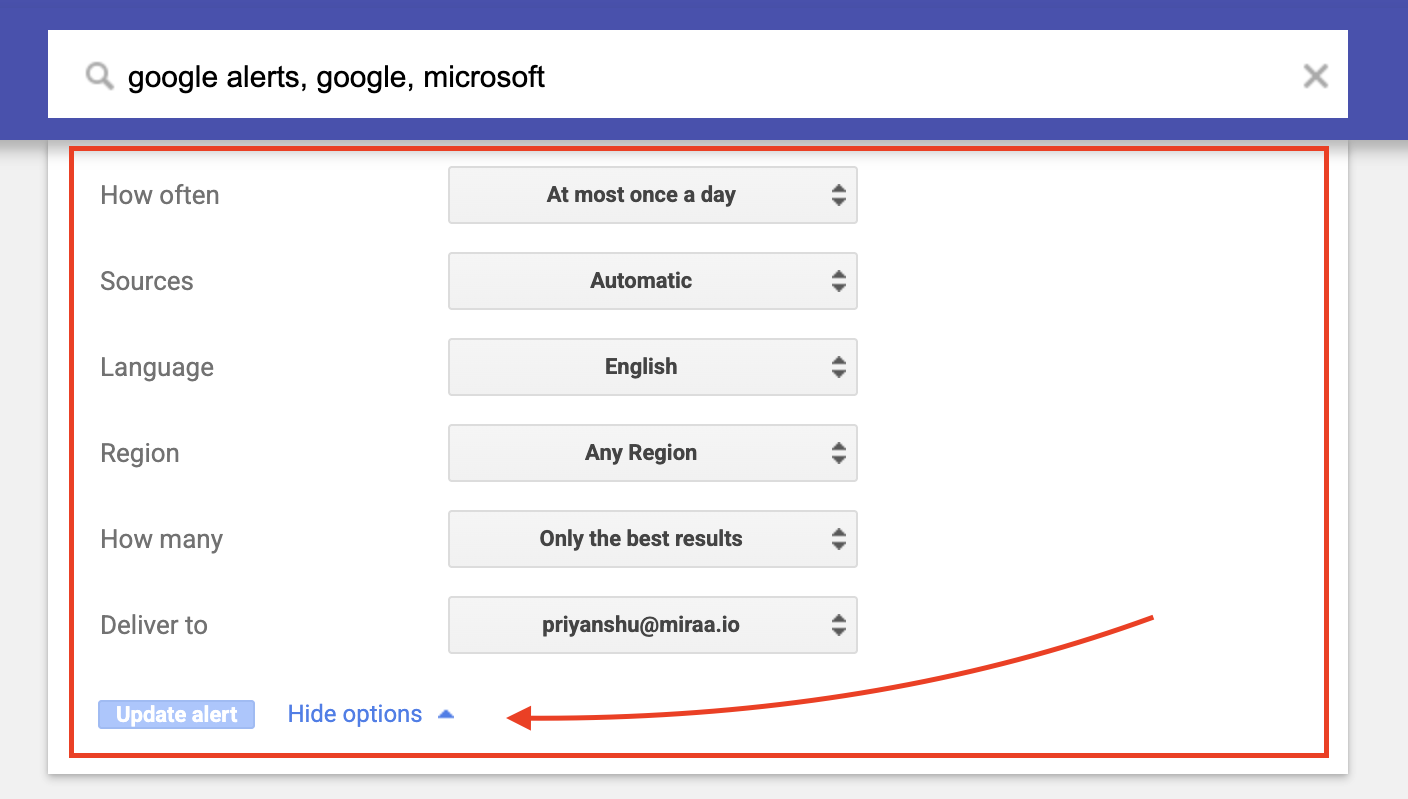
How often
Brand mentions → As-it-happens or Daily Industry keywords → Weekly
Sources
Leave on Automatic unless you only want news coverage.
Language and region
Limit this to your market if your brand only operates in certain countries.
Results
Choose All results for brand monitoring. Choose Best results for broad topics.
Delivery
Email works for most people. RSS is useful if alerts will feed into Slack or another tool.
Step 3 — Start small#
Creating too many alerts on day one is the fastest way to ignore them.
A good starting set:
• Exact brand name • Brand name variations • Main product name • Founder or executive name • One competitor
Once you build a habit of reviewing alerts, expand from there.
Step 4 — Reduce noise early#
Irrelevant results appear quickly.
Use exclusions to clean up results.
Example queries:
"BrandName" -jobs -careers
Removes hiring posts.
"BrandName" -site:linkedin.com -site:pinterest.com
Removes results from specific domains.
This simple cleanup can cut inbox noise dramatically.
Google Alerts Search Tips That Actually Work#
You only need a few.
Exact phrase#
"Brand Name"
Returns pages with that exact phrase.
OR operator#
("BrandName" OR "Brand Name")
Captures spelling variations.
Exclusion#
"BrandName" -jobs
Removes irrelevant keywords.
Site operator#
site:reddit.com "BrandName"
Limits results to one platform.
Intitle operator#
intitle:"BrandName review"
Shows pages where the brand appears in the article title.
These often indicate higher-intent discussions.
Start tracking conversations across social media with CommunityTracker.
The Most Valuable Google Alerts to Create#
Not every alert produces useful insights. These typically do.
Brand mentions#
"BrandName"
Basic brand monitoring.
Reputation monitoring#
("BrandName") (complaint OR scam OR refund OR review)
Surfaces potential reputation issues early.
Buying-intent pages#
("BrandName") (pricing OR cost OR alternatives OR vs)
Often reveals comparison articles or buying research.
Unlinked brand mentions#
"BrandName" -site:yourdomain.com
Pages mentioning your brand but not linking to your site.
Competitor activity#
"CompetitorName" (launch OR update OR pricing OR funding)
Helps track competitor announcements.
Founder mentions#
"Firstname Lastname"
Useful for companies with visible leadership or personal brands.
Industry content discovery#
("best [category] tools" OR "[category] software alternatives")
Good source of content ideas and outreach opportunities.
Recommended Alert Settings#
Alert Type | Frequency | Results |
Brand name | Daily / Instant | All results |
Reputation keywords | Instant | All results |
Unlinked mentions | Weekly | All results |
Competitor updates | Weekly | Best results |
Industry topics | Weekly | Best results |
Making Google Alerts Actually Useful#
Setting alerts takes two minutes. Getting value requires a small routine.
Separate them from your main inbox
Create a Gmail label like Brand Monitoring and route alerts there automatically.
Scan alerts intentionally
When reviewing alerts, ask:
• Does this require a response? • Is this a link opportunity? • Is this useful for competitor research? • Is this a content idea?
Review once per week
A short weekly review usually takes 10–15 minutes.
The goal is consistency, not depth.
What Google Alerts Cannot Do?#
Google Alerts is helpful, but it has clear limits.
No real-time monitoring#
Alerts depend on Google's indexing speed.
Limited social media coverage#
Most posts on LinkedIn, X, Instagram, and Facebook never appear in Alerts.
Community conversations are inconsistent#
Reddit threads or forum discussions only appear if Google indexes them.
No sentiment analysis#
Alerts only provide links. You still need to read the page to understand context.
Private or paywalled pages are invisible#
Closed communities, Slack groups, or private forums will never appear.
Because of these limits, Google Alerts works best as a baseline monitoring tool, not a full listening solution.
When You May Need a Google Alerts Alternative#
Google Alerts works well for tracking mentions on websites that Google indexes, such as blogs, news articles, and public web pages.
But many product discussions happen in places that Google rarely indexes.
For example:
• Reddit threads where users compare tools • Slack communities discussing products • LinkedIn comment discussions • GitHub issues where developers report problems • Product Hunt or Indie Hackers conversations
These discussions often influence buying decisions earlier than blog articles do.
Because Google Alerts depends on search indexing, many of these conversations either appear late or never appear at all.
This is where community monitoring tools come in.
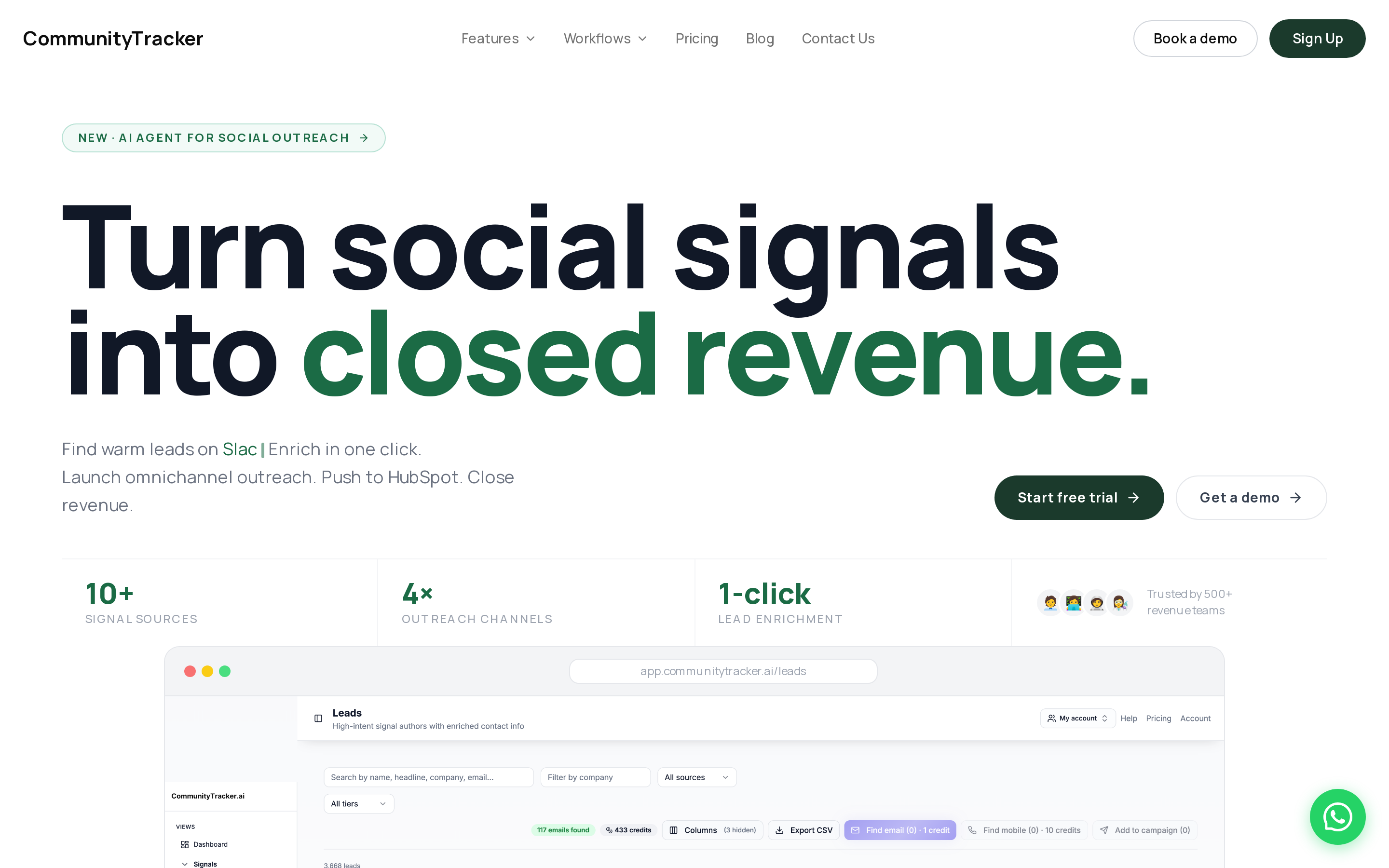
CommunityTracker monitors conversations directly inside communities instead of relying on Google's index.
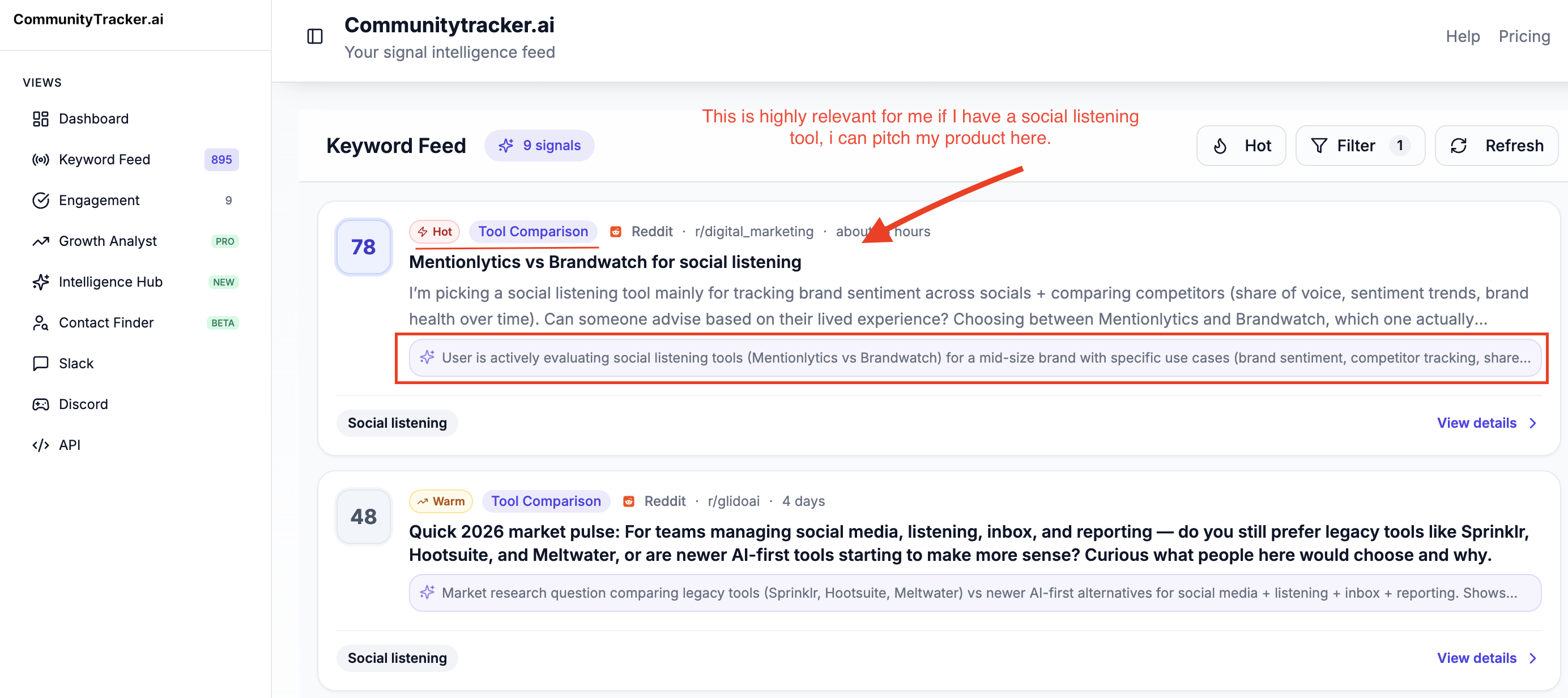
It tracks conversations across communities such as Reddit, Slack groups, LinkedIn discussions, X threads, GitHub issues, and other forums where people ask for recommendations or compare products.
CommunityTracker organizes these mentions in a unified inbox, filters low-signal posts, and highlights discussions where users show buying intent.
It also provides share of voice across communities, helping teams see where their brand appears in conversations compared to competitors.
For many companies, the setup becomes simple:
• Google Alerts → blogs, news sites, indexed web pages • CommunityTracker → Reddit, Slack communities, developer forums, and discussion platforms
Using both together helps teams understand not only where their brand appears on the web, but also where real product conversations are happening inside communities.
Start tracking conversations across communities with CommunityTracker.
How do I set a Google Alert?#
Go to google.com/alerts, enter a keyword, configure the alert options, and choose how often Google should send results.
Is Google Alerts free to use?#
Yes. Google Alerts is completely free and only requires a Google account.
Are Google Alerts real-time?#
No. Alerts depend on Google indexing speed, so results often appear hours or days after publication.
Can Google Alerts track Reddit or forums?#
Sometimes. Only threads indexed by Google will appear, which means many community discussions are missed.
How many Google Alerts can you create?#
Google does not publish a strict limit, but most users manage between 10 and 50 alerts comfortably.
Can I receive Google Alerts without Gmail?#
Yes. Alerts can be sent to any email address or delivered through RSS feeds.
What triggers a Google Alert?#
A new page indexed by Google that contains your specified keyword triggers the alert.
What are the best alternatives to Google Alerts?#
Tools like CommunityTracker, Brand24, Awario, and Octolens provide broader monitoring, including social media and community discussions.