Most teams track competitors the wrong way. They check posts, likes, and follower growth.
But this does not explain why competitors are performing better. That is the gap.
Most social media competitor analysis tools show data, engagement, reach, and content.
But they do not show:
what content is actually working
how users are reacting
where competitors are getting traction
So you end up with dashboards, but no clear action.
That’s why choosing the right tool matters.
In this guide, we have listed the 10 best social media competitor analysis tools in 2026 based on what they actually help you do:
track competitor performance
understand audience response
find patterns you can use
So you can pick a tool that fits your workflow.
TL;DR: 10 Best Social Media Competitor Analysis Tools in 2026#
Best for competitor insights from real conversations: CommunityTracker
Best for enterprise-level competitor analysis: Sprinklr, Brandwatch
Best for all-in-one social media + competitor tracking: Sprout Social, Hootsuite
Best for competitor mentions and sentiment tracking: Brand24
Best for visual platform analytics and competitor tracking (Instagram, TikTok): Dash Social
Best for competitor content analysis: BuzzSumo
Best for competitor benchmarking and performance comparison: Rival IQ, Socialinsider
What Is a Social Media Competitor Analysis Tool?#
A social media competitor analysis tool is a tool that helps you see what your competitors are doing on social media and how well they are performing.
It shows you what they post, how much engagement they get, which content works best, and how their accounts are growing over time. Some tools also show what people are saying about your competitors and how your performance compares with them.
In simple words, it helps you understand what is working for your competitors so you can improve your own strategy instead of guessing.
Turn high-performing competitor posts into structured X threads. 👉 Download the workflow template
How We Evaluated These Social Media Competitor Analysis Tools?#
We did not rely on feature lists alone.
Each tool was evaluated based on how it performs in real social media workflows used by marketing and GTM teams.
Tracking competitor posts and performance
Quality of insights vs raw data
Ability to understand what content is working
Tracking mentions and audience reactions
Competitor comparison and benchmarking
Speed from insight to action
Integration into existing workflows
Ease of use for teams
Pricing vs actual value
10 Best Social Media Competitor Analysis Tools (Quick Comparison)#
Criteria | CommunityTracker | Sprinklr | Sprout Social | Hootsuite | Brand24 | Dash Social | BuzzSumo | Rival IQ | Brandwatch | Socialinsider |
Core focus | Buyer signals | Enterprise analytics | All-in-one | Management | Mentions | Visual content | Content research | Benchmarking | Consumer intel | Benchmarking |
Competitor analysis | Advanced | Advanced | Moderate | Basic | Moderate | Content-based | Content-based | Advanced | Advanced | Advanced |
Social listening | Advanced | Advanced | Add-on | Limited | Strong | Basic | Limited | Limited | Advanced | Limited |
Content analysis | Medium | Strong | Medium | Basic | Low | Strong | Strong | Strong | Strong | Strong |
Reporting | Action-based | Advanced | Strong | Good | Good | Strong | Medium | Advanced | Advanced | Strong |
Pricing | $29+ | Custom | $199+ | $99+ | $249+ | $999+ | $199+ | $239+ | Custom | $99+ |
1. CommunityTracker – Best for turning competitor conversations into actionable insights#
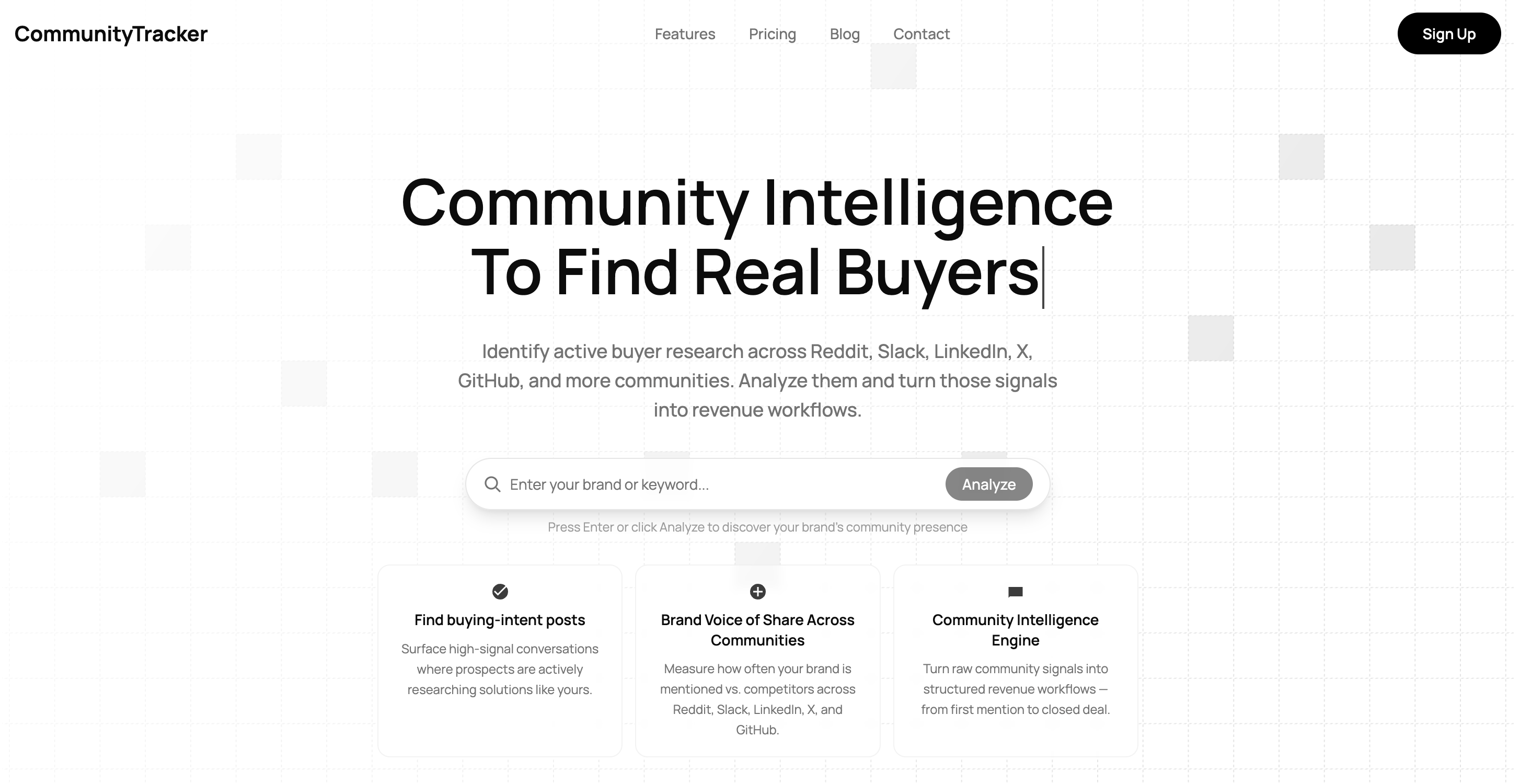
CommunityTracker is a community intelligence platform that helps teams track competitor conversations and buyer discussions across platforms like LinkedIn, Reddit, Slack, and others.
Instead of just tracking mentions or keywords, it focuses on identifying high-intent signals where users are actively researching tools, comparing options, or discussing problems.
The platform is designed to help teams understand what competitors are doing. And also why they are being discussed and how to act on those insights.
Key Features of CommunityTracker#
Tracks conversations across LinkedIn, Reddit, Slack, and other communities
Detects high-intent signals like recommendations, comparisons, and pain points
Shows competitor share of voice across multiple platforms
Adds context, priority, and suggested next steps for each signal
Provides a unified inbox to manage all conversations in one place
Sends real-time alerts for important signals and competitor activity
Pros and Cons of CommunityTracker#
Pros | Cons |
Focuses on high-intent signals instead of raw mentions | Not ideal if you only need basic social media analytics |
Helps turn insights into actions (content, outreach, campaigns) | Can feel advanced for simple monitoring needs |
Tracks competitor conversations across multiple communities |
CommunityTracker Pricing#
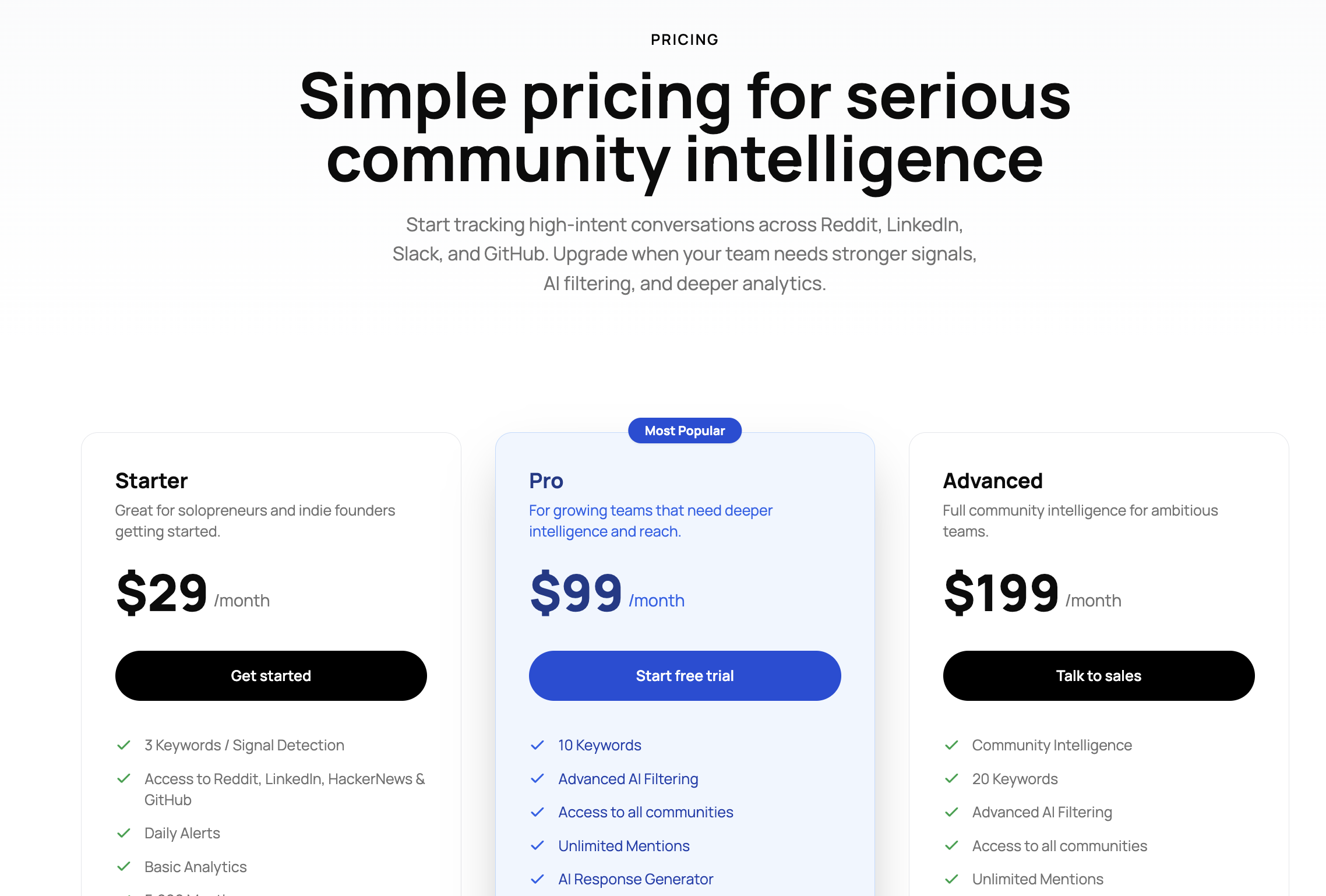
CommunityTracker offers three pricing plans:
Starter plan starts at $29/month
Pro plan at $99/month
Advanced plan at $199/month
Pricing depends on the number of keywords, access to communities, and level of insights and workflows required.
Best For#
CommunityTracker is best for teams that want to track competitor conversations, understand buyer intent, and turn those insights into actions like content, outreach, and pipeline generation.
2. Sprinklr – Ideal for enterprise-level social media competitor analysis#
Sprinklr is an enterprise social media platform that helps large teams track, manage, and analyze social media across multiple channels from one place.
It combines social listening, analytics, publishing, and reporting into a single platform, making it easier to monitor competitors at scale.
The platform is built for companies that deal with large volumes of data and need deep insights from millions of social media conversations.
Key Features of Sprinklr#
Tracks conversations across 30+ social and digital channels in real time
Uses AI to analyze sentiment, trends, and audience behavior
Benchmarks your performance against competitors with share of voice and key metrics
Detects trends, patterns, and anomalies from large volumes of data
Provides customizable dashboards and detailed reports for teams
Helps monitor risks and important conversations with real-time alerts
Pros and Cons of Sprinklr#
Pros | Cons |
Very strong for large-scale competitor analysis | Expensive compared to most tools |
Covers multiple channels in one platform | Can feel complex to set up and use |
Advanced AI insights and reporting | Not ideal for small teams |
Good for benchmarking and long-term analysis | Requires more setup to turn insights into workflows |
Sprinklr Pricing#
Sprinklr uses custom pricing based on business size, features, and usage. It is typically designed for mid-market to enterprise teams rather than small businesses.
Best For#
Sprinklr is best for large teams that need deep competitor analysis, large-scale social listening, and detailed reporting across multiple social media platforms.
3. Sprout Social – Ideal for managing social media and tracking competitors in one place#
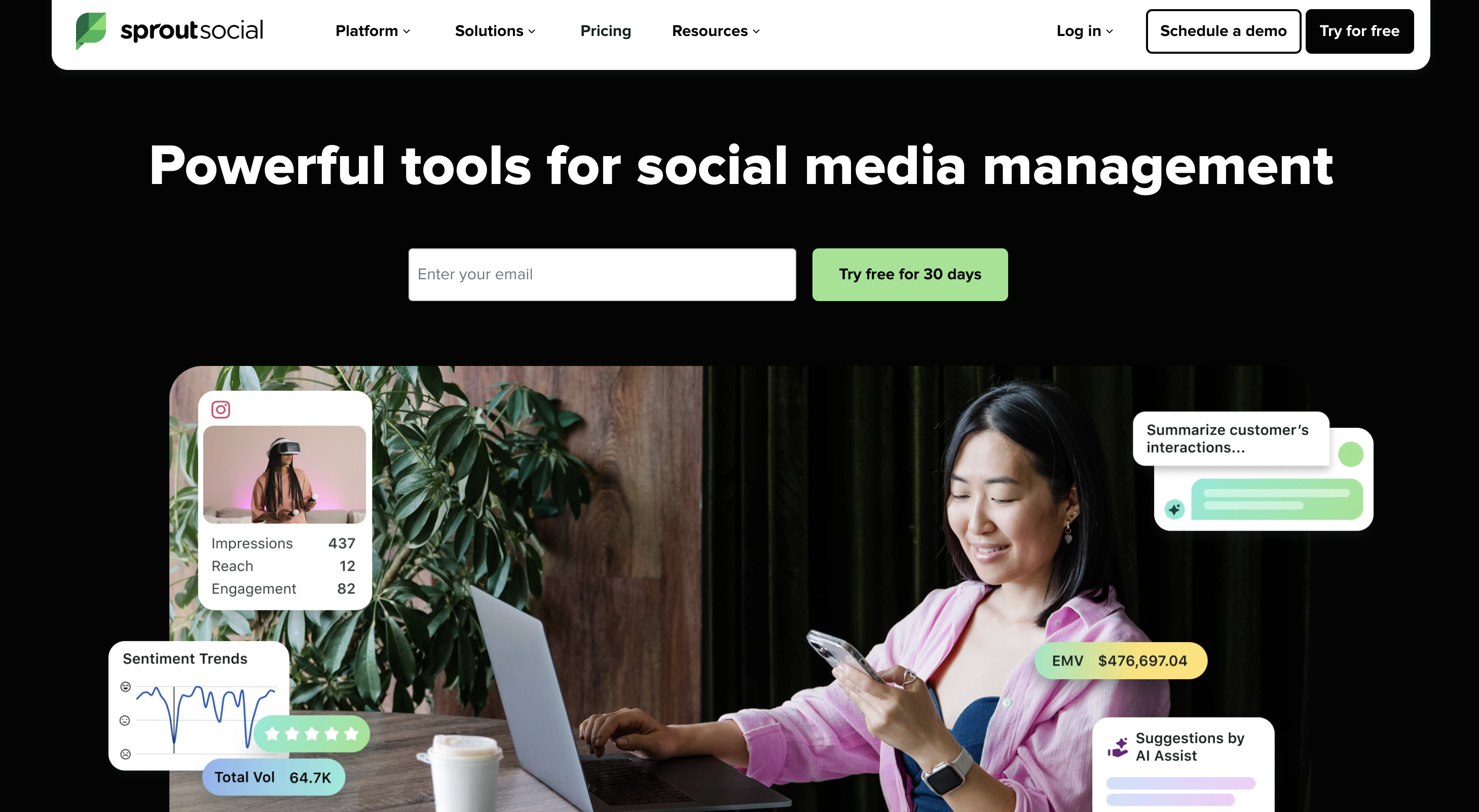
Sprout Social is a tool that helps you manage your social media and also track how your competitors are performing.
You can see what your competitors are posting, how much engagement they get, and which content works for them. At the same time, you can manage your own posts, replies, and reports in the same tool.
This makes it easier to connect competitor insights with your daily social media work.
Key Features of Sprout Social#
Tracks competitor performance across social media platforms
Shows likes, comments, shares, and growth data
Provides simple competitor comparison reports
Tracks mentions and conversations using social listening (add-on)
Lets you schedule and publish posts from one dashboard
Creates reports to understand what is working
Pros and Cons of Sprout Social#
Pros | Cons |
Easy to use for daily social media work | Advanced listening is not included in basic plans |
Combines posting, tracking, and analysis | Gets expensive with more users |
Good reports for competitor comparison | Limited depth compared to dedicated competitor analysis tools |
Sprout Social Pricing#
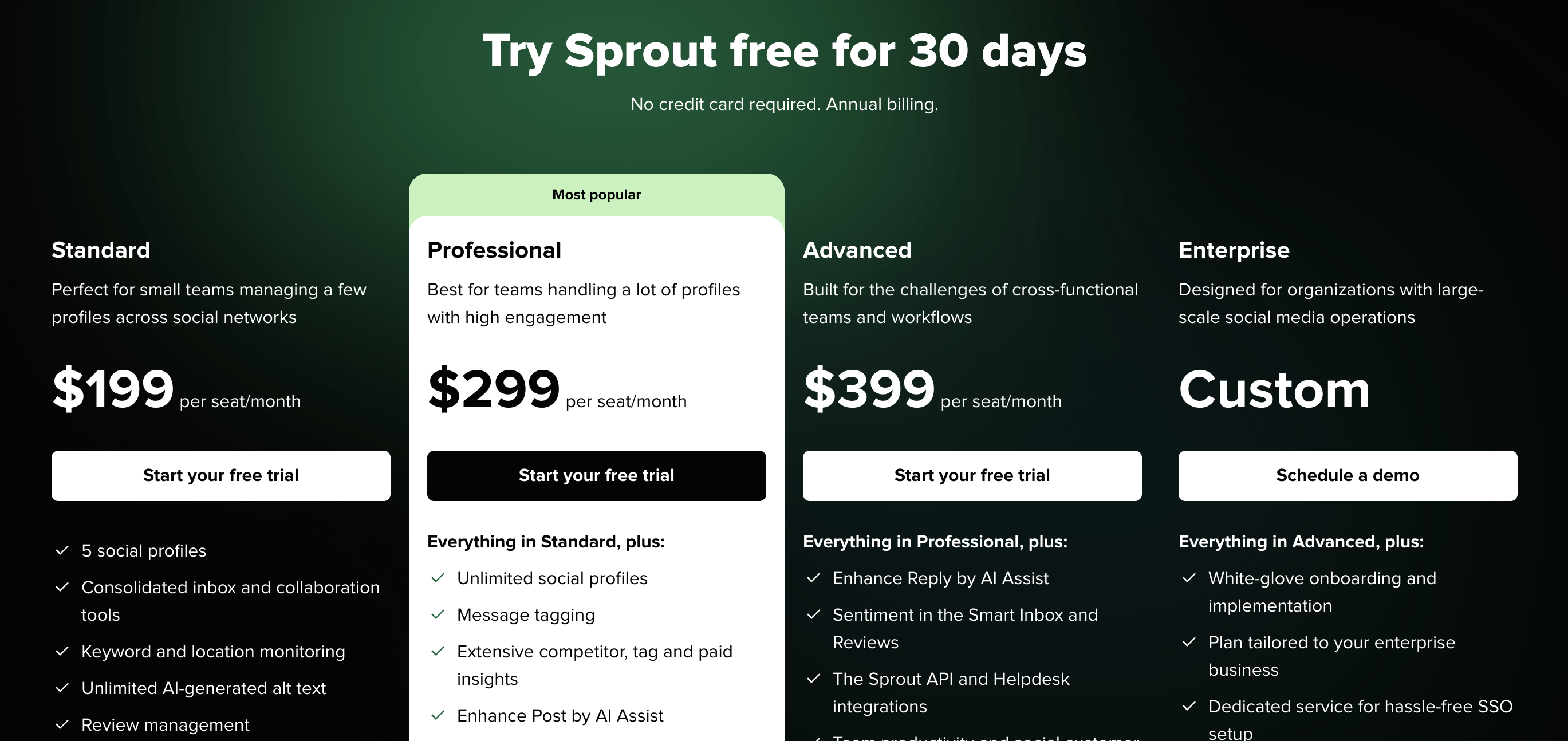
Sprout Social starts at:
$199 per user per month (Standard)
$299 per user per month (Professional)
$399 per user per month (Advanced)
You may need to pay extra for advanced features like social listening.
Best For#
Sprout Social is best for teams that want a simple way to manage social media and track competitor performance without using multiple tools.
4. Hootsuite – Great for basic competitor tracking and social media management#
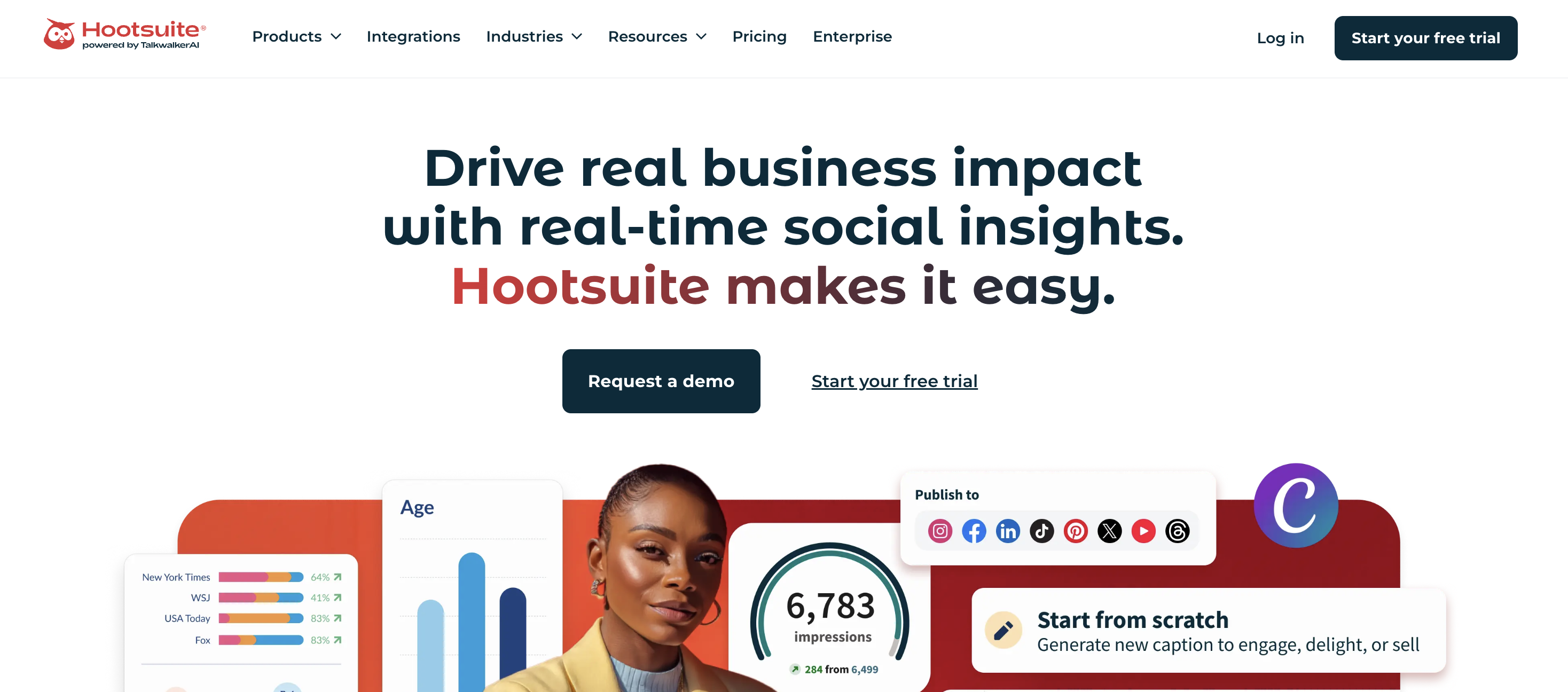
Hootsuite is a social media tool that helps you manage posts, track performance, and monitor competitors from one dashboard.
You can see how your competitors are posting, how often they post, and how much engagement they get. It also shows how your performance compares with them.
The tool is mainly used to manage daily social media work and get a clear view of performance across platforms.
Key Features of Hootsuite#
Tracks performance across multiple social media platforms in one place
Monitors competitor activity like posts, engagement, and follower growth
Allows benchmarking against up to 20 competitors
Shows engagement, reach, clicks, and other key metrics
Provides simple reports with ready-made templates
Tracks brand and competitor mentions using social listening
Gives a single dashboard to manage posts and analytics
Pros and Cons of Hootsuite#
Pros | Cons |
Easy to use for beginners and small teams | Limited deep competitor insights |
Tracks multiple platforms in one dashboard | Advanced features require higher plans |
Good for basic competitor benchmarking | Social listening is limited or add-on |
Saves time with simple reports and scheduling | Not built for advanced analysis |
Hootsuite Pricing#
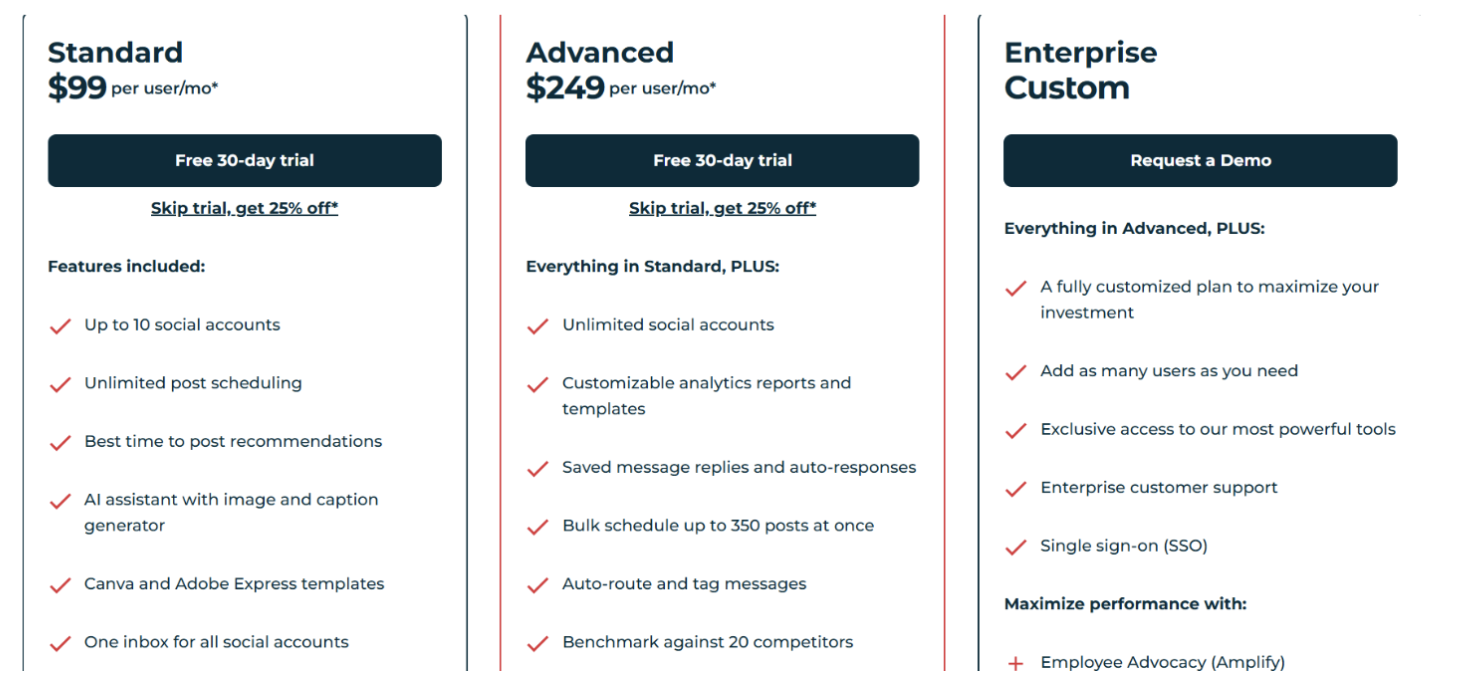
Hootsuite pricing starts at:
$99 per user per month (Standard)
$249 per user per month (Advanced)
Enterprise plan with custom pricing
Pricing depends on features, number of users, and competitor tracking limits.
Best For#
Hootsuite is best for teams that want a simple way to manage social media and do basic competitor analysis without using complex tools.
5. Brand24 – Ideal for tracking competitor mentions and sentiment#
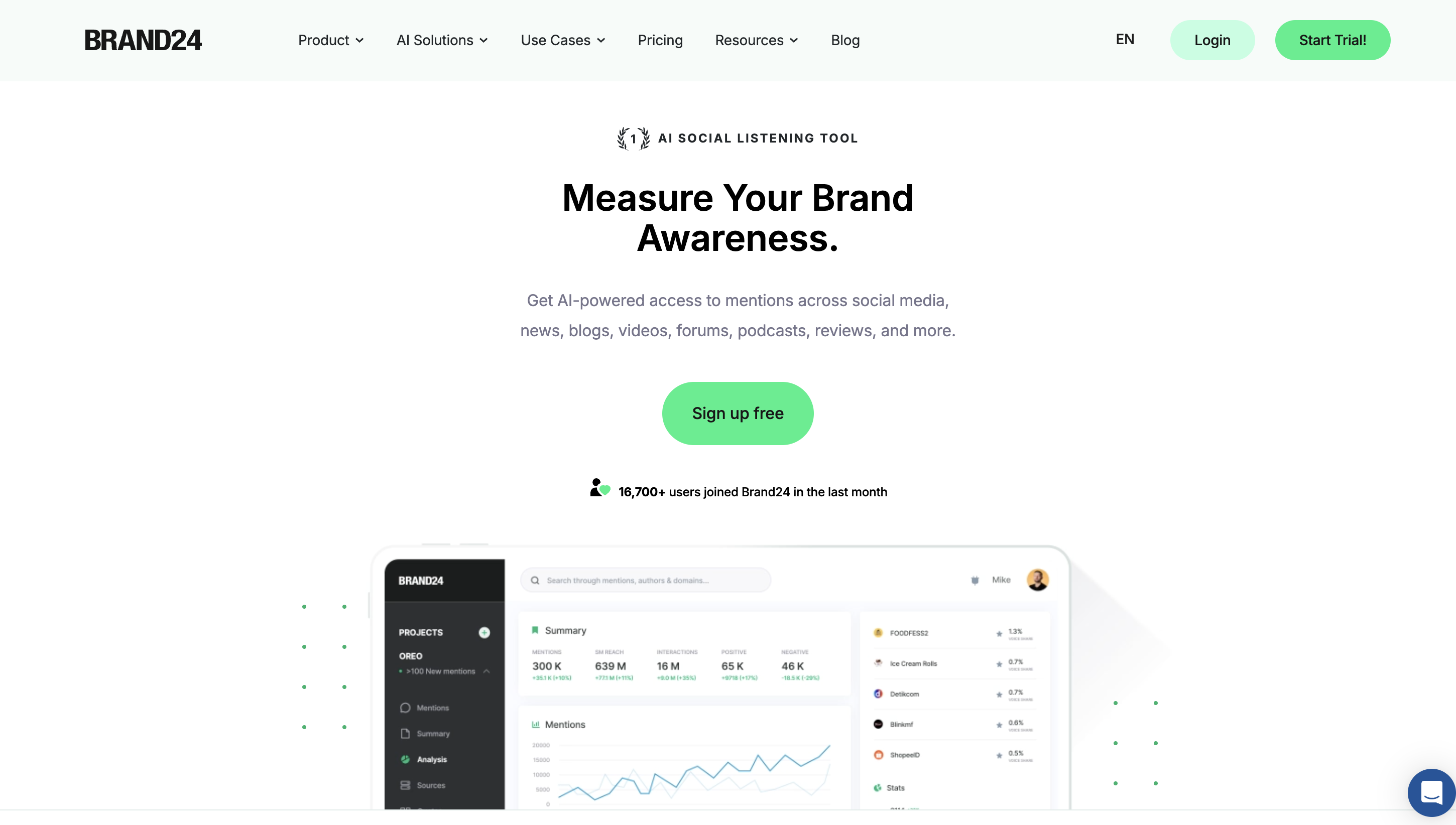
Brand24 is a media monitoring tool that helps you track what people are saying about your competitors across social media, news, blogs, and other platforms.
It collects mentions in real time and shows how often competitors are discussed, what people feel about them, and how their visibility is changing.
The tool is mainly used to understand competitor perception, spot trends, and react quickly to what is happening in the market.
Key Features of Brand24#
Tracks competitor mentions across social media, news, blogs, and other sources
Shows sentiment (positive, negative, neutral) for competitor discussions
Measures reach, engagement, and share of voice
Provides comparison tools to benchmark against competitors
Detects spikes in mentions using anomaly detection
Uses AI insights to summarize trends and give recommendations
Identifies influencers talking about competitors
Sends real-time alerts for important mentions and changes
Pros and Cons of Brand24#
Pros | Cons |
Strong for tracking mentions and sentiment | Not built for managing social media posts |
Real-time alerts help react quickly | Can get expensive for higher usage |
AI insights save time on analysis | Limited workflow or automation features |
Good for competitor monitoring across multiple sources |
Brand24 Pricing#
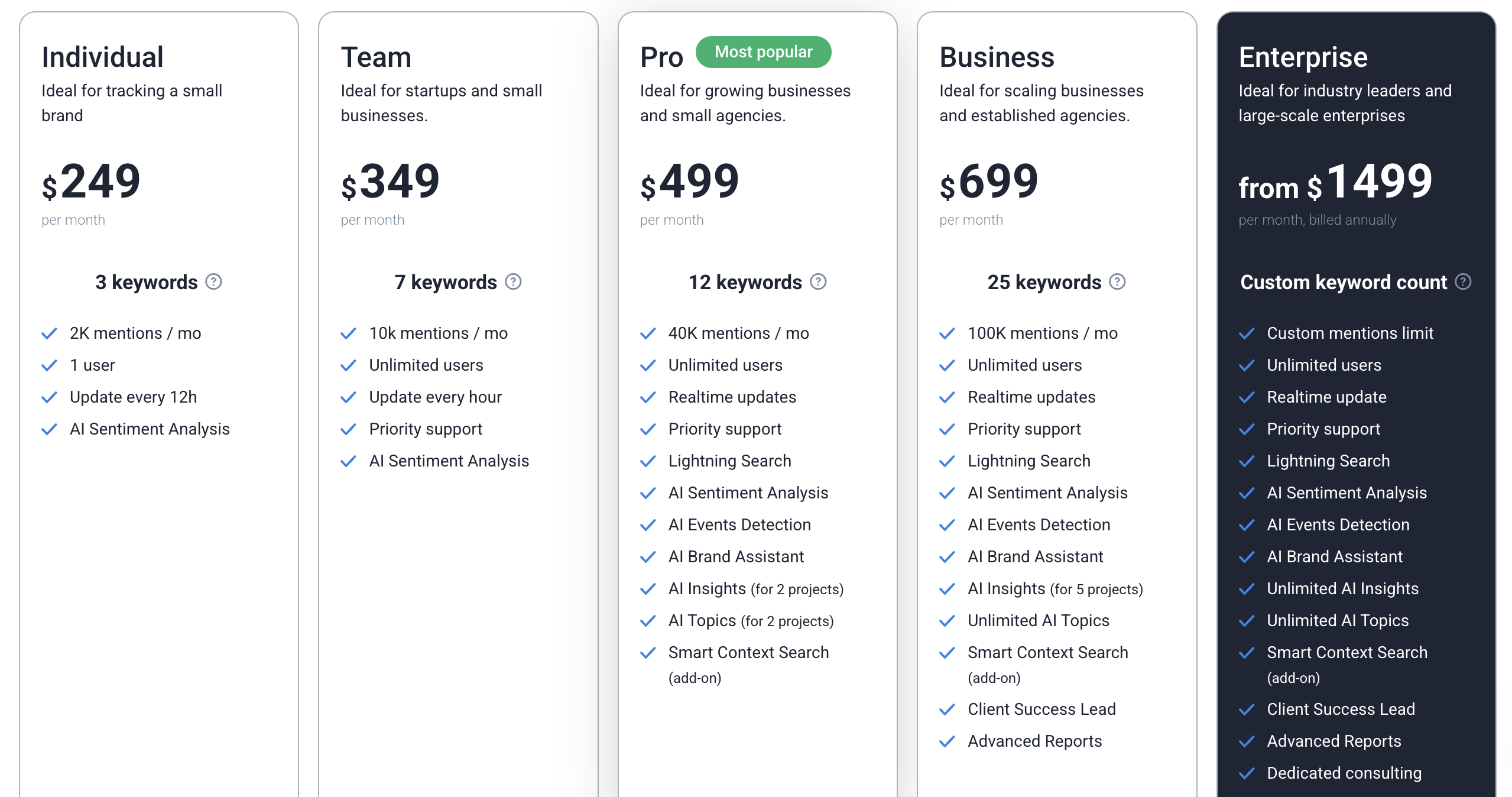
Brand24 pricing starts at around:
$249 per month (Individual)
$349 per month (Team)
$499 per month (Pro)
Higher plans available for advanced needs
Pricing depends on keywords, number of mentions, and features.
Best For#
Brand24 is best for teams that want to track competitor mentions, understand audience sentiment, and monitor what people are saying about competitors in real time.
6. Dash Social – Best for visual content and competitor analysis on Instagram and TikTok#
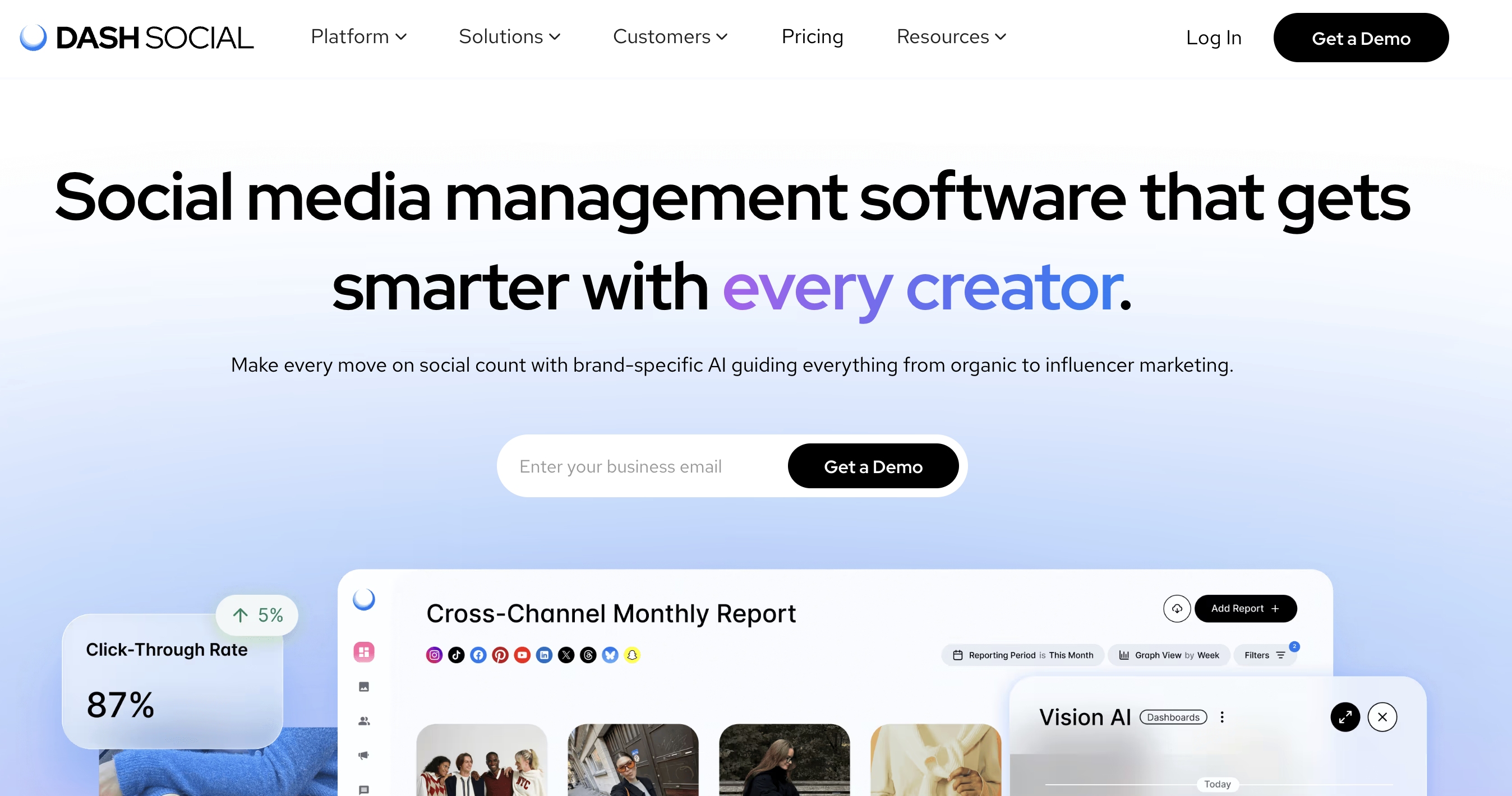
Dash Social is a social media analytics tool focused on visual platforms like Instagram and TikTok.
It helps you understand what type of content works best, both for your brand and your competitors. Instead of only showing numbers, it focuses on analyzing images, videos, and creative trends.
The platform is mainly used by teams that want to improve content strategy by learning what drives engagement and what competitors are doing differently.
Key Features of Dash Social#
Tracks performance of posts across visual platforms like Instagram and TikTok
Analyzes competitor content to show what type of posts perform best
Uses AI to predict which images or videos will get higher engagement
Identifies visual trends and content patterns in your industry
Provides competitor benchmarking and content comparison
Offers customizable reports and dashboards for performance tracking
Includes social listening to track conversations and trends
Helps schedule and manage content from one platform
Pros and Cons of Dash Social#
Pros | Cons |
Strong for visual content analysis | Focused mainly on Instagram and TikTok |
Helps understand what creative works | Expensive compared to most tools |
Good for content strategy and trends | Not built for deep text-based competitor analysis |
Dash Social Pricing#
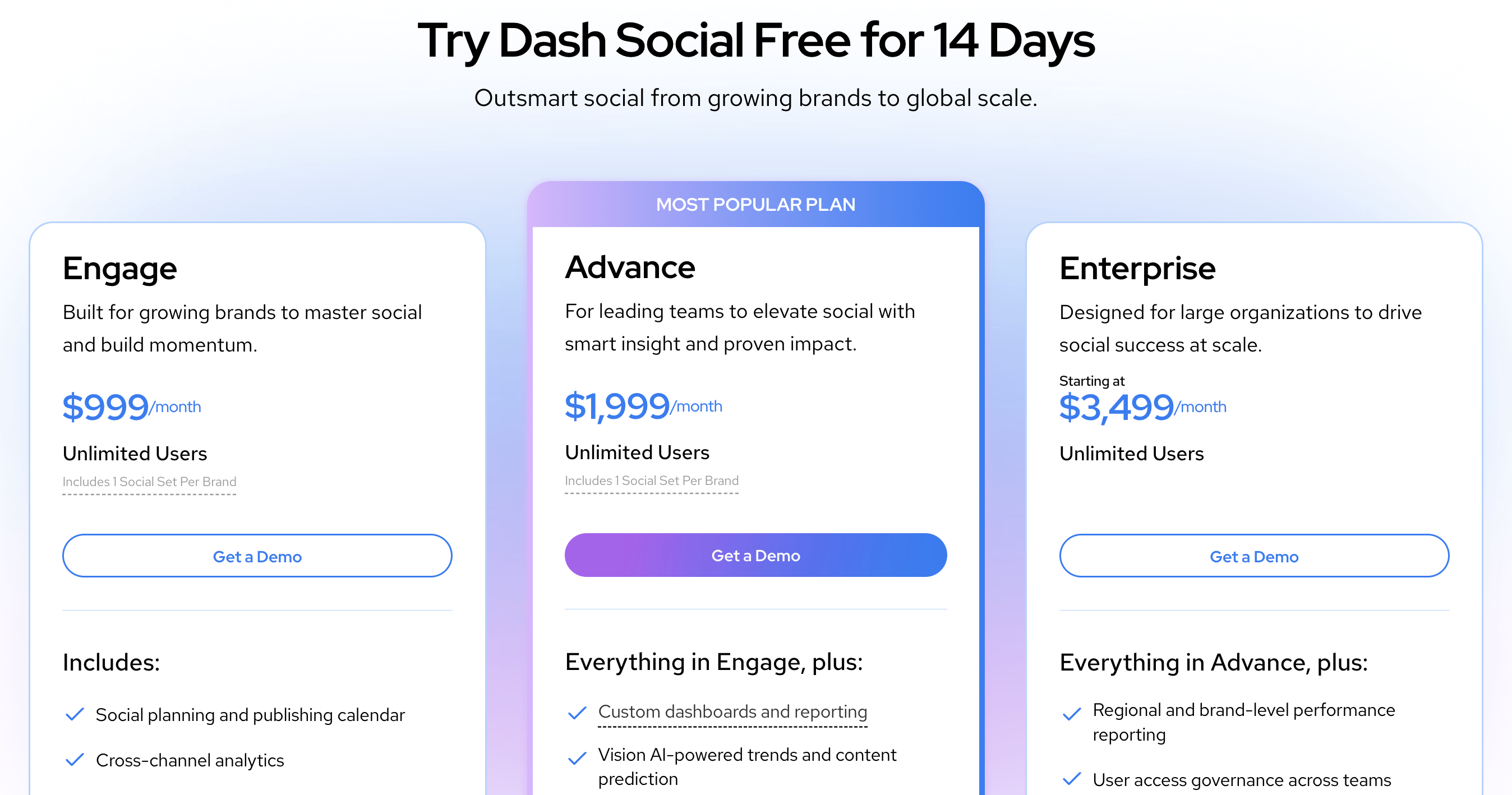
Dash Social pricing starts at around:
$999 per month (Engage plan)
$1,999 per month (Advanced plan)
Enterprise plans with custom pricing
Pricing depends on features, analytics level, and team needs.
Best For#
Dash Social is best for teams that want to analyze competitor content, understand visual trends, and improve performance on platforms like Instagram and TikTok.
7. BuzzSumo – Ideal for competitor content analysis and content research#
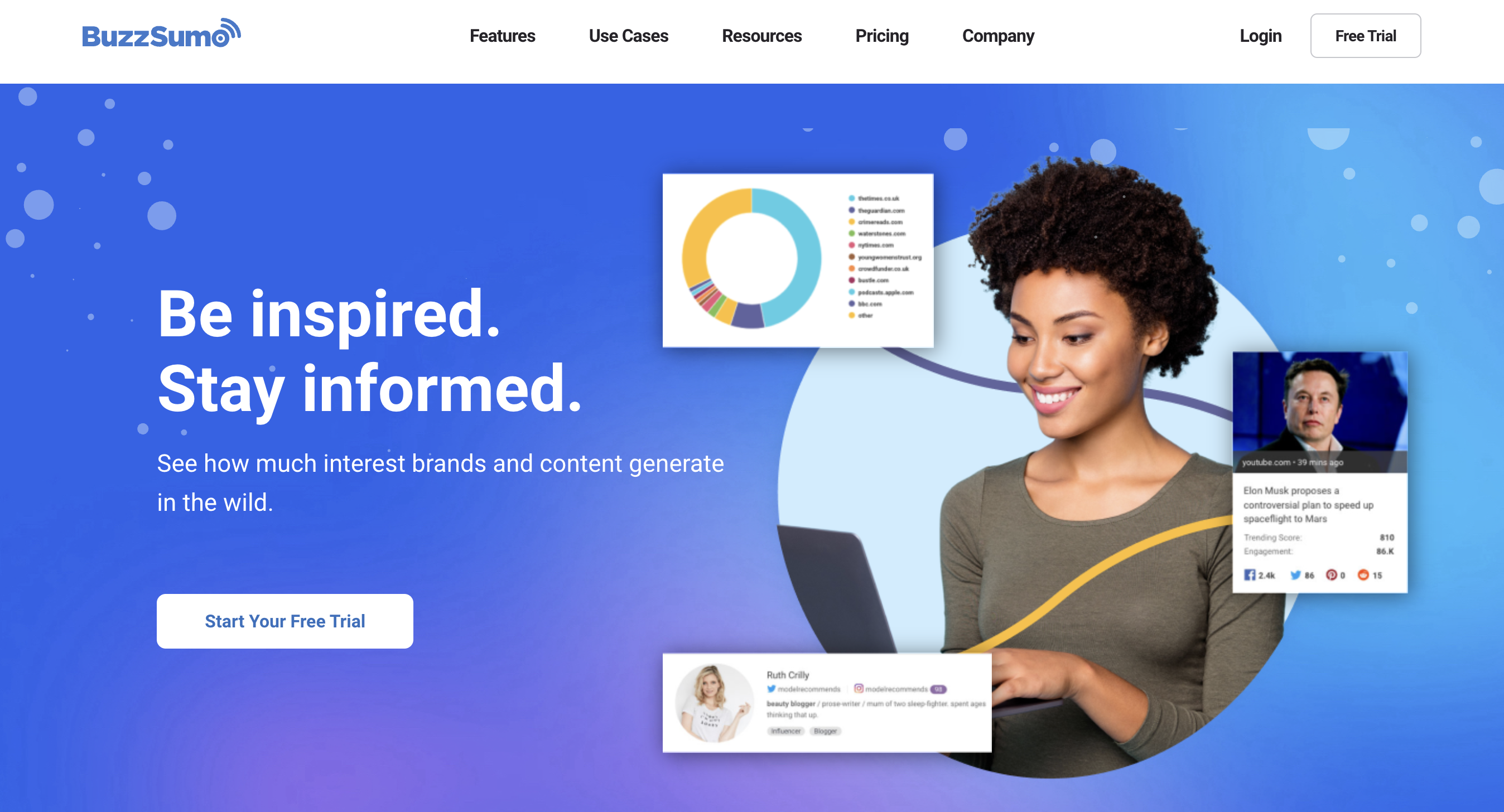
BuzzSumo is a tool that helps you understand what type of content is working for your competitors.
It shows which articles, posts, and topics get the most engagement across the internet. This helps you see what your competitors are publishing and what their audience is reacting to.
Instead of focusing only on social media accounts, BuzzSumo focuses on content performance across websites, blogs, and social platforms.
Key Features of BuzzSumo#
Finds top-performing content based on shares and engagement
Shows trending topics and viral content in your industry
Tracks mentions, keywords, and competitor activity with alerts
Provides content ideas based on real audience interest
Identifies influencers and journalists talking about competitors
Shows backlinks and content reach data
Pros and Cons of BuzzSumo#
Pros | Cons |
Very strong for content and competitor research | Not a full social media management tool |
Helps find what content works for competitors | Limited for direct social media analytics |
Good for content ideas and strategy | No posting or engagement features |
Tracks trends across web and social |
BuzzSumo Pricing#
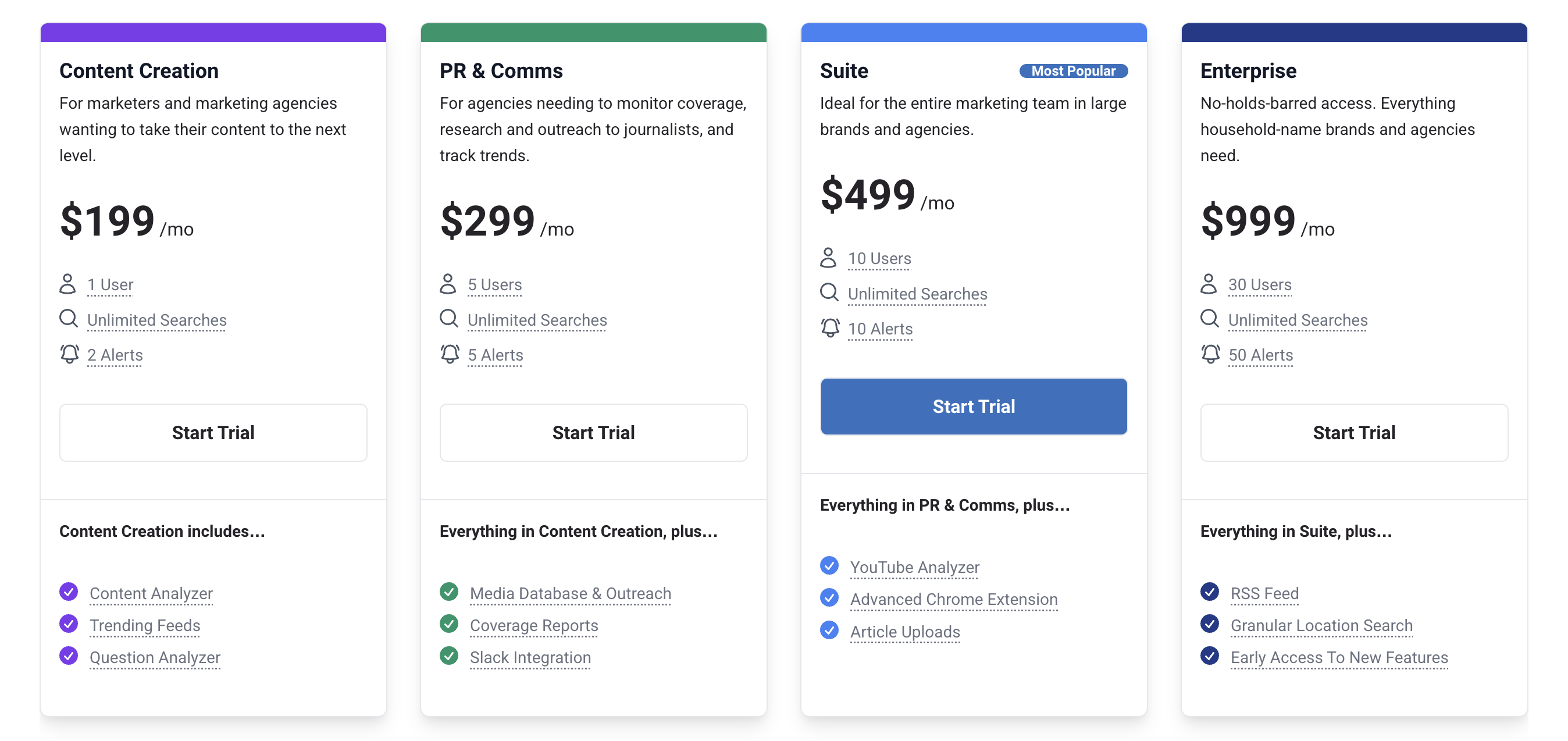
BuzzSumo pricing starts at around:
$199 per month (Content Creation)
$299 per month (PR & Comms)
$499 per month (Suite)
$999 per month (Enterprise)
Pricing depends on users, alerts, and features.
Best For#
BuzzSumo is best for teams that want to understand competitor content, find trending topics, and create content based on what is already working.
8. Rival IQ – Great for competitor benchmarking and social media performance comparison#
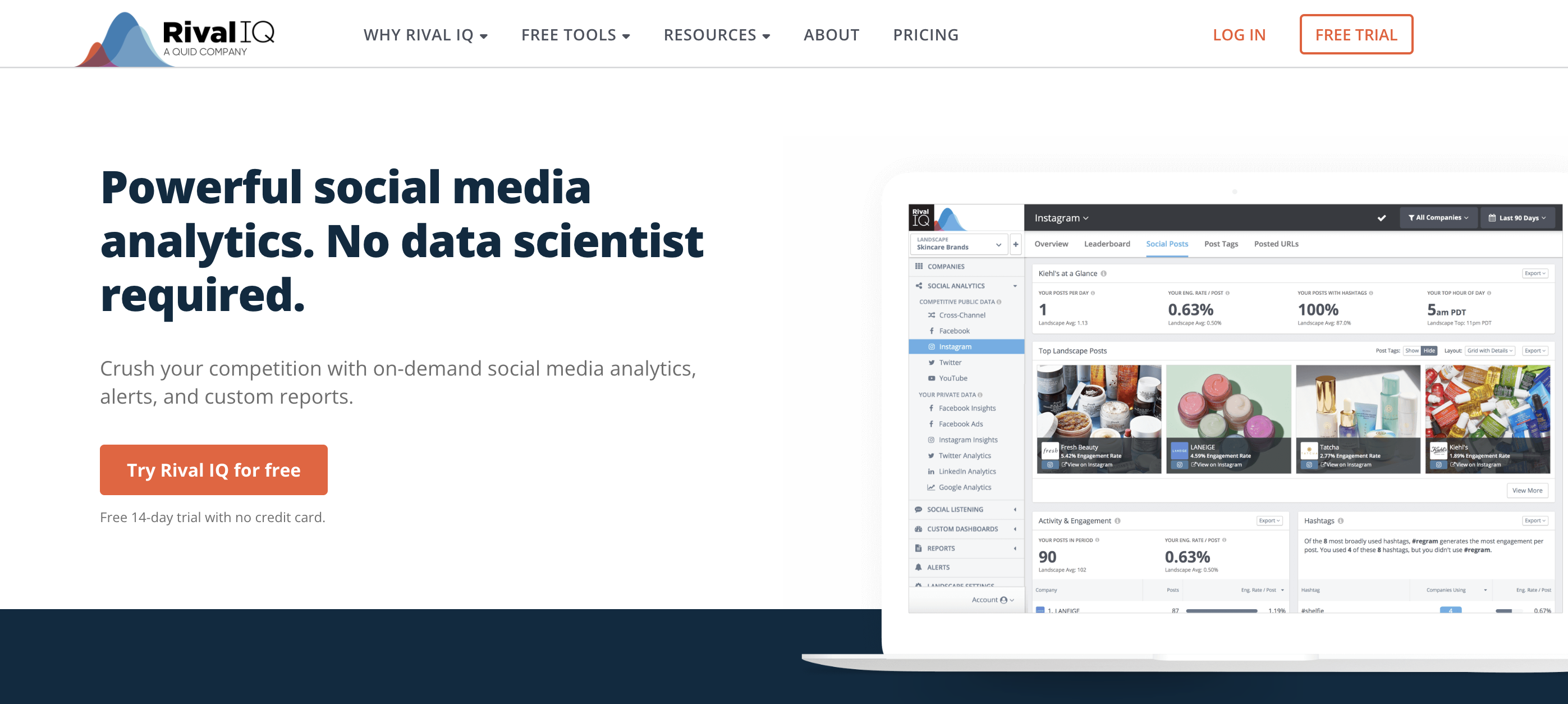
Rival IQ is a social media analytics tool built to compare your performance directly with your competitors.
It helps you track competitor accounts, analyze their posts, and see how your brand performs against them across platforms like Instagram, Facebook, LinkedIn, and others.
The tool is mainly used to understand what competitors are doing, what is working for them, and where you stand in comparison.
Key Features of Rival IQ#
Tracks competitor accounts across major social media platforms
Benchmarks your performance against competitors using key metrics
Analyzes competitor posts to show what content works best
Provides hashtag analysis and topic-level insights
Detects boosted posts to understand paid promotion strategies
Offers social listening to track mentions and sentiment
Sends alerts and automated reports for competitor activity
Creates custom reports for audits and performance tracking
Pros and Cons of Rival IQ#
Pros | Cons |
Strong for competitor benchmarking and comparison | Not a full social media management tool |
Easy to compare multiple competitors at once | Limited content discovery features |
Detailed post-level and hashtag analysis | Can get expensive for larger teams |
Rival IQ Pricing#
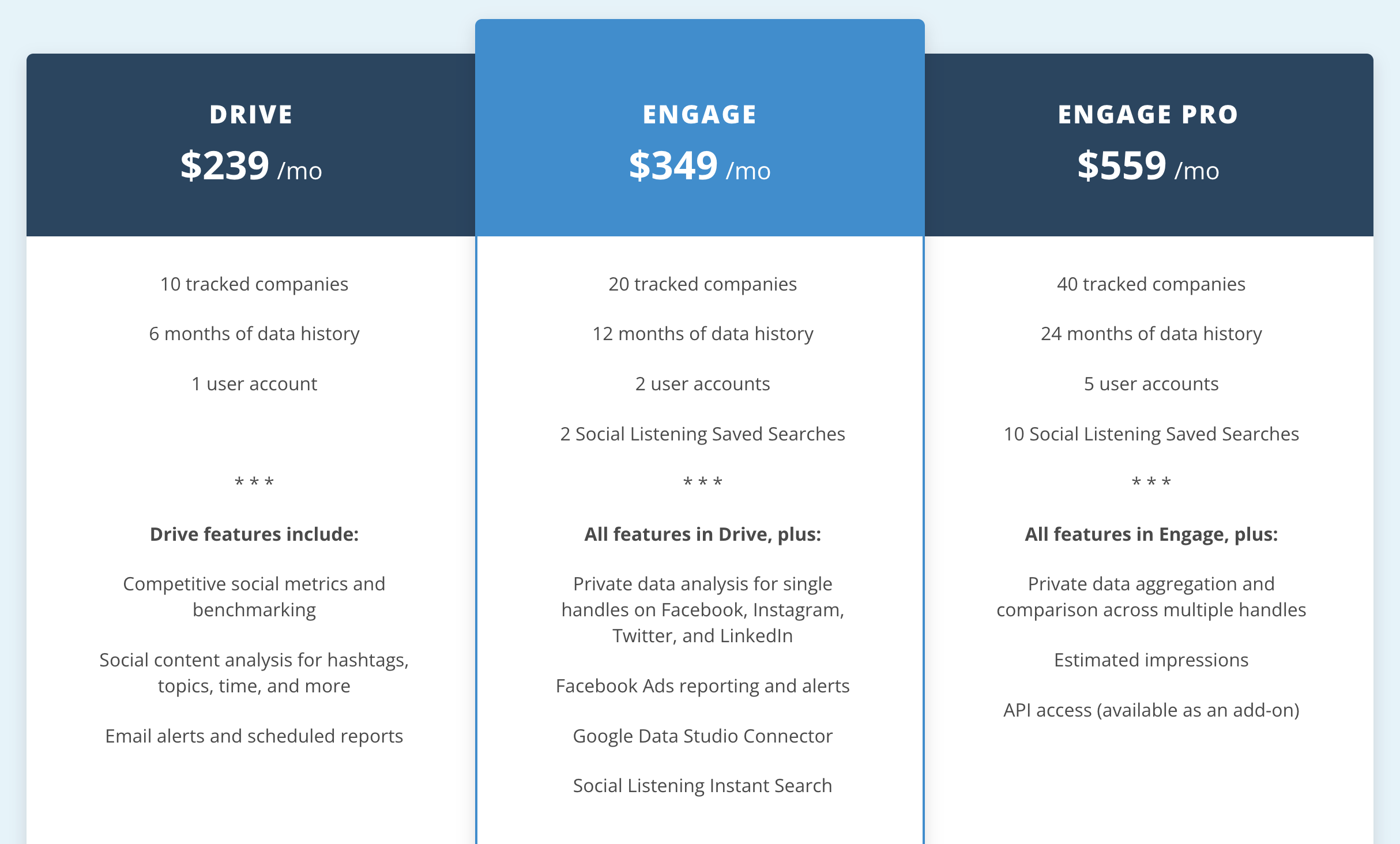
Rival IQ pricing starts at around:
$239 per month (Drive plan)
$349 per month (Engage plan)
$559 per month (Engage Pro plan)
Pricing depends on number of companies tracked, users, and data history.
Best For#
Rival IQ is best for teams that want to compare their social media performance with competitors and improve their strategy using clear benchmarks and reports.
9. Brandwatch – Great for enterprise-level social listening and competitor intelligence#
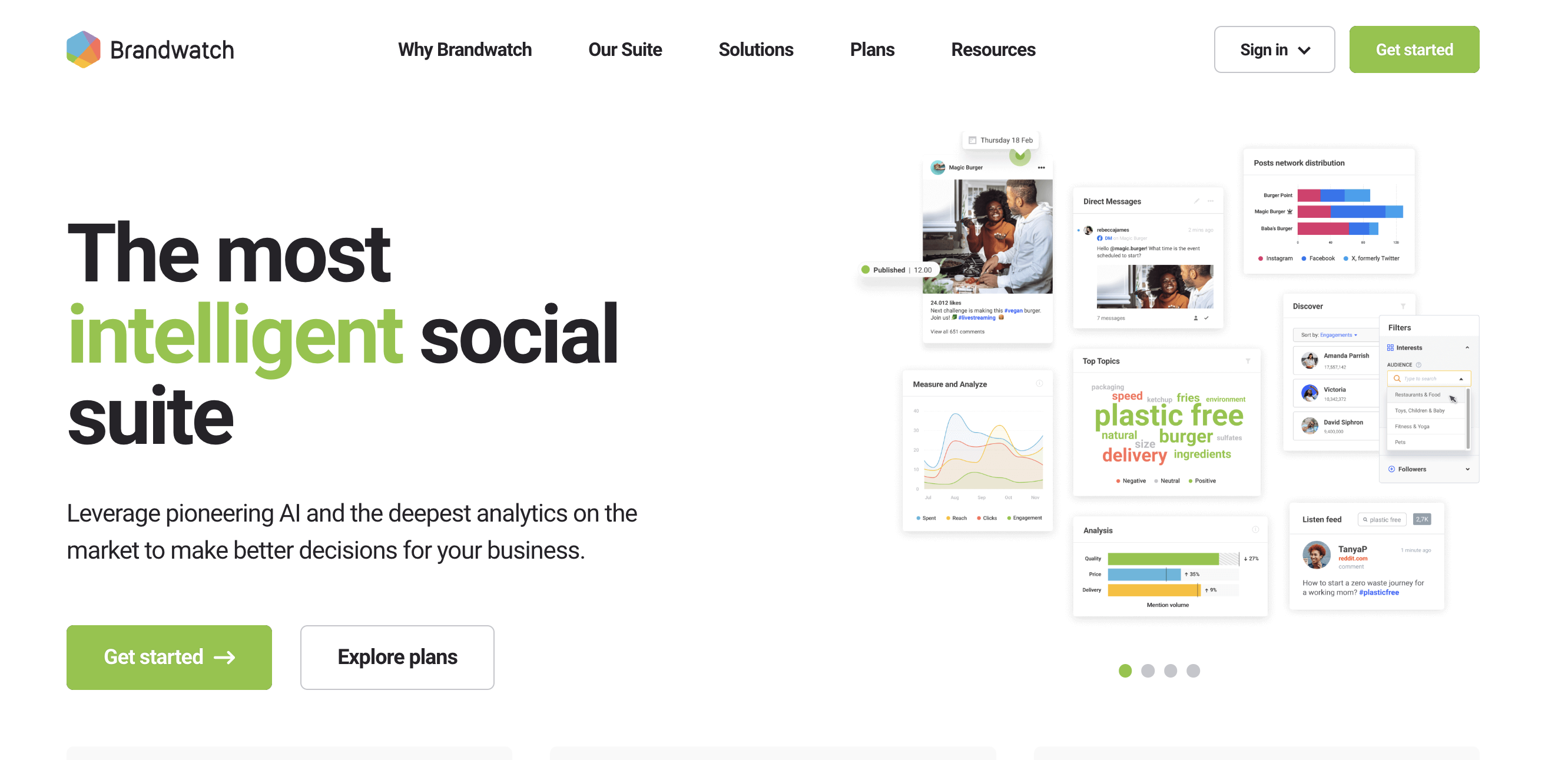
Brandwatch is a social media intelligence platform that helps teams track conversations, analyze competitors, and understand market trends.
It collects data from millions of sources like social media, news, blogs, and forums, and turns it into insights using AI.
The platform is built for teams that need deep analysis, not just basic tracking, especially when dealing with large volumes of data.
Key Features of Brandwatch#
Benchmarks your brand against competitors using share of voice and performance data
Detects trends and emerging topics from large datasets
Provides customizable dashboards and detailed reports
Offers real-time alerts for risks, mentions, and important changes
Includes a unified inbox to manage engagement across channels
Supports content planning, publishing, and team collaboration
Pros and Cons of Brandwatch#
Pros | Cons |
Very strong for deep competitor and market analysis | Expensive and enterprise-focused |
Covers a wide range of data sources | Can be complex to use |
Advanced AI insights and trend detection | Not ideal for small teams |
Brandwatch Pricing#
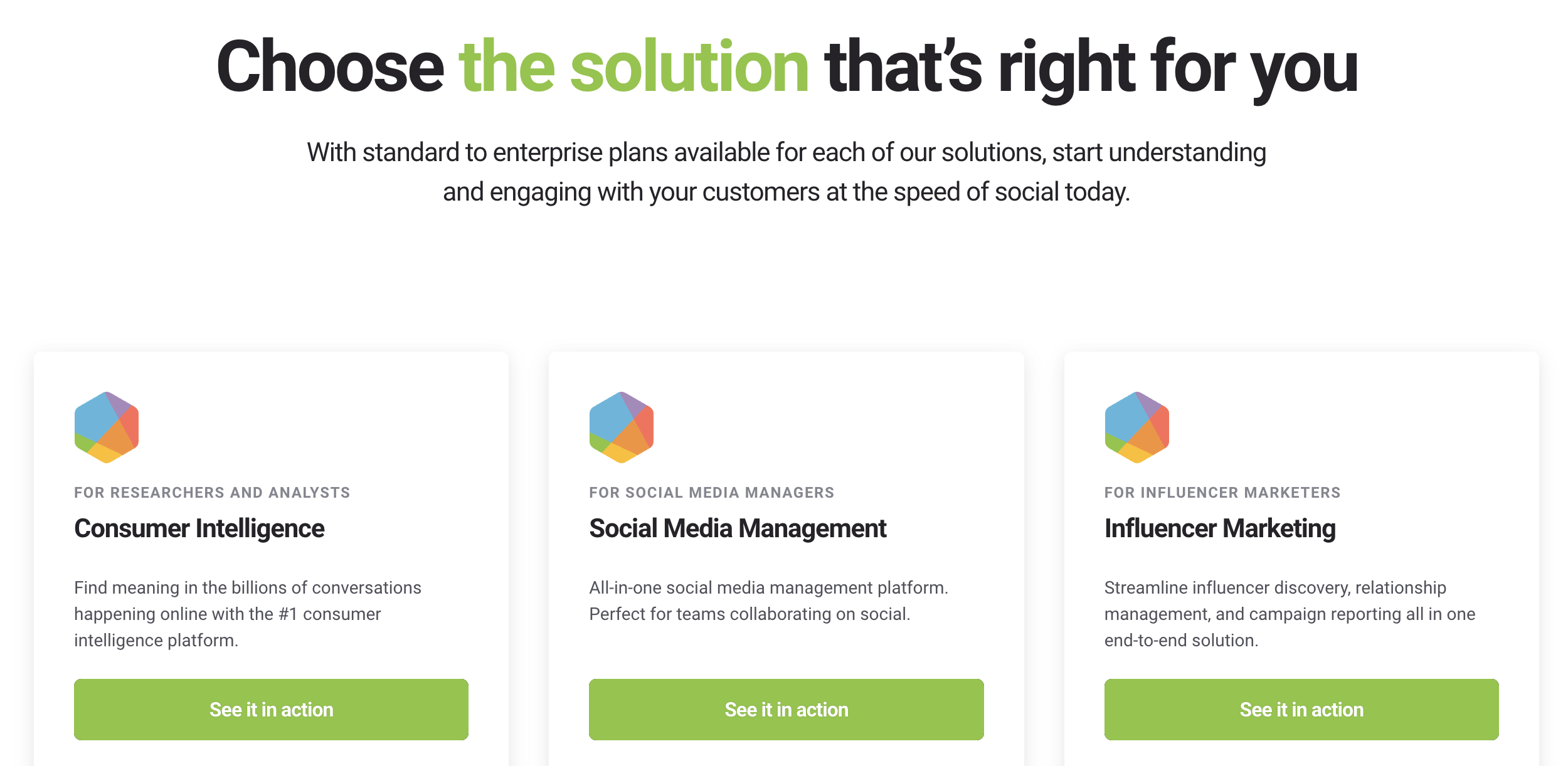
Brandwatch offers custom pricing based on features, data access, and business needs. It is mainly designed for mid-size to large companies.
Best For#
Brandwatch is best for large teams that need deep competitor insights, advanced social listening, and detailed analysis across multiple platforms and data sources.
10. Socialinsider – Ideal for competitor benchmarking and content performance analysis#
Socialinsider is a social media analytics tool that helps you compare your performance with competitors and understand what is working on social media.
It focuses on benchmarking, content analysis, and performance tracking across platforms like Instagram, TikTok, Facebook, LinkedIn, and more.
The tool is mainly used to see how competitors perform, find patterns in their content, and improve your own strategy based on data.
Key Features of Socialinsider#
Benchmarks your performance against competitors across social platforms
Tracks engagement, followers, and key social media metrics
Analyzes competitor content to show best-performing posts and content types
Allows tagging and grouping of posts by campaign or topic
Provides cross-channel analysis to compare performance across platforms
Includes Socialinsider AI to get insights through simple questions
Pros and Cons of Socialinsider#
Pros | Cons |
Strong for competitor benchmarking and comparison | Not a full social media management tool |
Easy to understand performance data | Limited deep social listening features |
Helps identify content patterns and trends | Focused mainly on analytics, not execution |
Socialinsider Pricing#
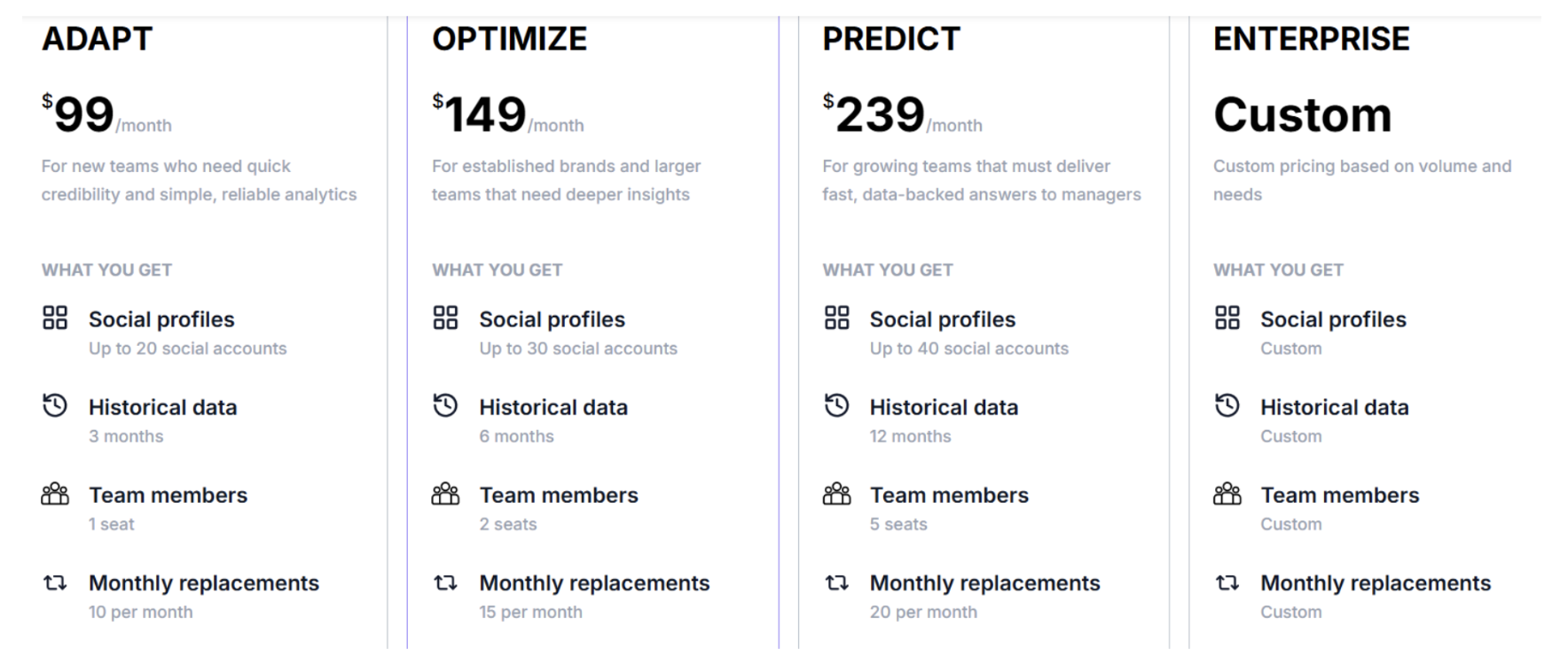
Socialinsider pricing starts at around:
$99 per month (Adapt plan)
$149 per month (Optimize plan)
$239 per month (Predict plan)
Enterprise plan with custom pricing
Pricing depends on the number of accounts, data history, and features.
Best For#
Socialinsider is best for teams that want to compare performance with competitors, analyze content strategy, and improve results using clear benchmarks and insights.
Which Social Media Competitor Analysis Tool Should You Choose?#
The right tool depends less on the brand and more on what you want to track, how deep you want insights, and what you plan to do with that data.
If you want… | Choose… |
real buyer conversations and high-intent signals (not just data) | CommunityTracker |
deep enterprise-level insights across large data sets | Sprinklr / Brandwatch |
an all-in-one tool for managing + tracking social media | Sprout Social |
simple tracking and basic competitor comparison | Hootsuite |
tracking mentions, sentiment, and brand perception | Brand24 |
improving visual content strategy (Instagram, TikTok) | Dash Social |
finding top-performing competitor content and ideas | BuzzSumo |
clear benchmarking and performance comparison | Rival IQ / Socialinsider |
So, if your goal is mainly to track competitors, many tools can do that.
But if your goal is to go one step further and to find real conversations, spot buying signals, and act on them, then CommunityTracker is usually the closest fit.
Try CommunityTracker and see what your competitors’ audience is already telling you.
Frequently Asked Questions#
What is a social media competitor analysis tool?
It is a tool that helps you track what your competitors are doing on social media, including their content, engagement, and performance.
What should I track in competitor analysis?
You should track content, engagement, posting frequency, follower growth, mentions, and trends to understand what is working for competitors.
Which tool is best for competitor benchmarking?
Tools like Rival IQ and Socialinsider are best for comparing your performance directly with competitors using clear metrics.
Which tool is best for content-based competitor analysis?
Dash Social and BuzzSumo are better if your focus is on understanding what type of content performs best.
Do social media tools show real customer intent?
Most tools show data like engagement and mentions, but only a few tools help you understand real conversations and buying signals.