Developers do not always raise their hand on your website.
They open an issue. They comment on a pull request. They ask whether a library supports their use case. They compare a vendor in a discussion thread.
That is useful GTM signal, but GitHub can turn into a reading trap. If you try to track developer discussions GitHub by reading every issue, PR, and discussion in every repo your market cares about, you burn time on noise and still miss the moments that matter.
The better workflow is narrower: decide which GitHub conversations matter, use filters and notifications to catch them, then sort each thread by intent and next move.
Do not just show the post. Show the next move.
TL;DR#
GitHub is high-signal when your buyers include developers, DevOps teams, platform engineers, data teams, security teams, or technical founders.
Native GitHub notifications help with repos you own or actively watch. They do not cover the whole market.
You do not need to learn every GitHub search trick. Start with a few saved searches for repos, keywords, fresh activity, and high-comment threads.
The real work starts after collection: classify whether a thread is a support issue, product gap, competitor mention, migration signal, evaluation question, or content opportunity.
CommunityTracker fits when GitHub is one of several community sources you monitor alongside Reddit, X, LinkedIn, Bluesky, HN, Dev.to, Stack Overflow, Product Hunt, and Slack.
If your team keeps finding buying conversations too late, see how CommunityTracker turns community signals into pipeline actions.
Why GitHub Discussions Become GTM Signal#
GitHub is not only a code host. For technical products, it is where the market leaves a public trail of friction.
The important conversations show up in a few places:
Issues: users report bugs, blockers, missing features, broken docs, or integration pain.
Pull requests: maintainers and contributors debate how a product should work.
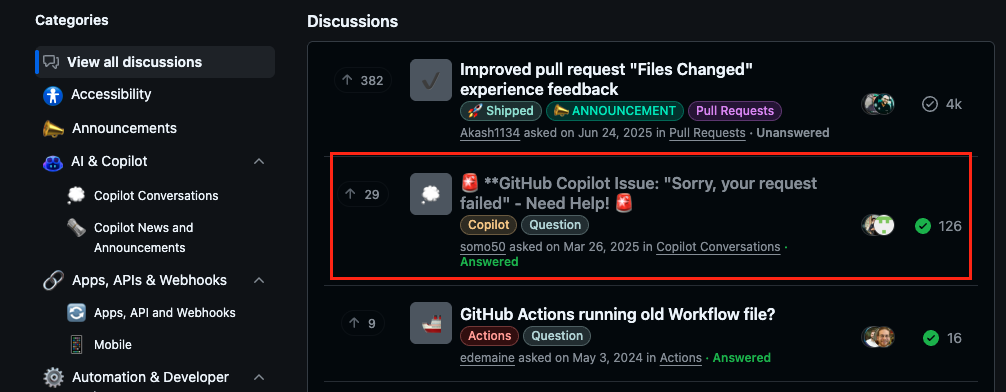
Discussions: users ask open-ended questions, compare approaches, request guidance, and vote on ideas.
Release threads: users react to breaking changes or roadmap direction.
If those terms are new to your GTM team, keep the distinction simple.
An issue usually means "something is wrong or missing." A pull request, often shortened to PR, means "someone proposed a code change." A Discussion means "the community is talking before a decision becomes formal work."
GitHub Discussions gives maintainers and community members an open forum for repository or organization conversations, and people with read access can start or participate when the feature is enabled GitHub's guide to collaborating with maintainers using Discussions.
For GTM teams, the value is that developers write in their own words:
"Does this work with self-hosted runners?"
"Any alternative now that the API has changed?"
"We had to fork this because the auth flow breaks in our environment."
"Is anyone using this in production?"
"Can this replace X, or do we still need Y?"
Those are not generic mentions. They are technical buying, switching, adoption, and churn signals.
The commercial value is not that GitHub has a lot of activity. The value is that many threads include the details GTM teams usually struggle to get: environment, constraint, urgency, competing tool, and exact wording.
What to Track Before You Track Everything#
Brand alerts catch obvious mentions. They miss the moments when developers describe the problem before they know which product they want.
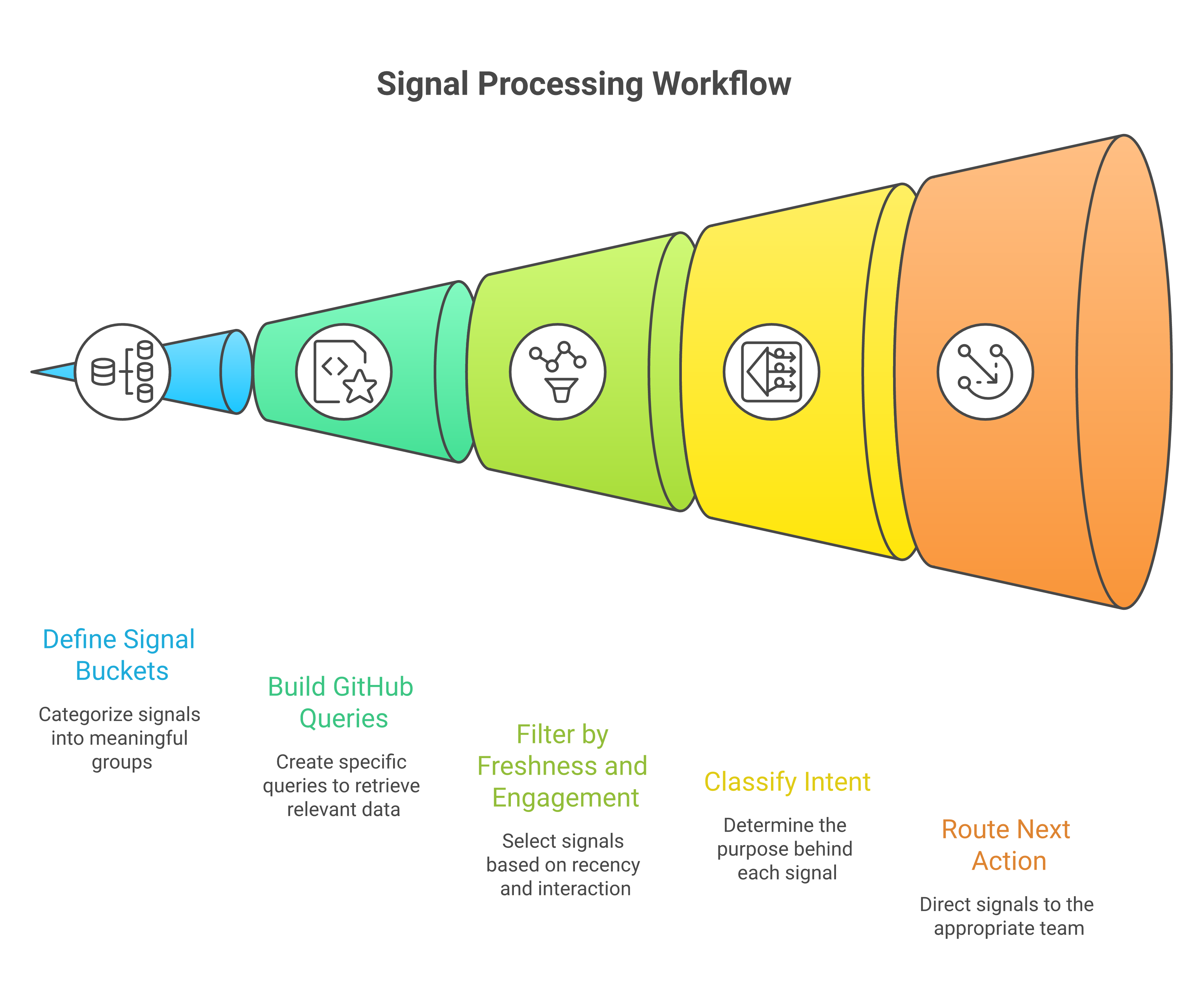
Start with a signal map. Use five buckets.
1. Problem language#
Track words developers use when they hit friction:
"error"
"fails"
"timeout"
"workaround"
"does not support"
"broken"
"migration"
"self-hosted"
"enterprise"
"rate limit"
"SDK"
Pair these with your category terms. A security vendor watches authentication, SSO, SCIM, audit logs, SAML, secrets, and compliance language.
A devtools company watches CI, build time, deploy previews, flaky tests, and self-hosted runners.
Keep this list close to customer language. Sales calls, support tickets, lost-deal notes, and onboarding questions usually produce better GitHub searches than keyword tools alone.
2. Comparison language#
Developers do not always write "vendor comparison." They write:
"alternative to"
"replace"
"vs"
"migrating from"
"anyone using"
"worth switching"
"production ready"
These phrases often indicate evaluation. They deserve a faster read than a casual bug report.
3. Competitor and adjacent tool names#
Track direct competitors, but include adjacent infrastructure too.
If you sell observability, discussions about OpenTelemetry, Prometheus, Grafana, Datadog, Sentry, ClickHouse, and vendor lock-in can matter even when your brand never appears.
The key is context. A casual competitor mention is weak. A maintainer saying "we may need to replace this because pricing changed" is strong.
4. Buying constraints#
Technical buyers reveal constraints early:
deployment model
security review
data residency
pricing at scale
open-source license
SOC 2
team permissions
API limits
Slack or GitHub integration needs
These are not just product notes. They shape outreach, comparison pages, docs, and roadmap messaging.
5. Engagement and freshness#
A thread with 80 comments and recent maintainer replies deserves a different response than a stale issue with one comment from three years ago.
Prioritize threads that still have life before you read them. GitHub search supports filters for comments, interactions, reactions, and update dates on issues and pull requests. GitHub's issue and pull request search qualifiers.
Engagement is not the same as intent. A loud thread can be commercially weak. A short thread with a named enterprise constraint can matter more. Use engagement to decide what to review first, then use intent to decide what to do.
If your team keeps finding buying conversations too late, see how CommunityTracker turns community signals into pipeline actions.
How to Track Developer Discussions GitHub Without Reading Every Thread#
GitHub gives you enough native controls to build a baseline. The goal is not perfection. The goal is to stop checking pages manually.
Set repository watch rules intentionally#
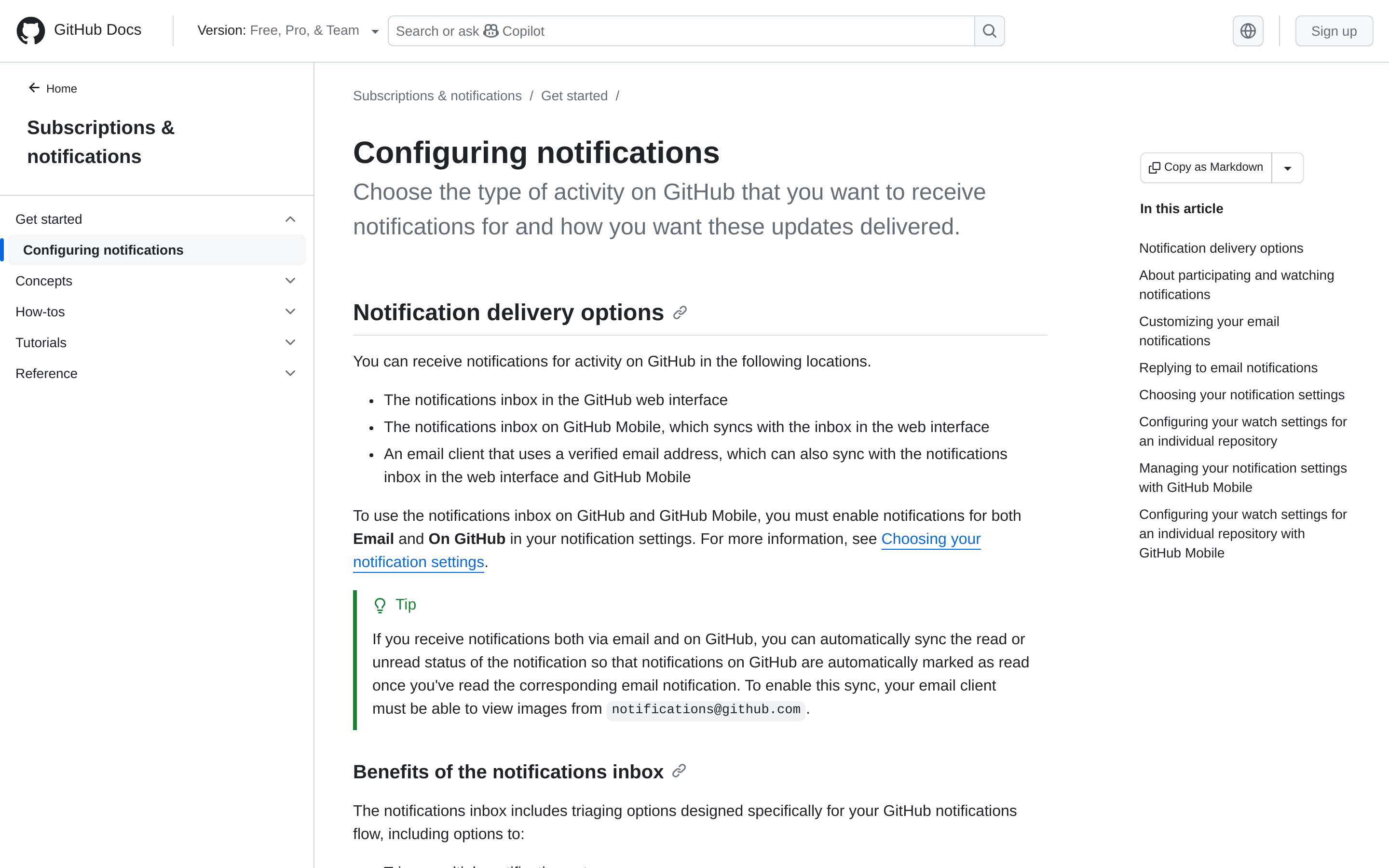
For repos you own, contribute to, or track closely, configure custom watch settings instead of watching everything.
A repo is a project page on GitHub. Watching a repo means GitHub can notify you when certain things happen there. Set rules at the event level so you do not get every update. GitHub lets you choose events such as issues, pull requests, releases, security alerts, and discussions when enabled GitHub's custom notification settings.
Use three tiers:
Repo tier | What it means | What to monitor |
Owned repos | Your product repos, SDKs, docs, and examples | Issues, PRs, Discussions, releases |
Competitor repos | Direct competitors or tools buyers compare against | Issues, Discussions, releases, complaints |
Ecosystem repos | Frameworks, integrations, plugins, and standards around your category | Discussions, feature requests, integration searches |
The table matters because every repository does not deserve the same interrupt level. Owned repos need an immediate response. Ecosystem repos need trend detection.
Use the notifications inbox for participation, not market research#
Treat the GitHub notifications inbox as "threads we are already involved in." Do not treat it as a market research feed.
GitHub automatically subscribes users to conversations when they participate, get mentioned, open an issue or PR, or subscribe manually GitHub's overview of notification triggers.
That is useful for the response. It does not solve market listening. Your notifications inbox answers "what needs my attention?"
It does not answer "What is the market saying about this problem across 30 repos?"
Keep those separate. Use notifications for operational response. Use search and monitoring workflows for discovery.
Build a few saved searches for specific motions#
GitHub search can look intimidating because it supports many filters. You only need a handful.
Think of each search filter as an instruction:
repo:means "search inside this one repository."org:means "search inside repositories owned by this organization."is:issuemeans "show issues only."is:prmeans "show pull requests only."in:commentsmeans "look inside comments too."updated:>=2026-01-01means "show threads updated after this date."
GitHub supports these and other issue and PR filters in GitHub's filtering and searching guide.
Start with searches that map to a GTM question.
For competitor pain, ask: "Are users complaining about cost, limits, hosting, or enterprise requirements in a competitor's repo?"
``text
org:competitor-org (pricing OR "rate limit" OR "self hosted" OR enterprise) is:issue updated:>=2026-01-01
``
For migration intent, ask: "Are developers looking for alternatives or talking about replacing a tool?"
``text
("migrating from" OR "alternative to" OR replace) "your category term" comments:>5 updated:>=2026-01-01
``
For active implementation friction, ask: "Are users stuck on a problem our team can help explain?"
``text
repo:important-org/important-repo ("does not support" OR workaround OR timeout) in:comments updated:>=2026-04-01
``
You do not need 40 searches. Start with 10: five around competitor pain, three around problem language, and two around migration or replacement language.
GitHub search is not a strategy by itself. It is the collection layer.
Save query URLs and use views for recurring review#
Turn useful searches into shared review queues. When you filter or sort issues and PRs, GitHub updates the browser URL for that filtered view, and you can send that URL to another user GitHub's sharing filters guidance.
Use that behavior to build a weekly review board:
5 competitor queries
5 category pain queries
3 integration queries
3 migration or alternative queries
Assign one owner. Give each query a clear purpose. If nobody knows what action it supports, remove it.
For repeat work inside a team, a GitHub Project view can be cleaner than a pile of shared URLs. A Project is GitHub's built-in planning board. Project filters let you choose which items appear in a view and save those filters GitHub's Projects filtering guide.
Use shared URLs for ad hoc discovery. Use saved views when a team reviews the same queue every week. Add fields for signal type, intent level, owner, next move, and status so the review does not start from scratch each time.
Add Discussions when issues are too narrow#
Issues tend to center on work items. Discussions capture open-ended feedback, questions, ideas, and community preference.
Use categories and votes to separate casual discussion from repeated demand. GitHub lets maintainers organize Discussions into categories, and community members can upvote discussions and top-level comments.That makes Discussions useful for:
roadmap demand
repeated setup questions
documentation gaps
"is this production ready?" threads
feature requests that have not become issues yet
For deeper automation, GitHub's GraphQL API supports Discussions GitHub's GraphQL guide for Discussions. Most GTM teams should start with saved searches and weekly review, then move to API-based collection when the manual queue becomes too large.
If your team keeps finding buying conversations too late, see how CommunityTracker turns community signals into pipeline actions.
Classify Every Thread by Intent, Not Just Topic#
A keyword match only says "this thread contains a word." It does not say what to do.
Build a simple classification model your GTM team can use consistently.
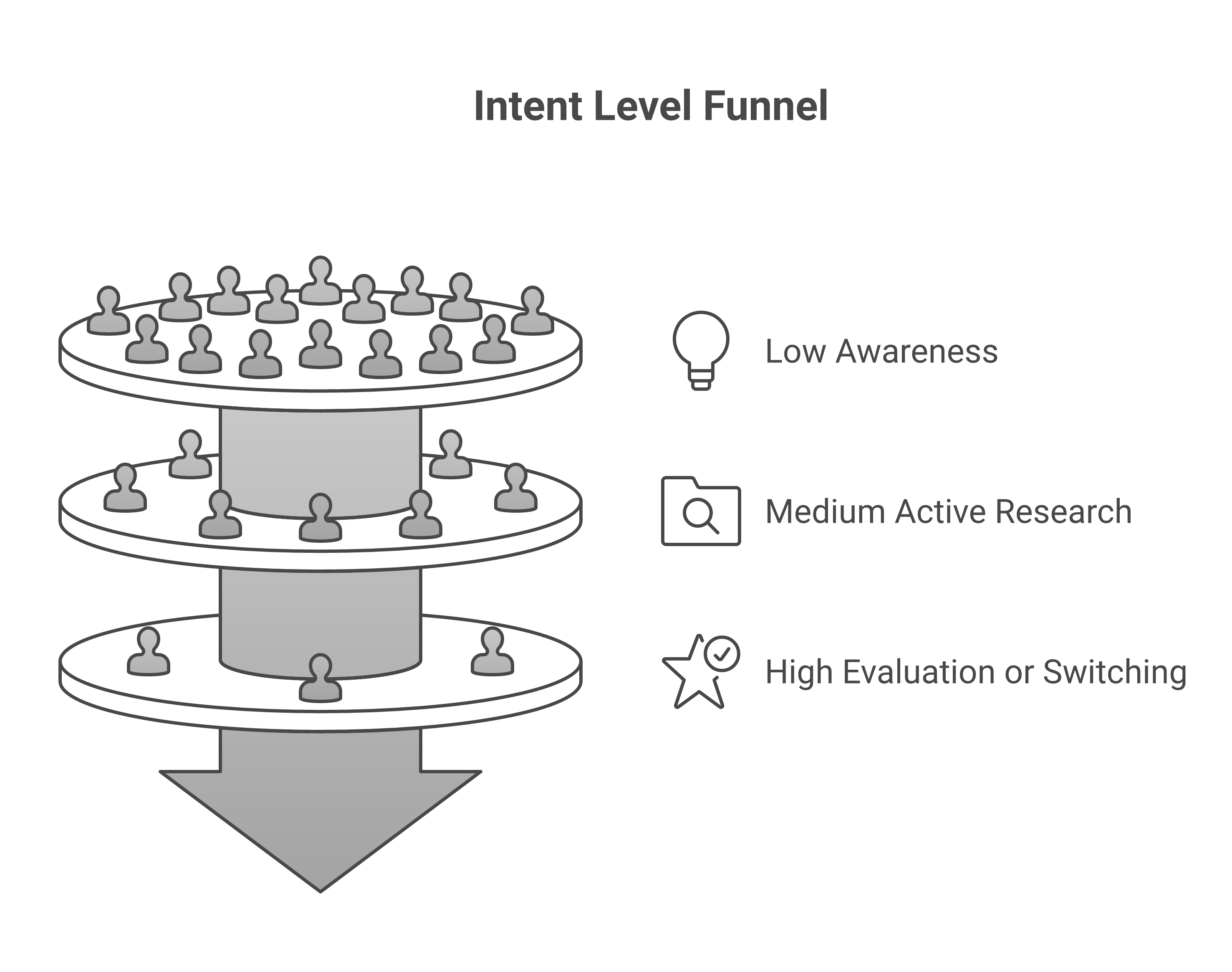
Low intent: background awareness#
These threads mention your category but do not show urgency.
Examples: a maintainer mentions a tool in a release note, a user asks a broad conceptual question, or a repo discusses a future idea without a current blocker.
Action: save for trend analysis or content planning.
Medium intent: active research or friction#
These threads show a problem, but the buyer stage is unclear.
Examples: "Has anyone solved this with GitHub Actions?" or "What are people using for audit logs?"
Action: route to DevRel or product marketing. Consider a helpful comment, docs update, comparison note, or educational post.
High intent: evaluation, switching, or blocking pain#
These threads show current demand.
Examples: "We need to replace X before renewal," "Does this support SAML for enterprise customers?" or "This pricing breaks for our usage."
Action: route fast. Sales gets account research. The product gets the objection. DevRel gets a response plan. Marketing gets language for a comparison page or technical guide.
Add a 30-second scoring pass#
Do not make the scoring system too precious. Most teams need fast triage, not a research report.
Score each thread across five inputs:
Input | Low score | High score |
Freshness | Old thread with no recent activity | Active thread updated this week |
Specificity | Broad category discussion | Specific tool, error, workflow, or constraint mentioned |
Engagement | One-off comment with little interaction | Multiple replies, reactions, or maintainer engagement |
Commercial fit | Hobby project or unclear use case | ICP account, team workflow, or enterprise-level need |
Actionability | No clear owner or next step | Clear action for sales, DevRel, product, docs, or content |
One high score is not enough. A thread becomes high-intent when several signals stack.
Turn GitHub Threads Into Team Workflows#
The handoff is where monitoring often fails. The tool finds the thread, then leaves the team to decide what it means.
Use a routing table.
Signal type | Example | Owner | Recommended next move |
Product gap | “No support for SSO groups” | Product marketing + PM | Log objection pattern, update docs, review roadmap impact |
Competitor pain | “Pricing changed after usage spike” | Demand gen + sales | Build target account list and prepare comparison messaging |
Integration blocker | “Webhook fails with GitHub Actions” | DevRel | Reply with workaround or publish a troubleshooting guide |
Migration question | “Alternative to X for self-hosted teams” | Sales + content | Research account fit and create migration-focused content |
Repeated support thread | Same issue appears across multiple repos | Docs + support | Improve documentation and create reusable responses |
This keeps GitHub monitoring out of the "interesting links" trap.
Every signal needs one of four outcomes:
Respond to the thread
Update a GTM asset
Enrich an account or opportunity
Feed product or docs with evidence
If none of those outcomes apply, archive it.
Send context, not just links#
Raw GitHub links slow teams down. The recipient has to read the thread, infer the problem, and guess what to do next.
Send a signal note instead:
``text
Thread: [descriptive link]
Signal: Enterprise self-hosted SAML blocker
Why it matters: Same constraint appeared in 3 repos this month
Intent: High
Owner: Product marketing + sales
Next move: Add objection note to enterprise talk track; check whether target accounts use this repo
``
The note should take less than a minute to read and make the action obvious.
Where Manual GitHub Tracking Breaks#
Manual tracking works when you care about one repo and one community. It breaks when your market spreads across open-source projects, competitor repos, integration repos, and developer communities outside GitHub.
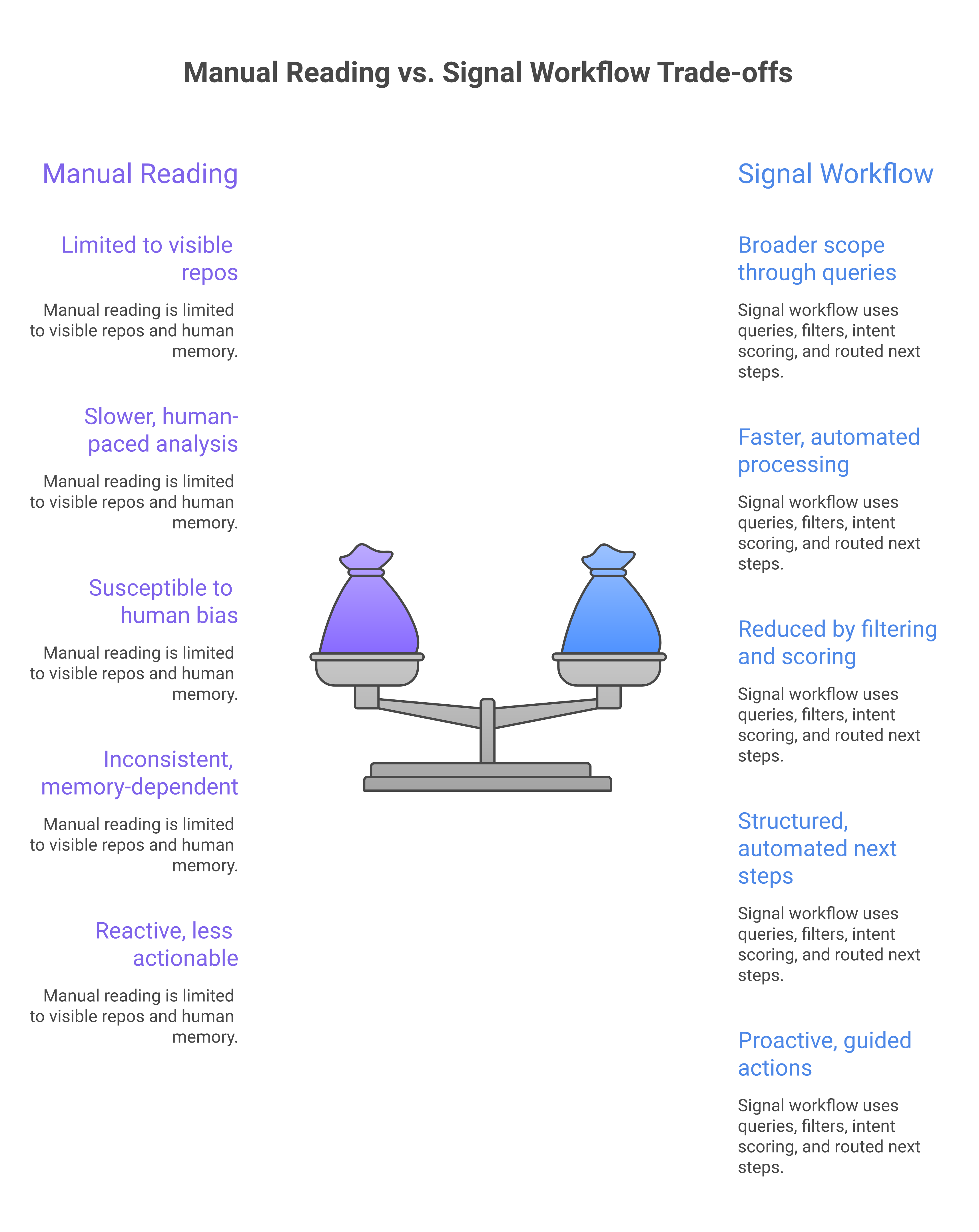
You track repos, not problems#
Developers discuss the same pain across many repositories. If you only watch named repos, you miss category language.
A better query starts with the problem:
``text
("audit logs" OR saml OR scim) ("self hosted" OR enterprise OR "rate limit") updated:>=2026-01-01
``
Then inspect which repos and maintainers keep appearing. Add is:issue When you want issue threads only, or is:pr When implementation debates matter more.
You read chronologically instead of commercially#
Newest is not always most important. A high-intent thread from 14 days ago with active maintainer replies can beat a brand-new low-context issue.
Sort and score by:
freshness
number of comments
number of reactions
whether a maintainer replied
whether the thread names a buying constraint
whether the thread names a competitor
whether the thread includes a deadline or migration trigger
You stop at alerting#
An alert is not an outcome. It only says something happened.
The useful unit is a routed signal: what happened, why it matters, who owns it, and what action comes next.
CommunityTracker supports a workflow from signal discovery to GTM action across GitHub, Reddit, Slack, LinkedIn, X, Product Hunt, Stack Overflow, Dev.to, and HN.
That is the difference between monitoring GitHub and using GitHub as a GTM signal source.
A Practical Weekly Workflow#
Use a weekly cadence first, then automate the parts that create value.
Monday: Refresh the query set#
Review your saved queries.
Remove searches that return noise. Add terms from sales calls, support tickets, win/loss notes, and competitor pages.
The best GitHub queries come from customer language, not keyword tools.
Tuesday and Wednesday: Classify new threads#
For each new result, assign:
signal bucket
intent level
likely owner
recommended next move
Use a short note format:
``text
Thread:
Signal:
Why it matters:
Intent:
Owner:
Next move:
``
Keep it tight. If the note takes 10 minutes to write, the system is too heavy.
Thursday: Route high-intent signals#
Send only high-intent and selected medium-intent threads to owners.
For sales, include account context and a reason to act. For the product, include the constraint and thread evidence. For DevRel, include the technical angle and suggested response.
No owner should receive a raw GitHub link with no summary.
Friday: Turn patterns into assets#
Look across the week.
If three threads mention the same deployment blocker, write a technical guide. If two competitor repos show pricing pain, update your comparison messaging.
This is how GitHub tracking compounds. One signal creates an action. Repeated signals create positioning.
When to Automate GitHub Discussion Tracking#
Manual review is fine for a narrow market. Automate when one of these becomes true:
You monitor more than 10 repos or organizations
You need daily routing, not weekly review
GitHub is only one source among Reddit, Slack, LinkedIn, X, HN, Dev.to, Stack Overflow, Product Hunt, and other communities
Sales needs high-intent alerts before outreach windows close
Product marketing needs recurring language from developer objections
DevRel needs to respond while a technical thread still has attention
At that point, native GitHub search and notifications become inputs, not the whole workflow. Automation should not mean "send every mention to Slack." The better path is:
Collect from GitHub issues, PRs, Discussions, and selected repos.
Deduplicate repeated mentions from the same thread.
Classify the signal type and intent level.
Route the signal to the owner with a recommended next move.
CommunityTracker fits that stage because it monitors community conversations, scores commercial intent, adds context, and routes signals into execution instead of stopping at mention tracking. Track GitHub and developer community signals with CommunityTracker
Use it when the problem is not "we need more GitHub tabs." Use it when the problem is "we need to catch developer intent before competitors do and turn it into pipeline action."
The GitHub Signal Checklist#
Use this checklist before you add another alert.
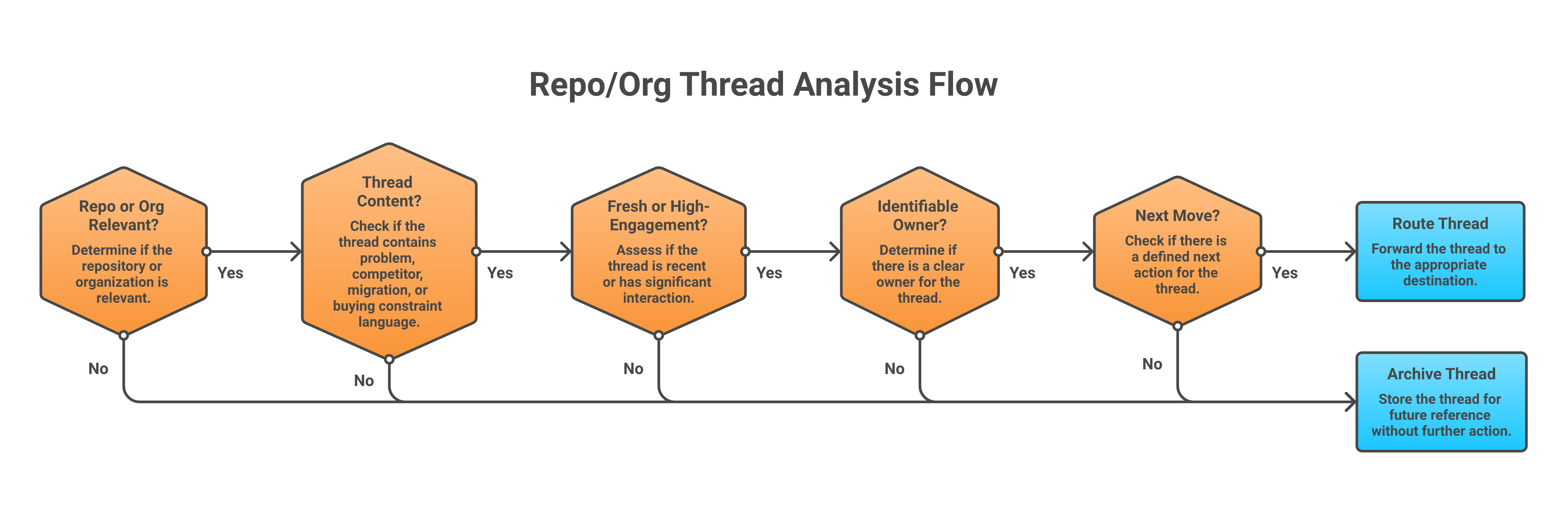
Ask five questions:
Is this repo, org, maintainer, or commenter relevant to our ICP?
Does the thread show problem language, comparison language, competitor pain, or buying constraints?
Is the thread recent, active, or unusually high-engagement?
Can we name the next owner: sales, DevRel, product, support, or content?
Can that owner take a specific action this week?
If the answer is no, you found activity. If the answer is yes, you found signal.
Final Take#
To track developer discussions on GitHub effectively, stop treating GitHub as a reading list.
Treat it as a signal source.
Native notifications tell you when you are already involved. Search filters help you find active issues, PRs, and discussions across repos and orgs. Shared query URLs and saved views give recurring reviews a home. The API gives technical teams a path to automate collection later.
But the commercial value comes from classification and routing.
Find the thread. Score the intent. Add the context. Send the next move.
That is how GitHub becomes part of your GTM motion, not another tab your team checks when someone remembers.
If your team keeps finding buying conversations too late, see how CommunityTracker turns community signals into pipeline actions.