We kept running into the same problem with most LinkedIn social listening tools.
We knew LinkedIn was where real conversations were happening. People were comparing tools, asking for recommendations, and sharing honest feedback in posts and comments.
But the tools we tried did not help much.
On one demo call, a prospect said something that stuck with us: “Your tool shows me a lot of mentions, but I still don’t know which ones are actually worth my time.”
We have heard this again and again.
Some LinkedIn social listening tools flood you with alerts. Some miss important conversations completely. And some show dashboards that look good, but do not tell you what to do next.
Even in reviews and reddit discussions, one thing comes up often:
Most tools still struggle to filter noise and highlight signals that actually matter.
And that is the real problem.
We are not looking for more data. We are trying to find useful LinkedIn conversations we can turn into content, insights, and pipeline.
That is exactly what this guide is about.
In this blog, we will break down the 10 best LinkedIn social listening tools for marketing teams in 2026, based on what they actually help you do, not just what features they list.
So you can quickly figure out which tool fits your workflow, your team, and how you want to use LinkedIn signals.
LinkedIn Social Listening Tools (Quick Snapshot)#
Here’s a quick breakdown of which LinkedIn social listening tools make sense based on what you’re trying to do:
CommunityTracker works best if you want to find high-intent LinkedIn conversations and turn them into content, outreach, or pipeline instead of just tracking mentions.
Sprout Social is a better fit if you need LinkedIn listening combined with content publishing, engagement, and team workflows in one place.
Brandwatch makes more sense if you are part of a large team that needs deep analytics, dashboards, and long-term share of voice tracking.
Meltwater is worth considering if your focus is more on PR, media coverage, and brand reputation alongside LinkedIn monitoring.
Talkwalker fits better if you care about trend analysis, large-scale data tracking, and visual insights across multiple platforms.
Brand24 is a good option if you want a simpler and more affordable tool for tracking mentions without complex setup.
Mention works well if your main goal is real-time alerts and basic monitoring across LinkedIn and the web.
Hootsuite is more suitable if you also need scheduling, publishing, and social media management along with listening.
Keyhole makes sense if your focus is campaign tracking, hashtags, and performance measurement rather than deep LinkedIn insights.
Awario is the right starting point if you want a low-cost tool for basic keyword and mention tracking.
Turn real buyer conversations into LinkedIn content that actually performs.
Why Marketing Teams Look for LinkedIn Social Listening Tools#
Most marketing teams are already using some form of social listening.
But once LinkedIn becomes a key channel for demand, a few gaps start to show:
You get too many alerts, but very few that are actually useful
Important LinkedIn conversations are missed or surface too late
It is hard to tell which posts signal real buying intent vs casual discussion
Competitor mentions show up, but without context on how they are positioned
You just get posts instead of turning into content, campaigns, or outreach
This is usually when teams start looking for better LinkedIn social listening tools.
We did not just compare feature lists.
Each tool was evaluated based on how it performs in real LinkedIn workflows used by marketing and GTM teams.
Tracking real LinkedIn conversations
Whether the tool can surface posts, comments, and discussions where buyers are actively asking questions or comparing solutions
Signal quality vs noise
How many alerts actually matter vs how many you ignore
Buyer intent detection
Whether the tool can identify recommendation requests, problem statements, and evaluation-stage conversations
Competitor visibility in context
Not just mentions, but how competitors are being discussed, recommended, or criticized
Share of voice across conversations
Whether you can understand where your brand appears vs competitors in LinkedIn discussions
Speed from insight to action
How quickly a team can turn a conversation into a post idea, campaign angle, or outreach message
Integration into existing workflows
Whether insights can be pushed into Slack, Notion, CRM, or outbound tools without manual work
Setup and usability for marketing teams
Whether a marketer can start using it without complex queries or heavy configuration
Pricing vs actual usage
Whether the cost makes sense based on how often your team uses the tool and the value it delivers
Tool | LinkedIn Monitoring | Buyer Signal Detection | Competitor Tracking | Share of Voice | AI Insights | Integrations | Pricing | Best Fit |
CommunityTracker | Strong | Strong | Strong | Strong | Strong | Strong | Starts ~$29/mo | GTM, demand gen |
Sprout Social | Medium | Limited | Limited | Limited | Medium | Medium | Starts $199/user/mo | Social teams |
Brandwatch | Medium | Limited | Strong | Strong | Strong | Medium | Custom pricing | Enterprise analytics |
Meltwater | Medium | Limited | Medium | Strong | Medium | Medium | Custom pricing | PR, comms |
Hootsuite | Medium | Limited | Basic | Basic | Basic | Medium | Starts ~₹1,915/mo (~$20–25) | Scheduling + listening |
Talkwalker | Medium | Limited | Strong | Strong | Strong | Medium | Custom pricing | Trend analysis |
Mention | Limited | Limited | Basic | Medium | Basic | Medium | Starts ~$599/mo | Monitoring |
Brand24 | Limited | Limited | Basic | Basic | Medium | Limited | Starts $249/mo | SMB listening |
Keyhole | Limited | Low | Basic | Basic | Basic | Limited | Custom / demo-based | Campaign tracking |
Awario | Limited | Low | Basic | Basic | Basic | Limited | Starts $49/mo | Budget teams |
1. CommunityTracker — Best for turning LinkedIn buyer signals into pipeline#
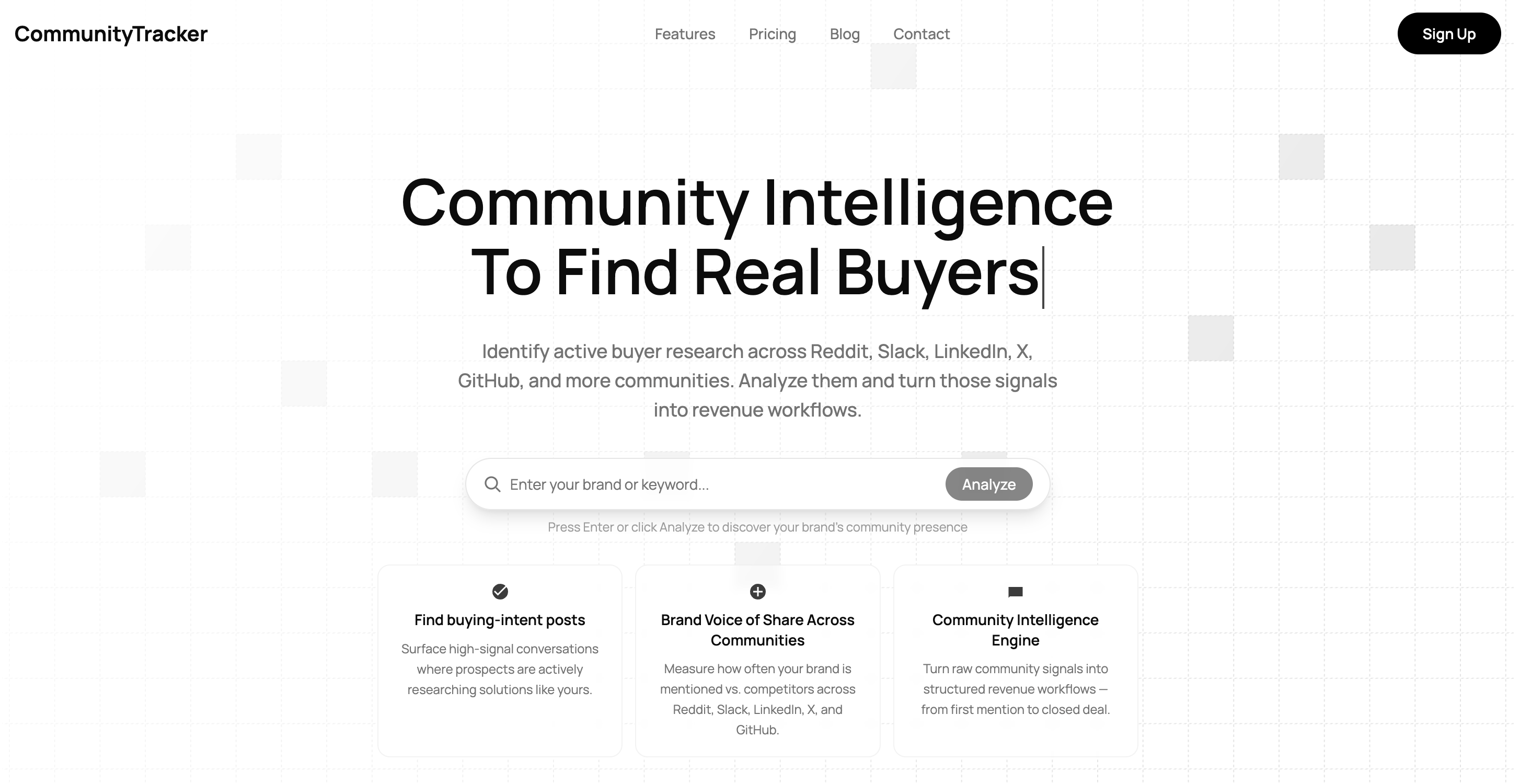
CommunityTracker is a community intelligence platform built to track LinkedIn conversations and other communities where buyers discuss tools, problems, and alternatives.
Instead of showing raw mentions, it focuses on identifying high-intent signals and turning them into actions your team can execute.
Key features#
Tracks LinkedIn posts, comments, and category-level conversations
Detects buyer intent signals like recommendations, comparisons, and pain points
Shows competitor share of voice across LinkedIn and other communities
Provides context, priority, and suggested next steps for each signal
Routes insights into workflows (Slack, Notion, outreach tools)
What We like#
It does not stop at “this was mentioned.”
It tells you why it matters and what to do next.
For marketing teams, this makes it easier to turn LinkedIn conversations into content, campaigns, or outbound opportunities without extra analysis.
Where it falls short#
If you are only looking for basic brand monitoring or reporting dashboards, this may feel more than what you need.
Pricing#
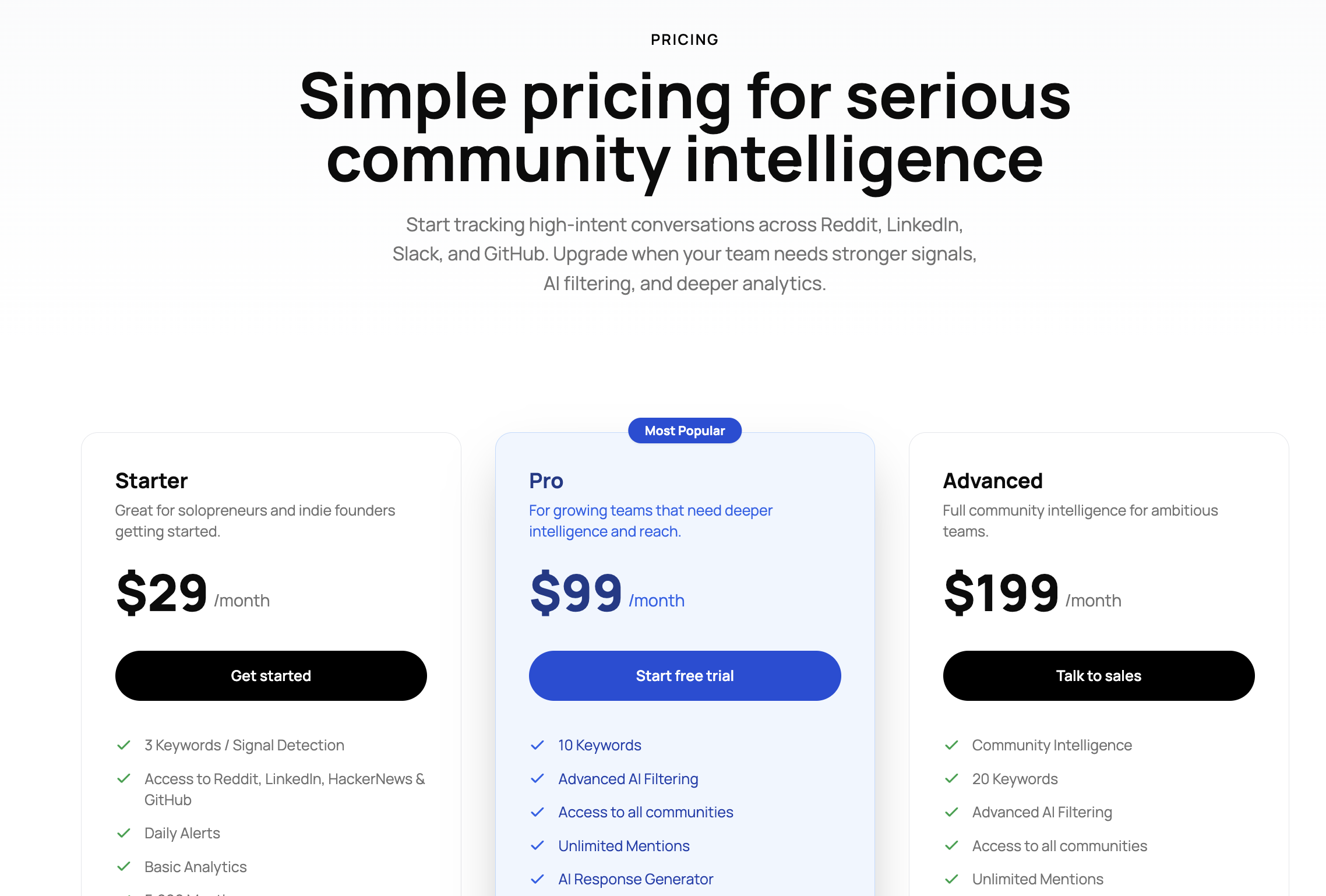
Starts at $29/month, with higher tiers for more keywords, advanced workflows, and deeper insights.
Best for#
Teams that want to find high-intent LinkedIn conversations and turn them into pipeline, not just track mentions.
2. Sprout Social — Best for teams that need publishing and listening in one place#
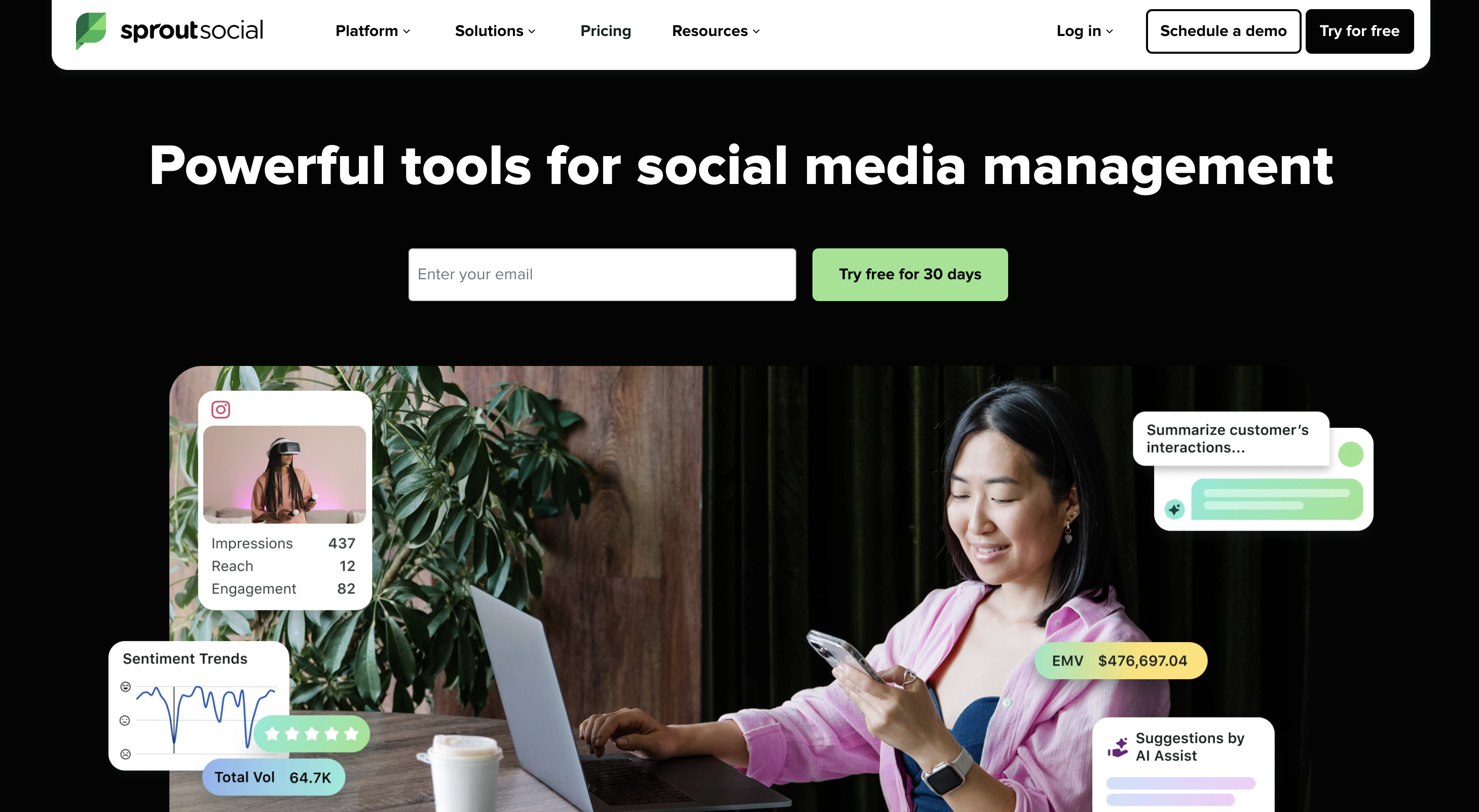
Sprout Social is a social media management platform that combines publishing, engagement, analytics, and listening.
It allows teams to manage LinkedIn pages, schedule posts, and monitor conversations from a single dashboard instead of switching between tools.
Key features#
LinkedIn publishing and scheduling from a shared content calendar
Smart Inbox to manage comments, messages, and mentions across platforms
Keyword and brand monitoring (via listening add-on)
Performance reporting and post-level analytics
Team collaboration with approval workflows and task assignment
What we like#
The biggest advantage is workflow consolidation.
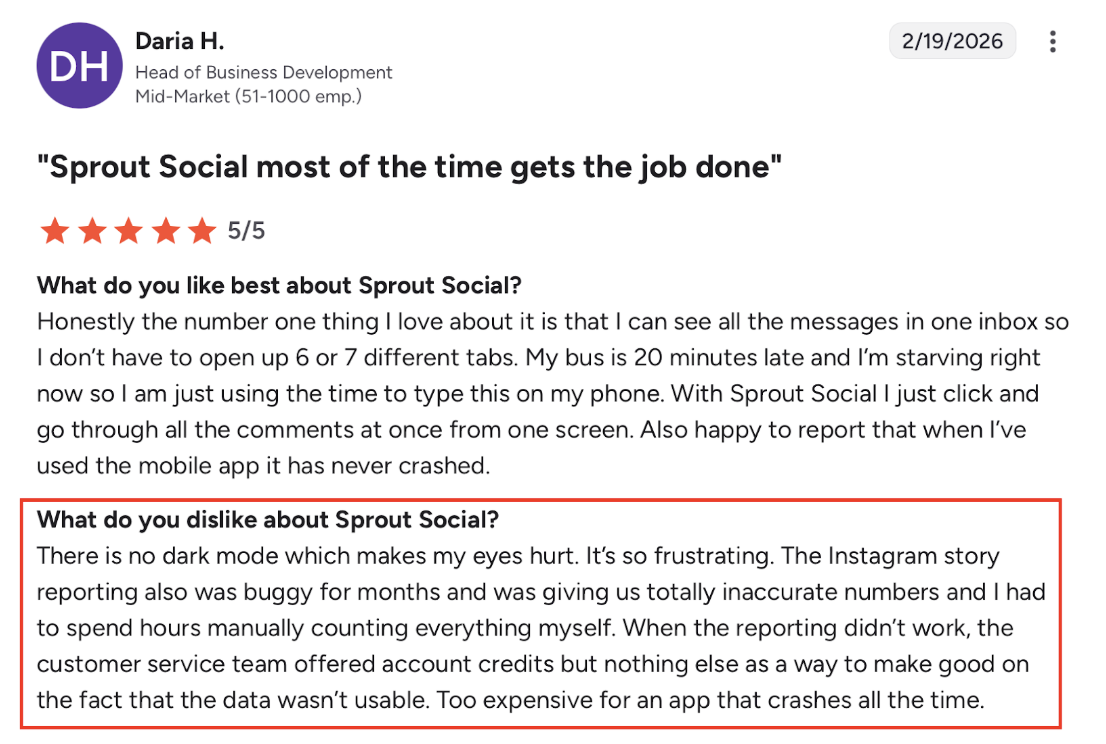
From G2 reviews, the Smart Inbox stands out, teams can manage LinkedIn comments, mentions, and messages without jumping between tabs.
For marketing teams handling multiple accounts, this saves a lot of time and keeps everything organized in one place.
Where it falls short#
Sprout’s LinkedIn listening is limited by platform APIs, which affects how much data you can actually access.
Competitor insights on LinkedIn are restricted or incomplete
Listening depends on keywords and connected profiles, not full conversation coverage
Some users mention onboarding and navigation can take time to get used to
Scheduling and heavy workflows can feel slow when handling multiple posts
Overall, it is stronger as a social management tool than a deep LinkedIn signal discovery tool.
Pricing#
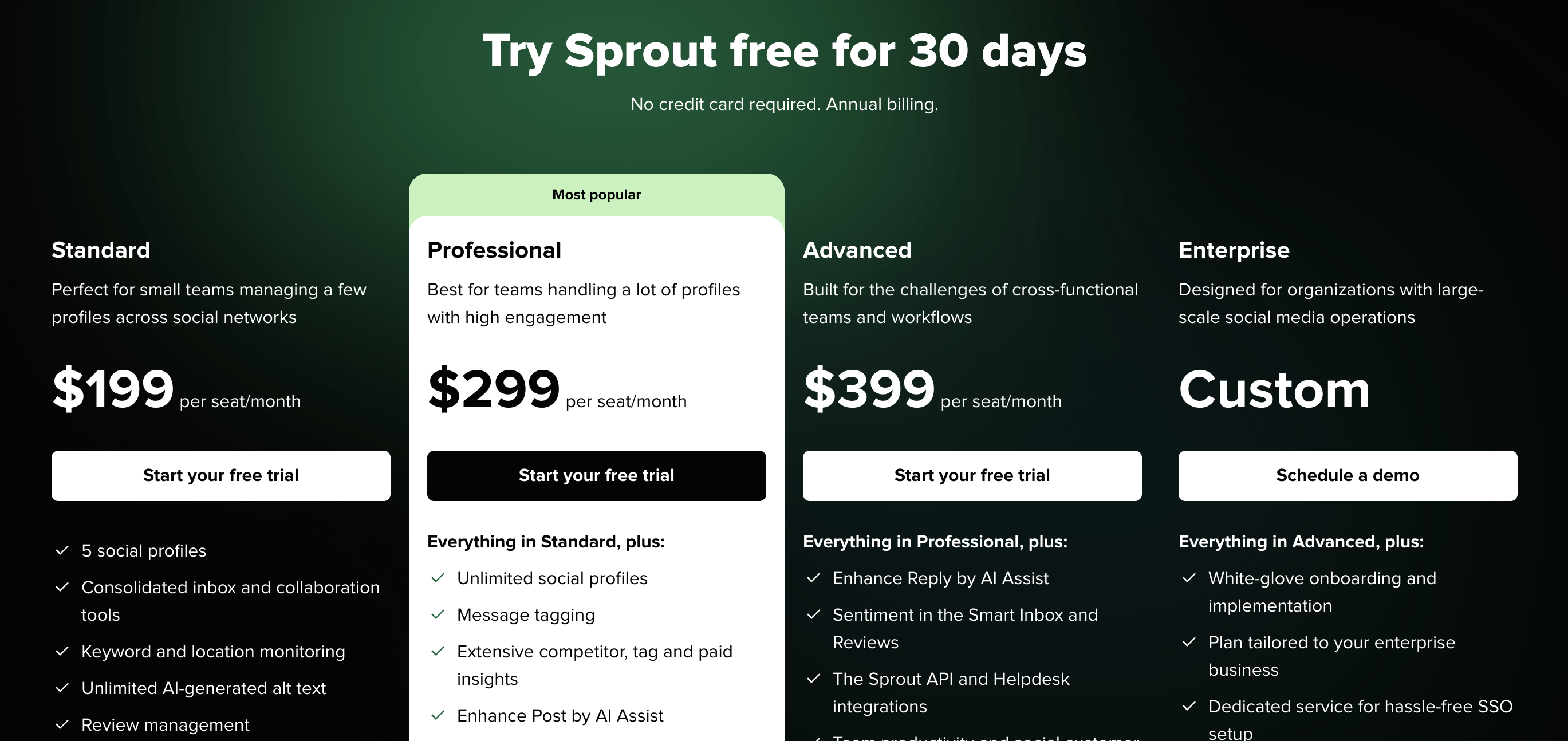
Starts at $199 per user/month (Standard plan).
However, advanced listening features are typically available as separate add-ons, which can increase the total cost.
Best for#
Marketing teams that want to manage LinkedIn content, engagement, and basic monitoring in one platform.
3. Brandwatch — Best for enterprise-level analytics and reporting#
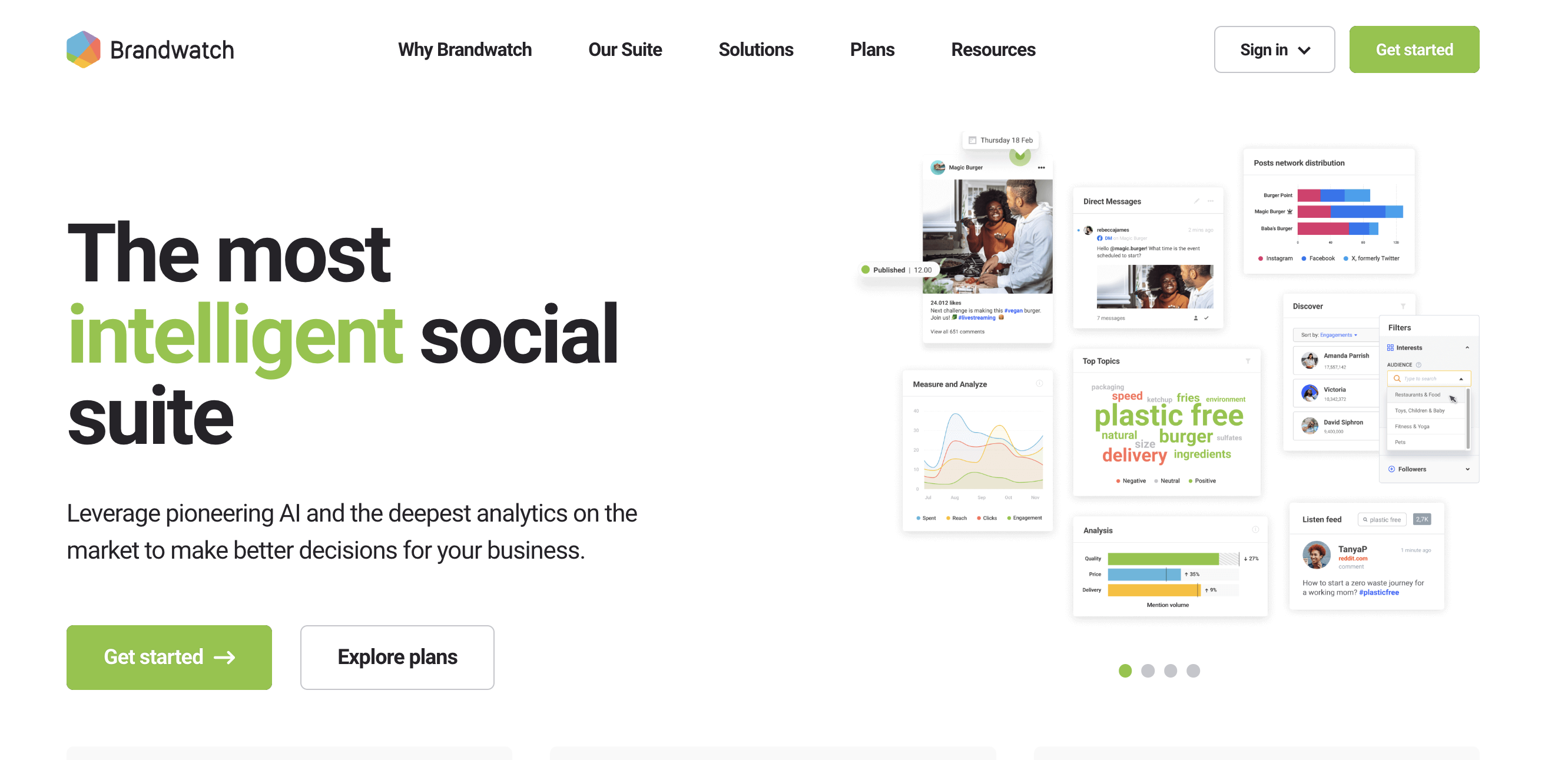
Brandwatch is a social listening and consumer intelligence platform built for analyzing large volumes of conversations across social platforms and the web.
It helps teams track trends, monitor brand perception, and generate detailed reports rather than focusing on day-to-day LinkedIn actions.
Key features#
Cross-platform monitoring across social, news, and online sources
Custom dashboards with flexible reporting and data visualization
AI-assisted sentiment analysis and topic clustering
Audience segmentation and conversation filtering
Competitor benchmarking and trend analysis
What We like#
Brandwatch is strong when your goal is structured analysis at scale.
Teams like how it brings multiple platforms into one place and makes it easier to build reports and track performance over time.
If you are reporting to leadership or running research-heavy campaigns, this level of depth is useful.
Where it falls short#
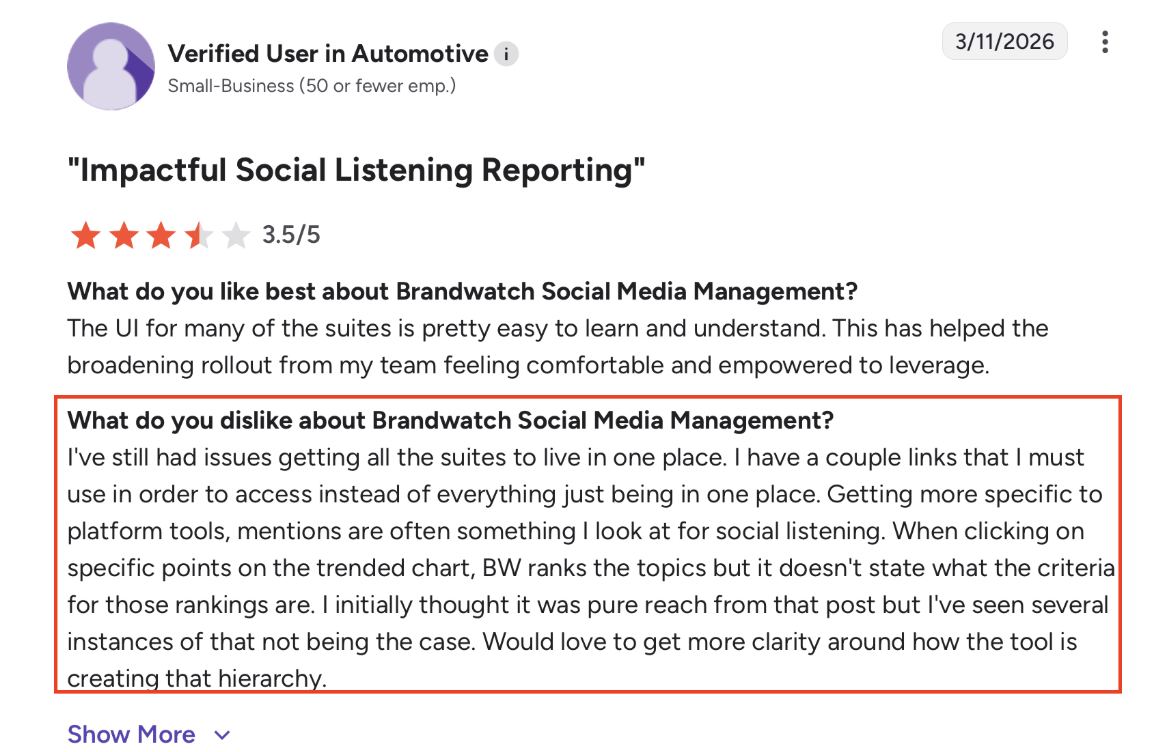
The biggest issue is complexity vs usability.
Setup can feel complicated and not very intuitive
Scheduling and publishing workflows can be slow or unreliable
Reporting sometimes lacks clarity (for example, how certain insights are calculated)
Sentiment analysis is not always accurate
Pricing is considered high for what you get
Also, for LinkedIn specifically, it is not built for finding real-time buyer intent or actionable conversations. It is more about analysis than action.
Pricing#
Brandwatch offers custom enterprise pricing, typically suited for large teams.
Costs can be significantly higher compared to SMB-focused tools, especially when using multiple modules.
Best for#
Enterprise teams that need deep reporting, trend analysis, and cross-channel social intelligence.
4. Meltwater — Best for PR, media monitoring, and reputation tracking#
Meltwater is a media intelligence platform that combines social listening, news monitoring, and PR tools in one system.
It helps teams track how their brand is mentioned across social media, news outlets, and online sources, and turn that into reports and insights.
Key features#
Social + news media monitoring in a single platform
Custom keyword searches with flexible query building
Real-time alerts for brand mentions and trends
Share of Voice tracking and PR reporting
Media database and influencer discovery tools
What we like#
Meltwater stands out for breadth of coverage.
Meltwater can monitor both social platforms and the wider news landscape without switching tools.
The ability to create detailed searches and track Share of Voice makes it especially useful for PR and communications teams.
Where it falls short#
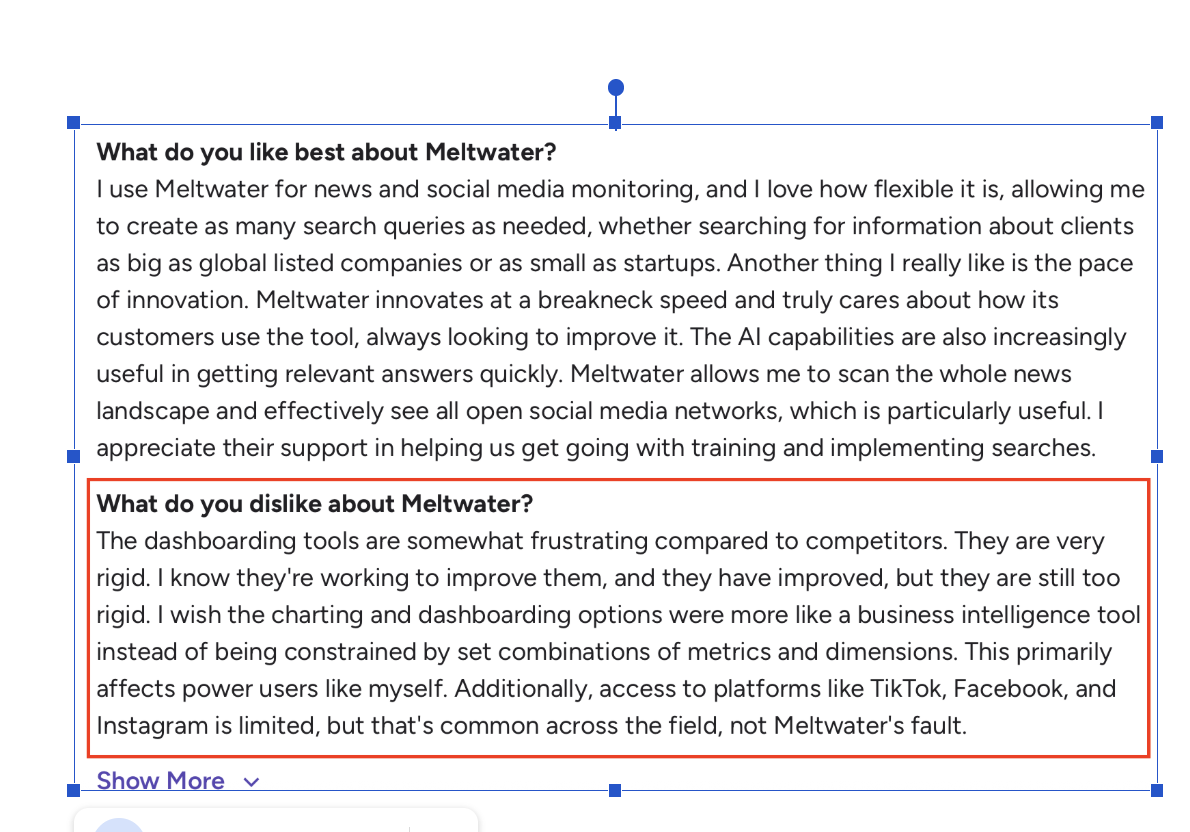
The main issue is usability vs flexibility.
Dashboards can feel rigid compared to more flexible analytics tools
Alert experience is not always smooth, especially on mobile
Some results include duplicate or syndicated content instead of original sources
Platform coverage is not always complete, depending on the channel
Reporting sometimes requires manual effort
Also, for LinkedIn specifically, Meltwater is not built for finding high-intent buyer conversations or pipeline signals.
It is more focused on brand visibility and reputation tracking.
Pricing#
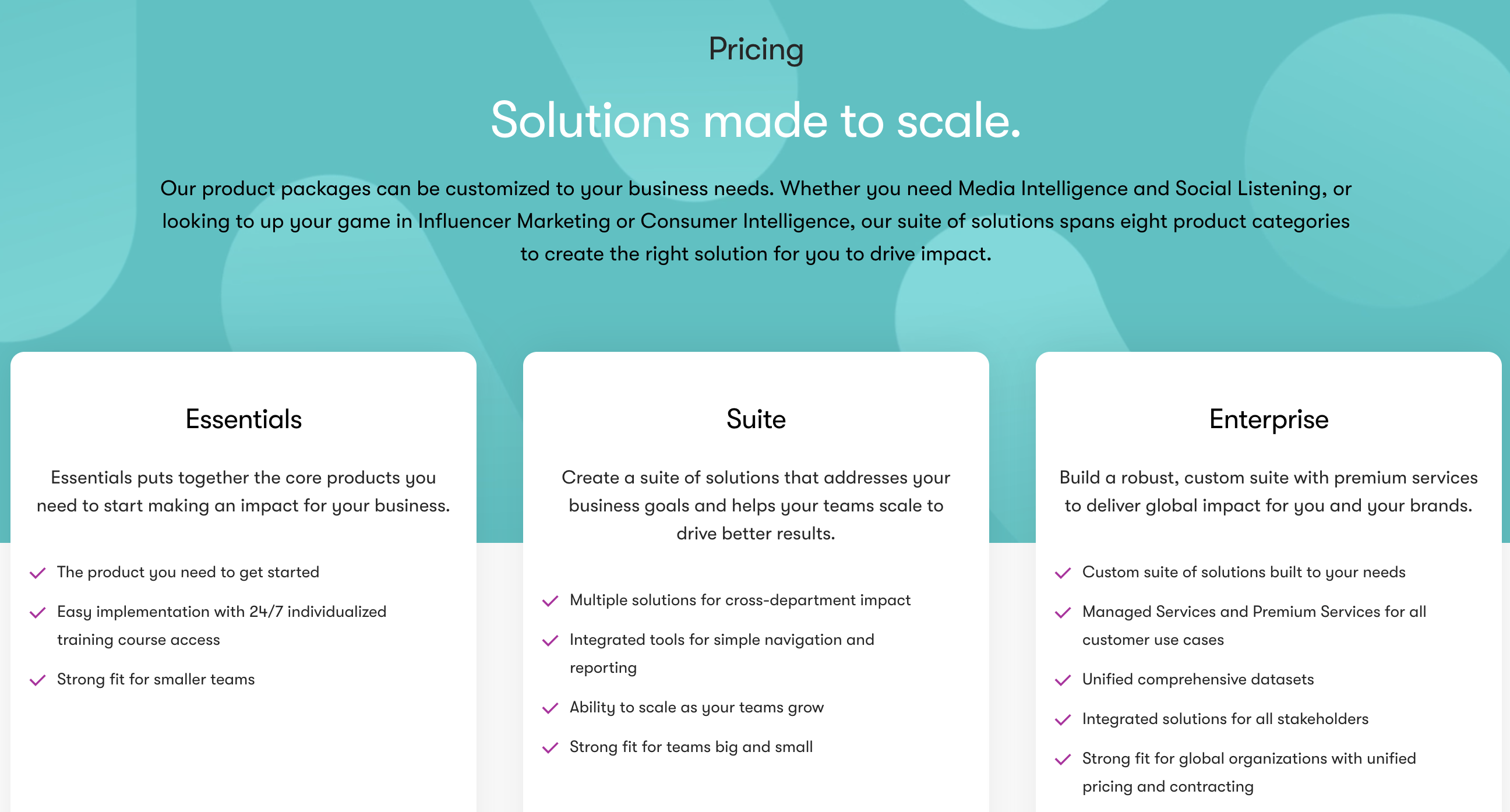
Meltwater uses custom pricing based on features, data coverage, and team size. It is typically positioned for mid-market to enterprise teams.
Best for#
PR and communications teams that need to track brand mentions, media coverage, and Share of Voice across social and news.
5. Hootsuite — Best for scheduling with basic listening#
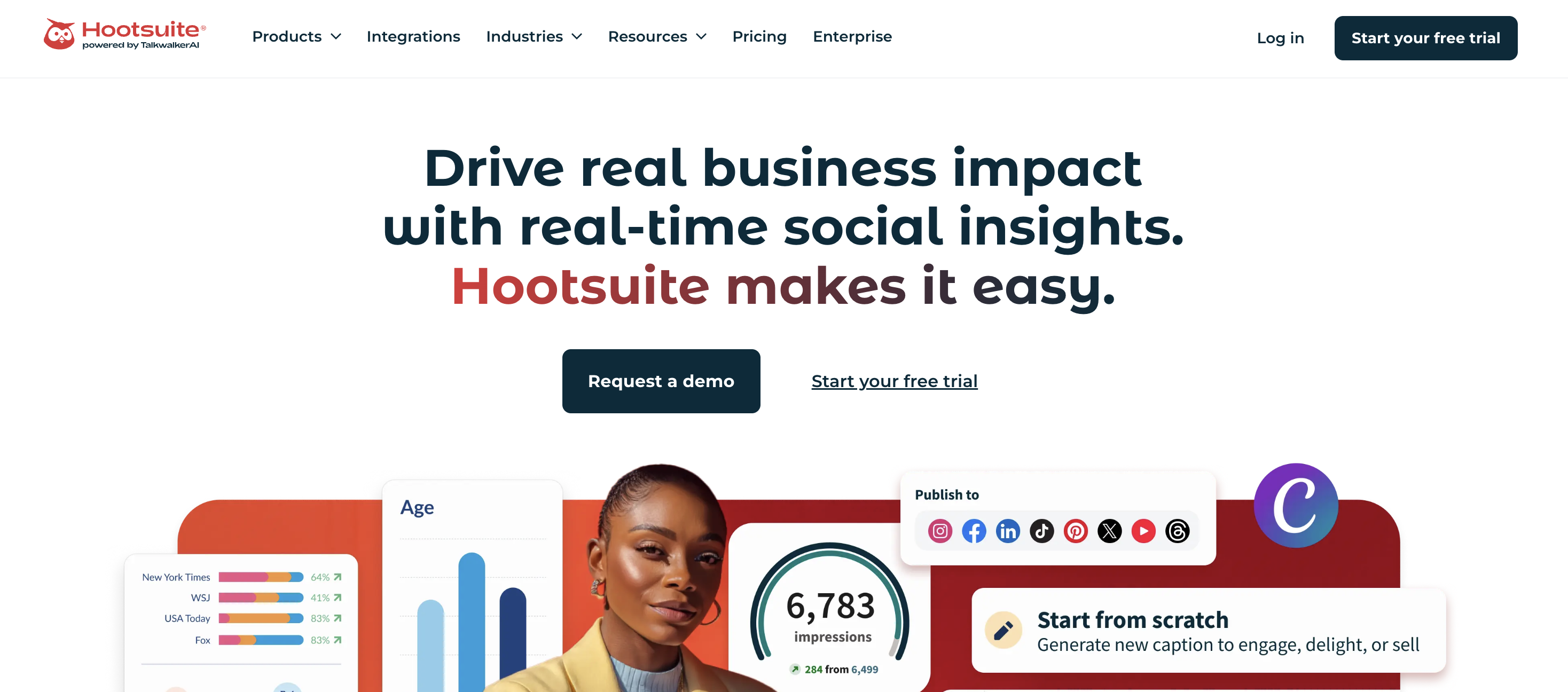
Hootsuite is a social media management platform focused on scheduling, publishing, and managing engagement across multiple accounts.
It also includes basic listening features, but its core strength is content execution rather than deep social intelligence.
Key features#
Content scheduling and publishing across multiple platforms
Centralized social inbox for comments, messages, and mentions
Basic keyword monitoring and alerts
Analytics and performance reporting
Team collaboration and approval workflows
What We like#
Hootsuite is very strong for day-to-day execution.
Hootsuite helps manage multiple accounts from one dashboard and schedule content in advance.
The calendar view and unified inbox make it easier to stay organized and maintain consistent posting without switching tools.
Where it falls short#
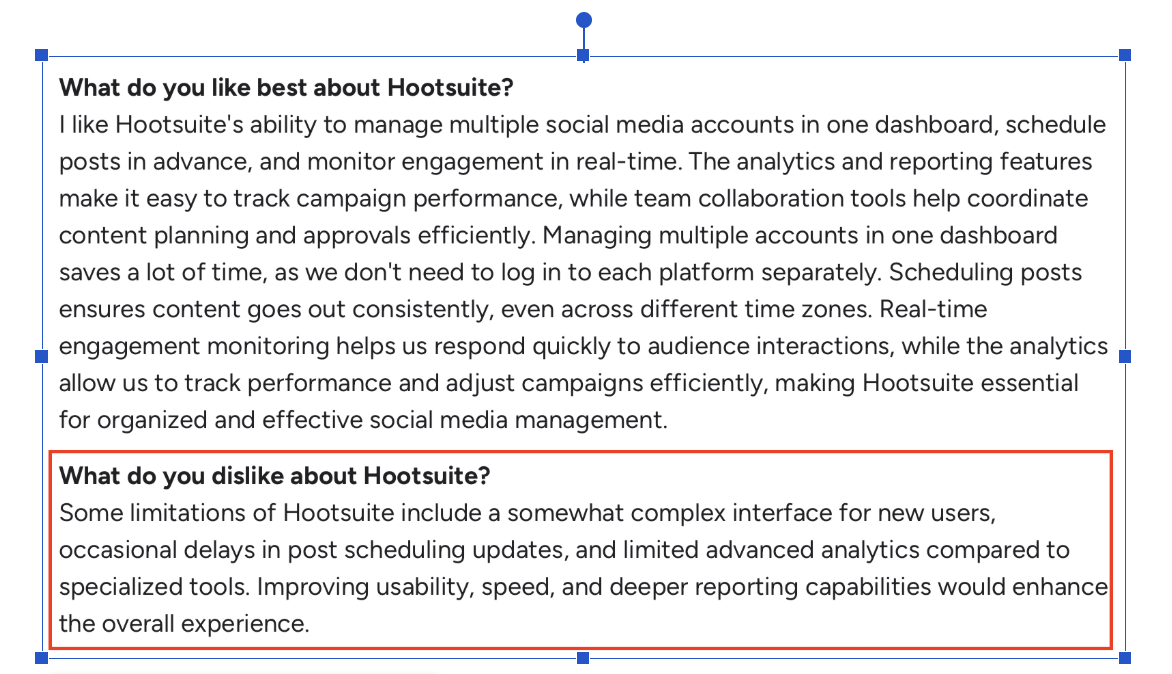
The main limitation is depth of listening.
Listening works for general topics but struggles with niche or specific insights
Data access depends heavily on platform APIs
Interface can feel cluttered or require too many clicks
Dashboard and scheduling can slow down with larger workloads
Analytics are not as flexible as dedicated tools
For LinkedIn specifically, Hootsuite is not built to identify buyer intent, competitor conversations, or high-signal threads.
It is better for managing content than discovering insights.
Pricing#
Starts at ~$99/month (Professional plan) for 1 user and up to 10 social profiles.
The Team plan costs $249/month (annual billing) and adds 3 users and collaboration features.
Enterprise pricing is custom (typically 5+ users and advanced features) and requires contacting sales.
Listening features are limited in lower tiers and often require higher plans or add-ons, which increases total cost.
However, meaningful listening features are limited in lower tiers, and advanced capabilities are typically available in higher plans or enterprise add-ons, which increases the total cost.
Best for#
Teams that want to manage scheduling, publishing, and basic monitoring in one platform.
6. Talkwalker — Best for trend analysis and large-scale social listening#
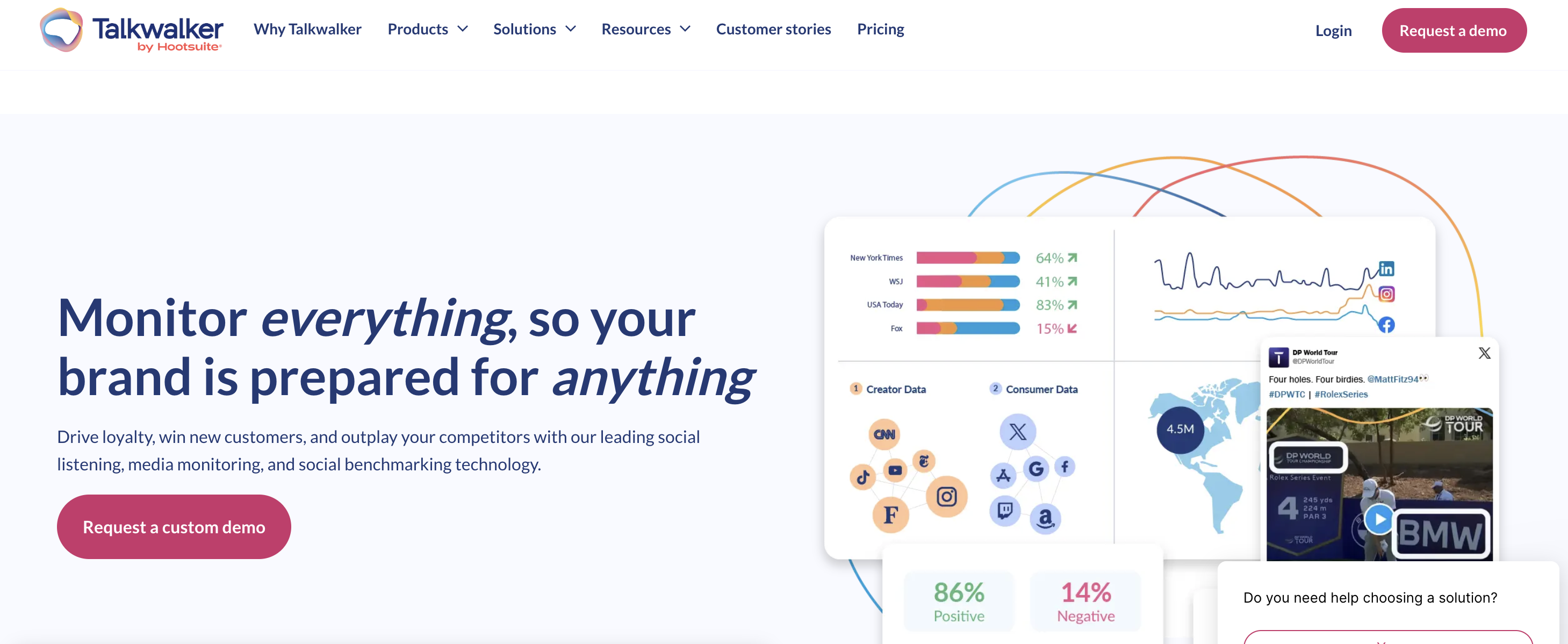
Talkwalker is a social listening and media monitoring platform built for tracking conversations, trends, and brand activity across a wide set of online sources.
It is designed more for broad market intelligence and reporting than for daily LinkedIn workflow execution.
Key features#
Social listening and media monitoring across multiple channels
AI-powered summaries, peak detection, and forecasting
Custom dashboards, alerts, and reports
Topic, channel, and conversation analytics
AI agent and LLM insights for faster analysis
What we like#
Talkwalker is strong when your team needs bigger-picture visibility.
Talkwalker has the ability to track conversation volume, identify trends, and pull reports quickly.
It is especially useful for teams that want broad monitoring across social and media sources rather than a lightweight publishing tool.
Where it falls short#
The main tradeoff is power versus simplicity.
It takes time to learn and set up properly
The platform can feel complex for new users
Some users mention query-building and editing could be easier
Certain plans have data caps or shorter search windows
Coverage gaps still exist on some platforms, which is a broader industry issue but still affects usability
For LinkedIn specifically, Talkwalker is better for tracking trends and conversation volume than for spotting actionable buyer signals your team can quickly turn into posts, campaigns, or outreach.
Pricing#
Talkwalker uses custom quote-based pricing, with plans built around data volume, features, and team needs.
Best for#
Teams that want deep trend tracking, broad monitoring, and enterprise-grade reporting across multiple platforms.
7. Mention — Best for real-time alerts and brand monitoring#
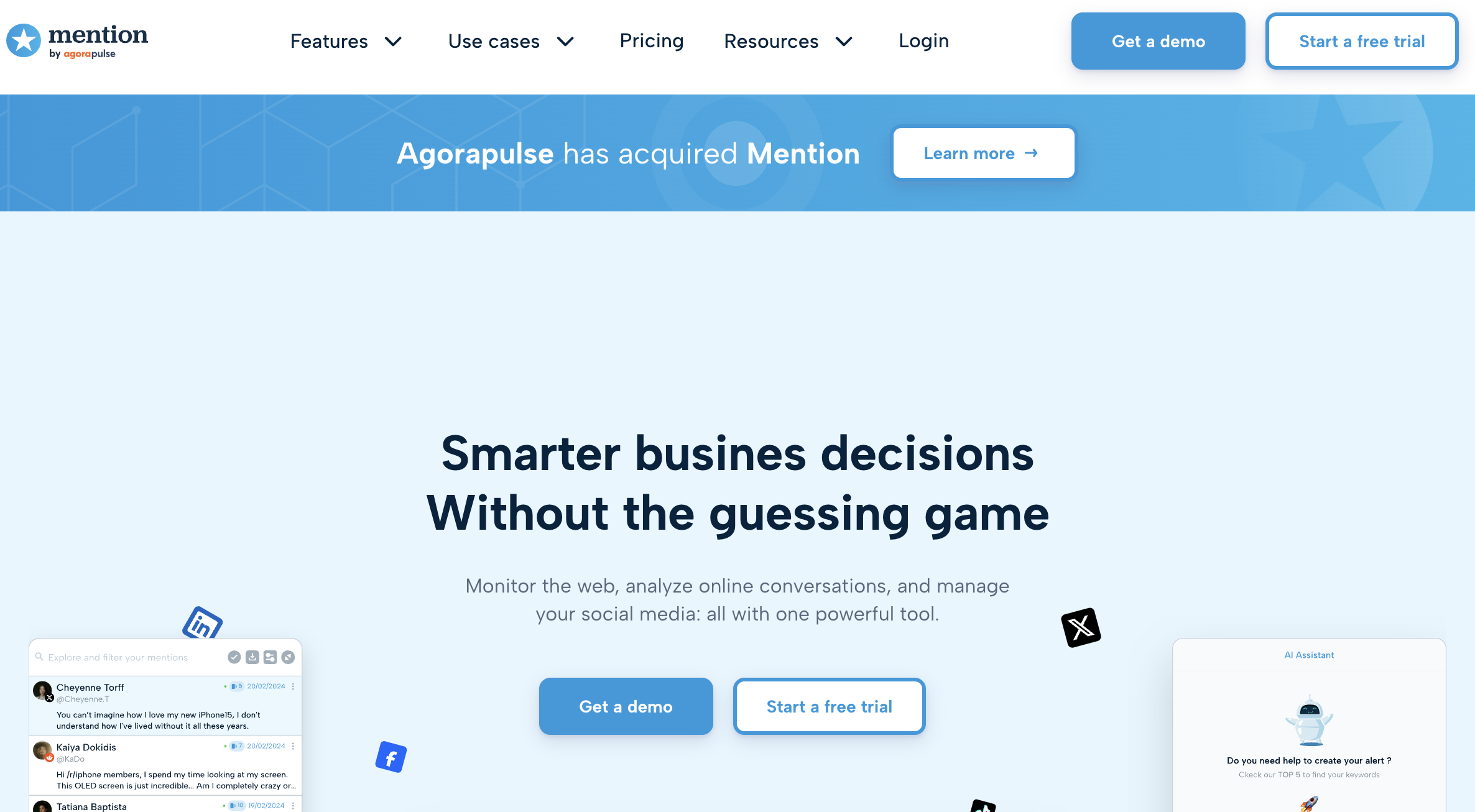
Mention is a social listening and media monitoring tool designed to track brand mentions across social media, news sites, and the web.
It focuses on delivering real-time alerts so teams can quickly see when and where they are being mentioned.
Key features#
Real-time alerts for brand and keyword mentions
Social, web, and review monitoring
Boolean search for refining queries
Sentiment analysis and basic trend tracking
Dashboards and reporting with collaboration tools
What we like#
Mention is very strong at speed and simplicity.
It quickly alerts people, which is useful for PR, brand monitoring, and crisis situations.
It is also relatively easy to set up and start tracking mentions without heavy onboarding.
Where it falls short#
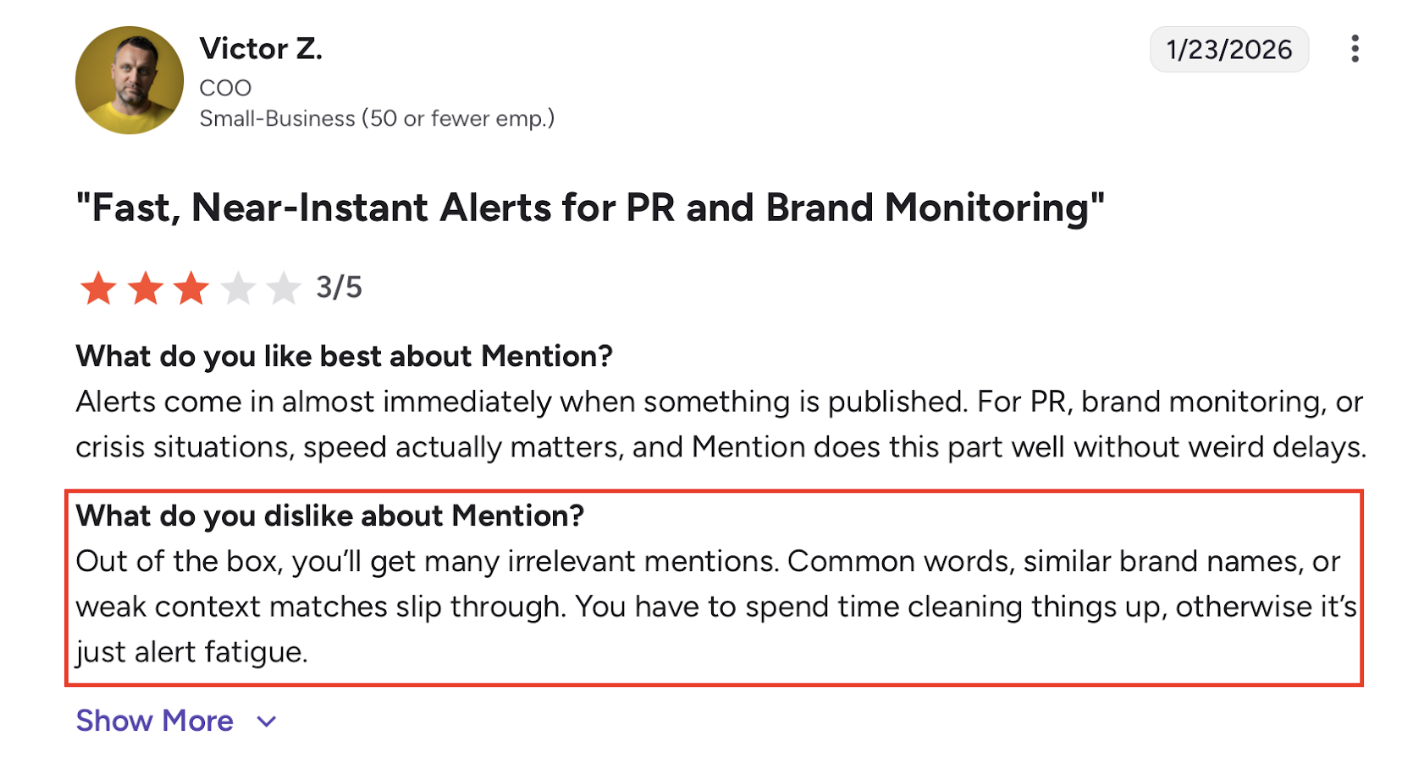
The biggest issue is signal quality vs noise.
Alerts often include irrelevant mentions without proper filtering
Requires manual cleanup to avoid alert fatigue
Sentiment analysis is not always accurate
Interface and setup can feel confusing at first
Limited depth when analyzing conversations or intent
For LinkedIn specifically, Mention is not built for finding buyer signals, competitor context, or actionable conversations.
It is more about tracking mentions than understanding them.
Pricing#
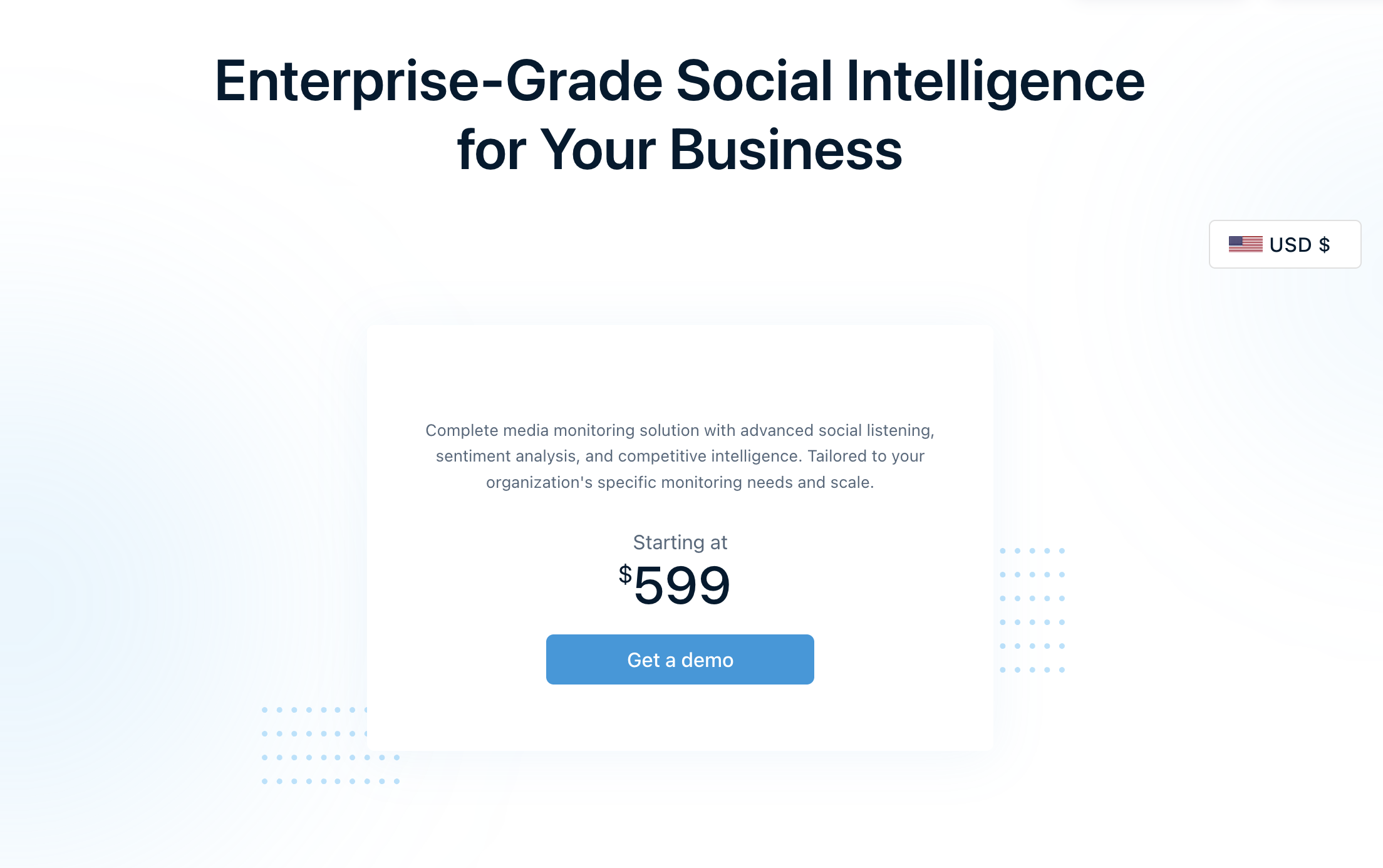
Starts at $599/month, with pricing scaling based on features, data volume, and team needs.
Best for#
Teams that need fast, real-time alerts and straightforward brand monitoring across social and web.
8. Brand24 — Best for simple, mid-range social listening#
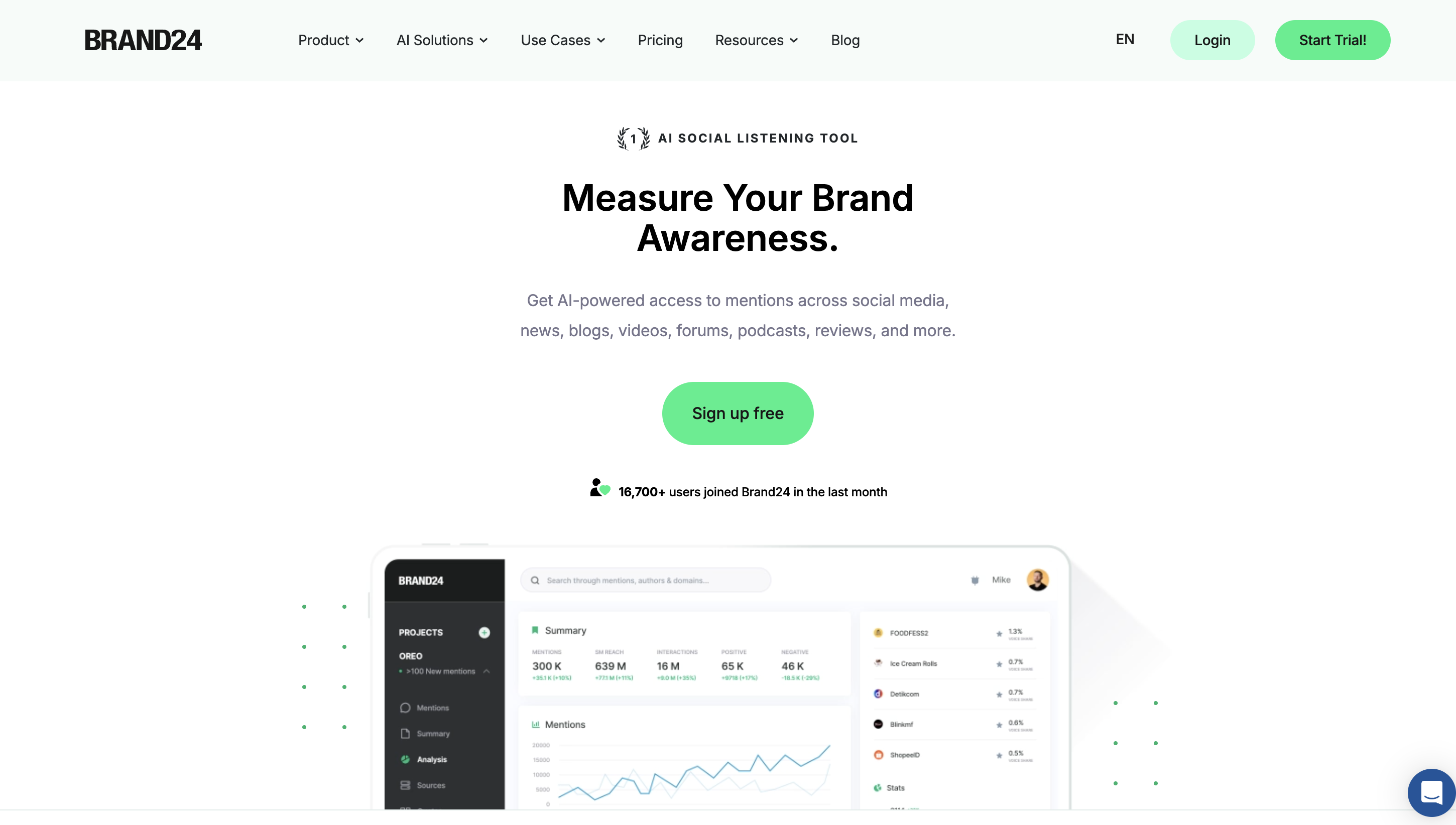
Brand24 is a social listening tool that helps track brand mentions across social media, blogs, news, and other online sources.
It focuses on giving a quick overview of conversations, sentiment, and reach.
Key features#
Mention tracking across web and social platforms
AI-powered sentiment analysis
Real-time alerts and notifications
Automated reports (PDF, dashboards)
Basic analytics like reach, engagement, and trends
What we like#
Brand24 is easy to get started with.
It pulls mentions from multiple sources into one dashboard and saves time compared to manual tracking.
The alerts and reports are useful for getting a quick view of brand activity.
Where it falls short#
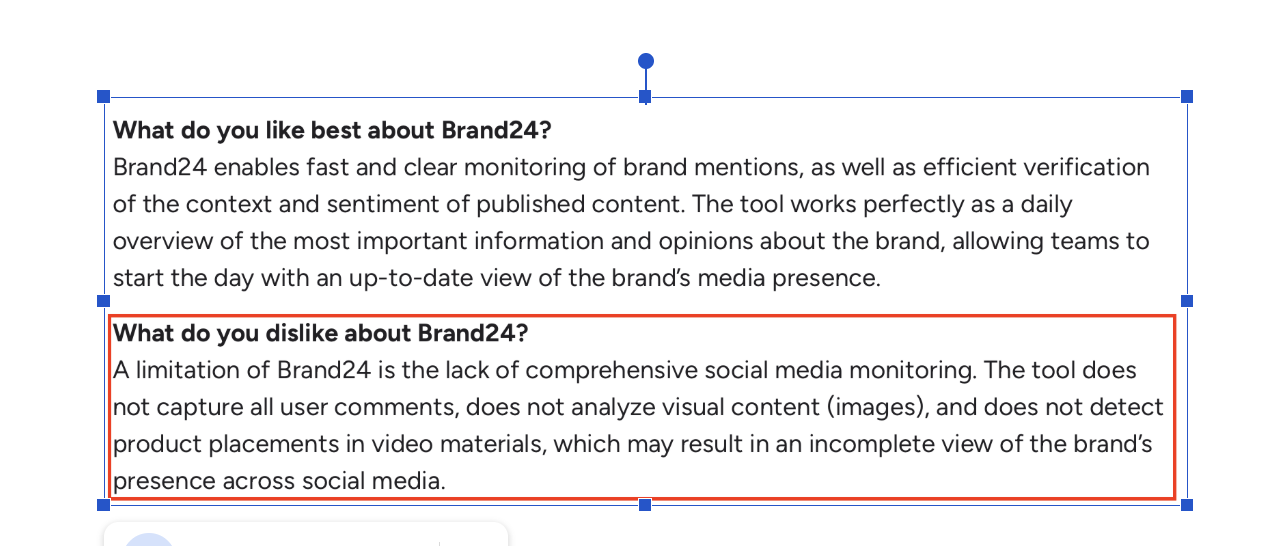
The main issue is data quality and depth.
Irrelevant or duplicate mentions require manual filtering
Some platforms and data sources are not fully covered
Sentiment analysis is not always accurate
Historical data is limited on lower plans
Can feel overwhelming when dealing with large data sets
It is good for monitoring, but not strong for deep analysis, intent detection, or workflow integration.
Pricing#
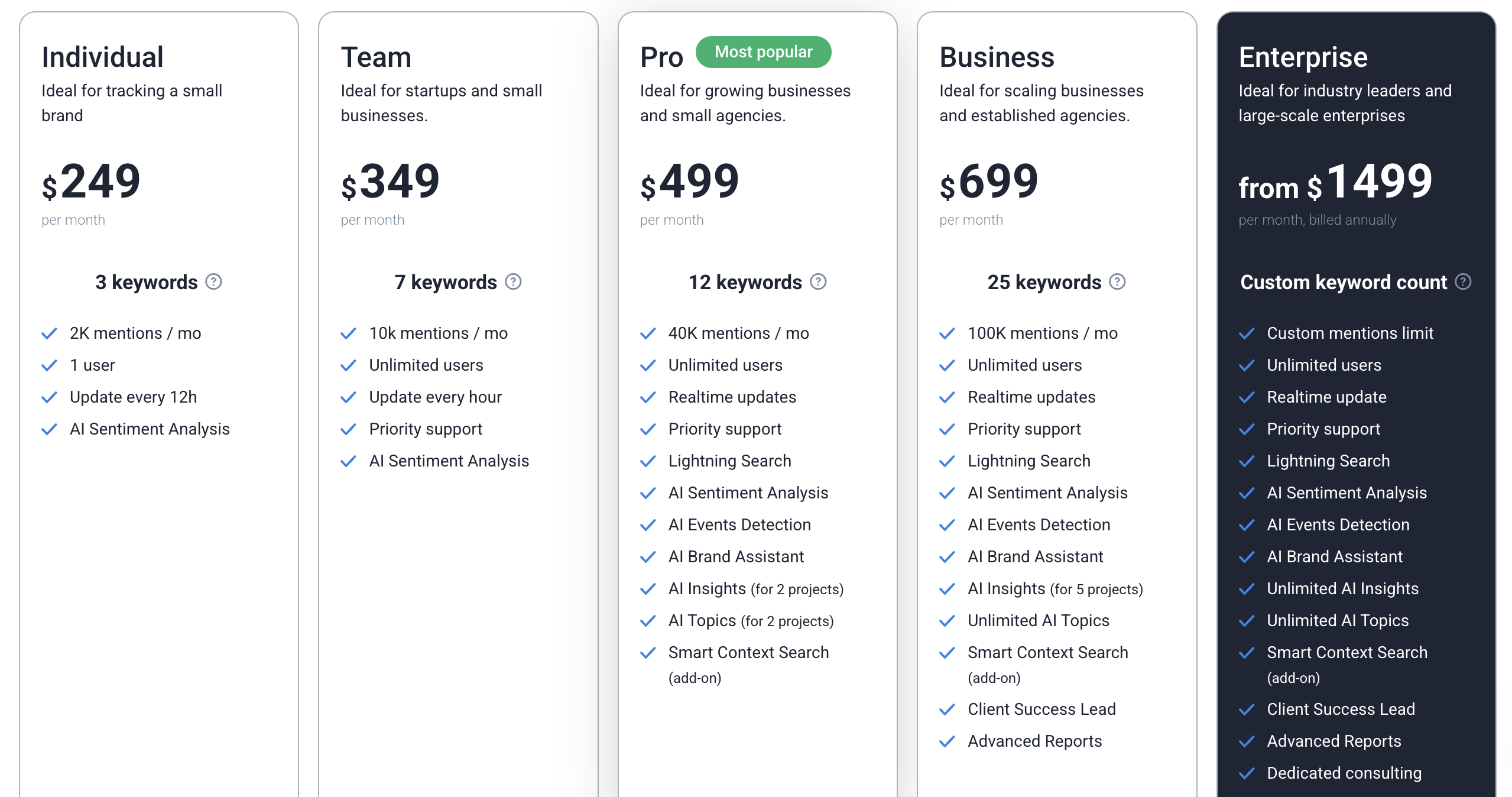
Starts at $249/month upto $1499, with higher plans based on keywords, mentions volume, and features.
Best for#
Small to mid-sized teams that want simple social listening without going into complex enterprise tools.
Also Read: 5 Best Brand24 Alternatives & Competitors for Social Mentions in 2026
9. Keyhole — Best for campaign tracking and hashtag analytics#
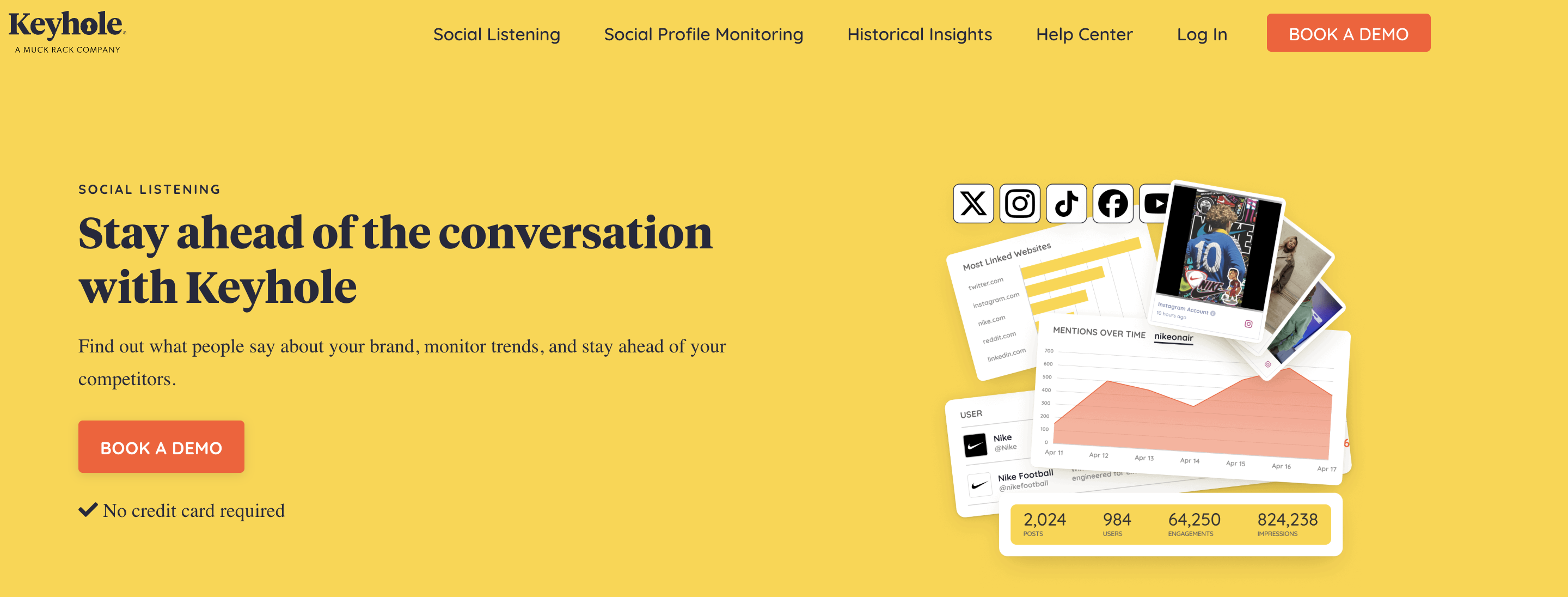
Keyhole is a social media analytics tool focused on tracking campaign performance, hashtags, profile activity, and engagement across platforms.
It is more useful for measuring what is happening around campaigns and branded content than for deep LinkedIn social listening.
Key features#
Hashtag and campaign tracking
Social profile monitoring across major platforms, including LinkedIn
Cross-platform analytics and reporting dashboards
Competitor and account benchmarking
Exportable reports for internal teams and stakeholders
What We like#
Keyhole is strongest when you need clear campaign reporting without a heavy setup.
It can do hashtag tracking, reporting layout, and ease of use.
It seems especially helpful for teams that want to track campaign performance and pull quick analytics without building complicated dashboards.
Where it falls short#
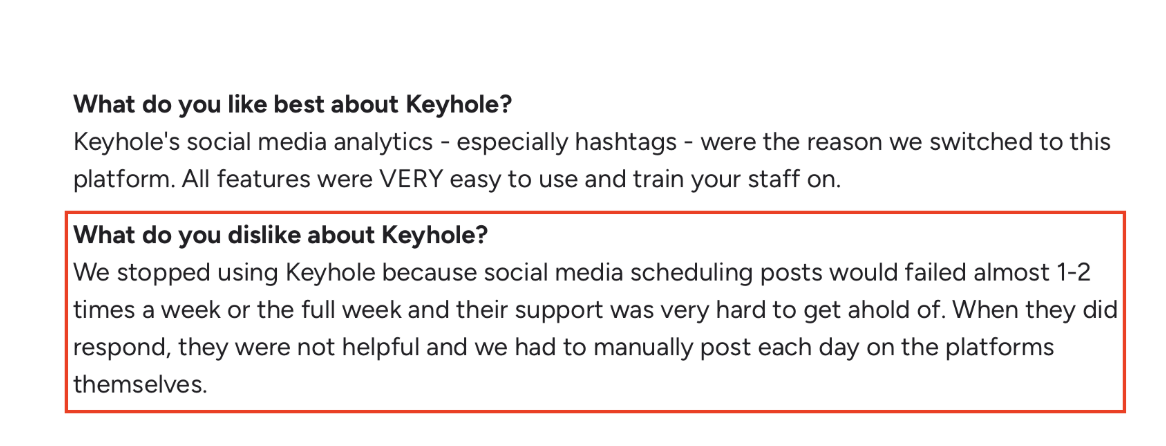
The biggest limitation is depth outside campaign analytics.
Social listening is not as comprehensive as more dedicated monitoring tools
Some users question data accuracy when compared with other reporting tools
Scheduling and publishing workflows can be unreliable
Exported reports do not always include all the detail users expect
Pricing can feel expensive, especially for ongoing tracking
For LinkedIn specifically, Keyhole is better for profile and campaign analytics than for finding buyer signals, competitor conversations, or intent-rich discussions.
Pricing#
Keyhole has a custom pricing.
Best for#
Teams that want strong hashtag, campaign, and profile analytics more than deep social listening.
10. Awario — Best for affordable mention monitoring and keyword alerts#
Awario is a social listening tool built to track keywords, brand mentions, and online discussions across social media and the web.
It is designed for teams that want a simpler way to monitor conversations without paying for a heavy enterprise platform.
Key features#
Real-time keyword and mention monitoring
Boolean search for refining alerts
Sentiment analysis
Alerts, reports, and data export
Leads module for finding relevant social discussions
What we like#
Awario works well as a practical entry point into social listening.
It picks up mentions and is easy to set up alerts, it is useful for Reddit and general brand monitoring.
The interface also seems simpler than many larger tools.
Where it falls short#
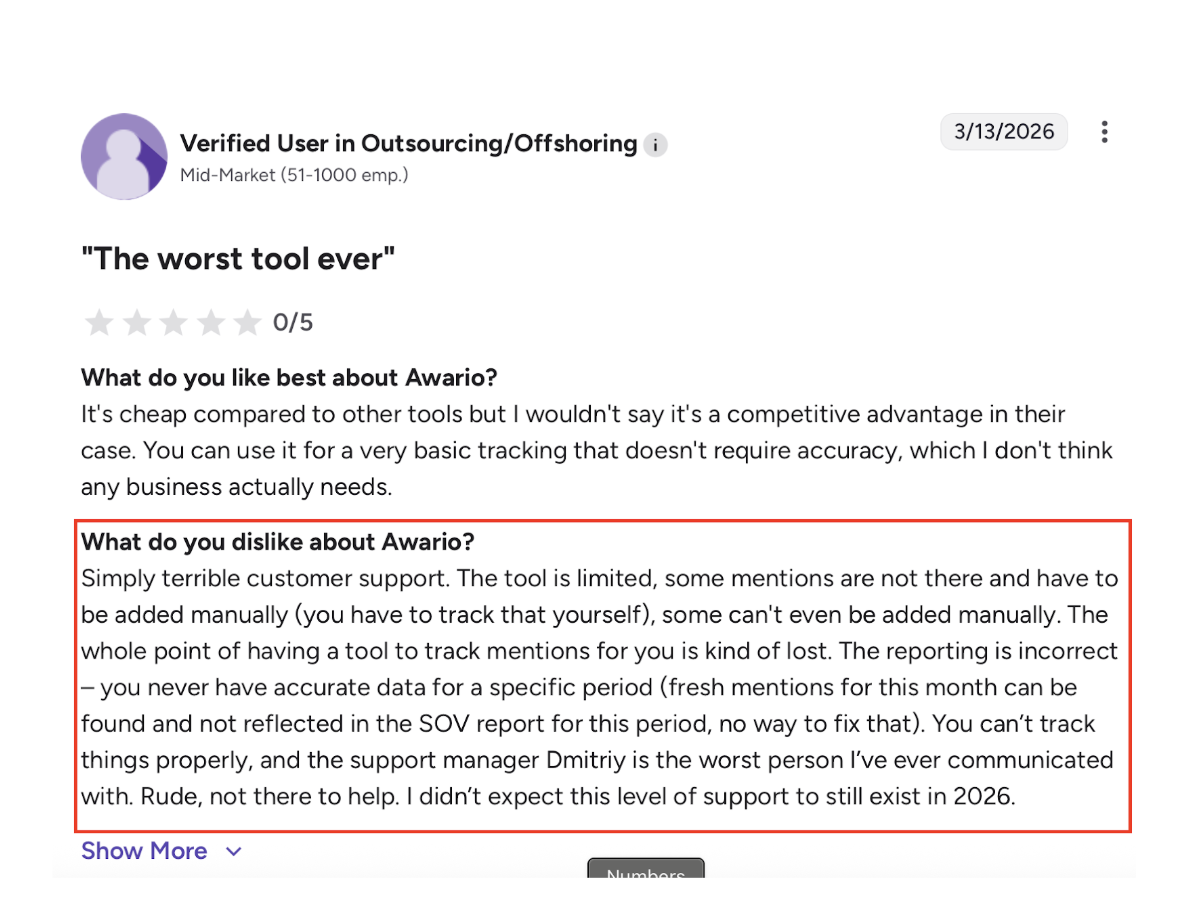
The biggest issue is depth and data precision.
Mention quality is not always highly accurate
Irrelevant results can still slip through
Sentiment analysis could be better
Some users want broader platform coverage
It is not the best fit if you need advanced insights or deeper analysis
For LinkedIn specifically, Awario is not built for buyer intent detection, rich competitor context, or action-oriented workflows.
It is better for alerts and basic monitoring than for strategic LinkedIn listening.
Pricing#
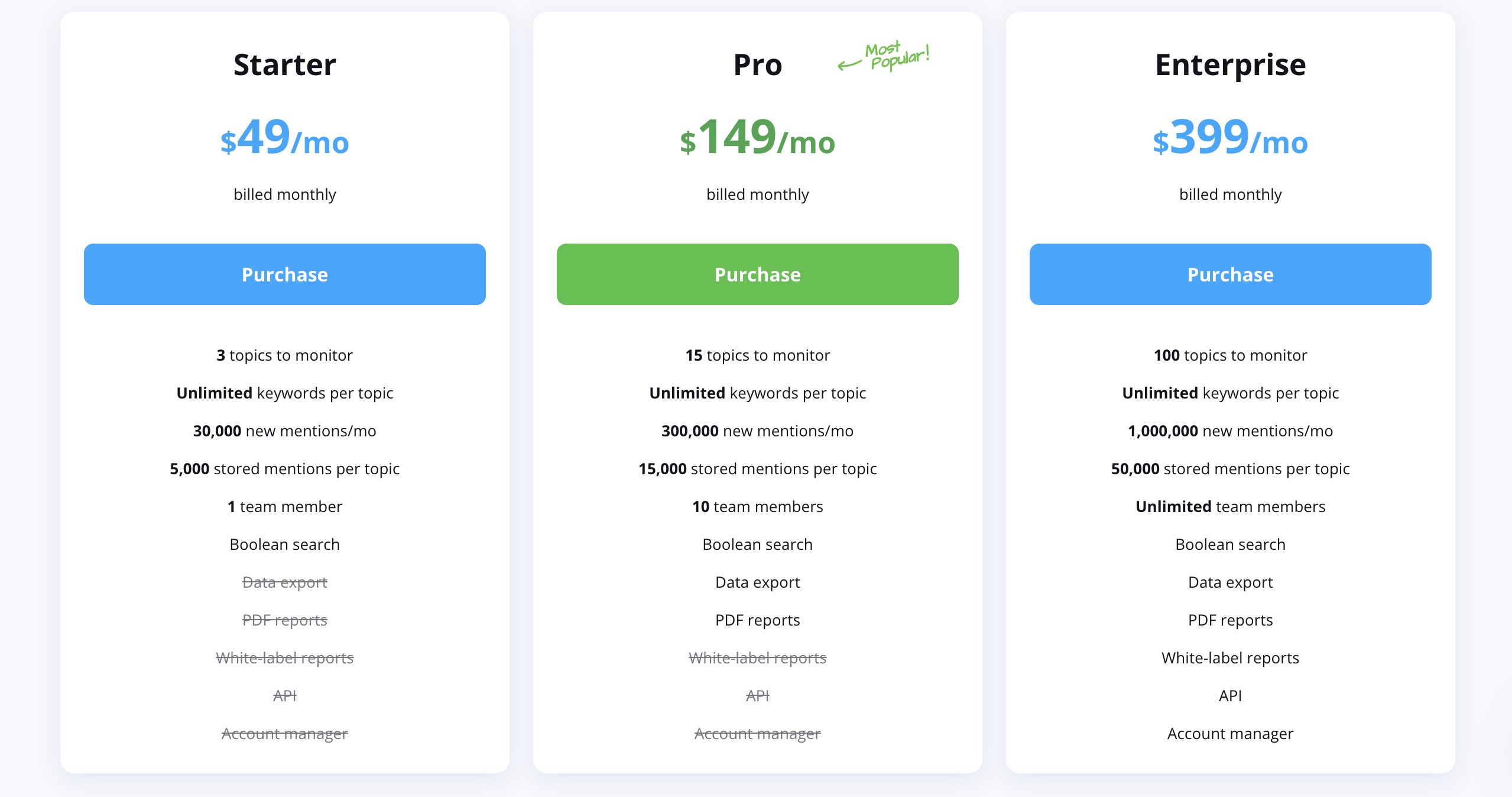
Starts at $49/month on the Starter plan.
Higher plans increase the number of topics, mentions, users, and data limits, with Pro at $149/month and Enterprise at $399/month.
Best for#
Small teams or individuals who want simple mention monitoring and keyword alerts without enterprise-level complexity.
Which LinkedIn Social Listening Tool Should You Choose?#
It comes down to what you want from LinkedIn.
If you want… | Choose… |
Find buyers, not just mentions | CommunityTracker |
Schedule content + manage comments | Sprout Social / Hootsuite |
Deep analytics and reports | Brandwatch / Talkwalker |
PR and brand monitoring | Meltwater / Mention |
Simple alerts on a budget | Brand24 / Awario |
Campaign and hashtag tracking | Keyhole |
Conclusion#
At the end of the day, the right tool depends on how you actually use LinkedIn.
If it’s just for posting and tracking mentions, most tools here will do the job. But if you’re trying to turn conversations into real opportunities, that’s where the difference shows up.
The gap isn’t in data. It’s in knowing what matters and acting on it before it’s gone.
That’s where CommunityTracker feels more useful. It helps you catch the right conversations early and actually do something with them.
👉 If your goal is to get more out of LinkedIn than just reports, signup for CommunityTracker.
FAQs#
How do you find buying signals on LinkedIn?#
Look for posts where people ask for recommendations, compare tools, or share a problem. These usually show clear intent and are the easiest to act on.
Why do most LinkedIn listening tools miss real opportunities?#
Because they rely on keyword tracking. They pick up mentions, but miss context like intent, urgency, or decision stage.
Can you track LinkedIn comments, not just posts?#
Some tools do, but coverage is limited. Most tools don’t capture full comment threads reliably due to platform restrictions.
How often should you check LinkedIn signals?#
Daily, or you’ll miss timing. Most high-intent conversations lose value within 24–48 hours.
What should you track on LinkedIn besides your brand name?#
Track competitor names, category keywords, and problem-based phrases. That’s where most useful conversations happen.
Can LinkedIn listening replace outbound prospecting?#
No, but it can make it much better. It gives you warmer entry points instead of cold outreach.
What’s the biggest mistake teams make with social listening?#
They collect data but don’t act on it. Without a workflow, even good insights go unused.