Social media monitoring is the process of tracking conversations, mentions, keywords, competitors, products, and industry topics across social platforms so your team can respond while the signal is still useful.
A practical monitoring system watches LinkedIn, X, Reddit, Bluesky, Hacker News, Indie Hackers, Dev.to, Stack Overflow, Product Hunt, GitHub, and Slack communities, then turns relevant posts into action queues.
Monitoring is not just "seeing what people say about us." A dashboard full of mentions is only useful if it helps someone make the next move: answer a support complaint, send a sales reply, brief product on repeated objections, protect the brand during a spike, or find high-intent conversations before competitors do.
Social media monitoring turns scattered community conversations into routed GTM signals.
Why social media monitoring matters now#
Your market does not only talk to your brand on your owned channels.
Buyers compare tools in Reddit threads. Developers ask technical questions on Stack Overflow, GitHub, Hacker News, and Dev.to. Founders test vendors in Indie Hackers and Product Hunt comments.
Prospects complain about incumbent tools on LinkedIn or X before they ever submit a demo form.
If your team only tracks tagged mentions, CRM form fills, and support tickets, you are late to a large share of the conversation.
For B2B, that fragmentation is the point. Your audience may not be concentrated in one feed.
A simple B2B path can touch several communities before the account appears in your funnel: a DevOps lead complains about an integration gap on GitHub, asks for alternatives on Reddit, sees a founder reply on LinkedIn, and then searches the category after peers validate the problem.
None of those actions creates a tagged brand mention. Together, they show intent, pain language, competitor context, and a response window.
Gartner's B2B marketing guidance also points to social as a buying-channel input: its research abstract states that 90% of B2B buyers use social media when considering a purchase.
That does not mean social is the whole buying journey. It means social conversations can influence shortlists, objections, competitive comparisons, and trust long before sales sees the account.
Monitoring gives you a way to catch those signals early.
Without monitoring, teams usually learn about market conversations late:
A customer forwards a thread after it has already spread.
A sales rep finds a competitor comparison by accident.
A founder manually searches Reddit at night.
A support issue becomes visible only after several people repeat it publicly.
Social media monitoring replaces that ad hoc loop with a repeatable one: define what matters, watch the right channels, filter noise, classify intent, route the signal, and review what changed.
If your team keeps finding buying conversations too late, see how CommunityTracker turns community signals into pipeline actions.
Social media monitoring vs. social listening#
Social media monitoring and social listening overlap, but they do not do the same job.
Monitoring is about what is happening now. Listening is about what the pattern means over time.
Social monitoring focuses on "what's now" by tracking mentions, comments, and messages in real time, while social listening focuses on "what's next" by analyzing trends, themes, and sentiment over time.
Here is the practical difference:
Question | Monitoring answers | Listening answers |
Time horizon | What needs attention today? | What trend is forming this month? |
Unit of analysis | Individual post, comment, mention, thread, or keyword hit | Themes, sentiment shifts, share of voice, repeated topics |
Main users | Social, support, sales, community, product marketing | Brand, research, strategy, product, leadership |
Output | Alerts, queues, replies, escalations, owner routing | Reports, strategic insights, campaign direction |
Risk if ignored | Missed complaints, missed buyers, slow response | Weak positioning, missed category shifts, poor planning |
You need both. But if your business has no reliable monitoring layer, listening reports will sit on weak data. Monitoring is the intake system. It catches the individual signals that later become patterns.
What should you monitor?#
Most teams start too narrow. They monitor the company name and maybe one hashtag. That catches some brand mentions, but it misses buyer intent, competitor movement, product confusion, and category demand.
Build your monitoring map around business outcomes instead.
Brand and product mentions#
Track your company name, product names, feature names, founder names, common misspellings, abbreviations, campaign names, and branded terms. Include untagged mentions. People often discuss a vendor without using the official handle.
For example, a B2B SaaS team should monitor:
Company name and common variants
Product modules and feature names
CEO or founder names when relevant
Branded events, reports, communities, and campaigns
Common support phrases tied to the product
This protects reputation and helps customer-facing teams respond fast.
Competitor and alternative searches#
Monitor competitor names, "alternative to" phrases, "vs." comparisons, pricing complaints, migration questions, and product limitations. These conversations often show active buying intent.
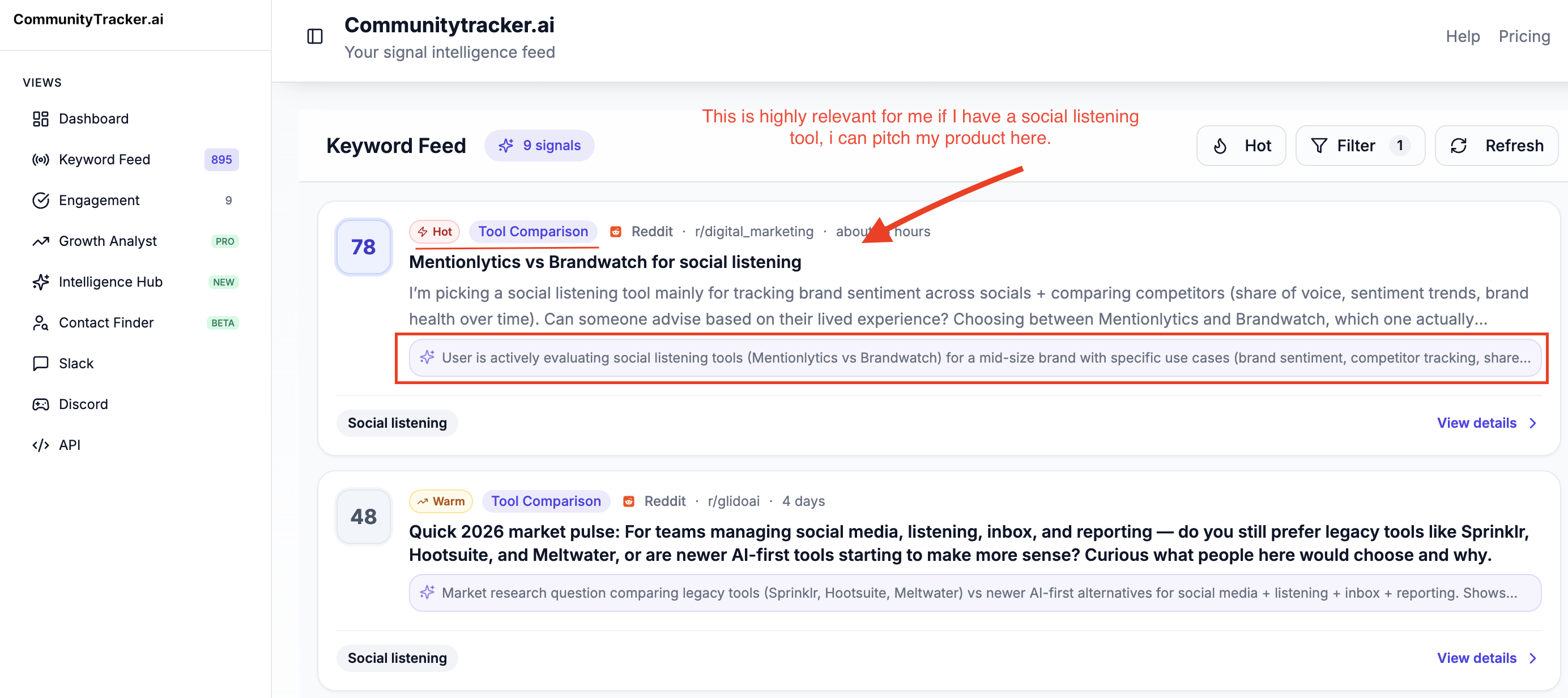
A thread that says "Looking for an alternative to [competitor]" is not a vanity mention. It is a market hand-raise. It should route differently from a general brand mention.
Category and pain keywords#
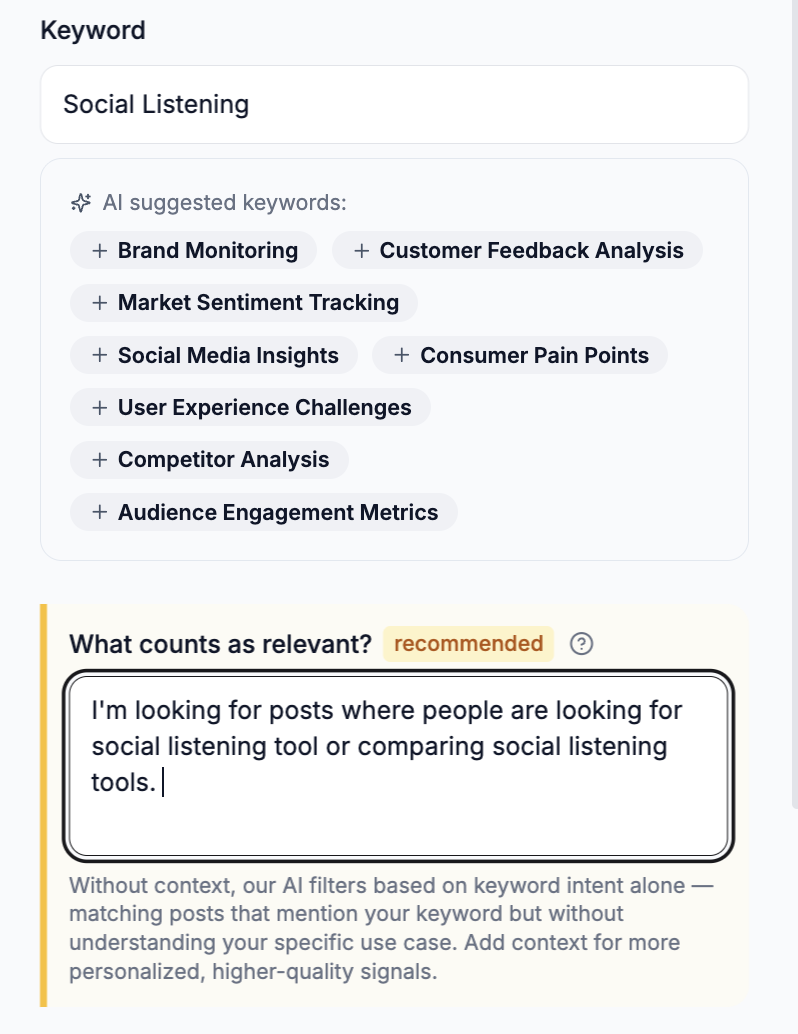
Category monitoring finds demand before someone knows your brand. Track terms tied to the problem you solve, not only your company.
For a social monitoring product, that can include:
"monitor Reddit mentions"
"track brand mentions on LinkedIn"
"social listening for B2B"
"find buying intent on Reddit"
"Hacker News competitor monitoring"
"Slack community monitoring"
"Product Hunt launch monitoring"
These keywords reveal people describing the job they need done. Some are educational. Some are high-intent. Your system should separate them.
Customer complaints and risk terms#
Monitor phrases that signal urgency: "down," "broken," "not working," "scam," "cancel," "refund," "security issue," "pricing changed," "support never replied," and product-specific risk terms.
Speed matters here. Sprout Social's 2025 Index research found that many users expect brands to respond quickly on social, with Sprout reporting that 73% of social users expect brands to respond within 24 hours.
Even if your business sells to other businesses, public response time shapes trust.
Influencer, partner, and compliance signals#
If your company works with creators, affiliates, partners, or ambassadors, monitoring can also catch disclosure and endorsement issues.
The FTC's Endorsement Guides explain that endorsements on social media should make material connections clear in its business guidance for endorsements.
Monitoring does not replace legal review, but it can help marketing teams find posts that need attention.
How social media monitoring works#
A useful monitoring system has five steps. Skip one, and the system becomes noisy or slow.
1. Define the signal categories#
Do not begin with "track everything." Begin with the actions you want to take.
At minimum, define categories like:
Buying intent: Alternative requests, pricing questions, vendor comparisons, "who uses X," migration questions.
Support risk: Complaints, outages, bugs, confusion, negative service experiences.
Product feedback: Feature requests, repeated objections, usability issues, integration asks.
Competitive intelligence: Competitor launches, pricing changes, customer frustration, market positioning.
Brand reputation: Praise, criticism, founder mentions, campaign reactions, press spillover.
Community growth: Relevant discussions worth joining, partner opportunities, recurring topics.
Signal categories turn raw mentions into decisions. A sales signal needs a different owner than a support complaint.
2. Choose the right sources#
Channel choice should follow where your audience actually talks. A consumer brand may need Instagram, TikTok, YouTube, Facebook, and X. A B2B developer tool may need Reddit, Hacker News, GitHub, Dev.to, Stack Overflow, Slack, and LinkedIn.
CommunityTracker's monitors communities including Reddit, LinkedIn, X, GitHub, Product Hunt, Stack Overflow, Hacker News, Indie Hackers, Dev.to, Slack, Discord, and Bluesky.
That cross-channel view matters for B2B because one buyer journey can touch multiple communities before it reaches your site.
3. Build keyword and query logic#
Good monitoring depends on query quality. Track exact names, variants, and pain phrases. Add exclusions so generic words do not flood the feed.
For example, "notion" as a keyword is noisy unless you pair it with context. "Notion alternative for sales docs" is more useful. "CRM export broken" may be more actionable than a broad "CRM" query.
Start with a small query set. Review the feed weekly. Add terms that find real signals. Remove terms that add noise.
4. Filter and classify#
Raw feeds get messy fast. The system needs to sort signal from noise by platform, sentiment, keyword match, author, thread context, urgency, and intent.
For GTM teams, intent classification is the difference between "we found a mention" and "sales should act today."
Useful filters include:
Platform
Keyword group
Competitor name
Sentiment
Urgency
Intent level
Company/account relevance
Author influence or role
Thread freshness
Owner or workflow status
Do not just show the post. Show the next move.
5. Route the signal#
Routing is where most monitoring programs fail. They find mentions, then leave them in a tool that only one person checks.
Each signal category needs an owner:
Sales gets competitor alternatives and buying-intent threads.
Support gets complaints, bugs, outages, and confusion.
Product gets repeated feature requests and workflow friction.
Marketing gets campaign reactions, category trends, and content gaps.
Customer success gets customer complaints, expansion signals, and advocacy moments.
Leadership gets reputation spikes, crisis risks, and market shifts.
The business benefits of social media monitoring#
Social media monitoring helps teams move faster, but speed alone is not the business case. The value is better routing of market information.
Find buyers before they become form fills#
Many high-intent buyers do not start by requesting a demo. They ask peers what to use, compare vendors, or complain about an incumbent inside a community.
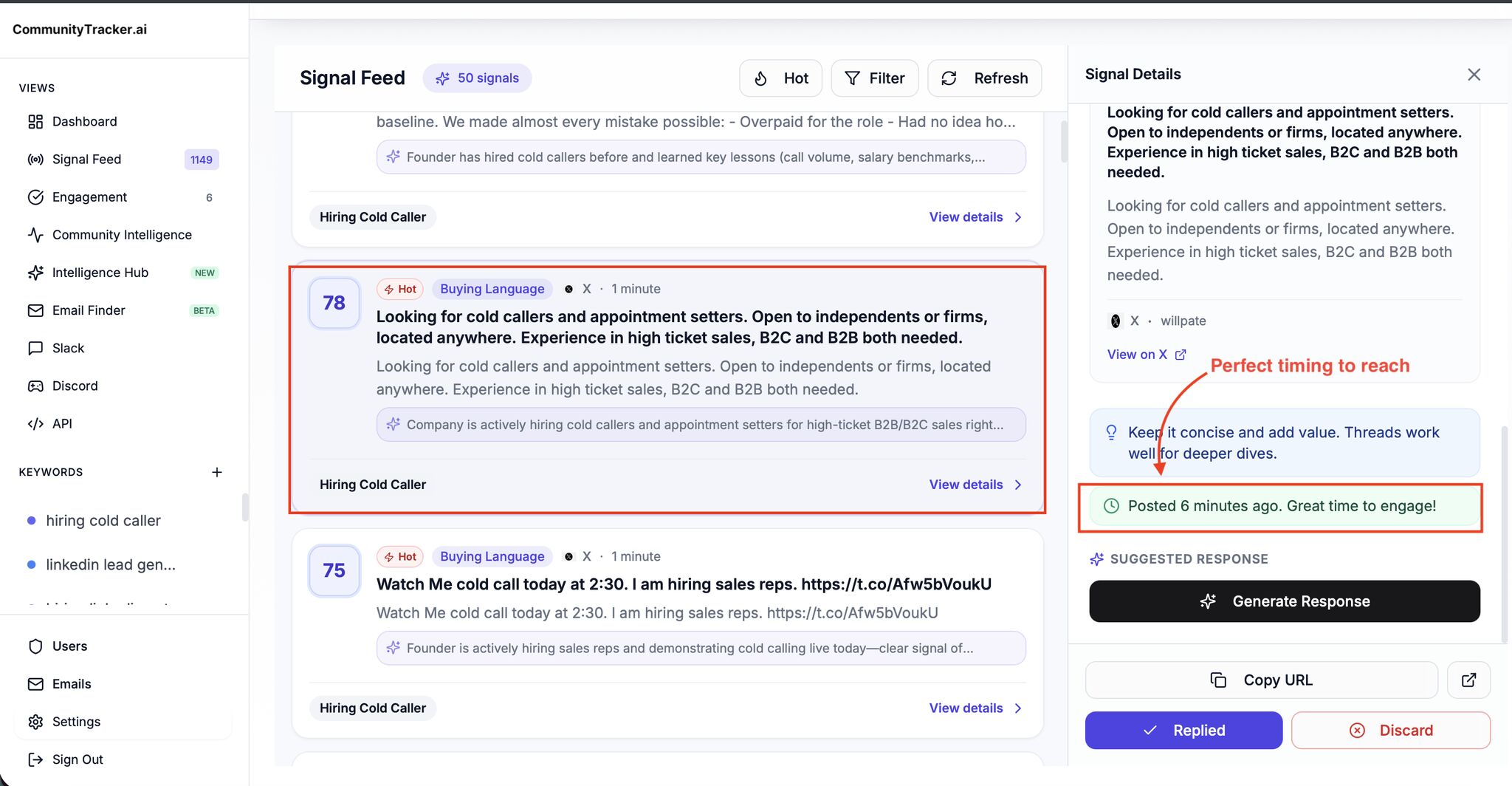
Monitoring catches those conversations while they are still open. A sales or founder-led growth team can respond with useful context, route the account into CRM, or study what the buyer is trying to solve.
Here's how it looks like:
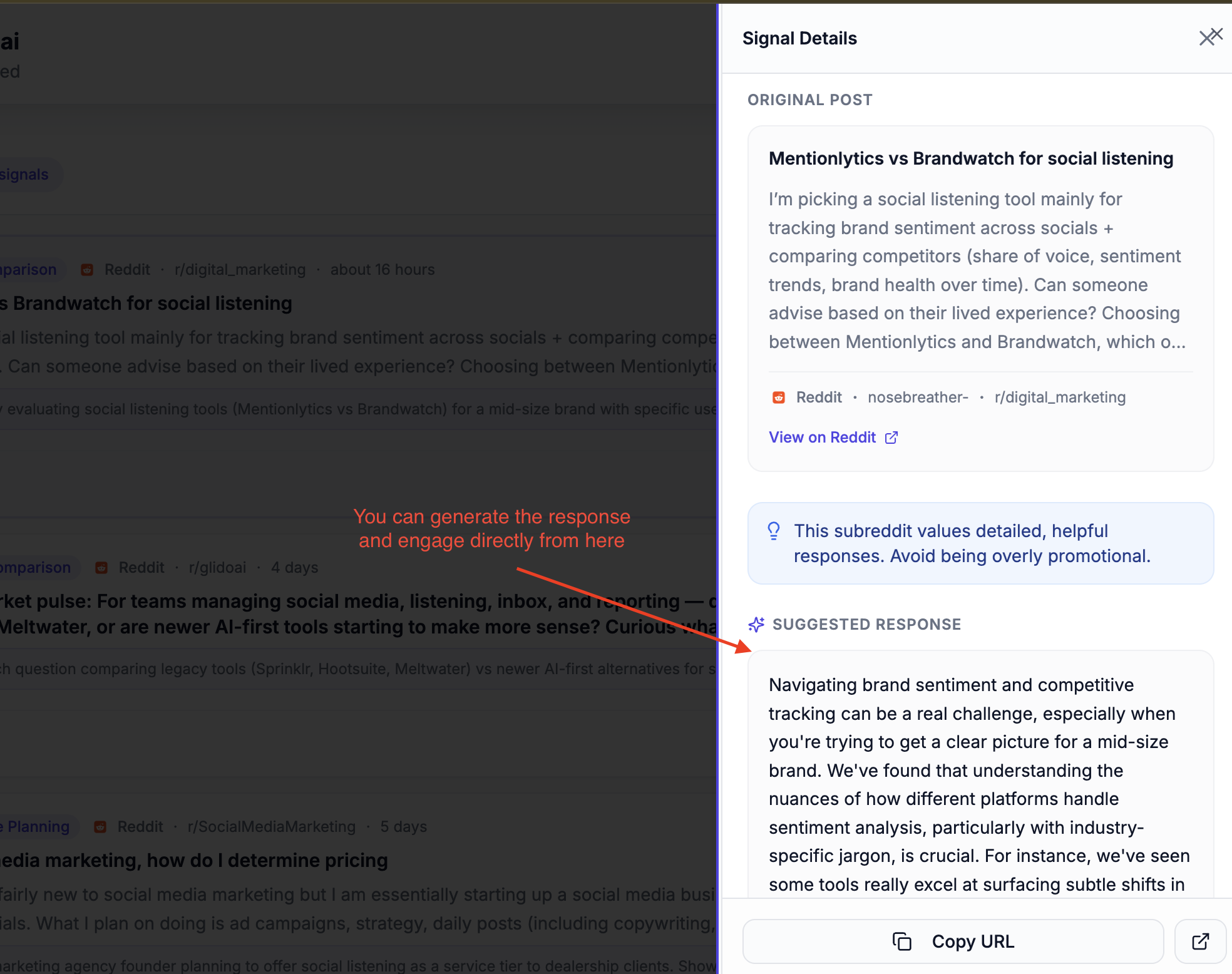
This is not spam. The response has to fit the community. On Reddit, Hacker News, and founder communities, a hard pitch usually fails. A specific answer with transparent affiliation can earn attention.
Protect reputation before small issues spread#
Brand risk rarely arrives as a clean ticket. It starts as a frustrated post, a repeated complaint, a screenshot, or a competitor amplification.
Monitoring gives support and comms teams a chance to respond before the issue becomes the story. That does not mean arguing with every critic. It means seeing the issue, verifying the facts, responding where appropriate, and fixing the root cause.
Improve product decisions with real language#
Sales calls and surveys matter, but public communities show how people describe problems when your team is not in the room.
That language is useful for:
Product positioning
Feature prioritization
Help docs
Sales enablement
Onboarding flows
Objection handling
Competitive battlecards
If ten threads describe the same integration gap in different words, that is not just chatter. It is product evidence.
Measure campaigns beyond clicks#
Campaign dashboards show traffic, conversions, and engagement. Monitoring shows conversation quality.
After a launch, webinar, report, or Product Hunt campaign, monitor:
Who is talking about it
Which claims people repeat
Which objections come up
Which competitors get mentioned
Which communities engage
Whether the conversation creates follow-up questions
This helps marketing improve the next campaign instead of only reporting on the last one.
Build sharper content and SEO inputs#
Community conversations reveal the questions buyers actually ask. Those questions can become blog posts, comparison pages, product docs, sales snippets, and onboarding content.
For example, if prospects repeatedly ask "how do I monitor Reddit and LinkedIn mentions in one place," that is a content brief and a product positioning cue. Reddit and LinkedIn monitoring workflow
Common mistakes to avoid while monitoring social media#
The easiest way to waste monitoring budget is to treat it like a passive reporting tool.
Avoid these mistakes.
Tracking too many broad keywords#
Broad queries create noisy feeds. A noisy feed gets ignored. Start with high-signal terms tied to business actions, then expand once you know what produces useful results.
Monitoring only tagged mentions#
Tagged mentions are the easiest signals to catch. They are not the whole market. Buyers often discuss brands, categories, and competitors without tagging anyone.
Treating all mentions equally#
A customer complaint, a competitor comparison, a founder mention, and a generic industry post do not deserve the same workflow. Classify and route them differently.
Ignoring community norms#
Every platform has its own expectations. A LinkedIn reply can be direct. A Reddit reply needs more context and less pitch. Hacker News rewards specificity and punishes canned messaging. GitHub issues require technical accuracy.
Monitoring should inform participation, not automate tone-deaf responses.
Reporting without action#
Mention volume, sentiment, and share of voice are useful only if they change decisions. If a weekly monitoring report does not trigger owner actions, query changes, content briefs, or product feedback, it is not operational yet.
How to start social media monitoring this week#
You do not need a complex program to begin. Start with one GTM use case and build from there.
Step 1: Pick one outcome#
Choose the highest-value outcome for the next 30 days:
Find buying-intent conversations
Respond faster to support complaints
Track competitor alternatives
Monitor a launch
Capture product feedback
Watch brand reputation
The narrower the first use case, the easier it is to prove value.
Start tracking conversations across communities with CommunityTracker.
Step 2: Define 20 to 40 terms#
Build a query list that includes brand terms, competitor terms, pain phrases, and category phrases. Add obvious misspellings and exclusions.
Keep the first list small enough to review manually. You can expand once you know which terms work.
Step 3: Choose 3 to 5 priority channels#
Pick the communities where your market already talks. For B2B SaaS, that often means LinkedIn, Reddit, X, Hacker News, GitHub, Slack, Product Hunt, Stack Overflow, or niche founder communities.
Do not monitor every platform equally. Monitor the sources that create decisions.
Step 4: Assign owners before alerts go live#
Decide who owns each signal type:
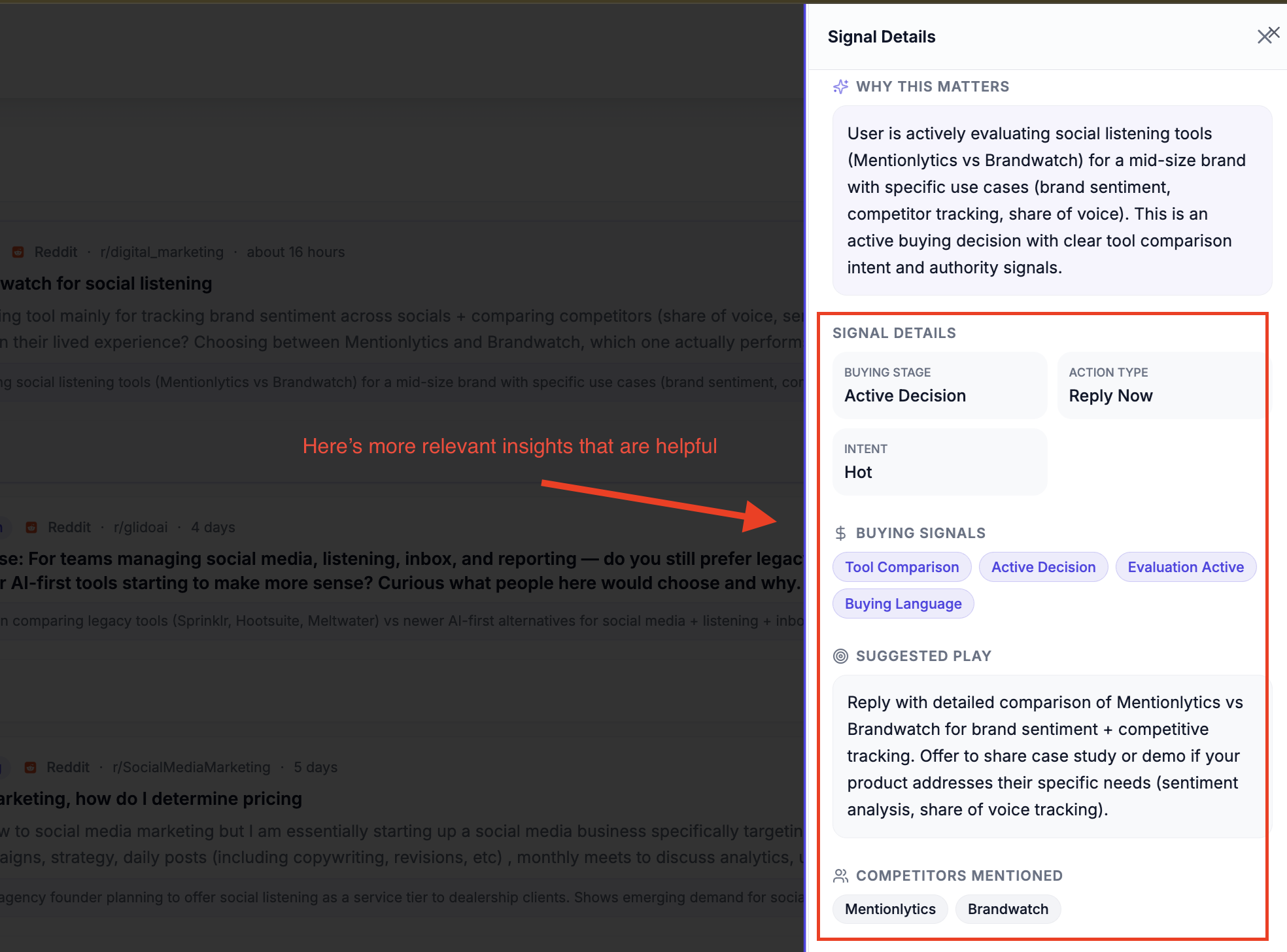
Buying intent -> sales or founder
Complaints -> support
Feature requests -> product
Competitive mentions -> product marketing
Reputation risk -> comms or leadership
Campaign reactions -> marketing
If no one owns a signal, do not track it yet.
Step 5: Review and tune weekly#
Every week, review what the system found:
Which terms produced real opportunities?
Which terms created noise?
Which platforms surfaced the best signals?
Which signals were routed too slowly?
Which repeated topics deserve product, content, or sales follow-up?
This weekly loop turns monitoring from a feed into a GTM workflow.
What to look for in a social media monitoring tool#
The right tool depends on your business, team size, and channels. A consumer brand may need enterprise listening, paid media integration, influencer workflows, and heavy reporting. A B2B SaaS team may need better coverage of communities where buying intent appears before form fills.
Use this checklist:
Source coverage: Does it monitor the platforms where your buyers actually talk?
Real-time alerts: Can it notify the right owner while the thread is still active?
Noise filtering: Can it remove irrelevant mentions and prioritize signal?
Intent detection: Can it separate casual mentions from buying intent?
Routing workflows: Can it assign signals to sales, support, product, or marketing?
Context: Does it show the thread, author, platform, and reason the mention matters?
Reporting: Can it summarize trends without hiding the individual posts?
Compliance support: Can your team review influencer, partner, or regulated claims when needed?
Pricing fit: Does the plan match your query volume, sources, and team workflow?
Also define how you will know the tool is working. A monitoring program should improve measurable operating metrics, not just create a cleaner inbox.
Track:
Response speed: Median time from public signal to first human review, and from review to response when a response is needed.
Useful signal rate: The percentage of captured mentions that become a reply, CRM note, support ticket, content brief, product note, or escalation.
Routed-owner follow-through: The percentage of assigned signals closed by the right owner within the agreed SLA.
Sentiment and share-of-voice movement: Changes in positive, neutral, and negative conversation quality, plus how often your brand appears against named competitors.
Crisis spike detection: How quickly the team catches unusual increases in complaints, risk terms, or negative threads.
Repeated input creation: The number of product themes, objection patterns, content briefs, and sales snippets created from monitoring each month.
Set a reporting cadence before the feed goes live.
For most B2B teams, weekly review is enough for tuning queries and owner workflows, while urgent support, reputation, and buying-intent alerts should route in real time.
CommunityTracker is built for B2B teams that need to monitor community signals across sources like Reddit, LinkedIn, X, GitHub, Product Hunt, Stack Overflow, Hacker News, Indie Hackers, Dev.to, Slack, Discord, and Bluesky, then turn those signals into GTM action.
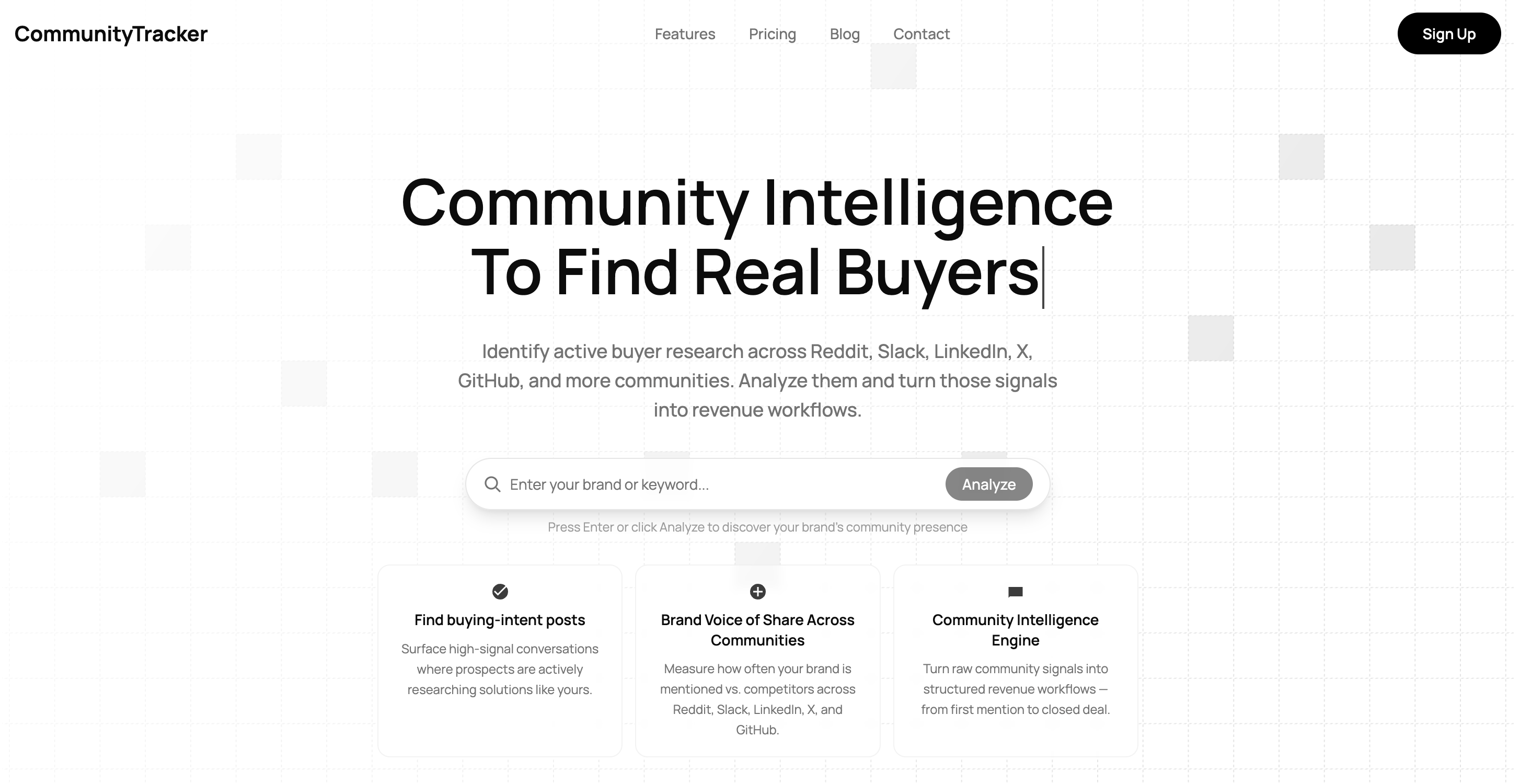
The fit is strongest when your team cares about high-intent community conversations, competitor alternatives, and routed workflows across sales, marketing, product, and support.
It is not the right choice if your main need is consumer social publishing, influencer campaign management, paid social scheduling, or broad enterprise media intelligence across TV, print, podcasts, and news.
The bottom line#
Social media monitoring is not a vanity metric program. It is a way to find market signals while they still matter.
At its best, monitoring gives your team a shared view of:
What buyers are asking
What customers are struggling with
What competitors are triggering
What communities are shaping perception
What product gaps keep surfacing
What response should happen next
The businesses that get value from monitoring do not stop at mentions. They define signal categories, monitor the right sources, filter noise, route ownership, and review outcomes.
Start small. Pick one workflow. Watch the communities that matter. Tune the feed. Route the signal.
From signal discovery to GTM action.
Start tracking for free at communitytracker.ai. No credit card. No setup call. Just connect your keywords and watch your feed go from noise to pipeline.