How to Monitor Slack Communities (Without Being Creepy)
Monitor Slack communities without crossing trust lines. Learn what to track, what to avoid, and how to turn buyer signals into GTM action safely.
Adarsh Kumar
GTM Expert
Founder — CommunityTracker, Miraa.io, and Infraboxes
If you want to monitor Slack communities, the real problem is trust. Slack threads can reveal urgent pain, competitor questions, integration blockers, budget signals, and founder-level buying intent, but the same channel can turn against you fast if you scrape broadly, pitch aggressively, or treat private conversations like a prospecting database.
Maybe you are in a partner Slack where buyers ask for tool recommendations. Maybe your category has several invite-only founder groups where pain points show up before they reach Google. Or maybe your customers use a product community, and the strongest expansion or churn signals appear in support-heavy channels.
The right workflow is narrow: join communities with permission, track only the channels and topics that match the community rules, respond when you can add context, and route the signal to the team member who can take the next move.
By the end, you will have a simple Slack monitoring setup your GTM team can use without looking like it is watching people.
The short version: monitor signals, not people
Use Slack community monitoring to catch explicit GTM signals:
A buyer asks for alternatives to a tool in your category.
A customer complains about a workflow your product solves.
A founder asks how other teams handle a specific process.
A competitor gets mentioned in a comparison thread.
A technical user names an integration gap or migration blocker.
Do not build a workflow around personal surveillance. Avoid DMs, personal profiles, private-message exports, and behavior scoring tied to a named person unless that person has a clear account relationship and a clear consent path.
That boundary matches how Slack itself treats message access.
Slack's conversations.history method depends on token type, scopes, and whether the app or user can access the conversation; Slack also tightened conversations.history and conversations.replies limits for new non-Marketplace commercially distributed apps in May 2025, in part to reduce bulk conversational data extraction from unvetted apps, according to Slack's rate-limit changelog.
Treat that as the operating principle: if the monitoring design needs broad hidden collection to work, the design is wrong.
Prerequisites before you start
You need four things before you track any Slack community:
A permission path: You are a member of the community, the community allows vendor participation, and you understand its posting rules.
A narrow keyword set: Track category terms, competitor names, pain phrases, integration names, and alternative searches. Start smaller than feels comfortable.
A response rule: Decide when to reply publicly, when to DM only after invitation, and when to take no action.
A routing owner: Assign one person for sales signals, one for product feedback, and one for support or success issues.
If you cannot name the community rule that allows your behavior, pause. Public Media Journalists Association's Slack community guidelines allow resource sharing and questions, but prohibit business promotion.
CyberRisk Alliance's community guidelines prohibit unsolicited marketing promotions and private information sharing. Those are not unusual rules. Many Slack communities want useful participation, not vendor extraction.
Step 1: define the Slack communities worth monitoring
Start with communities where your buyers already ask work questions. For a B2B SaaS GTM team, useful Slack communities usually fall into four groups:
Customer or product communities where users discuss onboarding, blockers, and feature gaps.
Partner communities where operators compare tools and ask for peer advice.
Industry communities where category problems surface before they become search queries.
Founder or operator communities where budget, urgency, and peer recommendations move quickly.
Do not chase every workspace invitation. A smaller list with clear relevance beats broad access with weak signal quality.
Use this filter before adding a community:
Does the community include people who match your ICP?
Do channel topics map to your product category or adjacent workflows?
Do the rules allow vendors, resource sharing, or expert replies?
Can you participate as a member, not as a hidden observer?
Can you explain why this community belongs in your GTM workflow?
If the answer is weak on rules or relevance, skip it. You will save more trust than pipeline by staying out.
Start Monitoring Buyer Signals and Turn Them Into Outreach With CommunityTracker
Step 2: choose signals that map to action
Monitoring fails when the keyword list is a pile of brand names. Build your signal map around the action the team can take.
Track these signal groups:
Problem phrases: "how do you handle," "anyone using," "struggling with," "need a tool for," "moving off," "too expensive," "manual process."
Competitor and alternative terms: competitor names, "alternative to," "switch from," "vs," "pricing," "migration."
Integration and workflow terms: CRM names, data tools, Slack alerts, support platforms, analytics systems, API, webhook.
Buying-stage terms: "budget," "evaluating," "shortlist," "recommendation," "demo," "implementation."
Then attach a next move to each signal:
Signal | Why it matters | Next move |
|---|---|---|
"Alternative to [competitor]" | Active switching intent | Reply with a useful comparison only if the community allows vendor replies |
"How are teams solving [pain]?" | Workflow pain, early demand | Share a tactical answer, then log the thread for content and sales learning |
"[Tool] pricing is high" | Budget or plan friction | Route to sales with context, not a pitch script |
"Can [tool] integrate with [system]?" | Technical buying blocker | Send to product marketing or solutions engineering |
The table is intentionally small. Four signal types create cleaner action than thirty noisy alerts.
Step 3: set privacy and etiquette rules before alerts go live
Write the rules before the first alert lands in your team's Slack. Otherwise the fastest seller will define the norms by accident.
Use these rules:
Track public or approved channels only.
Do not monitor DMs.
Do not export private community content into a CRM unless your policy and the community rules allow it.
Do not quote a member outside the community without permission.
Do not reply with a sales pitch when the thread asks for peer advice.
If you work for a vendor, disclose that relationship when it affects the answer.
Mailchimp's guide to Slack communities recommends clear operating procedures and says managers can use community guidelines without reading private messages in its Slack community management advice. That distinction matters for GTM, too. You can watch for category signals without acting like every message is yours to use.
Here is the reply test:
Can you answer the question directly in one or two useful paragraphs?
Would the answer still help if the person never clicks your link?
Are you allowed to mention your product in this channel?
Have you disclosed your relationship to the product?
If one answer is no, log the signal and stay quiet.
Start Monitoring Buyer Signals and Turn Them Into Outreach With CommunityTracker
Step 4: build a lightweight alert workflow
You do not need a heavy command center to monitor Slack communities. You need a clean path from signal to owner.
A practical workflow looks like this:
Collect allowed signals: Use approved app access, community-native search, or a monitoring tool that covers Slack community sources with clear limits.
Filter the noise: Remove broad terms, channel chatter, job posts, and off-topic keyword matches.
Score by intent: Separate learning signals from buying signals. A complaint, comparison, or request for a recommendation deserves faster review than a generic mention.
Route by action: Sales gets active buying threads. Product gets feature gaps. Marketing gets recurring objections and content ideas.
Log the next move: Store the signal, source community, channel, topic, allowed action, owner, and outcome.
For API-led workflows, build around Slack's current limits. As of May 29, 2025, Slack says new commercially distributed non-Marketplace apps using conversations.history are limited to one request per minute with a maximum and default limit of 15 objects, while Marketplace and internal customer-built apps follow different tiers, according to Slack's conversations.history documentation.
Bulk scraping is a weak base for this kind of workflow. You collect too much old data, then spend most of your time cleaning noise.
A better path is to collect fewer posts with tighter keywords and better filters.
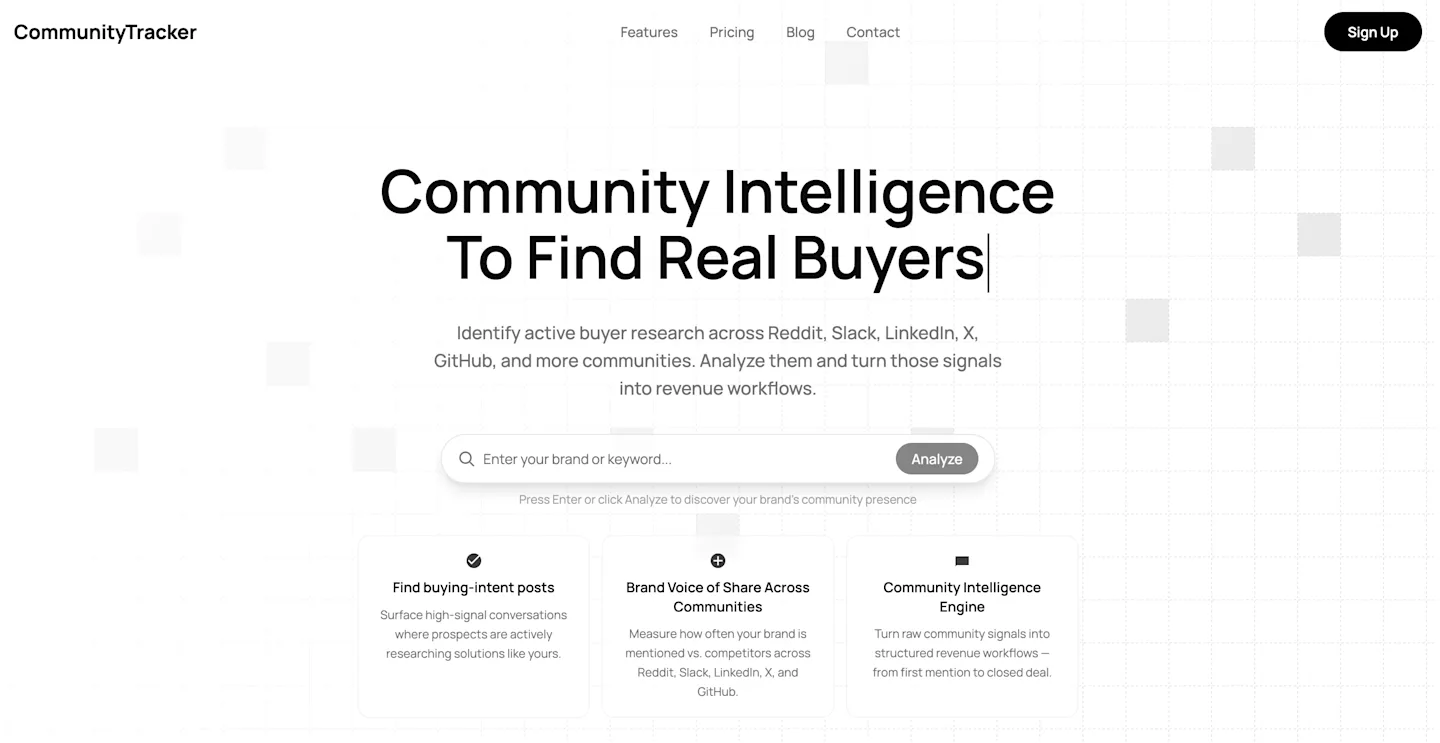
CommunityTracker fits this use case if you want Reddit monitoring to connect with the rest of your social signal workflow. It tracks keywords across Reddit, LinkedIn, X, Bluesky, Hacker News, Indie Hackers, Dev.to, Stack Overflow, Product Hunt, GitHub, and Slack.
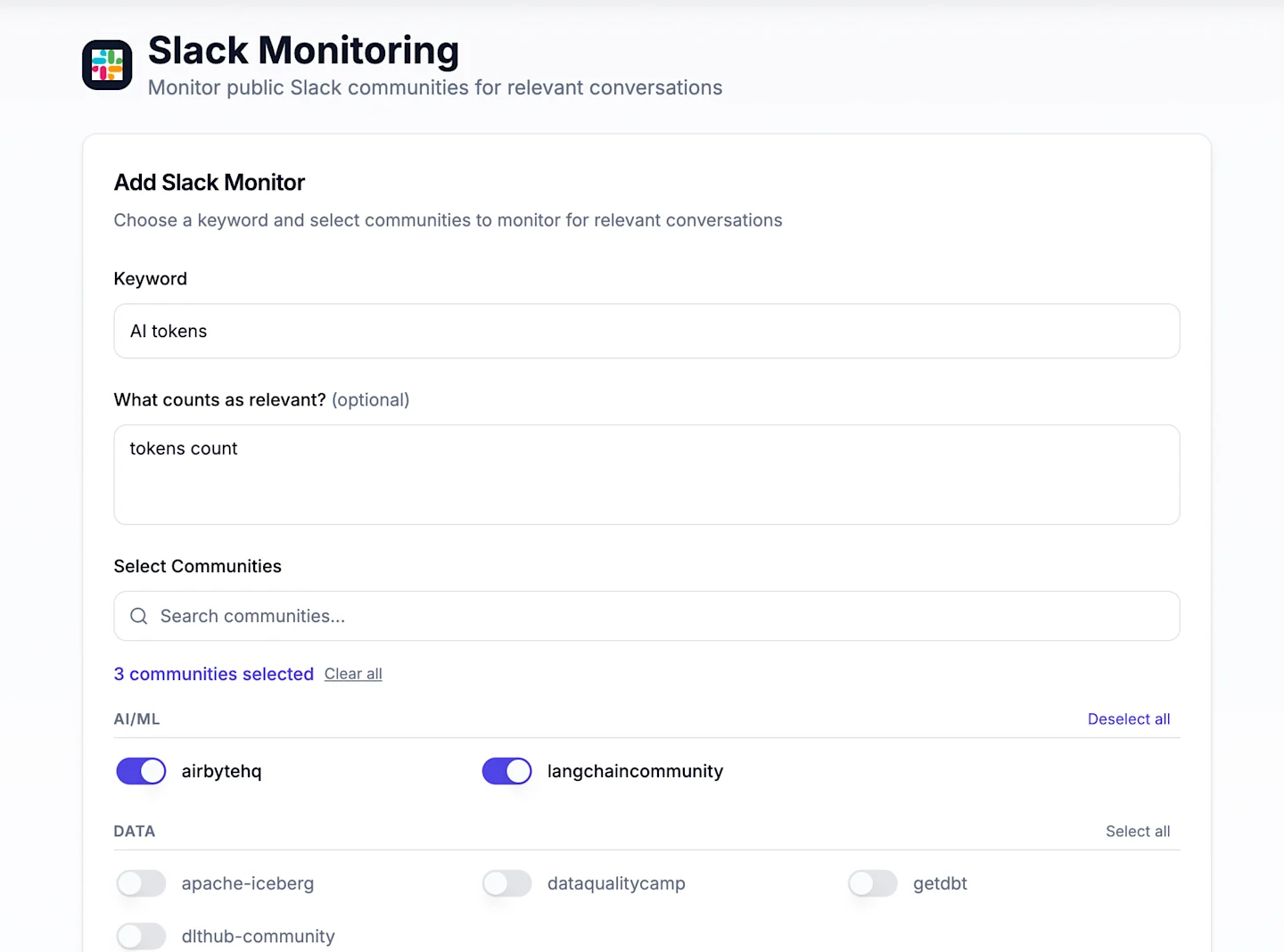
It is not a social publishing tool or a scheduling platform. Its job is to find buyer signals, cut down irrelevant mentions, and help your team decide what to do next.
Step 5: write responses that make the community better
The cleanest Slack monitoring workflow still fails if the response feels extractive.
Use this response pattern:
Answer the actual question.
Share one practical example or tradeoff.
Disclose your connection if you mention your product.
Offer to share more only if the person asks.
Log the thread internally without turning the member into a cold outbound target by default.
Bad response:
We solve this. Book a demo.
Better response:
We see this most often when teams track every mention instead of filtering for intent. Start by splitting competitor mentions from pain phrases, then route only high-intent threads to sales. I work on CommunityTracker, so I am biased, but that filtering step matters even if you build the workflow yourself.
The better answer gives the reader a usable next move. The disclosure keeps the trust line visible.
Step 6: verify the workflow is working
After two weeks, audit the signals before expanding the keyword list.
Check these numbers:
Signal precision: How many alerts were actually worth reading?
Action rate: How many alerts turned into a public reply, sales note, product note, or content idea?
Response quality: Did replies answer the thread, or did they push people toward your product too soon?
Community health: Did any moderator warn you, delete posts, or ask you to change behavior?
Pipeline relevance: Did any signals influence a deal, expansion, objection brief, or product message?
Set a high bar. If fewer than one in five alerts creates a useful action, tighten the keywords. If moderators push back, pause and rewrite the response rules before you continue.
Common errors and how to fix them
You get too many irrelevant alerts
The keyword list is too broad. Replace generic category words with phrases tied to pain, comparison, budget, or implementation.
Fix it:
Add exclusions for hiring, events, and off-topic channels.
Split competitor mentions from problem phrases.
Keep only terms that have a named owner and next move.
Your replies feel like sales outreach
The response rule is too loose. The thread asked for help, and your team answered with a funnel step.
Fix it:
Require the first sentence to answer the question.
Mention your product only after the useful answer.
Add a disclosure line when you have a vendor relationship.
Drop the CTA unless the person asks for it.
The team wants to export every thread to CRM
That creates trust risk and data clutter. A thread is not automatically a lead record.
Fix it:
Log the signal first, not the person.
Store community, channel, topic, and allowed action.
Create a contact task only when there is a clear business relationship or explicit invitation.
The community rules are unclear
Silence is better than a rule violation. Ask a moderator or participate without promotion until the norm is clear.
Fix it:
Read the community guidelines and channel descriptions.
Look at recent vendor replies and moderator reactions.
Ask the moderator what kind of expert participation is welcome.
When CommunityTracker fits the workflow
CommunityTracker fits when your GTM team wants to find Slack signals as part of a broader social intelligence workflow across Reddit, LinkedIn, X, Bluesky, Hacker News, Indie Hackers, Dev.to, Stack Overflow, Product Hunt, GitHub, and Slack.
Use it when the job is:
Catch high-intent conversations before competitors do.
Filter broad mentions down to buyer intent.
Route signals into Slack alerts and GTM action.
Track share of voice and competitor movement across communities.
Do not choose CommunityTracker if you only need Slack workspace administration, employee compliance monitoring, or social publishing.
A security or compliance platform is the better fit for audit logs and internal policy enforcement. A social-media suite is the better fit for scheduling posts and managing owned-channel calendars.
For a deeper signal workflow, read CommunityTracker's guide to AI social listening tools that find buyer intent.
Start with one community and one response rule
Do not start by monitoring every Slack workspace you can join. Pick one community where your buyers already ask relevant questions, track five to ten precise signals, and write the response rule before alerts reach sales.
The goal is not to collect more Slack messages. The goal is to catch the few moments where a useful answer can turn a community signal into pipeline action without breaking the trust that made the signal valuable.
This week, choose one community, one channel set, and one owner. Run the workflow for two weeks. Keep the signals that led to action, cut the rest, and make the next move easier to execute.
Start Monitoring Buyer Signals and Turn Them Into Outreach With CommunityTracker