10 PumpGTM Alternatives I Compared in 2026
PumpGTM costs $75 a month per LinkedIn account, and its trial needs a card. I compared 10 alternatives on 3-seat costs, trial terms and buying signals.
Adarsh Kumar
GTM Expert
Founder — CommunityTracker, Miraa.io, and Infraboxes
Belkins counted 34,393 replies across 7,530,489 cold emails in its 2025 client campaigns and puts the average reply rate at 0.45%. Send 1,000 cold emails a month at that rate and you get four or five replies.
You’re reading about PumpGTM alternatives because you need sales conversations and you don’t have an SDR team yet. Every founder’s LinkedIn account turns into a paid seat. Each tool counts that seat in its own way, and the trials differ on when a card goes in.
The same Belkins data shows who you reach moves the number. Founders and owners replied at 0.57%, and companies with 0 to 10 employees replied at 0.72%. Your target list decides more than your sending volume does.
TL;DR
CommunityTracker.ai - Best for founders who want buying signals from Reddit, LinkedIn, Hacker News and GitHub before they pick a sender
Gojiberry - Best for founders who want an AI agent to find intent signals and run email and LinkedIn campaigns
HeyReach - Best for teams that run several LinkedIn senders and add teammates at no cost
Instantly - Best for the email half of an outbound stack
Clay - Best for GTM engineers who build their own signal tables
lemlist - Best for teams that want email and LinkedIn steps in one sequence
Expandi - Best for LinkedIn-first outreach from a country-based IP
La Growth Machine - Best for teams that pay per sending identity and add teammates free
SalesRobot - Best for founders who want a 14-day no-card trial and $59 per LinkedIn account
Apollo - Best for building a lead list on a free plan
How I compared these tools
I’m the founder of CommunityTracker.ai, which ranks first here. Read that section knowing I built it.
I didn’t sign up for or run any of these tools for this piece. Prices, limits and trial terms come from each vendor’s pricing page. Workflow details come from public demo and creator videos, and I credit each one where I use it.
I ranked by one question. Does the tool find people with a reason to buy now, or does it send to a list you bring?
What PumpGTM does and costs
PumpGTM finds people who signal they’re ready to buy, then runs LinkedIn, X and email outreach to them. Requests go out from your own account. Each request runs through a residential proxy in your city at random times of day, and new accounts start slow and ramp up over the first weeks.
Replies from X DMs, LinkedIn messages and email land in one list. Once someone replies on any channel, PumpGTM cancels the remaining steps. You approve the buyers and the LinkedIn sequence before anything goes out.
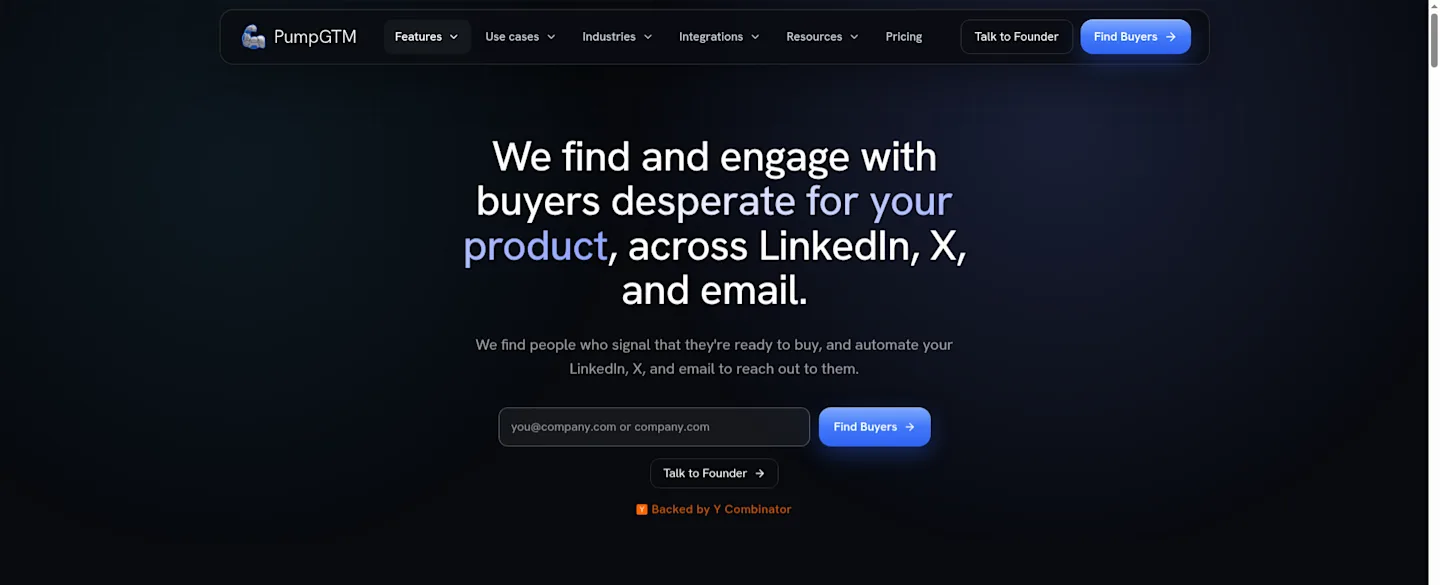
The PumpGTM homepage hero names LinkedIn, X and email, with a Find Buyers button and a “Backed by Y Combinator” line.
Starter costs $75 a month per LinkedIn account and reaches up to 1,000 people a month. Each LinkedIn account comes with an email inbox and an X account, and each extra LinkedIn account bills at the same plan price. Teams of five or more can book a call for a custom Enterprise plan.
Energy pays for buyer search, data lookups and X actions. One Energy is $0.05, Starter includes 1,500 Energy per seat a month, and LinkedIn and email sends use none.
PumpGTM’s API docs price a top-up at $10 for 100 Energy, and its MCP docs price it at $10 for 75, or 100 each when you buy 5 or more packs. PumpGTM lists finding new buyers as included every month, and its API docs charge 2 Energy for each person people search returns for review. Check the billing page before you plan a big search.
You can create a workspace without a card. The 7-day live trial starts at $0 once you add a card, and the first charge lands when the trial ends unless you cancel.
PumpGTM also sells one-time setup packs at $1,740, $8,940 and $16,870, each with software at $75 a month per seat on top.
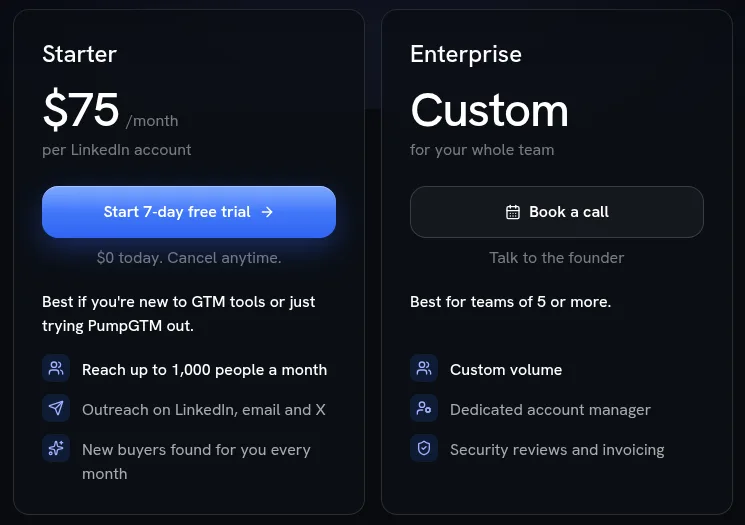
The PumpGTM Starter card shows $75 a month per LinkedIn account, a Start 7-day free trial button and “$0 today. Cancel anytime.”, beside an Enterprise card priced Custom for teams of 5 or more.
In PumpGTM’s own Supermemory case video, the sequence sends a connection request when the founder joins, waits one day after acceptance, then sends another message after three more days. The video credits that sequence with a 25% reply rate. That’s one customer’s number in the vendor’s video, so treat it as a claim.
Why founders look for a PumpGTM alternative
The card goes in before the trial starts.
Every LinkedIn account you send from is a full seat at the plan price.
Profile and email lookups bill separately in Energy, and paid attempts can use Energy even when no match comes back.
Public reviews are few: 2 on G2 and 3 on Capterra, and I found no Product Hunt listing for PumpGTM.
WhatsApp is still in beta, with access by request.
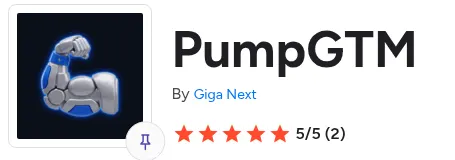
The PumpGTM G2 header, by Giga Next, with a 5/5 rating from 2 reviews.
Those reviews are positive, with one shared gripe. A G2 reviewer wrote that the interface takes time to get used to, and a Capterra reviewer called the UI “bit complex”.
Signal-first or list-first
Most tools here send well. Fewer decide who deserves a message this week.
A list-first tool starts from filters: title, industry, location. You get people who match. A signal-first tool starts from behaviour: a job change, a post asking for a fix, a funding round. You get people with a reason to talk now.
The Belkins numbers above are why I’d fix targeting first. A founder team can’t send its way out of a 0.45% reply rate. Belkins advises sending less, to better targets.
So my pick for most founders is a signal source plus one sender, chosen by seat cost. If you want one bill instead of two, CommunityTracker, PumpGTM, Gojiberry and La Growth Machine Pro put signals and sending in one place. CT Starter caps warm emails at 100 a month, so a LinkedIn sender carries the volume for three founders.
Seat math for a 3-founder team
The math below assumes three founders, each sending from their own LinkedIn account, on monthly plans.
Setup | Monthly cost for 3 LinkedIn senders | Math |
|---|---|---|
SalesRobot Basic | $177, 1 active campaign | 3 × $59 |
PumpGTM Starter | $225, plus Energy past the 1,500 a seat included | 3 × $75 |
HeyReach Growth | $237 | 3 × $79 |
SalesRobot Advanced | $237, or $282 with 3 email modules | 3 × $79, plus 3 × $15 |
CommunityTracker Starter + HeyReach Growth | $276 | $39 + $237 |
HeyReach Growth + Instantly Outreach Growth | $284 | $237 + $47 |
Expandi Business | $297 | 3 × $99 |
lemlist Multichannel | $327 for 3 users | 3 × $109 |
La Growth Machine Basic | €180 before VAT | 3 × €60 |
La Growth Machine Pro | €360 before VAT | 3 × €120 |
SalesRobot Basic is the cheapest dollar row at $177, and it runs 1 active campaign at a time. PumpGTM is the cheapest row here that pairs signal-based buyer finding with sending for three LinkedIn senders.
La Growth Machine bills in euros, and I don’t convert them, so compare its €180 Basic bill at your own exchange rate.
PumpGTM alternatives compared
Tool | LinkedIn sending | Email sending | MCP server | Card for trial |
|---|---|---|---|---|
PumpGTM | Yes | Yes | Yes | Yes, at trial start |
CommunityTracker.ai | Yes, every paid plan | Yes, every paid plan | AI assistant connector and API | Not published; the Pro trial costs a one-time $4.99 |
Gojiberry | Yes | Yes | Yes | Not published |
HeyReach | Yes | Through Instantly or Smartlead | Yes | No |
Instantly | Not published | Yes | Not published | No |
Clay | Not published | Yes, Clay Sequencer | Not published | No card to start free |
lemlist | Yes, Multichannel plan | Yes | Yes | Not published |
Expandi | Yes | Email follow-ups in a sequence | Yes | Not published |
La Growth Machine | Yes | Yes | Pro and up | No |
SalesRobot | Yes | $15 per email account add-on | Not published | No |
Apollo | Not published | Yes | Listed | Not published |
Tool | Entry price | Trial |
|---|---|---|
PumpGTM | $75 a month per LinkedIn account | 7 days, card at start |
CommunityTracker.ai | $0 Free plan, then $39 a month | 7 days of Pro for a one-time $4.99 |
Gojiberry | $99 a month for Pro | Free trial, length not published |
HeyReach | $79 per sender a month on Growth | 14 days, no card, 3 LinkedIn accounts |
Instantly | $47 a month for Outreach Growth | No card to start, length not published |
Clay | Free plan; Launch $167 or $185 a month | 14 days |
lemlist | $69 a month for Email | 14 days |
Expandi | $99 a month | 7 days, all features |
La Growth Machine | €60 a month per identity | 14 days, no card |
SalesRobot | $59 per LinkedIn account a month | 14 days, no card |
Apollo | Free plan; paid prices not published | Free trial |
1. CommunityTracker.ai
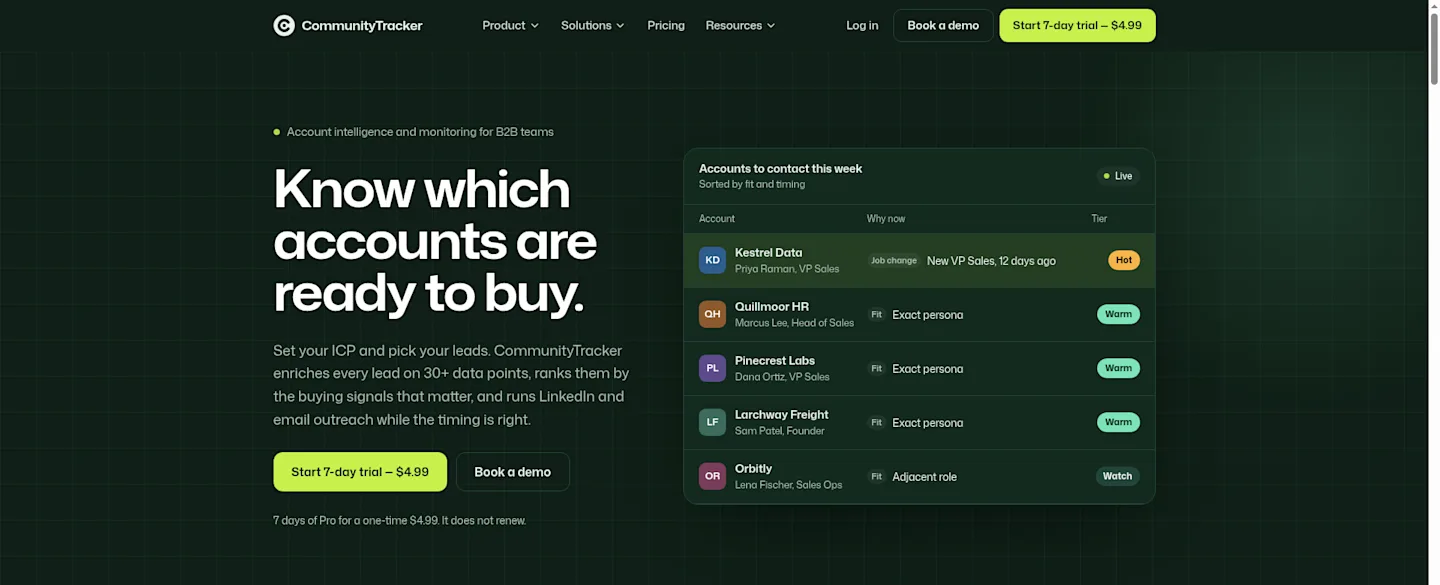
The CommunityTracker homepage hero reads “Know which accounts are ready to buy.” beside an “Accounts to contact this week” table with Hot, Warm and Watch tiers.
Where it fits next to PumpGTM
CommunityTracker is signal-first. It watches communities for people showing intent, then lets you reach them. Every paid plan includes lead lists, enrichment, buying-signal monitoring and LinkedIn and email outreach, and the trial includes them too. You can also ask Claude, ChatGPT or Grok about your signals through its connector.
Plans and the trial
Free plan: $0.
Starter at $39 a month, Pro at $99 and Advanced at $199.
Pro covers all 10+ platforms, including X, Stack Overflow, Slack and Discord, with unlimited warm emails.
Try Pro once for 7 days for a one-time $4.99, and the trial doesn’t renew.
New subscriptions come with a 14-day money-back guarantee.
Pros
Account signals cover job changes, funding and hiring, ranked Hot, Warm or Watch.
Campaigns get written from the signal, with one inbox for replies.
Billing is monthly with no long-term contract.
Starter includes reply drafts for posts and 5,000 mentions a month.
Cons
Starter covers 4 keywords on Reddit, LinkedIn, Hacker News and GitHub.
Starter caps warm emails at 100 a month.
Enrichment uses credits, and a new account starts with 100.
Starter alerts arrive daily, and Slack alerts start on Pro.
Summary
Use CommunityTracker for the who and the why, then send from it or pair it with a LinkedIn sender for volume. For a founder team, Starter plus a LinkedIn sender is the stack I’d test first.
2. Gojiberry
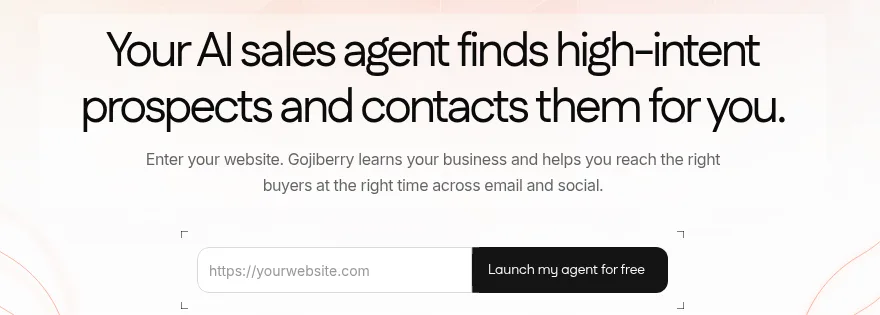
The Gojiberry homepage hero reads “Your AI sales agent finds high-intent prospects and contacts them for you.” above a website field and a “Launch my agent for free” button.
Price math against PumpGTM
Gojiberry Pro costs $99 a month and runs 2 AI agents prospecting around the clock. PumpGTM bills $75 per LinkedIn account, so the two only line up once you know how many senders you need.
Setup, from Gojiberry’s own tutorial
In Gojiberry’s own tutorial (2025), the agent works best with 10 to 12 signals, and 15 is the cap for one agent. In one run it analyzed 437 leads and kept 18 as ICP matches. You connect LinkedIn through a Chrome extension and set weekly caps there.
Cons
More senders across channels sit on the Custom plan.
Admin access and team view need Custom.
A dedicated success manager needs Custom too.
Pro covers up to 1,800 prospects contacted a month, and Gojiberry lists more as available with no price.
Pros
Warm leads come from signals and lookalikes.
It identifies website visitors.
Email and phone enrichment runs a waterfall across 15+ providers.
CRM, API and MCP integrations cover HubSpot, Pipedrive, Attio and Claude.
You choose fully autonomous runs or review each message before it goes out.
3. HeyReach

HeyReach’s homepage signup buttons, Start building for free and Book a demo, with a “No card required” note.
Seat math
HeyReach Growth costs $79 per sender a month from 1 to 9 senders, then $59 from 10. Teammates join free. Three founders pay $237 a month.
Pros
The trial runs 14 days with no card and 3 LinkedIn accounts.
Growth gives each sender a dedicated residential proxy, and HeyReach’s FAQ calls this plan Starter.
One inbox holds every LinkedIn conversation.
An MCP server connects AI agents.
An API and webhooks are available.
Cons
Email runs through Instantly or Smartlead, so you pay for a second tool.
Agency and Unlimited plans make you bring your own proxies.
Tim Yakubson’s tutorial recommends about 15 connection requests a day, which slows a new sender.
The early-stage discount requires under $250,000 ARR, fewer than 5 people and no existing HeyReach account.
The email step
Tim Yakubson’s HeyReach tutorial shows the Instantly link: create the campaign in Instantly, then paste its API credential into HeyReach. The same video imports everyone who engaged with a LinkedIn post, and connects the HeyReach MCP server to Claude. Tim shares a discount code in that video, so read it as a creator tutorial.
Summary
HeyReach plus Instantly runs $284 a month for three founders, $59 more than PumpGTM Starter. You get two tools to set up and no signal source.
4. Instantly

The Instantly homepage hero reads “Find Clients Instantly” above the line “Get more clients by chatting to AI”.
Cons
Growth stops at 1,000 uploaded contacts, and 25,000 needs Hypergrowth at $107 a month.
Growth sends up to 5,000 emails a month.
Growth comes with chat support, and Premium Live Support starts on Hypergrowth.
Lead data is a separate Credits plan: Growth Credits costs $47 a month for 1,500 credits.
Pros
Outreach Growth costs $47 a month with unlimited email accounts and warmup.
Credits open a database of 450M+ B2B leads with 13 filters, including keywords and lookalikes.
Work email enrichment runs a waterfall across 5+ providers.
No card to get started.
What Instantly’s own tutorial shows
Instantly’s own 2026 tutorial buys pre-warmed email accounts so you can send on day one. It turns on stop on reply at launch, and AI sorts the replies so you can answer the warm ones first.
5. Clay
The Clay homepage hero reads “Build systems to grow revenue” with Start free trial and Get a demo buttons.
Pricing has two meters
Clay bills two meters, Data Credits and Actions. Free comes with 100 Data Credits and 500 Actions a month. Launch adds job change and signal tracking with 2,500 Data Credits and 15,000 Actions a month.
Clay lists Launch at $167 a month on the plan card and at “starting at $185” in its FAQ. Confirm the price at checkout.
Cons
Actions reset each billing cycle and don’t roll over.
The Free plan has no phone enrichment.
Some AI models bill by actual token use.
Free caps each table at 200 rows.
Pros
Failed enrichments cost no Data Credits or Actions.
Unused credits stack up to 2x your monthly amount.
Your own API keys skip Data Credit costs, though each run still counts as one Action.
Data comes from 150+ providers.
A 14-day trial is on offer.
Signals in a creator demo
In a hapily video (2025), the creator sets up Reddit monitoring for words like “events” and sends each match to Slack. It shows Clay as a builder’s tool: you design the signal, Clay runs it.
6. lemlist
The lemlist homepage hero reads “The only platform you need to make Outbound work.” over a desert base illustration, with Start free trial and Get a demo buttons.
The Email plan
lemlist’s Email plan costs $69 a month, or $55 on yearly billing, with unlimited users and 50,000 emails. lemlist’s trial runs 14 days, or 30 through a creator-referral banner.
Pros
The trial includes Multichannel features except in-app calls, plus 200 credits.
Credits bill only on successful results, and unused credits roll over as long as your subscription stays active.
lemlist ships an MCP and a CLI.
lemlist’s own 2021 walkthrough shows manual LinkedIn steps as tasks you mark done, so the emails keep flowing after them.
Add-ons that change the bill
Lead enrichment: $20 a month for 2,000 credits, about 400 emails or 100 phones.
Buying intent signals: $29 a month for 100 signals.
Cons
LinkedIn automation needs Multichannel at $109 per user a month, so the Email plan has no LinkedIn steps.
Custom user roles, SSO/SAML login and priority support need Enterprise, which has no public price.
Multichannel caps each user at 5 senders.
WhatsApp automation is an add-on, even on Multichannel.
7. Expandi
The Expandi homepage section reads “Automate your sales outreach with a single prompt” under an “Expandi MCP is here” label.
Workflow from a tutorial
SoftSavvy’s Expandi tutorial (2025) keeps connection requests under 100 a week and stops the sequence when someone replies. The same video puts Expandi at $99 per seat monthly, with an annual discount.
Cons
Image and GIF personalization costs extra.
Video personalization runs through a paid Senspark add-on.
White-label sits behind a sales call.
After the 7-day trial, Expandi charges the billing period you picked unless you cancel first.
Pros
Each account gets a dedicated country-based IP.
Profile auto warm-up is included.
10 campaign types.
Connection requests, messages and email follow-ups share one sequence.
Expandi has an MCP.
Summary
Expandi suits a LinkedIn-first founder who wants a fixed country IP. The 7-day trial opens every feature, which is enough time to check that fit.
8. La Growth Machine
The La Growth Machine homepage hero shows its headline and a “Keep the tools you love” line beside a campaign builder panel with a play button.
Pros
You pay per identity, and teammates join free: 3 on Basic, 25 on Pro.
Each identity gets its own dedicated mobile proxy.
The 14-day trial takes no card and charges nothing unless you choose a plan.
Intent signals come with Pro and Ultimate.
Credits get used only when data is found.
Cons
The MCP server, API and Zapier, Make, Clay and n8n integrations start on Pro.
HubSpot and Pipedrive sync need Ultimate.
Invoices come in euros, before VAT.
The trial gives you one identity and template sequences, and custom sequences need a support request.
Identity math for 3 founders
Basic costs €60 a month per identity, so three founders pay €180. Pro costs €120, so three pay €360. From 3 identities on Pro, a dedicated Outreach Advisor works with you.
Lookalikes in a creator tutorial
In a BizGuide tutorial (2025), LGM’s lookalike search shows a similarity score above 85, and a sequence sends an email after 7 days with no LinkedIn reply.
9. SalesRobot
The SalesRobot homepage hero shows its headline under a “Two-in-one LinkedIn and cold email automation tool” label.
Which tier you need
Basic: $59 per LinkedIn account a month, with limited daily quotas.
Advanced: $79, with unlimited active campaigns and full daily quotas.
Professional: $99 per LinkedIn account a month.
Three founders pay $177 on Basic, $237 on Advanced or $297 on Professional.
Cons
Basic runs 1 active campaign at a time.
Team management sits only on Professional.
Email Automation costs $15 per email account a month.
Finding an email costs 3 credits.
Pros
The 14-day trial takes no card.
You can send up to 75 connection requests a day.
It pulls everyone who commented on a LinkedIn post.
It works with a free LinkedIn account.
The AppSumo demo from 2023 sets a follow-up to reach back out in 90 days.
Summary
Pick Advanced at $79 unless you need team management.
10. Apollo
The Apollo homepage hero reads “Grow revenue with one connected GTM system” with Sign up for free and Request a demo buttons.
Why I left its prices out
Apollo doesn’t publish a paid price per seat in plain text, so I list only its free plan and terms.
Pros
The free plan stays free with no time limit.
Email campaigns come with every account.
The database lists 240M contacts and 30M companies.
Apollo lists an MCP.
Cons
Free plans connect Gmail accounts only.
Unused credits expire each billing cycle.
API access needs a Custom plan.
Every seat on an account sits on the same plan.
Where Apollo fits
Basic adds email sequencing and core integrations. If LinkedIn is your main channel, pair Apollo with a LinkedIn sender.
How to pick
You want signals before you spend on sending: CommunityTracker Starter, then one LinkedIn sender.
Three founders, signal-based buyer finding and LinkedIn sending in one tool: PumpGTM Starter at $225, plus Energy past the 1,500 a seat included.
Three founders, LinkedIn sending only, lowest bill in dollars: SalesRobot Basic at $177, with 1 active campaign.
You won’t put a card down for a trial: HeyReach, La Growth Machine or SalesRobot.
Email only: Instantly Outreach Growth at $47.
You build your own tables and signals: Clay.
Lead list on a free plan: Apollo.
FAQ
Is there a PumpGTM free trial?
Yes. PumpGTM runs a 7-day live trial that starts at $0, and you need a card to start it.
How much does PumpGTM cost?
Starter costs $75 a month per LinkedIn account for up to 1,000 people a month. It includes 1,500 Energy per seat a month, and LinkedIn and email sends use none. Setup packs cost $1,740 to $16,870 once.
Does PumpGTM have an MCP server?
Yes. One credential connects any MCP client, and the same access runs the REST API. In Muskan Joshi’s walkthrough on the Still channel, she adds PumpGTM to Claude as a connector.

The PumpGTM homepage strip “Built for your AI tools.” lists ChatGPT, Claude and Cursor.
At 01:34, Claude asks how many connection requests the campaign should send in total across 6 companies, and she takes the 15 to 20 option. At 01:36, it offers to show drafts for approval first, marked recommended, and she chooses Send automatically instead. That choice skips the draft review. PumpGTM’s MCP still sends nothing until a person approves the sequence.
Is PumpGTM backed by Y Combinator?
Yes. PumpGTM’s founder says the company got into Y Combinator in early 2026.
PumpGTM vs HeyReach: which costs less for 3 founders?
PumpGTM costs $225 a month, plus Energy past the 1,500 a seat included, and HeyReach costs $237. HeyReach needs a second tool for email.
Which PumpGTM alternative has signals built in?
Gojiberry, La Growth Machine Pro and CommunityTracker. Clay Launch adds job change and signal tracking you build yourself. lemlist sells signals as a $29 add-on.