How to Scrape LinkedIn Posts Legally: Methods, Tools, and Safer Workflows in 2026
Scrape LinkedIn posts without walking into avoidable legal risk. Compare official APIs, public-data tools, login scraping, and safer GTM workflows.
Adarsh Kumar
GTM Expert
Founder — CommunityTracker, Miraa.io, and Infraboxes
Before you scrape LinkedIn posts, decide what the data is for.
A company-page analysis is low risk if you own the page. Competitor monitoring needs more care. Pulling posts into a sales workflow is different again because you may be storing names, job titles, comments, and contact context.
The safest path is official LinkedIn access if you can get it. Public post datasets are usually easier to review than logged-in scraping. The risk goes up when the workflow uses fake accounts, shared cookies, browser automation, or anything built to avoid LinkedIn limits.
This is not legal advice. It is the checklist I would use before putting LinkedIn post data into a GTM workflow.
The safest answer depends on what you need from the post
LinkedIn posts are not one data type. A post can contain public content, author metadata, comments, reactions, profile links, media, company-page context, and timestamps. Each extra field changes the risk profile.
Use this quick split:
Method | Best fit | Access path | Legal risk | Ops risk | Use when |
|---|---|---|---|---|---|
Official LinkedIn API | Owned pages and approved apps | OAuth and approved permissions | Lowest | Medium approval friction | You manage the page or have partner access |
Manual exports | Owned analytics | LinkedIn UI exports | Low | Low | You only need your own page data |
Licensed dataset or API | Public post research at scale | Vendor dataset/API | Medium | Low to medium | You need structured data without running crawlers |
No-login public scraper | Narrow public monitoring | Public URLs/search inputs | Medium | Medium | You accept review work and volume limits |
Logged-in scraper or cookie bot | Data behind account sessions | Browser extension, session cookie, bot | High | High | Avoid unless counsel signs off |
The main mistake is treating "publicly visible" as the same thing as "free to collect, store, enrich, and use for outreach." It is not.
What is actually legal when you scrape LinkedIn posts?
There are four layers to separate.
First, U.S. computer-access law is not the same as LinkedIn's contract.
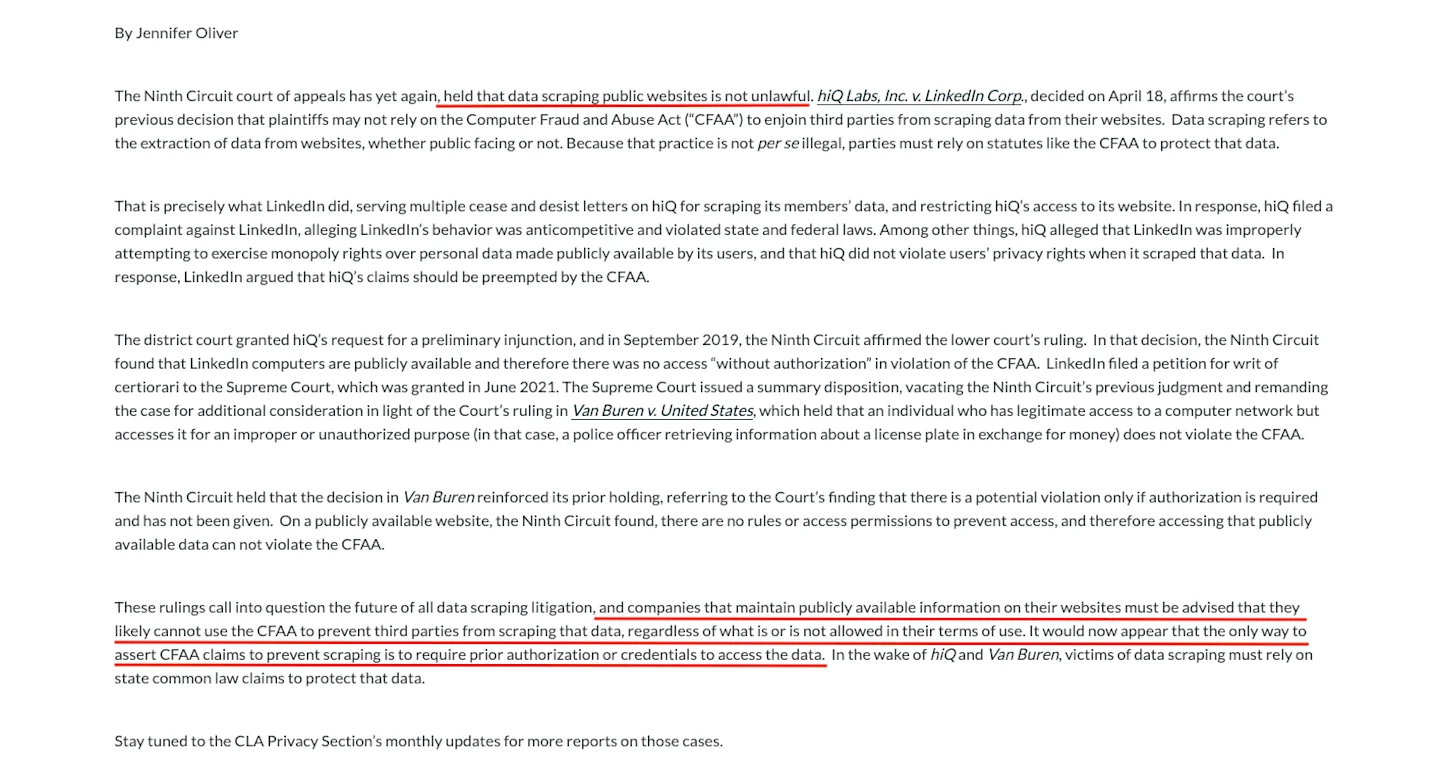
In the hiQ v. LinkedIn litigation, the Ninth Circuit said LinkedIn was unlikely to use the Computer Fraud and Abuse Act to block scraping of publicly accessible LinkedIn data, and legal commentary from the California Lawyers Association's hiQ summary explains the "public website" reasoning. That does not mean every LinkedIn scrape is legal.
Second, LinkedIn's own terms are strict. LinkedIn's User Agreement says members may not use software, scripts, robots, browser plugins, add-ons, crawlers, or other processes to scrape or copy the services, including profiles and other data. The same section also restricts copying, using, displaying, or distributing information obtained from LinkedIn without the content owner's consent.
Third, personal-data law still applies. If you collect names, profile links, job titles, comments, reactions, or other fields tied to a person, you are handling personal data.
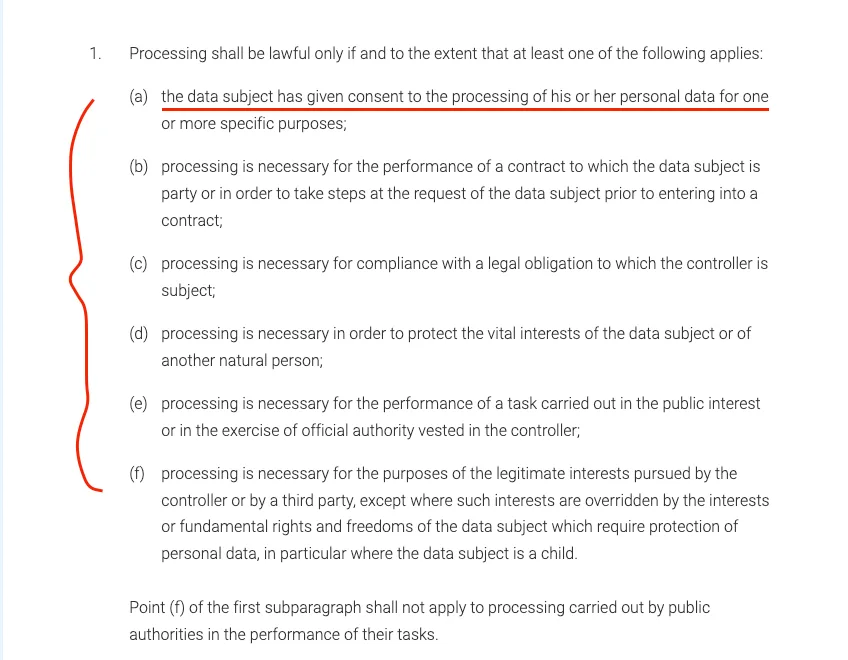
The GDPR's Article 6 lawful-basis rule requires a lawful basis for processing personal data, and the UK ICO's lawful basis guidance makes the same point in plain operational terms.
Fourth, your use case matters. Competitive research, trend analysis, ad targeting, resale, recruiting, and cold outreach do not carry the same risk.
The more your workflow profiles people, enriches identities, or triggers outreach, the more you need a documented basis, retention limits, opt-out handling, and review by counsel.
Plug community signals into your workflow with the CommunityTracker API. Pull high-intent mentions, competitor conversations, intent scores, and sentiment into n8n, Make, Zapier, Slack, Notion, or your own app.
How I evaluated LinkedIn post scraping methods and tools
I evaluated each method based on whether a B2B team can turn LinkedIn post data into useful GTM action without creating avoidable contract, privacy, or account risk. The best method is not the one that extracts the most fields. It is the one that gives you enough signal to act while keeping your workflow explainable.
Access boundary: Does the method use official permissions, public pages, a third-party dataset, or a logged-in member session?
Data minimization: Can you collect only post text, URL, timestamp, and company context instead of full people profiles?
Operational stability: Does the workflow break when LinkedIn changes markup, rate limits, login flows, or bot detection?
Privacy workflow: Can your team document lawful basis, retention, opt-outs, and user rights requests?
Action fit: Does the output help you classify intent, route follow-up, brief content, or update pipeline?
Method 1: Use LinkedIn's official APIs when you have access
If you manage a company page, build for approved customers, or need post/comment/reaction data tied to authorized accounts, start with the official route.
LinkedIn's Community Management API overview says the program supports company-page management, account details, followers, analytics, comments, reactions, and page activity for approved use cases.
LinkedIn's Posts API documentation covers creating and retrieving organic and sponsored posts, while the Comments API and Reactions API cover comments and reactions under restricted permissions.
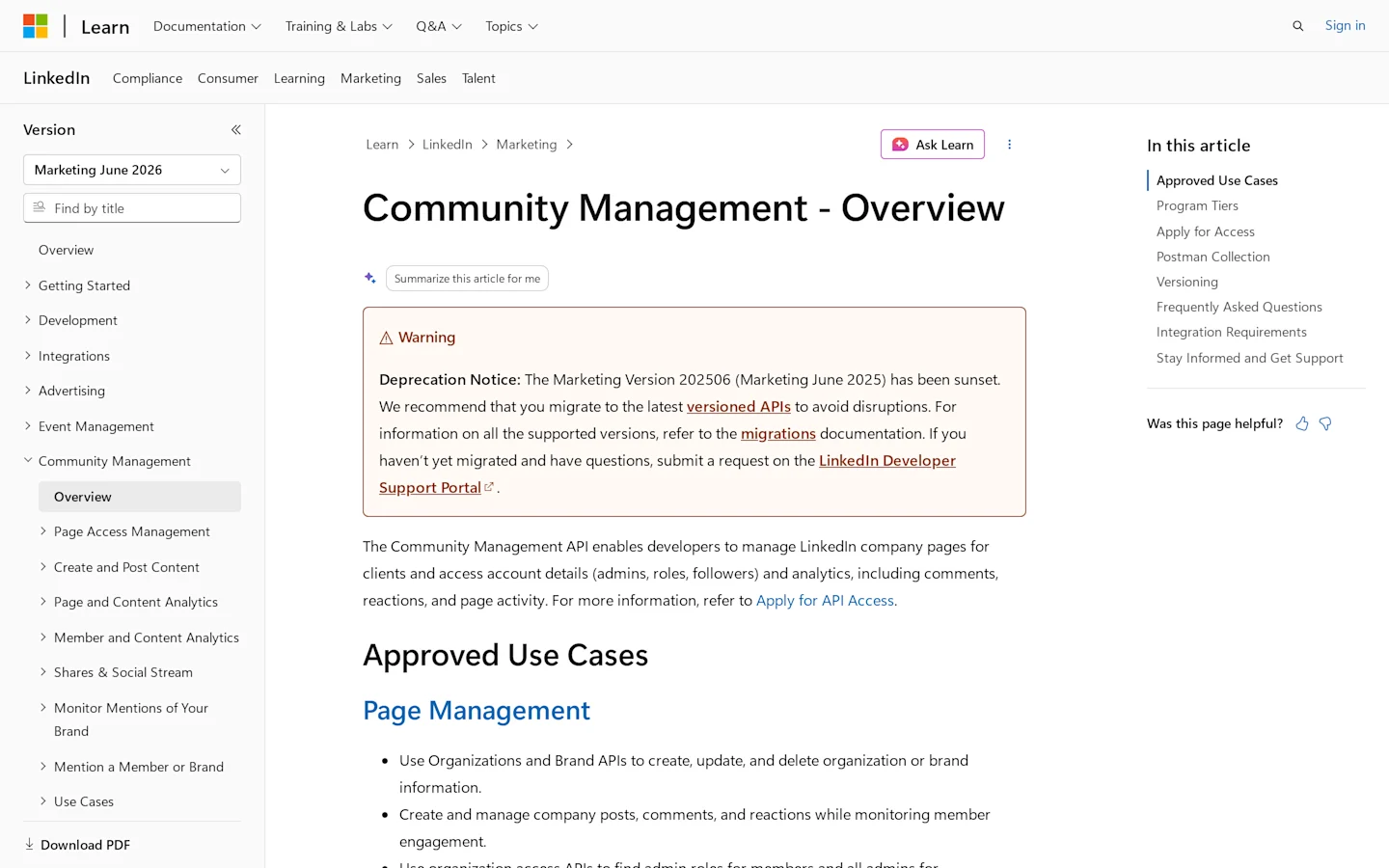
This route is slower to set up, but it gives you the clearest chain of authorization.
Use it when:
You need your own organization posts, comments, reactions, or analytics.
You can use OAuth and approved LinkedIn permissions.
You need a workflow that will survive procurement, legal review, and customer security questions.
Avoid it when:
You need broad competitor post monitoring immediately.
You need public post search across many profiles or companies and do not have approved access.
Your app's use case falls outside LinkedIn's approved program tiers.
Method 2: Export or collect your own LinkedIn post data manually
For owned content, manual export is boring in the right way. If the question is "which posts on our page created the most comments from the right buyers?" you may not need a scraper.
Pull the post URL, publish date, topic, author, reaction count, comment count, and the actual comments worth reviewing. Then classify the conversation manually or in a controlled spreadsheet.
This works best for:
Content retrospectives.
Founder-led LinkedIn analysis.
Owned page performance reviews.
Small competitor-watch lists where a human can verify the context.
It breaks when you need volume. Once you need hundreds or thousands of posts across companies, people, or keywords, manual collection turns into delay and copy-paste risk.
Plug community signals into your workflow with the CommunityTracker API. Pull high-intent mentions, competitor conversations, intent scores, and sentiment into n8n, Make, Zapier, Slack, Notion, or your own app.
Method 3: Use a public post scraper or dataset provider
No-login public extraction is the middle path.You are not handing your LinkedIn cookie to a bot. You are also not getting the same legal comfort as official LinkedIn access. You still need to check the vendor terms, what data is collected, how long it is stored, and how you plan to use it.
Apify: for controlled public-post extraction
Apify has community-maintained LinkedIn post scrapers. One LinkedIn Profile Posts Scraper says it can extract profile and company posts without cookies. The output can include post content, media, engagement, reactions, and comments. Apify also has a LinkedIn Post Search Scraper for post search and filters without cookies.
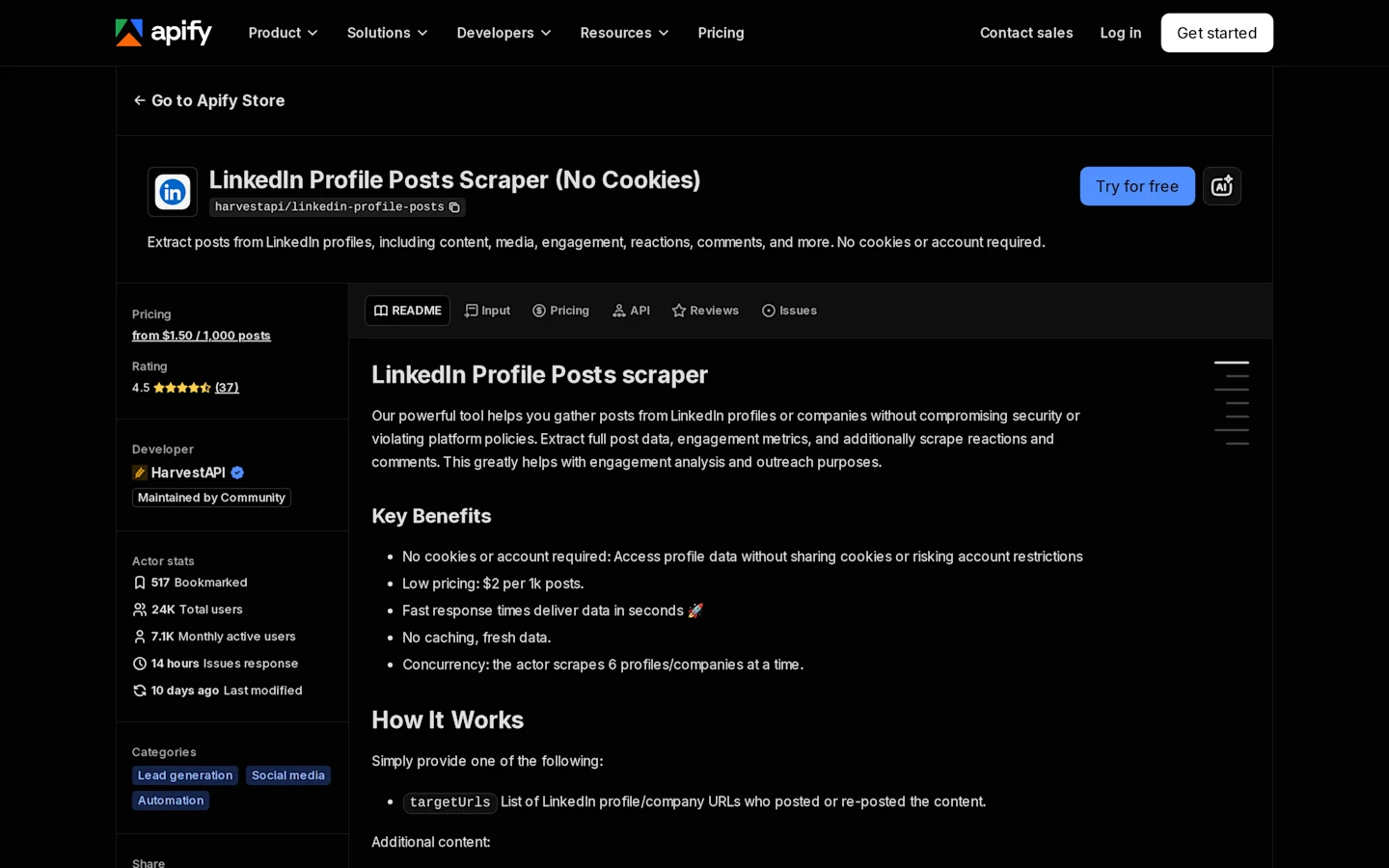
Apify LinkedIn Profile Posts Scraper page showing no-cookie post extraction fields and pricing model.
Bright Data: for bulk LinkedIn post datasets
Bright Data sells a LinkedIn Posts dataset with structured records.
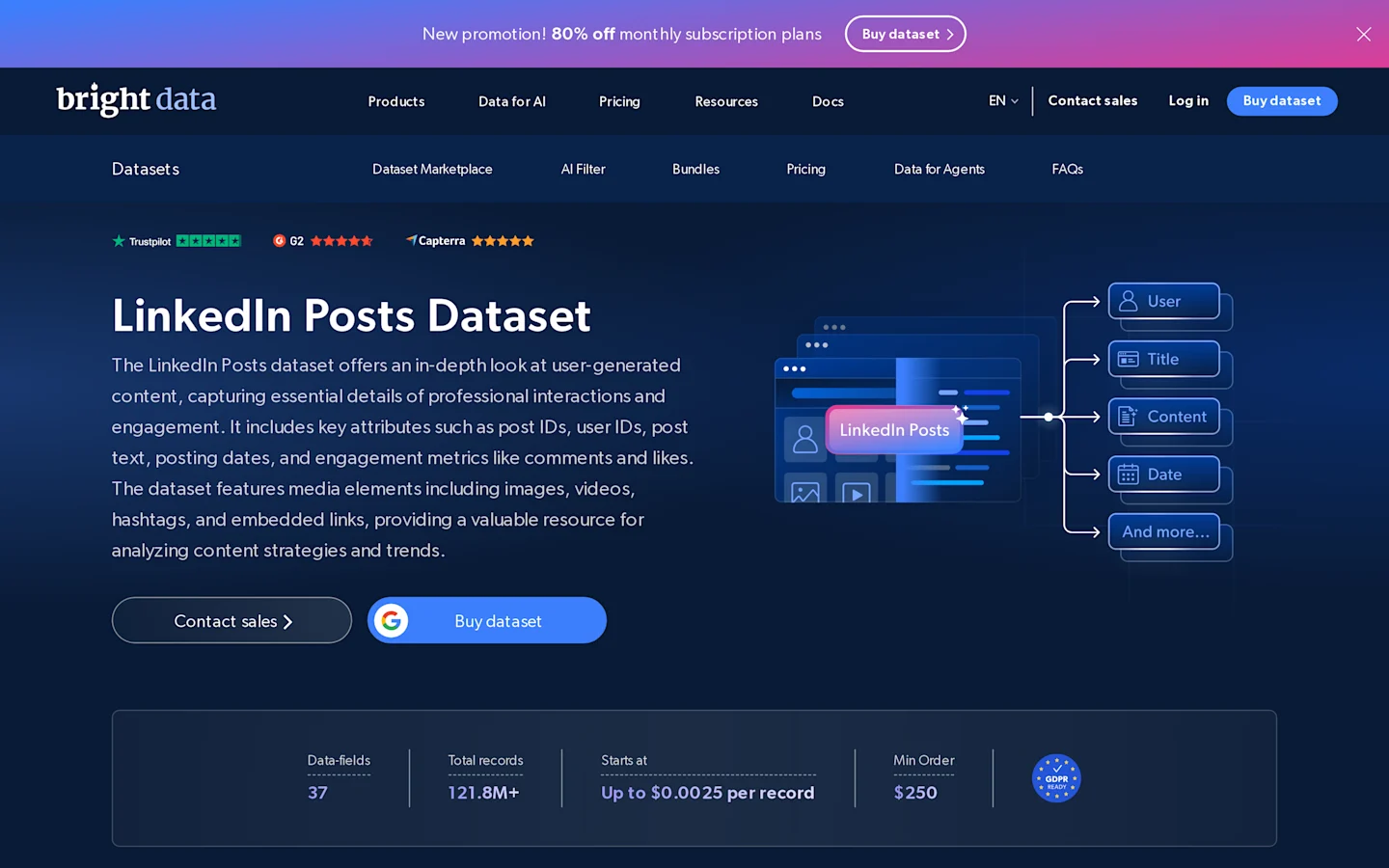
It supports delivery formats like JSON and CSV. As of July 13, 2026, the published starting price was $250 for 100,000 records.
Bright Data LinkedIn Posts dataset page showing record volume, delivery options, and pricing.
CommunityTracker API: for monitored signals and workflows
CommunityTracker API fits a different use case. Use it when you do not want a raw LinkedIn export sitting in a spreadsheet.
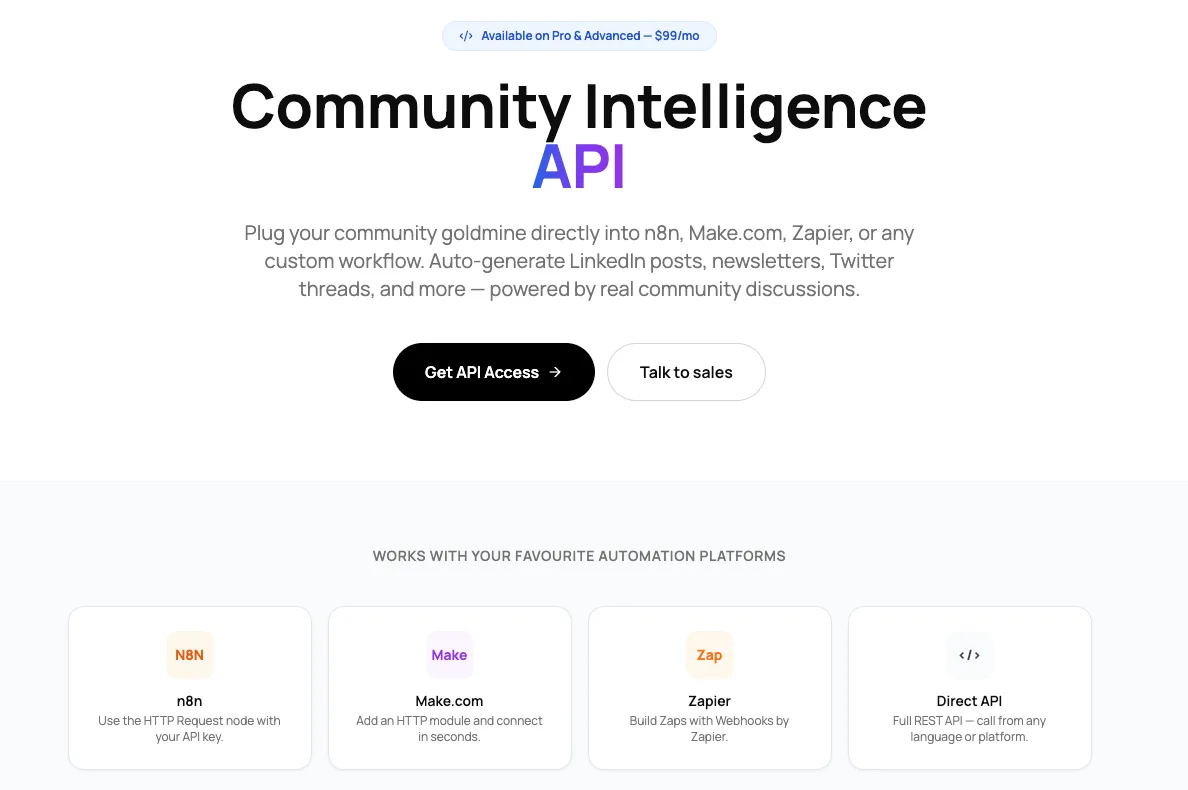
Use it when you want tracked conversations to move into a workflow.You can monitor keywords across LinkedIn, Reddit, X, GitHub, Hacker News, Product Hunt, Slack, and other platforms. The API returns mentions with the platform, post text, URL, created date, intent score, and sentiment.That makes it useful for workflows like:
sending high-intent mentions to Slack
pushing competitor mentions into Notion or Airtable
building a content calendar from real audience questions
pulling buyer-intent posts into a GTM workflow
creating LinkedIn posts, newsletters, or briefs from live discussions
sending signals into n8n, Make.com, Zapier, or a custom dashboard
CommunityTracker API is available on Pro and Advanced plans. Pro starts at $99/month and includes 1,000 API calls per day. Advanced starts at $199/month and includes 5,000 API calls per day.
This option makes sense when you already know the keywords you want to monitor and need the data to trigger action.
It is not the right fit if you need a large historical LinkedIn dataset for offline research. This method is strongest for market research, competitor tracking, topic clustering, share-of-voice checks, content workflows, and real-time signal routing.
It is weaker when you need guaranteed completeness, private engagement data, or a simple legal path for person-level outreach.
Before you buy, check:
whether the vendor collects only public data
whether it relies on customer cookies or LinkedIn member accounts
which fields are included
whether you need raw historical data or live keyword monitoring
whether records can be deleted on request
whether you are analyzing themes or contacting people
whether the data needs to reach Slack, Notion, Airtable, n8n, Make, Zapier, or your own system
Method 4: Use browser automation only if you accept high account risk
Browser automation tools are common because they can mimic what a logged-in user sees. That is also why they create risk.
PhantomBuster's own LinkedIn post scraper guide frames no-code scraping around LinkedIn post extraction and lists a 14-day free trial with paid annual pricing starting at $56 as of the article's 2025 guidance. The practical appeal is clear: marketers can automate extraction without building a crawler.
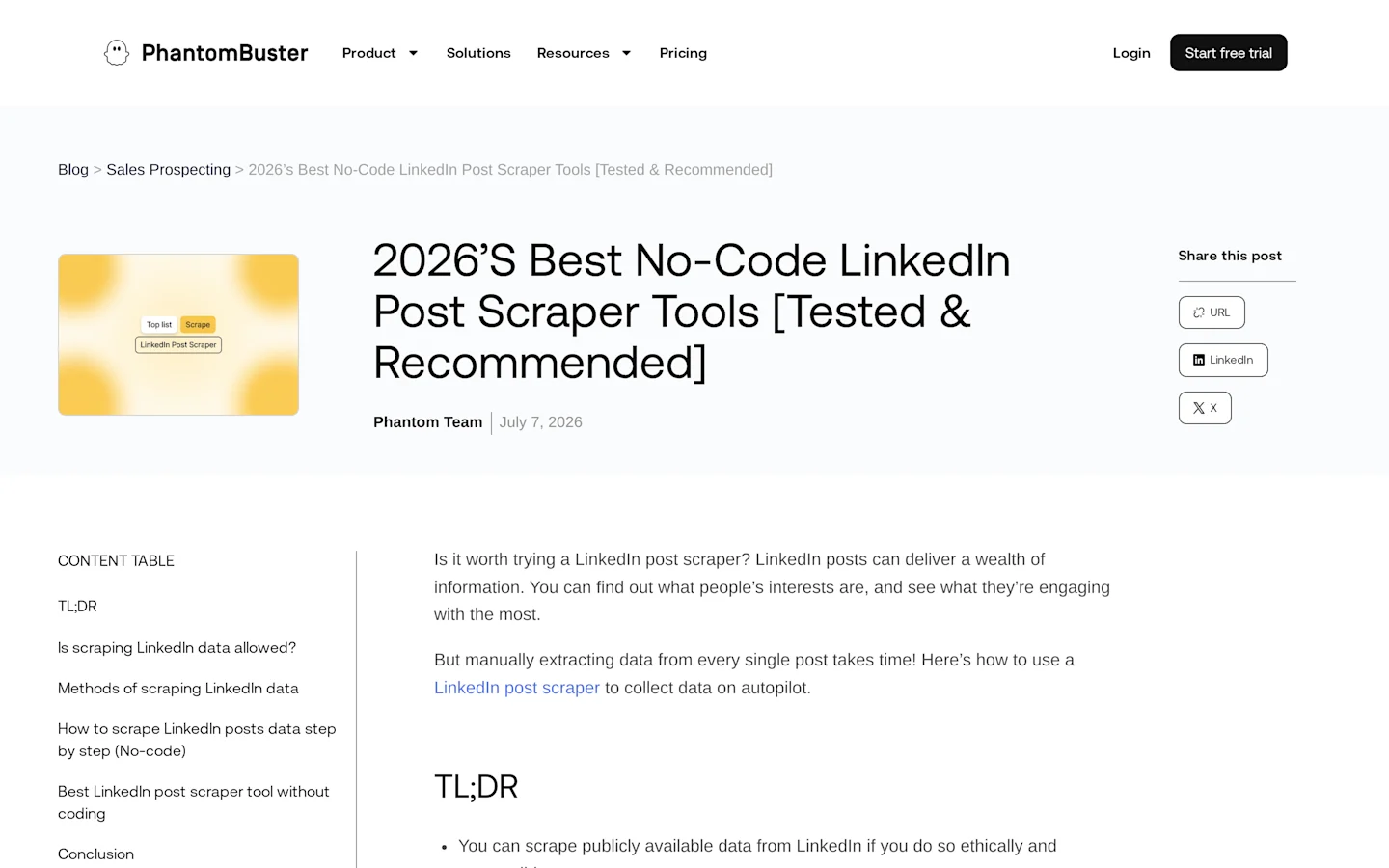
The risk is also clear. If a tool uses your account session, stores cookies, performs automated page actions, or hits LinkedIn's internal endpoints in a way LinkedIn did not authorize, it runs directly into the conduct LinkedIn restricts in its User Agreement.
Use this category only after you answer three questions:
Who owns the account being automated?
What happens if LinkedIn restricts that account?
Can your legal team defend the method, not just the business reason?
For most GTM teams, the better move is to reduce the requirement. Do not ask for "all LinkedIn data." Ask for the few signals you need to make the next move.
Method 5: Build your own scraper only when you can stay inside clear boundaries
Custom scrapers sound cheaper until maintenance starts. LinkedIn changes markup, hides data behind login states, throttles unusual behavior, and restricts automated access in its terms.
If your team still builds, keep the scope narrow:
Start with public URLs only.
Do not use fake identities, copied cookies, or shared member credentials.
Do not bypass access controls, CAPTCHAs, rate limits, or technical blocks.
Store the minimum fields needed for your workflow.
Keep a source URL and collection timestamp for every record.
Build deletion, retention, and opt-out handling before launch.
Review the workflow with counsel before connecting it to outreach.
That architecture gives you fewer records. It also gives you a workflow a serious buyer, customer, or regulator can understand.
What data should you collect from LinkedIn posts?
Collect the smallest dataset that answers the GTM question.
For content and market research, you usually need:
Post URL.
Post text or summary.
Author type: person or company.
Company page URL when relevant.
Publish date.
Topic or keyword match.
Engagement counts at collection time.
Selected comments that explain the buyer problem.
For pipeline workflows, be more careful. A comment saying "we are evaluating alternatives to X" is a buyer signal. A full scrape of that person's profile, coworkers, past roles, and contact data is a different processing activity.
The legal-risk checklist before you scrape
Run this checklist before a single record enters your CRM, warehouse, or outreach tool.
Purpose: Write the exact use case in one sentence. "Track competitor feature complaints on public LinkedIn company posts" is better than "collect LinkedIn data."
Access: Confirm whether the data is public, owned, API-authorized, or behind a login.
Terms: Review LinkedIn's User Agreement and the vendor's terms for scraping, resale, cookies, and downstream use.
Privacy: Identify whether the fields are personal data and document the lawful basis for processing.
Minimization: Remove fields you do not need, especially profile photos, full profiles, and contact details.
Retention: Set a deletion window. Do not keep old post-level people data forever because it once looked useful.
Outreach: Separate analysis from contact. If the workflow triggers sales follow-up, add opt-out handling and human review.
Security: Restrict access to the dataset and log exports.
Vendor review: Ask whether the provider uses customer accounts, public sources, subprocessors, and deletion workflows.
Verification: Sample records manually before acting on them. Scraped engagement counts are snapshots, not a live truth source.
Tool options by use case
This is not a universal ranking. Pick the tool based on the access path you can defend.
Tool or path | Use it for | Source page | Price model | Risk note |
|---|---|---|---|---|
LinkedIn Community Management APIs | Owned or authorized page workflows | Official Microsoft Learn docs | Approval-based | Cleanest route, but access is restricted |
Manual export and review | Owned posts and small samples | LinkedIn UI | Internal time | Low volume, high context |
Apify LinkedIn post actors | Public profile and company post extraction | Apify actor pages | Actor-specific usage pricing | Review each actor. Many are community maintained |
Bright Data LinkedIn Posts dataset | Bulk public post datasets | Bright Data dataset page | Published record-volume pricing | Stronger vendor layer, but still needs privacy review |
CommunityTracker API | Live keyword monitoring and signal routing into GTM or content workflows | CommunityTracker API page | Included on Pro at $99/mo and Advanced at $199/mo | Good for tracked signals and workflows. Not a full LinkedIn archive |
PhantomBuster | No-code automation experiments | PhantomBuster guide | Trial and paid plans | Higher risk when tied to logged-in automation |
How to scrape LinkedIn posts without turning the project into a liability
Use this workflow when the goal is research, monitoring, or GTM signal discovery.
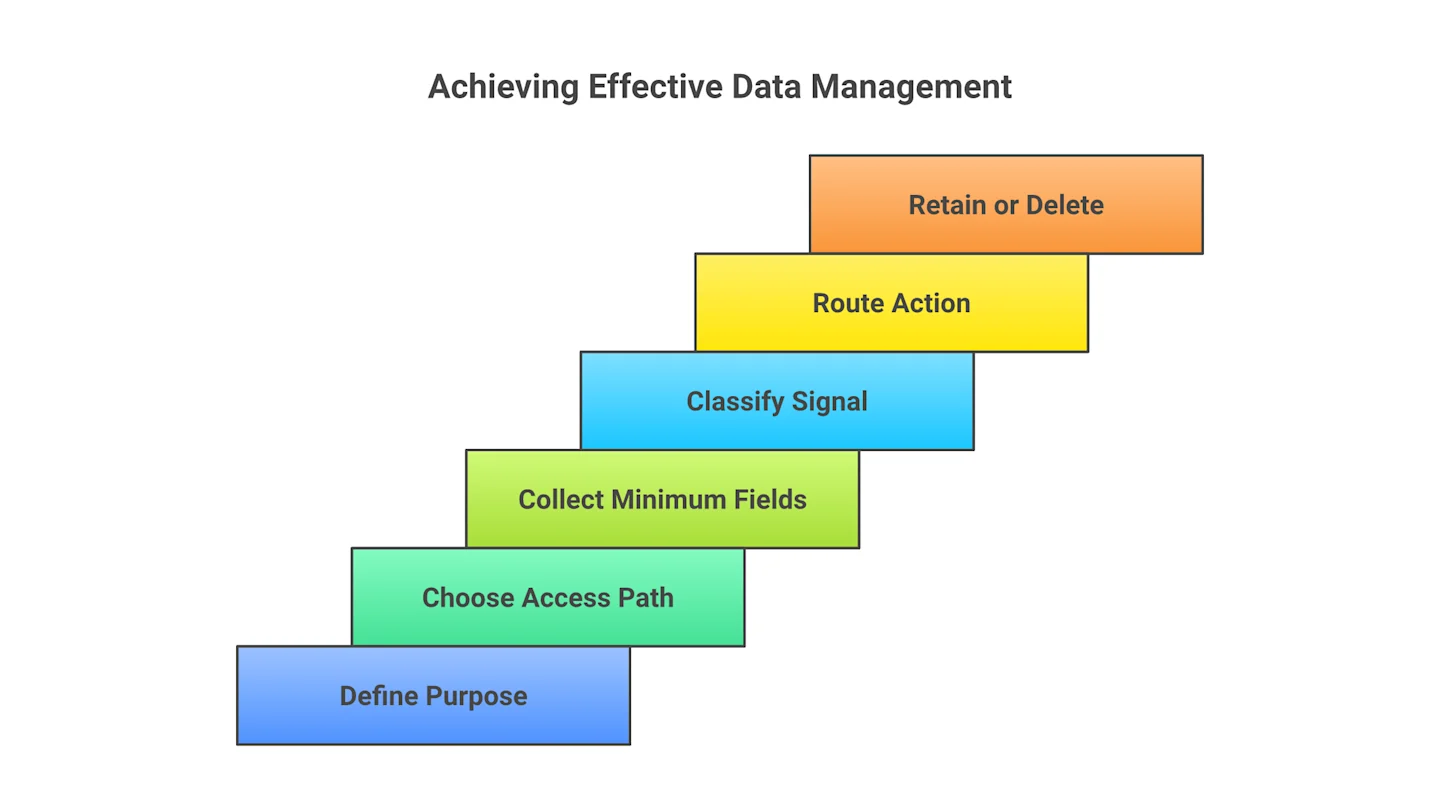
Define the decision the data will support. Good examples: "find repeated objections to our competitor," "classify feature-request language," or "spot high-intent comments from SaaS buyers."
Choose the lowest-risk access path. Official API for owned data, manual review for small samples, dataset provider for scale, no-login public extraction for narrow research, and avoid logged-in bots by default.
Limit fields before collection. Decide up front whether you need post text, comments, author name, company URL, reactions, or only a summary.
Collect a small pilot set. Pull 50-100 posts first. Review accuracy, duplicate rates, missing comments, and whether the output answers the business question.
Classify intent. Label posts as competitor complaint, buying research, integration question, pricing concern, implementation blocker, hiring signal, or noise.
Route the next move. Send high-intent items to sales, product, content, or customer marketing with the source URL and context.
Delete what you do not need. Keep the signal and source. Drop extra personal data when it is not needed for the action.
Re-check the workflow quarterly. LinkedIn rules, vendor methods, and privacy expectations change.
The verification step is simple: if a human GTM operator cannot explain why a collected field helps the next move, remove it.
Common mistakes when scraping LinkedIn posts
The first mistake is using a logged-in scraper when a smaller public dataset would answer the question. It feels faster until the account gets restricted or legal asks how the data was collected.
The second mistake is collecting profiles when you only need posts. A post about switching tools is a signal. A full identity graph is a privacy project.
The third mistake is treating comments as clean truth. Comments carry sarcasm, vendor replies, spam, and repeated copy. Sample them before you automate action.
The fourth mistake is piping scraped records directly into cold outreach. If the post says "does anyone have alternatives to X?" the right next move may be a helpful reply, a content brief, or an account note. It is not always an immediate sales sequence.
The fifth mistake is ignoring the snapshot problem. Engagement counts, comments, and reactions change after collection. Store the timestamp and do not present old counts as live metrics.
When not to scrape LinkedIn posts
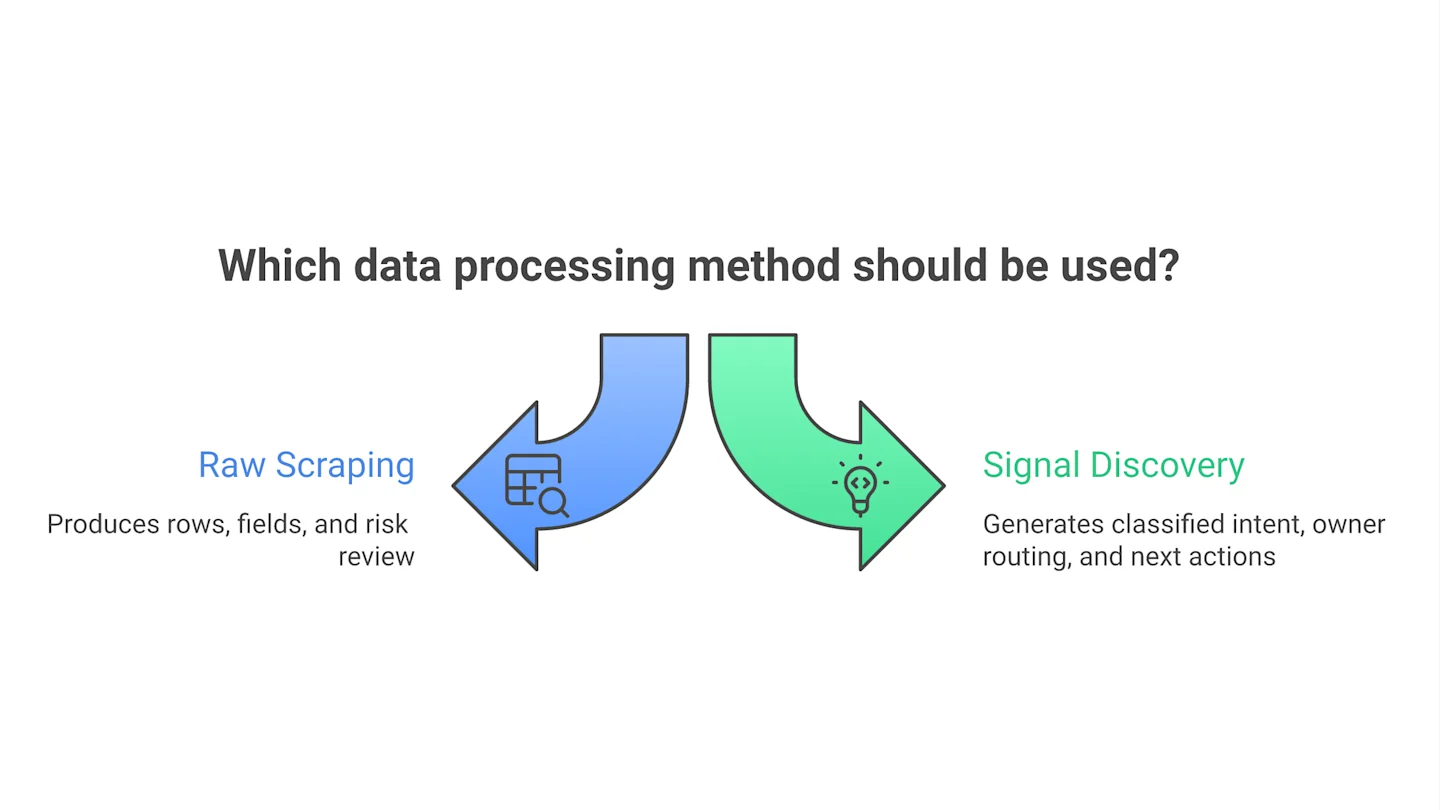
Do not scrape LinkedIn posts when the business goal is really one of these:
You need owned analytics: Use LinkedIn's native analytics and official access where available.
You need publishing or scheduling: Use a LinkedIn-approved publishing workflow instead of a scraper.
You need broad buyer-intent monitoring: Use a community intelligence workflow that tracks signals across channels, not a brittle LinkedIn-only scrape.
You need contact data for cold outreach: Use a compliant data provider and document consent, lawful basis, opt-out handling, and enrichment sources.
You need legal certainty: Get counsel involved before collection, not after the dataset is already in your CRM.
Turn LinkedIn posts into action, not just rows
The cleanest way to scrape linkedin posts is to avoid scraping when official access, owned exports, or a vetted dataset will do the job. When you do collect public post data, collect less, document more, and keep the workflow tied to a real GTM decision.
Start this week with a 100-post pilot. Pick one competitor, one topic, and one action owner. Classify every post by intent, delete the fields that do not change the action, and decide whether you need scraping at all before you scale the workflow.
Plug community signals into your workflow with the CommunityTracker API. Pull high-intent mentions, competitor conversations, intent scores, and sentiment into n8n, Make, Zapier, Slack, Notion, or your own app.