Most people searching for a LinkedIn post scraper tool are not just trying to collect more post data.
They usually want to find relevant conversations faster.
That could mean spotting buyers showing intent, tracking competitor activity, finding content ideas, or pulling posts into an outreach workflow before the opportunity goes cold.
I have seen teams save 100s of posts, track too many keywords, and build messy spreadsheets, but still miss the few conversations that actually mattered.
The real problem is not access to LinkedIn data.
It is finding the right post at the right time, and turning that signal into something useful like:
outreach
content ideas
competitor insights
pipeline opportunities
That is where the right LinkedIn post scraper tool becomes useful.
In this guide, I’ll break down the 10 best LinkedIn post scraper tools, what each one does well, and which one fits your workflow best.
TL;DR: Best LinkedIn Post Scraper Tools at a Glance#
Here's a quick overview of top LinkedIn Post Scraper tools:
CommunityTracker - Best for High-Intent Buyer Signal Outreach and Tracking Across LinkedIn and 10+ Other Communities
PhantomBuster - Best for Turning LinkedIn Post Engagement Into Outreach Lists
Taplio - Best for Finding High-Performing LinkedIn Posts and Turning Engagement Into Opportunities
Apify - Best for Flexible LinkedIn Post Scraping Workflows
Buska - Best for Turning LinkedIn Mentions Into Qualified Leads
OutX - Best for Catching LinkedIn Buying Signals Before They Go Cold
Brand24 - Best for Broad Social Listening When LinkedIn Is Only One Piece of the Puzzle
Bright Data - Best for Raw LinkedIn Post Data at Scale
Axiom.ai - Best for No-Code LinkedIn Scraping and Custom Browser Workflows
BeReach - Best for Free LinkedIn Post Scraping With Outreach Workflows Attached
Turn real buyer conversations into LinkedIn content that actually performs.
LinkedIn Post Scraper Tools: Side-by-Side Comparison#
Tool | Pricing (Monthly) | What You Actually Get | Hidden Cost | What It Leads To | Best For (Specific Use Case) | Who Should Use (Persona) |
$29–$199 | High-intent signals, context, action steps | Less raw data control | Faster outreach, pipeline from conversations | Capturing buyer intent early & converting it into pipeline | SaaS founders, GTM teams, growth leads who care about pipeline | |
$69 → $439/mo | Scraping + outreach automation | No signal prioritization | Lead lists, outbound campaigns | Extracting commenters/likers and running outreach | Agencies, SDRs, outbound-heavy sales teams | |
$39 → $199/mo | Viral posts + engagement workflows | Limited scraping depth | Content + engagement growth | Finding high-performing content and engaging with it | Founders, creators, personal brand-led operators | |
$29 → $199/mo + usage | Custom scraping workflows, APIs | Proxies, engineering time | Internal data pipelines | Building custom LinkedIn scraping systems | Developers, data engineers, technical growth teams | |
$49 → $249/mo | Intent scoring + lead qualification | Less raw data flexibility | Qualified leads | Filtering and prioritizing high-quality leads | Growth teams, demand gen teams, lean SaaS | |
$99 → $999/mo | Real-time signals, watchlists, alerts | Not deep scraping | Early outreach advantage | Acting on LinkedIn buying signals instantly | Founder-led sales teams, outbound teams | |
$249 → $699+/mo | Broad social listening, analytics | Weak for lead workflows | Insights, reporting | Tracking brand mentions and sentiment across channels | Marketing teams, PR teams, agencies | |
Pay-as-you-go (~$0.001+/record) | Raw LinkedIn data at scale | Infra + dev complexity | Data infrastructure | Large-scale LinkedIn data extraction | Enterprise teams, data teams, large SaaS | |
$15 → $250/mo | No-code scraping + automation | Manual setup, no intelligence | Custom workflows | Automating browser-based scraping workflows | No-code operators, RevOps, agencies | |
Free → $59+/mo | Lightweight scraping (recent posts) | Limited depth | Quick research | Scraping recent posts for quick insights | Solo founders, early-stage teams testing workflows |
Start tracking conversations across communities with CommunityTracker.
1. CommunityTracker#
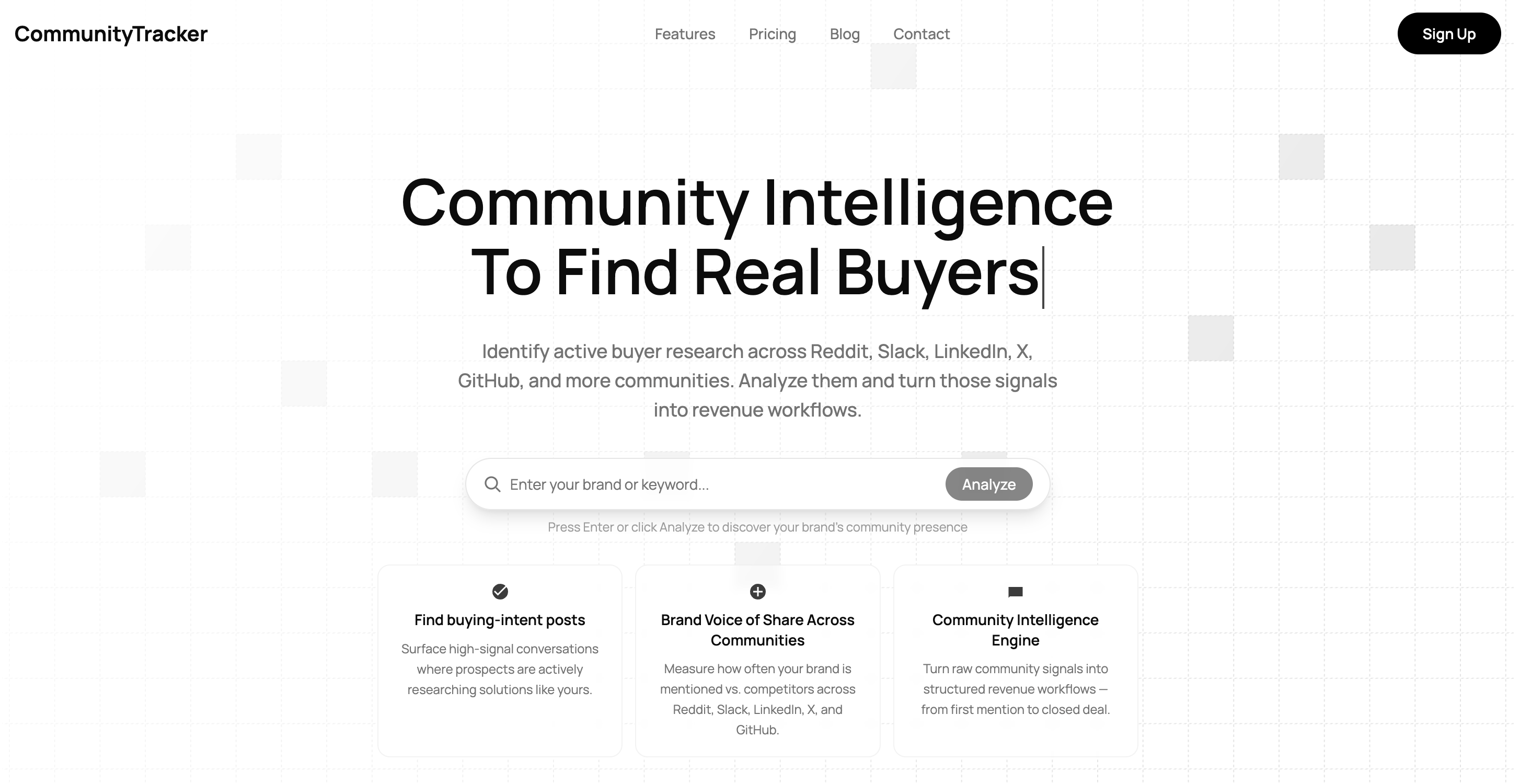
CommunityTracker helps teams find the right conversations early and use them for outbound, inbound, content, and competitive research.
Most teams tracking LinkedIn or other communities end up with too many posts and no clear signal on what actually matters.
CommunityTracker is built to solve that.
It does not just collect posts.
It helps you find conversations that can actually lead to action, like:
people asking for recommendations
buyers comparing tools or services
users talking about a real pain point
prospects showing interest in switching
discussions around competitors
trends your team can turn into content
It tracks conversations across LinkedIn, Reddit, X, Slack, GitHub, Product Hunt, Stack Overflow, Indie Hackers, Hacker News, and other communities, so you are not limited to one channel.
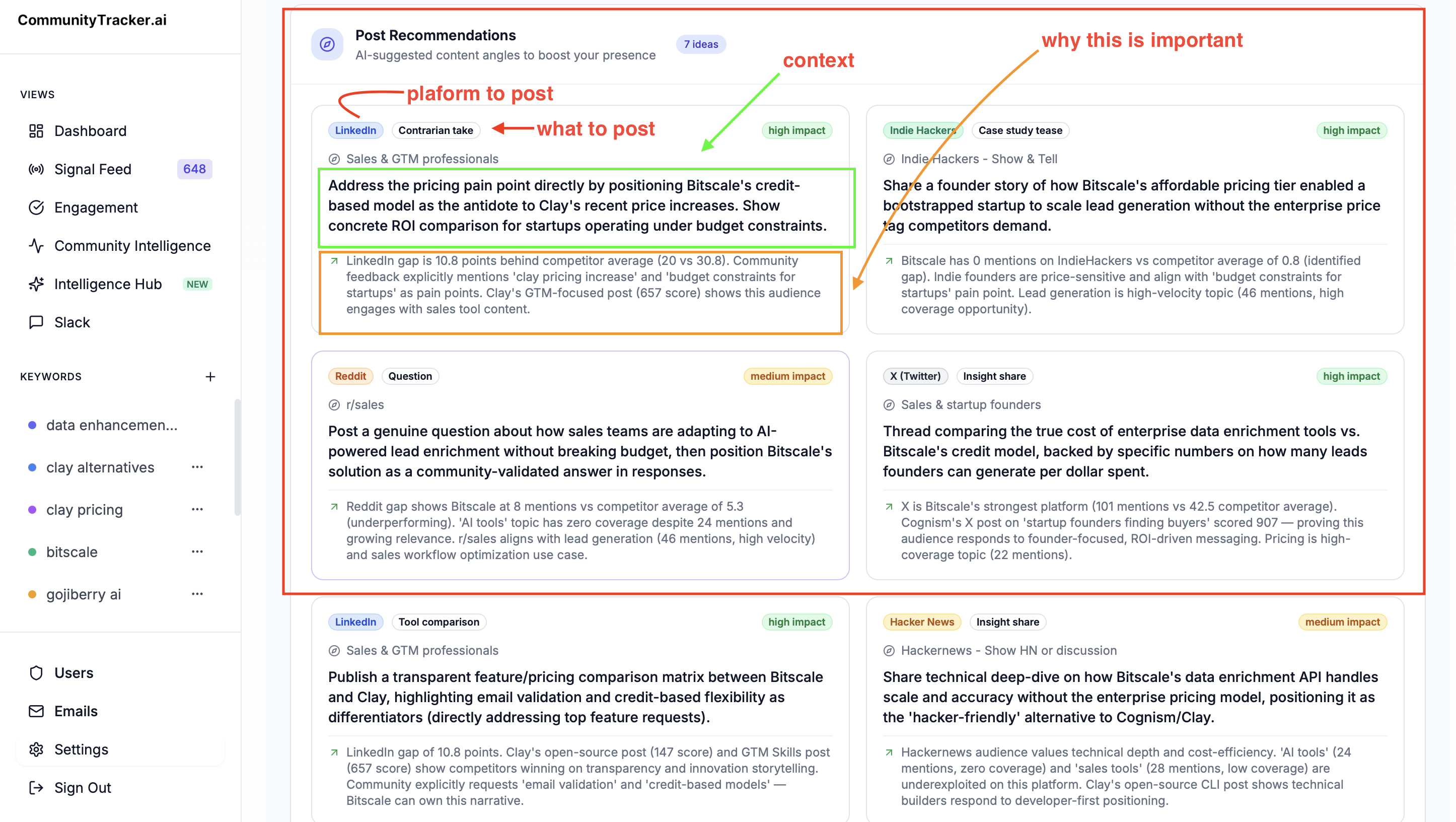
The value is not in “more mentions.”
The value is in knowing:
which conversation matters
why it matters
whether it is useful for outbound, inbound, content, or research
what your team should do next
That helps in two clear ways:
For outbound#
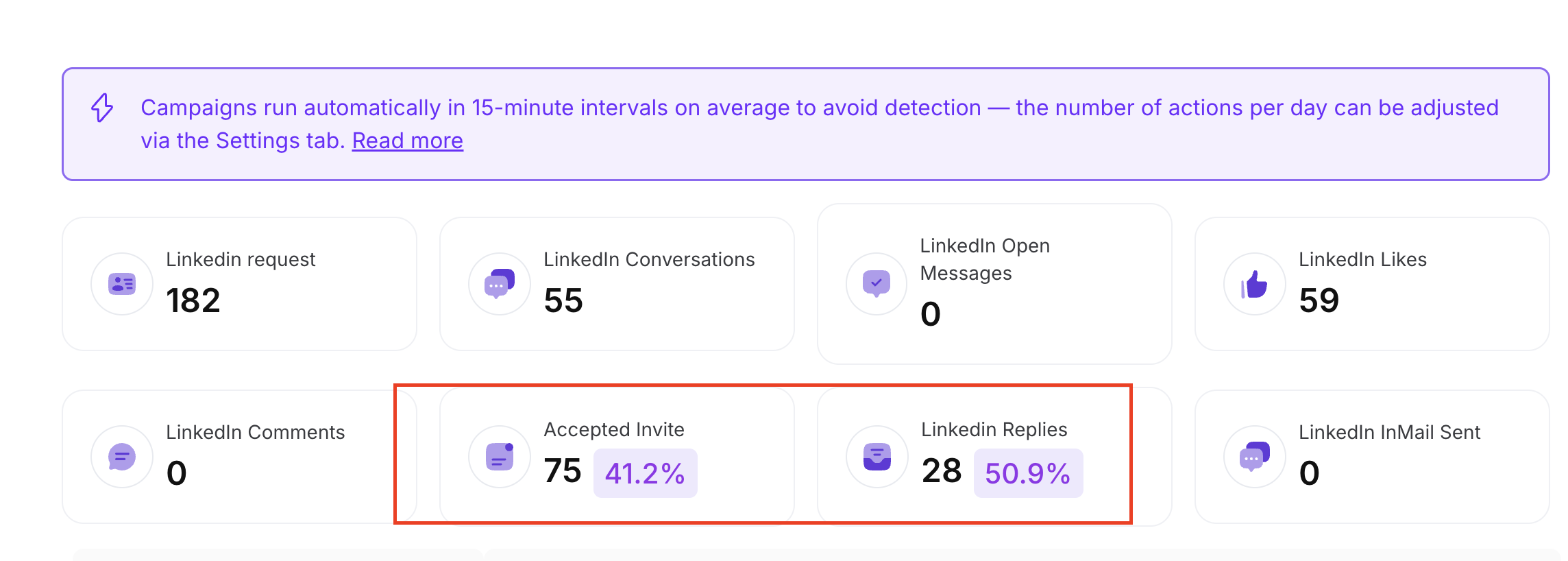
CommunityTracker helps your team find people already discussing a problem, comparing options, or asking for recommendations, so you can do warmer outreach instead of cold prospecting blindly.
For inbound#
CommunityTracker helps you see what your audience is already talking about, so your team can create better posts, content, comments, and campaigns based on real demand.
It also gives you:
AI filtering to remove noise
high-intent signal detection
competitor tracking
share of voice tracking
alerts in Slack or email
action items and recommended next steps
So instead of showing your team every post, it shows the conversations that are most likely to lead to pipeline, content opportunities, or market insight.
If your workflow is: show me every mention, this may be more than you need.
But if your workflow is: show me the conversations that can help us get customers, improve content, track competitors, and act faster then CommunityTracker is a much better fit.
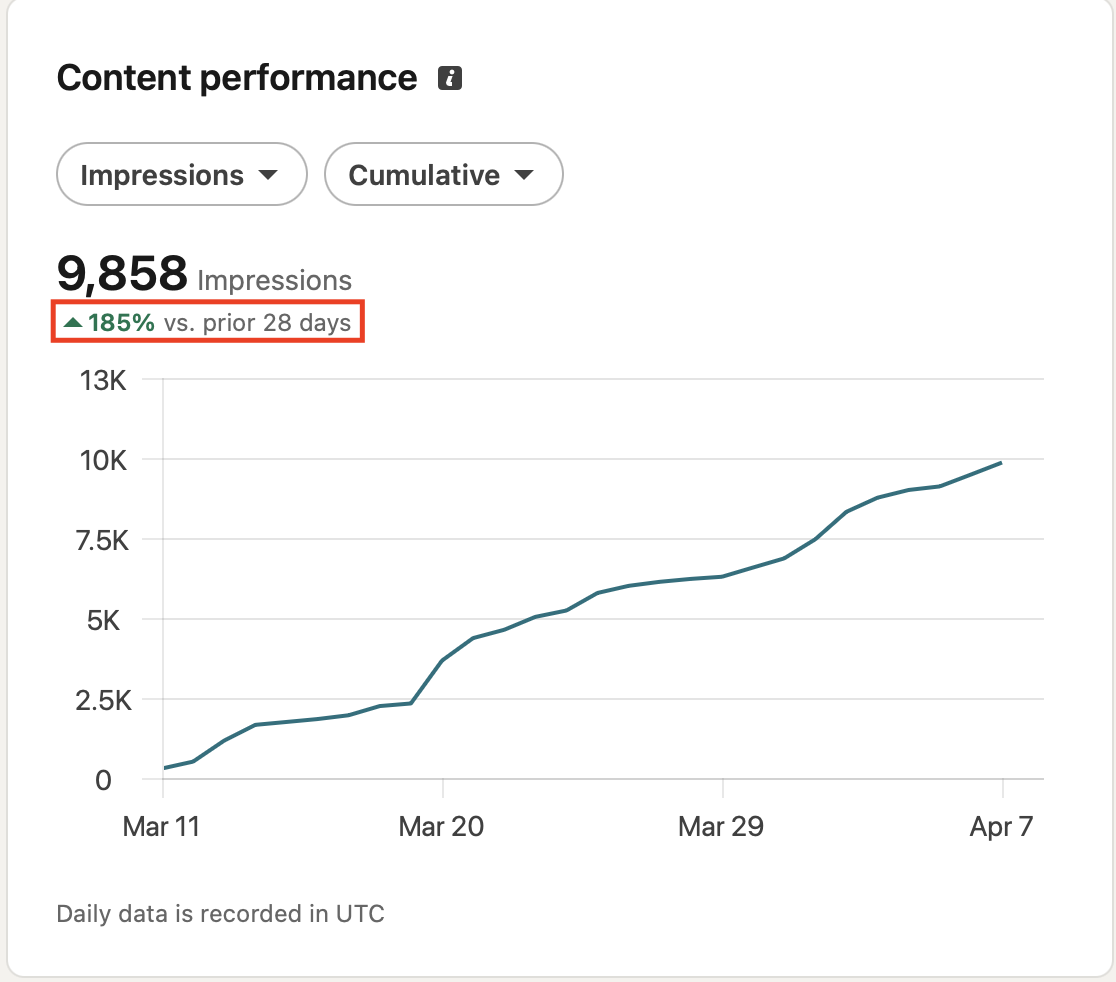
Feel free to use our n8n LinkedIn post creation and scheduling workflow.
Pricing#
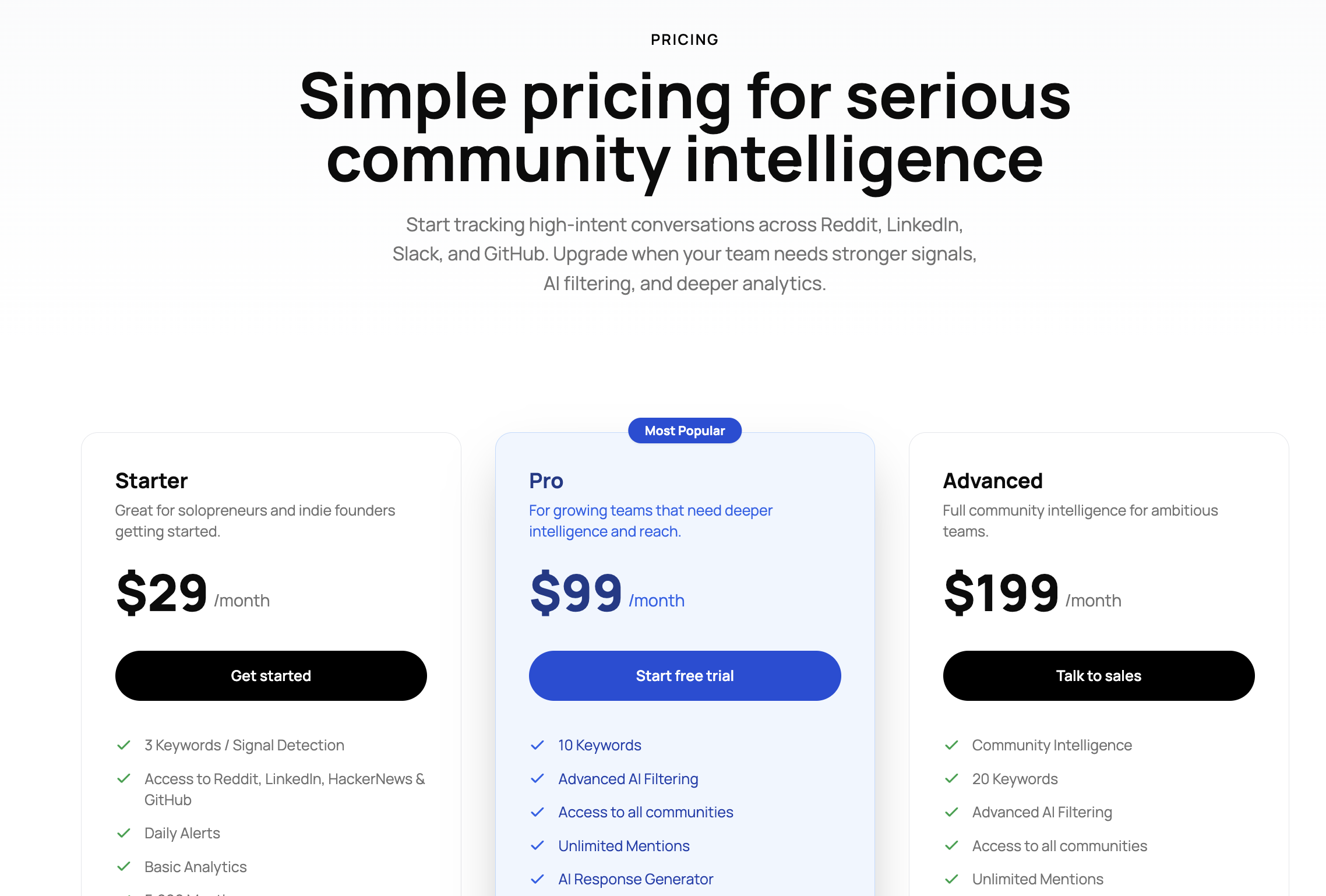
Starter: $29/month
Pro: $99/month
Advanced: $199/month
Best for SaaS, agencies, founders, and GTM teams that want community signals with context, priority, and clear next steps.
2. PhantomBuster#
PhantomBuster fits this list better than most tools because it is very close to the actual search intent.
It does not just sit on the monitoring side.
It gives you direct ways to pull data from LinkedIn posts, commenters, likers, profile activity, searches, groups, inbox threads, and more.
So if your team wants to move from “this post is getting traction” to “here are the people engaging with it,” PhantomBuster makes that workflow much easier.
This is where it becomes useful in real life.
Let’s say a founder posts about switching tools. Or a competitor’s post starts pulling comments from your ideal buyers. Or a niche post gets strong engagement from people in your target market.
Most teams just watch that happen.
PhantomBuster helps you turn that activity into a list you can actually work with.
It also gives you ready-made workflows for:
extracting leads from LinkedIn posts
exporting post commenters and likers
scraping profile and company data
finding emails
sending connection requests and follow-ups
building always-on LinkedIn outreach workflows
That is why it works well for both social listening and outreach.
The best part is that you do not need to build everything from scratch. PhantomBuster already has pre-built LinkedIn automations, which makes it a lot easier for lean SaaS teams and agencies that want speed without custom engineering.
Pricing:#
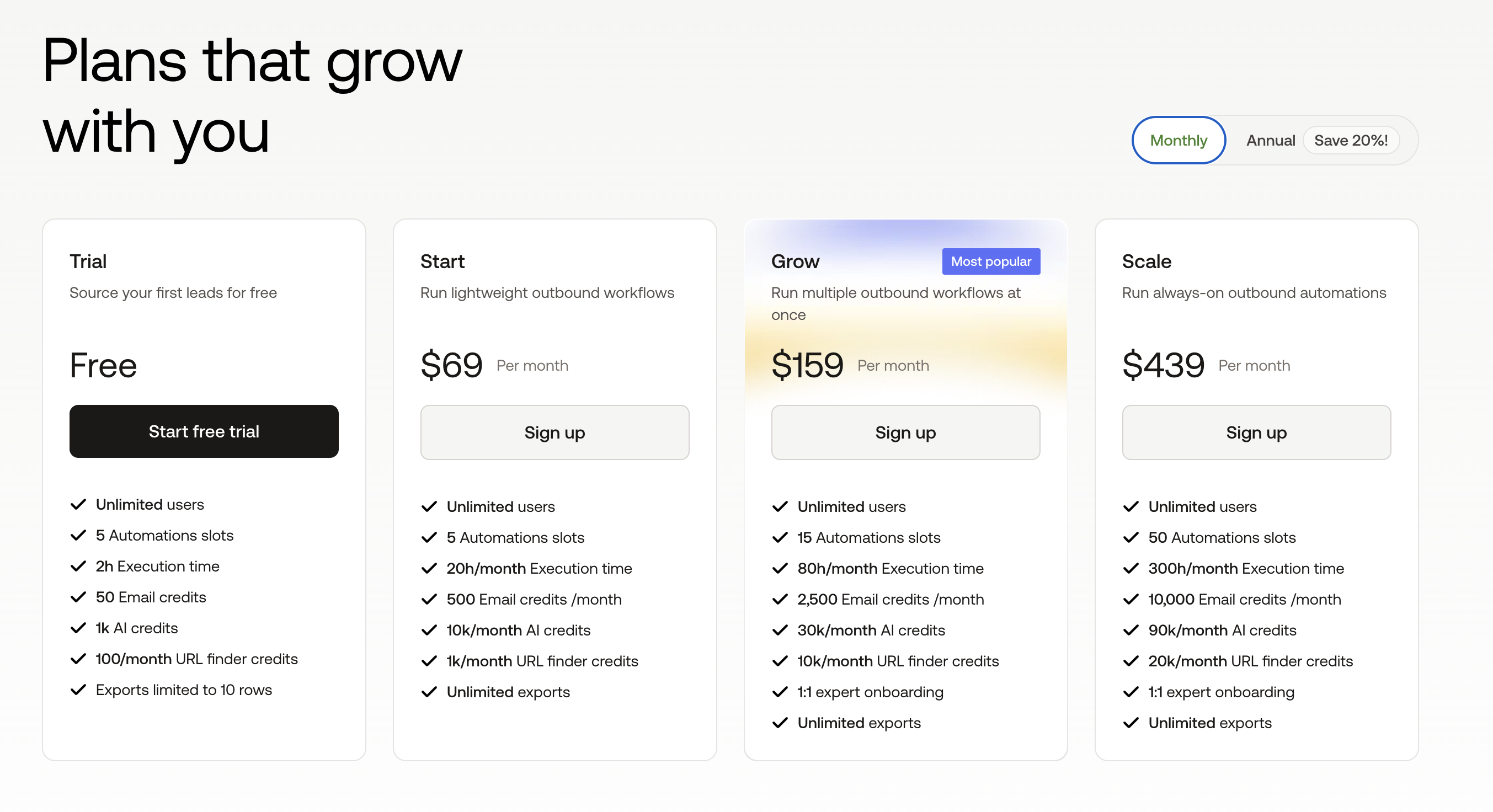
Free trial plan
Start: $69/month billed monthly
Grow: $159/month billed monthly
Scale: $439/month billed monthly
Best for: #
Teams that want to scrape LinkedIn post engagement and use it for outreach fast.
The only real caution here is this: if your team only wants passive monitoring and clean dashboards, PhantomBuster is not for that.
But if you want to catch engagement and act on it while the post is still alive, it is one of the strongest fits in the list.
Scrape tracking conversations across communities with CommunityTracker.
3. Taplio#
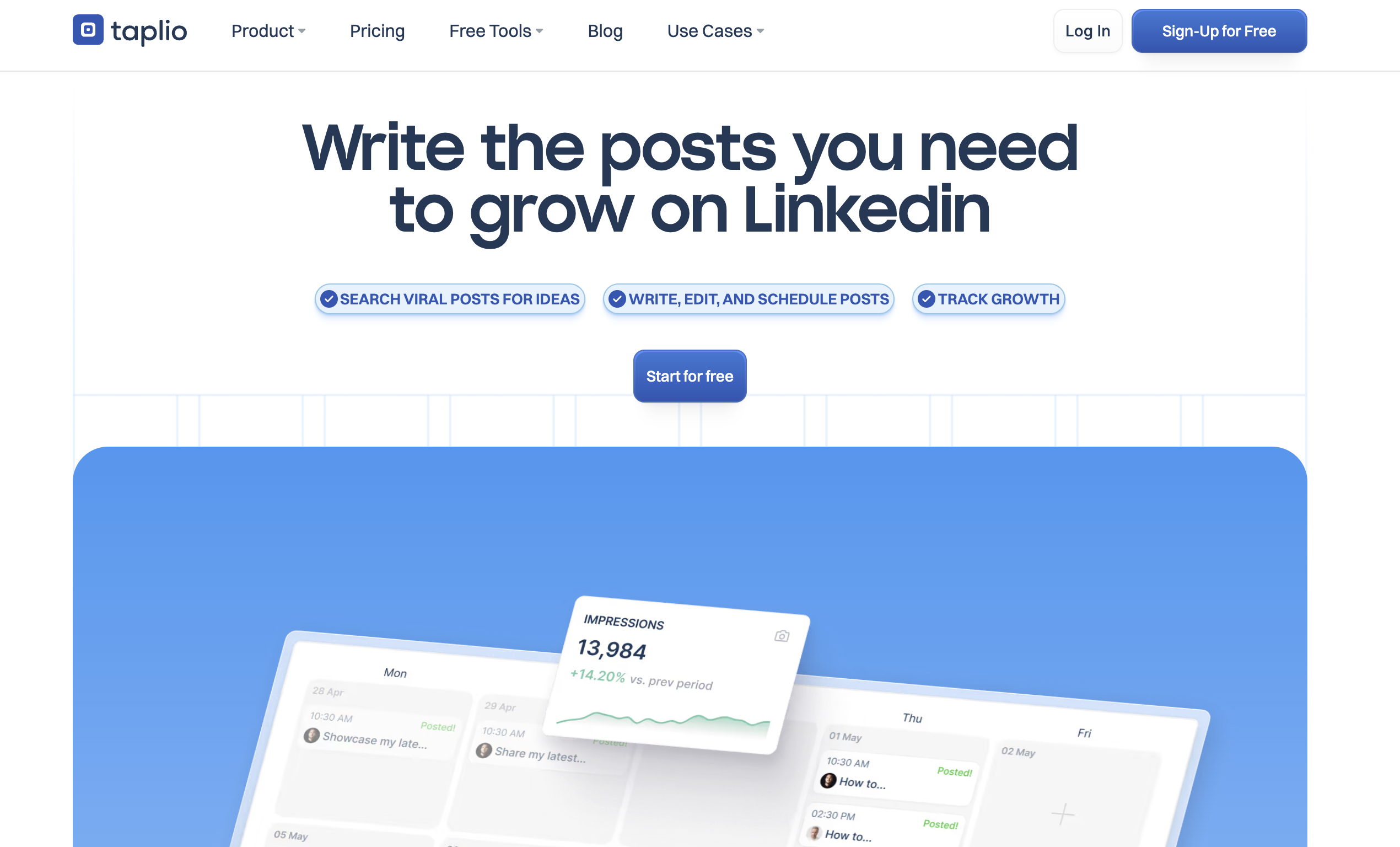
Taplio is a better fit for this list than a lot of people would expect.
It is not a hard-core scraper in the PhantomBuster sense. But it is very useful if your team cares about what is already working on LinkedIn and wants to turn that into content, engagement, and light outreach.
That is the real reason teams use it.
Sometimes the problem is not “how do I scrape more posts?” It is “how do I find the posts in my niche that are already pulling attention, then use that signal before it gets stale?”
Taplio leans into that workflow well.
It helps you:
search viral posts by keyword
find top-performing content in your niche
track post performance and follower growth
save ideas for later
engage with users through replies, comments, and DMs on higher plans
That makes it useful for SaaS founders, social listening teams, and brand-led outbound teams that want to study what is resonating on LinkedIn instead of guessing.
Where Taplio gets interesting for outreach is that it goes beyond inspiration.
On higher plans, it includes:
dynamic contact lists from likers and commenters
import of likers and repliers from a post
auto-DMs
bulk DMs
auto-replies and comment workflows
So the tool sits in an in-between space.
It is not the best pure post scraper.
But it is one of the better tools for teams that want to spot winning LinkedIn conversations, engage faster, and build outreach around the people interacting with them.
That is why it fits especially well for teams doing:
personal brand-led pipeline
competitor content tracking
niche conversation monitoring
founder-led LinkedIn outreach
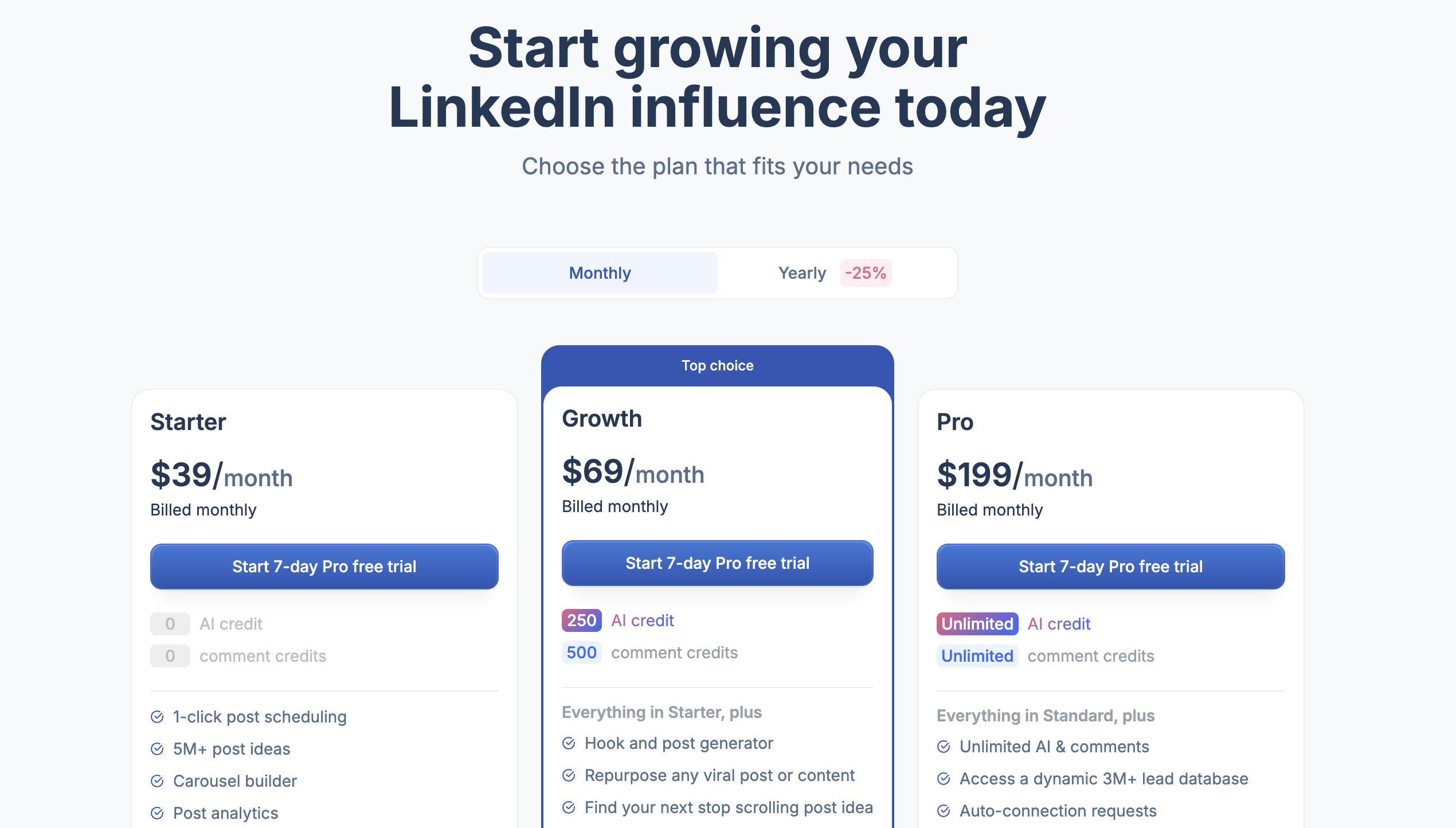
Pricing:#
Starter: $39/month
Growth: $69/month
Pro: $199/month
7-day free trial available
Best for: #
Teams that want LinkedIn post discovery, engagement tracking, and outreach actions in one place.
4. Apify #
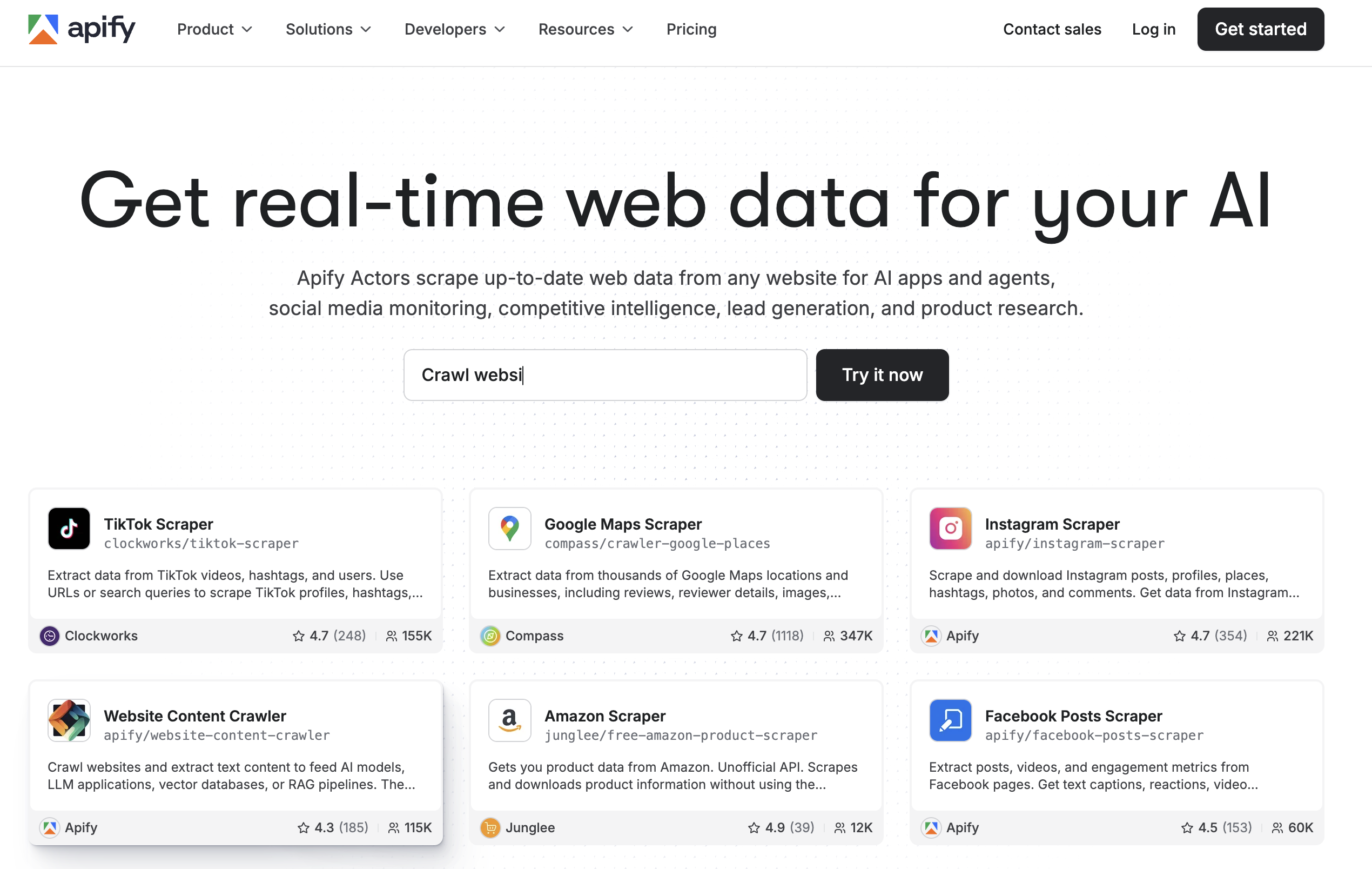
Some teams do not want a polished listening dashboard.
They want control.
They want to decide what gets scraped, where it goes, how often it runs, and what happens to the data after that.
That is where Apify stands out.
Apify is less of a “LinkedIn post scraper tool” and more of a scraping platform you can shape around your own workflow.
It gives you ready-made scrapers, APIs, scheduling, proxies, integrations, and infrastructure to collect web data at scale.
So if you are a SaaS team trying to monitor LinkedIn posts, enrich engagement data, push it into Sheets or Slack, or build your own internal signal workflow, Apify gives you a lot more room to work with.
That flexibility is the real draw.
You are not boxed into one use case.
You can use it for:
LinkedIn post scraping
lead generation workflows
market research
social listening pipelines
connecting scraped data with tools like Slack, Google Sheets, Zapier, and more
But that flexibility comes with a trade-off.
Apify is stronger if your team is comfortable building systems.
It is not the kind of tool that instantly tells you, “this post has buying intent” or “your competitor is getting pulled into more discussions this week.”
You still need to decide what to do with it.
That means Apify is usually better for:
technical teams
agencies
ops-heavy SaaS teams
teams that want custom scraping workflows at scale
If you want a ready-made answer, this may feel too open-ended.
If you want a toolkit you can bend around your own process, it becomes much more interesting.
Pricing#
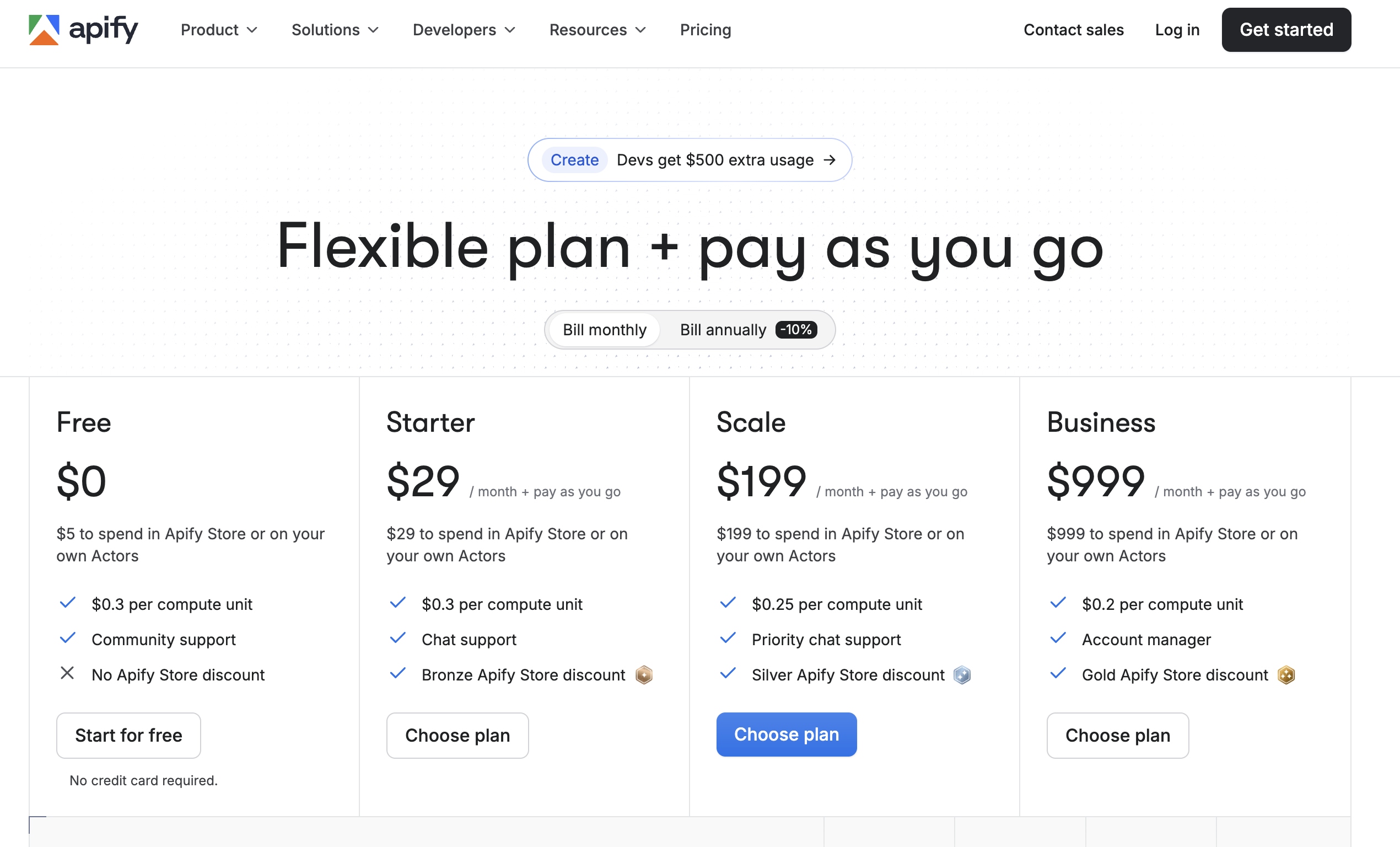
Free: $0
Starter: $29/month + pay as you go
Scale: $199/month + pay as you go
Business: $999/month + pay as you go
Best for: #
Teams that want flexible LinkedIn scraping, custom workflows, and deeper control over how scraped data gets used.
5. Buska#
Buska is one of those tools that feels built by people who are tired of traditional social listening dashboards.
Most monitoring tools show you mentions. Buska is trying to show you, buyers.
That difference matters.
It monitors LinkedIn along with Reddit, X, YouTube, Hacker News, Quora, G2, Trustpilot, and many other sources, then scores mentions based on things like active demand, competitor mentions, pain signals, questions, and brand mentions.
A simple example:
Someone posts on LinkedIn that they are switching from a tool in your category. Another person asks for recommendations. A third post complains about a workflow your product fixes.
Most teams save those posts and come back later.
Buska is built for the team that wants to catch those signals fast, score them, reply while the conversation is still warm, and push the lead into the rest of the stack.
That is where its reply workflow becomes useful, too.
It includes:
AI lead scoring
ICP matching
AI Reply Studio
Slack and Discord alerts
webhooks and API access
exports to CRM and outreach tools like HubSpot, Salesforce, Pipedrive, Lemlist, Apollo, and Instantly
So Buska sits in a smart middle ground.
It is not the best choice if you only want raw LinkedIn post extraction.
But it is a strong choice if your real goal is: Find the right LinkedIn conversations, qualify them fast, and turn them into outreach or pipeline.
Pricing:#
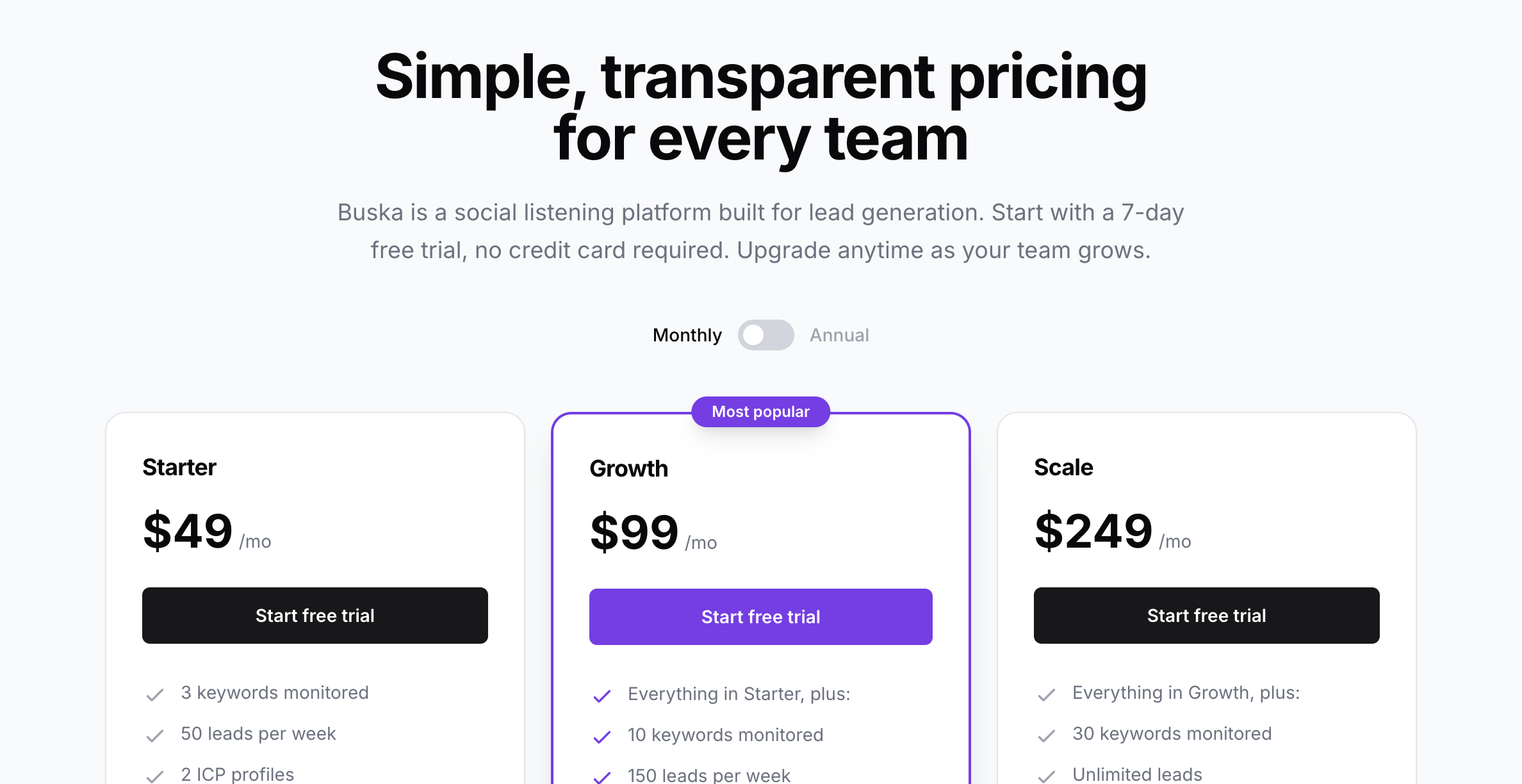
Starter: $49 if paid monthly
Growth: $99 if paid monthly
Scale: $249 if paid monthly
Agency: custom pricing
7-day free trial available
Best for: #
SaaS, growth, and social listening teams that want LinkedIn signals scored and routed into real lead workflows.
Scrape high intent conversations across communities with CommunityTracker.
6. OutX #
OutX is a strong fit for this list if your team cares less about “scraping posts” and more about catching the right LinkedIn signal early enough to act on it.
That is the real pain for most SaaS teams.
By the time someone notices a useful post, the thread is old, the buyer has already had five replies, and the moment is gone.
OutX is built around that timing problem.
It helps you track:
keyword watchlists
people watchlists
company watchlists
job changes
comments from prospects
company growth and hiring signals
So instead of treating LinkedIn like a static database, it treats it like a live feed of sales triggers.
That is what makes it useful.
A prospect comments on a competitor’s post. A buyer changes roles. A target account starts hiring. A founder posts about a problem your product solves.
OutX is trying to help you get there first.
It includes auto-engagement, Sales Navigator export, and lead export with verified emails and phone numbers, which makes it more practical for outbound teams that want to move from signal to action quickly.
That makes OutX especially useful for:
founder-led outbound
signal-based prospecting
LinkedIn-first sales teams
agencies running account-based outreach
The honest trade-off is this: if you only want raw Linkedin post scraping, OutX is not the best fit. But if you want to catch buying signals, monitor people and companies, and turn that into pipeline, it fits very well.
Pricing:#
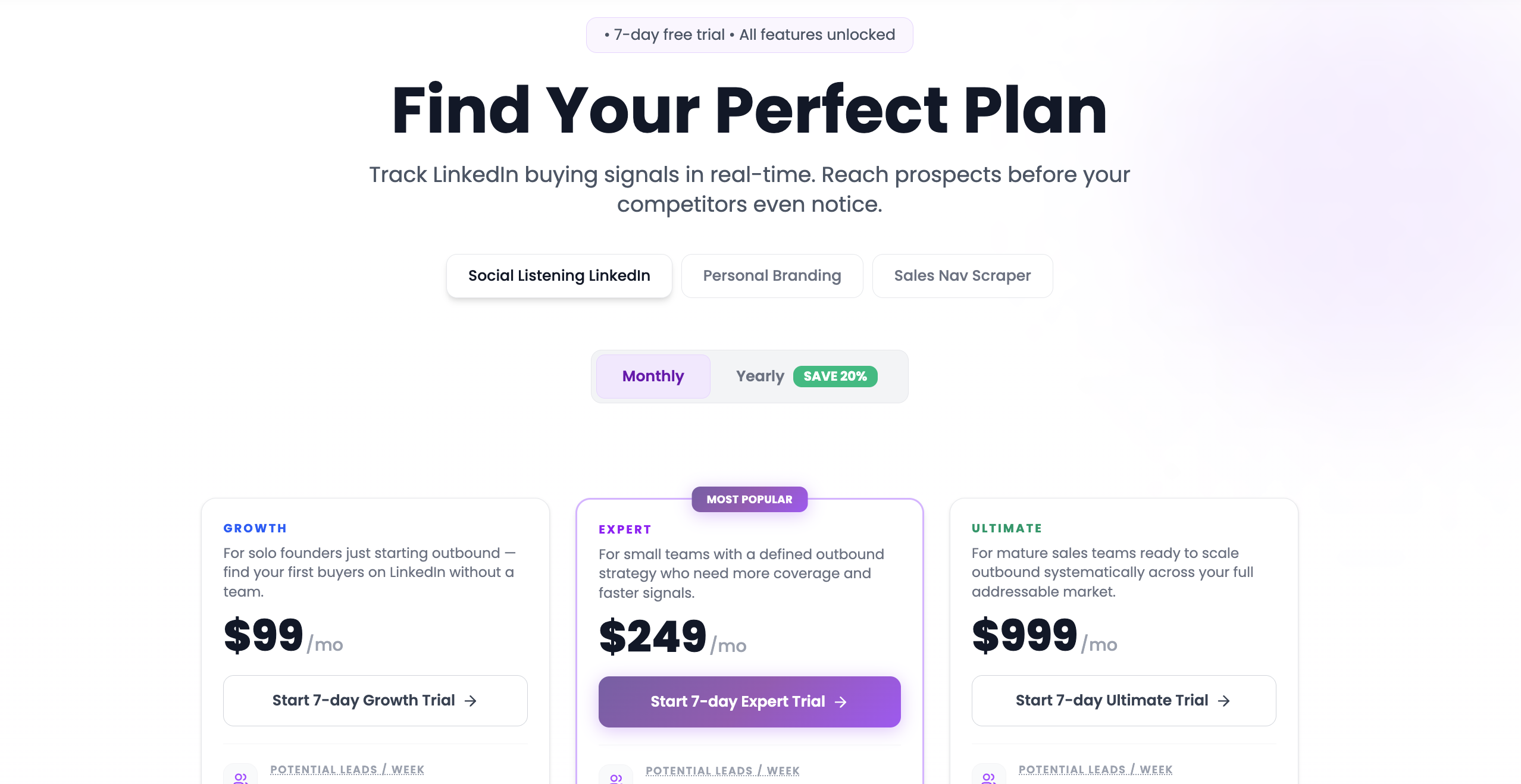
Growth: $99/month
Expert: $249/month
Ultimate: $999/month
7-day free trial available
Best for: #
Teams that want LinkedIn signal tracking, fast alerts, and outreach workflows in one place.
7. Brand24#
Brand24 is the kind of tool teams pick when they are tired of checking five dashboards just to answer one simple question:
What are people saying about us, our competitors, or our category right now?
That is where it fits well.
Brand24 is not really a pure LinkedIn post scraper in the PhantomBuster sense. It is much broader than that. It tracks LinkedIn along with Reddit, X, blogs, news, videos, forums, podcasts, reviews, and other public sources, and then layers in sentiment, reach, analytics, alerts, and reports.
So if your team is doing:
brand monitoring
competitor tracking
customer insight research
campaign reporting
share-of-voice work
Brand24 makes a lot of sense.
A practical example:
Your company launches something new. A competitor gets dragged in LinkedIn comments. Reddit starts surfacing complaints. Blogs and news pick up the story before your internal team even notices.
That is the kind of mess Brand24 is designed for.
It gives you a wider view, not just a list of Linkedin scraped posts.
What stands out is the reporting and analysis layer:
LinkedIn and Reddit coverage
sentiment analysis
source analysis
influencer analysis
reach and engagement tracking
AI insights, AI topics, and event detection on higher plans
alerts and integrations for Slack and Teams
That makes it a stronger fit for marketing teams, PR teams, agencies, and larger SaaS companies that care about visibility and reputation, not just lead extraction.
The honest trade-off is this:
If your goal is to scrape LinkedIn post commenters, likers, or engagement lists for outreach, Brand24 is not the sharpest tool here.
But if your goal is to understand where the conversation is moving, who is shaping it, and how your brand compares across channels, it is one of the more mature options in the list.
Pricing:#
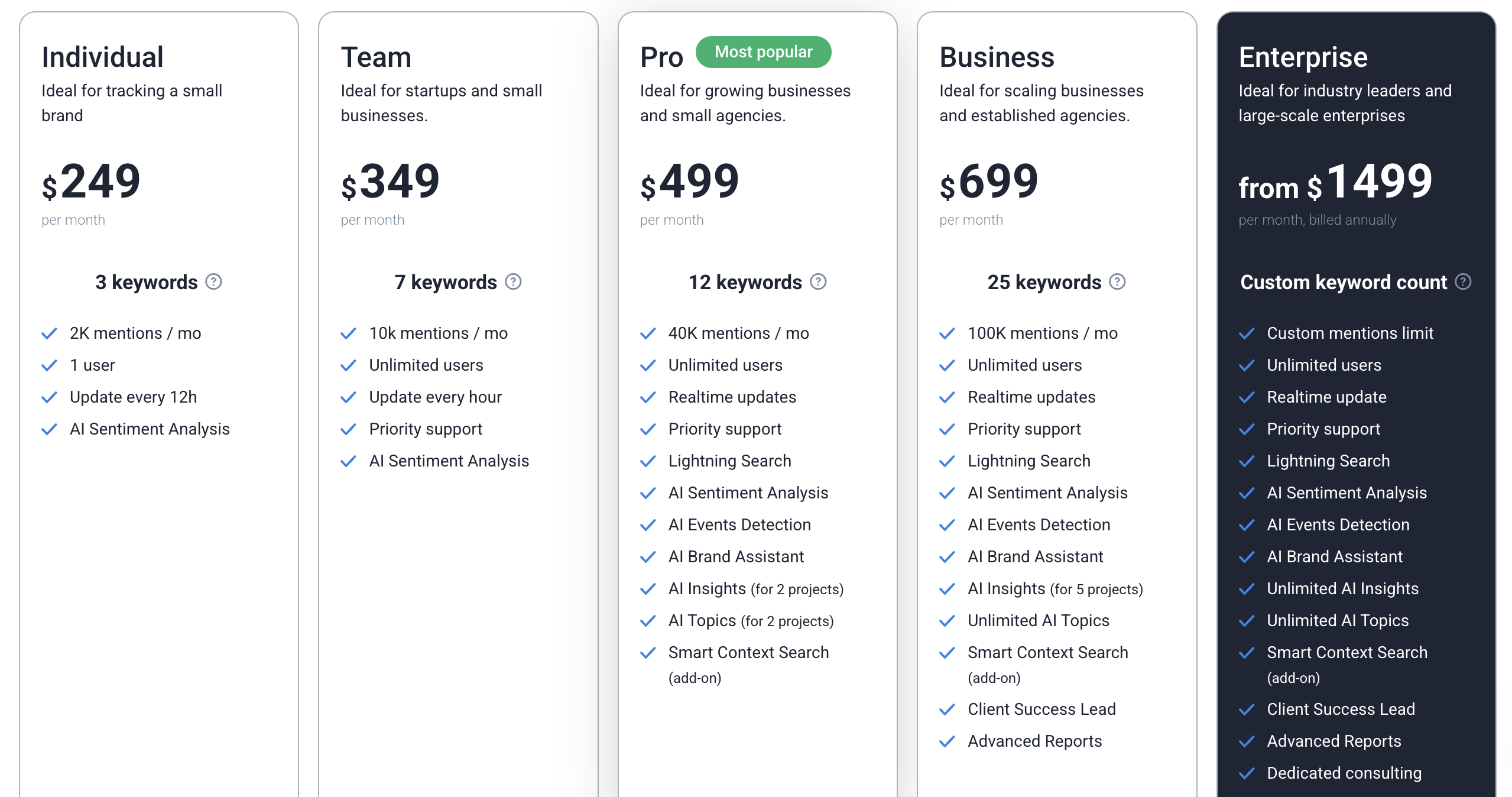
Individual: $249/month
Team: $349/month
Pro: $499/month
Business: $699/month
Enterprise: from $1,499/month
14-day free trial available
Best for: #
Teams that want broad social listening across LinkedIn and other channels, with stronger reporting than a typical scraping tool.
8. Bright Data#
Bright Data is for teams that do not want a polished “social listening” layer first.
They want the data itself.
Not summaries. Not light alerts. Not a simplified workflow.
They want LinkedIn profiles, posts, companies, jobs, and structured fields they can pipe into their own system.
That is where Bright Data fits.
It gives you both a LinkedIn Scraper API and a no-code scraper, with support for scraping LinkedIn people profiles, company pages, job listings, and posts.
It also handles the painful infrastructure side like proxies, CAPTCHA solving, rendering, parsing, and large-scale delivery.
That makes it a much stronger fit for teams that think like this:
We need raw LinkedIn post data
We want to push it into our own database
We need scale without building the scraping stack ourselves
We want control over how the data gets used later
This is why Bright Data belongs in a list like this.
It is especially useful for:
data teams
larger SaaS companies
agencies with custom reporting needs
teams building internal social listening or outreach systems
companies that need LinkedIn data as an input, not the final product
The real trade-off is also clear.
Bright Data is powerful, but it is not the tool I would hand to a founder who just wants to monitor a few posts and start conversations tomorrow.
It is better for large teams that need scale, flexibility, and infrastructure.
Pricing:#
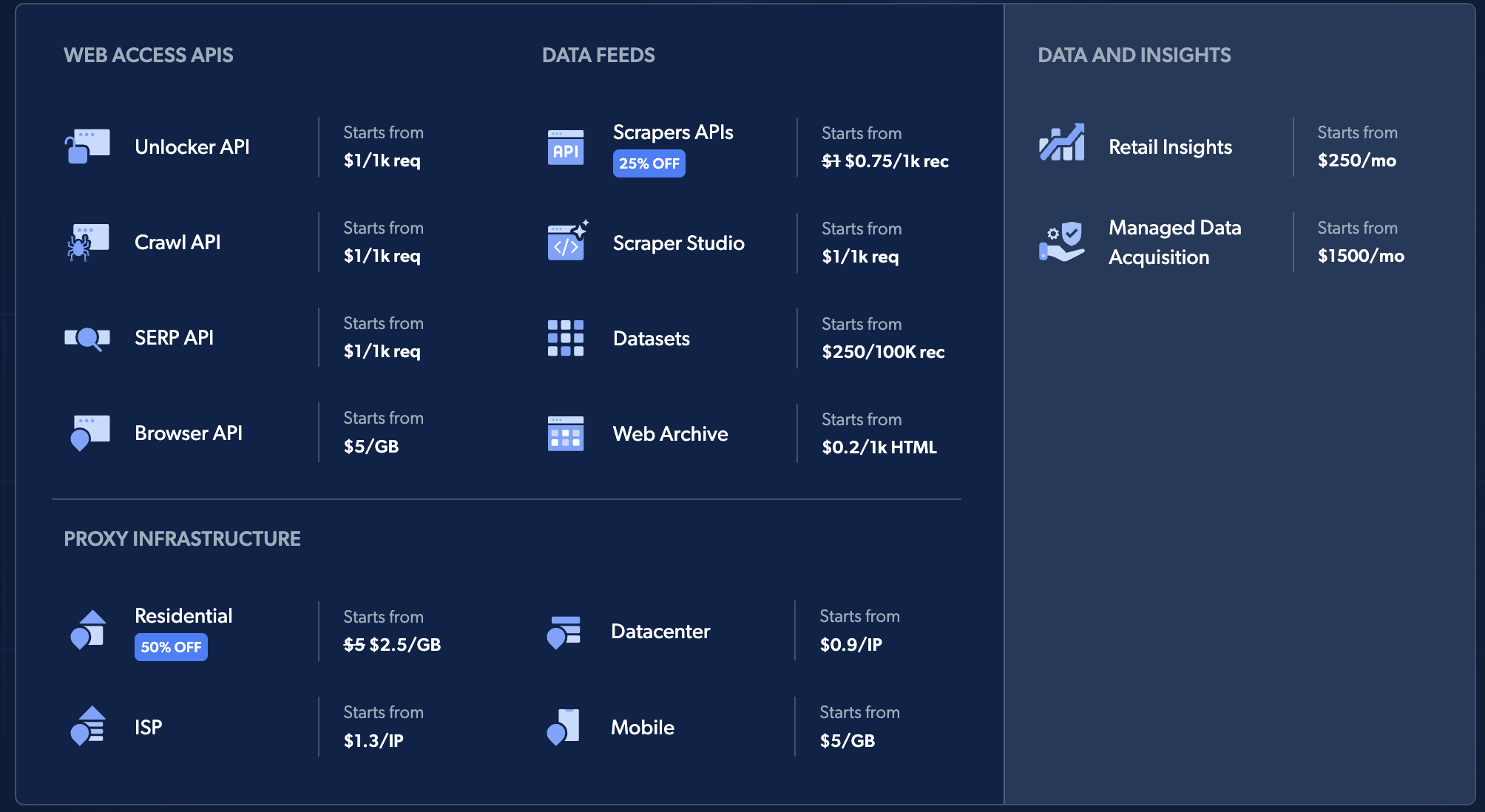
Pay as you go: $1.5 per 1,000 records
510K records: $499/month
1M records: $999/month
2.5M records: $1,999/month
Enterprise: custom pricing
Best for: #
Teams that want large-scale LinkedIn post, profile, company, and job scraping with full control over the data.
9. Axiom.ai #
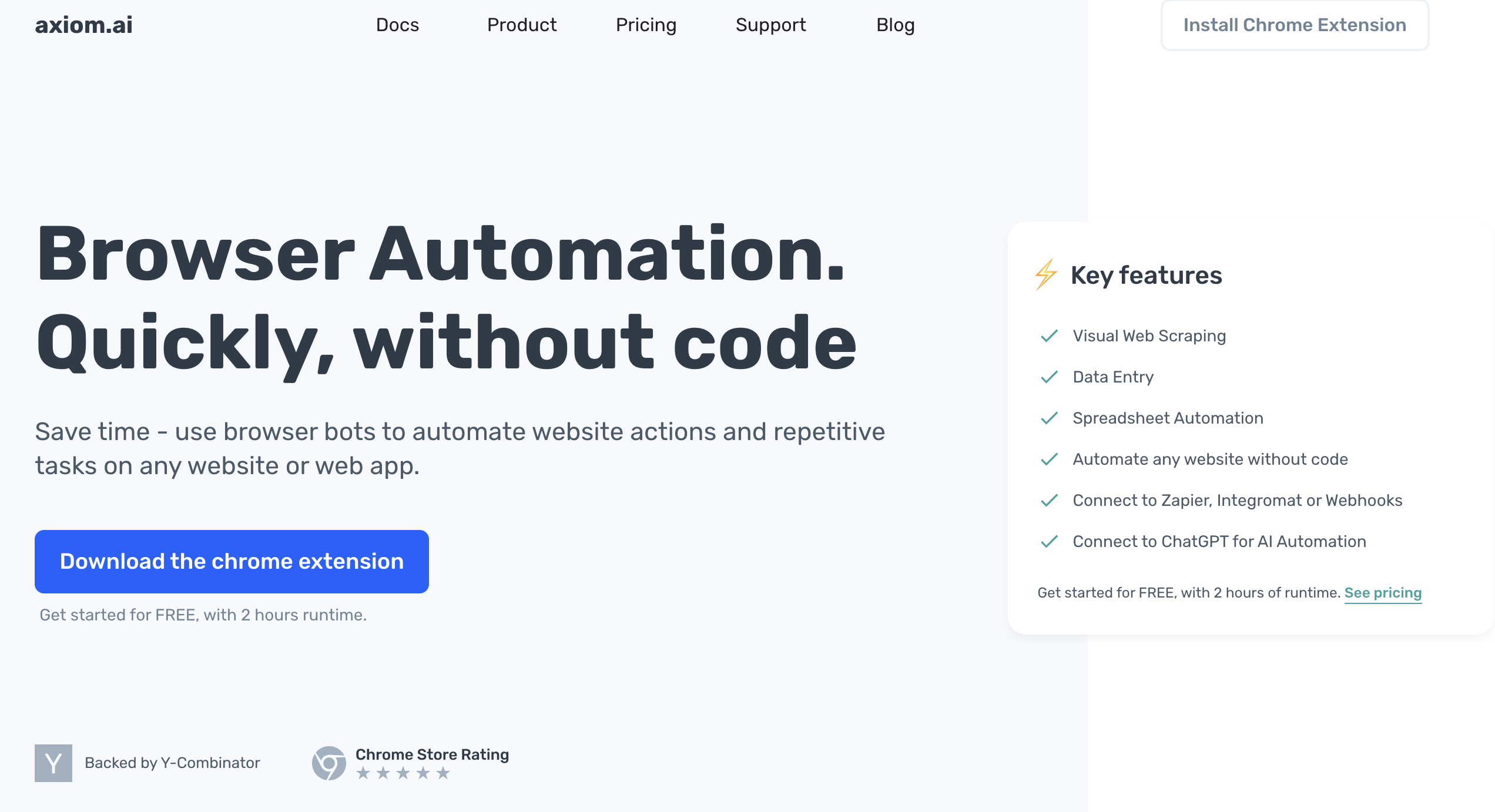
Axiom.ai is a better fit for this list than most “monitoring” tools because it is closer to real browser automation.
It is built for teams that want to automate LinkedIn actions and data collection without writing code, but still want more freedom than a fixed-purpose scraper gives them.
That makes it useful when your workflow is not just “pull this one dataset,” but “scrape this page, click through, collect data, send it to Sheets, then trigger the next step.”
That is where Axiom becomes interesting for SaaS and social listening teams.
Sometimes the problem is not finding one post. It is building a repeatable workflow around what happens after you find it.
Axiom helps with:
visual web scraping
browser automation
data entry
spreadsheet automation
webhooks, Zapier, and Make integrations
cloud or desktop bot runs
So if your team wants to automate LinkedIn scraping, move the data somewhere useful, and avoid building a custom script from scratch, Axiom is a strong option.
It is especially useful for:
no-code operators
agencies
RevOps teams
people building custom outreach or enrichment workflows
The trade-off is pretty clear, though.
Axiom gives you flexibility, but not the opinionated “signal intelligence” layer you get from tools like OutX or Buska. You still need to decide what to scrape, how to structure it, and what to do with the output.
Pricing:#
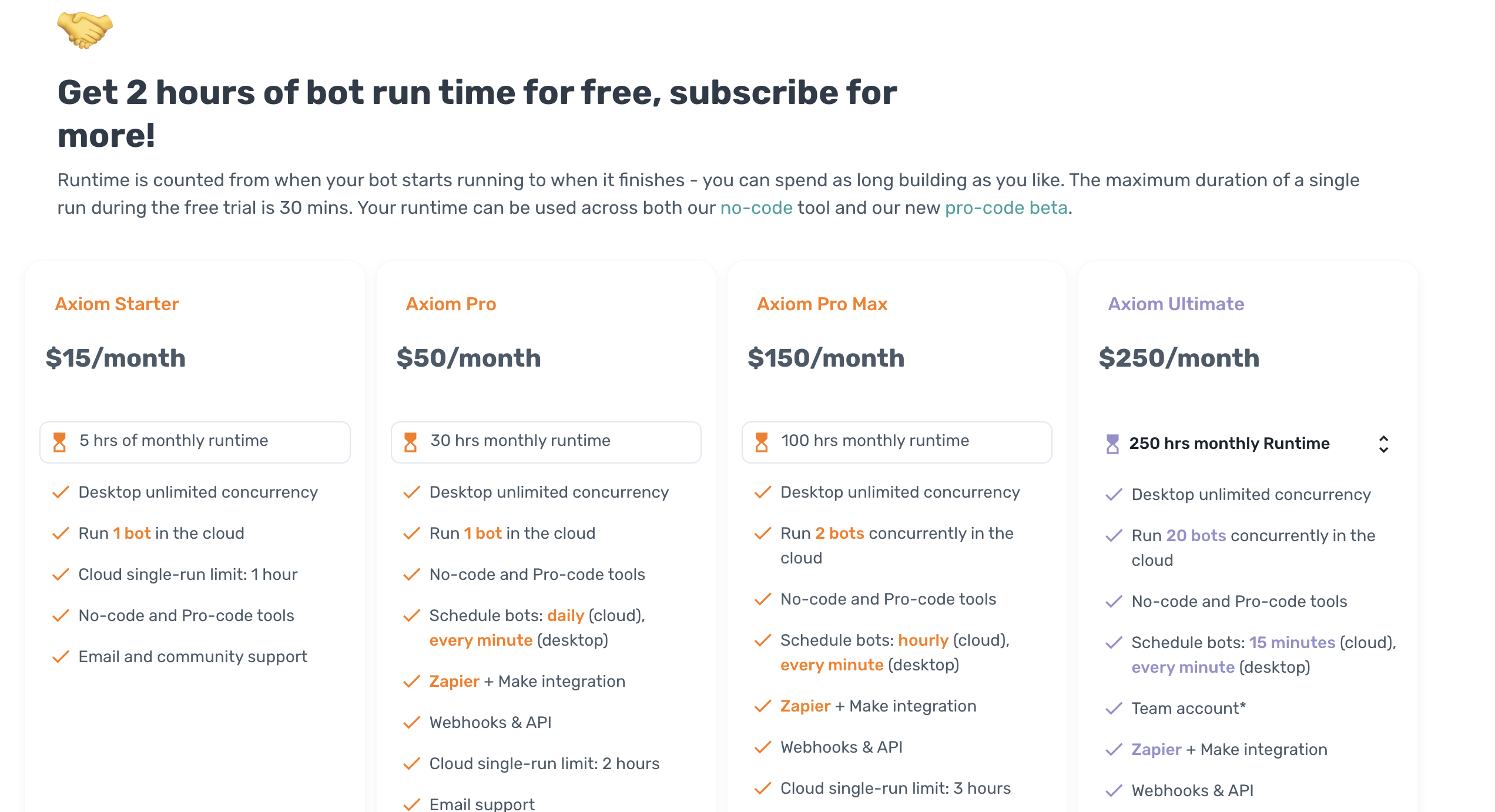
Free trial: 2 hours runtime
Starter: $15/month
Pro: $50/month
Pro Max: $150/month
Ultimate: $250/month
Best for: #
Teams that want no-code LinkedIn scraping and browser automation with more flexibility than a standard scraper.
10. BeReach#
BeReach is one of the more interesting additions to this list because it does something a lot of tools do not:
It lets you start with free LinkedIn post scraping, then gives you a path into broader outreach automation if you want to go further.
That makes it useful for teams that are not ready to buy a heavy scraper or enterprise data tool just to test one workflow.
Its free post scraper is simple:
paste a LinkedIn profile URL
get the last 5 posts
export post text, dates, likes, comments, and shares to CSV or Google Sheets
That alone makes it useful for:
competitor content analysis
founder research
prospect research before outreach
content inspiration
engagement pattern analysis
And that is where it hits a real nerve.
A lot of teams do not need 50,000 records on day one.
They just need a fast way to look at what a prospect, competitor, or creator has been posting lately without manually digging through LinkedIn.
BeReach gives you that.
It also includes likes scraping, comments scraping, keyword-based post search, people search, companies search, and autopilot outreach campaigns on paid plans.
So it can grow from “quick research tool” into “LinkedIn signal + outreach workflow” if your team wants that.
That makes it a better fit for:
founders doing manual outbound
small SaaS teams
agencies testing LinkedIn workflows
teams that want lightweight scraping before committing to a heavier stack
The honest limitation is that the free post scraper is narrower than bigger tools.
It only pulls the last 5 posts from a profile, so it is more for fast insight than deep historical analysis. But for many teams, that is enough to personalize outreach or spot content patterns quickly.
Pricing:#
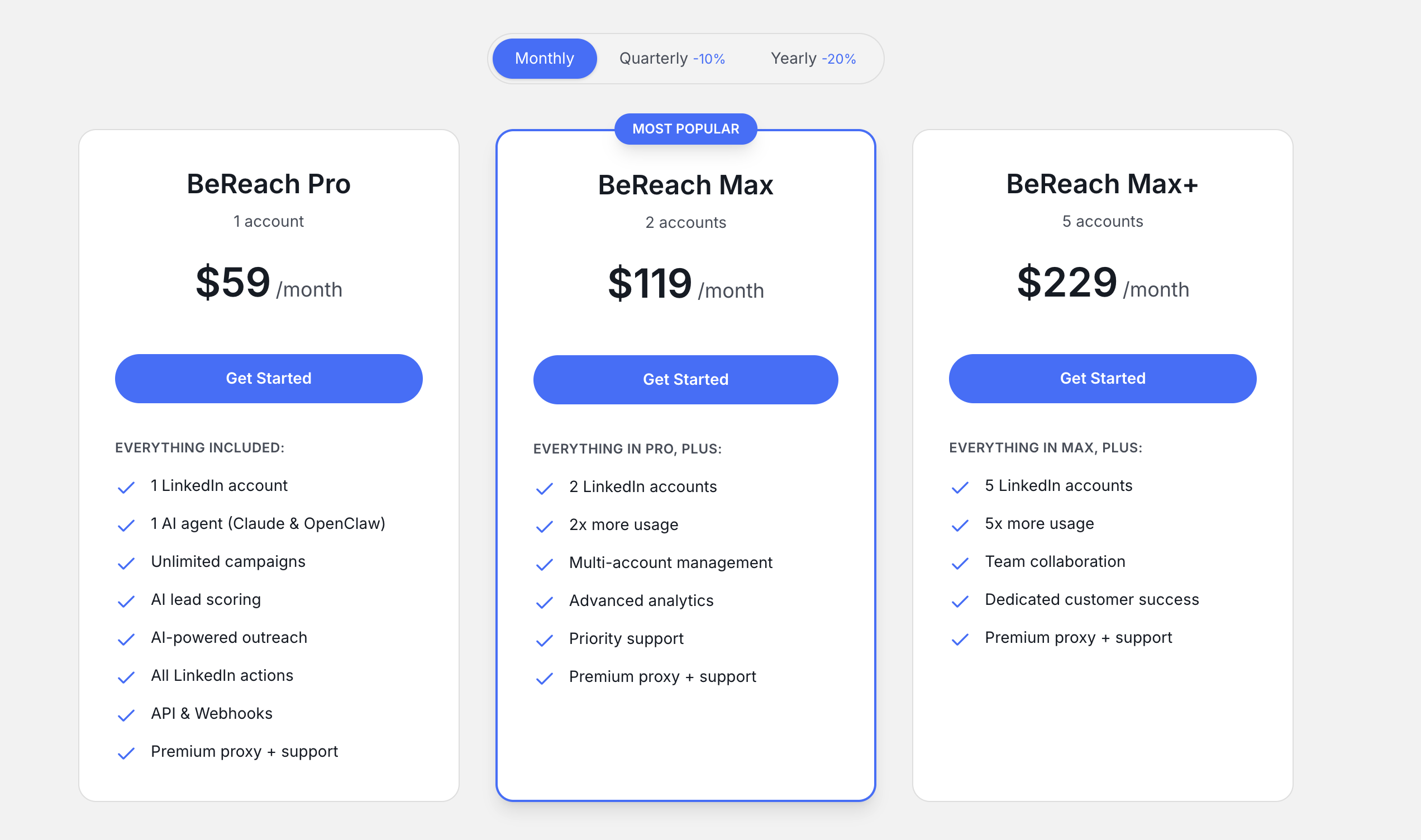
Free tools with free credits available
BeReach Pro: $59/month
BeReach Max: $119/month
BeReach Max+: $229/month
Best for: #
Teams that want an easy, low-cost way to scrape recent LinkedIn posts and grow into outreach automation later.
Conclusion#
LinkedIn post scraping is only useful if it helps you get to the right signal faster.
That is the real difference between a tool that looks good in a demo and a tool your team actually keeps using.
Some tools in this list are better for raw data extraction. Some are better for engagement scraping. Some are better for social listening, buyer-intent tracking, and outreach workflows.
So the best choice depends on what you are really trying to do.
If you want to post data at scale, go with a scraper-first tool like Bright Data or Apify.
If you want to turn comments, likes, and engagement into lead lists, PhantomBuster is one of the strongest options.
If you want to catch high-intent conversations and act before the moment is gone, tools like CommunityTracker, Buska, and OutX make more sense.
At the end of the day, the goal is not to collect more LinkedIn data.
It is to turn the right post, comment, or signal into:
better timing
better outreach
better insight
more pipeline
That is what separates useful scraping from just another spreadsheet.
Start tracking conversations across communities with CommunityTracker.
FAQs#
1. Is there a free LinkedIn post scraper?#
Yes, tools like BeReach offer free LinkedIn post scraping, but they are limited in depth and scale.
2. Are LinkedIn scrapers available on GitHub?#
Yes, but most GitHub scrapers require technical setup and don’t provide signal detection or workflow automation.
3. What is the best LinkedIn post scraper extension?#
There’s no single best tool, it depends on your goal. Tools like PhantomBuster are strong for scraping post engagement, but most scrapers only collect data.
The real value comes from tools that help you find high-intent conversations and act on them like CommunityTracker, not just scrape posts.
4. How does Apify work for LinkedIn scraping?#
Apify lets you build custom LinkedIn scraping workflows with APIs and scheduling, but you still need to decide how to use the data.
5. Can I scrape LinkedIn posts using Python?#
Yes, but it requires building and maintaining your own system without built-in insight, filtering, or action workflows.
6. What is Bright Data used for in LinkedIn scraping?#
Bright Data provides large-scale LinkedIn data extraction with full control, but it focuses on raw data, not actionable insights.
7. What do people say about LinkedIn scrapers on Reddit?#
Most discussions highlight the gap between collecting data and actually finding useful buyer signals.
8. How does PhantomBuster help with LinkedIn scraping?#
PhantomBuster turns post engagement like commenters and likers into outreach-ready lead lists.
9. What’s the difference between scraping and social listening?#
Scraping collects LinkedIn data, while social listening helps you find high-intent conversations and understand what to do next.
10. Is scraping LinkedIn posts enough to generate leads?#
No, the real value comes from catching the right conversation early and turning it into outreach, content, or pipeline.