Most social listening tools have the same failure mode. They dump mentions into a dashboard, fire a few alerts, and call it intelligence. Someone on your team still has to read every thread, decide whether it matters, and guess what to do with it.
MCP for social listening is interesting. If the tool is good, MCP lets you ask plain questions like:
Which competitor came up most in Reddit comparison threads this week?
Show me posts where people are asking for alternatives to our category.
Pull the five threads our team should respond to today.
But not every MCP server is attached to a listening product that is actually useful. Some are just wrappers around APIs. Some are great for developers but weak for GTM teams.
So instead of another lazy "top MCP servers" list, here is the practical question: if you are a founder, marketing head, or GTM lead at a SaaS company, which MCP servers are actually worth caring about?
I looked at five things:
Does it find real conversations, not just mentions?
Does it cover where SaaS buying conversations happen?
Does it cut down noise?
Does it help with competitor tracking?
Does it help a team act, not just observe?
That last point matters most.
For an early-stage company, the best tool is not the one with the longest feature list. It is the one that helps your team spot the right thread and act before the conversation is gone.
Quick answer if you do not want the whole breakdown#
If your job is to turn community conversations into pipeline, CommunityTracker is the strongest pick on this list.
The others are still useful, but they each break in a specific way:
Octolens is strong, especially for technical teams, but costs more and feels better at monitoring than prioritizing.
Syften is fast and affordable, but the lack of LinkedIn is a real limitation for B2B.
Trigify gets interesting when sales signal and engagement data matter more than broad listening.
Sprout is fine if you already use Sprout, but it is far too heavy if this is mainly a community-intelligence problem.
What should you look for in a social listening MCP server?#
Before the list, a useful filter.
A good MCP server for social listening should do at least four things well.
1. It should let you query mention data in natural language#
If the server just exposes raw endpoints and the assistant still needs perfect field knowledge or awkward manual filtering, the experience is barely better than using the API directly.
2. It should return signal, not just data#
This is where a lot of MCP stories fall apart.
It is easy to expose mentions to an assistant. It is much harder to show them in a way that helps the assistant distinguish:
random brand chatter
support issues
competitor comparisons
recommendation requests
buyer-intent posts
If the server does not help with that, you get a smarter query layer on top of noisy data.
3. It should fit a real workflow#
The useful question is not “does it support MCP?”
The useful question is “what new workflow becomes possible because it supports MCP?”
For example:
daily digests written by an assistant
competitor comparison summaries
content idea extraction from live conversations
support escalation from public complaints
outreach triggers from buying-intent threads
Turn real buyer conversations into LinkedIn content that actually performs.
4. It should be opinionated enough to save time#
This is the one most comparison posts miss.
The best MCP server is not always the one with the most flexibility. For most SaaS teams, it is the one that reduces decision fatigue.
If every query still needs heavy manual interpretation, the assistant is doing search, not social listening operations.
That brings us to the list.
5 MCP Servers for Social Listening: Quick Comparison Table#
#
MCP Server | Best for | What the MCP layer is actually good at | Main limitation | Pricing |
CommunityTracker | GTM teams | Turning buyer-intent community signals into action | Less relevant if you only want raw monitoring breadth | Starts at $29/mo |
Octolens | Technical SaaS / devtools | Broad multi-source querying through AI, API, MCP, and webhooks | Weaker on commercial prioritization | Starts around $119/mo |
Syften | Founder/operator setups | Fast assistant-driven community digests and alert filtering | No LinkedIn monitoring | Starts at $19.95/mo |
Trigify CLI / MCP | Sales / RevOps | Turning social engagement into prospecting signals | Narrower than broad listening workflows | Starts at $40/mo |
Sprout Social MCP Server | Teams already using Sprout | Conversational access to listening + publishing + analytics stack | Too heavy for most startup listening use cases | $199 per seat/mo |
If your team keeps finding buying conversations too late, see how CommunityTracker turns community signals into pipeline actions.
1. CommunityTracker#
Best MCP server for turning community signals into action
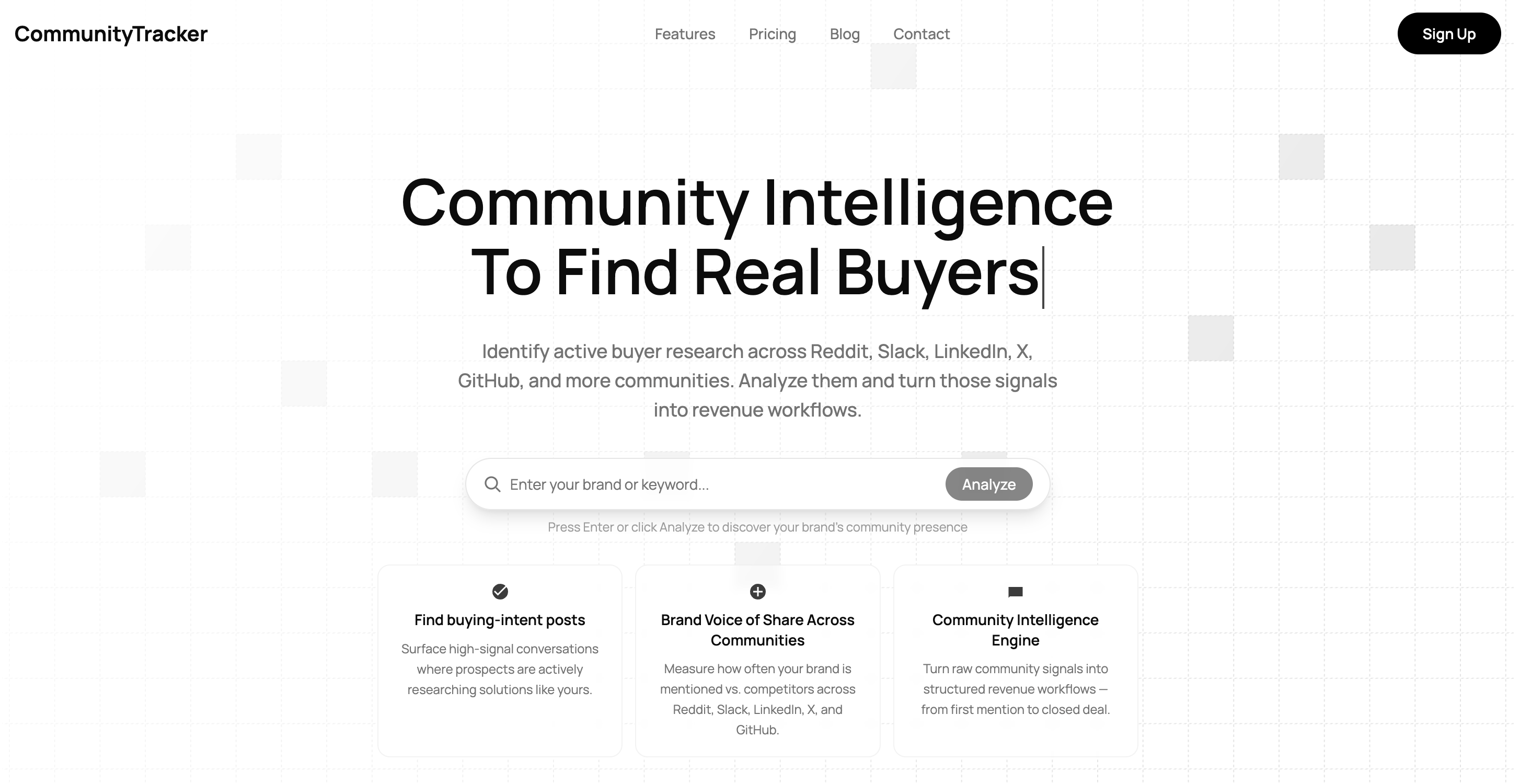
If I care about MCP specifically, CommunityTracker is the strongest fit on this list for one reason.
It is the clearest match between the server and the actual job most GTM teams want done.
The job is not “let me inspect more mentions through an AI assistant.”
The job is:
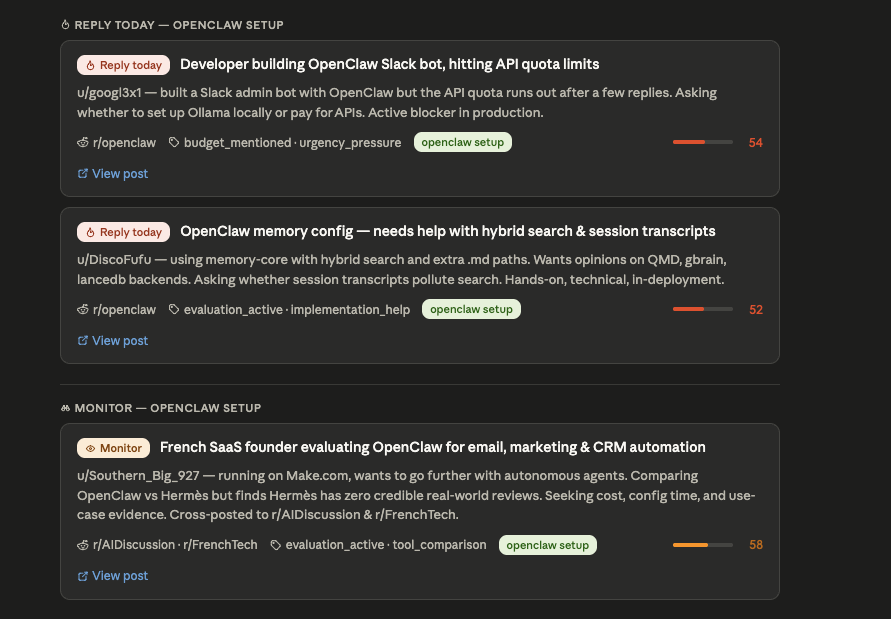
find live recommendation threads
catch competitor comparisons before they go stale
surface pain-point discussions that map to your product
identify which conversations deserve response, content, or outreach
That sounds obvious, but it is not how most social listening products are built.
A lot of tools still treat MCP like a conversational wrapper around a feed of mentions.
CommunityTracker.ai makes more sense because the underlying product is already built around commercial relevance.
That matters at the MCP layer.
If I connect CommunityTracker to an assistant, the assistant is not just asking “what was said?”
It can ask better questions, such as:
“Show me buyer-intent conversations from Reddit and LinkedIn in the last 7 days.”
“Which competitor appears most in evaluation threads?”
“Find posts where users are frustrated enough that outreach or content would be useful.”
“Summarize what people dislike about competitor X.”
“What conversations should demand gen care about this week?”
That is a meaningful MCP workflow.
Why CommunityTracker's MCP layer actually works#
1. The assistant has something useful to optimize for.
This is the biggest advantage. CommunityTracker is already centered on intent, competitor visibility, and action. So the MCP layer inherits a better frame than a generic monitoring tool would.
2. It works well for non-technical GTM teams.
A lot of MCP tools are technically capable but practically awkward. CommunityTracker is easier to justify if the end user is a founder, marketer, PMM, or demand gen lead, not just a technical operator.
3. It closes the gap between discovery and action.
That is the part that matters most. A useful MCP server should help your assistant narrow the list to the conversations that deserve attention now.
Best fit: pipeline signals and competitor intelligence#
CommunityTracker wins when the outcome you want is:
pipeline signals
content angles from real conversations
faster GTM response to community activity
That is why it feels like the most complete answer for most SaaS teams.
Pricing#
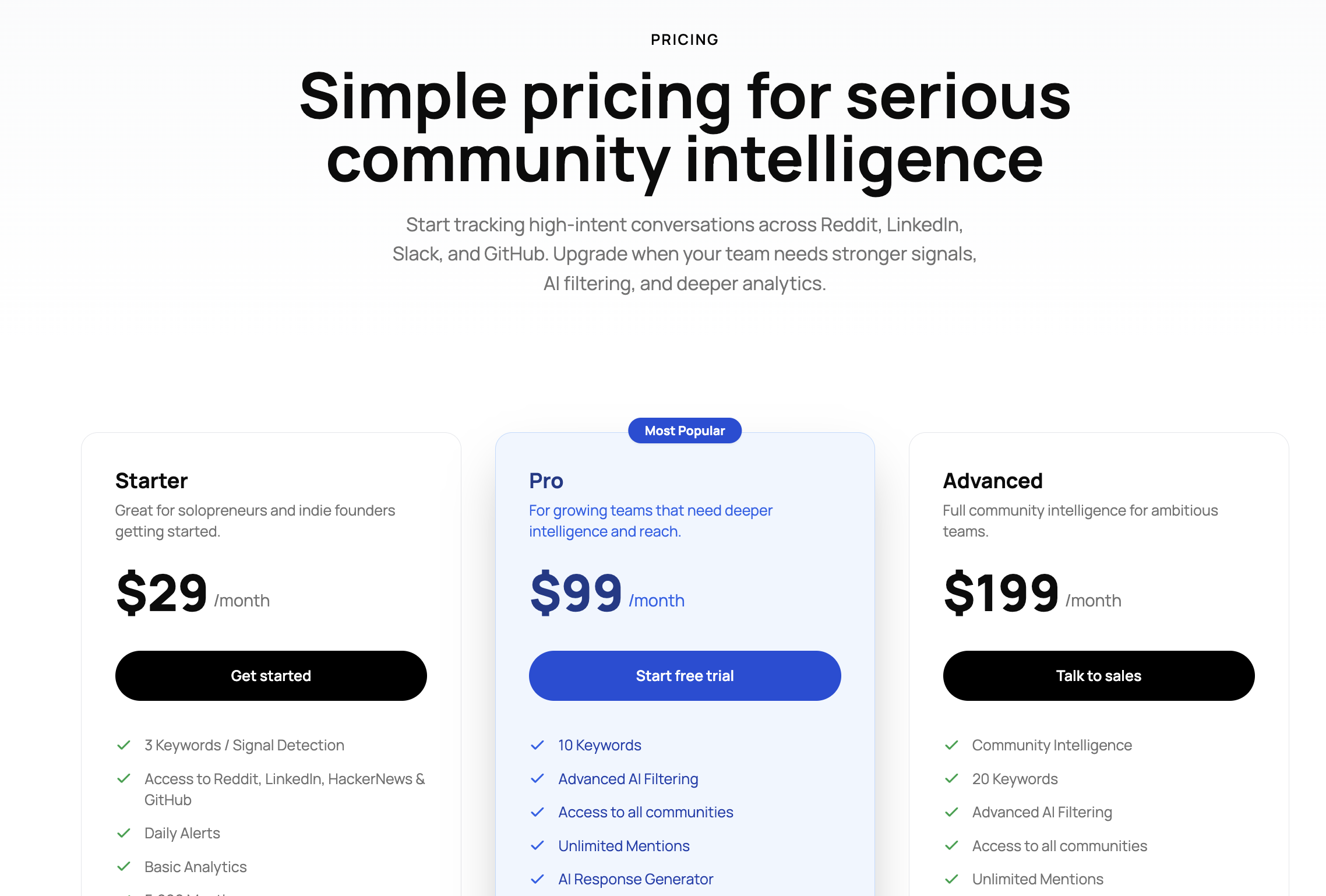
CommunityTracker starts at $29/month.
That is important because a lot of seed-stage teams are not deciding between five enterprise tools. They are deciding between a lightweight system and manual searching.
At that price, the question is simple: does the MCP workflow help the team catch even one conversation they would have missed manually? If yes, the plan is easy to justify.
10 Best LinkedIn Social Listening Tools For Marketing Teams in 2026
2. Octolens#
Best for technical teams that want broad coverage and MCP out of the box
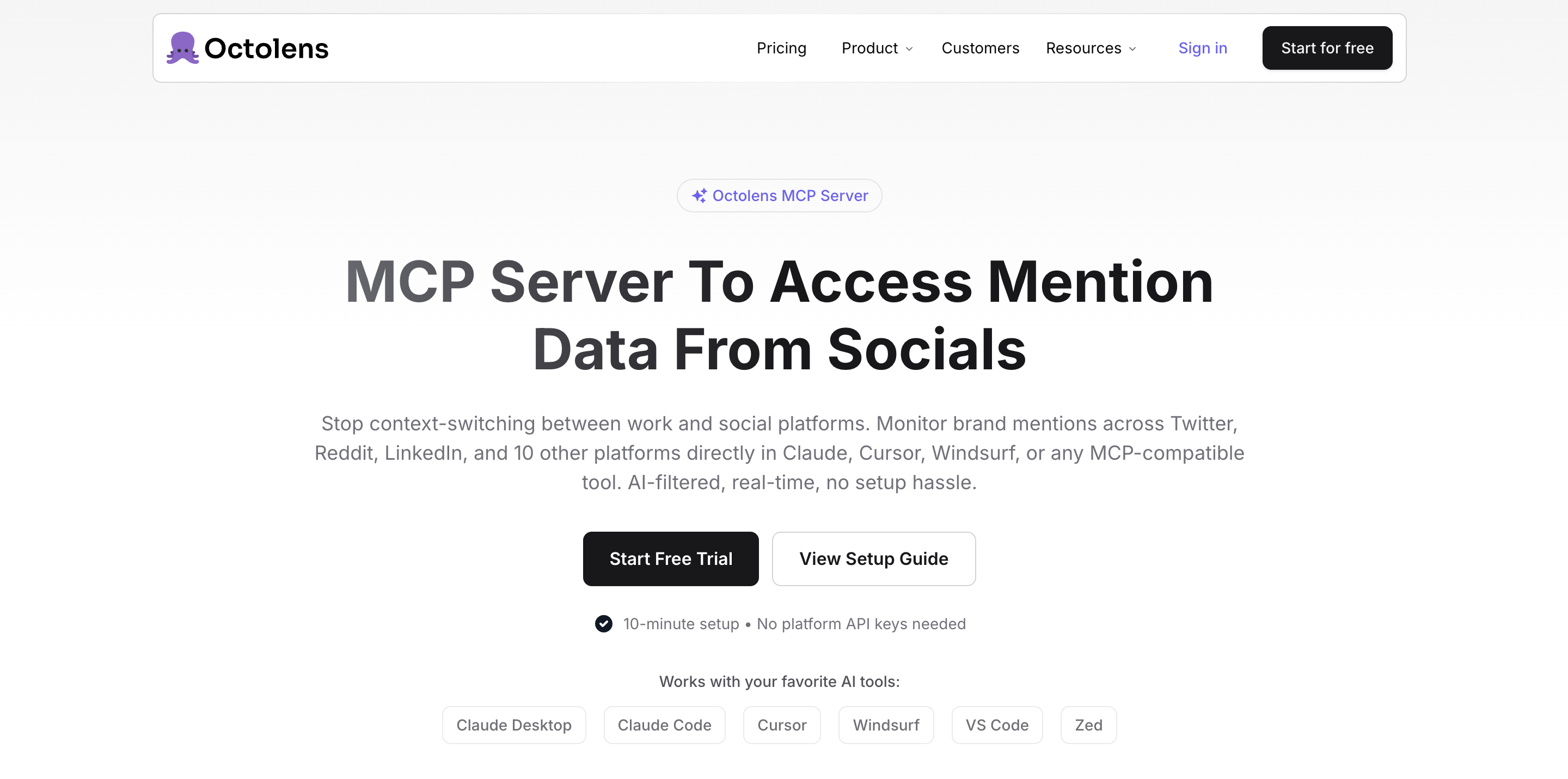
Octolens is the easiest tool on this list to recognize as an MCP product.
It clearly wants users to think in terms of “connect your social data to Claude, Cursor, ChatGPT, or another assistant, then ask questions directly.”
So if you connect Octolens to an ai assistant, the useful MCP queries look like this:
“What did developers complain about most this week?”
“Show me GitHub, Hacker News, and Reddit mentions of competitor X.”
“Which product pain points are showing up across technical communities?”
“Create a daily digest of relevant mentions for the product team.”
Why the MCP layer is useful here#
1. It makes broad mention data more workable.
Octolens has enough source coverage that natural-language querying actually becomes useful.
2. It fits AI-native technical workflows.
If a team already works with MCP, API, and webhook-based automation, Octolens fits that operating style well.
3. It is better for asking cross-source questions than many lightweight tools.
That matters for devtools, infra, and technical SaaS, where the conversation is fragmented.
Octolens Limitations #
The weakness is not access. The weakness is prioritization.
Octolens is good at giving an assistant data. It is less convincing when the team needs the assistant to distinguish which conversations are commercially urgent.
So the MCP layer is strong for:
research
digests
monitoring
technical workflow automation
It is weaker if your main question is:
“Which 3 conversations should my GTM team act on today?”
That is where CommunityTracker is stronger.
Pricing#
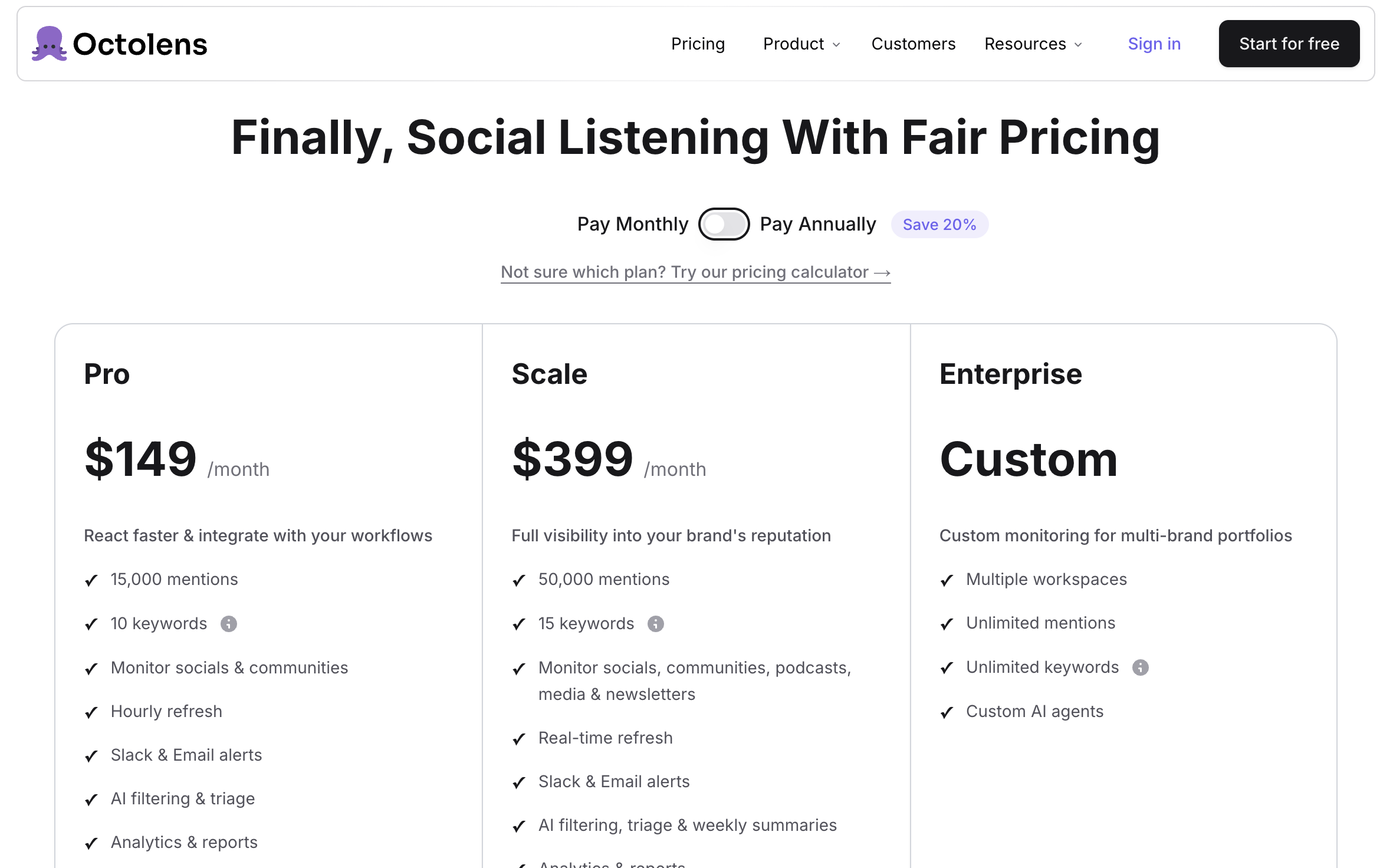
Octolens starts at $119/month for Pro and goes up to $319/month for Scale.
That is not cheap, so the MCP server has to earn it.
If your team will actually use broad multi-source monitoring through assistants, API flows, and automations, the price is understandable.
If you mainly want a better way to surface a handful of high-intent buyer conversations each week, the value story is less clean.
Related Read: 7 Best Octolens Alternatives & Competitors To Monitor Communities in 2026
3. Syften#
Best MCP server for lean operator workflows
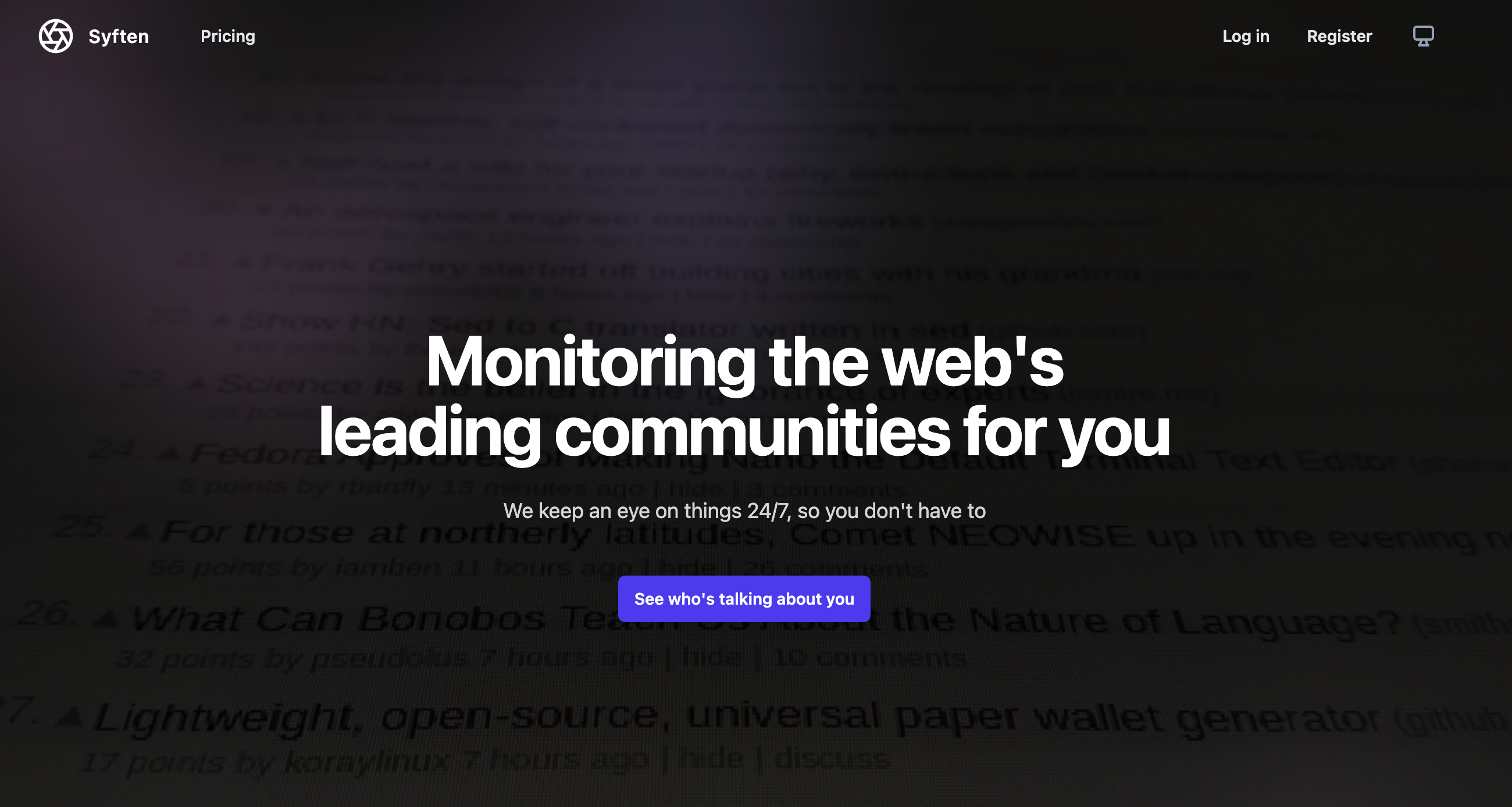
Syften is not flashy, but it is one of the more interesting MCP additions because the underlying product is already useful in a very specific way.
Syften is good at fast community monitoring across places like Reddit, Hacker News, Slack communities, GitHub, Indie Hackers, forums, YouTube, podcasts, newsletters, and more.
Its MCP value is not “deep AI intelligence.”
Its MCP value is “give my assistant a fast, wide, community-level alert layer.”
In practice, the assistant can do things like:
“Pull fresh Reddit mentions from the last 24 hours.”
“Filter these alerts down to only posts about competitor pricing.”
“Summarize the top recurring themes from community chatter this week.”
“Create a founder digest of the only alerts worth reading.”
That is useful, especially for small teams.
Why the MCP layer works#
1. Syften is already good at finding community mentions quickly.
MCP makes those results easier to interrogate without living in the product.
2. It fits founder/operator usage well.
A founder does not always want another dashboard. An assistant-generated daily digest is a better interface.
3. It is cheap enough to experiment with.
That matters more for MCP than people admit. Teams are more willing to try assistant-first workflows when the underlying tool is not expensive.
Syften limitations#
The biggest one is still LinkedIn.
For B2B SaaS, that gap matters a lot.
So the MCP is good if your market is shaped heavily by Reddit, forums, GitHub, Hacker News, or niche communities.
It is less complete if LinkedIn is central to your category.
That is the main reason it does not beat CommunityTracker for most B2B teams.
Pricing#
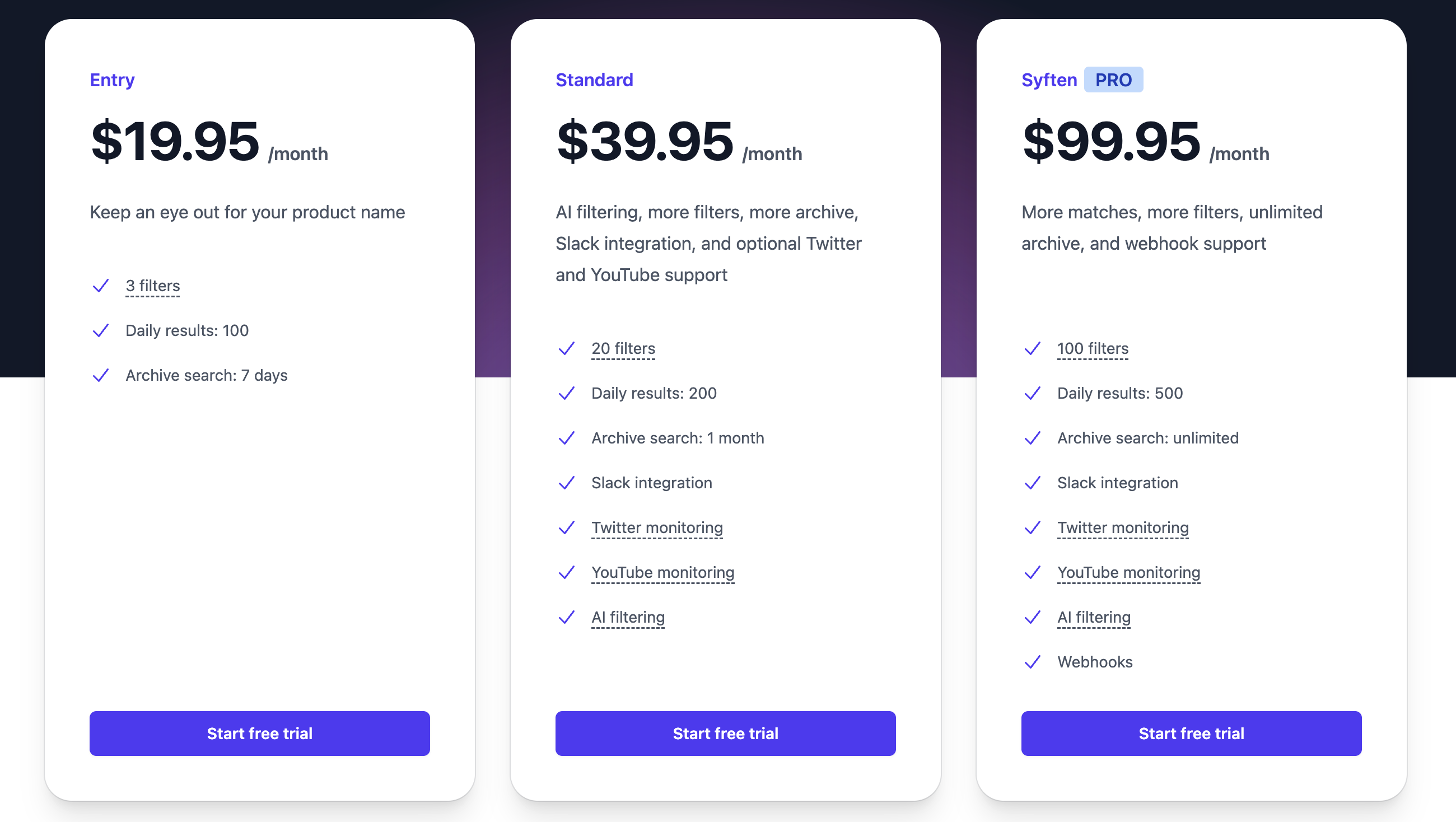
Syften is priced at:
Entry: $19.95/month
Standard: $39.95/month
Pro: $99.95/month
For a small team that wants assistant-driven community digests and fast alert filtering, that is very reasonable.
4. Trigify CLI / MCP#
Best MCP server if you want social data to feed outbound
Trigify is the least “classic social listening” tool on this list.
That is also why it is worth including.
Most social listening MCP workflows are about asking an assistant to summarize mentions.
Trigify is more interesting when the question becomes:
who engaged with content around this topic?
which people or accounts should we care about?
can we use social activity as a prospecting signal?
That is a different use case.
The MCP server matters here because it lets the assistant work more like a signal researcher than a mention summarizer.
Instead of only asking:
“what posts mentioned X?”
you can ask:
“who engaged with posts about cold email deliverability?”
“which accounts interacted with content tied to this pain point?”
“pull likely prospect signals from these topic clusters”
That is not broad listening. It is sales signal intelligence.
Why the MCP layer is different here#
1. It is closer to prospecting than monitoring.
That makes it more useful for outbound and RevOps than for standard brand monitoring.
2. The CLI + MCP shape is not accidental.
This is a product for teams that want operational workflows, not just dashboards.
3. It gives the assistant a richer role.
Instead of just summarizing mentions, the assistant can help identify who matters.
Trigify limitations#
If you want an assistant to tell marketing which community conversations should become content, or which competitor threads should be watched across broad communities, Trigify is not the cleanest fit.
It wins only when the social listening job is tightly tied to outbound or signal-based prospecting.
Pricing#
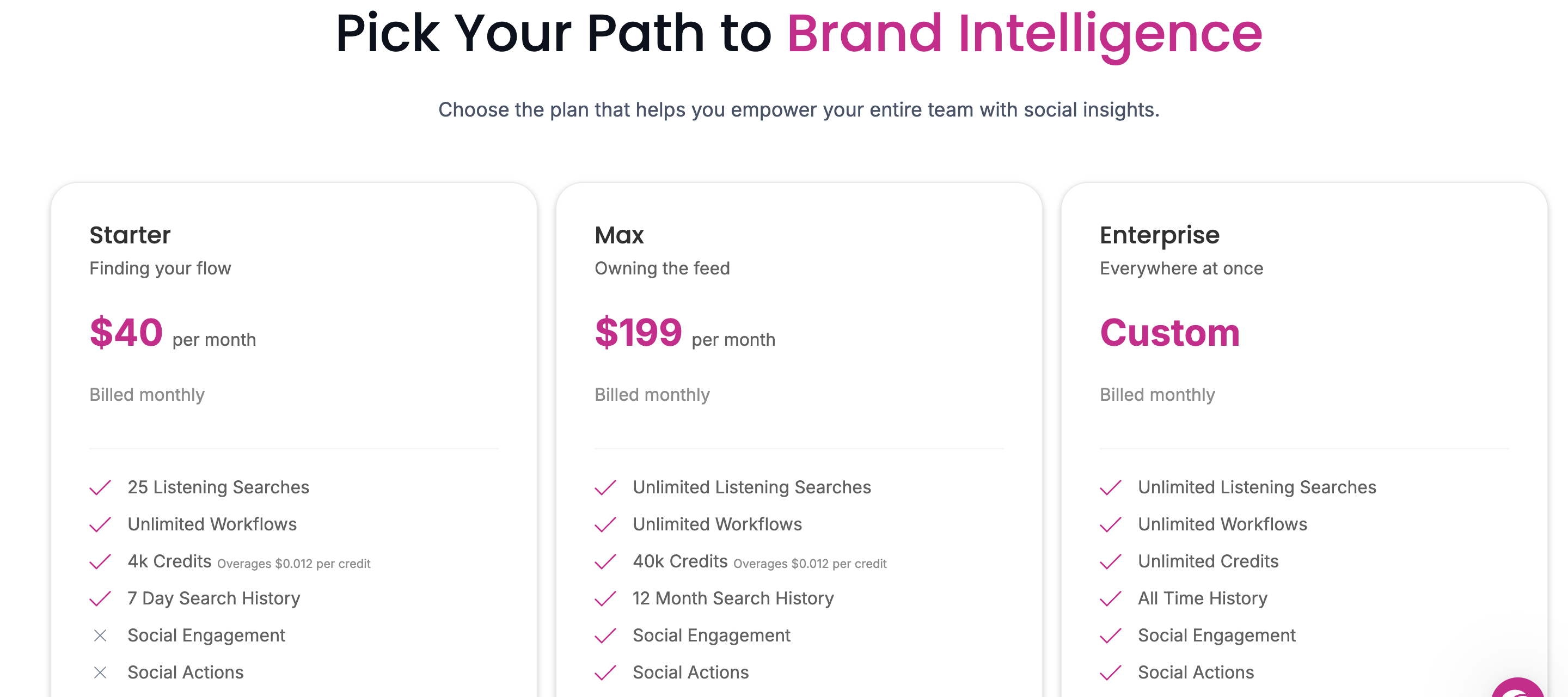
Trigify pricing is:
Starter: $40/month
Max: $199/month
Enterprise: custom
Starter is enough to test the workflow.
Max is where it starts behaving like a serious operating layer.
5. Sprout Social MCP Server#
Best MCP server for teams already deep in the Sprout ecosystem
Sprout’s MCP server is the easiest one here to misunderstand.
If you are a SaaS founder looking for a focused social listening MCP stack, this is probably not your best choice.
But if your team already runs social operations inside Sprout, then the MCP server becomes useful in a different way.
It lets an assistant interact with:
listening topics
inbox messages
analytics
publishing workflows
cases and support-style workflows
So the MCP use case is not mainly “find me buyer-intent threads across fragmented communities.”
It is more:
“Summarize what is happening across our listening topics.”
“What themes are trending this week?”
“Draft a post based on the topics we are seeing.”
“Pull analytics, inbox signals, and listening data into one assistant workflow.”
That is useful, but it is a different category of usefulness.
Why the MCP layer works here#
1. It reduces dashboard friction inside a big system.
That is the real win.
2. It gives large marketing teams a conversational layer over an existing stack.
If the team already uses Sprout heavily, that matters.
3. It is broader than just listening.
That can be a strength if the team wants AI access across publishing, inbox, and analytics too.
Sprout Social limitations#
For most early-stage SaaS teams, Sprout is too heavy.
You do not need a full enterprise social stack just to let an assistant surface competitor comparisons or recommendation threads.
So while the MCP layer is useful inside Sprout, it is not the best fit for the core social listening MCP use case most startups care about.
Pricing#
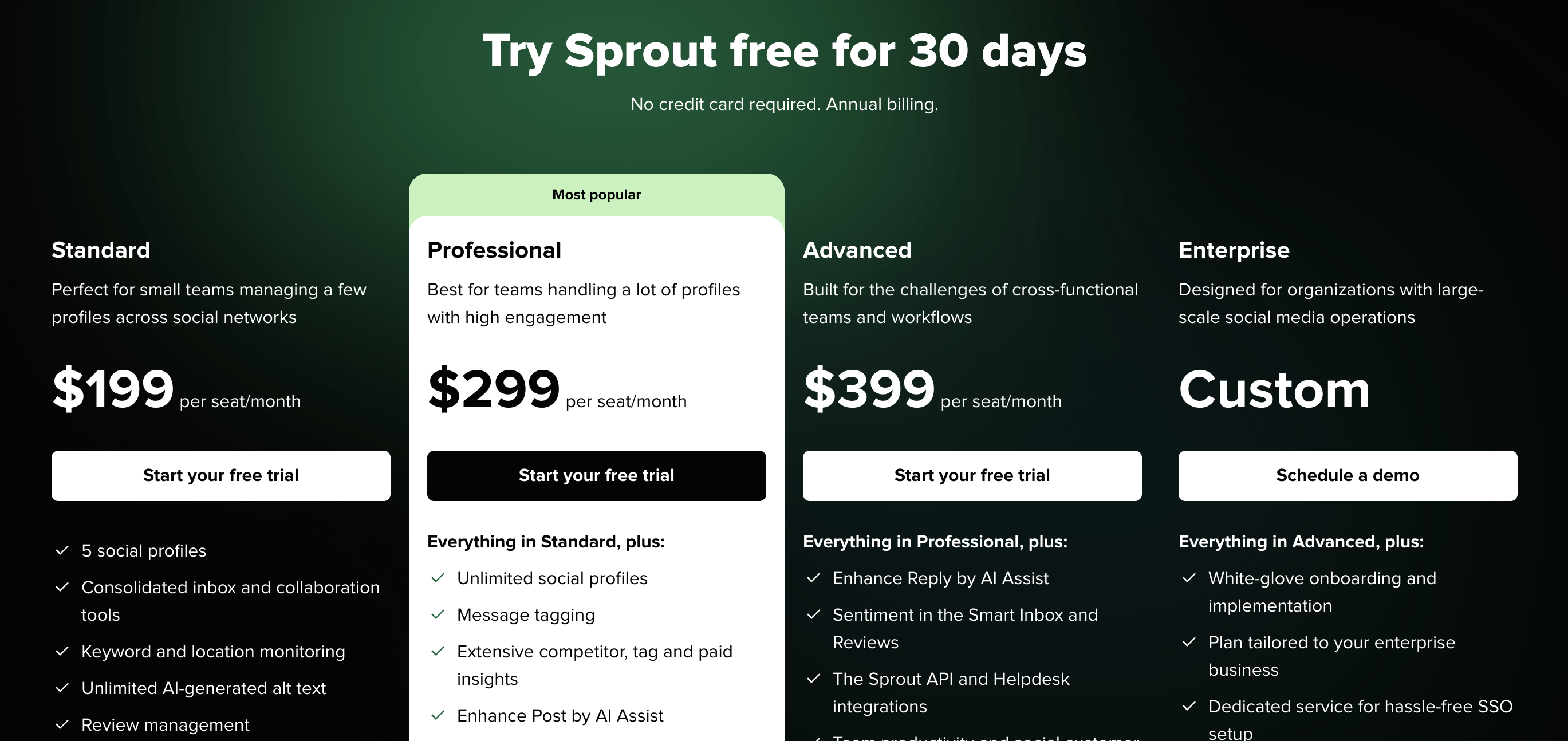
Sprout pricing starts at:
Standard: $199 per seat/month
Professional: $299 per seat/month
Advanced: $399 per seat/month
Enterprise: custom
That pricing only makes sense if you already need the full platform.
If you are mainly trying to build assistant-driven social listening workflows, there are much cleaner options.
Which one should most teams choose?#
For most SaaS teams, the answer is simpler than it looks.
If your assistant needs to help you find:
recommendation threads
competitor comparisons
pain-point discussions
content opportunities
conversations worth acting on now
then CommunityTracker is the strongest MCP fit.
If your workflow is highly technical and broad-source monitoring matters more than GTM prioritization, Octolens is a serious option.
If you want a cheap, lean community-alert layer your assistant can summarize each day, Syften is still a smart choice.
If you care more about using social data for outbound and prospecting signals, Trigify is the most distinct option here.
And if your team already lives inside Sprout, the Sprout MCP server is useful, but mainly because it reduces friction inside a platform you already pay for.
If your team keeps finding buying conversations too late, see how CommunityTracker turns community signals into pipeline actions.
Conclusion#
The right way to evaluate these is not:
“Which social listening tools have MCP?”
It is: “Which MCP server actually gives my assistant a useful job?”
That is the real test.
If the assistant can only fetch mentions, you have not changed much.
If the assistant can identify signal, compare competitors, summarize patterns, and tell the team what deserves action, then MCP becomes meaningful.
That is why CommunityTracker comes out ahead for most SaaS teams.
It is the clearest answer to the actual workflow people want: turning fragmented community conversations into something your GTM team can use.
Schedule for a demo of CommunityTracker and I'll set you up for a trial.
FAQs#
1. What is an MCP server for social listening?
It's a layer that lets an AI assistant query your social listening tool in plain language, so you ask questions instead of digging through a dashboard.
2. How is MCP different from just using a tool's API?
An API still needs precise fields and manual filtering. A good MCP server lets the assistant work in natural language and return signal, not just data.
3. Which MCP server is best for B2B SaaS teams?
CommunityTracker, for most GTM teams. Octolens suits technical teams; Trigify fits outbound and prospecting.
4. Why isn't the tool with the most features the best pick?
For early-stage teams, the best MCP server reduces decision fatigue. It narrows conversations to what matters now instead of exposing more data.
5. What's the main limitation of Syften?
No LinkedIn monitoring, which is a real gap for B2B categories.
6. Is the Sprout MCP server worth it for startups?
Usually not. It's useful if you already run on Sprout, but too heavy and expensive otherwise.
7. How should I evaluate these tools?
Don't ask "which tools have MCP?" Ask "which MCP server gives my assistant a useful job?"