If you are trying to track competitors on social media, chances are you are not just looking at their posts anymore.
You are trying to figure out what is actually working for them.
You may not have a major issue with your current strategy. But once you start comparing your results with competitors, a few questions come up:
Why are their posts getting more engagement than yours?
What kind of content is actually working in your niche?
How are they growing faster on the same platforms?
What are they doing differently in their campaigns?
Why do audiences respond to them more?
That’s usually where most teams get stuck.
I’ve seen this a lot while working on outbound and content strategies. Even after tracking competitors regularly, the insights are unclear because most tools only show surface-level data. You see numbers, but not the reasons behind them.
In this guide, I’ll break down 7 simple ways to track competitors on social media in 2026, so you can understand what is actually driving their results and use those insights in your own strategy.
TL;DR: How to Track Competitors on Social Media (7 Proven Ways)#
To track competitors on social media effectively, focus on both what they post and how their audience responds.
Here are the 7 proven ways:
Use social listening to track mentions, conversations, and trends
Track how often competitors post and when they are most active
Analyze what content they post (formats, topics, and themes)
Monitor engagement metrics like likes, comments, and shares
Track follower growth and audience trends over time
Monitor competitor mentions, tags, and hashtags
Analyze competitor ads and campaign strategies
These methods help you understand not just competitor activity, but what is actually working and why.
What Does It Mean to Track Competitors on Social Media?#
Tracking competitors on social media means watching where they are active, what they post, and how their posts perform. It includes checking how often they post, which posts get more likes or comments, and what kind of content they keep repeating.
It also means understanding how people react to them. You look at comments, shares, and discussions to see what people like, what they don’t like, and what they are asking for.
Over time, this helps you see patterns. You start to understand what is working for them, what is not, and what you can do better in your own content and strategy.
Turn real buyer conversations into LinkedIn content that actually performs.
Key Metrics to Track in Competitor Analysis#
To track competitors properly, you need to focus on specific metrics instead of just scrolling through their profiles.
Once you shortlist 4-5 competitors, these are the key things you should track:
Audience size shows how many followers they have and how big their reach is.
Engagement includes likes, comments, shares, and views on each post, which shows how people are reacting.
Posting frequency shows how often they post and at what time, which helps you understand their consistency.
Content analysis shows what type of content they post, like reels, videos, or carousels, along with their captions and hashtags.
Top-performing posts help you identify which posts get the most attention and what is common between them.
Social media growth shows how fast they are gaining or losing followers over time.
Tracking these metrics regularly makes it easier to compare performance and understand what is actually working for competitors.
7 Proven Ways To Track Competitors on Social Media in 2026#
Now that you understand what competitor tracking means and which metrics to focus on, the next step is to apply it in the correct way.
Below are 7 proven ways you can use to track competitors on social media and understand what is actually working in your market.
1. Track Competitors Using Social Listening and Community Insights#
Most teams track competitor posts on social media.
But that doesn’t tell you why people choose them.
The real insights come from conversations happening outside their profiles, where people ask for recommendations, compare tools, and share real problems.
Tracking competitors this way means looking at:
posts where people ask “best tool for…”
comparison discussions like “X vs Y”
threads where users share complaints or feedback
places where competitors are being recommended
These conversations happen across platforms like Reddit, LinkedIn, Slack communities, X, GitHub, Product Hunt, and Stack Overflow, many of which influence social media trends and decisions.
Instead of checking each platform manually, tools like CommunityTracker.ai bring these conversations into one place and highlight the most important ones.
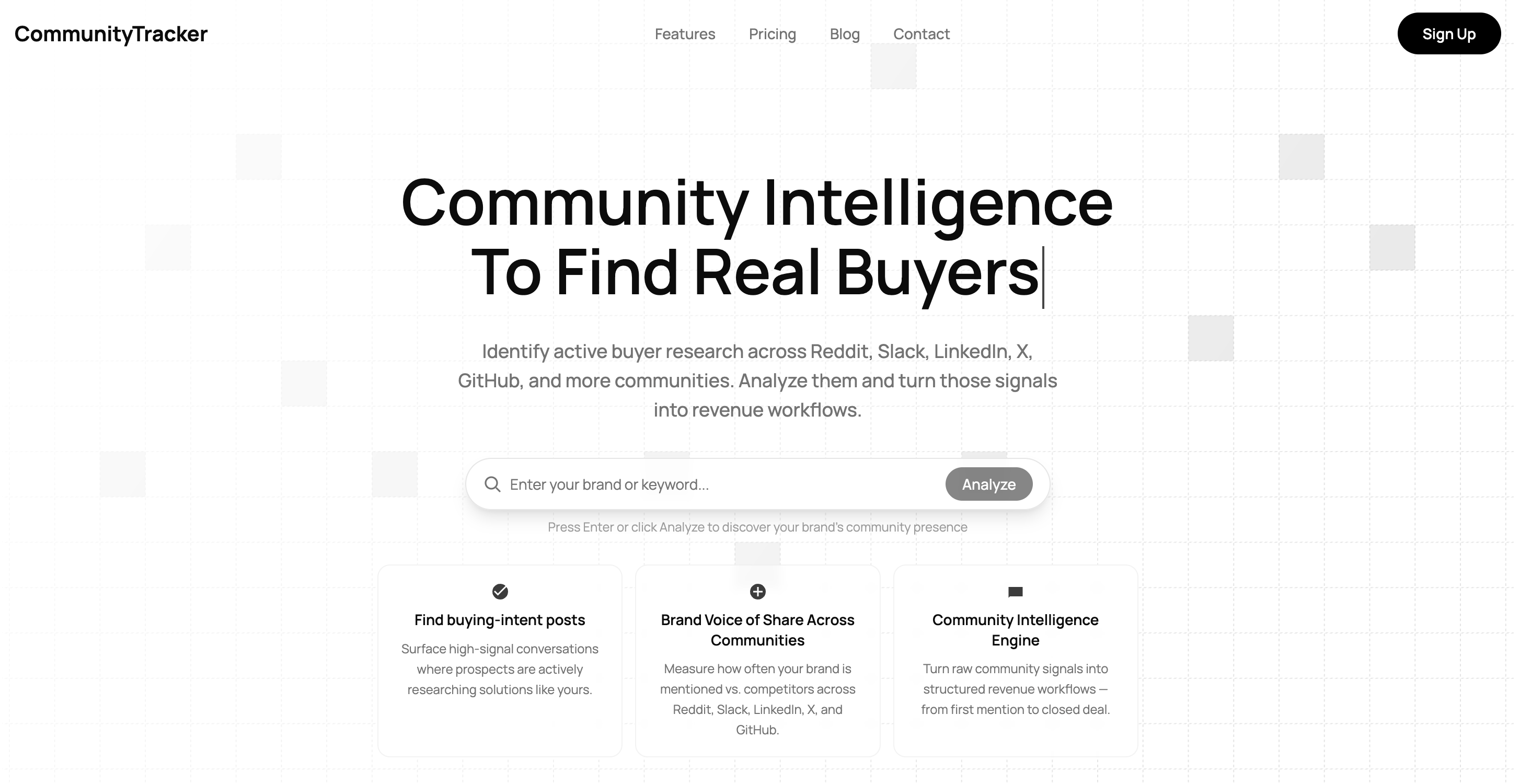
The key difference is that it focuses on high-intent signals rather than random mentions. This means you can:
find people actively looking for alternatives to your competitors
see exactly why users prefer one tool over another
identify gaps in competitor products from real feedback
catch trends early while conversations are still active
act quickly by turning these signals into content, replies, or outreach
For example, if multiple users are asking for an alternative to a competitor because of a specific problem, you can respond in that moment or create content around it before others do.
This way, you are not just tracking competitors.
You are tracking how decisions are shaped around them, and using that to improve your own strategy.
2. Track Competitor Posting Frequency on Social Media#
Tracking posting frequency means checking how often competitors post and when they are most active on each platform. It helps you understand their consistency and timing.
For example, you can see:
how many posts they publish per week on LinkedIn or Instagram
whether they post daily or only a few times a week
what time they usually post
which platform they are most active on
You can track this manually by visiting their profiles, but it becomes difficult when you are tracking multiple competitors.
Tools like Social Blade help you track posting activity and account growth over time.
Tools like BuzzSumo help you analyze which posts get the most engagement, so you can connect frequency with performance. These tools help you identify patterns.
For example, if a competitor posts every weekday at a similar time and those posts get consistent engagement, that pattern is likely working.
This helps you decide:
how often you should post
when you should post
which platform needs more focus
Instead of guessing your posting schedule, you can base it on what is already working in your niche.
3. Analyze Competitor Content Types and Formats#
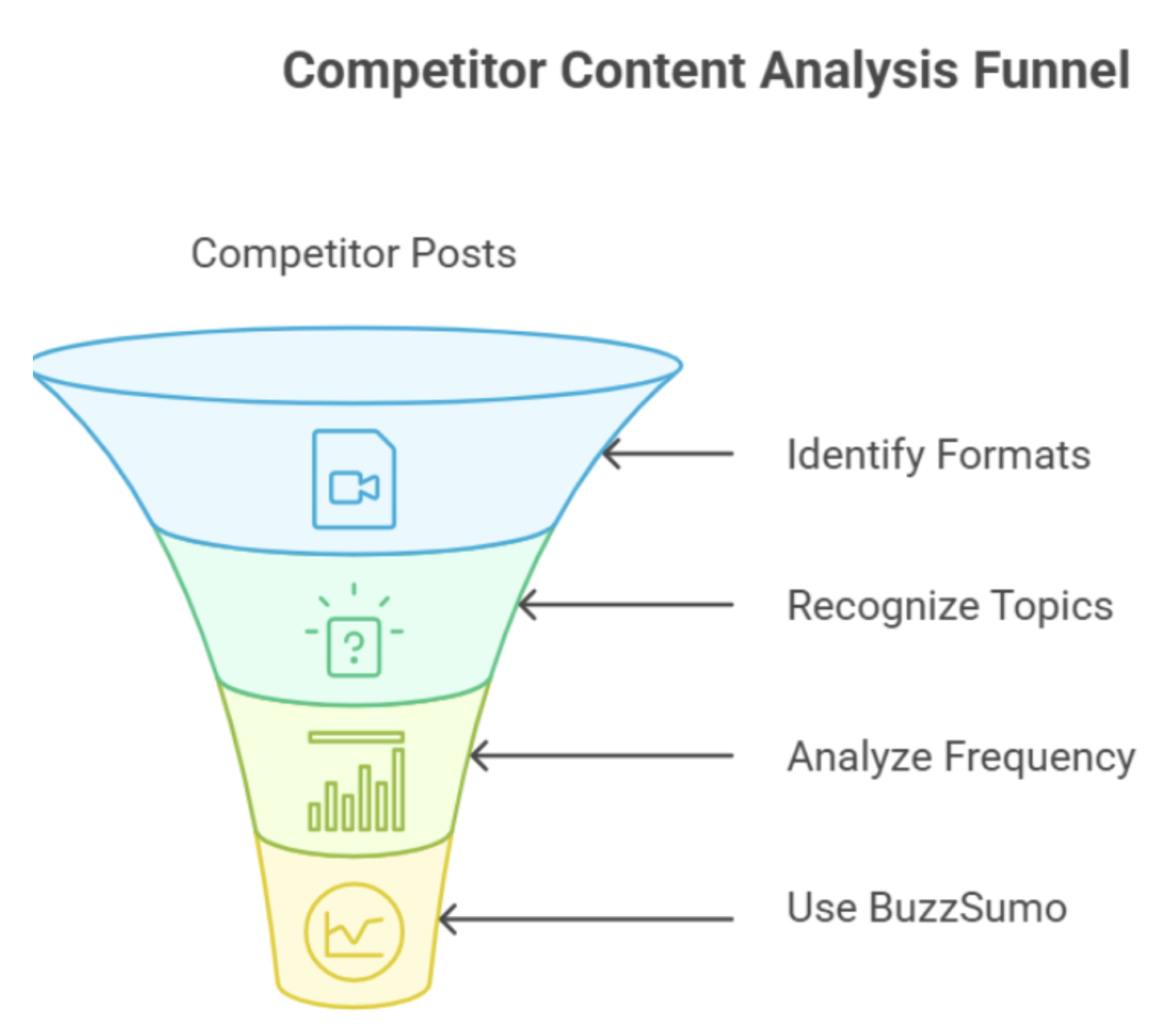
This step is about quickly understanding what kind of content competitors are using. Start by checking their recent posts and note:
what formats they use most (videos, reels, carousels, text posts)
what topics they repeat
which formats appear more often
You can use BuzzSumo to find top-performing content and see which formats get the most attention. The goal is simple to identify patterns like:
competitors using videos more than images
repeated topics like tutorials, comparisons, or tips
This helps you focus on formats and topics that are already working instead of guessing what to post.
4. Monitor Competitor Engagement Metrics#
Engagement metrics show how people respond to competitor content. This includes likes, comments, shares, views, and overall interaction on posts. These numbers help you understand which content is actually getting attention.
Instead of checking posts manually, you can use tools to track engagement more clearly.
Tools like Sprout Social and Brandwatch help track engagement, audience response, and brand mentions across platforms.
Social Blade and Phlanx help track follower growth and engagement rates on platforms like Instagram, YouTube, and TikTok.
Over time, this shows clear patterns. Some posts consistently get more engagement, while others do not perform well.
This helps you understand what type of content connects with the audience and what does not, so you can focus on content that actually drives interaction.
5. Track Follower Growth and Audience Trends Over Time#
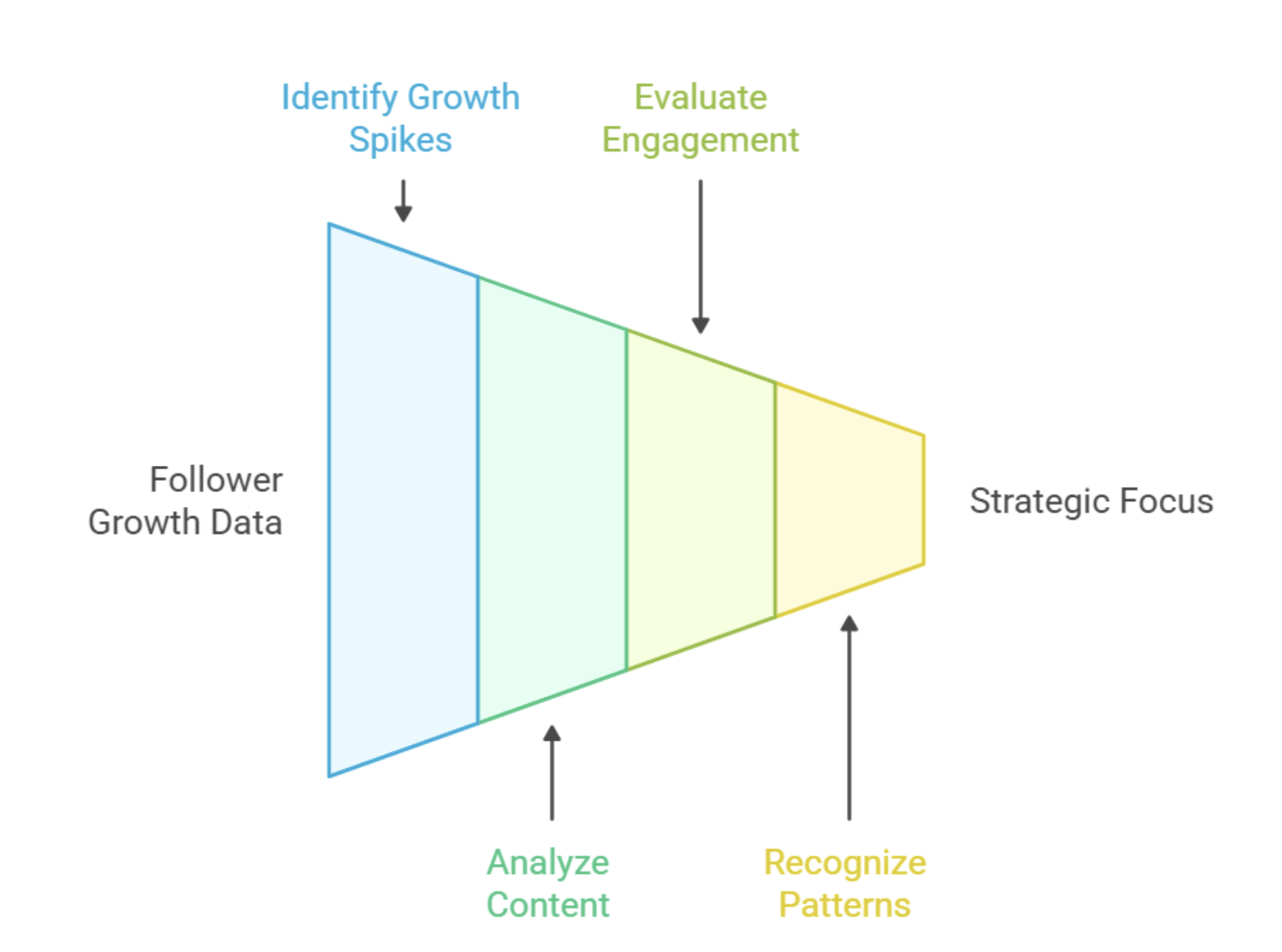
Tracking follower growth means checking how many followers competitors gain or lose daily, weekly, or monthly. This helps you spot when growth happens and what caused it.
For example, if a competitor gains 500-1000 followers in a few days, check:
what they posted during that period
whether they ran a campaign or collaboration
if a specific post got unusually high engagement
Tools like Hootsuite let you track follower growth, engagement, and posting activity across multiple platforms in one dashboard. This helps you connect growth with actual activity.
Over time, you can identify patterns like:
steady growth from consistent posting
sudden spikes from viral content
slow or negative growth during low activity
This helps you understand what is driving audience growth and what is not, so you can focus on strategies that actually increase followers.
6. Monitor Competitor Mentions, Tags, and Hashtags#
To track competitors beyond their own posts, focus on how often they are mentioned, tagged, and discovered through hashtags.
Start by searching their brand name on platforms like LinkedIn, X, Instagram, or TikTok. Check posts and comments where people mention them or talk about them.
Next, look at posts where users tag the competitor directly. These posts often show real usage, feedback, or recommendations.
Then, review the hashtags competitors use in their posts. Pay attention to:
hashtags they use repeatedly
hashtags used in their high-engagement posts
This helps you see where they are getting visibility and which topics or trends they are associated with.
Over time, you can identify:
which platforms they are being talked about the most
which hashtags are helping them reach more people
how often users mention or recommend them
This way, you are not just tracking what competitors post. You are tracking how they are discovered and talked about across social media.
7. Track Competitor Social Media Ads and Campaigns#
Competitors do not rely only on organic posts. A big part of their growth comes from paid ads and campaigns. Tracking this means looking at what they are promoting, how they are promoting it, and how often they run ads.
On social media, you should check:
what type of ads they are running (video, image, carousel)
what offers or messages they are using
how often new ads appear
which platforms they are running ads on
For example, if a competitor keeps running ads around the same offer or message, it usually means it is working for them.
Platforms like Meta Ad Library and TikTok Creative Center let you see active ads from competitors. This helps you understand what they are spending money on and what they are trying to scale.
This gives you a clear idea of what campaigns are important for them and what kind of messaging is driving results.
Best Tools to Track Competitors on Social Media#
To track competitors effectively, using the right tools makes the process faster and more accurate.
Below are some of the best tools you can use to monitor competitor activity on social media.
Tool | Tracks | Best Use |
CommunityTracker.ai | Conversations, mentions, share of voice | Find competitor discussions & buyer intent |
Sprout Social | Engagement, growth, mentions | Monitor overall competitor performance |
Brandwatch | Mentions, sentiment | Track brand conversations |
BuzzSumo | Top content, shares | Find high-performing posts |
Social Blade | Follower growth, activity | Track growth trends |
Phlanx | Engagement rate | Check engagement quality |
Meta Ad Library | Facebook & Instagram ads | Track competitor ads |
TikTok Creative Center | TikTok ads & trends | Analyze ad creatives |
How to Choose the Right Competitor Tracking Tool?#
The right tool depends on what exactly you want to track.
If your goal is to understand content performance and engagement, tools like BuzzSumo or Sprout Social are useful.
If you want to track mentions and brand conversations, tools like Brandwatch can help.
If your focus is on follower growth and account trends, tools like Social Blade are more suitable.
But if you want to understand why competitors are getting chosen, you need to track conversations. This includes:
where people ask for recommendations
where competitors are compared
what users complain about
Tools like CommunityTracker.ai help you track these discussions across platforms and find high-intent signals.
The key is to choose a tool based on the insight you need, not just features.
Conclusion#
Tracking competitors on social media is not just about checking their posts or counting likes.
It is about understanding what is working, how people are responding, and why some competitors are growing faster.
When you track the right things like content, engagement, growth, mentions, and campaigns, you start to see clear patterns. These patterns help you make better decisions instead of guessing.
But most tools only show data.
If you want to understand real conversations, user problems, and where people are comparing competitors, tools like CommunityTracker.ai can help.
It lets you track high-intent discussions across platforms and turn those insights into actions.
Frequently Asked Questions#
1. What is competitor tracking on social media? It means monitoring what competitors post, how their audience responds, and how their presence grows across platforms.
2. Why is it important to track competitors on social media? It helps you understand what is working in your niche so you can improve your content, timing, and strategy.
3. What should I track in competitor analysis? You should track content types, engagement, posting frequency, follower growth, mentions, and campaigns.
4. Which tools can I use to track competitors? Tools like Sprout Social, BuzzSumo, and CommunityTracker.ai help track different aspects like engagement, content, and conversations.
5. How often should I track competitors on social media? Tracking weekly is enough for most cases, but fast-moving niches may require daily monitoring.
6. What is the easiest way to track competitors? Using tools that combine multiple data points in one place makes tracking faster and more accurate.