Can you scrape LinkedIn posts? The short answer#
Yes, you can technically scrape LinkedIn posts. That does not mean LinkedIn allows the method, or that your team should use the data without legal review.
LinkedIn’s own rules are clear on unauthorized automation.

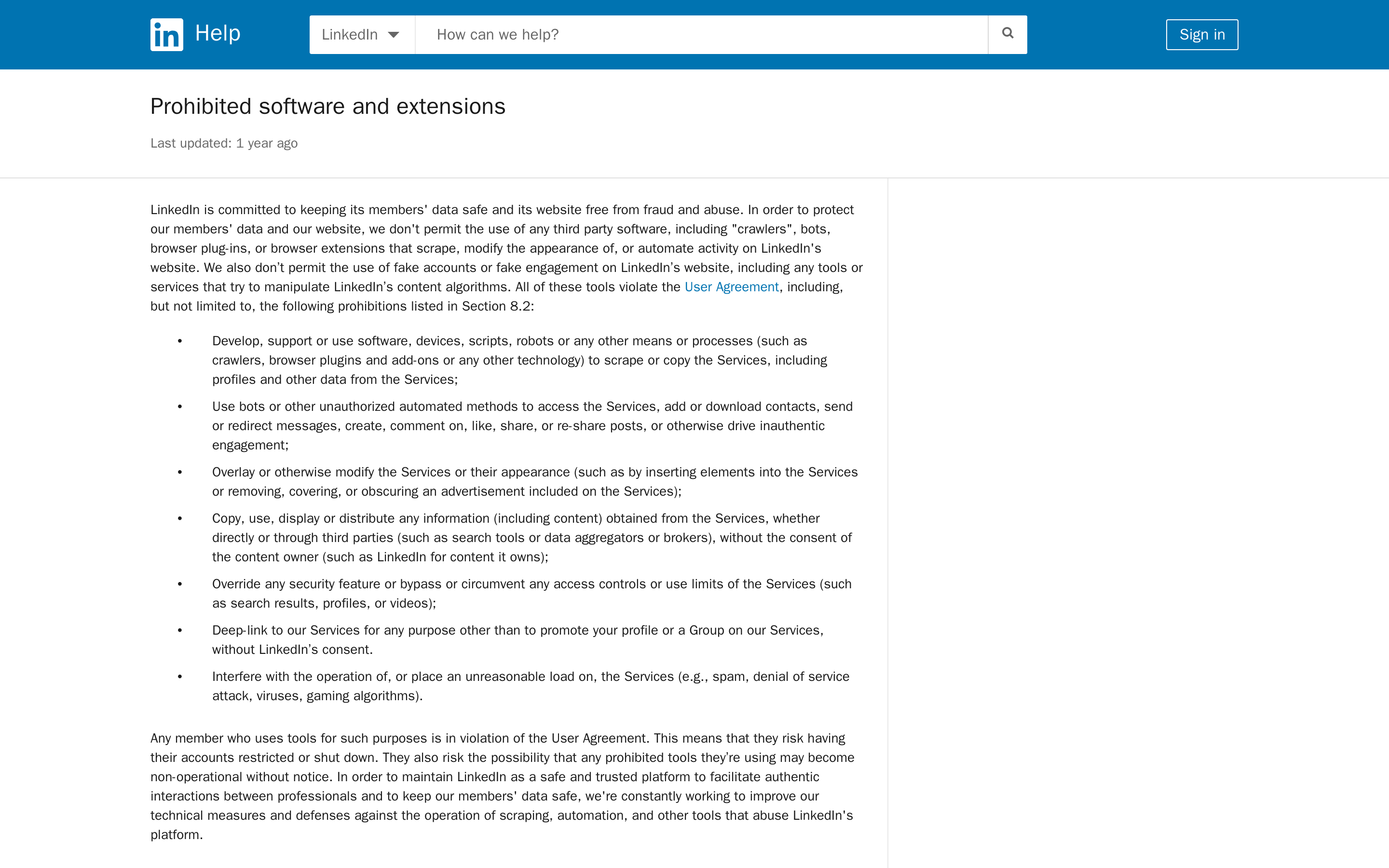
Its help page says LinkedIn does not permit third-party software, crawlers, bots, browser plug-ins, or extensions that scrape, modify, or automate activity on LinkedIn’s website.
It also warns that members using those tools risk account restriction or shutdown. Read the current LinkedIn prohibited software and extensions guidance before you choose any tool.
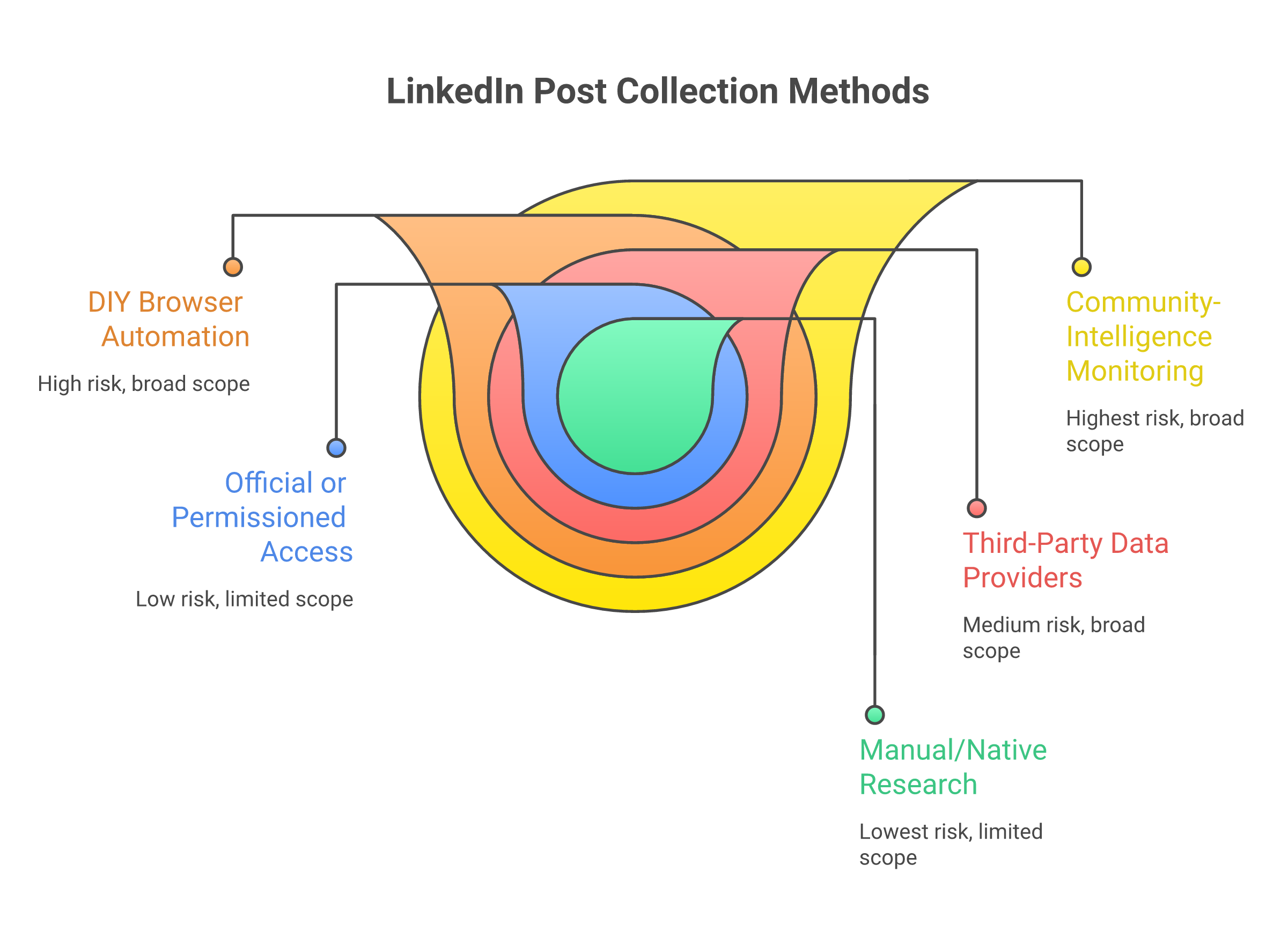
Here are multiple ways to scrape Linkedin:
Manual research and native analytics | Small samples, saved posts, company-page metrics, visible engagement | Low | One-off research, campaign review, founder discovery | You need thousands of records or automated refreshes |
Official or permissioned access | Data allowed through approved APIs, partners, or consented workflows | Low to medium | Compliance-sensitive teams | You need broad LinkedIn feed scraping without permission |
Third-party scraper/API tools | Post text, URLs, author fields, dates, comments, reactions, engagement data | Medium to high | Approved raw datasets with vendor and legal review | You cannot document source, rights, retention, and deletion |
DIY browser automation | Whatever your scripts can reach through pages, sessions, and browser events | High | Engineering experiments in a controlled sandbox | You are using real employee accounts, logged-in data, or bypass tactics |
Community intelligence/social listening | Source-linked signals, mentions, topics, competitor pain, buyer intent | Lower for GTM monitoring | Recurring signal detection and routing | You need bulk raw LinkedIn-derived exports for warehousing or model training |
This article is not legal advice. Treat it as a GTM risk map. If you plan to collect LinkedIn post data at production scale, ask counsel to review the method, the data fields, the vendor, the contract terms, and the retention plan.
The key distinction: public data is not the same as approved use.
The Ninth Circuit’s hiQ decision helped explain why public-site scraping is not automatically a Computer Fraud and Abuse Act violation in that preliminary-injunction context, but it did not erase contract claims, privacy obligations, platform restrictions, or account risk.
The court’s opinion discusses serious CFAA authorization questions for publicly accessible data, while LinkedIn’s contract terms still restrict scraping and copying through software, scripts, robots, crawlers, and other processes. See the Ninth Circuit hiQ opinion and LinkedIn’s current User Agreement.\
Turn real buyer conversations into LinkedIn content that actually performs.
What “scraping LinkedIn posts” usually means#
When someone says they want to scrape LinkedIn posts, they rarely mean one clean data point. They usually mean a bundle:
Post URL
Post text
Post date and timestamp
Author name, headline, user ID, or profile URL
Company page or profile source
Hashtags, links, and media references
Likes, comments, shares, reactions, and engagement counts
Comments and commenter details
Search result position or keyword context
That scope matters. Scraping a post URL, date, text, and topic is one risk profile. Pulling authors, commenters, reactions, profile URLs, job titles, and enrichment data at scale is a different one.
How I evaluated the methods#
I evaluated each LinkedIn post collection method by a simple standard: does it give a GTM team enough signal without creating avoidable account, legal, privacy, or maintenance risk?
The right method depends on the job. A founder checking five competitor posts does not need the same stack as a data team buying 100,000 post records for model training.
Permission and platform risk: Does the method use LinkedIn-approved access, consented access, public pages, logged-in automation, or bypassing technical controls?
Data scope: Does it collect post-level signals only, or also authors, commenters, reactions, profile URLs, and other personal data?
Operational durability: Will the workflow break when LinkedIn changes auth walls, search limits, page structure, or anti-bot defenses?
Compliance workflow: Can you document source, permission, vendor terms, retention, deletion, and data minimization?
Business fit: Are you trying to own raw data, answer a one-time question, monitor trends, or catch buyer intent for sales and marketing action?
The main ways to collect LinkedIn post data#
Manual research and native analytics#
Manual research is boring. It is also the cleanest starting point.
Use it when you need to answer questions like:
Which competitor launch posts got meaningful engagement this month?
What language do prospects use when complaining about onboarding?
Which founder posts are creating category conversation?
Which customer stories get comments from ICP accounts?
You can save posts, review company-page analytics, export what native tools permit, and keep a small research log with source links. This works for one-off research and monthly GTM reviews.
The limit is scale. Manual research falls apart when you need recurring monitoring across many topics, comments, competitors, or accounts. It also depends on humans remembering to check the right places at the right time.
Official or permissioned access#
Official or permissioned access is the lowest-risk path when it exists. The tradeoff is coverage. LinkedIn does not give broad, open access for every post search and feed-monitoring use case a marketer wants.
Use this route when the data comes from an approved API, a partner workflow, your own company page, a consented account flow, or a customer-provided export. It fits compliance-sensitive teams because the source and permission model are easier to explain.
Do not pretend this solves every monitoring problem. If your goal is to watch broad market conversation across LinkedIn, Reddit, GitHub, Hacker News, Slack groups, and niche communities, permissioned LinkedIn access alone will not give you the whole signal map.
Third-party scraper and API tools#
Third-party tools are the easiest way to get structured post data. They are also where teams get sloppy.
Bright Data fits teams that need a managed data product and have the budget and approval process to review vendor terms, data provenance, retention, and intended use. The pricing model makes sense for large record-based jobs because you buy successful deliveries and can set volume expectations.
Apify fits teams that want actor-based workflows: schedule runs, send inputs, export JSON/CSV, and connect to automation systems. The buying question is not just “can the actor return posts?” It is “can we defend the collection method and the data fields we store?”
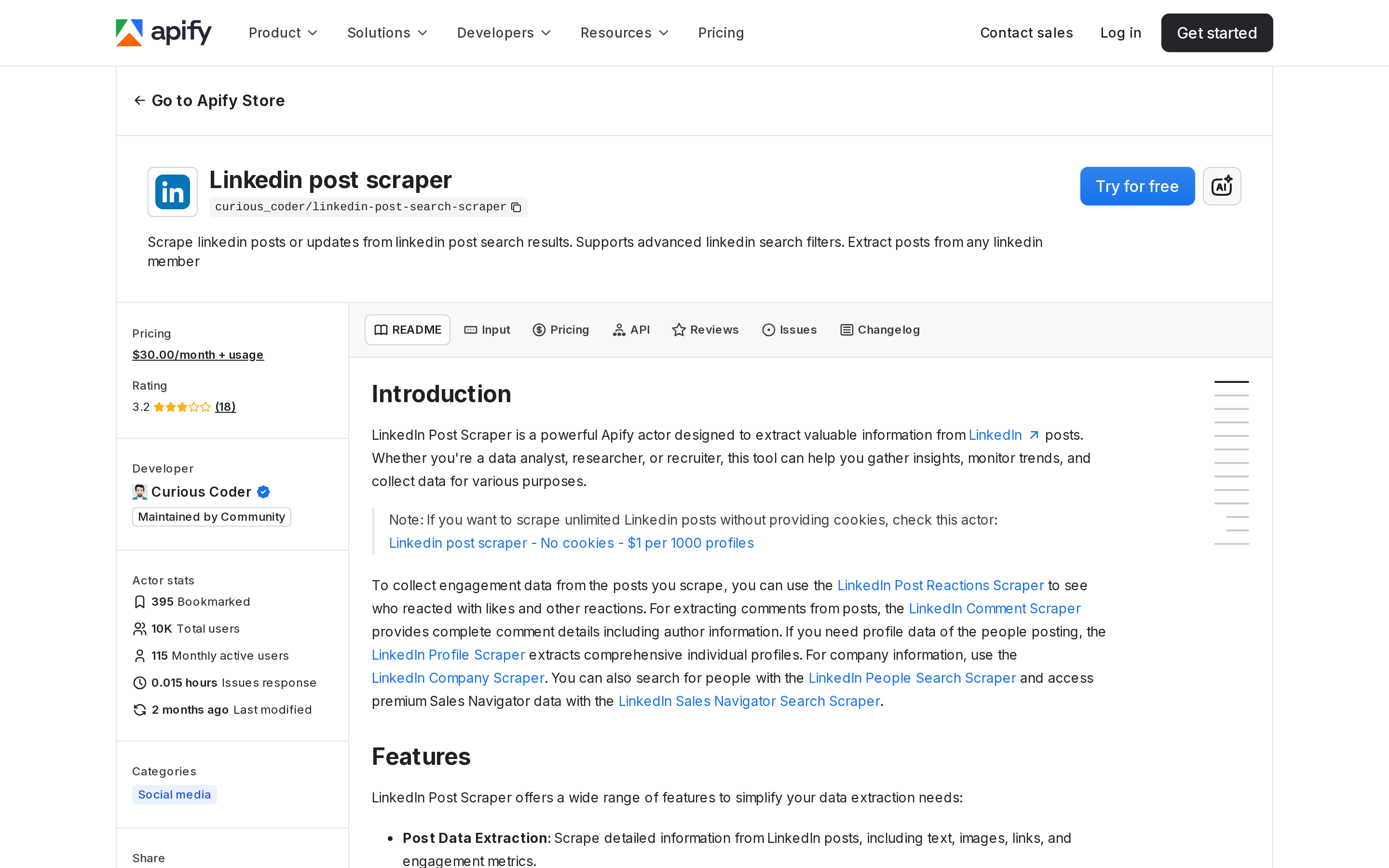
Bright Data or Apify is the better choice when your team truly needs a raw LinkedIn post dataset, has counsel approval, accepts vendor risk, and can document source, retention, and deletion.
DIY browser automation#
DIY scraping looks attractive because you control the code. In practice, it is the most fragile route for most GTM teams.
ScrapFly’s 2026 guide explains why LinkedIn scraping is operationally hard: JavaScript rendering, browser automation, proxies, anti-bot defenses, request fingerprints, and detection systems all matter.
Its own product material points to anti-bot bypass, rotating residential proxies, browser rendering, and full browser automation as infrastructure concerns.
That is useful for engineers studying scraping architecture, but it is a warning sign for marketers who just want pipeline signals.
I would avoid DIY browser automation for recurring GTM monitoring unless legal, security, and engineering all sign off.
Do not run scripts through real employee accounts. Do not automate likes, comments, shares, connection actions, or message workflows. LinkedIn’s prohibited software guidance specifically calls out unauthorized automation for accessing services, downloading contacts, creating or reacting to posts, and inauthentic engagement.
Community intelligence and social listening#
If the business goal is “find relevant conversations and route the next action,” raw scraping is often the wrong tool.
A founder wants to know whether prospects are complaining about a competitor’s onboarding. They need the posts, yes, but more importantly they need:
The source link
The topic
The account or community context
Whether the complaint signals buying intent
Who should act next
Whether the signal belongs in sales, product marketing, support, or content
That is a community-intelligence workflow. You are not trying to own every LinkedIn-derived field. You are trying to catch the signal while it still matters.
CommunityTracker fits that job when a B2B SaaS team wants recurring buyer-intent monitoring across LinkedIn, Reddit, X, Slack, GitHub, Hacker News, Indie Hackers, Dev.to, Stack Overflow, Product Hunt, and other communities.
CommunityTracker is framed around buyer-intent detection, AI scoring, Slack alerts, share of voice, and next-action workflows across B2B communities.
Do not choose CommunityTracker if your team needs bulk raw LinkedIn post, comment, and reaction exports for data warehousing or model training. Use a vetted data provider and legal review for that. Choose CT when the job is signal discovery to GTM action.
Tools people use for LinkedIn post scraping#
This is not a generic tool ranking. The right option depends on whether you need raw data, a technical scraper, or a signal workflow.
Bright Data LinkedIn Posts Scraper | Large raw datasets with budget and approval | API, datasets, records | Vendor/data-source risk and cost at scale | Terms, provenance, retention, DPA |
Apify LinkedIn post actors | Scheduled actor workflows and exports | JSON/CSV/API runs | Actor limits and LinkedIn rate/platform risk | Actor docs, account risk, stored fields |
ScrapFly | Engineering teams building scraping systems | API/infrastructure | More technical than a marketer needs | Security, legal, anti-bot posture |
Manual/native research | One-off review and low-volume analysis | Notes, source links, native exports | Low scale and manual effort | Data minimization, source links |
CommunityTracker | Recurring buyer-intent and community signal routing | Source-linked signals, alerts, workflows | Not a bulk raw LinkedIn scraper | Platform coverage, signal rules, GTM routing |
The trap is buying a scraper when the business problem is actually routing. If a demand gen lead wants to know which prospects are asking for alternatives this week, the win is not a bigger export. The win is a clean signal, source context, and a next move.
What is actually legal: a risk map, not a yes/no answer#
Do not ask, “Is scraping LinkedIn legal?” as if there is one answer.
Ask five better questions:
Does LinkedIn permit this method under its User Agreement?
Is the data public, logged-in-only, restricted, private, or consented?
Are you bypassing access controls, use limits, technical defenses, or account restrictions?
Are you collecting personal data, social actions, or profile enrichment at scale?
Can you document source, permission, vendor chain of custody, retention, deletion, and business purpose?
As of June 4, 2026, LinkedIn’s User Agreement section 8.2 prohibits developing, supporting, or using software, devices, scripts, robots, or other means to scrape or copy the services, including profiles and other data. It also restricts overriding security features, bypassing access controls or use limits, and copying or distributing information from the services without the content owner’s consent. Review LinkedIn’s current User Agreement for the full terms.
LinkedIn’s robots.txt points permitted crawling to LinkedIn’s crawling terms. It is short, but the message is simple: automated access is not something to treat casually.
In hiQ, the Ninth Circuit said hiQ raised serious questions about whether the CFAA’s “without authorization” concept applies where prior authorization is not generally required for public web pages but a particular scraper has been refused access. That matters. But it does not mean “all LinkedIn scraping is legal.”
It does not remove contract risk, privacy law, state-law claims, account restrictions, cease-and-desist risk, or the operational reality that LinkedIn can change access controls.
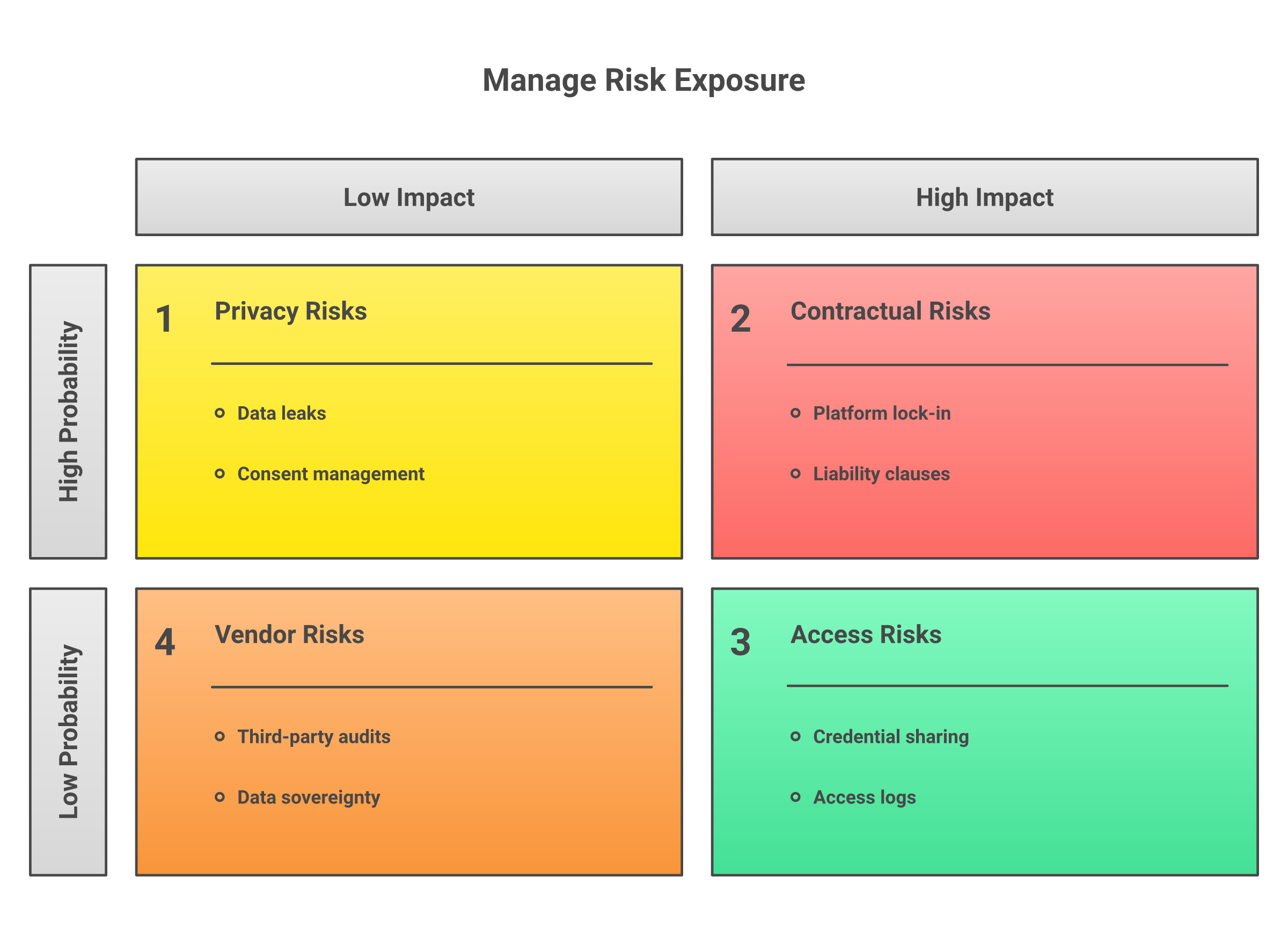
Use this rule of thumb: the more your method depends on logged-in automation, bypassing controls, collecting identifiable people, or storing social actions at scale, the more review you need before production use.
Safer alternatives when you need signals, not a scraped dataset#
Most GTM teams do not need every LinkedIn post record. They need to know when a buyer signal appears.
Examples:
A founder wants to catch prospects complaining about a competitor’s pricing.
A product marketer wants launch feedback from LinkedIn comments, Reddit threads, and Hacker News discussions.
A sales team wants to know when ICP accounts ask for tool recommendations.
A RevOps lead wants source links and next actions, not another CSV nobody works.
For those jobs, use a lower-risk monitoring workflow:
Define topics, competitor names, category keywords, pain phrases, and buying triggers.
Monitor public and permissioned sources where your ICP actually talks.
Classify each mention by intent, urgency, fit, and action owner.
Route high-intent signals to Slack, sales, product marketing, or content.
Keep source links, data-minimization rules, retention windows, and deletion paths.
CommunityTracker’s demand signal guidance puts the same point plainly: scattered Reddit threads, LinkedIn comments, GitHub issues, and Slack questions only matter when the team can centralize the watchlist, filter for buyer intent, and route the next move.
See CT’s guide to demand signal detection.
A practical checklist before collecting LinkedIn post data#
Before you scrape LinkedIn posts, answer these questions in writing:
What exact business question are we answering?
Do we need raw data ownership, or just source-linked signals?
Which fields are necessary: post URL, date, text, topic, engagement aggregate, author, comments, reactions, profile URLs?
Is the data public, logged-in-only, restricted, private, or consented?
Does LinkedIn permit this collection method under the current User Agreement and help guidance?
Are we using bots, browser extensions, scripts, automated engagement, or bypass tactics?
Are we collecting personal data? If yes, what is the lawful basis, retention period, deletion process, and access control?
Are we buying from a vendor? If yes, can the vendor explain source, permission, DPA terms, retention, and deletion?
Can a lower-risk social listening or community-intelligence workflow answer the same GTM question?
Who owns review: legal, security, RevOps, data, or marketing?
Here is the “do not scrape” scenario I would treat as a hard stop: a marketer wants to run logged-in automation through an employee account, pull commenters and profile URLs at scale, enrich them into contact records, and push them into outreach without legal review.
That is not a clever growth motion. That is avoidable risk.
Final recommendation: choose the lowest-risk method that answers the question#
If you need a one-time answer, start manual. Save source links. Capture only the fields you need. Keep the research small.
If you need an approved raw dataset, use a vetted provider like Bright Data or an actor workflow like Apify only after legal and vendor review. Document what you collect, why you collect it, how long you store it, and who can access it.
If you are an engineering team studying scraping systems, use a sandbox and treat LinkedIn as a high-friction target with legal and account-risk constraints. ScrapFly is more relevant in that world than a marketer’s monitoring tool.
If you need recurring GTM monitoring, do not default to scraping. Start with the signal workflow: watch the right sources, classify buyer intent, and route the next move. That is where CommunityTracker fits.
The best method is not the one that extracts the most data.
It is the one that answers the question with the least account risk, least legal exposure, least personal-data collection, and clearest path to action.
Start Getting High Intent Linkedin Posts With CommunityTracker Now!