How to Do Social Listening for a SaaS Product in 2027
Build a social listening for SaaS workflow in 2027: set keyword buckets, filter communities, score Hot and Warm tiers, route alerts, and track share.
Adarsh Kumar
GTM Expert
Founder — CommunityTracker, Miraa.io, and Infraboxes
You’ve been told to set up social listening for SaaS, and all your team has today is a mention inbox that never reaches engineering or outbound. Support hears one bug complaint, sales misses a buyer asking for alternatives, and nobody turns community threads into shipped fixes or booked calls.
GTM teams now wire buying signals, AI agents, and custom Claude workflows into outbound and product triage, so stale mention spreadsheets fall behind within hours. When a prospect complains about a rival or asks for software options in a public thread, a competitor with signal routing gets there first.
I’m sure you’ve tried manual Reddit searches, Brand24, or Google Alerts to catch those threads, and still ended up exporting CSVs nobody opens on Monday. Raw alerts fire on noisy brand chatter without showing whether a post comes from an angry user, a feature request, or an account ready to switch.
Follow the numbered steps below to build a repeatable SaaS listening workflow that splits buyer intent from product feedback, filters by community, routes alerts without Slack fatigue, and tracks share of voice against a fixed rival set.
TL;DR: Set three keyword buckets (product, rivals, category pain), filter for B2B communities, score posts into Hot, Warm, and Watch tiers, route spikes separately from a weekly product digest, and measure share of voice against a fixed competitor group.
1. Set up keyword buckets for your product, rivals, and buying pain
Stop dumping every mention into one query; split your listening setup into three separate buckets from day one so support complaints never bury buyer threads.
Group your tracking terms around three jobs:
Product and feature issues: your product name, misspellings, integration names, error phrases, and setup complaints where customers describe workarounds or missing controls.
Competitor names and switch triggers: direct rival names paired with switching phrases, renewal friction, or price hikes.
Category pain: generic workflow complaints where buyers ask how teams solve a problem without naming your brand yet.
SaaS listening has to go past raw brand counts. Track product feedback, competitor mentions, and wider industry conversations in separate buckets, because customers keep posting workarounds and complaints and a query you set once goes stale fast.
Inside CommunityTracker, keywords start inside Signals, where Starter tracks 4 keywords, Pro tracks 10 keywords, and Advanced tracks 20 keywords. Pro and Advanced also include the AI keyword advisor to review what your terms catch and tighten noisy matches.
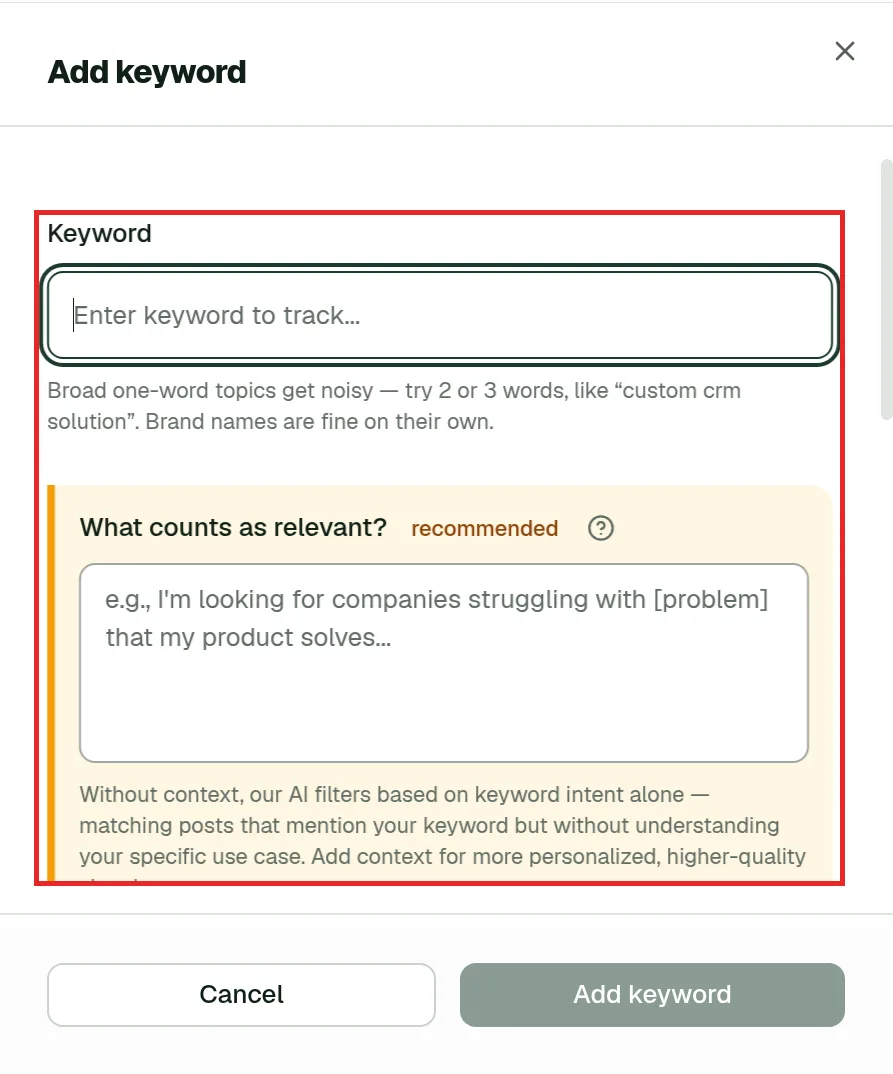
I’d enter a short two-to-three-word phrase or brand name in the Keyword field shown here and describe the SaaS problem inside What counts as relevant? so AI filtering stays on target.
Enterprise suites often group themes inside one query rather than splitting lead lists by keyword. If you stay in a suite like Sprout Social, Topic Themes group messages inside a Listening Topic so you can filter, compare, and analyze patterns over time, and Theme Groups keep those themes side by side for comparison.
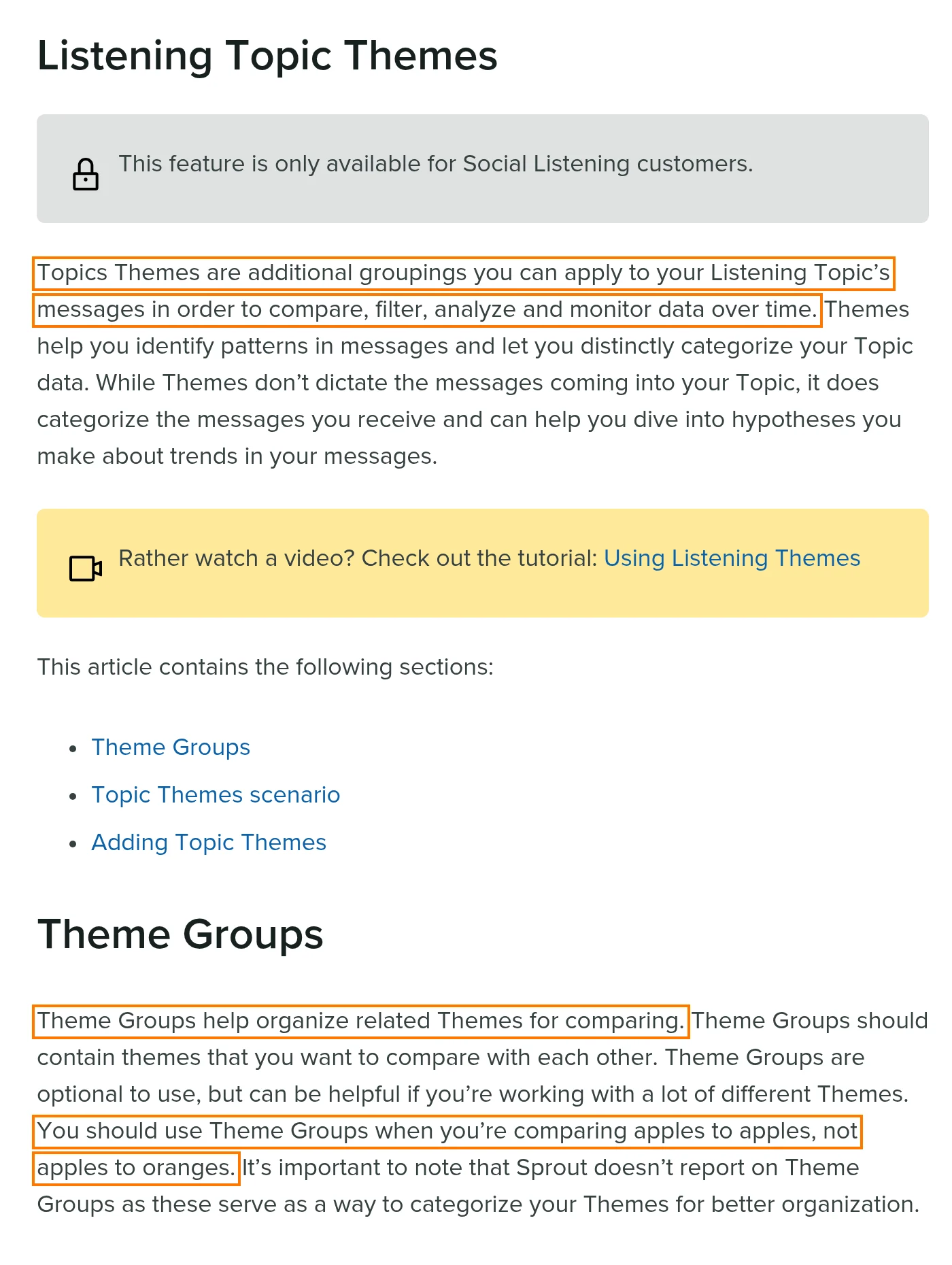
I’d apply Sprout Social’s Theme Groups rule before exporting any report so feature complaints and rival comparisons sit in separate buckets for clean comparison.
2. Filter the feed by the platforms where SaaS buyers talk
Skip consumer networks unless your buyers compare software there; focus your filters on developer forums and B2B communities where switching questions happen in public.
Watch Reddit and X alongside major social profiles when that is where your buyers ask questions and talk about products. CommunityTracker covers 10+ B2B and developer channels: developer boards (Hacker News, Dev.to, Stack Overflow, and GitHub), startup forums (Indie Hackers and Reddit), social feeds (LinkedIn and X), and chat spaces (Slack and Discord).
Match your platform filter to your plan and audience before turning alerts on:
CommunityTracker Starter ($39 a month, billed monthly): limits your 4 keywords to Reddit, LinkedIn, Hacker News, and GitHub.
CommunityTracker Pro ($99 a month, billed monthly) and Advanced ($199 a month, billed monthly): cover all ten listed platforms across developer boards, startup forums, LinkedIn, X, Slack, and Discord.
Excluded channels on CommunityTracker: TikTok, Instagram, Facebook, and Quora are not covered.
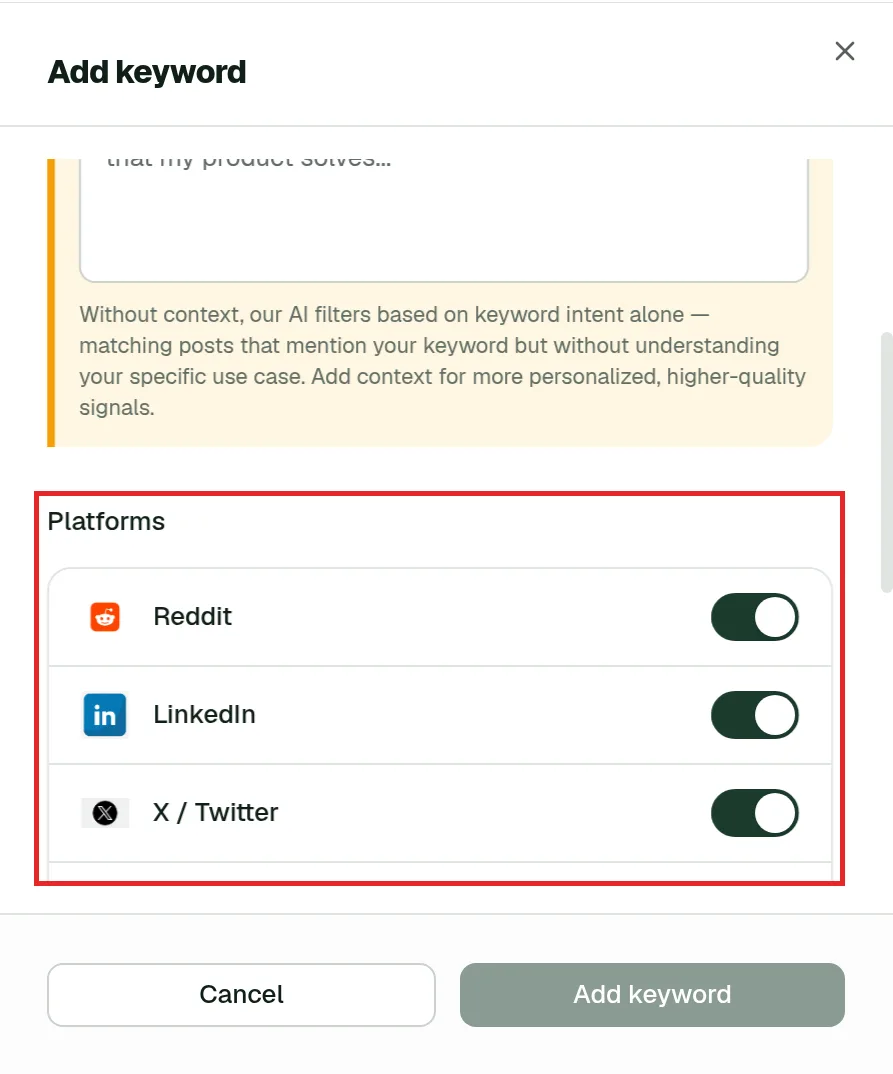
I’d toggle only the channels where buyers talk in this Platforms switch list, keeping in mind that Starter handles only GitHub, Hacker News, LinkedIn, and Reddit while Pro and Advanced include the rest.
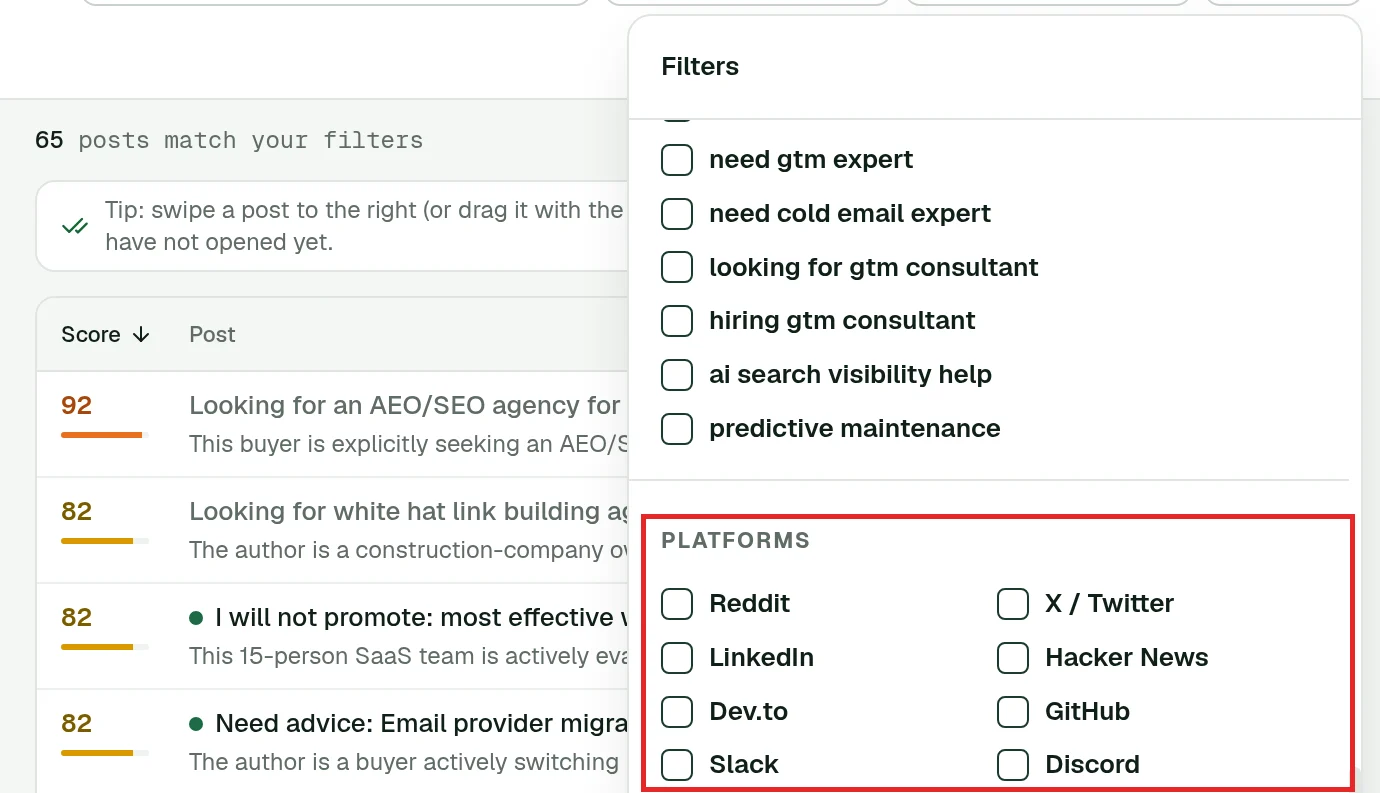
I’d narrow the Posts feed with these Platforms checkboxes across Reddit, X / Twitter, LinkedIn, Hacker News, Dev.to, GitHub, Slack, and Discord, shown alongside sample keyword rows and sample post titles from a tracked set.
Use the community lead-generation post when mapping which communities match your sales motion, and keep consumer video channels on a separate PR tool if your buyers spend time there.
3. Triage posts by intent score and Hot, Warm, and Watch tiers
Never treat a listening feed like an inbox you read top to bottom; score every post for buying intent first so sales sees switchers before support triages product bugs.
CommunityTracker scores posts from 0 to 100 and ranks signals into three tiers with a reason for each: Hot, Warm, and Watch. On Pro ($99 a month, billed monthly) and Advanced ($199 a month, billed monthly), AI intent scoring filters noise out of the queue, while Starter ($39 a month, billed monthly) covers 5,000 mentions and manual reply drafts. Reply drafts stay yours to edit and post yourself.
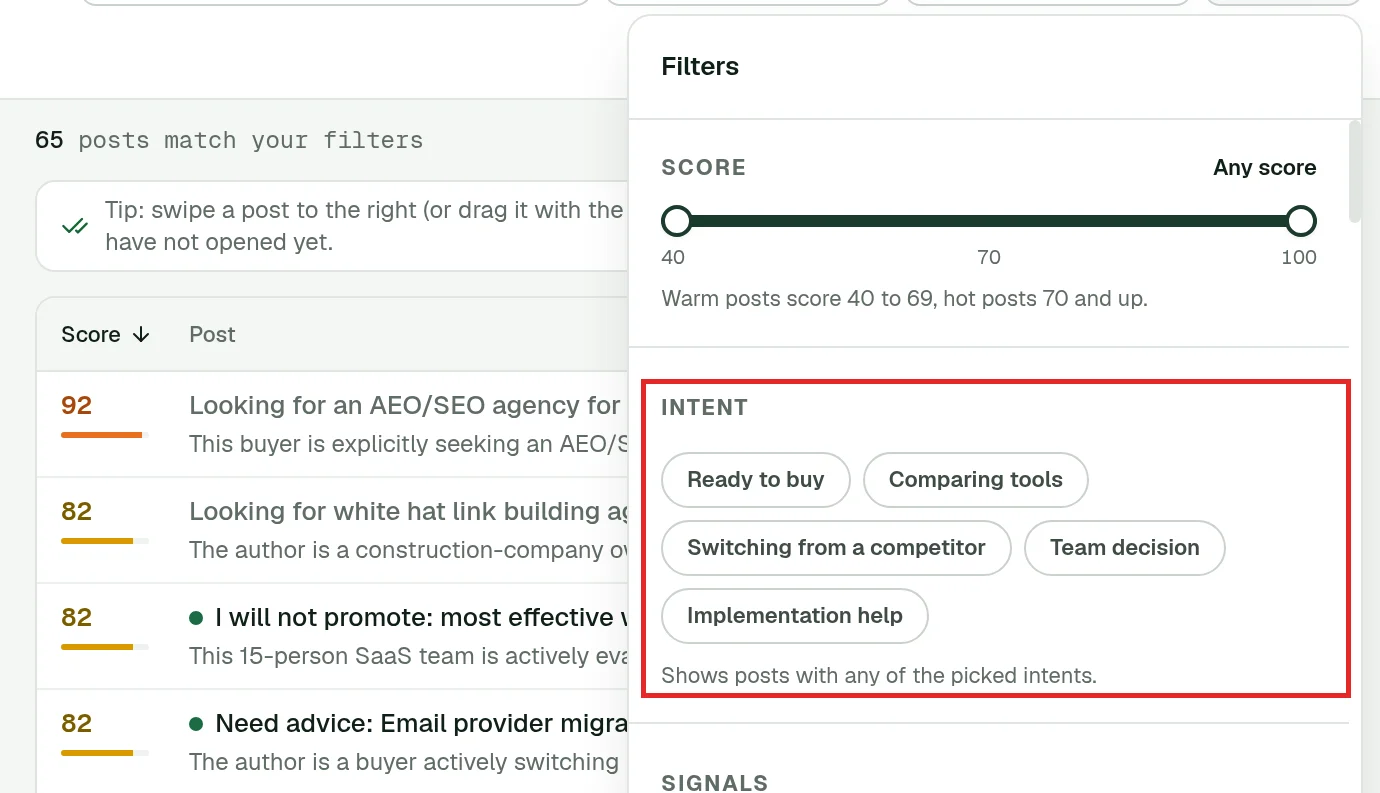
I’d filter by the Intent chips shown here, such as Comparing tools and Switching from a competitor, so buying threads surface ahead of general chatter, with these 65 matching posts and titles shown as sample data from a tracked set.
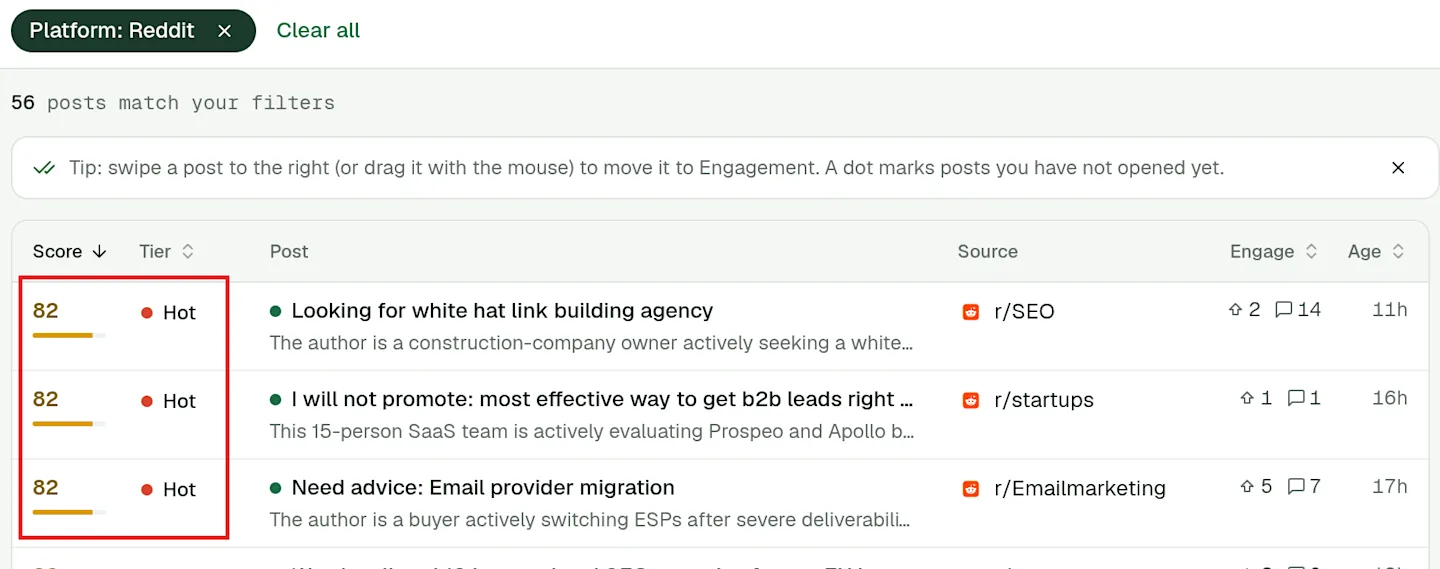
I’d filter the CommunityTracker Posts feed by platform and sort by intent score first, shown here on sample data from a tracked set with 56 matching Reddit posts and Score 82 Hot threads.
Once you filter high-score posts, separate immediate sales follow-up from background watchlists inside the Leads view.
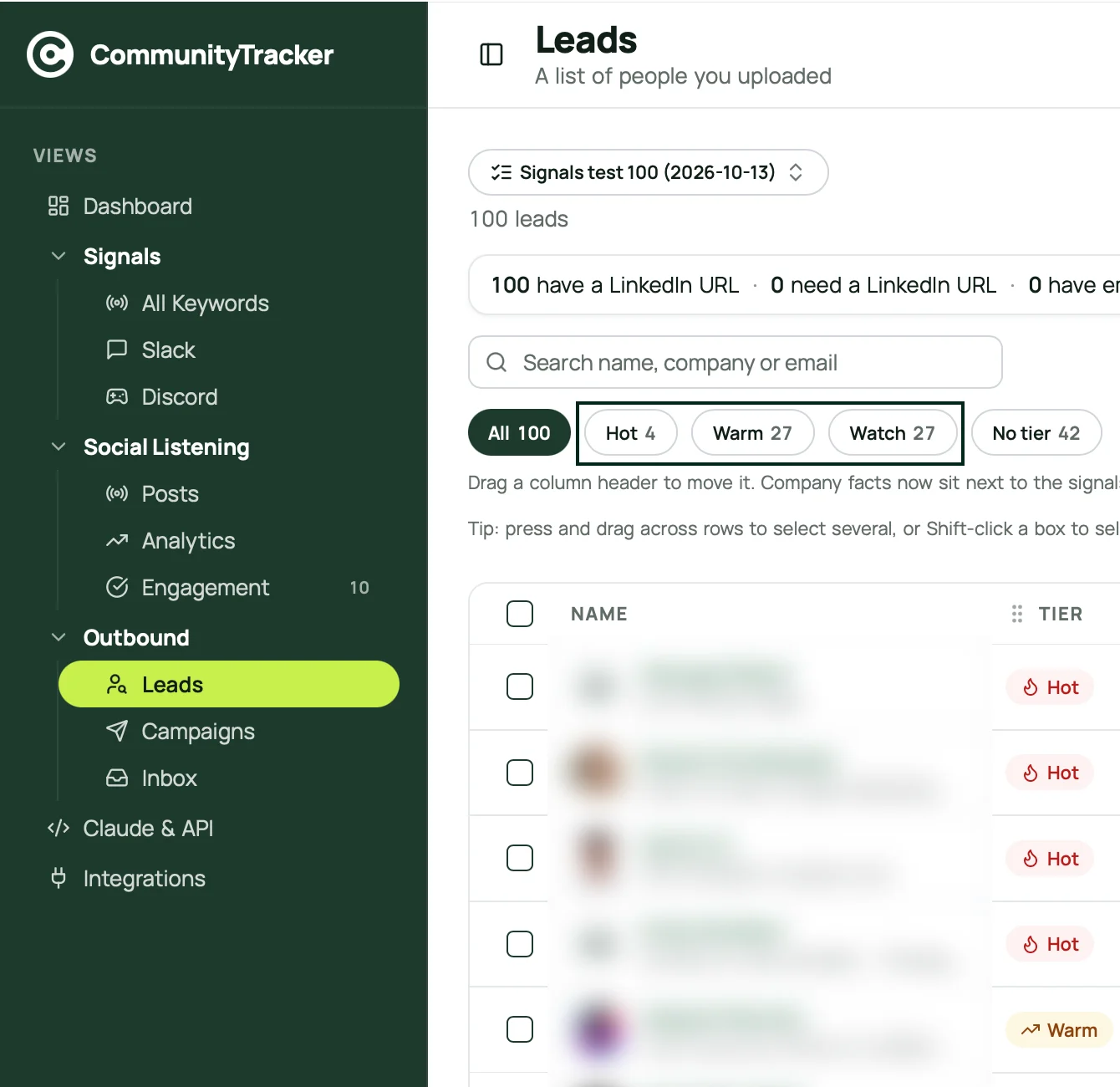
I’d work the Hot and Warm tier chips in the CommunityTracker Leads view before touching Watch, treating these All 100, Hot 4, Warm 27, Watch 27, and No tier 42 numbers strictly as sample data from a tracked account.
4. Route urgent spikes to Slack and product themes to engineering
Insights sitting inside a dashboard never ship a fix or save an account; separate urgent alerts from a recurring weekly product-theme digest.
Send product owners a recurring weekly digest of feature themes instead of waiting for a slide deck. To catch sudden surges between those digests, Sprout Social Spike Alerts can email you when Topic Volume, Potential Impressions, Positive Sentiment, or Negative Sentiment crosses the Alert Sensitivity threshold you pick.
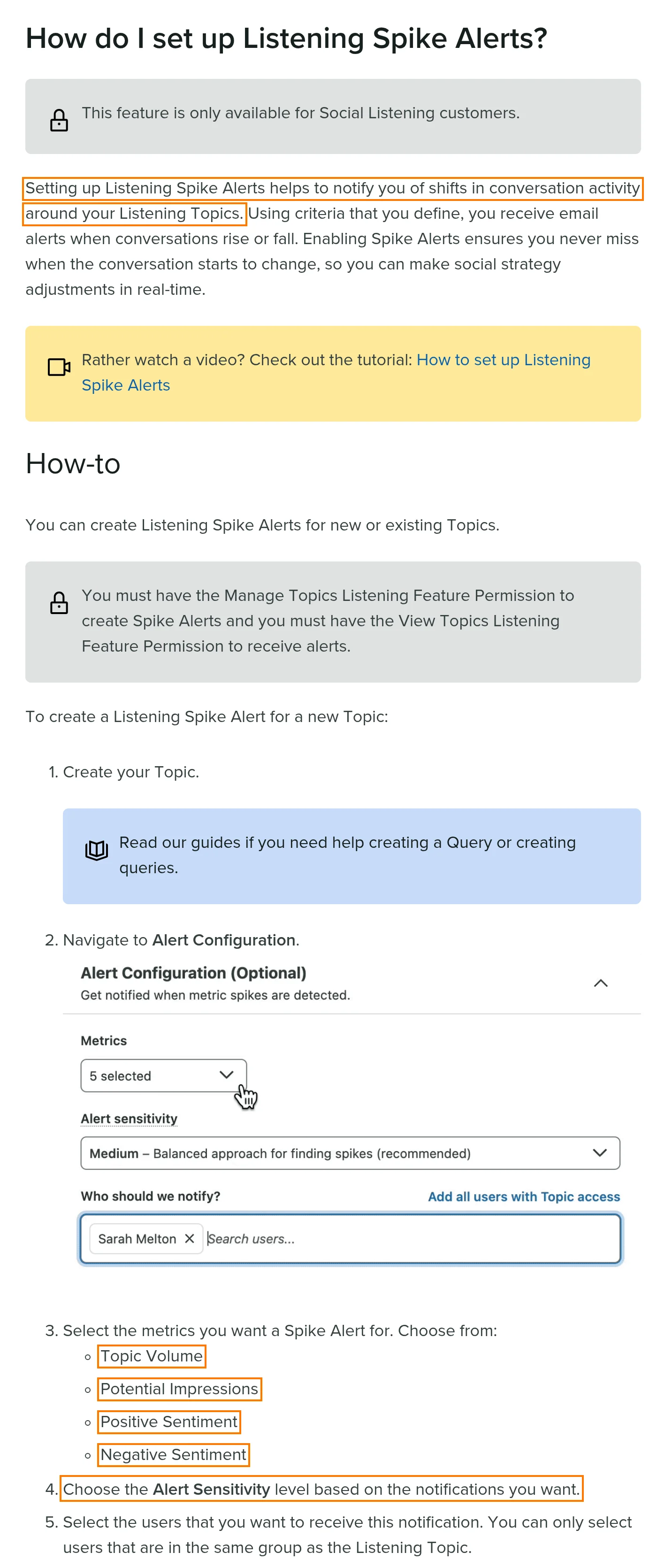
I’d pair Sprout Social’s Topic Volume and Negative Sentiment spike triggers at medium sensitivity so outage chatter triggers an email alert without flooding daily work.
If your team works inside Slack, filter mentions before routing them to a channel. Brand24 can connect a workspace and apply custom filters so only the project mentions you choose trigger Slack notifications.
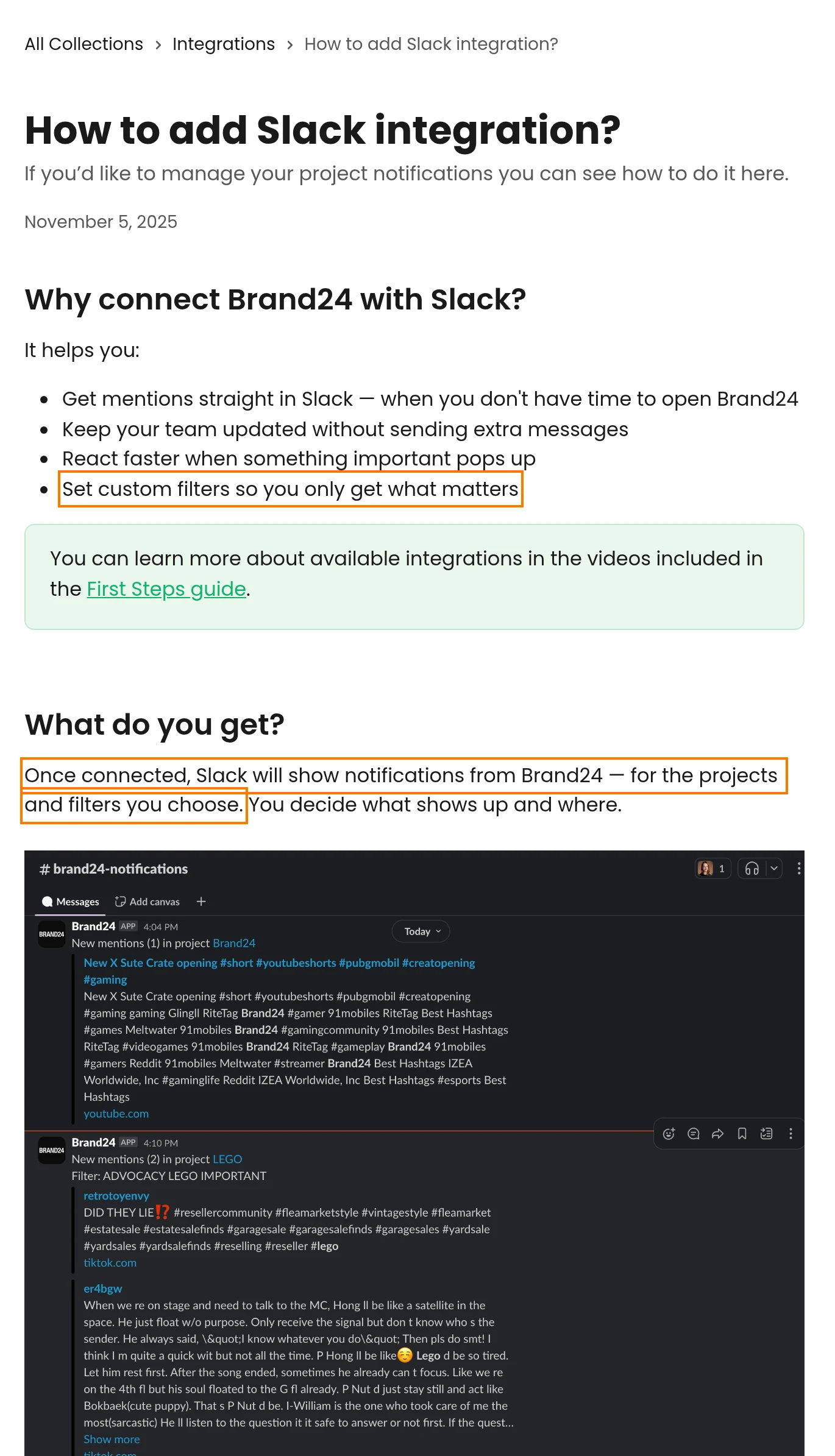
I’d route Brand24 Slack notifications through custom project filters shown in that Brand24 setup, so only qualified bug or competitor threads hit a shared team channel.
In CommunityTracker, alert routing follows your plan tier. Starter triggers daily alerts, while Pro ($99 a month, billed monthly) and Advanced ($199 a month, billed monthly) include daily Slack alerts sent to a channel your team picks, alongside built-in HubSpot sync for turning qualified Hot and Warm signals into deals.
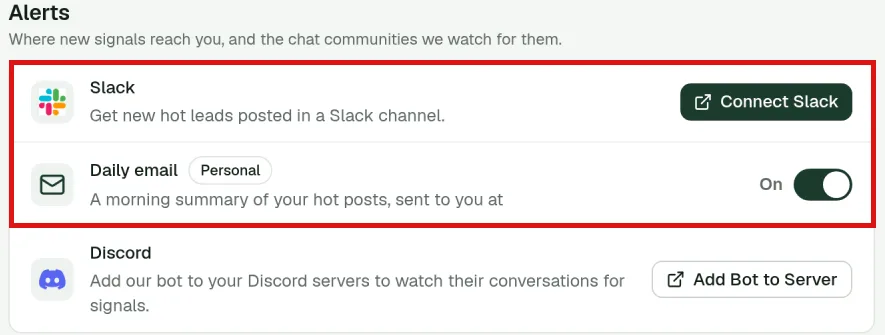
I’d send new hot leads to a Slack channel and keep the daily morning email summary of hot posts, as this Alerts card shows.
For product triage, send a short Friday theme table to your product manager. Here is a sample walkthrough, not real account data, showing how four weekly counts turn listening into tickets:
Theme bucket | Sample weekly posts (not real account data) | Buyer vs user split | Owner action |
|---|---|---|---|
Onboarding permissions | 18 posts | 14 active users, 4 evaluators | Product updates role checklist |
Rival billing complaints | 11 posts | 9 evaluators, 2 churned rivals | Sales works Hot threads |
API rate timeouts | 9 posts | 9 active users | Engineering investigates endpoint logs |
CSV mapping requests | 6 posts | 4 evaluators, 2 users | Product adds to sprint triage |
5. Measure share of voice by community against a fixed competitor set
Lock one competitor roster and report raw mention counts beside every percentage, because changing rival names mid-quarter breaks every trend line.
Check how your listening tool calculates share of voice before you compare numbers across platforms. Brand24 Voice Share is the influence of a specific profile divided by total influence across all profiles, and it appears in Summary tables, Topic Analysis, Comparison tabs, Influencers, and PDF reports.
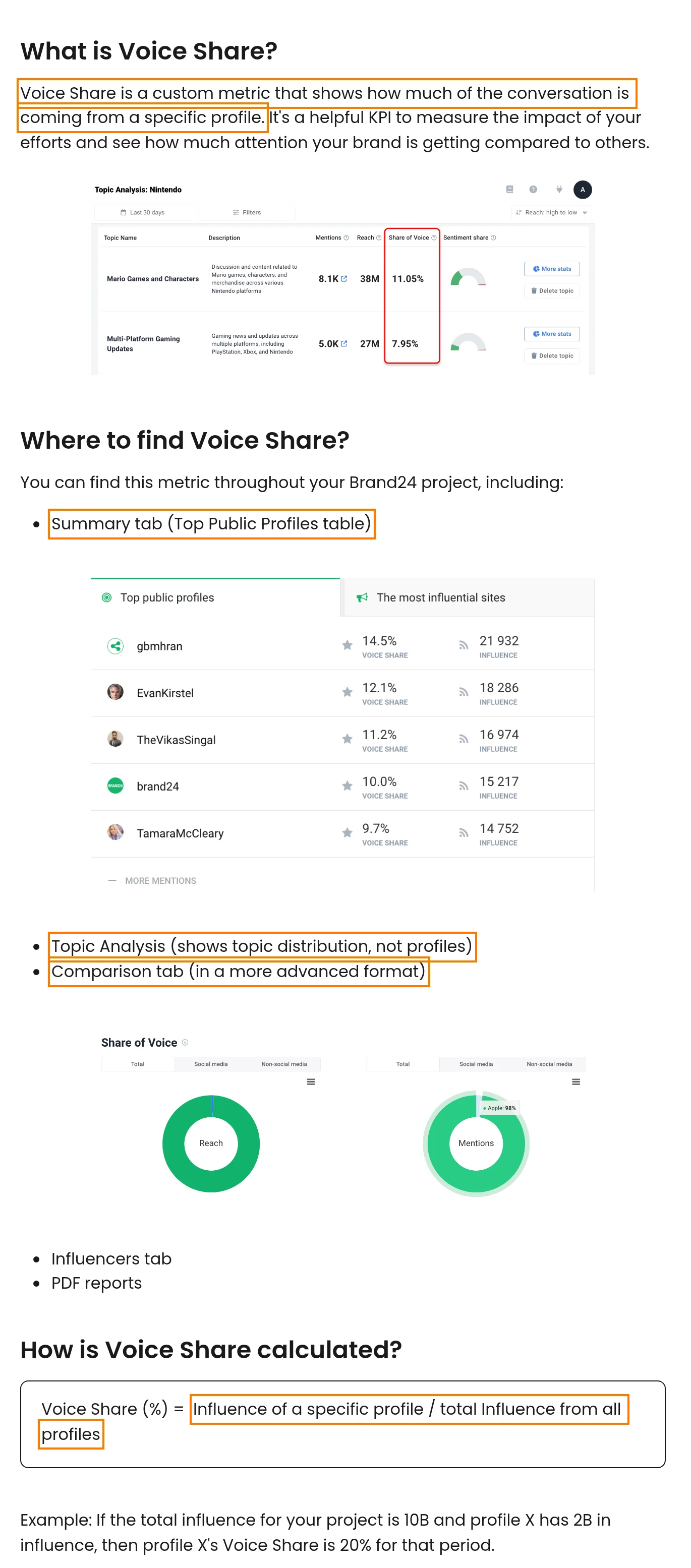
I’d check Brand24’s profile-influence formula before blending numbers with mention-count reports, because a single high-influence profile shifts that percentage quickly.
For community mention share, divide your brand mentions by combined mentions for your brand plus fixed rivals, then multiply by 100. I break down that math in the share of voice post. CommunityTracker includes a Monday-refreshed share of voice report starting on Pro ($99 a month, billed monthly), while Advanced ($199 a month, billed monthly) adds visibility gaps, an action plan, and share of voice PDF export.
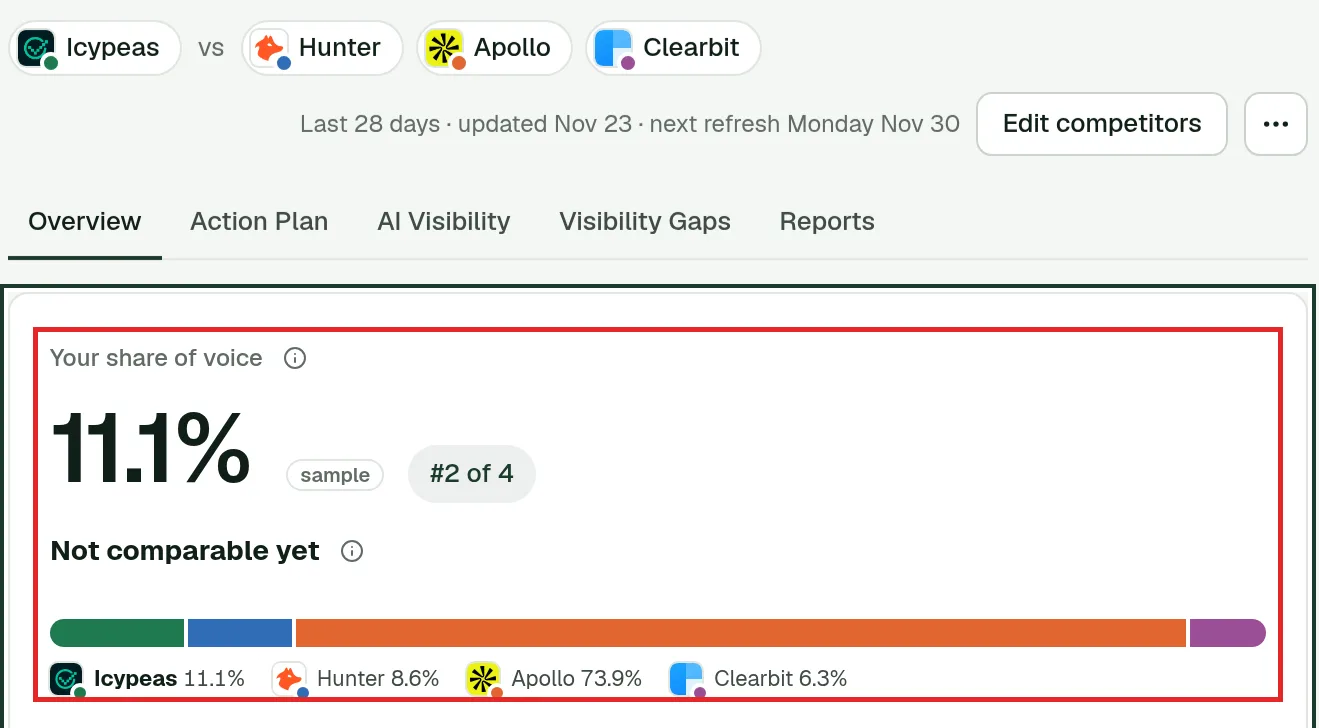
I’d keep the same four-brand group (Icypeas, Hunter, Apollo, and Clearbit) across every Monday refresh in this Overview panel, treating the figures as sample data from a tracked set, not real market share.
Always read the community breakdown underneath the top-line share number so strong chatter in one forum does not hide silence everywhere else.
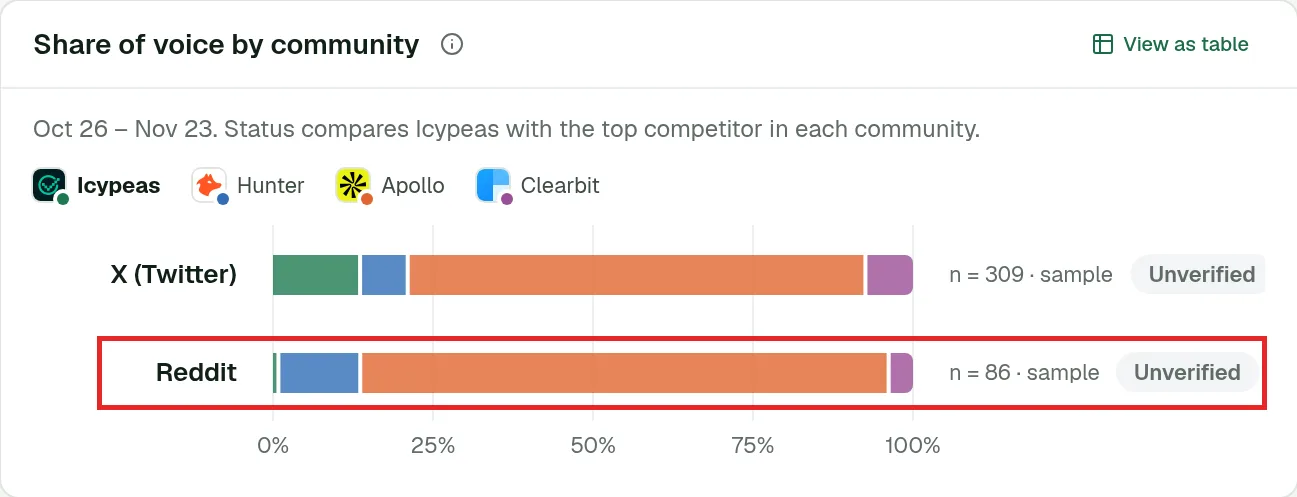
I’d pair percentage bars with raw sample counts per forum as shown here, where X (n = 309) and Reddit (n = 86) are both marked sample and Unverified from a tracked set rather than market share.
When comparing vendors across both community tracking and broader social listening, start with the social listening tools post to match reporting depth to team size.
What users say about SaaS social listening tools
Read dated user reviews for theme clarity, filter coverage, and pricing communication before committing to an annual contract.
Brand24 users point to theme summaries backed by real mention examples. On Brand24’s Software Advice reviews page, a review by Rose C. marked Reviewed November 2026 praises example-backed analysis: “AI brand assistant is very good at highlighting insights in the data and giving concrete examples from the mentions content”.
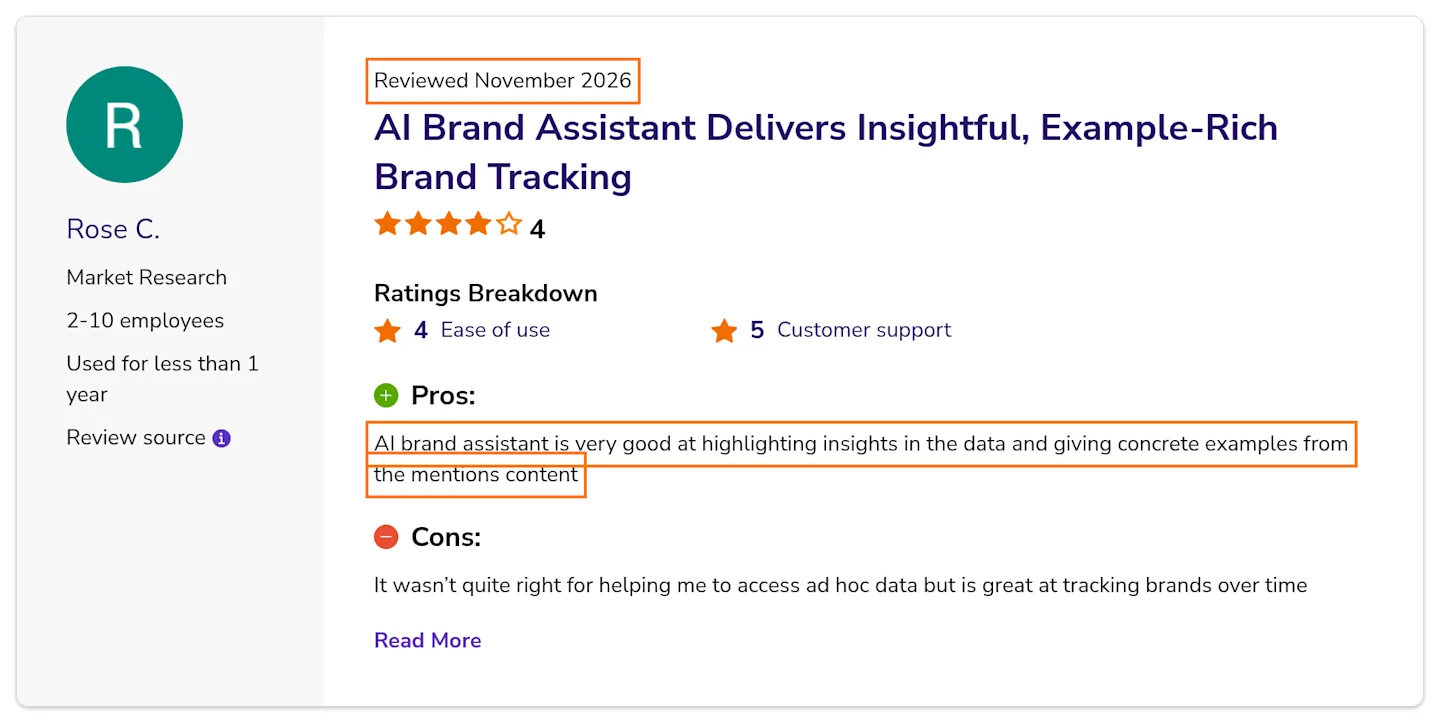
I’d rely on Brand24’s AI summaries shown in Rose C.’s Reviewed November 2026 card when scanning mention examples for recurring customer themes.
Mention reviewers highlight search filters while flagging missing coverage depth. On Mention’s TrustRadius reviews page, an Incentivized review by Ivan Briceño dated June 13, 2022 (older than 12 months) lists “Create alerts and perform searches with your filters.” as a strength before noting: “But its features are limited. They must add others that are missing to guarantee locating more specific mentions.”
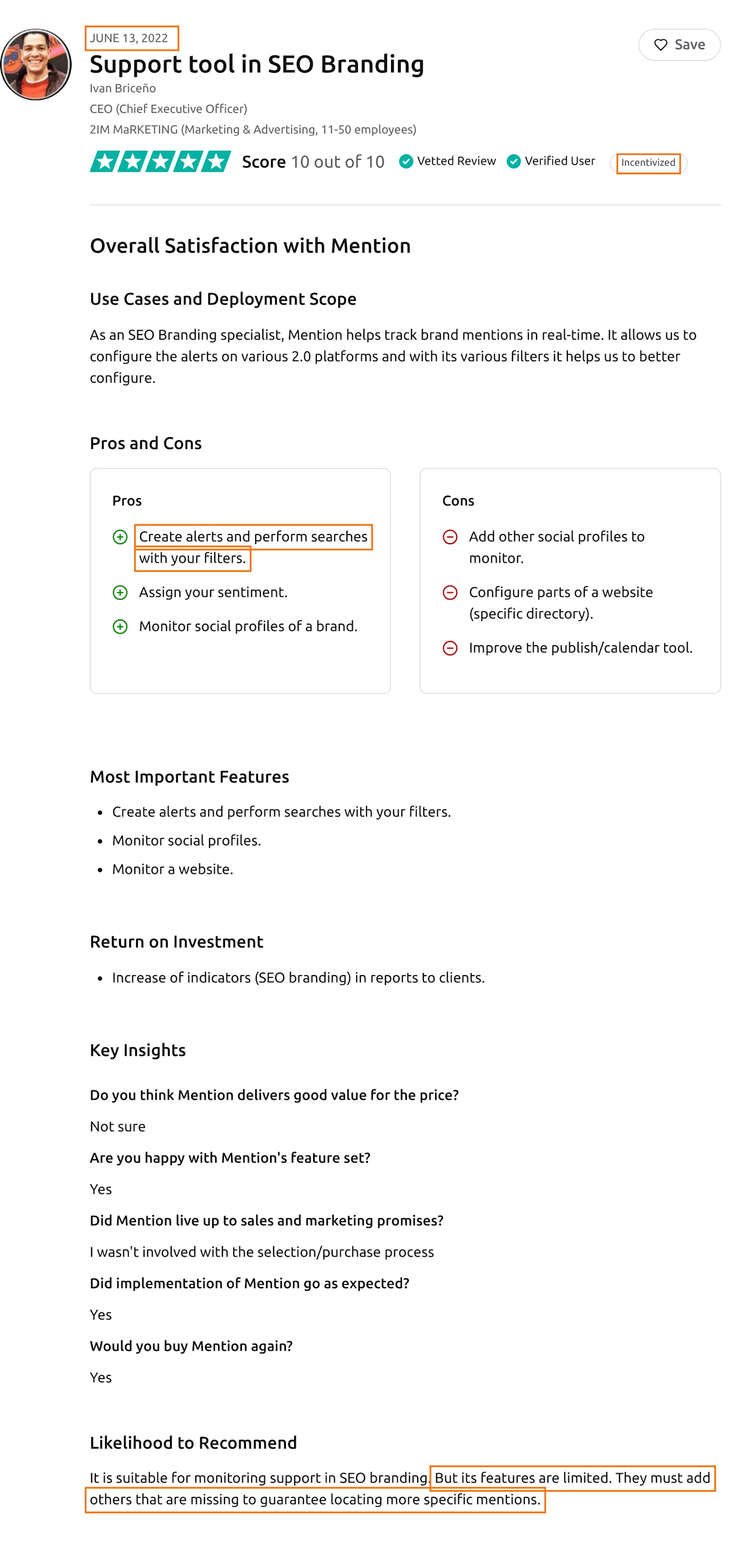
I’d verify Mention’s filter rules against niche SaaS terms before paying upfront, given Ivan Briceño’s June 13, 2022 Incentivized review (older than 12 months) flagging missing specific mentions.
Sprout Social reviews warn buyers to confirm multi-account pricing upfront before signing long contracts. On Sprout Social’s Trustpilot reviews page, an Unprompted review by Smriti Capoor dated Oct 28, 2026 (experience date 27 October 2026) recounts sales delays: “Honestly took them 2 weeks, multiple reps, contacting the CEO directly, speaking to director of customer service to be redirected back to the 1st salesperson that stopped responding to me because I simply asked the cost of additional social accounts. It really shouldn’t be this difficult.”
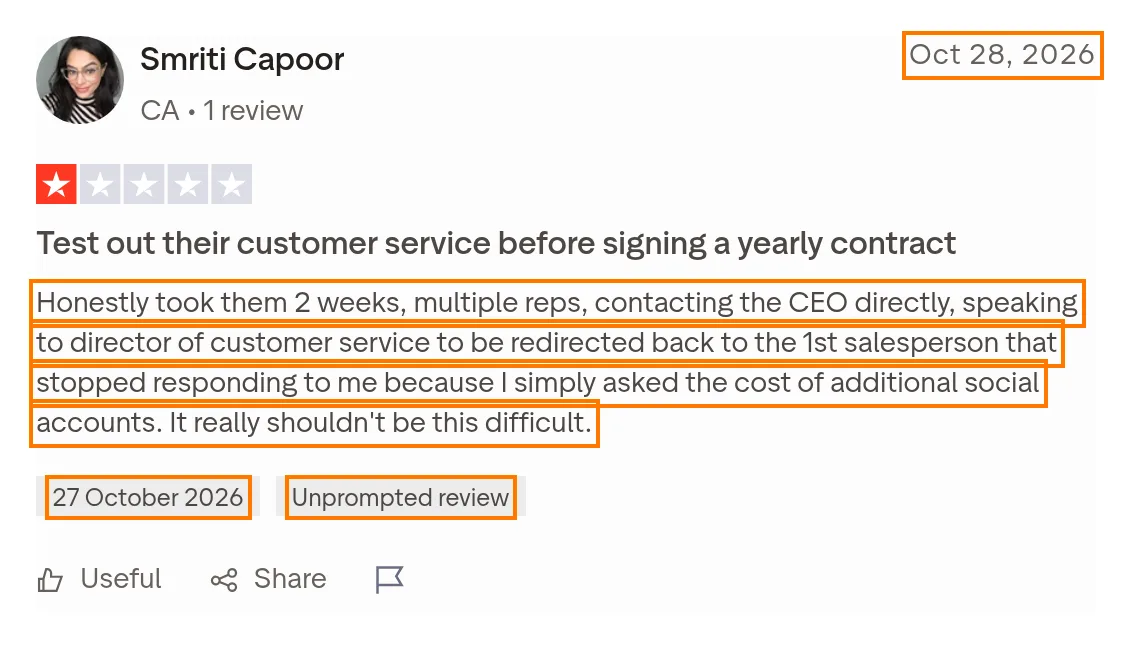
I’d get add-on social account pricing in writing before signing a Sprout Social contract, based on Smriti Capoor’s Oct 28, 2026 Unprompted review detailing two-week quote delays.
Where CommunityTracker fits for SaaS teams
Keep a traditional social suite if PR needs Instagram, TikTok, or Facebook coverage, and pick CommunityTracker when you want community listening wired directly into SaaS pipeline. CommunityTracker.ai is a GTM tool.
Every paid plan includes CSV lead lists with column mapping, 30+ data points for credit-based enrichment (new accounts receive 100 credits), LinkedIn and email campaigns from your own mailbox with optional message approval and one reply inbox, API access for scored posts, HubSpot deal sync, push-to-sender connectors (Instantly, Smartlead, Salesforge, and lemlist) with your own key, and an AI assistant connector for Claude (one click), ChatGPT, or Grok. Annual billing is available on request with no long-term contracts, and new subscriptions carry a 14-day money-back guarantee.
Starter runs $39 a month, Pro runs $99 a month, and Advanced runs $199 a month.
Trial access and monthly allowances break down like this:
A seven-day trial costs $4.99.
Once paid, that access covers all Pro features for seven days with 5 keywords and 3 community intelligence searches, and your card is never auto-renewed.
Starter alerts once a day.
Move to Pro or Advanced whenever your GTM team needs daily Slack channel delivery.
100 warm emails a month on Starter, unlimited on Pro.