What Is Social Listening? A Plain-English Guide for GTM Teams in 2027
Social listening in 2027 turns community threads into scored buyer signals and owned GTM actions. Follow 5 practical steps, setup rules and coverage limits.
Adarsh Kumar
GTM Expert
Founder — CommunityTracker, Miraa.io, and Infraboxes
You’re trying to turn social listening into real GTM output because every morning opens with a noisy alert channel that never shifts a product fix, pricing line, or outbound opener. Support logs one complaint, sales overlooks a buyer comparing alternatives, and nobody turns public threads into shipped improvements or booked calls.
Revenue teams now feed public buyer signals directly into AI outbound agents and automated workflows rather than waiting on quarterly research decks.
I’m sure you’ve tried scanning Reddit tabs by hand, setting up Google Alerts, or watching a Brand24 stream, and landed here because raw keyword matches bury serious prospects beneath hiring posts and support noise.
Follow this five-step CommunityTracker workflow to set clean keyword rules, filter buyer channels, prioritize intent tiers, route daily alerts, and measure community share of voice.
TL;DR: Social listening gathers public brand, rival, and category discussions over a fixed window to drive scored buyer outreach, counted product fixes, and owned GTM decisions.
What social listening is
If a listening cycle ends without a counted theme or a scored buyer queue tied to one owner, you are only collecting alerts. Social listening collects public discussions around your brand, competitors, and category across forums and social feeds, removes noise inside a fixed window, counts repeating issues, and drives one concrete product, copy, or pipeline move through four steps: intake, cleanup, grouping, and action.
Keep that definition separate from daily monitoring: monitoring handles today’s individual replies and support escalations, whereas listening analyzes aggregated threads over weeks to settle product, messaging, or pipeline bets. If daily reply triage isn’t running yet, start with What Is Social Media Monitoring first.
1. Set keyword buckets and exclusion rules
Never dump brand names, rival terms, and category pain into one bucket; split your keywords from day one so support chatter never hides buying questions.
Open CommunityTracker’s Add keyword panel, enter focused two or three word phrases in the Keyword field, and explain what makes a thread relevant inside the context field so AI filtering evaluates fit instead of matching strings blindly. Starter ($39 monthly) holds 4 keywords, Pro ($99 monthly) raises that cap to 10 keywords alongside the AI keyword advisor, and Advanced ($199 monthly) holds 20 keywords.
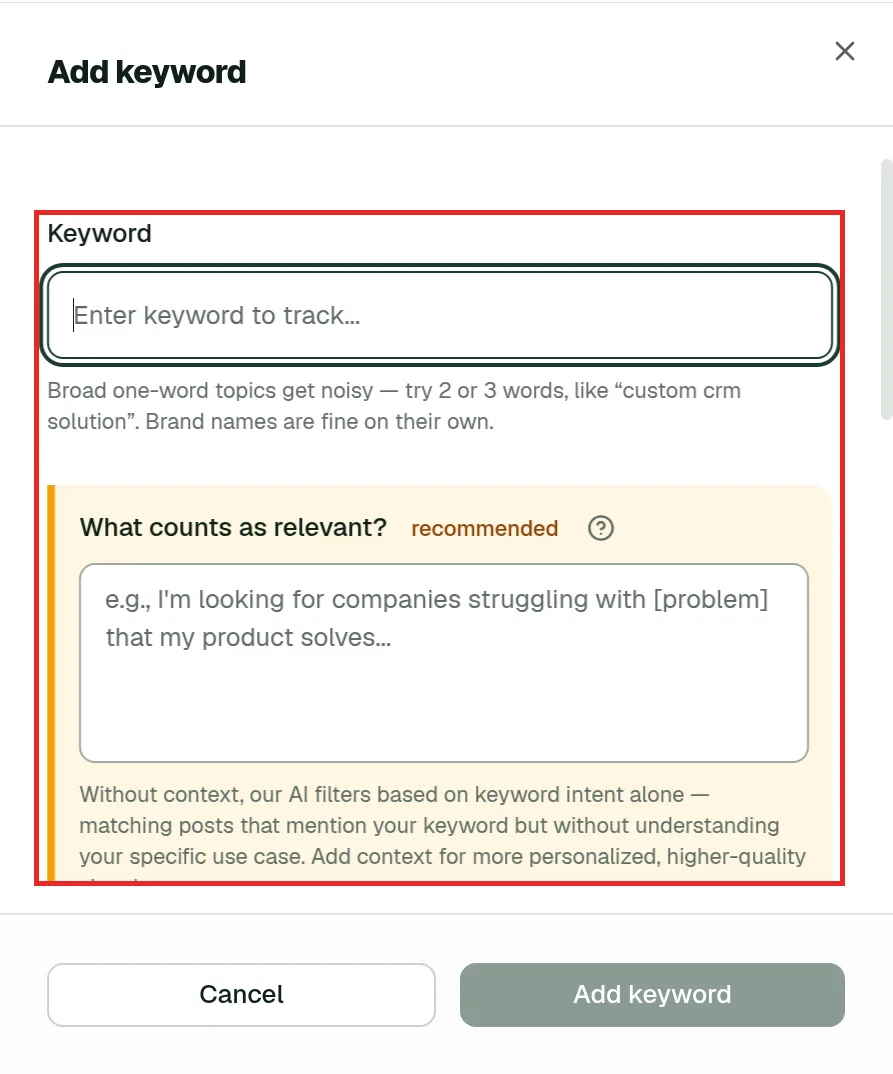
I’d pair tight multi-word phrases in Keyword with explicit rules inside What counts as relevant on sample data from a tracked set, filtering unrelated chatter before review.
When configuring queries in traditional suites, apply exclusion logic before day one so homonyms and promotions stay out of your denominator. Boolean NOT syntax isolates product conversations cleanly, such as "apple tv" NOT (streaming OR subscription) when you only want hardware discussions.
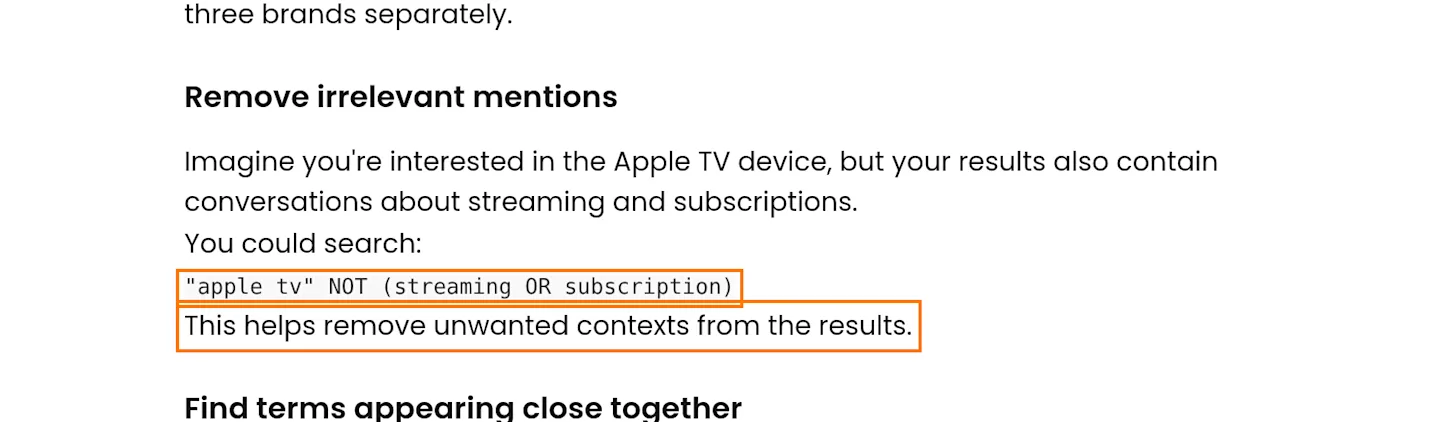
I’d write a hardware query the way this Advanced Search example does, with a NOT clause around streaming and subscription.
Pair excluded brand handles with noise filters for sweepstakes, sales listings, coupons, supplemental income, and cryptocurrency spam so automated posts never inflate your weekly tally.
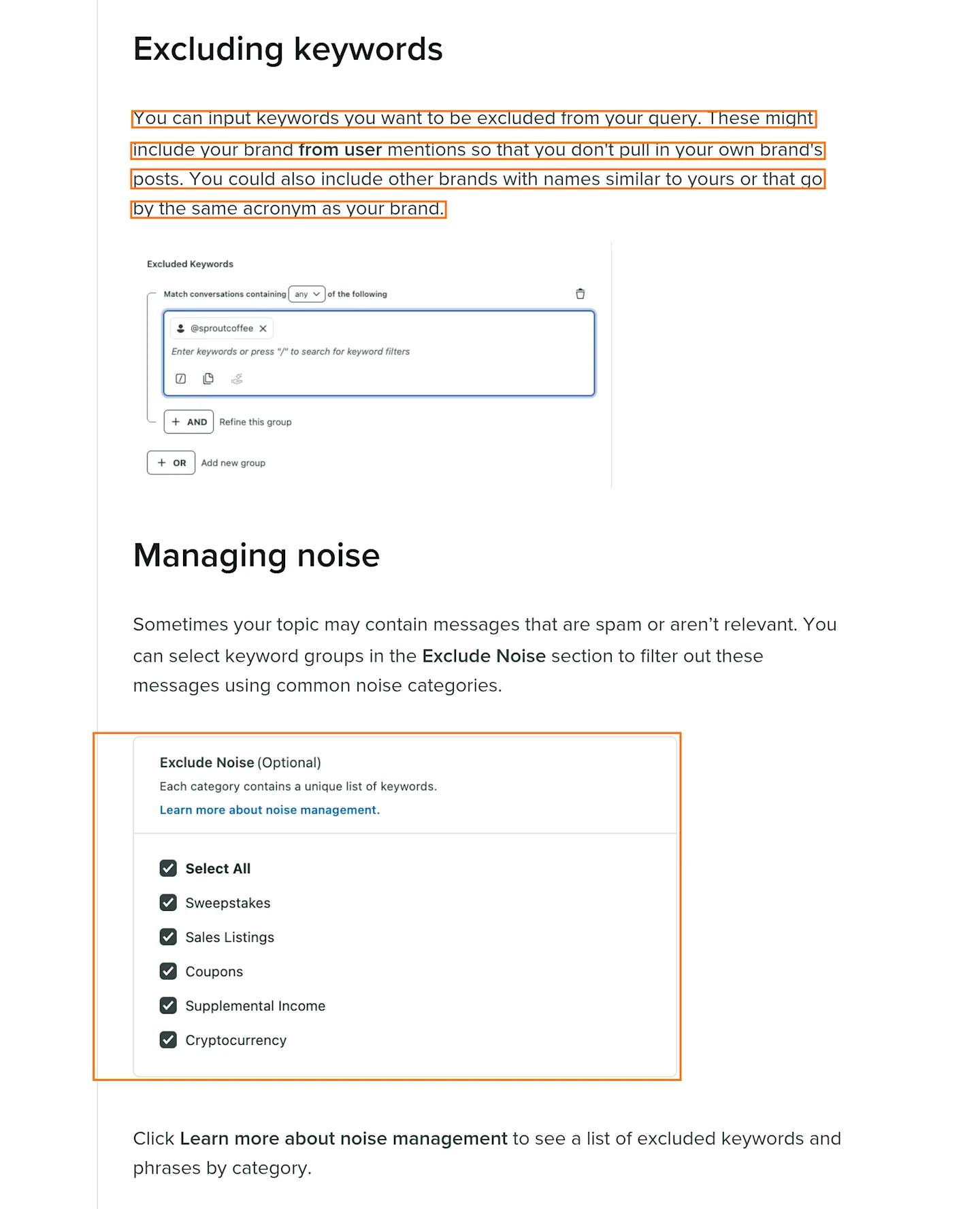
I’d add my own handle under Excluded Keywords and turn on the Exclude Noise categories in this Query Builder before I count a theme.
Set every exclusion before collection begins, because exclusions added partway through a project filter only incoming posts while older matches remain inside your dataset.
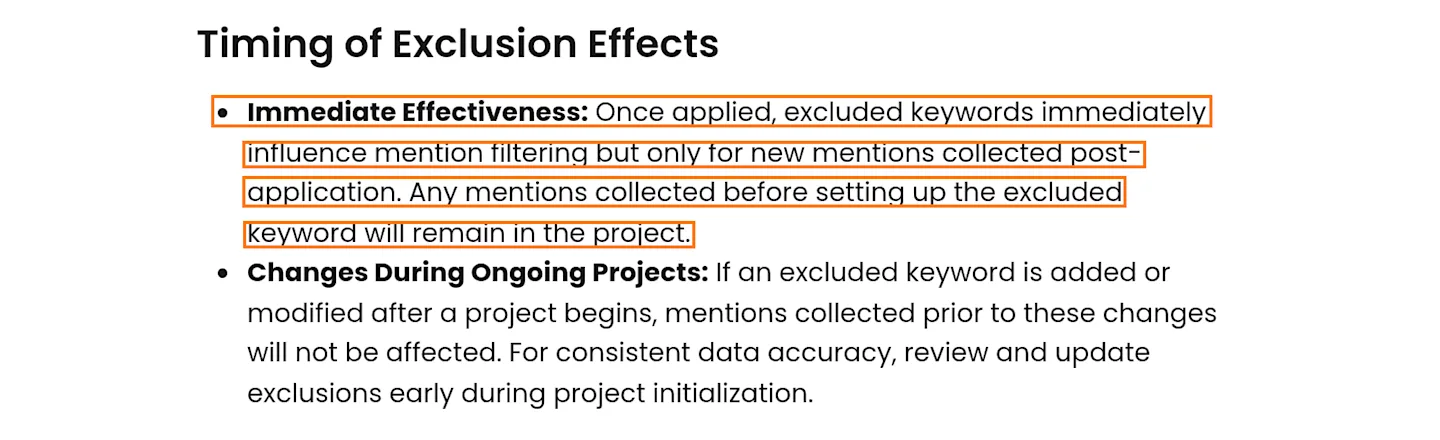
I’d set every exclusion before the window starts, because late edits leave earlier mentions sitting inside the project.
2. Filter by platform where your buyers post
Focus collection on the exact developer, startup, and B2B communities where your buyers debate software rather than paying to scrape channels your ICP ignores.
CommunityTracker ties channel access to your plan: Starter ($39 monthly) tracks four networks (GitHub, Hacker News, LinkedIn, and Reddit), whereas Pro ($99 monthly) and Advanced ($199 monthly) cover all 10+ supported sources by adding Dev.to, Discord, Indie Hackers, Slack, Stack Overflow, and X. Visual and consumer-video platforms such as Facebook, Instagram, Quora, and TikTok stay outside scope.
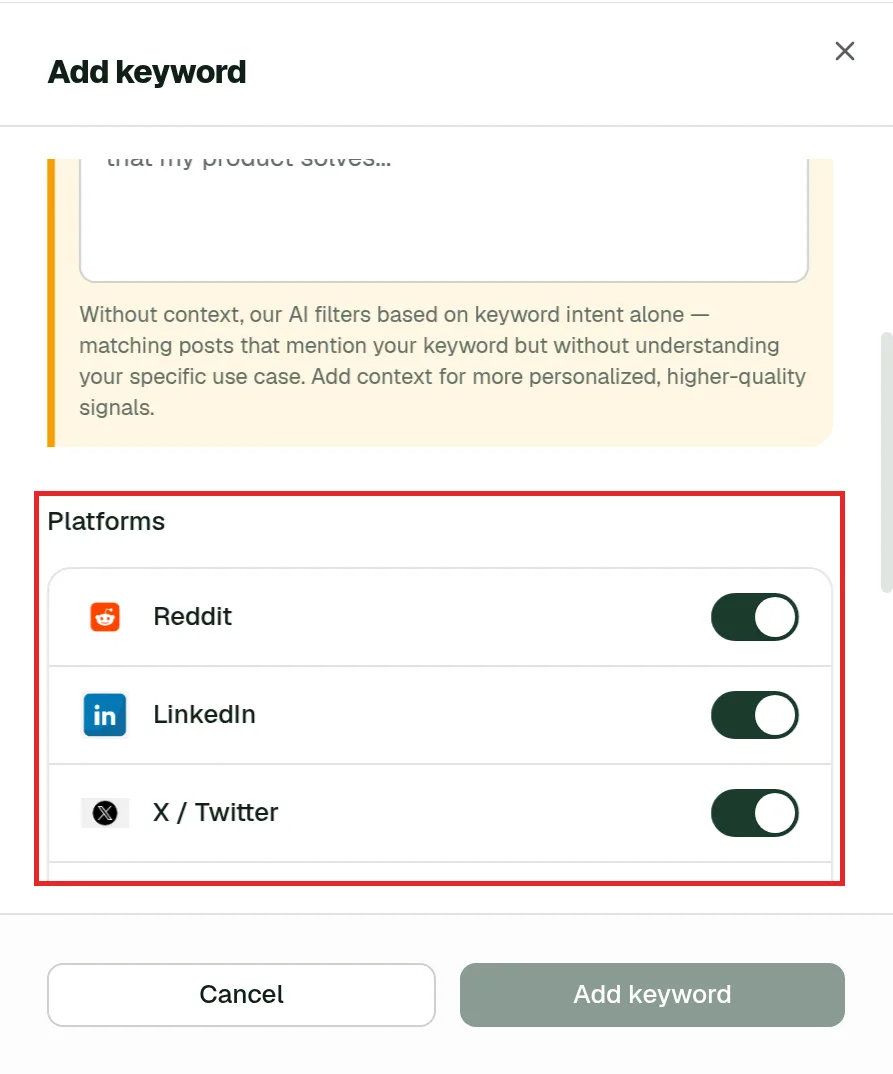
I’d switch on only the buyer channels where prospects evaluate software here, keeping Starter’s four-network boundary and Pro or Advanced coverage in mind across sample data from a tracked set.
In the Posts queue, pair tracked keyword checkboxes with specific platform filters so outbound and product owners inspect only relevant communities each week.
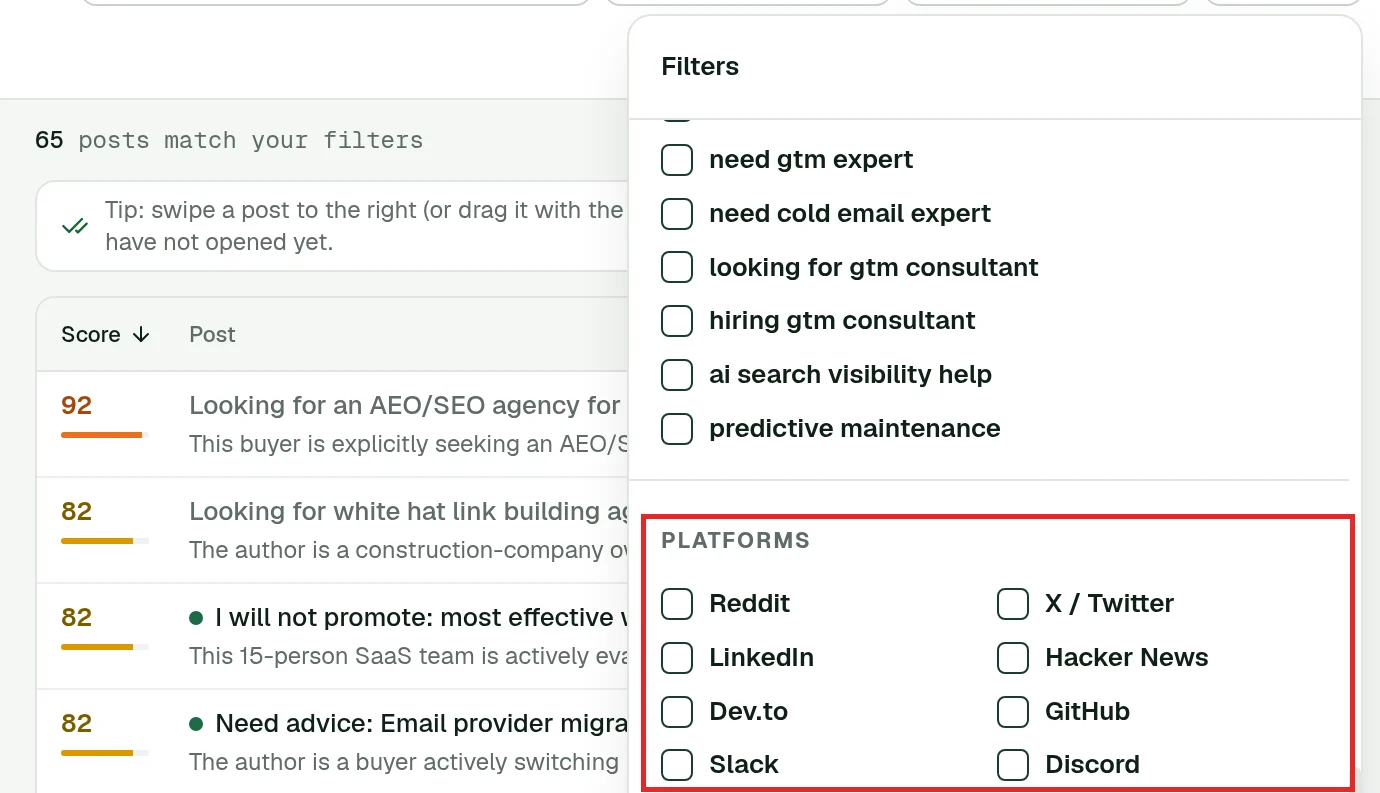
I’d match sample keyword rows with the Platforms checkboxes shown here to focus triage across GitHub, Hacker News, LinkedIn, Dev.to, Reddit, and X / Twitter on sample data from a tracked set.
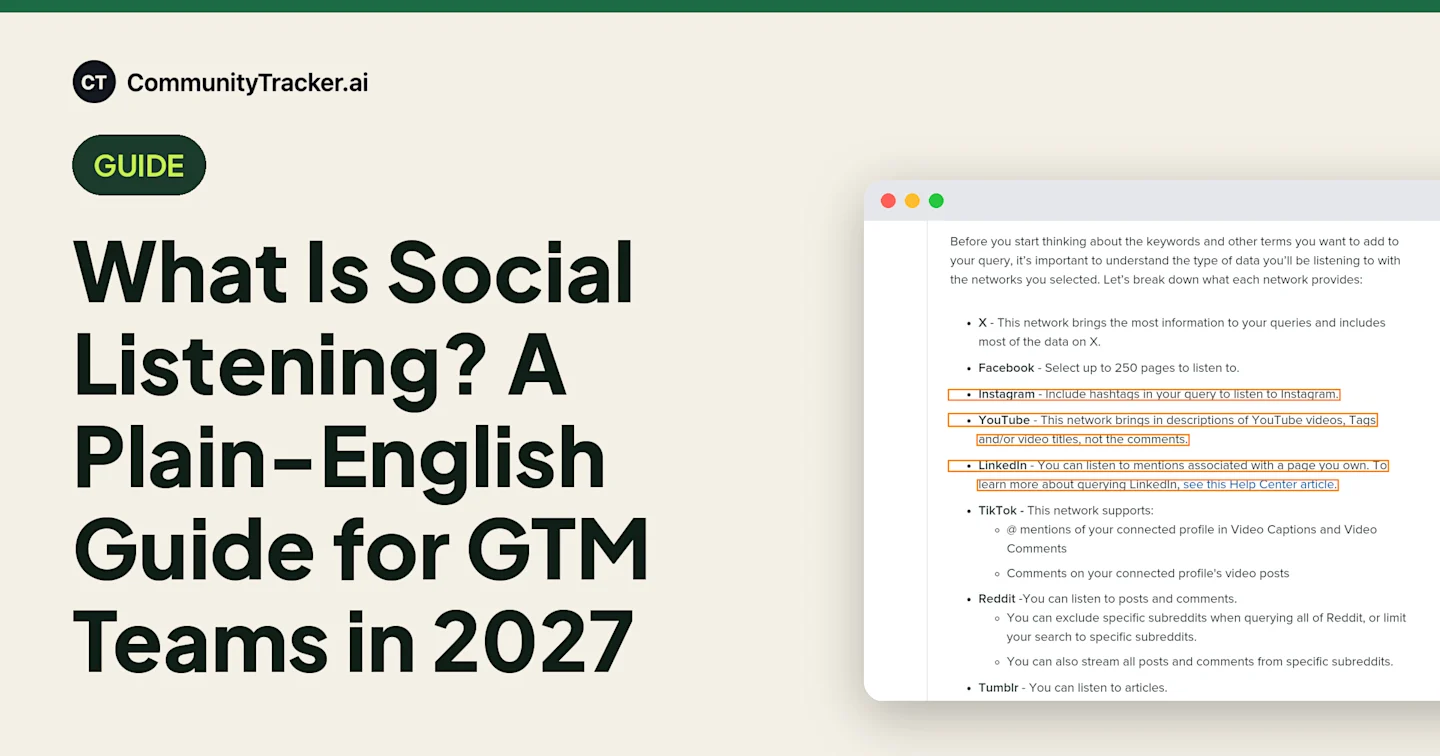
Never assume any traditional listening suite crawls every public feed evenly. Channel limits restrict YouTube to video descriptions, tags, and titles without comments, confine LinkedIn listening to mentions tied to an owned page, limit Instagram collection mainly to hashtags, and exclude review portals, general web pages, and paywalled sites from web crawls.
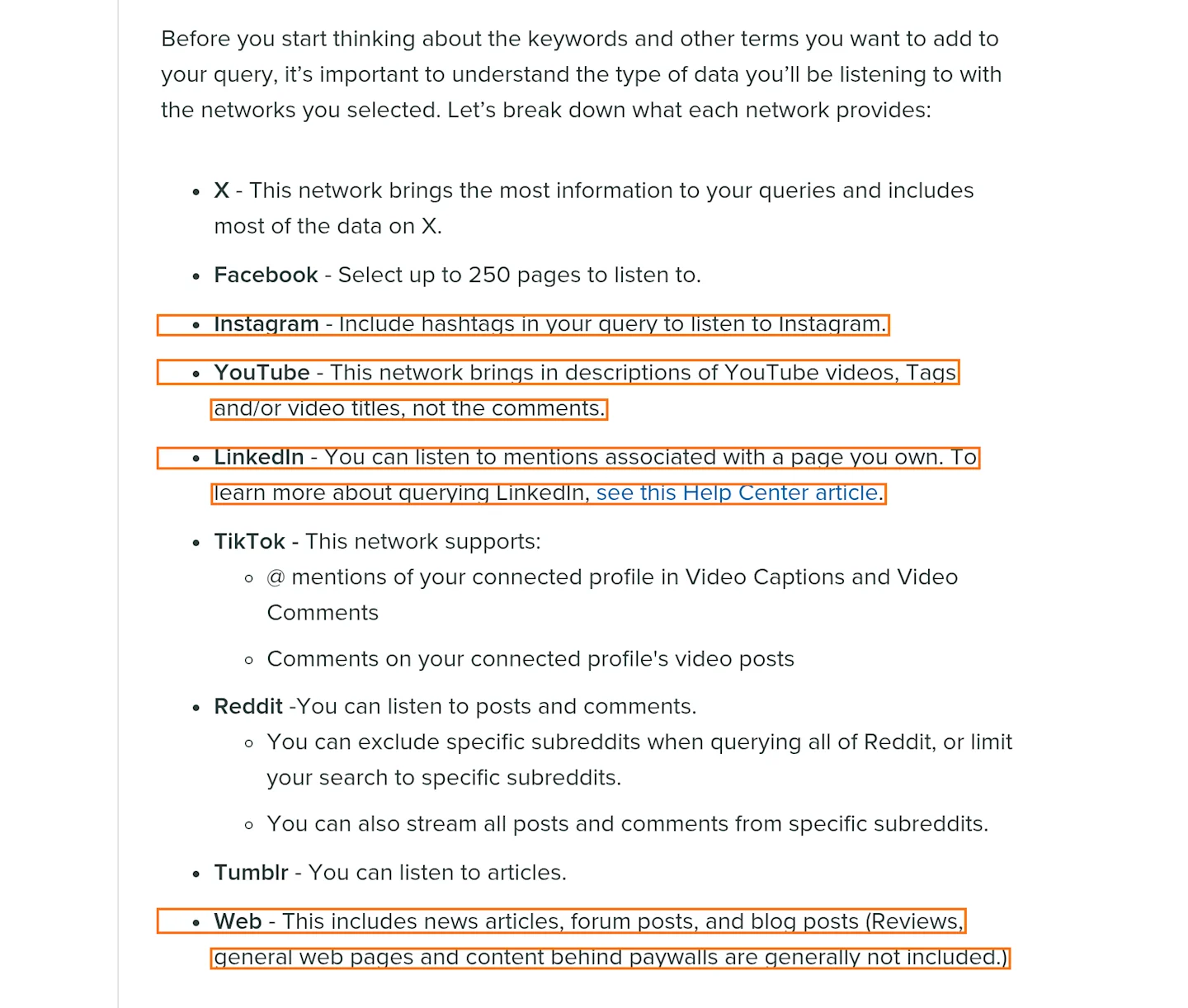
I’d read this Query Builder list before I trust a coverage gap, from the Instagram hashtag rule down to the Web exclusions at the bottom.
3. Read intent signals and triage score tiers
Sentiment counts never tell a rep who to email first; rank community discussions by buyer intent so commercial leads reach sales while recurring friction goes to product.
CommunityTracker scores threads from 0 to 100 and organizes matches into Hot, Warm, or Watch with an explanation beside each entry. Pro ($99 monthly) and Advanced ($199 monthly) handle AI intent scoring and filtering automatically, whereas Starter ($39 monthly) includes 5,000 mentions and manual reply drafting; every draft waits for your edits before going out.
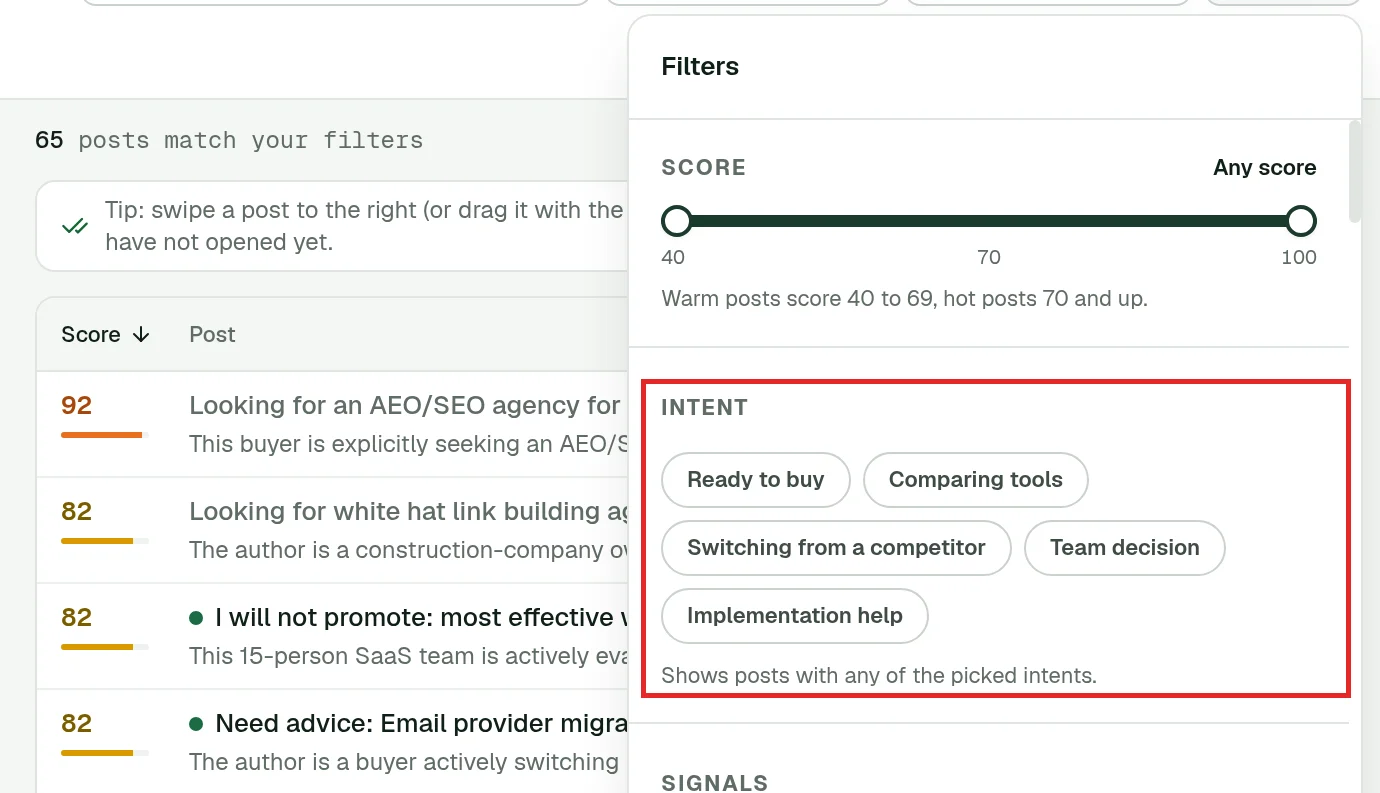
I’d pick Intent filters including Switching from a competitor, Team decision, Comparing tools, and Implementation help to lift purchase discussions above general chatter across these 65 posts of sample data from a tracked set.
Narrow the Posts table to one priority network and sort highest score first so reps work active switch requests before scrolling lower-intent feedback.
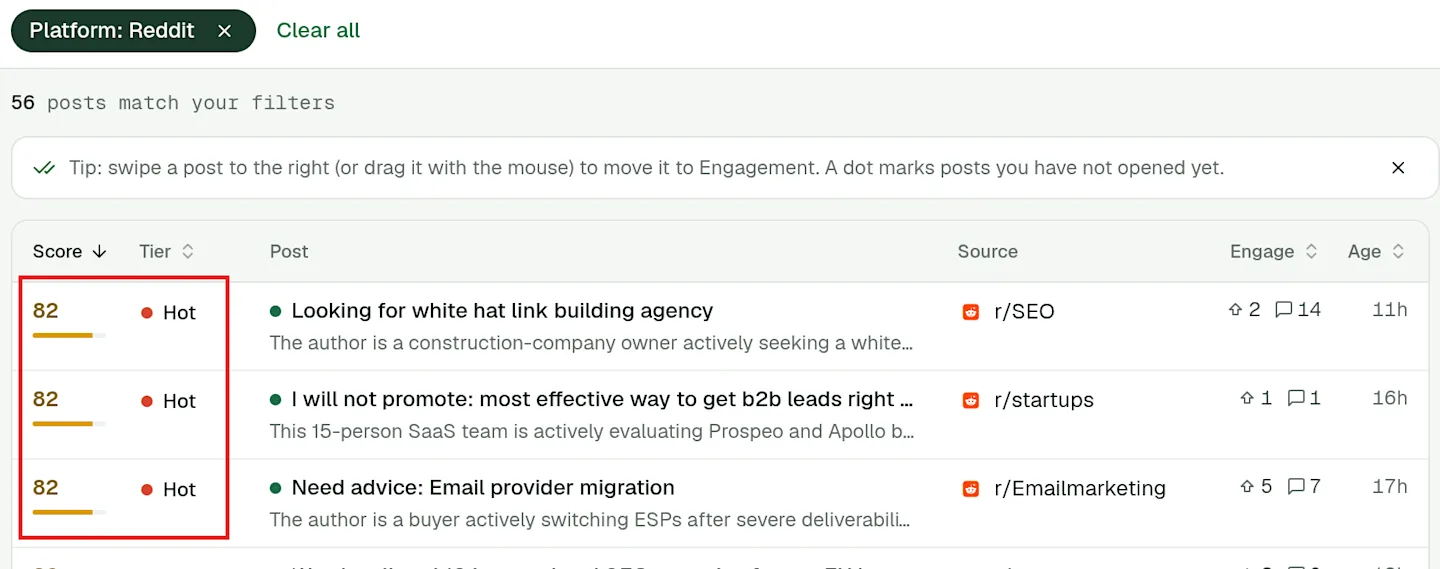
I’d isolate Reddit inside the Posts queue and sort descending by score, reviewing these 56 filtered rows and Score 82 Hot leads on sample data from a tracked set.
4. Route alerts to Slack and a daily morning email
Sending every raw keyword match into a team channel makes people mute it by Friday; split urgent buyer notifications from your recurring summary.
CommunityTracker routes notifications by plan: Starter sends daily alerts, whereas Pro ($99 monthly) and Advanced ($199 monthly) send daily Slack alerts to a channel your team chooses. HubSpot sync turns Hot and Warm threads into deals.
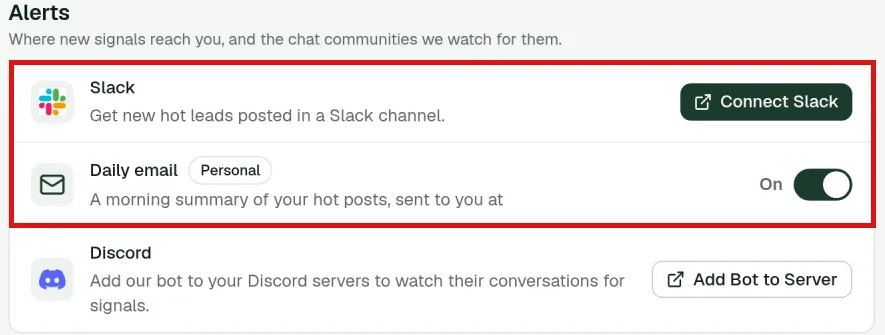
I’d send fresh hot leads to a Slack channel while keeping the daily morning email digest of hot posts turned on.
Pair daily buyer routing with one fixed 30-day theme tally for product leads. Assign five to seven concrete friction labels rather than broad negative sentiment, then hand the top count to one owner to ship a fix.
The counts in the next paragraph are a sample walkthrough for the arithmetic, not real account data.
Suppose a 30-day pull on your product name, two rivals, and “slow onboarding” collects 400 raw posts. Removing duplicates, spam, job listings, and internal replies cuts 360 posts, a 90% cull (360 / 400), leaving 40 clean posts. Twenty-four of those 40 mention onboarding time (60%), and 15 of those 24 blame the setup docs (37.5% of the clean set, or 62.5% of onboarding posts).
You can verify the operator time cost the same way as arithmetic, not a case study. Spending 20 minutes a day scanning unfiltered alerts burns 400 minutes across 20 workdays (6 hours and 40 minutes a month), whereas one 45-minute weekly theme pass totals 180 minutes across four weeks.
5. Track community share of voice against steady competitors
Headline mention totals disguise channel blind spots; track community share of voice against an identical competitor set every cycle so shifts show real demand changes.
CommunityTracker includes one workspace share-of-voice report. The share-of-voice report refreshes every Monday with brand versus competitor trends, mention comparisons, and community-level share. Read the underlying formula in what is share of voice. Visibility gaps, an action plan, and PDF share exports sit on Advanced ($199 monthly).
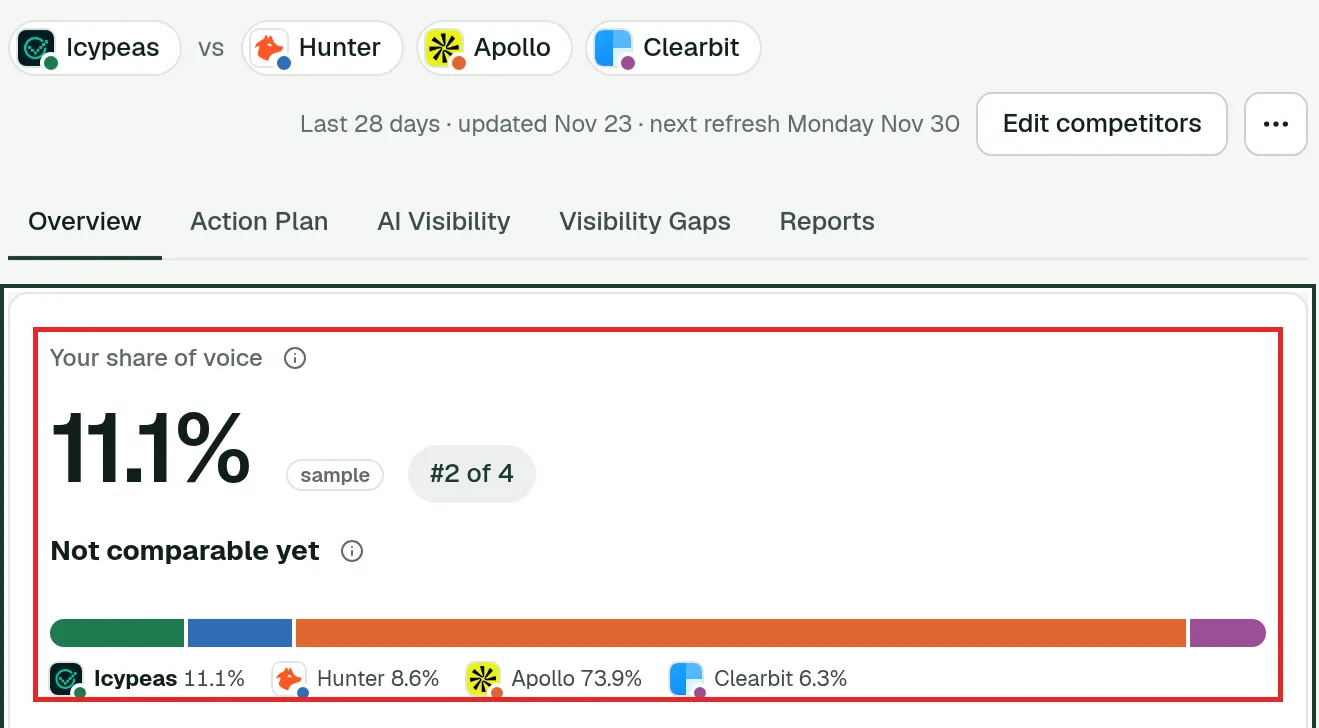
I’d hold Icypeas, Hunter, Apollo, and Clearbit steady across Monday refreshes in this Overview card, treating every displayed number as sample data from a tracked set rather than real market share.
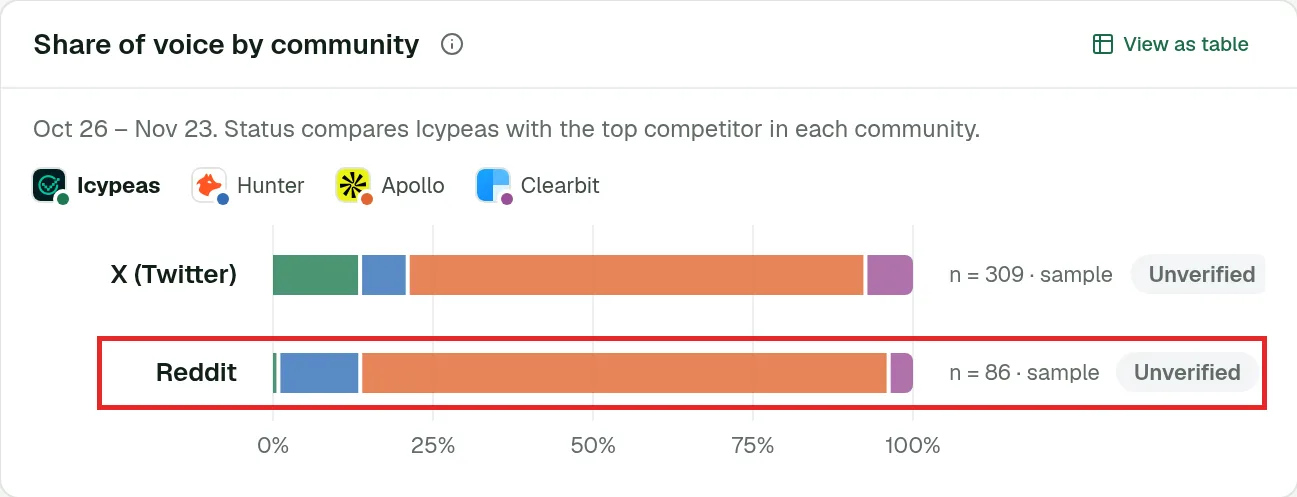
I’d inspect each community bar below the headline summary, reading X (Twitter) at n = 309 and Reddit at n = 86 as sample data from a tracked set so noisy volume on one feed never conceals quiet gaps elsewhere.
What buyers hit in listening software
Tools speed up collection, yet real buyers still run into hidden sentiment rules, sluggish listening workflows, and incomplete network support. If a vendor demo promises hands-off answers, read how operators describe the work on review sites.
L L.’s October 2026 review of Brand24 on Software Advice carries the title “Brand24 and a Customer Success Manager who genuinely cares about your results” and calls out sentiment scoring under Cons: “I was initially unsure how far I could trust the AI assistant’s output, and I found it a little difficult to understand how mentions were classified as positive, negative or neutral. More transparency on how sentiment is determined would help users judge how reliable the results are.”
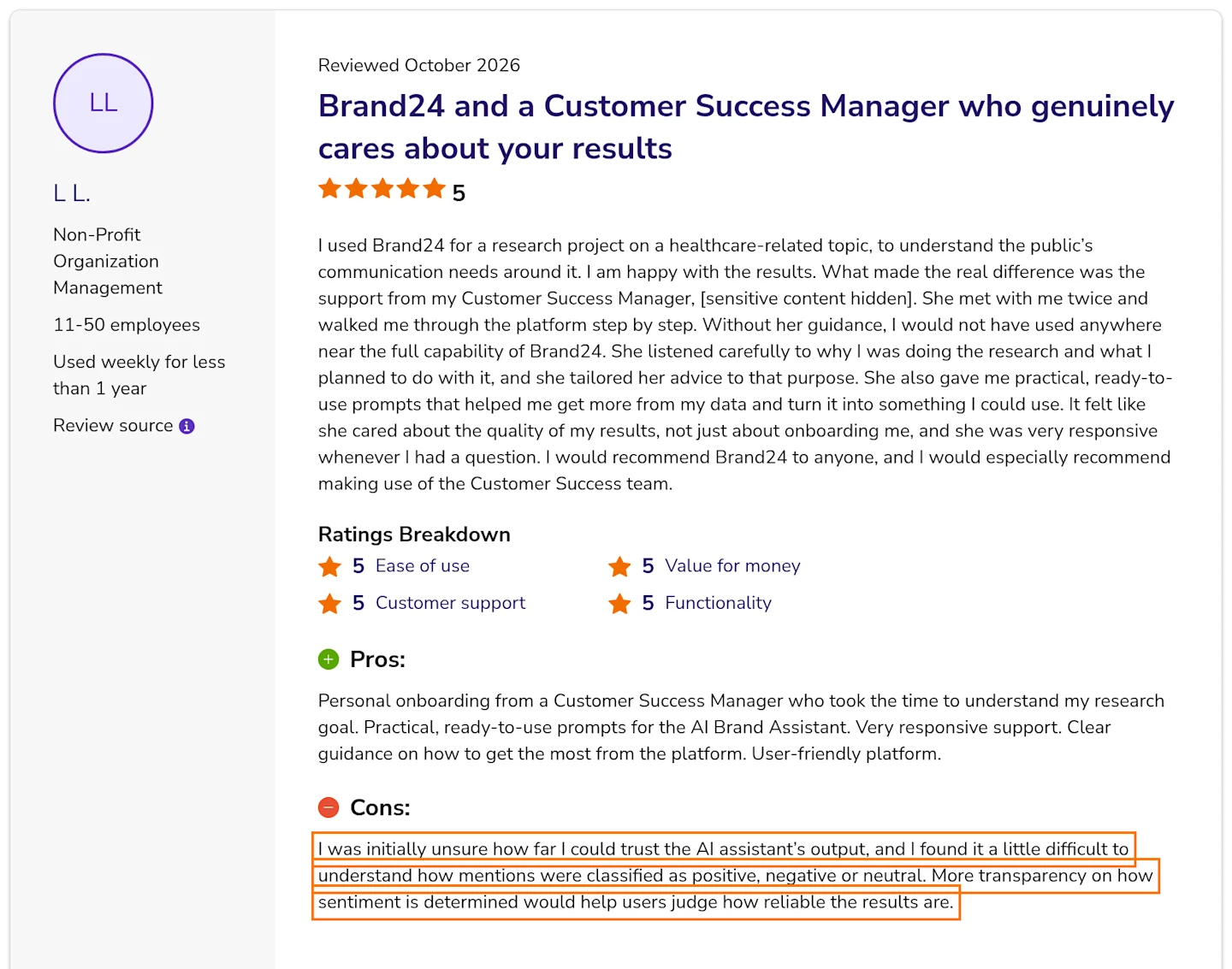
L L., Software Advice, October 2026, on sentiment transparency.
That matches what breaks most dashboards: if you cannot see why a thread got tagged positive or negative, you still have to read the clean set yourself before briefing product or sales.
John Siegel’s May 1, 2026 review of Hootsuite on TrustRadius, Incentivized, places this line under Cons: “The Listening function is a little clunky and slow, but the insights are solid.”
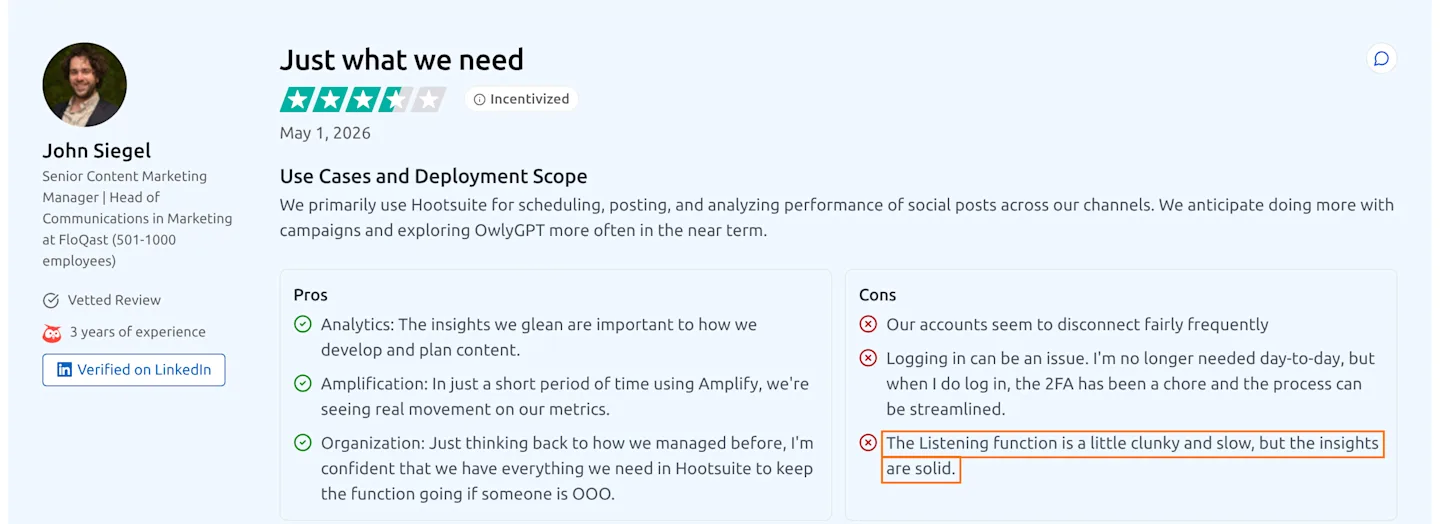
John Siegel, TrustRadius, May 1, 2026, Incentivized, on listening workflow speed.
Even inside an enterprise suite, listening modules often trail publishing and inbox tools in speed, so keep your weekly theme pass narrow enough that slow queries don’t derail it.
Benoît E.’s Dec 27, 2025 review of Awario on Trustpilot (experience date 4 December 2025) carries the title “A new level of social media monitoring” and notes one limit at the end: “The only downside is that not all social media platforms are supported yet, but I hope the team expands coverage soon.”
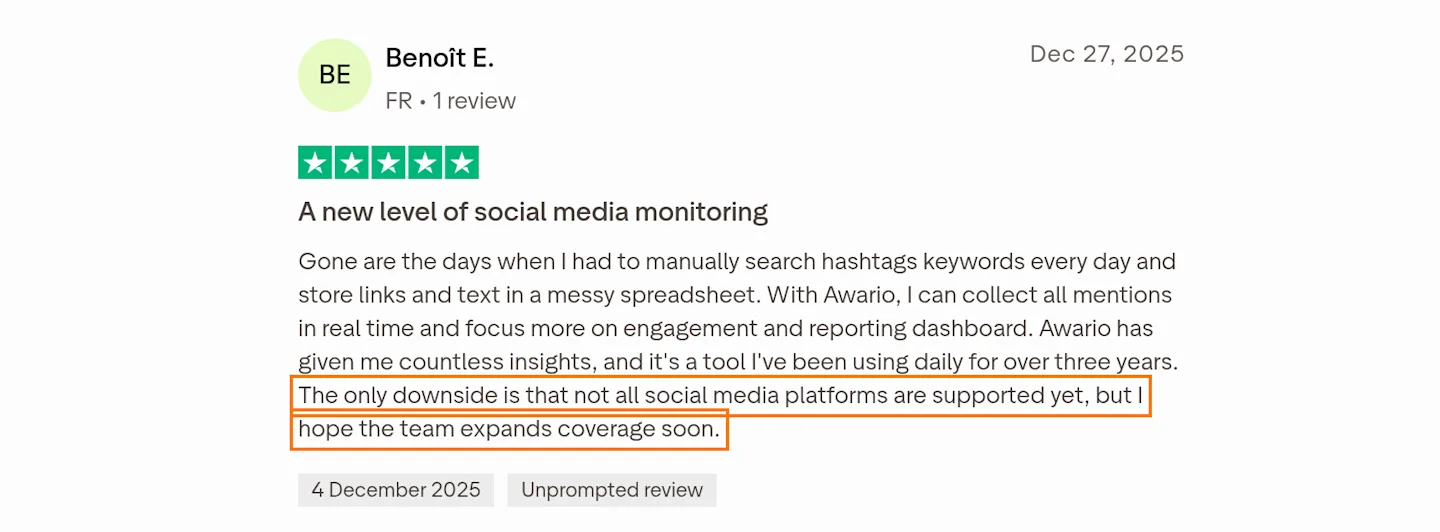
Benoît E., Trustpilot, Dec 27, 2025, on missing platform coverage.
Once you have a clean 30-day set and want to evaluate dedicated platforms, read the social listening tools breakdown to compare platforms.
Where CommunityTracker fits
If your listening goal is finding B2B buyers discussing your category so sales can follow up, enterprise PR listening contracts add cost without an outbound workflow. I’d pick CommunityTracker instead.
CommunityTracker.ai is a GTM tool.
Each paid subscription gives you mapped CSV lead imports, credit-based enrichment covering 30+ fields (new accounts start with 100 credits), and mailbox-based email and LinkedIn campaigns with optional approval plus one reply inbox. You also get scored-post API endpoints, native HubSpot deal creation from Hot and Warm threads, key-based exports to Instantly, Smartlead, Salesforge, or lemlist, and AI assistant connectors for Claude (single-click setup), ChatGPT, or Grok. Contracts remain month-to-month with annual billing by request and a 14-day refund policy on new accounts.
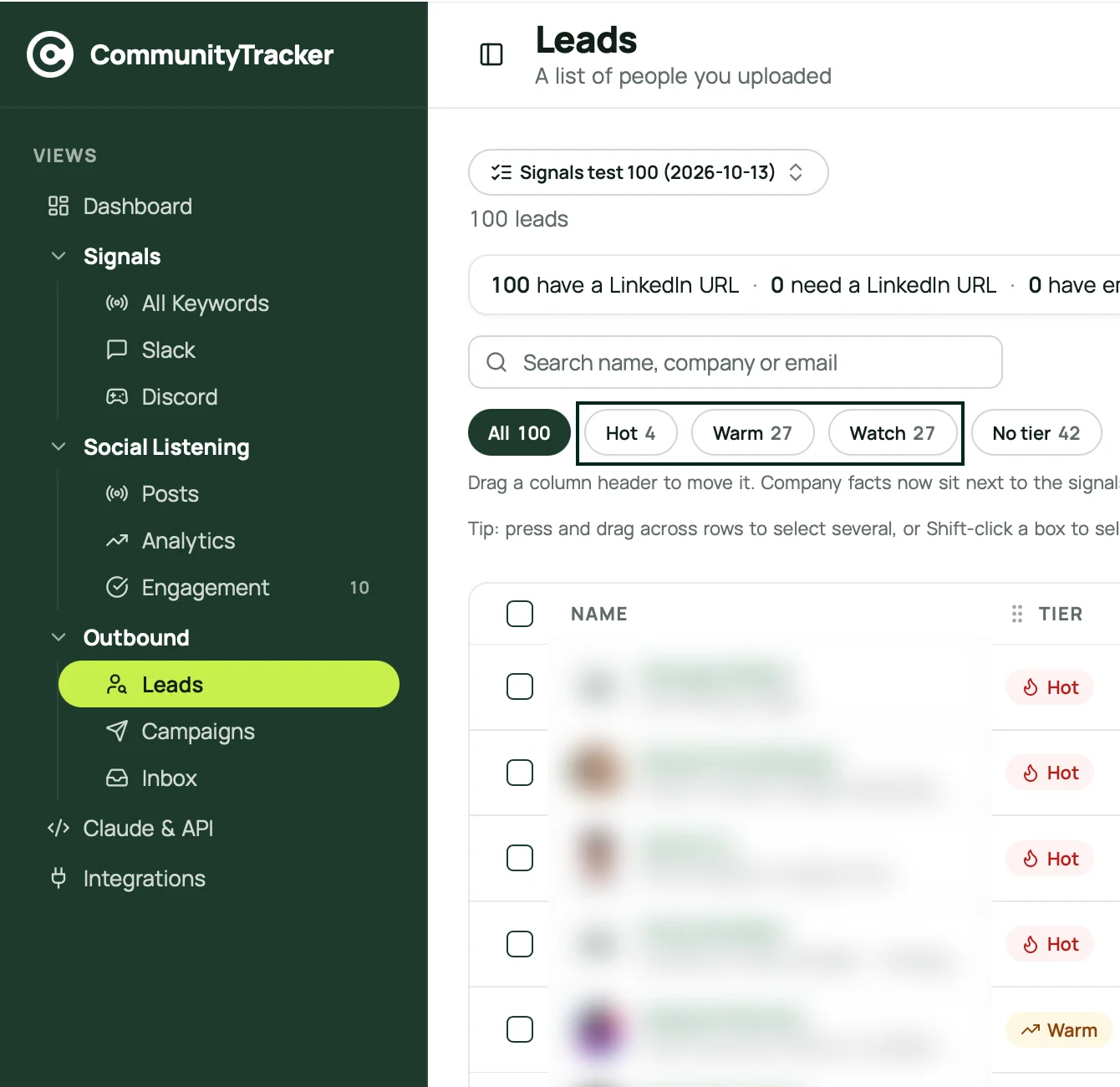
When a listening brief is really meant to feed outbound, I’d skip the mention exports and work straight from the Hot, Warm and Watch chips here.
Paid tiers start with Starter at $39 monthly, move to Pro at $99 monthly, and top out at Advanced at $199 monthly, each billed by the month as a recurring charge.
A seven-day trial costs $4.99.
Paying once opens Pro tools for seven full days across 5 keywords and 3 community intelligence searches without charging your card afterward.
Starter alerts once a day.
Choose Pro or Advanced to reach all 10+ listed platforms after Starter’s four, and Pro includes daily Slack alerts.
100 warm emails a month on Starter, unlimited on Pro.
Advanced retains unlimited warm emails alongside 20 tracked keywords, 5 monthly community intelligence searches, visibility gaps, an action plan, and downloadable PDF share reports.