Brand24 Pricing in 2027: What You Pay per Plan
Brand24 pricing in 2027: $249 to $699 a month, or $199 to $599 billed annually. What each plan includes, where the caps force an upgrade, and what I'd pay.
Adarsh Kumar
GTM Expert
Founder — CommunityTracker, Miraa.io, and Infraboxes
You’re looking up Brand24 pricing because finance wants a number that will match the card, a trial window is about to close, or a renewal is sitting on the calendar.
Buyers now take shorter software contracts, and even monthly billing, so they can test a tool before locking in a year.
I’m sure you’ve tried the public plan cards, a 14-day trial, or a sales quote, and still landed here unsure which mention cap you need.
Work through these steps to size Brand24 on mentions, users and sources, check the limits and terms that change the bill, and compare CommunityTracker if the job is buyer threads rather than a bigger mention cap.
TL;DR: Brand24’s public plans run $249 to $699 a month, or $199 to $599 billed annually, plus an Enterprise floor of $1,499 billed annually only, with no public monthly rate. I’d start on Team for any team larger than one person, stay on monthly billing until two months of mention volume hold, and skip Individual unless one person can work with 3 keywords, 2,000 mentions and a 12-hour lag.
What Brand24 costs
Brand24 is a self-serve mention monitor with four public plans and an Enterprise floor. Individual costs $249 on monthly billing, or $199 billed annually. Team costs $349, or $299 billed annually. Pro costs $499, or $399 billed annually. Business costs $699, or $599 billed annually. Enterprise has no public month-to-month price. The annual card starts at $1,499 per month. You can open a 14-day free trial with no card, and you do not need a sales call to start.
I’d size Brand24 on the mention cap and the user limit, not on the keyword count alone. For a GTM or B2B team of more than one person, I’d start on Team. I would not buy Individual, and I would not pay a year up front until I had two months of mention volume on monthly billing.
1. Read the public prices and pick a starting tier
I’d read the mention cap and the user limit first. The keyword count comes after. Every plan has a monthly price and a lower price billed annually. The annual price is still quoted per month, so multiply by 12 for the real commitment.
Plan | Monthly billing | Annual billing (per month) | Annual billing (per year) | Keywords | Mentions per month | Users | Updates |
|---|---|---|---|---|---|---|---|
Individual | $249 | $199 | $2,388 | 3 | 2K | 1 | Every 12h |
Team | $349 | $299 | $3,588 | 7 | 10k | Unlimited | Every hour |
Pro | $499 | $399 | $4,788 | 12 | 40K | Unlimited | Realtime |
Business | $699 | $599 | $7,188 | 25 | 100K | Unlimited | Realtime |
Enterprise | Not published | From $1,499 | From $17,988 | Custom | Custom | Unlimited | Realtime |
Prices are in USD. Enterprise carries only an annual price.
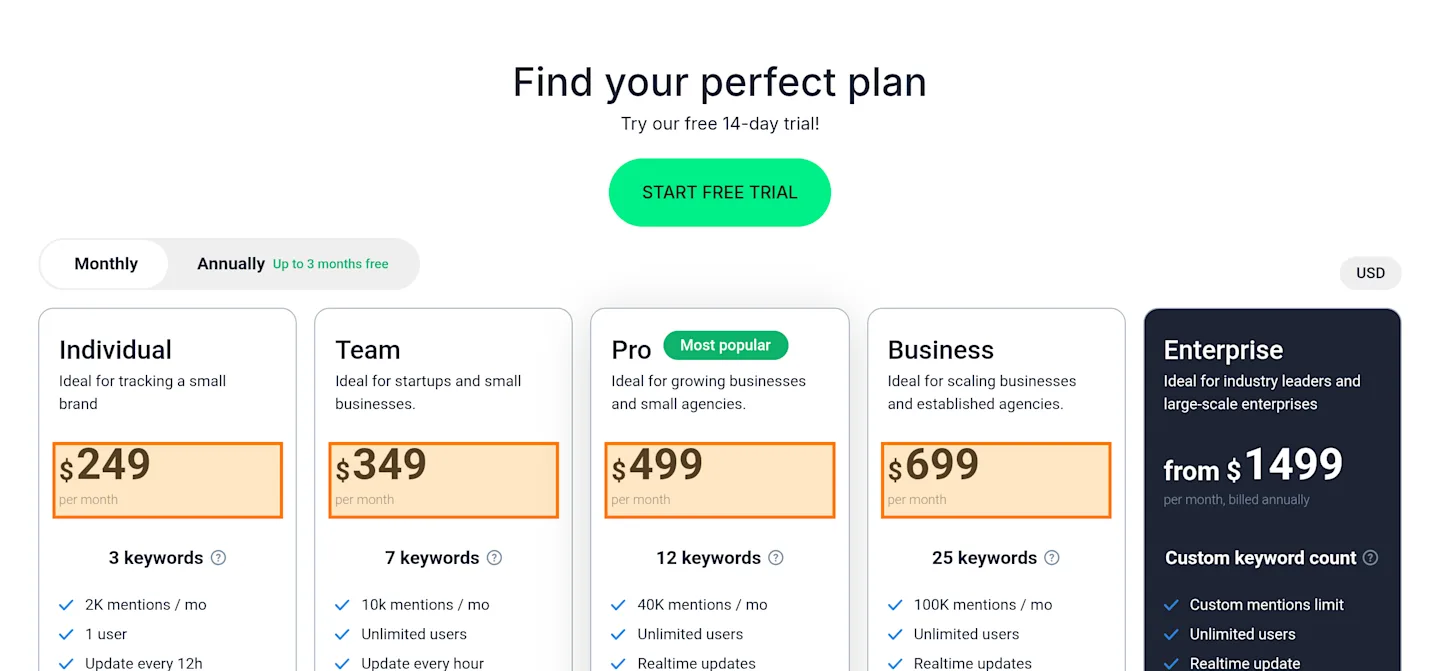
I’d start on the Team monthly card here, and I would not pick Individual for a team of more than one.
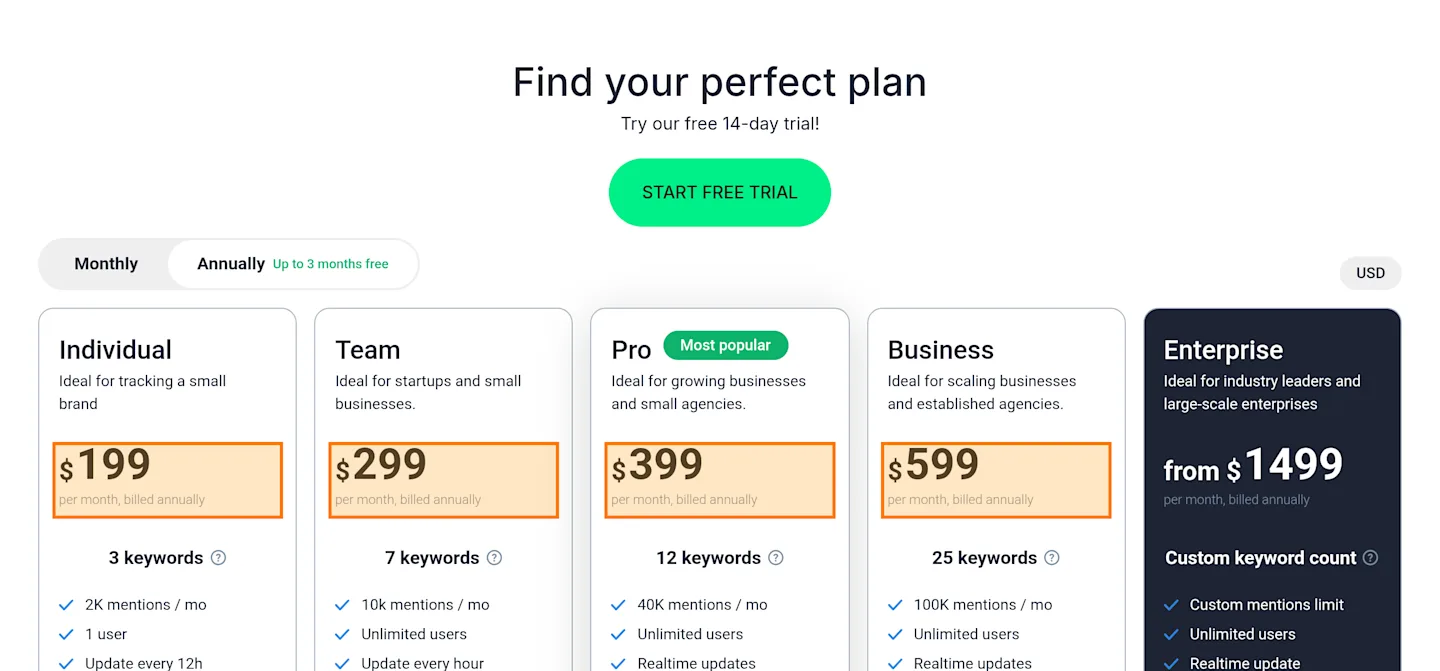
I’d compare the annual per-month figures on this toggle only after two months of volume on monthly billing.
A few things in that table change how I’d read it.
Individual is the only single-user plan. Every other plan gives you unlimited users, so you never pay per seat above Individual. You can add extra users on Individual, at a price that is not published.
Pro is the first plan with AI Insights and AI Topics, both capped at 2 projects. Business lifts AI Topics to unlimited and AI Insights to 5 projects.
Smart Context Search is an add-on on Pro and Business, and the price for it is not published.
White-labelled reports, plus Excel, PDF and PowerPoint exports, start on Pro. If you need to hand a client a branded report, Team will not do that job.
The annual toggle offers up to 3 months off. My math lands lower.
Individual and Pro: annual saves 20%, about 2.4 months of the monthly fee.
Team and Business: annual saves about 14%, about 1.7 months.
In dollars, that’s $600 a year on Individual and Team, and $1,200 a year on Pro and Business.
Pro on monthly billing costs $5,988 a year ($499 x 12). Annual billing costs $4,788 ($399 x 12). You keep $1,200, but you commit to 12 months of a plan you cannot refund.
Annual is not a checkout button. You open the 14-day free trial first, then you contact Brand24 to move onto an annual plan.
2. Use the 14-day free trial to measure mention volume
Brand24’s trial, as of the 12 June 2026 help article, lasts 14 days, the features follow the Pro plan, you can use up to 10 keywords and collect up to 30,000 mentions, and the data refreshes every 24 hours. X and Instagram sit behind a cap of 100 mentions a day. When the 14 days end, you pick a paid plan or you lose access. You can start that trial with no card.
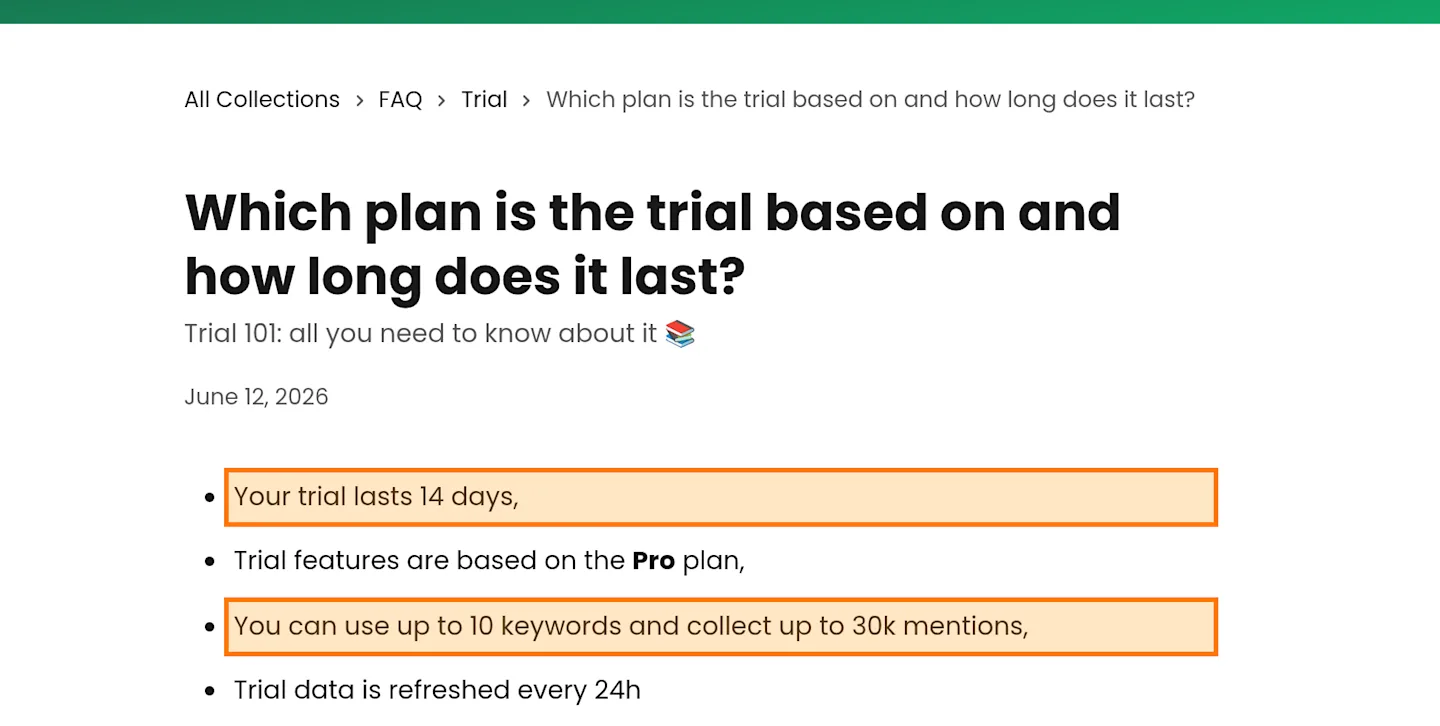
I’d use this 14-day trial window, dated 12 June 2026, to measure mentions, not to size Individual against a Pro-shaped cap of 10 keywords and 30,000 mentions.
I’d use that window to measure mention volume, not to treat the Pro-shaped trial as the plan you will pay for. Individual, once you pay, includes only 2,000 mentions a month and updates every 12 hours. The trial can collect 15 times that volume. If your 14-day count is anywhere near 2,000, Individual will not hold.
3. Check mentions, keywords and users before you pay
The plan price is the floor. Mentions, keywords and users are the three limits that push you up a tier.
Mentions. Each plan includes a monthly mention cap: 2,000 on Individual, 10,000 on Team, 40,000 on Pro, 100,000 on Business. A mention is one result that contains a keyword you track, such as a post, a blog, a forum thread or a news item. If you go over the cap, Brand24 can keep collecting mentions and charge an overage fee. In Brand24’s help example, Account Settings includes an extra-unit price of $25 per 10,000 mentions, on an account with a 100,000-mention cap. That rate can differ by account, so confirm it on your own Price List in Account Settings. The terms also let Brand24 charge overage to your card automatically, on or after the end of the billing period, and where it bills in units, it charges each started unit in full. I would get the overage rate and the unit size in writing before I start.
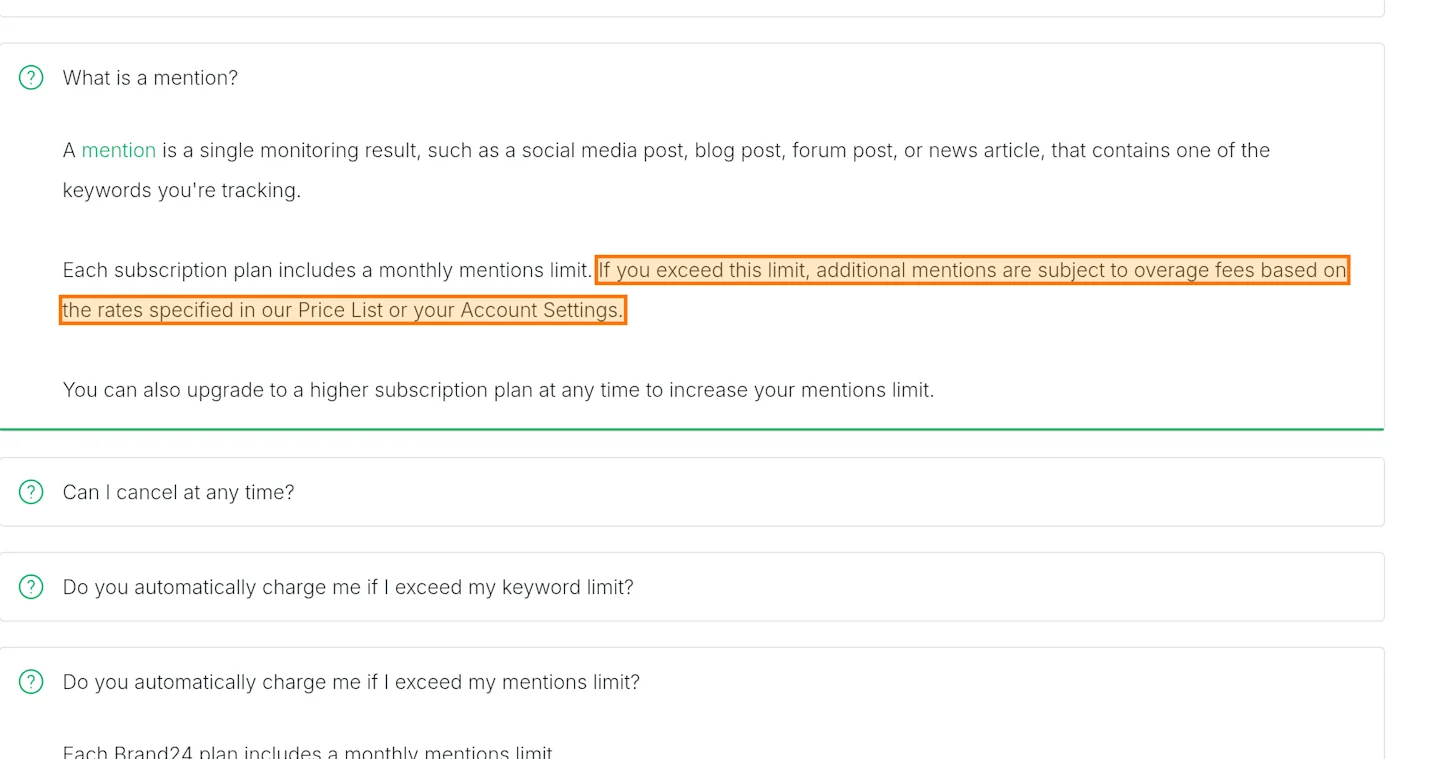
I’d get the overage rate in writing before I start, because mentions past the cap are billed as overage.
Keywords. Brand24’s 5 November 2025 help article sets the caps at 3, 7, 12 and 25 keywords on Individual, Team, Pro and Business, with a custom count on Enterprise. A trial account can monitor up to 10 keywords. Your brand, two competitors and a product name already use four, which rules out Individual. Brand24 does not auto-charge you for extra keywords. You upgrade, or you buy more keywords. The 3 June 2026 help article has you buy extras in Account Settings. That example account has a 60-keyword cap and includes an extra-unit price of $25 a keyword, billed monthly. That rate can differ by account, so confirm it on your own Price List in Account Settings.
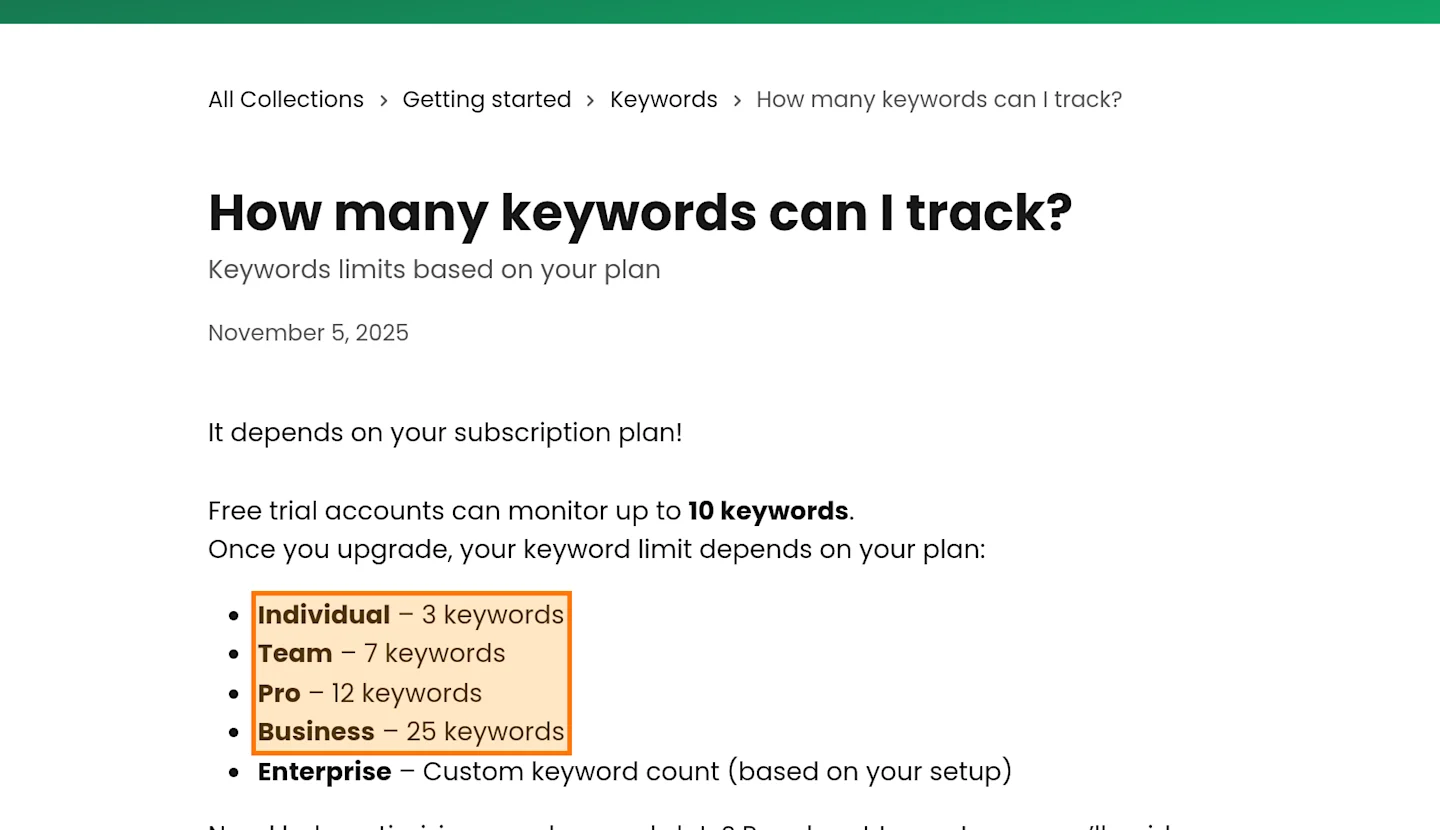
I’d read these keyword caps first: Individual 3, Team 7, Pro 12, Business 25, as of the 5 November 2025 help article.
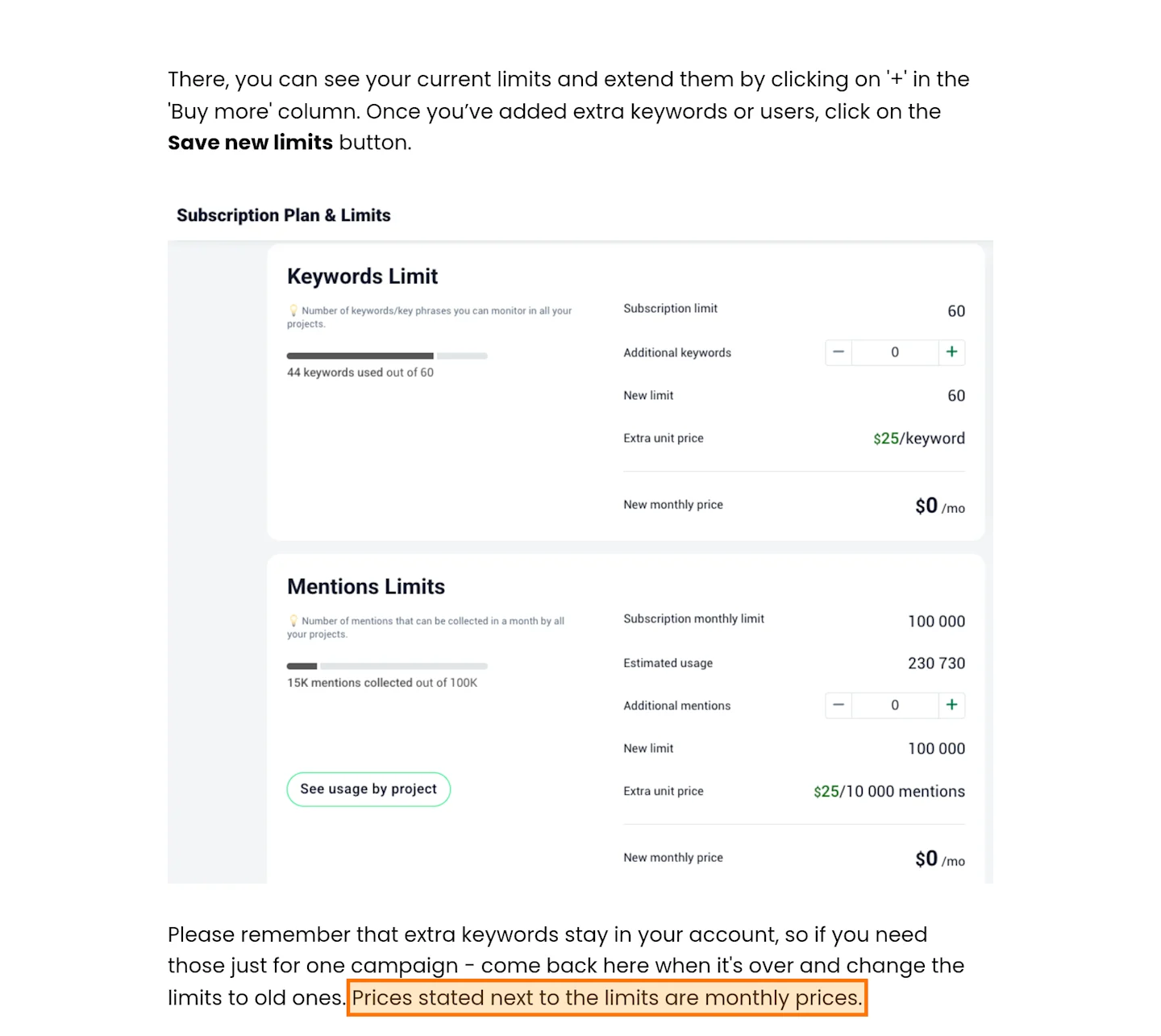
I’d confirm the extra-unit prices on my own Price List in Account Settings, because this help example, dated 3 June 2026, prices extras at $25 a keyword and $25 per 10,000 mentions.
Users. The 25 September 2025 help article on adding users gives the trial 5 users, Individual 1 user, and Team, Pro, Business and Enterprise unlimited users. That is why I would not put a five-person GTM team on Individual. You can buy extra users, but again the public price is not published.
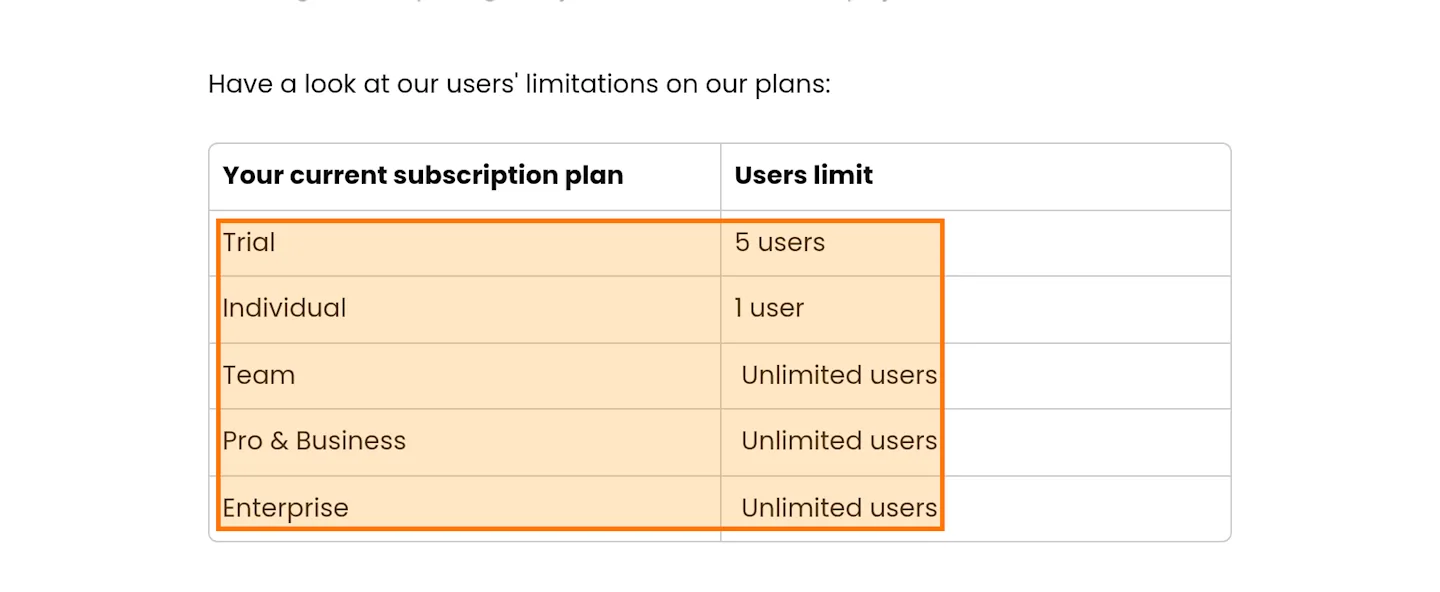
I’d put a five-person team on Team or above, because Individual holds one user and the trial holds five, as of the 25 September 2025 help article.
Three more items sit off the plan card.
The API. API access starts on Pro, at an extra fee of $149. The billing basis for that $149 is not published, so I would not fold it into a yearly model until Brand24 writes the cycle down. Individual and Team do not offer the API at all, and Enterprise includes it.
AI add-ons. The AI Visibility module is an add-on on Individual through Business. The Enterprise card includes it. The comparison table still marks it as an add-on there too, so get it confirmed in your quote. Smart Context Search is an add-on on Pro and Business. Prices for both are not published.
Update speed. This one is not a line item, but it costs you time. Individual updates every 12 hours. If you use Brand24 to catch a complaint or a sales conversation, a 12-hour lag means you see it the next morning. Team updates every hour, and Pro and Business use Realtime updates.
Divide the plan price by its limits and the plans stop looking close together.
Plan | Per 1,000 mentions (monthly) | Per 1,000 mentions (annual) | Per keyword (monthly) | Per keyword (annual) |
|---|---|---|---|---|
Individual | $124.50 | $99.50 | $83.00 | $66.33 |
Team | $34.90 | $29.90 | $49.86 | $42.71 |
Pro | $12.48 | $9.98 | $41.58 | $33.25 |
Business | $6.99 | $5.99 | $27.96 | $23.96 |
These figures come from the public plan prices at full use of each cap.
Individual at $249 a month for 2,000 mentions works out to $124.50 per 1,000. Team at $349 for 10,000 works out to $34.90. You pay $100 more a month for five times the mentions.
That’s why I call Individual a poor buy for anything beyond one person watching one brand name. A mention costs you more than three times as much on Individual as on Team.
4. Stay on monthly billing until the mention count holds, then read the terms
I’d buy Brand24 when the job is mention monitoring: a brand name, a short rival set, and a team that will read the feed and act. I’d skip it when the job is finding buyers to talk to. You pay for every mention Brand24 collects, and most of those mentions will not be buyers. That is a lot of feed to filter for a handful of conversations worth a reply.
For the teams I have in mind:
Solo founder watching one brand. Individual at $249 a month buys 3 keywords and one login. I’d only stay there if you check it once a day anyway, and if your mention count will stay under 2,000.
In-house marketing or B2B team. Team at $349 a month is the plan. You’re paying for shared access and hourly updates.
Agency. Pro at $499 a month is where white-labelled reports and Excel, PDF and PowerPoint exports start. Below Pro, you cannot hand a client a branded report.
GTM team hunting buyers. I would not start here. Size the mention cap first, and if the feed is mostly noise, look at a tool built for the outreach job rather than stretching a mention monitor.
What a five-person team pays in a year
I’d put this team on Team, and I would not pay for the API until someone owns the dashboard. If nobody has that work on their list, the upgrade buys you a fee, not a workflow.
Here is a worked example from the public limits. Five people, tracking one brand, two competitors, one product name and one founder name. That’s 5 keywords.
Individual is out. It has 3 keywords and 1 user.
Team fits: 7 keywords, unlimited users, 10,000 mentions.
The yearly bill on Team:
Monthly billing: $349 x 12 = $4,188.
Annual billing: $299 x 12 = $3,588.
Per person on annual billing: $3,588 / 5 = $717.60 a year.
Now suppose a developer wants the data in a dashboard. The API needs Pro, so the plan jumps:
Pro on annual billing: $399 x 12 = $4,788.
Plus the $149 API fee, on a cycle Brand24 does not publish. I would not add a yearly API total until that cycle is in writing.
The plan jump alone is $1,200 a year above Team on annual billing, before the API fee.
The price list covers the plan. The terms cover what happens when things go wrong. Read these four clauses before you commit.
Fees do not come back. Subscription fees are non-refundable, including automatically renewed periods, and that holds even if you do not use the account.
Cancelling stops the next renewal only. You keep access until the end of the paid period, and missing the cancel date does not get you a refund.
Your card gets charged on every renewal until you cancel.
Price list changes stick unless you act. If you do not cancel within 14 days of a price change notice, you have accepted it.
These terms apply to new agreements concluded on or after 22 October 2026. If you signed up before that, the terms apply from 5 November 2026, or 14 days after you receive notice, whichever comes later, and the overage and non-refund rules start on your next paid period after that date.
The 14-day free trial is the only stretch where a wrong guess costs you nothing, so use it to measure your mention volume.
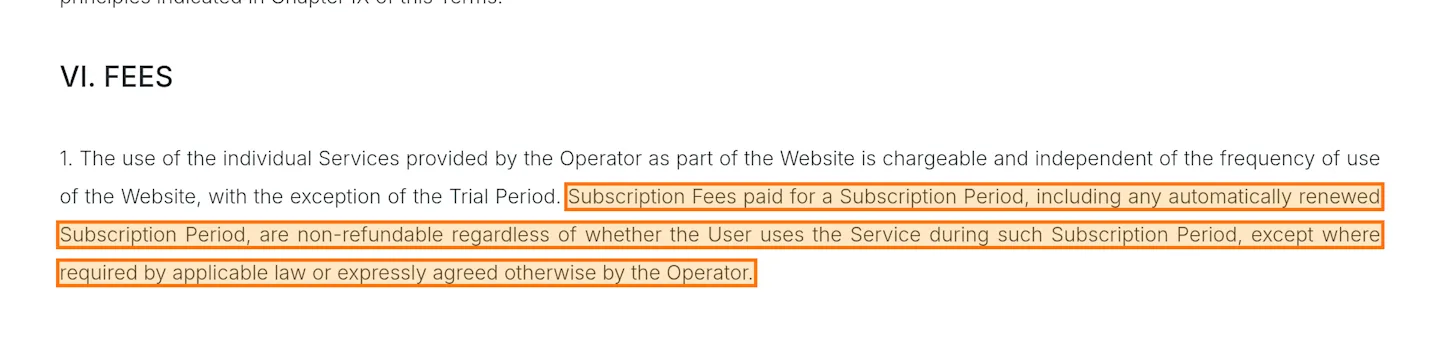
I’d read this non-refund clause before I prepay a year, because subscription fees, including renewed periods, do not come back.
What Brand24 users report about the price
The public reviews on price split, and I trust the split more than a single rave.
Monica N.’s August 2025 review on Software Advice, older than 12 months, is titled “Great for the price” and includes the line “Great value for the price.” The same review puts “A little bit pricey compare to other software.” in the cons.
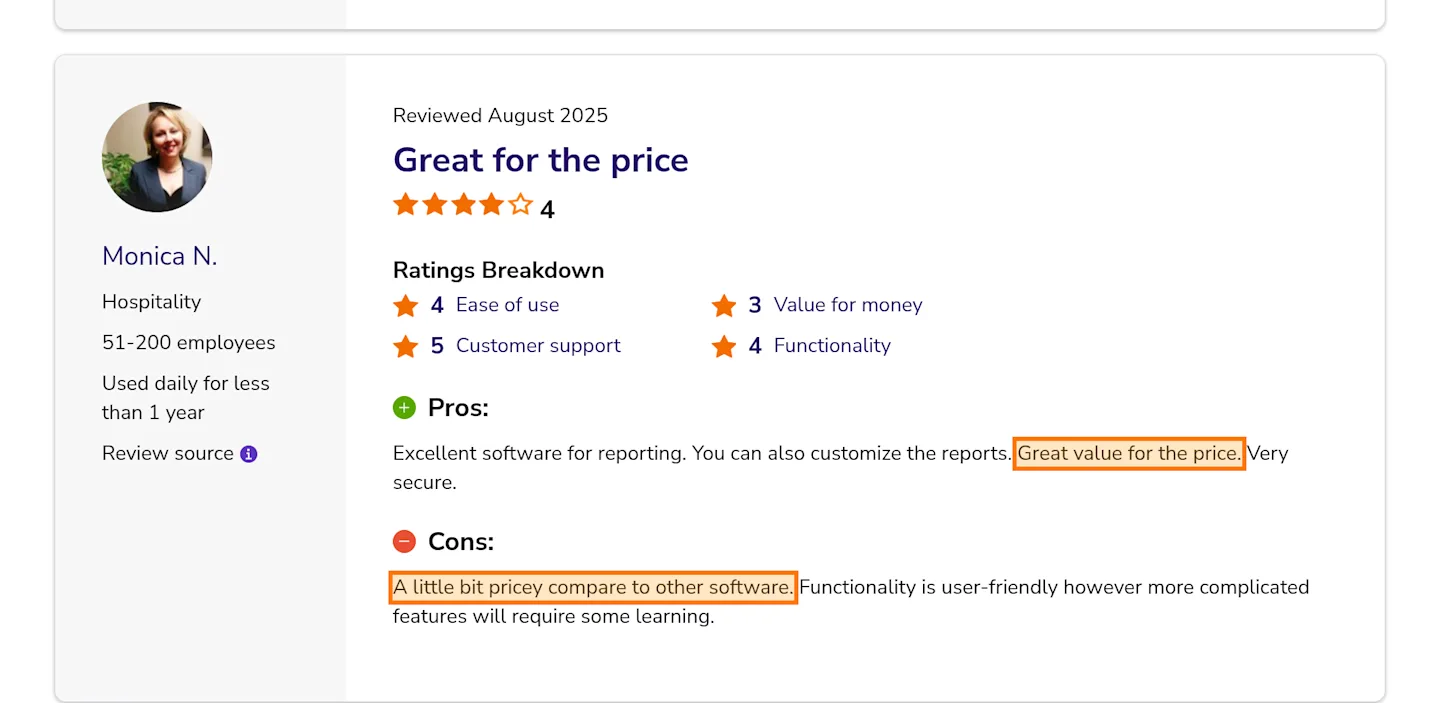
Monica N., Software Advice, August 2025, older than 12 months.
A July 2025 Software Advice review by a Verified Reviewer, older than 12 months, includes the line “It can get expensive, especially for small businesses or solo users who only need basic monitoring, but overall worth it.”
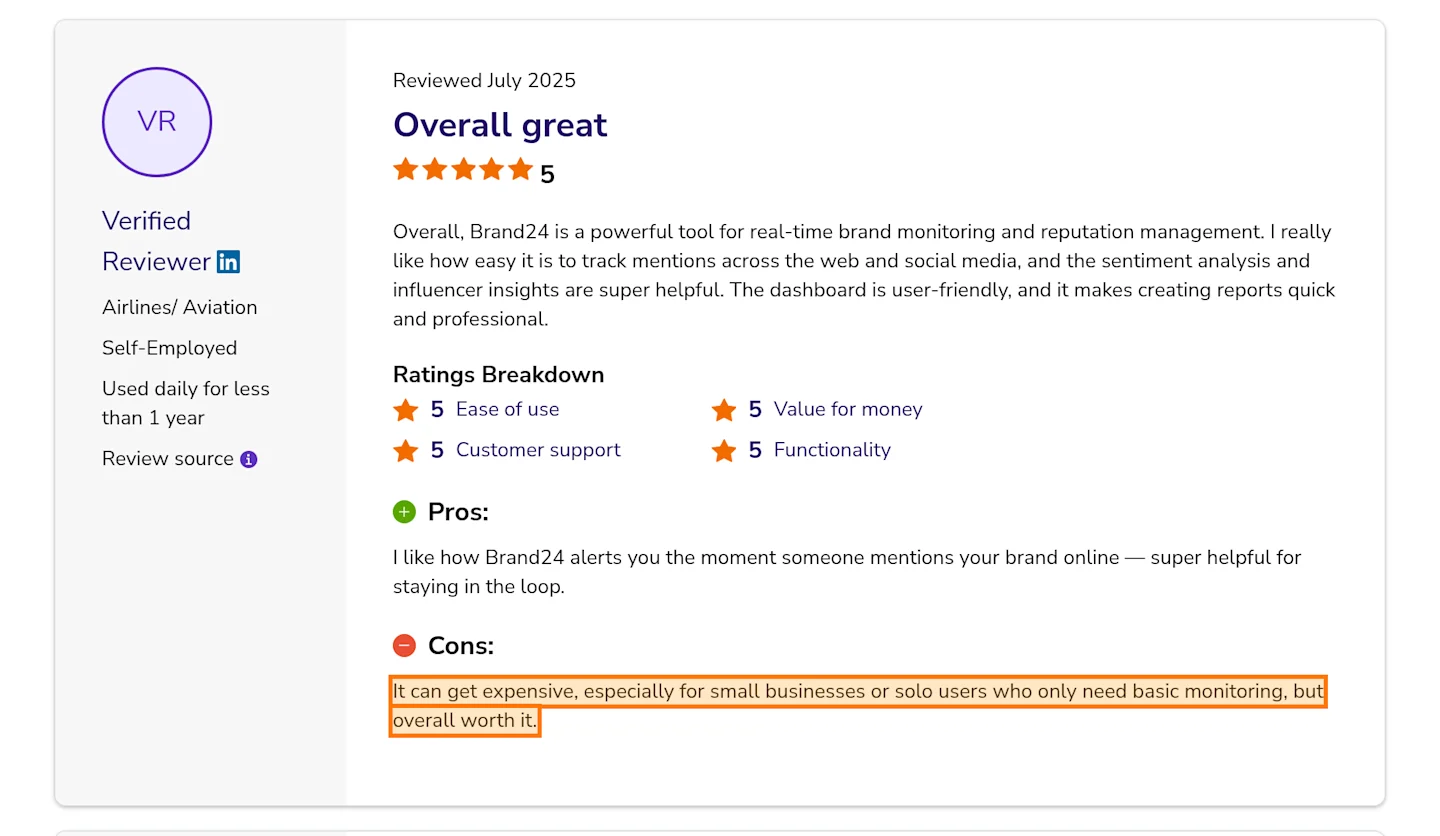
Verified Reviewer, Software Advice, July 2025, older than 12 months.
On Trustpilot, Tim Kingery’s 29 April 2024 review, older than 12 months, Unprompted, carries the title “Expensive, limited, and bad support” and opens “Very expensive, difficult to navigate, and limited platform.”
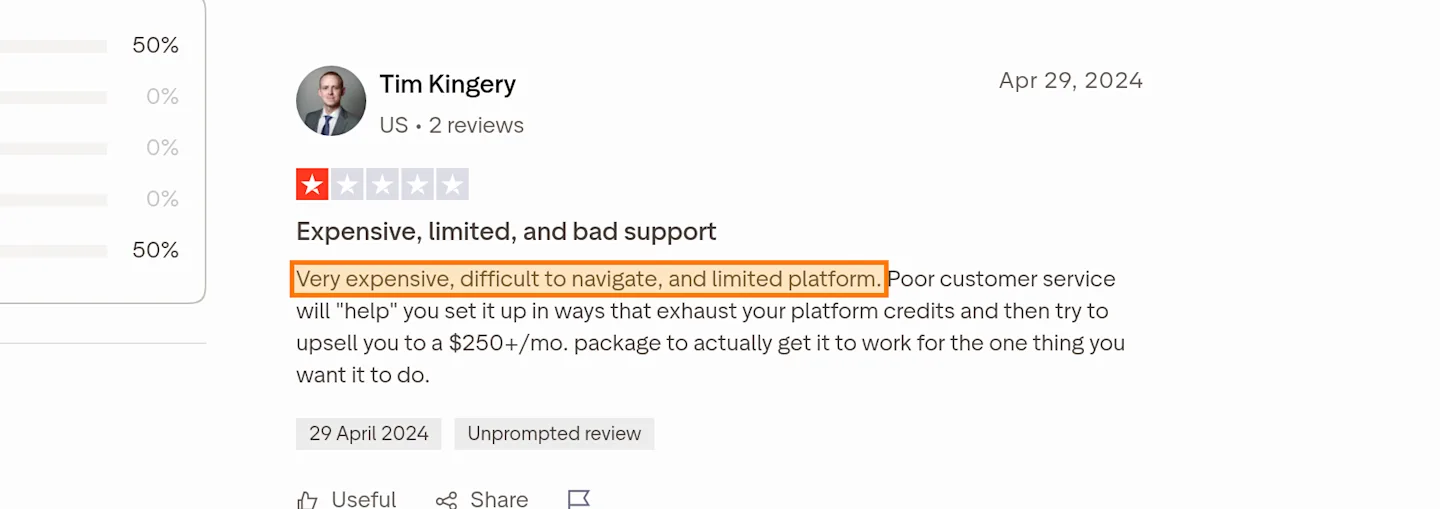
Tim Kingery, Trustpilot, 29 April 2024, Unprompted, older than 12 months.
Those reviews predate the 22 October 2026 terms, so they do not speak to the current overage rules. People who pay for Brand24 often feel they get their money’s worth when they sized the plan right. Nobody praises a surprise overage bill.
For a fuller look at the product itself, read the Brand24 review on CommunityTracker.
When I’d pick something else
Brand24 stays reasonable while your keywords and mentions fit one plan. I’d walk away, or at least price the field, in three spots.
You track a lot of keywords. Twenty keywords push you to Business at $599 a month on annual billing, $7,188 a year.
Your mention volume swings. A product launch or a news hit can push you over the cap, and Brand24 bills overage at a rate you will not see on the price list.
You need the API or AI Visibility on top. The API costs extra below Enterprise, and AI Visibility is an add-on on the public cards.
If you’re already in two of those three, price the Brand24 alternatives shortlist before you renew. The social listening tools roundup covers the wider field, and the Brandwatch pricing breakdown covers the enterprise end of the field.
If you want buyer threads instead of a bigger mention cap: CommunityTracker in 5 steps
1. Set keywords around buying phrases first
If the job is finding people to talk to, a higher Brand24 mention cap just buys a larger unfiltered feed. Set CommunityTracker keywords around buying phrases first.
Inside CommunityTracker’s Add keyword drawer, put tight buying phrases of two or three words into Keyword, then spell out relevance rules so the AI keeps purchase talk and drops chatter. Starter at $39 billed monthly holds 4 keywords. Pro at $99 billed monthly holds 10 keywords and adds the AI keyword advisor. Advanced at $199 billed monthly holds 20 keywords.
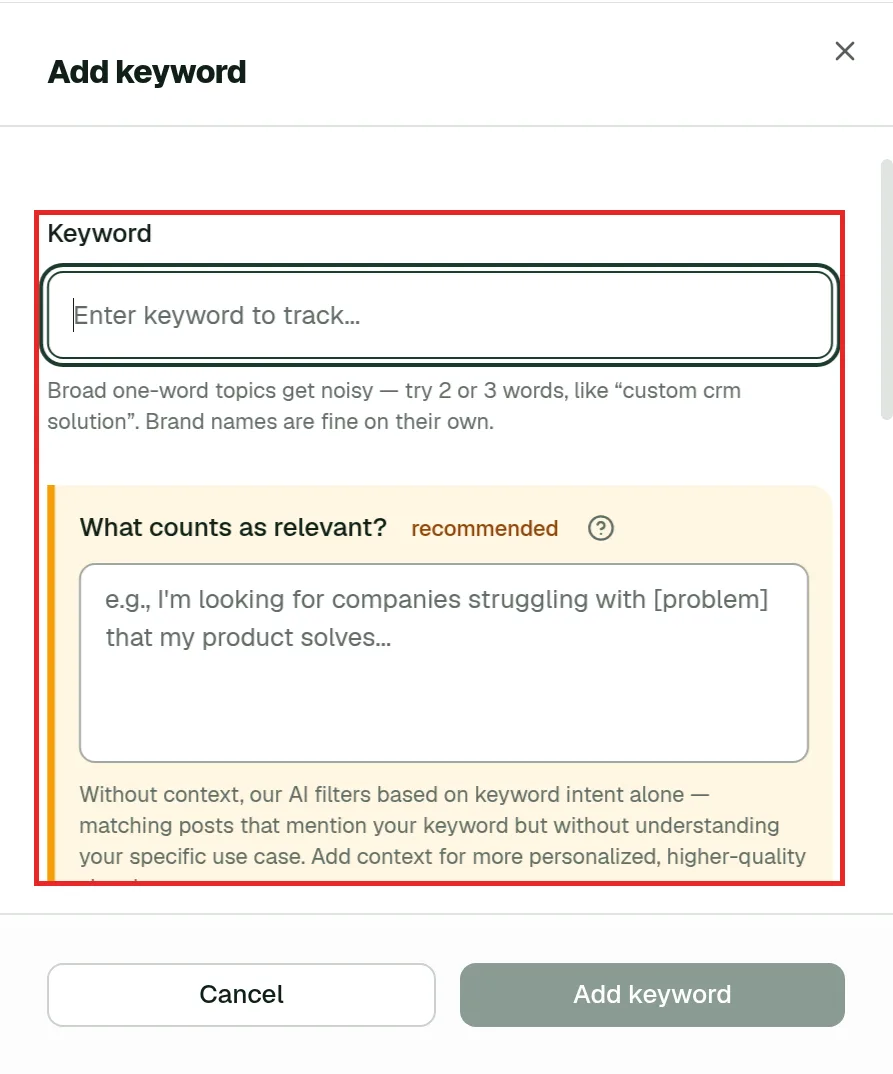
I’d type short buying phrases into Keyword and add plain relevance rules. This screen is sample data from a tracked set. I would use it to keep an unfiltered mention dump out of the queue.
2. Choose platforms by plan before you pay for sources you will not use
Starter’s four platforms are Reddit, LinkedIn, Hacker News and GitHub. Once you are on Pro or Advanced, every official platform in the 10+ set is available, including Slack, Discord, X, Stack Overflow, Indie Hackers, and Dev.to.
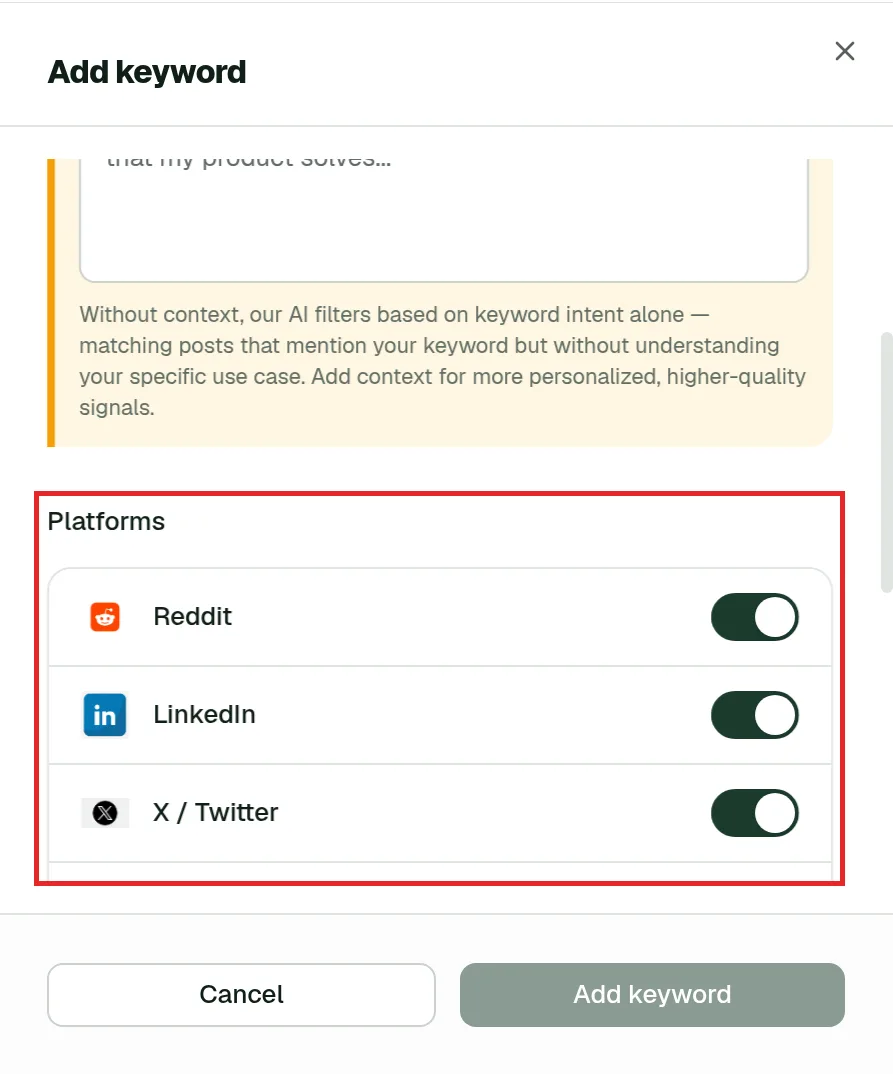
I’d switch on only the communities my team will work this week (sample data from a tracked set) and remain on Starter’s four sources until the plan is Pro or Advanced.
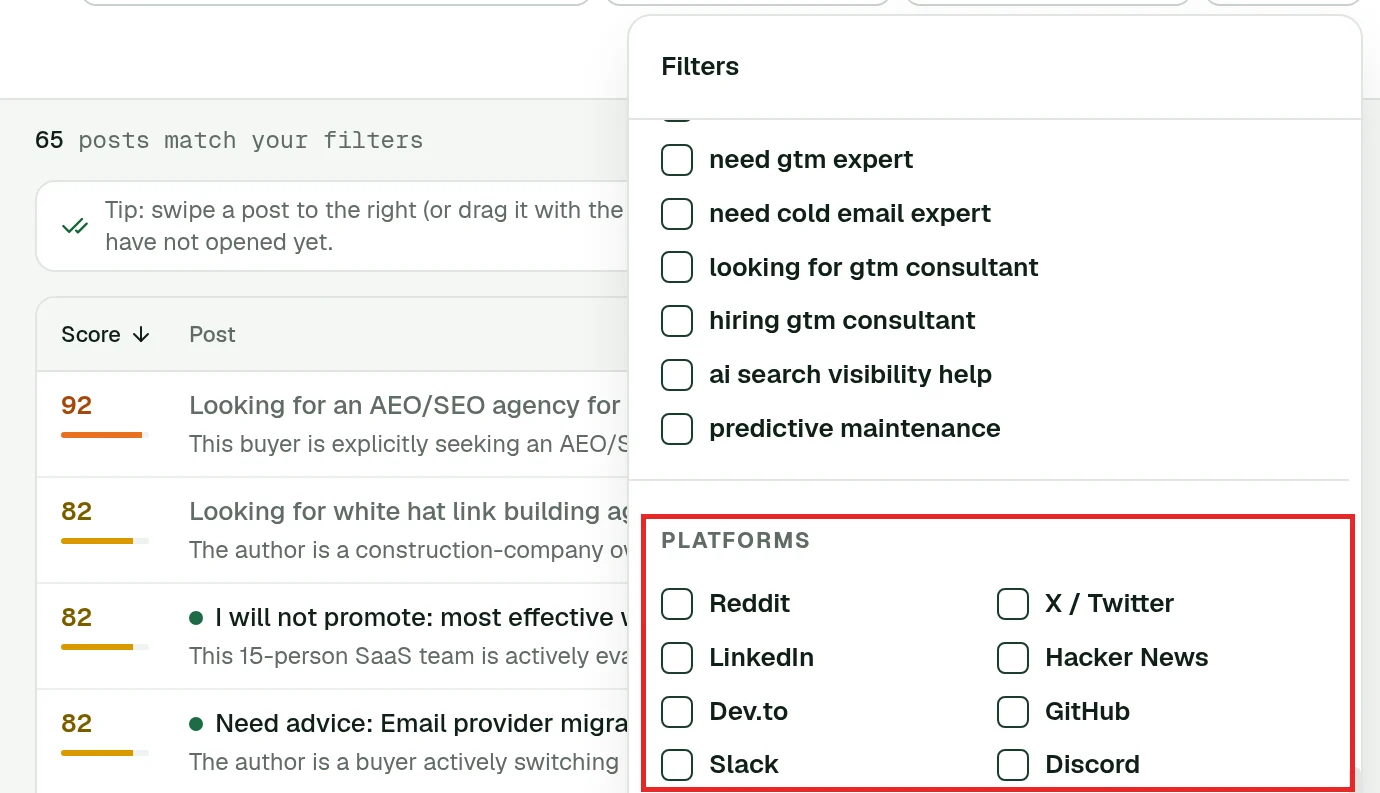
I’d pair each keyword row with the platform checkboxes, then review Hacker News, LinkedIn, Reddit, X / Twitter, Dev.to and GitHub in a single pass on sample data from a tracked set.
3. Filter intent so you are not paying for every mention
Brand24 bills you for every mention that matches a keyword. CommunityTracker ranks posts as Hot, Warm or Watch, with a reason, and lets you narrow the queue by intent. I’d start with Team decision, Implementation help, Comparing tools, and Switching from a competitor.
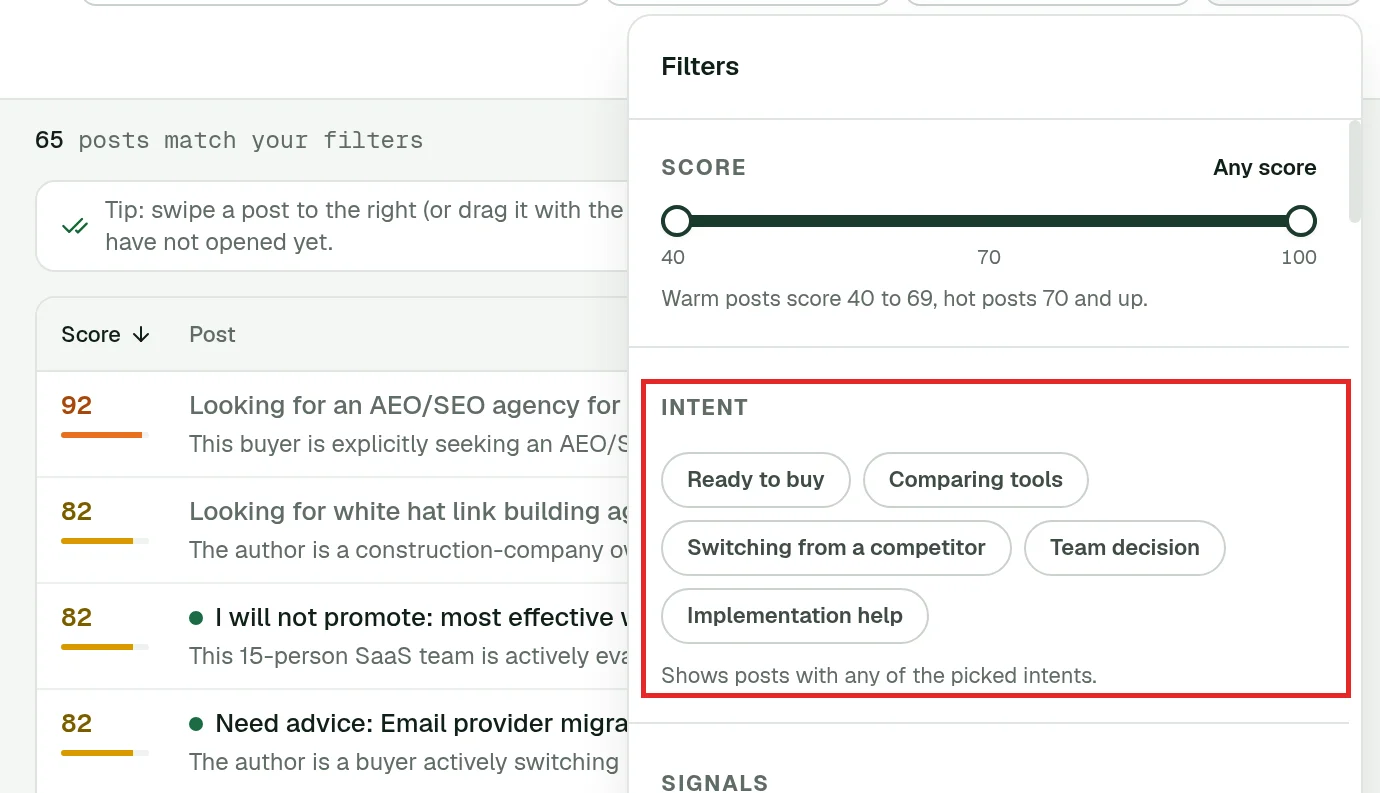
I’d apply those four intent chips on sample data from a tracked set and review the 65 matching posts as purchase threads, not as raw mention volume.
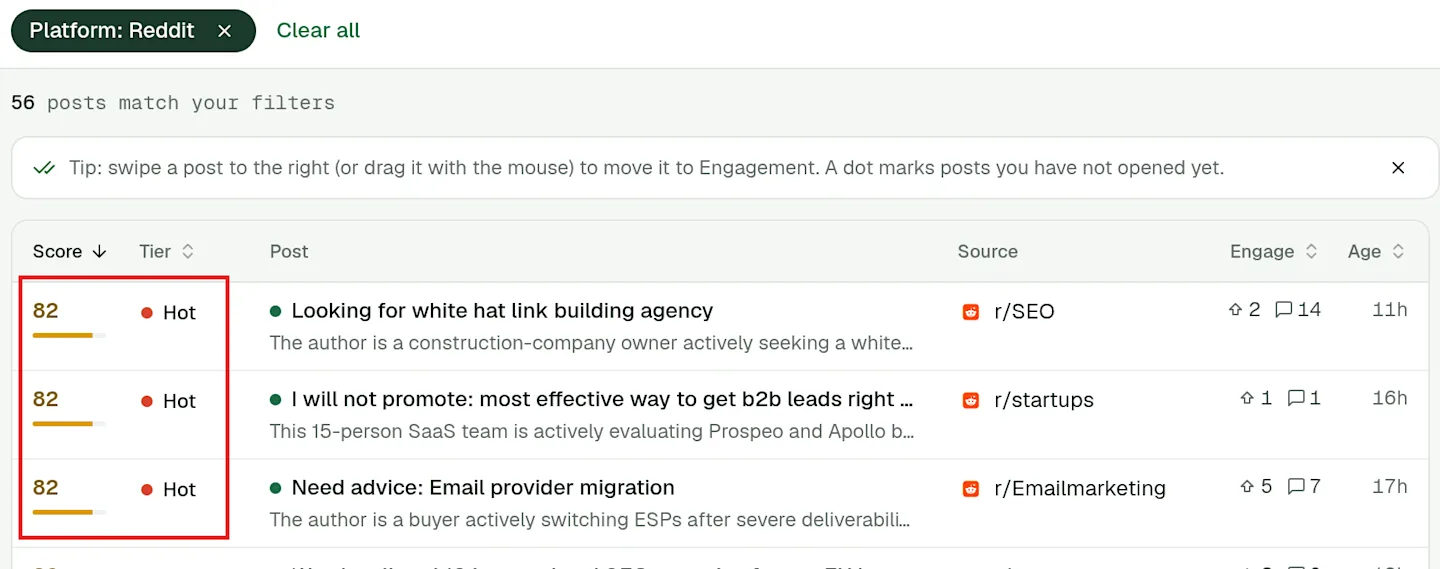
I’d restrict the Posts feed to Reddit, sort by score, and work the 56 matching rows plus the Score 82 Hot item as sample data from a tracked set before I spend more on mention volume.
4. Keep daily Slack alerts and the morning email together
Daily Slack alerts come with Pro ($99 monthly) and with Advanced ($199 monthly).
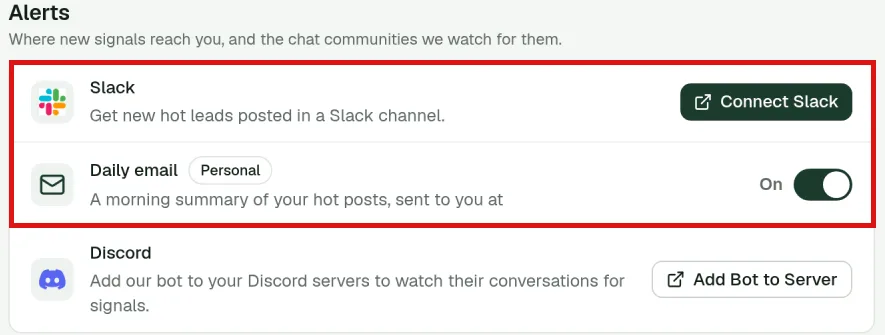
I’d leave Slack alerts for new hot leads enabled, and I’d keep the morning email that recaps hot posts running each day.
5. Use share of voice when coverage matters more than a mention cap
A share of voice report in the workspace refreshes every Monday. I’d hold the same competitor set steady so the trend is readable. Advanced also includes visibility gaps, the action plan, and a PDF export of the share of voice report. For the wider metric, start with What Is Share of Voice.
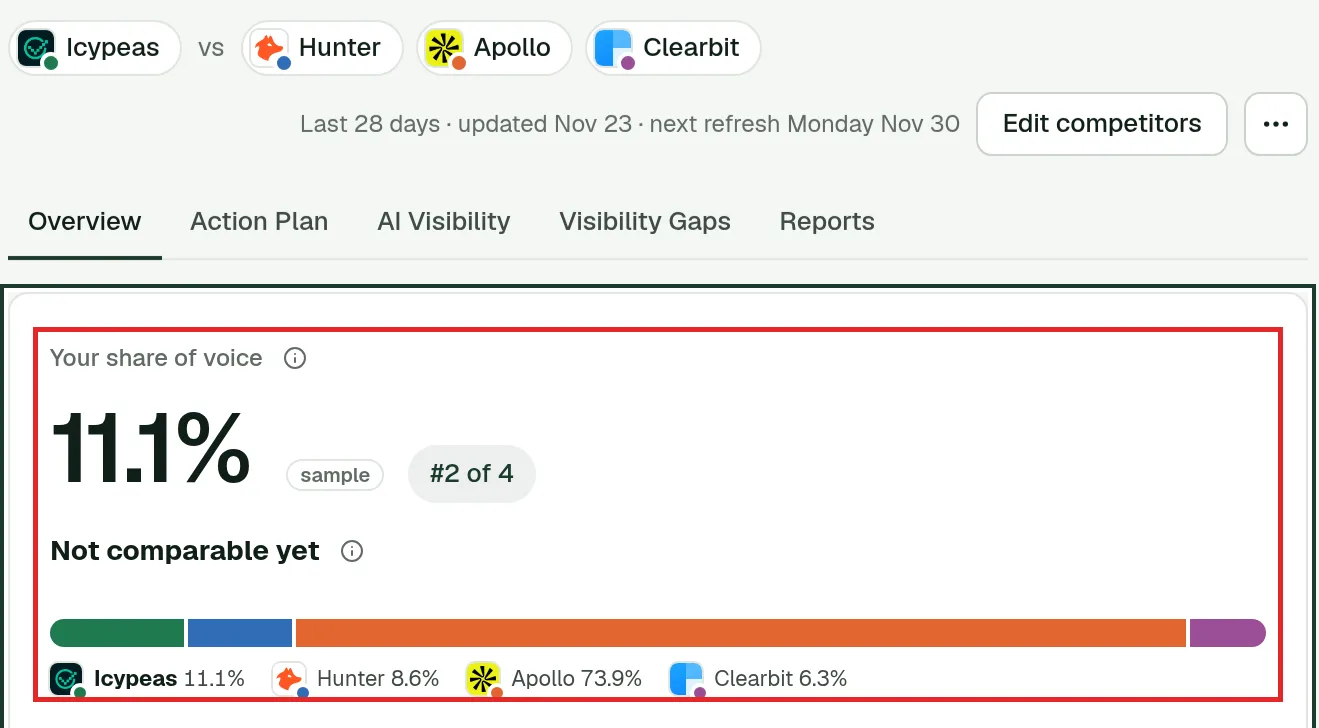
I’d keep Hunter, Apollo, Icypeas, and Clearbit fixed through every Monday refresh, and I’d treat every Overview figure as sample data from a tracked set instead of a market-share score.
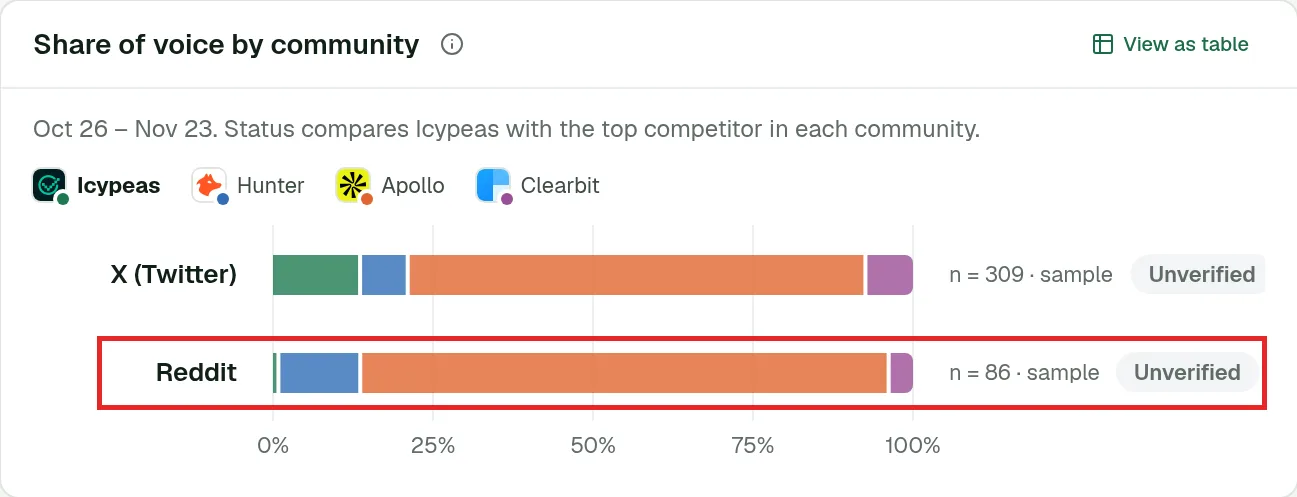
I’d read each community bar under the summary as sample data from a tracked set, with X (Twitter) sitting at n = 309 and Reddit sitting at n = 86, so volume on one feed cannot hide a quieter one.
Where CommunityTracker fits on a Brand24 pricing decision
CommunityTracker.ai is a GTM tool.
For this pricing call, I’d put the spend on CommunityTracker when the output you need is a scored buyer queue sales can action, not a larger Brand24 mention cap.
Every paid plan comes with mapped CSV lead imports, enrichment across 30+ fields (a new account starts with 100 credits), plus LinkedIn and email campaigns that send from your mailbox. You can require approval, and replies land in one inbox.
You also get API access for scored posts, HubSpot deals created from Hot and Warm posts, and you can push those leads to Instantly, Smartlead, Salesforge or lemlist after you add your key. A connector lets you query the same signals in Claude, ChatGPT or Grok.
You can ask for annual billing, stay off any long-term contract, and rely on the 14-day money-back guarantee that covers a new subscription.
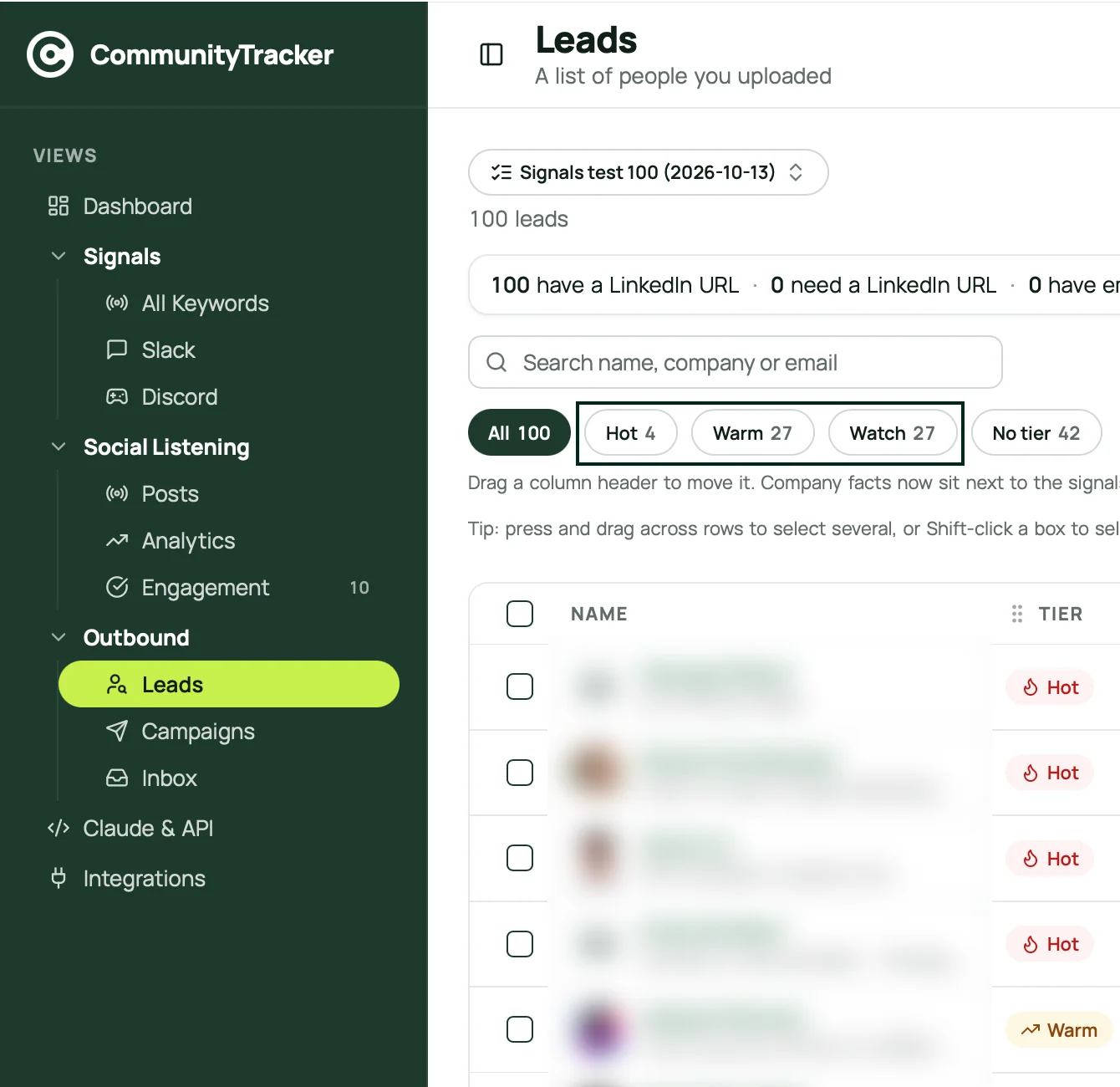
When I am choosing what to pay for, I’d work the Hot, Warm and Watch chips here instead of funding a higher Brand24 mention cap.
On the monthly invoice, Starter is $39, then Pro is $99, then Advanced is $199.
A seven-day trial costs $4.99.
Pay $4.99 and you get Pro features for seven days, including 5 keywords and 3 community intelligence searches, with no further charge when the window ends.
Starter alerts once a day.
Starter caps you at 5,000 mentions, and Pro and Advanced have no mention cap.
100 warm emails a month on Starter, unlimited on Pro.
The top plan includes 5 community intelligence searches a month.