How to Turn Reddit Buying Signals Into Outreach (Without Getting Banned)
How to turn Reddit buying signals into outreach in 2027: track the buyer's question, read each subreddit's rules, answer in the thread, and DM only when asked.
Adarsh Kumar
GTM Expert
Founder — CommunityTracker, Miraa.io, and Infraboxes
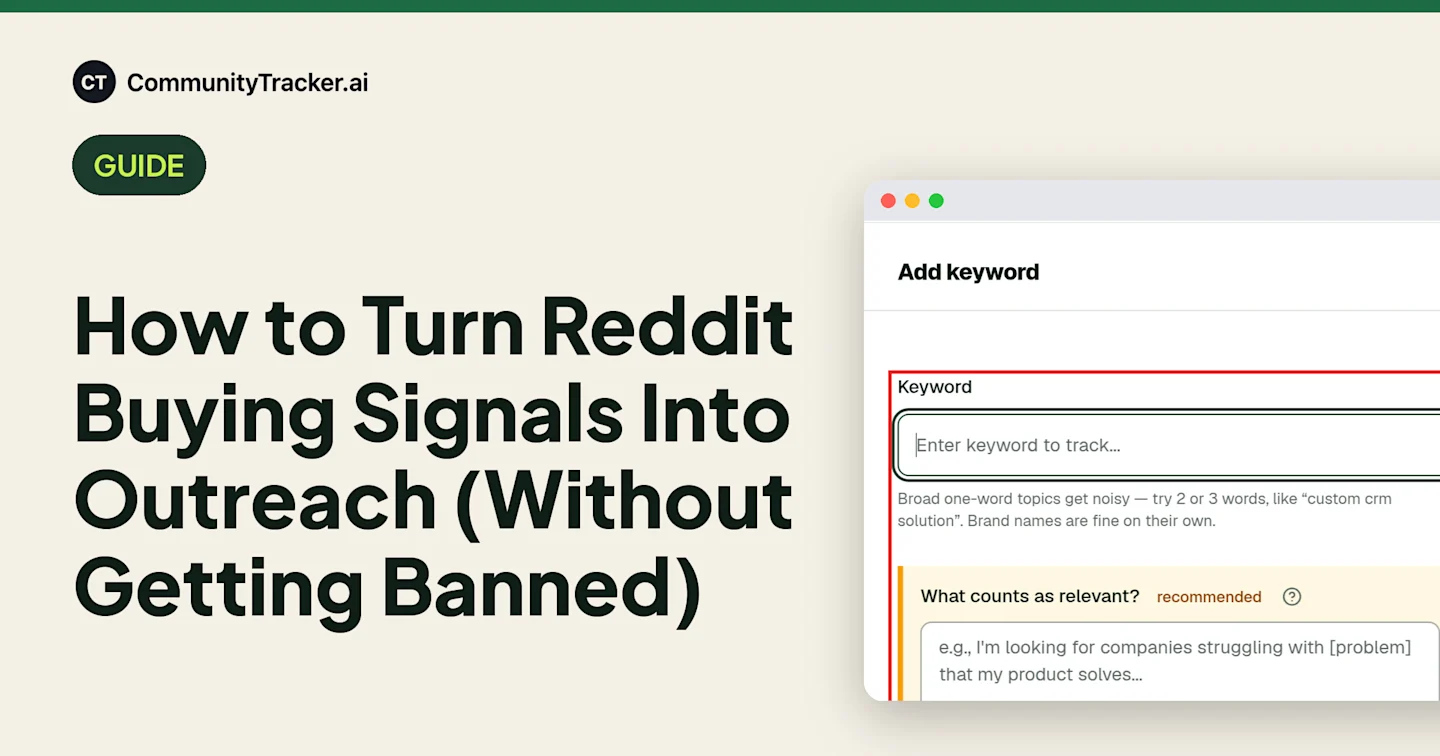
You found a subreddit thread where someone is asking which tool to buy, and the only plan on the table is to drop a product link under it, so now you’re searching for a way to turn Reddit buying signals into outreach.
Buyers bring purchase questions to Reddit at every stage: what to buy, which option to pick, and how it went after they bought. The thread becomes the shortlist, and the people who answer it shape the pick.
I’m sure you’ve tried a quick comment with your link or a private message to the poster, and the comment got removed or the message went unanswered.
Below are the six steps I’d follow to find those threads, answer them in a way each community accepts, and keep your account’s risk low. I’d run the finding and ranking in CommunityTracker and keep every reply in your own hands.
TL;DR: Reddit buying signals become outreach when you answer the person’s question in the thread and move to a private message only after they invite it. That habit lowers the risk of removals and bans, while CommunityTracker finds and ranks the threads.
What a Reddit buying signal is
A Reddit buying signal is a post or comment where someone asks other users to help them choose a tool, replace one, or roll one out. A brand mention, a joke, or a rant with no decision in it doesn’t count.
Reddit is one source of the events behind signal-based outreach, and running signal-based outreach walks through my weekly loop for LinkedIn and email. If you’re still picking software for this, start with my Reddit monitoring tools shortlist.
About five years in startup GTM, helping companies go from zero past $5 million ARR, left me with one bias for Reddit: answer in the thread first, and sell only when someone asks.
What Reddit’s rules ask of anyone selling there
Each subreddit has its own rules, enforced by its moderators. Reddit’s sitewide rules sit underneath them and apply everywhere. These are the lines I’d print on any Reddit outreach brief:
Rule 2 asks you to abide by community rules, take part where you have a personal interest, and stay away from spam and content manipulation.
Rule 5 asks you to be authentic and not mislead people or impersonate anyone.
Reddit’s spam policy covers repeated or unsolicited actions, manual or automated. Its examples include posting the same content over and over for exposure or money, and sending large amounts of unsolicited chat or private messages.
If most of what you post links to a business you run or benefit from, Reddit asks you to watch how often you post, or to look at its self-serve ads.
Moderators decide what counts as spam in their own community, and Reddit points you to them when you’re unsure.
Enforcement includes content removal and temporary or permanent account suspension. No routine can guarantee an account stays clear of that, because each moderator team draws its own line. The six steps below lower the risk. They don’t remove it.
1. Write the buyer’s question as a keyword
Begin with the phrasing a buyer uses when asking for help, such as “alternative to [Competitor]” or “tool for [Job]”. Your own category name is usually missing from those posts.
In CommunityTracker, each keyword gets a short phrase plus a note under What counts as relevant? that describes the thread you want. You get 4 keywords on Starter, 10 on Pro, where the AI keyword advisor reviews what they catch and suggests changes, and 20 on Advanced.
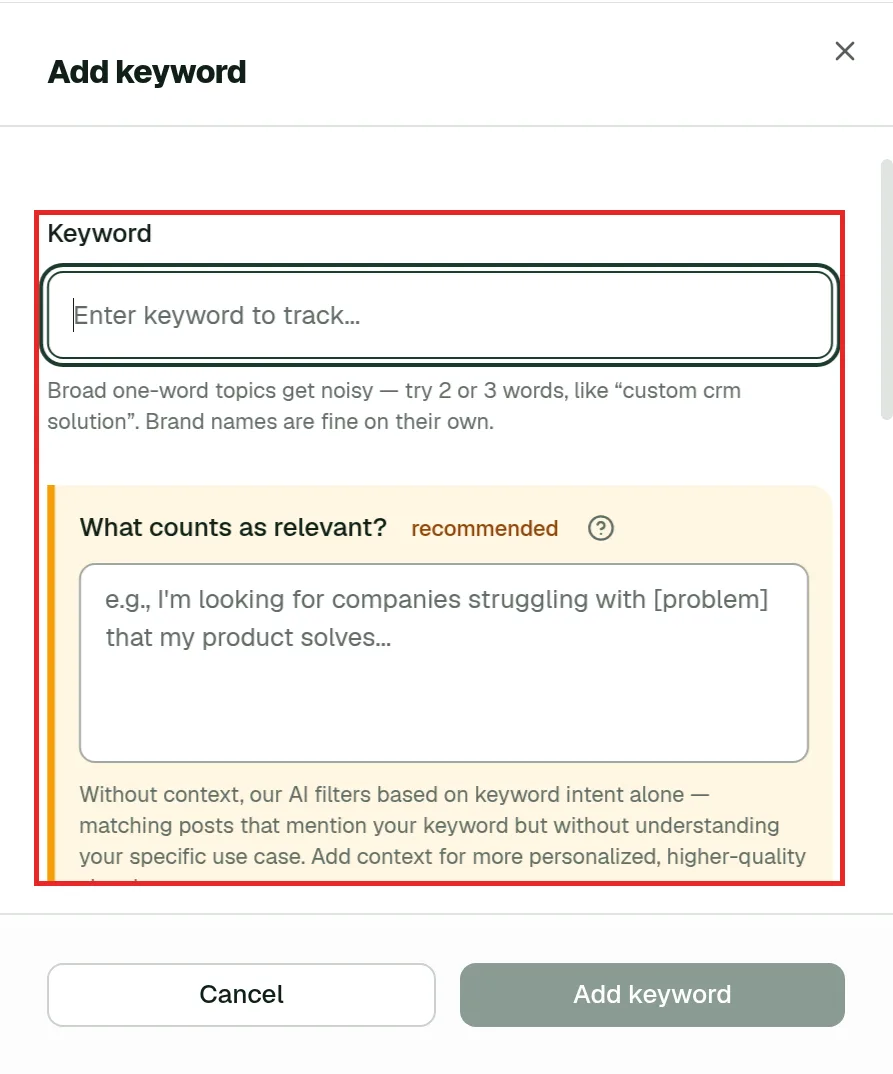
I’d type the buyer’s own question into Keyword and describe the thread I’m after under What counts as relevant? (sample data from a tracked set).
If your keyword reads like your homepage headline, no buyer on Reddit will ever type it.
2. Point the keyword at Reddit
A new keyword should prove itself in one place before it spreads. Reddit is a good first place, because buyers there ask for picks in plain words.
Reddit is one of the four platforms on Starter, next to LinkedIn, GitHub and Hacker News. X and the rest of the 10+ platforms open up on Pro and Advanced.
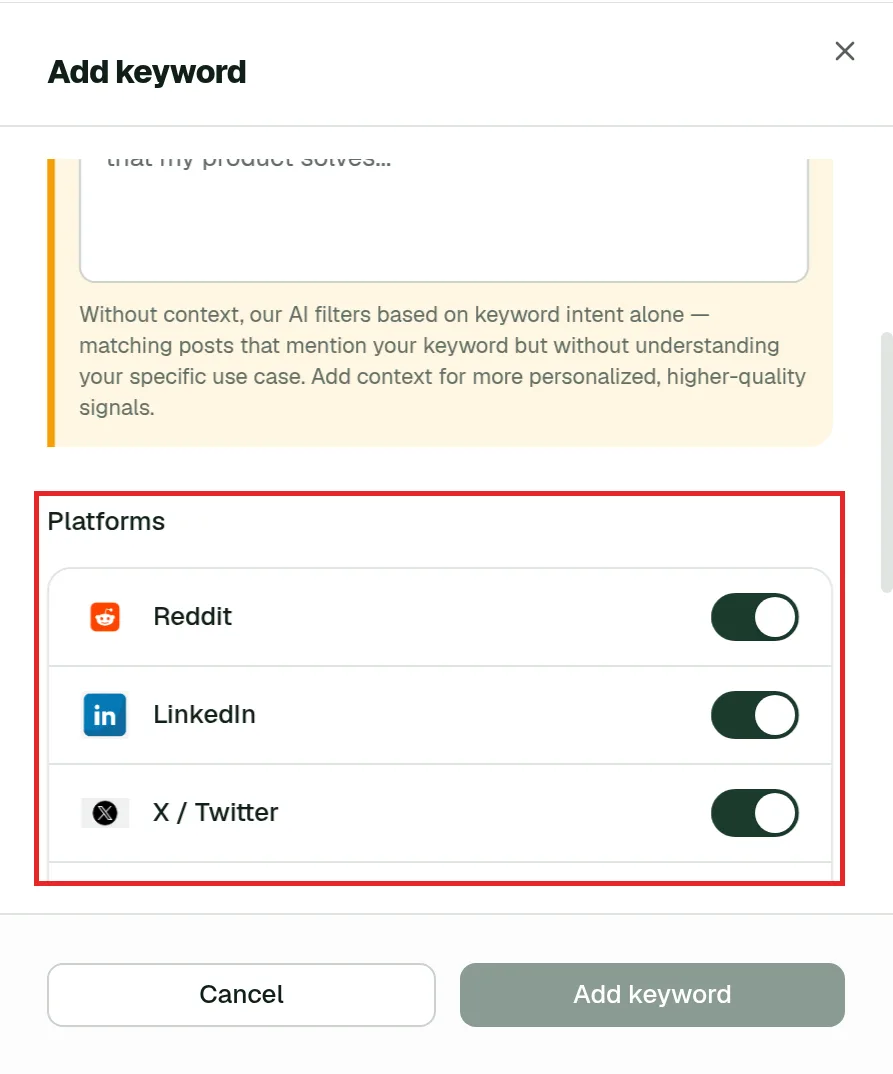
Inside the boxed Platforms list, I’d keep the Reddit toggle on for this keyword and decide on LinkedIn and X / Twitter one at a time (sample data from a tracked set).
A fresh keyword earns more platforms only after its Reddit replies show the phrase works.
3. Read each subreddit’s rules before you work its queue
Filter the queue to Reddit, then list every subreddit that appears. Before anyone replies, open each one, read its rules and sidebar, and note one of three answers: vendors may reply, no self-promotion, or unclear.
For the unclear ones, message the moderators and ask. Reddit’s spam guidance names them as the people who decide, so their answer counts for more than your guess.
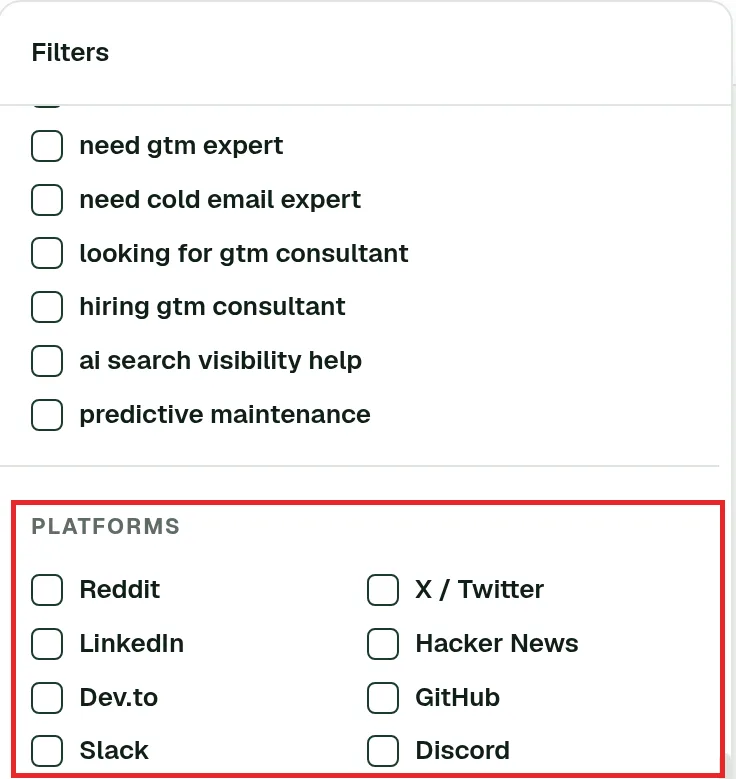
I’d tick Reddit under the boxed PLATFORMS group so the queue lists subreddit threads only while I check each community’s rules (sample data from a tracked set).
A subreddit whose rules you haven’t read isn’t a lead source yet.
4. Keep the threads where someone is choosing
Plenty of matches are tutorials, launch posts and venting. Those can feed your copy, but nobody in them asked for a vendor.
CommunityTracker scores each post for intent and filters out noise. Posts rise when a buyer requests a tool like yours, complains about the one they use, or weighs options. You need Pro or Advanced for AI intent scoring and filtering.
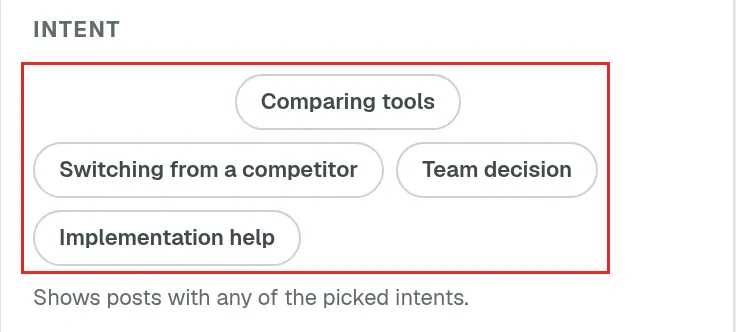
Of the four boxed Intent chips, I’d begin with Switching from a competitor, then add Comparing tools, since those posters want a pick (sample data from a tracked set).
A thread where nobody is choosing anything gets read for research and left without a reply.
5. Check the tier and the subreddit before you write
Each buying signal in CommunityTracker lands in Hot, Warm or Watch, and the app shows why it landed there. Read that reason, then check your rules note for the subreddit the post came from.
On Starter, new rows arrive in a daily alert, and Pro adds daily Slack alerts in a channel your team picks.
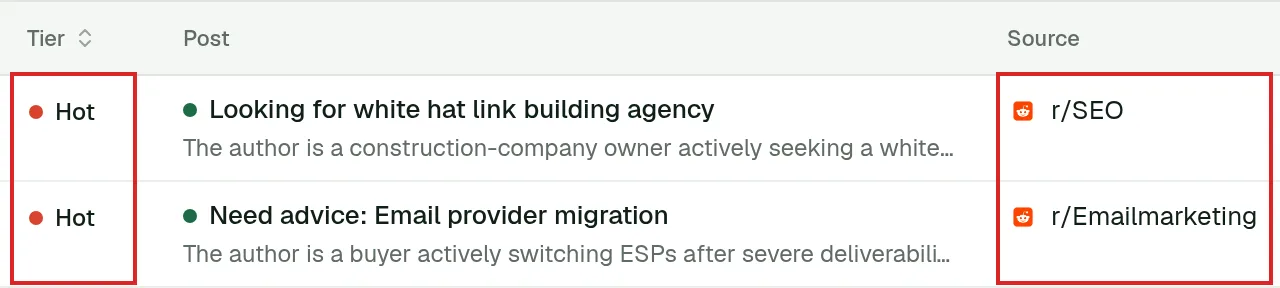
I’d read the boxed Tier and Source columns together, Hot beside r/SEO or r/Emailmarketing, before deciding if that community accepts a vendor reply (sample data from a tracked set).
A Hot row in a subreddit that bans vendors stays a no-reply row, however good the fit looks.
6. Answer in the thread, and send a DM only when invited
Write the reply to the question the person asked. Say you work at [Company], name the tradeoffs, and say where your product doesn’t fit. I read Rule 5’s authenticity line as making that disclosure the minimum.
Reply drafts for posts come with Starter, and AI reply drafts come with Pro. Auto-reply is drafts only, so you edit and post every reply yourself. If the person asks for more, every paid plan includes LinkedIn and email campaigns, and you can switch on approval so each message waits for a teammate’s OK.

For any follow-up that starts in a Reddit thread, I’d keep the boxed Review before sending setting at On for every message, so a second person reads it first.
A DM nobody asked for is an unsolicited message, and Reddit lists those in its spam examples.
Habits that keep the risk lower
These sit on top of the six steps, and each one ties back to Reddit’s rules or its spam page:
Post from one account under your own name or handle, and keep your company affiliation visible.
Write each reply fresh. The same paragraph pasted across threads is the repetitive posting Reddit’s spam policy warns about.
Space out any comment that links to your own site, and skip the link when the answer stands without it.
Never ask colleagues to upvote a reply, because Rule 2 covers content manipulation.
Keep posting manual. Reddit’s spam page names bots and generative AI tools that help spam spread.
Three Reddit plays with placeholder replies
Use these as patterns, and fill each bracket only with something the thread itself shows.
A “what do you use for [Job]?” thread
The poster is building a shortlist and wants options from people who’ve lived with them. Reply when the job matches what you sell. Leave it when the subreddit’s rules ban vendor answers.
Example play:
Signal: A post in r/[Subreddit] tagged Comparing tools, asking what teams use for [Job]. Public reply (placeholder): “I work at [Company], so weigh this accordingly. For [Job], check two things first: [Factor A] and [Factor B]. [Company] covers [Factor B] and falls short on [Gap].” DM: Only if the poster replies and asks for a walkthrough.
A “leaving [Competitor]” thread
Switching posts name a reason, and the reason shows if your product fits. Reply when your product fixes that exact reason. Stay out when it doesn’t.
Example play:
Signal: A post in r/[Subreddit] tagged Switching from a competitor, naming [Problem] with [Competitor]. Public reply (placeholder): “I’m with [Company], one of the options here. If [Problem] is the deal breaker, ask any vendor how they handle [Scenario] before you sign.” DM: Only if the poster asks how [Company] handles [Scenario].
A “how did your team roll out [Category]?” thread
Rollout questions come after a decision or right before one. Reply with what tends to go wrong and how to plan for it.
Example play:
Signal: A post in r/[Subreddit] tagged Implementation help, asking about [Category] setup. Public reply (placeholder): “Disclosure: I work at [Company]. Whatever tool you pick, map [Step A] before [Step B], since [Risk] shows up when teams reverse that order.” DM: Only if the poster asks for the checklist.
What CommunityTracker costs for Reddit outreach
For Reddit-first outreach, the plans run $39 a month for Starter, $99 a month for Pro and $199 a month for Advanced, each billed monthly. The pricing page has every plan line, and these three facts matter most for Reddit work.
A seven-day trial costs $4.99.
Reddit is where I’d spend that week, on one keyword’s queue, with every Pro feature open, intent filtering included, and no renewal after it ends.
Starter alerts once a day.
For a reply-first routine on Reddit, one morning pass over the queue is the pace I’d keep anyway.
100 warm emails a month on Starter, unlimited on Pro.
Because most Reddit work stays in the thread, I’d move to Pro for the intent filters well before that email cap matters.