What Is Signal-Based Outreach? A GTM Guide for LinkedIn and Email in 2027
Signal-based outreach is a first line written from a recent event and sent on LinkedIn or email while the window is open. A 2027 GTM guide.
Adarsh Kumar
GTM Expert
Founder — CommunityTracker, Miraa.io, and Infraboxes
You’re looking up signal-based outreach because the cold list is going stale, the same sequences keep running, and the replies no longer justify the send volume.
Sales teams now run outbound workflows in Claude from account signals, so the first draft starts from an event instead of a static list.
I’m sure you’ve tried a bigger list, a tighter persona, or one more email sequence, and still landed here with an opener that fits any title on the file.
Work through these steps to pick the signals worth acting on, set keywords around buying phrases, score intent, route a daily alert, and send the first LinkedIn or email touch. I’d run that motion in CommunityTracker, and I’d treat it as the GTM tool for this job, not as a later add-on.
TL;DR: Signal-based outreach means you contact a named person because something recent and observable gives you a reason, and the first LinkedIn or email line is written from that event. I’d run it in CommunityTracker on job changes, funding, hiring and community buying threads, scored Hot, Warm or Watch with a reason, then a first touch from your own mailbox.
What signal-based outreach is
Signal-based outreach is the work of reaching a named person because a recent, observable event gives you a reason, and writing the opening line from that event, on LinkedIn or over email.
The event only counts if the opening line would fall apart without it. A funding mention glued onto the Tuesday pitch is still a cold note with a headline stuck on top. A hire in the function you sell into, a public complaint about a current tool, or a champion who just changed jobs can all be reasons, if the line names the event and you send while the window is still open.
A cold list starts from who fits on paper, then hopes the timing works. This motion starts from the event, then works back to the person and the line. Intent data can be one kind of event, usually research activity rolled up to an account. It is a clue, not a substitute for a line that names something specific.
I’ve done GTM work for close to five years, mostly in early teams that grew from nothing past $5 million in ARR. I’d rather send fewer messages that name a real event than work a stale list harder. For a fuller map of which events I’d trust, start with the list of B2B buying signals. Software that watches LinkedIn is a separate comparison, in LinkedIn buyer signal tools. This post is the motion itself, and CommunityTracker is the tool I’d use to run it.
1. Pick the signals worth acting on
I’d start with three account events CommunityTracker already ranks, plus the buying threads in the communities you watch.
Job changes, funding and hiring are the account signals I want in the queue first. A new role in the function you sell into, a round that funds a team, or a burst of hiring in that same function is a reason to write, if you can name the person who should get the note. Community buying threads sit beside those events: a buyer asking for a tool like yours, a buyer unhappy with the one they have, or a buyer lining up options.
I would not treat every weak event as a full reason. A single like, or a single job post with no other context, often belongs on a watchlist until you can name the person and the line. The signal has to change the opening line, or it stays off the send list.
I’d also choose where those community threads come from.
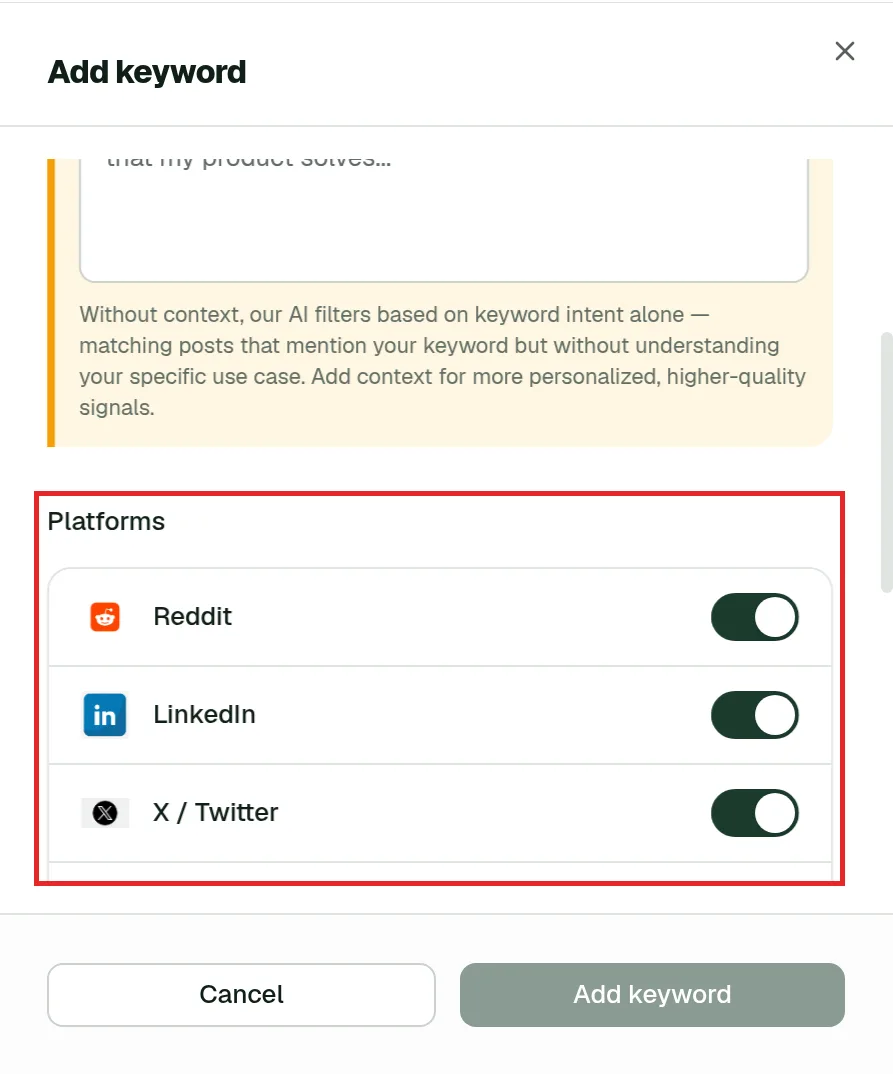
I’d pick Reddit, LinkedIn or X / Twitter as a source for those community threads, leaving any source I don’t want off the queue (sample data from a tracked set), so buying talk from the wrong place never lands in the list.
2. Set keywords around buying phrases
The keywords have to be built around the buying phrases you already hear on calls, not around a generic category term.
Load the Add keyword drawer in CommunityTracker. Type a short buying phrase, two or three words, into Keyword, then write a relevance rule that keeps buying talk and throws out noise. On Starter, billed monthly at $39, you get 4 keywords, and the four sources are Hacker News, LinkedIn, Reddit and GitHub. On Pro, billed monthly at $99, you get 10 keywords, the AI keyword advisor, and the rest of the official 10+ platform set. On Advanced, billed monthly at $199, you get 20 keywords.
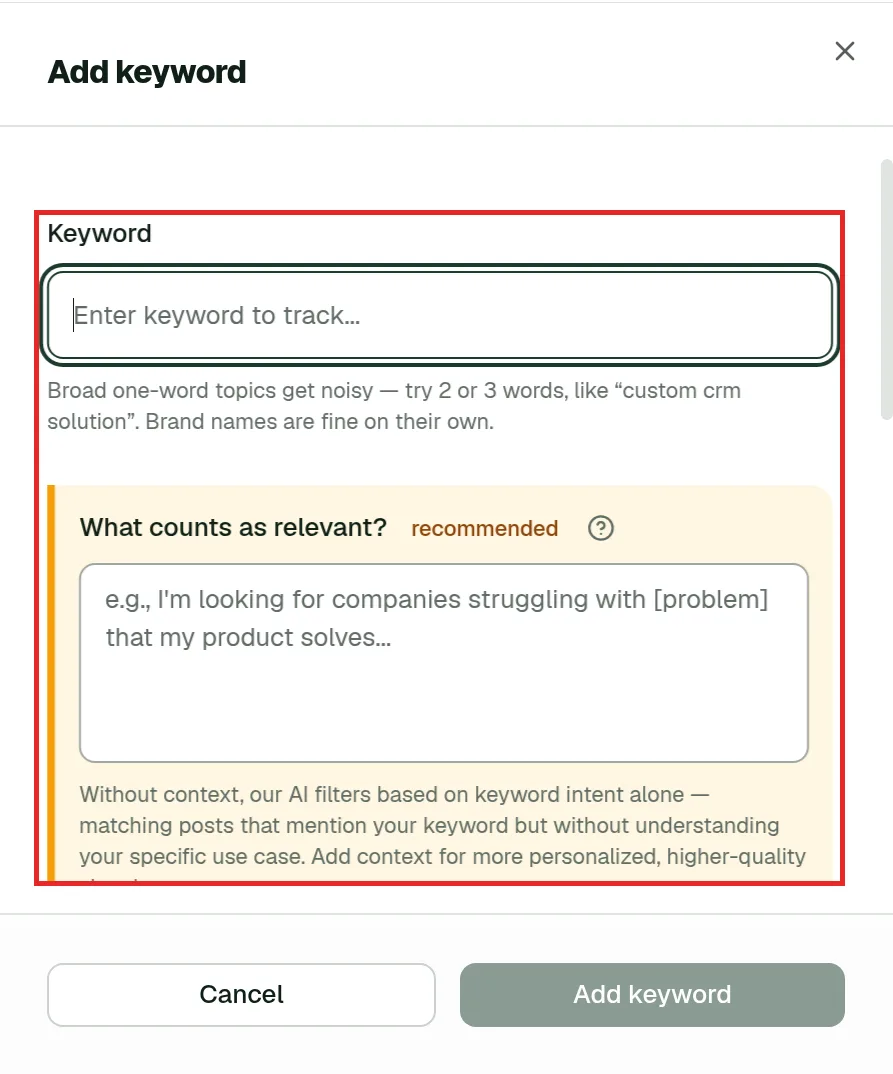
I’d drop a short buying phrase into Keyword, then add a relevance rule, using sample data from a tracked set, so chatter never fills the queue.
3. Score and filter intent with Hot, Warm and Watch
CommunityTracker ranks buying signals as Hot, Warm or Watch, and it attaches a reason to each one. I’d work Hot and Warm first, and I’d keep Watch as a list I review, not as a send queue.
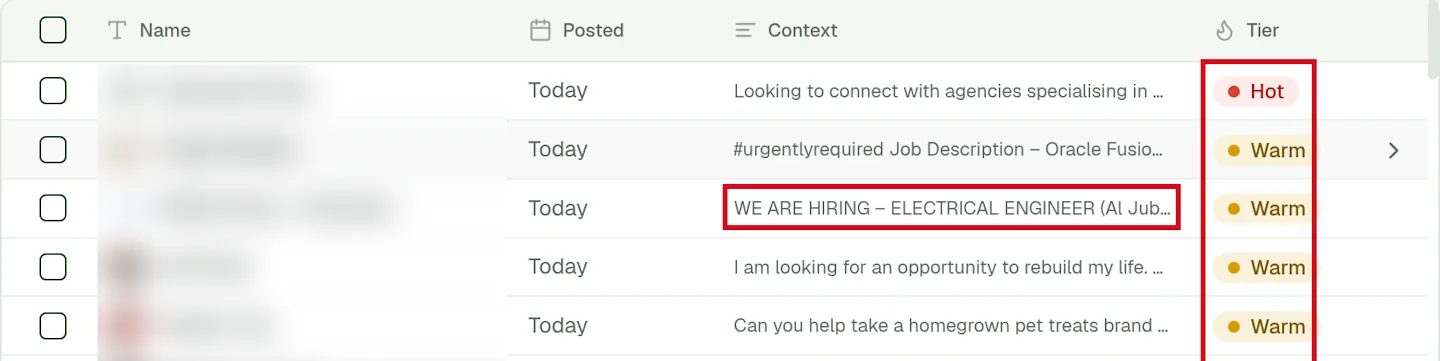
I’d open this Leads grid to read the post that triggered each Hot or Warm row, with a hiring post shown as one example.
I’d also narrow the community threads by intent. I’d begin with Team decision, Comparing tools, Implementation help, and Switching from a competitor, so the work is purchase talk, not a mention dump. AI intent scoring and filtering sit on Pro.
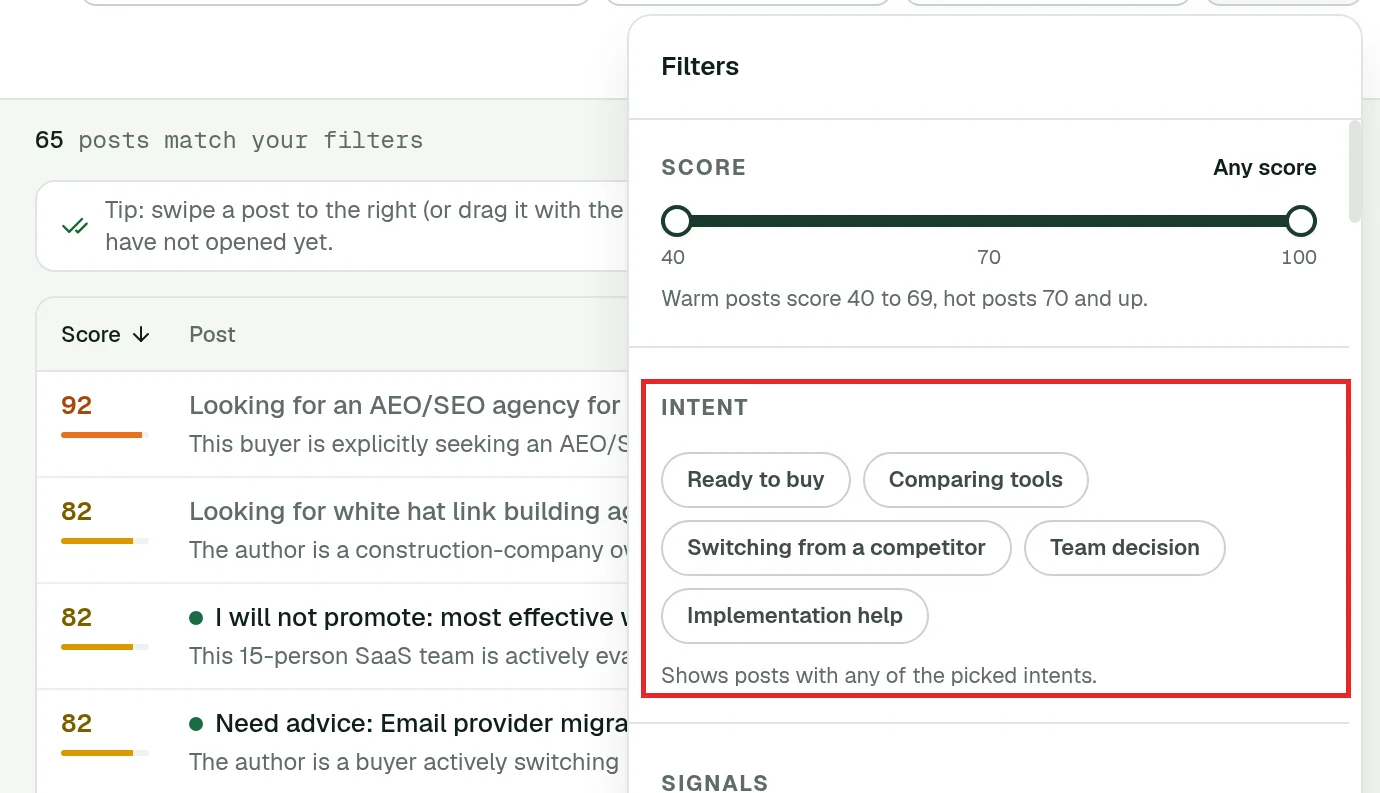
I’d select Team decision, Comparing tools, Implementation help, and Switching from a competitor, then review the matching threads as purchase conversations (sample data from a tracked set).
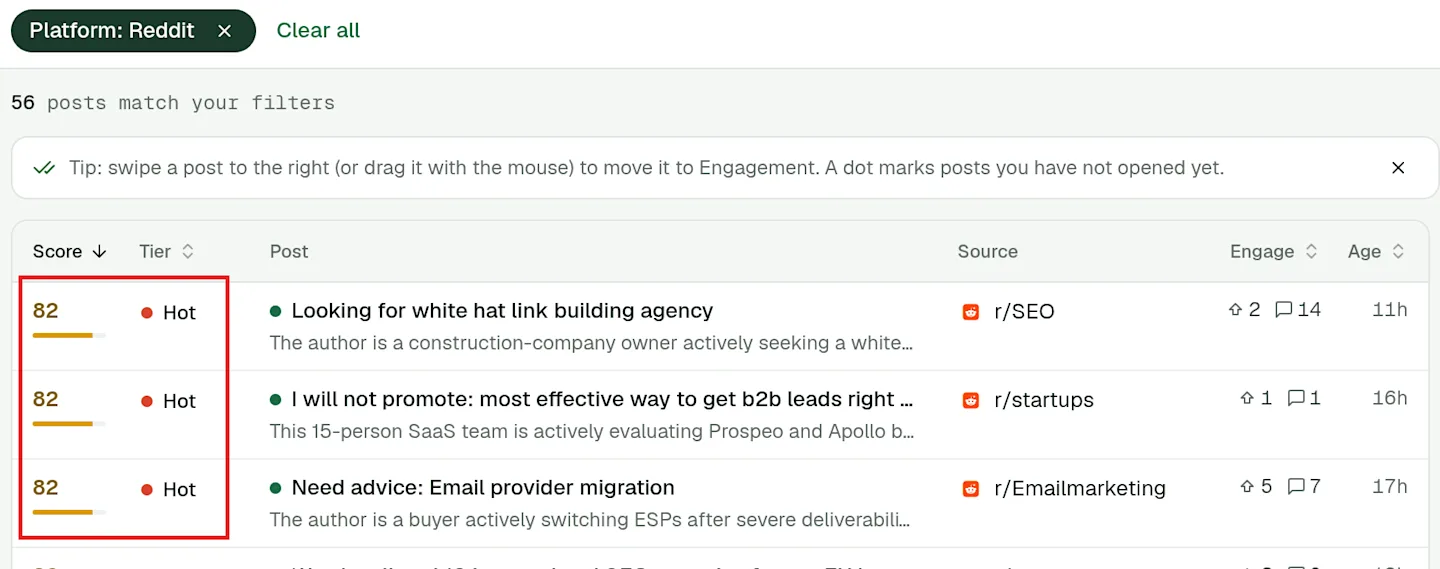
I’d sort that Reddit list by score and begin with a Hot item (sample data from a tracked set), so I can start with the highest-scored rows before I widen the send list.
4. Route alerts, once a day
I’d send the queue to a daily alert, and I would not look for a faster cadence. On the $99 Pro plan and the $199 Advanced plan, both billed monthly, daily Slack alerts are part of the plan.
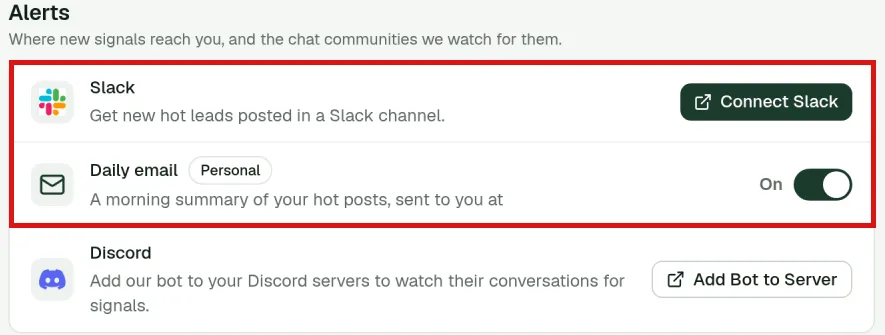
I’d enable Slack delivery for new hot leads, and I’d leave the morning recap of hot posts running.
5. Run the LinkedIn and email first touch
The first touch should leave from your own channels, and the event should still be in the opening line.
Paid CommunityTracker plans include LinkedIn and email campaigns built from the signal, sent from your mailbox.
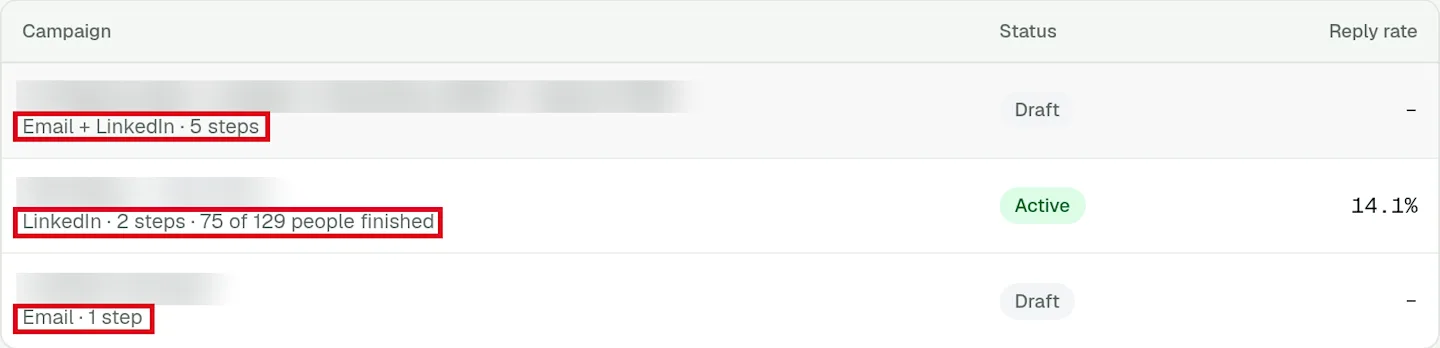
I’d start that first touch on Email, on LinkedIn, or on both together, then write the opening line from the event.
Approve each message yourself, or let the campaign run. With approval on, a message waits for a teammate’s OK before it goes out.

I’d switch Review before sending on for every message when I want that check in place.
Replies from LinkedIn and email collect in a single inbox. Once your API key is saved, those leads can go out to Salesforge, Instantly, lemlist or Smartlead. Reply drafts for posts sit on Starter. AI reply drafts sit on Pro.
Pick the channel that fits the event. A public comment belongs in a LinkedIn note first. A role that was just posted often belongs in email. If you send both, the two notes should not be the same paragraph pasted twice. I wouldn’t run two long parallel sequences on one event and call that personal.
Three signals and the first line I’d write
The five steps get you a named person, a reason, and a channel. This is the first line I’d send, written from the event.
A job change
A new VP of Sales, Head of Sales, or Head of RevOps earns a first touch because that person now owns a motion they didn’t build. I’d only write if I can name the person and the seat. The opening line has to stand on the role change. If it still reads the same after you strip the title, it’s a cold note.
I’d skip a title change that stays in the same function, with the same stack, because the line has nothing new to hold onto.
Example opener:
[first name], the Head of Sales seat at [Company] puts the outbound stack you inherited under your name. If you’re reviewing what stays, I can walk through how I’d take on the motion you now own, and I’ll keep this short if that review isn’t on your plate.
A funding round
A funding round is not a reason on its own. It becomes one when you can name the person who will spend the new capacity, usually to hire or to buy a tool the prior team couldn’t justify. I’d anchor on that build, not on the raise as a compliment.
If the only public line is that the company raised, and I can’t find the buyer, it stays off the send list.
Example opener:
[first name], [Company]’s new round is the kind of event that often funds a sales hire, a revops hire, or a tool the prior team couldn’t justify. If you’re the person standing that motion up, I can compare notes on how to staff and tool it, and I won’t turn this into a product pitch.
A community thread asking for a tool
A public ask for a recommendation is already a buying question. I’d reply when the product fits the job they named, and I’d write from that question, not from a saved sequence. I wouldn’t drop a pitch into a thread that asked for a category I don’t serve.
The first line should still make sense if you hide the product name. If it falls apart, you taped a pitch to their question.
Example opener:
[first name], you asked for a tool that does [job], and that’s the only reason this note exists. If you’re still comparing options, I can show you how I handle [job], and I’ll step back if it isn’t a fit.
What I’d pay to run this motion
I price this motion on monthly billing at Starter for $39, then Pro for $99, then Advanced for $199, in that step-up.
A seven-day trial costs $4.99.
Five keywords plus 3 community intelligence searches come with that window, and no later charge follows.
Starter alerts once a day.
Starter caps mentions at 5,000, and Pro and Advanced go past that number.
100 warm emails a month on Starter, unlimited on Pro.
Once you are on Advanced, community intelligence searches run to 5 a month.