Social Listening vs Social Monitoring in 2027: The Difference That Changes Your Stack
Social listening vs social monitoring in 2027: run same-day replies separately from multi-week listening signals, step by step inside CommunityTracker.
Adarsh Kumar
GTM Expert
Founder — CommunityTracker, Miraa.io, and Infraboxes
You’re sorting out social listening vs social monitoring because your team channel fills up with mention notifications that never alter a product fix, pricing page, or sales sequence. Support handles a few replies, someone pastes a thread into chat, and leadership assumes listening is already running for the quarter.
GTM teams now connect community buying signals directly into AI agents and outbound workflows instead of relying on end-of-quarter spreadsheets. Mixing up daily reply queues with structured signal tracking causes teams to buy expensive analytics seats while only staffing an alert inbox.
I’m sure you’ve tried running Brand24 notifications, Meltwater alerts, or manual searches across social feeds, only to land here wondering which workflow deserves your budget.
Follow these five practical steps to keep same-day monitoring replies separate from multi-week listening signals, configure each workflow cleanly inside CommunityTracker, and compare monitoring against listening before buying software.
TL;DR: Social monitoring answers individual brand mentions today, while social listening groups untagged brand, rival, and category conversations across weeks to drive pipeline outreach, roadmap fixes, and share of voice.
How monitoring and listening differ
Let the output pick your stack: when the deliverable is a same-day reply or support ticket, you run monitoring; when the deliverable is a scored buyer queue or counted market shift tied to a named owner, you run listening.
Monitoring watches direct tags, handles, and customer messages across short time windows so care or support reps can respond fast. Listening examines broader brand, competitor, and category chatter over weeks or months to shape messaging, product priorities, and pipeline strategy. If you still need a playbook for daily reply queues, check What Is Social Media Monitoring first.
Dimension | Social monitoring | Social listening |
|---|---|---|
Deliverable | Same-day reply, ticket, or handoff | Scored buyer queue or counted theme |
Input unit | One post, comment, or message | Clean dataset over a fixed window |
Scope | Brand tags, handles, and mentions | Brand, rival, and category talk |
Owner | Care, community, or support triage | Product, marketing, or GTM lead |
1. Separate daily monitoring triggers from listening keyword buckets
Never mix same-day brand alert terms with broad competitor and category phrases in one bucket; keep reply triggers separate from your listening dataset from day one.
In CommunityTracker’s Add keyword drawer, load focused two-to-three-word buying phrases inside Keyword and write strict filtering rules inside the relevance field so AI separates buyer threads from casual chatter. Starter ($39 monthly) tracks up to 4 keywords. With Pro ($99 monthly) you get 10 keywords plus an AI keyword advisor, while Advanced ($199 monthly) scales to 20 keywords.
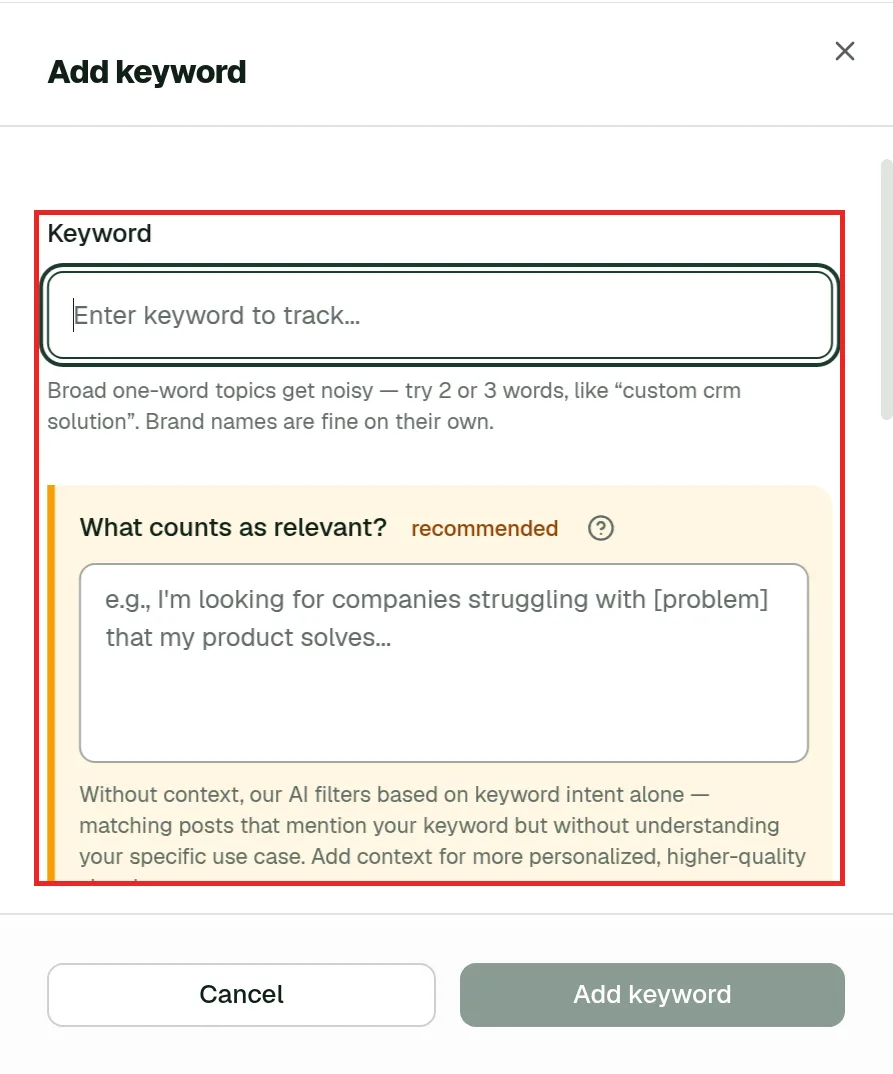
I’d load focused two-to-three-word buyer phrases into Keyword alongside strict rules inside What counts as relevant on this sample data from a tracked set so off-topic chatter stays out.
Monitoring tools split summary digests from threshold alerts, and you need to tune both around mention volume. Email reports deliver a periodic snapshot of mentions and metrics, whereas notifications trigger based on filter thresholds that require strictly more mentions than your chosen cutoff, so picking 10 fires once 11 arrive.
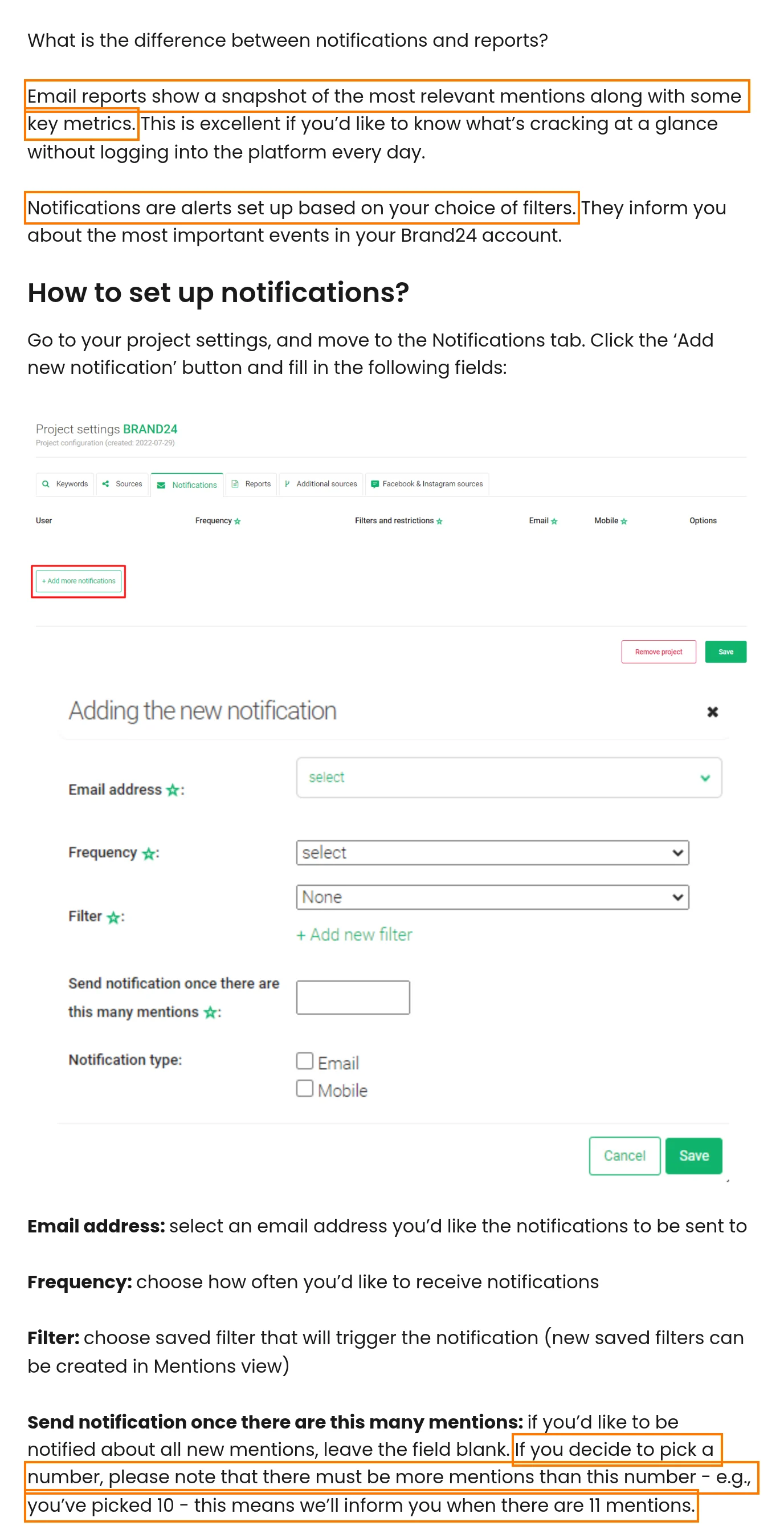
I’d keep Brand24 email reports and filter alerts separate here, because picking a threshold of 10 fires only once the 11th mention arrives.
Alert windows also explain why monitoring never creates a true listening dataset. An Every Mention trigger checks each item’s publishing date and skips anything published more than one day earlier, so alert queues handle today’s clock without building a 30-day denominator.
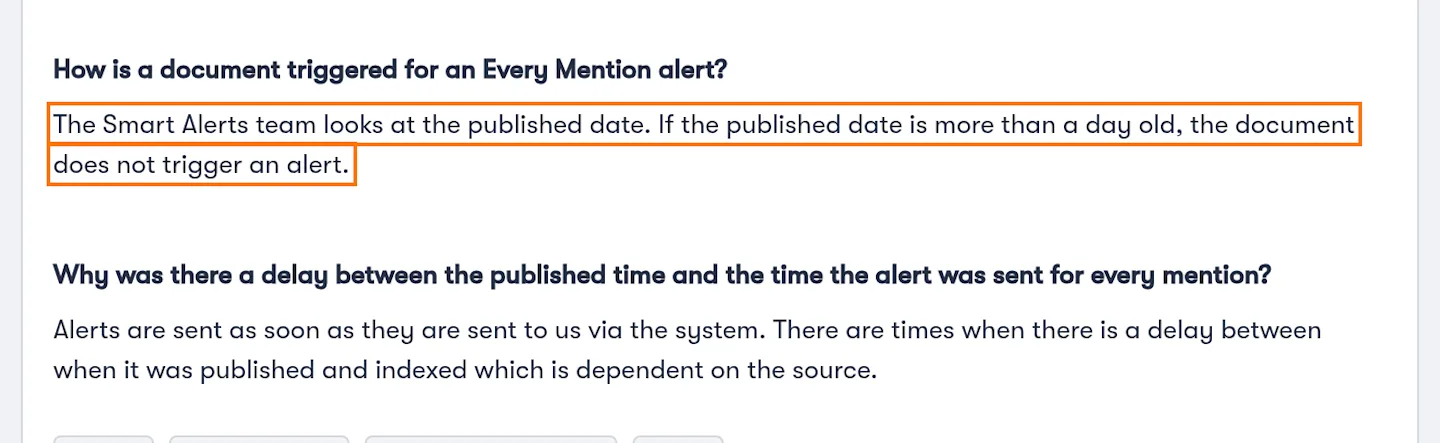
I’d treat Meltwater’s Every Mention trigger as a one-day inbox check, because anything published earlier than one day drops out of the alert.
2. Assign monitoring channels and listening communities by plan
Keep customer-care monitoring on the brand channels where users tag your handle, and focus listening on the external communities where B2B buyers compare tools without tagging you.
Under Starter ($39 monthly), CommunityTracker watches four communities: Reddit, LinkedIn, Hacker News, and GitHub. Upgrading to Pro ($99 monthly) or Advanced ($199 monthly) brings in the remaining official communities: X, Slack, Discord, Stack Overflow, Dev.to, and Indie Hackers. TikTok, Quora, Instagram, and Facebook fall outside coverage.
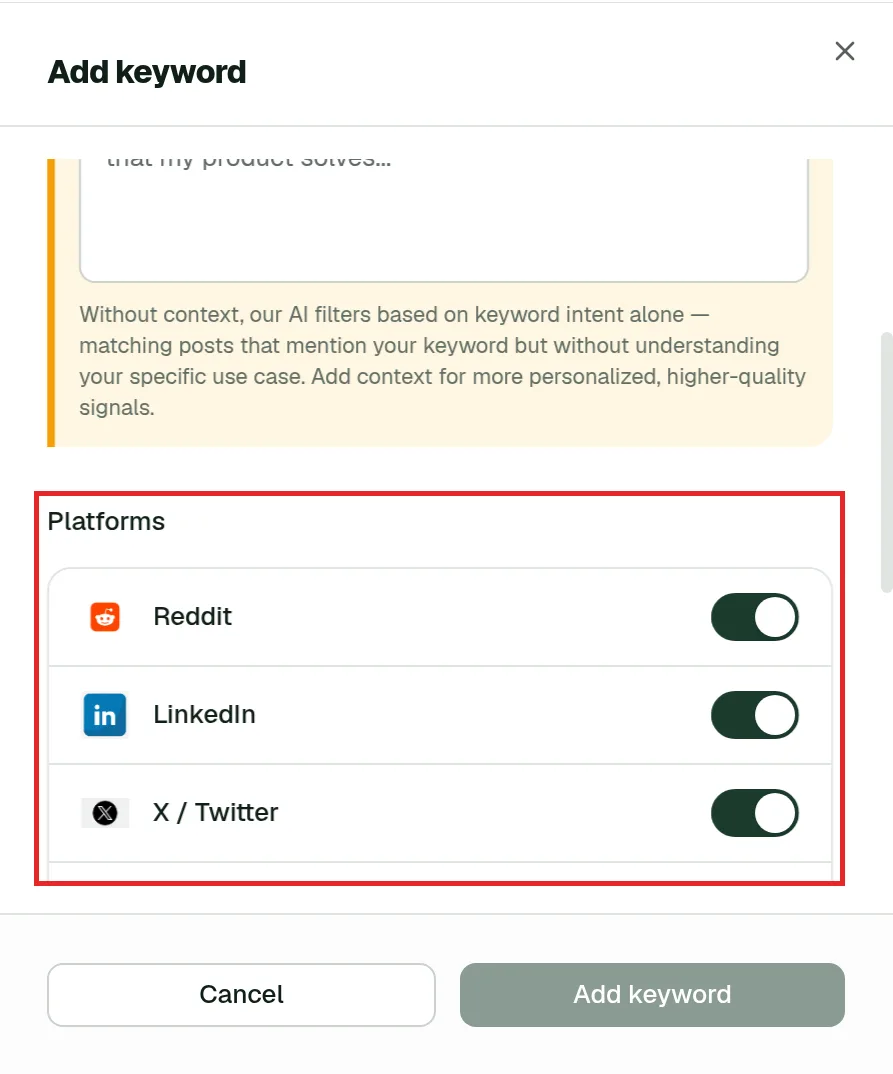
I’d turn on only the communities where buyers evaluate alternatives inside Platforms on sample data from a tracked set, matching Starter’s four-channel limit or Pro and Advanced full access.
Inside the Posts workspace, combine tracked keywords with platform checkboxes so your listening team inspects external community discussions rather than scrolling every social feed.
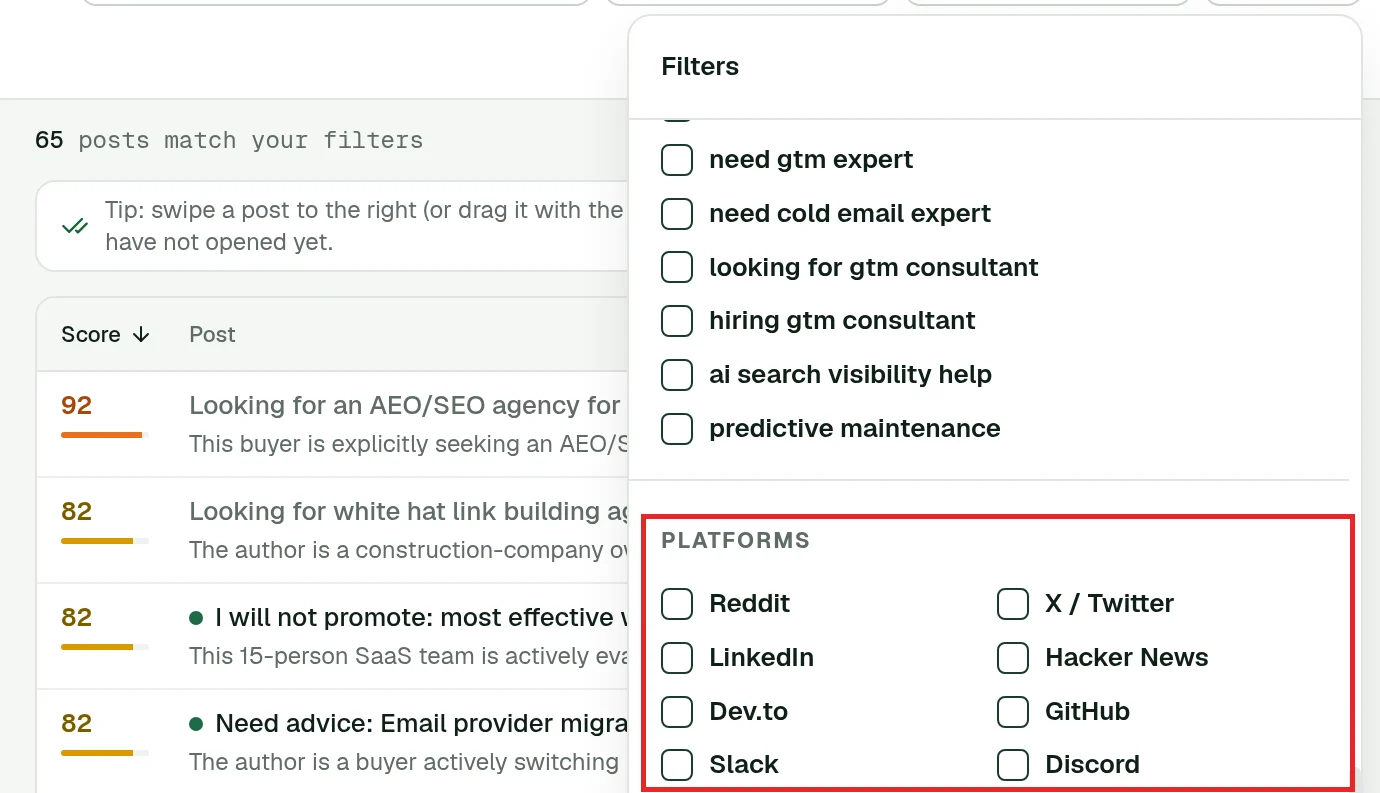
I’d combine tracked keywords with Platforms checkboxes on sample data from a tracked set so GitHub, Dev.to, X / Twitter, Reddit, LinkedIn, and Hacker News conversations stay grouped cleanly.
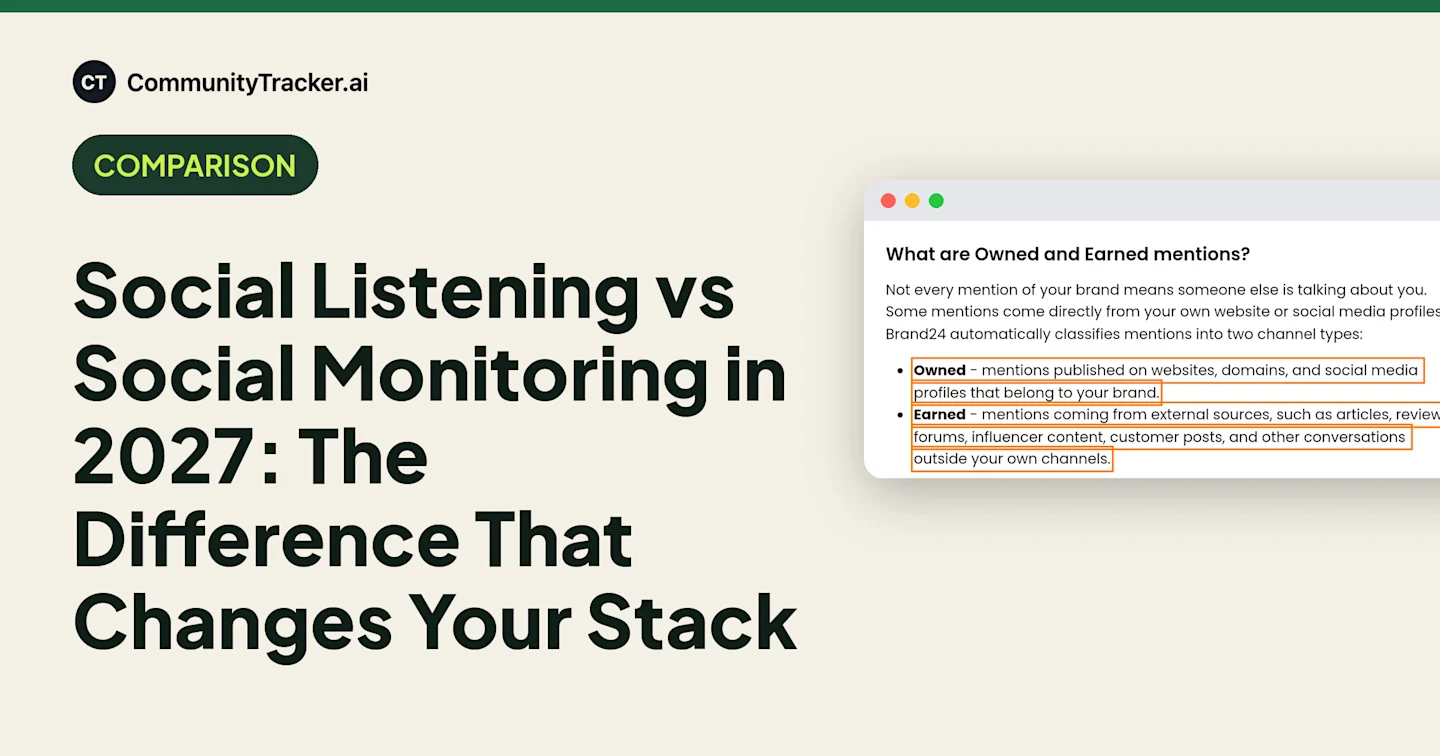
Strip brand-owned posts before counting any listening theme. Owned mentions cover websites, company domains, and social profiles you control, whereas Earned mentions cover external forums, reviews, articles, influencer posts, and customer discussions outside your channels.
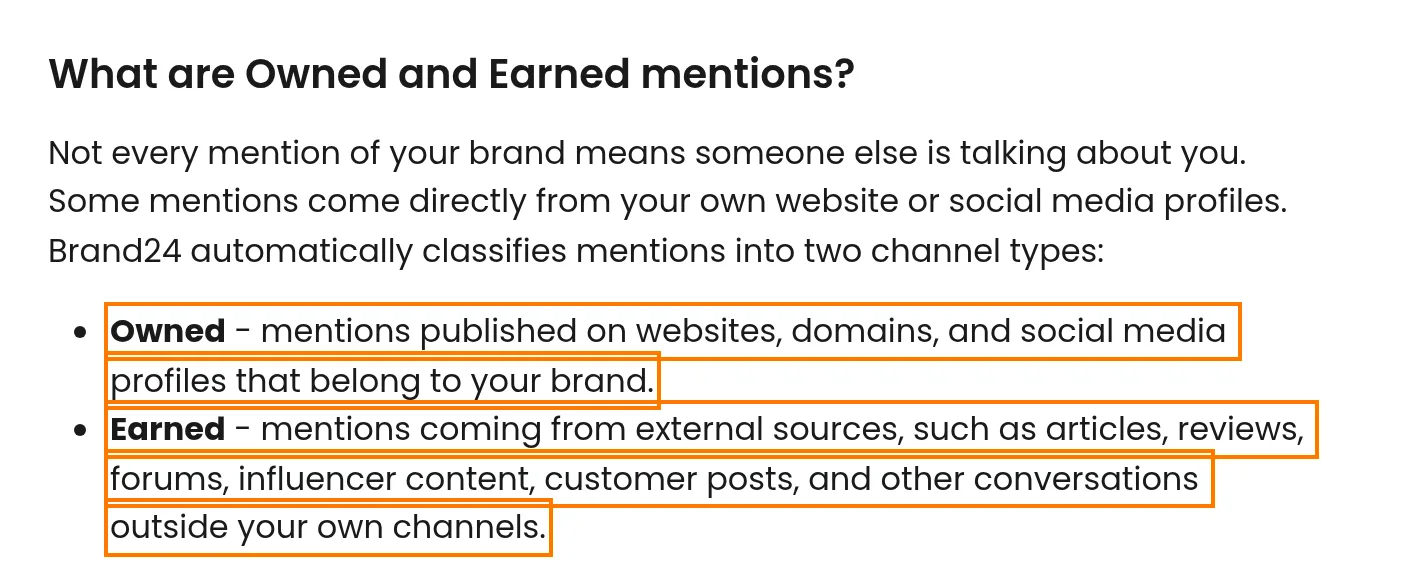
I’d split Brand24’s Owned channels from Earned sources before running theme counts, so team posts never inflate buyer volume.
3. Triage today’s support queue separately from buyer-intent signals
Monitoring clears individual customer replies today; listening surfaces unprompted buyers weighing alternatives or planning a migration so sales can act.
CommunityTracker scores each post on a 0 to 100 scale and labels matches Hot, Warm, or Watch with a short explanation. Pro ($99 monthly) and Advanced ($199 monthly) bring AI intent scoring and filters, while Starter ($39 monthly) handles 5,000 mentions with manual reply drafting. Every reply draft waits for your edits before posting.
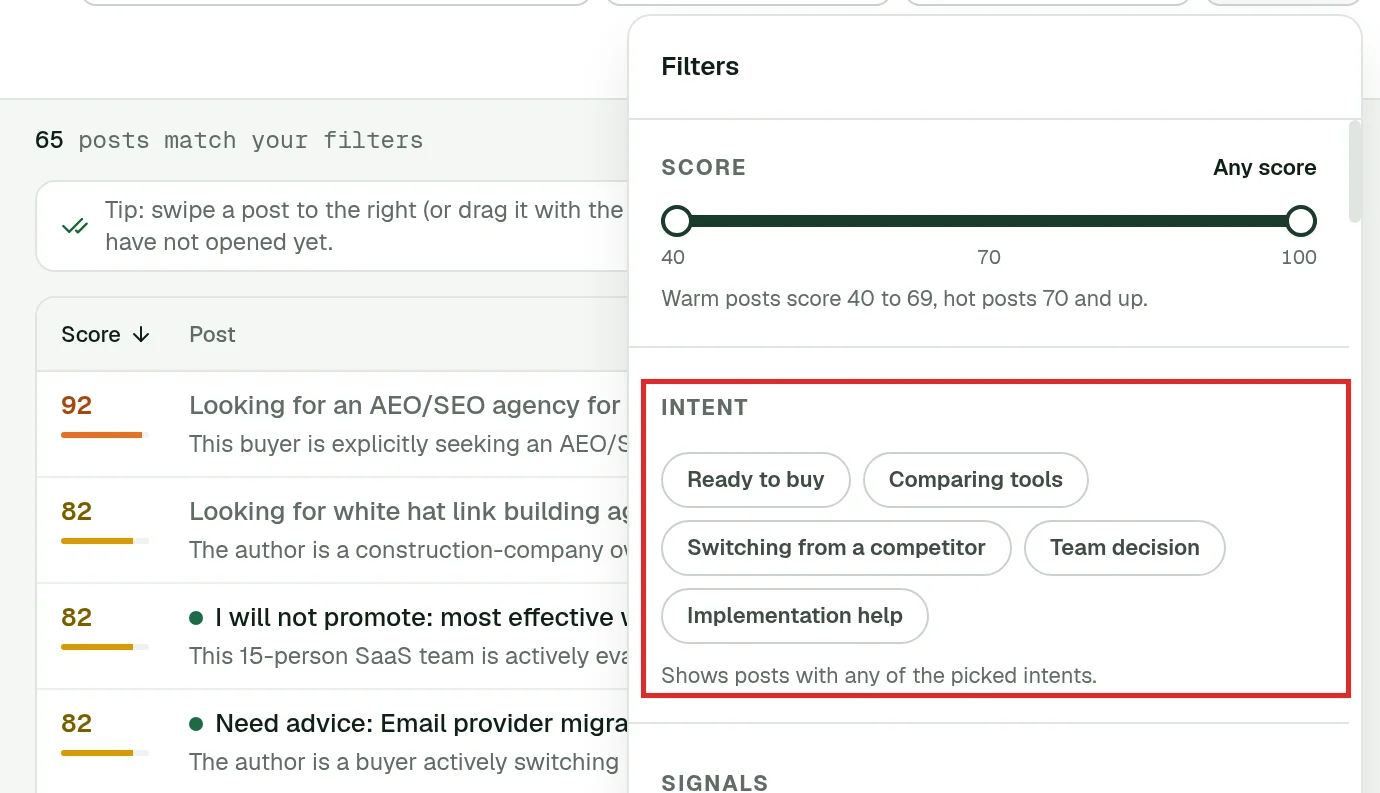
I’d select Intent tags including Switching from a competitor, Comparing tools, Implementation help, and Team decision on sample data from a tracked set so high-intent evaluations surface across the 65 matching posts.
Filter the Posts table down to one community and sort descending by score so outbound reps handle high-intent evaluation threads separately from support replies.
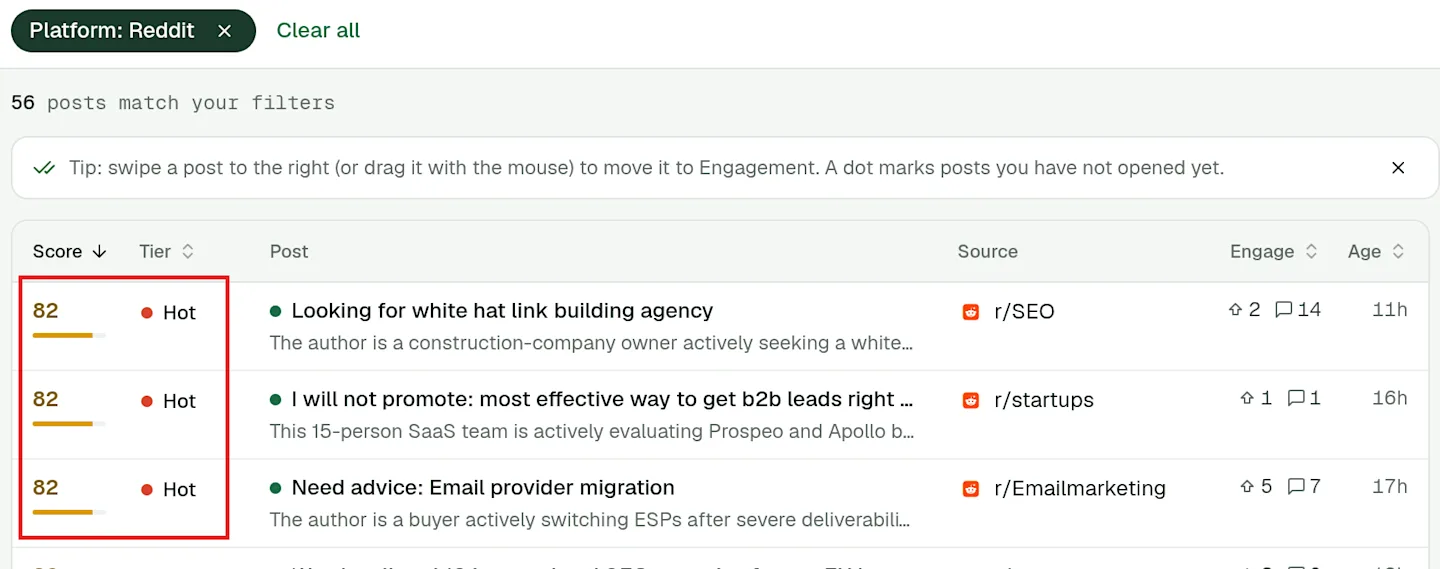
I’d narrow the Posts feed to Reddit and rank highest scores first across these 56 matching items and Score 82 Hot entries using sample data from a tracked set before moving to alerts.
4. Route hot leads to Slack without losing your daily summary
Pushing every raw keyword hit into chat trains your team to mute notifications; separate hot-lead alerts from your daily summary and monthly theme review.
Daily alerts run on Starter, and daily Slack alerts sit on Pro ($99 monthly) and Advanced ($199 monthly). Built-in HubSpot sync converts Hot and Warm posts into deals with the signal attached.
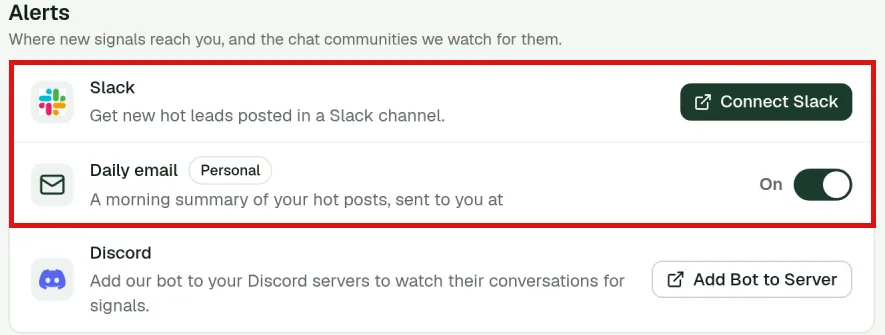
I’d post fresh hot leads to a Slack channel alongside keeping the daily morning email summary enabled for hot posts.
Run a sample walkthrough using sample numbers rather than real account data to keep monitoring and listening separate: suppose your team pulls 50 posts mentioning your product alongside pricing over 30 days. Monitoring answers 41 of those posts inside the reply queue within 24 hours. Listening removes owned replies and irrelevant chatter to isolate 34 earned posts, where 19 flag seat add-on confusion, 9 praise annual discounts, and 6 ask about migration help. That 19-of-34 finding gives your pricing owner one fix to ship next cycle.
5. Compare period metrics and share of voice by community
Monitoring finishes once a reply ships; listening finishes only when you measure period-over-period shifts and community share of voice against a fixed competitor set.
CommunityTracker builds a workspace share-of-voice report that updates each Monday with brand-against-competitor curves, mention counts, and community share breakdowns. Read how the math works in what is share of voice. Diagnostic visibility gaps, share of voice PDF exports, and an action plan belong to Advanced ($199 monthly).
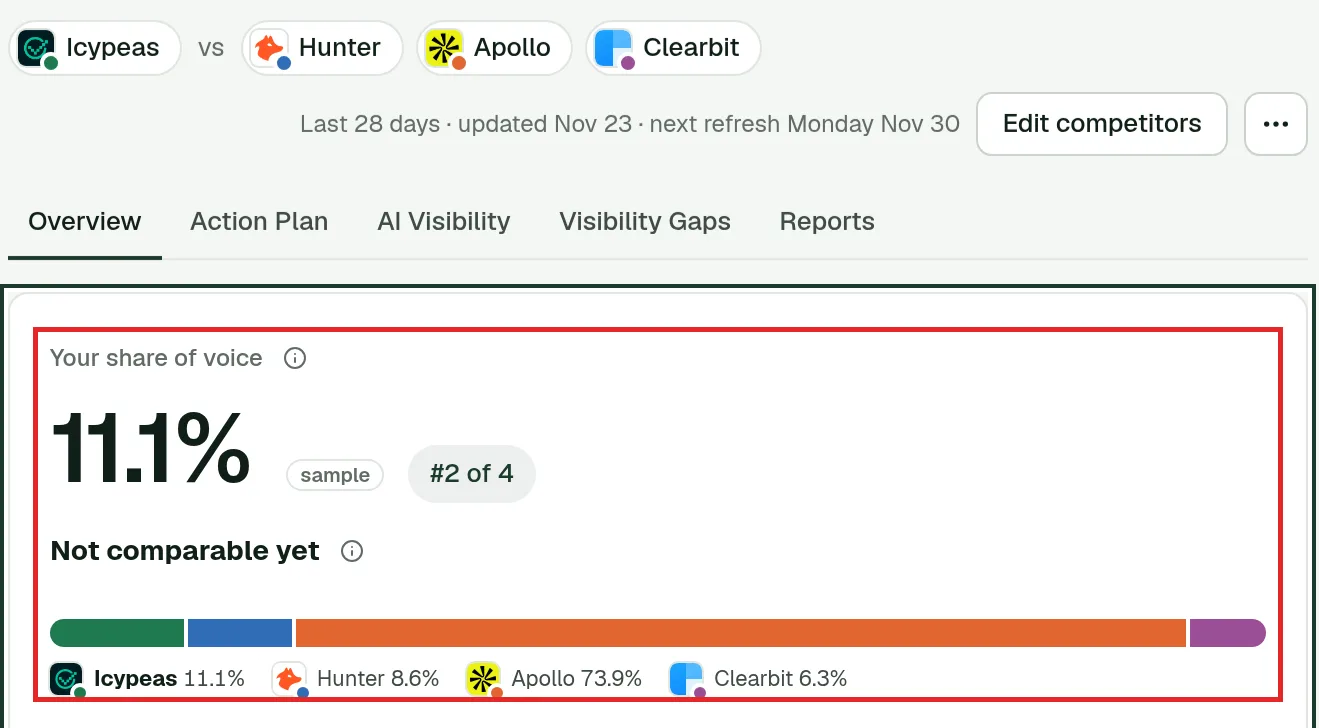
I’d monitor the exact same rival group (Apollo, Clearbit, Hunter, and Icypeas) across Monday updates, treating this sample data from a tracked set as directional instead of real market share.
Check the channel rows beneath headline totals so heavy chatter on one network never hides blind spots elsewhere.
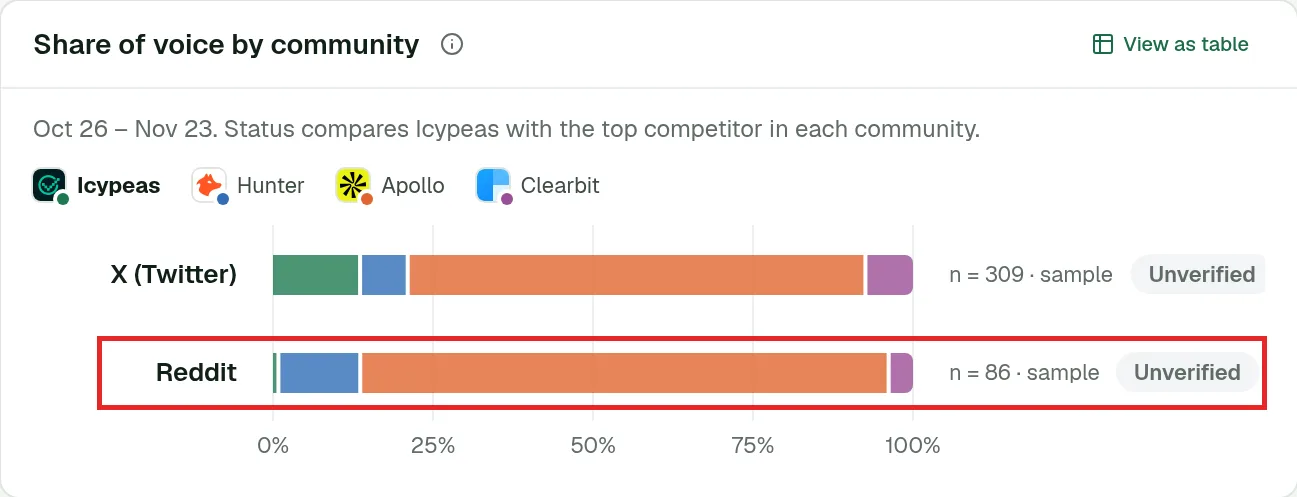
I’d review every community bar underneath the summary card, reading Reddit at n = 86 against X (Twitter) at n = 309 on sample data from a tracked set so quiet feeds never go overlooked.
In traditional suites, move to period comparison tables once a window closes to review reach, average engagement, and positive-to-negative mention ratios against earlier cycles.
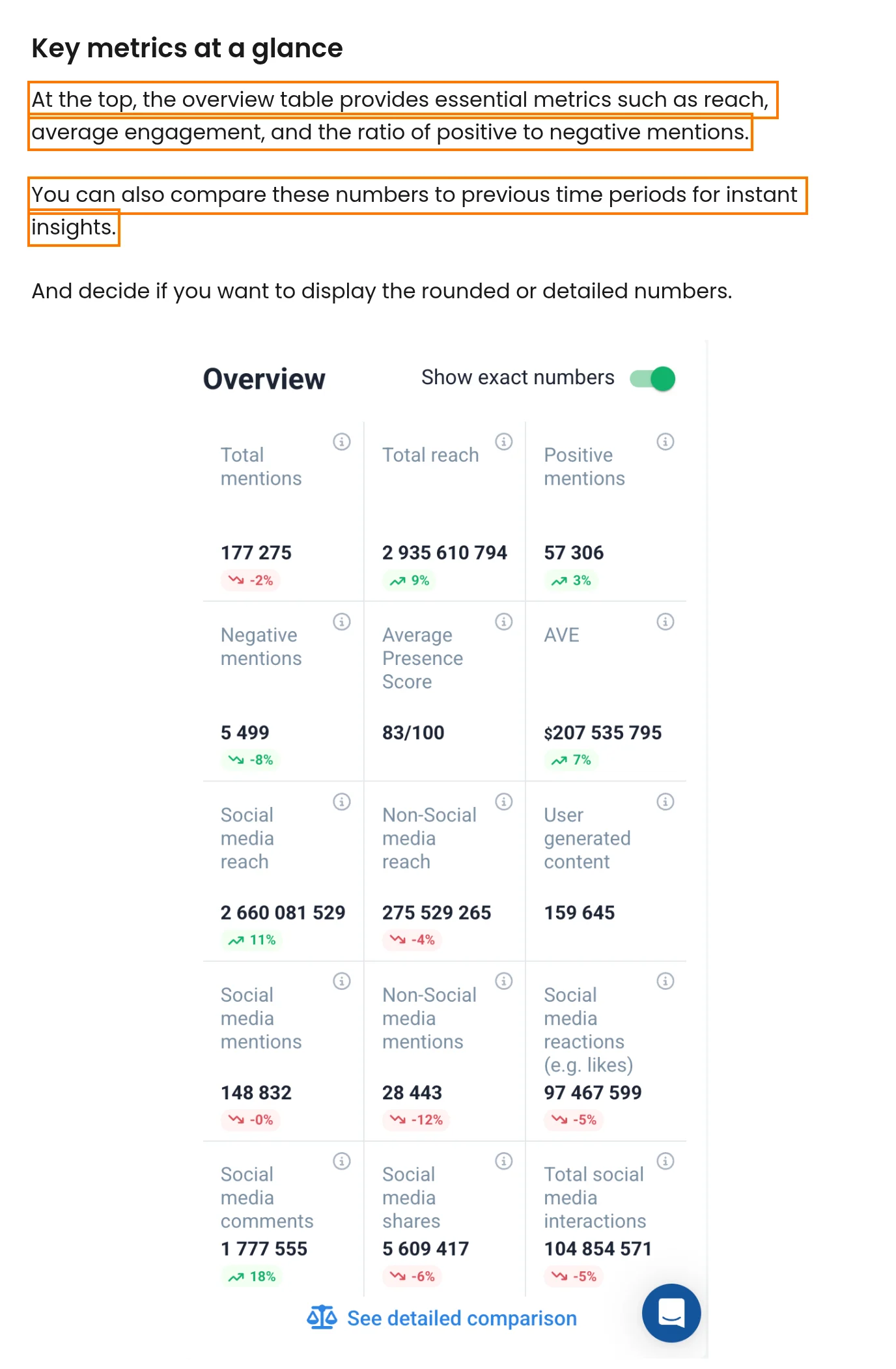
I’d move to Brand24’s Analysis overview table once a period closes to compare reach, average engagement, and sentiment ratios against the prior window.
What buyers report in listening and monitoring reviews
Before locking in a monitoring suite or an enterprise listening contract, check user reviews for three failure points: whether the unified inbox speeds up replies, whether automated sentiment tags hold up without manual cleanup, and whether pricing scales faster than team usage.
Sprout Social draws praise for consolidating reply workflows across channels, paired with warnings about cost for smaller teams. In a Software Advice review dated November 2026, Rushabh D. highlights the inbox consolidation: “Brings together messages, comments, direct messages, and brand mentions from networks such as Twitter, Facebook, Instagram, LinkedIn, TikTok, YouTube, and Pinterest into one workspace, making customer care faster and easier.” In the same November 2026 review, Rushabh D. flags budget limits: “Sprout Social is often described as one of the most expensive social media management platforms on the market, which can make it cost-prohibitive for small businesses, freelancers, or marketing teams working with tight budgets.”
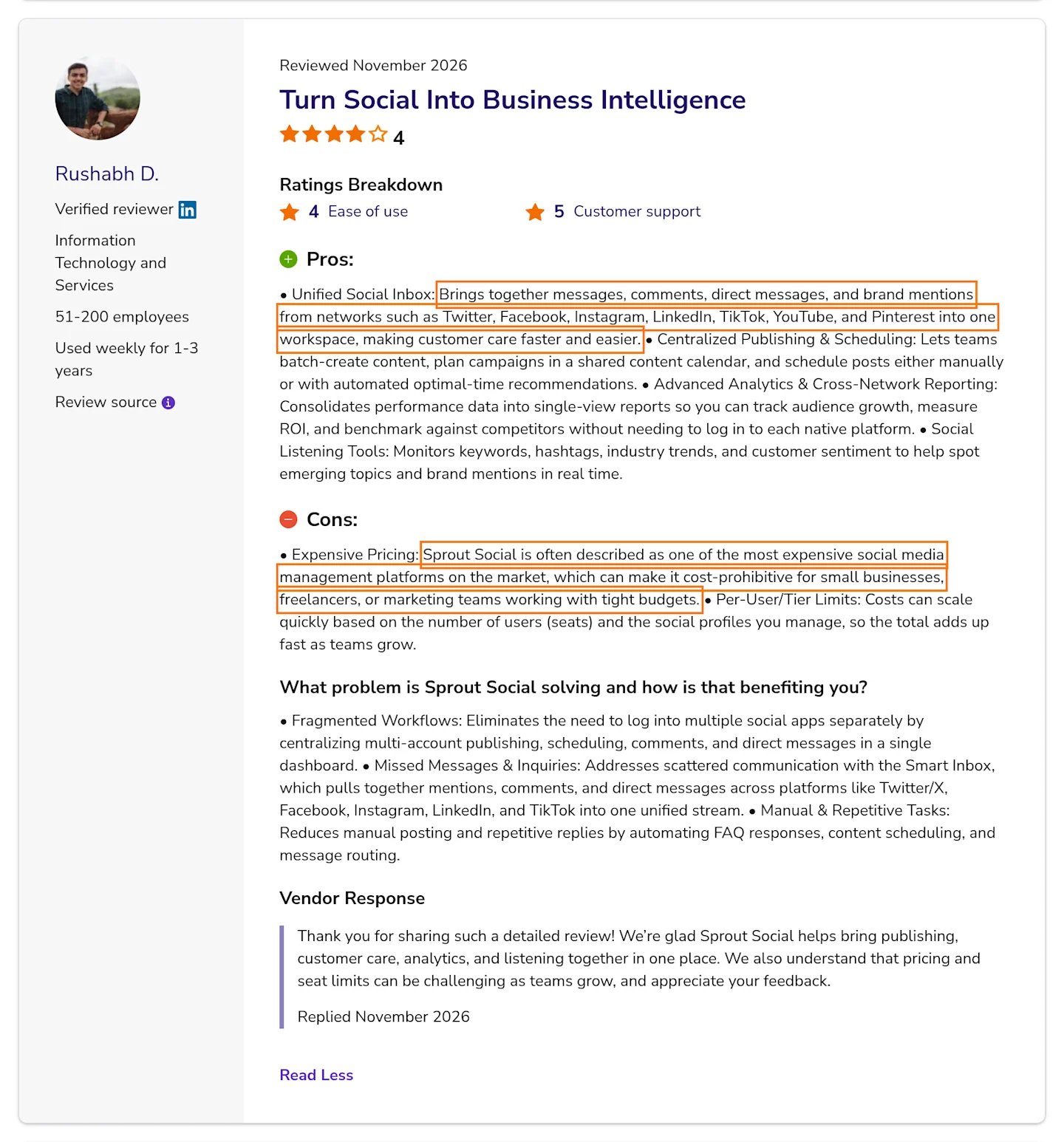
Rushabh D., Software Advice, November 2026, on Sprout Social combining cross-network reply queues while pricing out smaller teams.
Agorapulse users point to the same split between inbox speed and automated sentiment limits. In an Incentivized TrustRadius review dated April 1, 2025 (older than 12 months), a Verified User manager writes: “Agorapulse is nice tool that can bring all your social media private messaging and public responses to posts into one setting for easy review and response, including Facebook, Twitter (X), YouTube, and Instagram.” Under drawbacks in the same April 1, 2025 Incentivized review (older than 12 months), the reviewer notes: “The automatic”assigning” of a sentiment to a message is often inaccurate”.
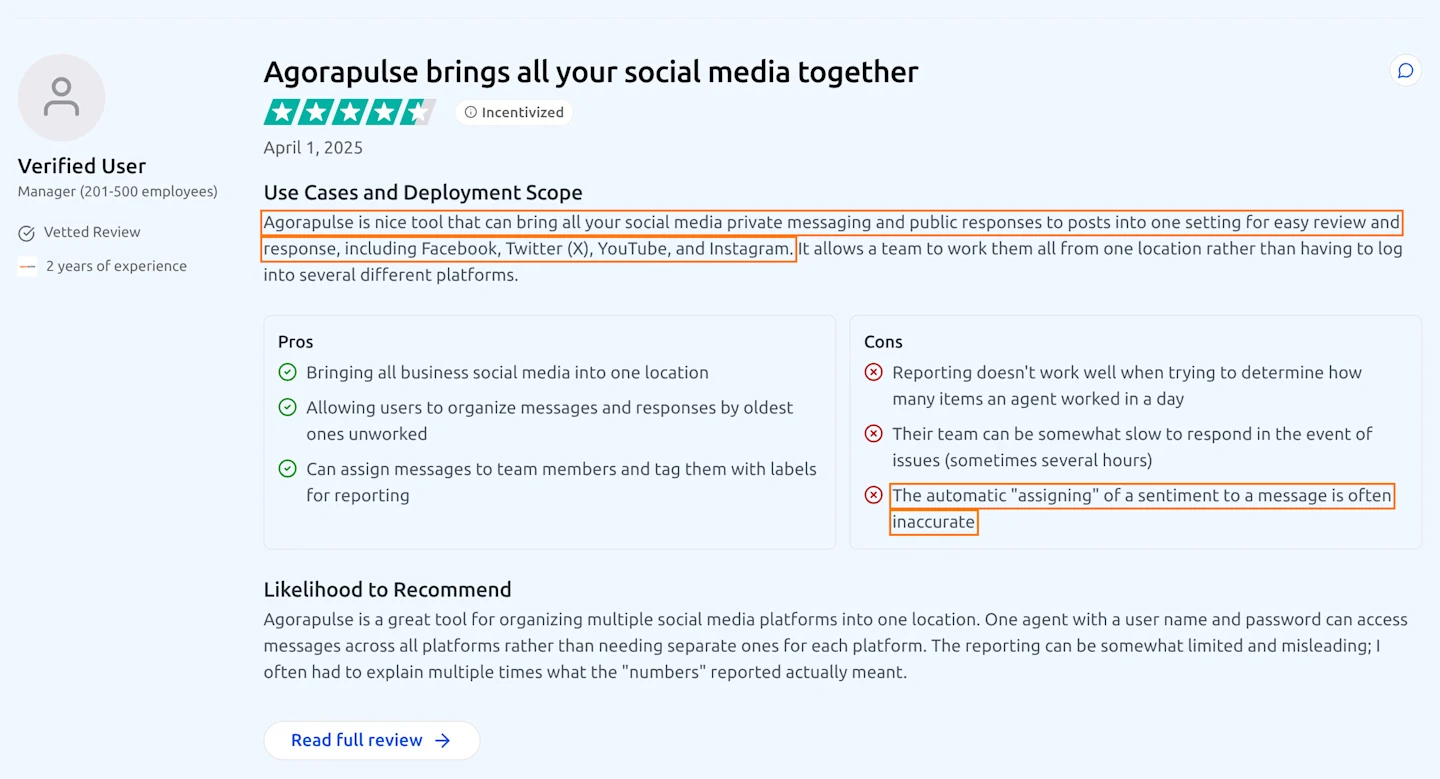
Verified User, TrustRadius, April 1, 2025, Incentivized, older than 12 months, on centralizing replies versus inaccurate automated sentiment tagging.
Meltwater reviews highlight how buyers run into trouble when data coverage and listening sentiment fail together. In an Unprompted review on Meltwater’s Trustpilot page dated May 25, 2025 (with an experience date of 8 May 2025, older than 12 months), Johan Jafaar writes: “Worst social media monitoring tool. There are missing data, and the listening dashboard doesn’t display the right sentiment results for any topics.”
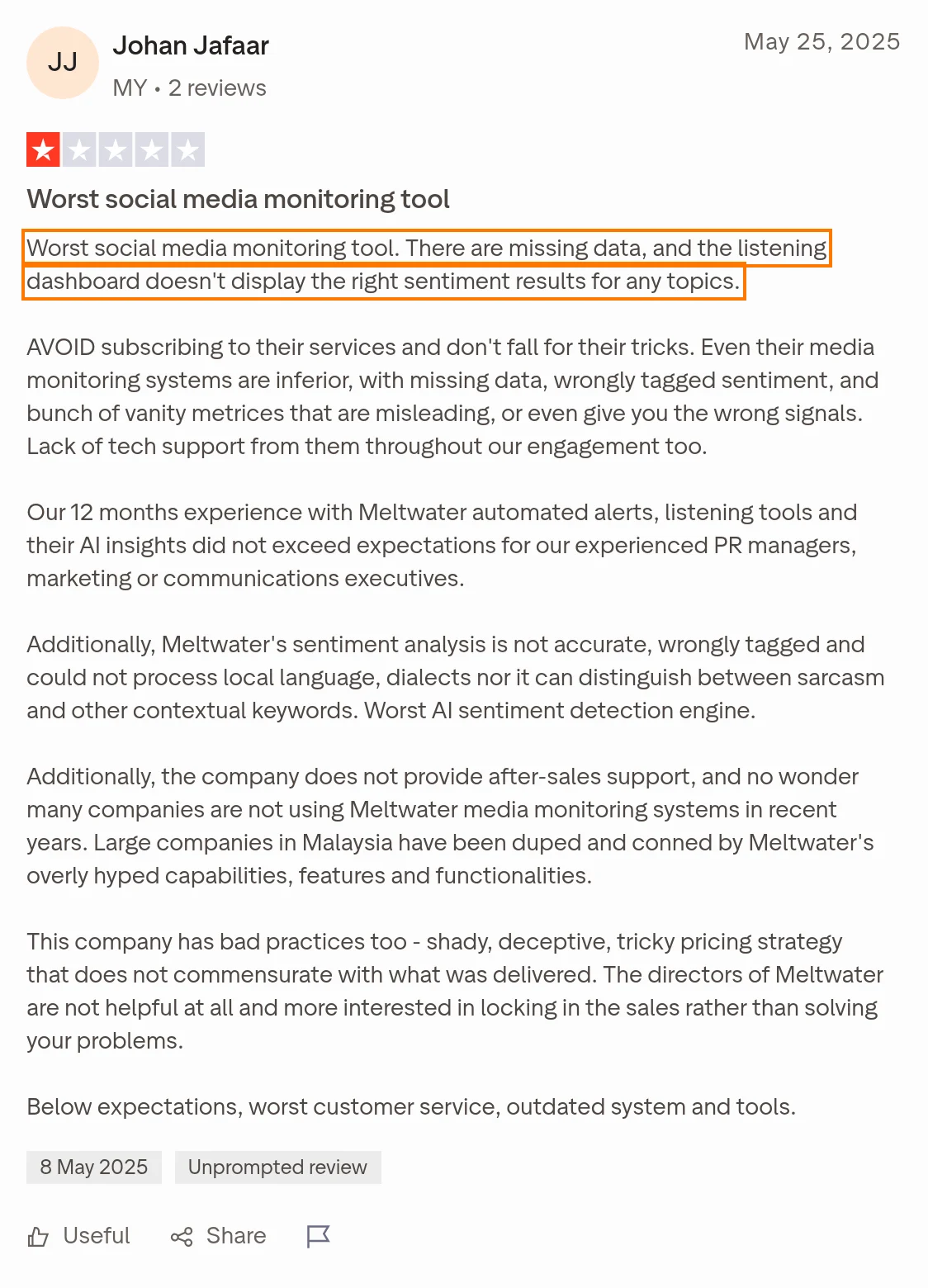
Johan Jafaar, Trustpilot, May 25, 2025 (experience date 8 May 2025), Unprompted review, older than 12 months, on missing data and broken listening sentiment results.
Those three reviews match the pattern I’d watch for across GTM stacks: unified inboxes win praise when care teams staff them, while automated sentiment tags still require manual reading before you bet a roadmap call on them. When you want full tool comparisons, review the social listening tools roundup or the social media monitoring software roundup.
Where CommunityTracker fits when you want GTM buyers
If the reason you’re sorting out monitoring vs listening is to find B2B buyers discussing a problem your sales team can solve today, paying for a PR listening suite adds overhead you don’t need.
CommunityTracker.ai is a GTM tool.
I’d pick CommunityTracker for this choice when sales needs scored buyer threads it can work, not another mention inbox sitting next to a support queue.
Every paid plan includes mapped CSV lead imports, credit-backed enrichment on 30+ fields (starting accounts carry 100 credits), and LinkedIn plus email outreach from your mailbox with optional approval and one shared reply inbox.
Paid accounts also include scored-post API access and HubSpot deal creation from Hot and Warm posts. You can push leads into Salesforge, lemlist, Smartlead or Instantly using a key you provide, plus a connector so you can query signals in Claude, ChatGPT or Grok.
You may request annual billing, skip any long-term lock-in, and rely on a 14-day money-back guarantee.
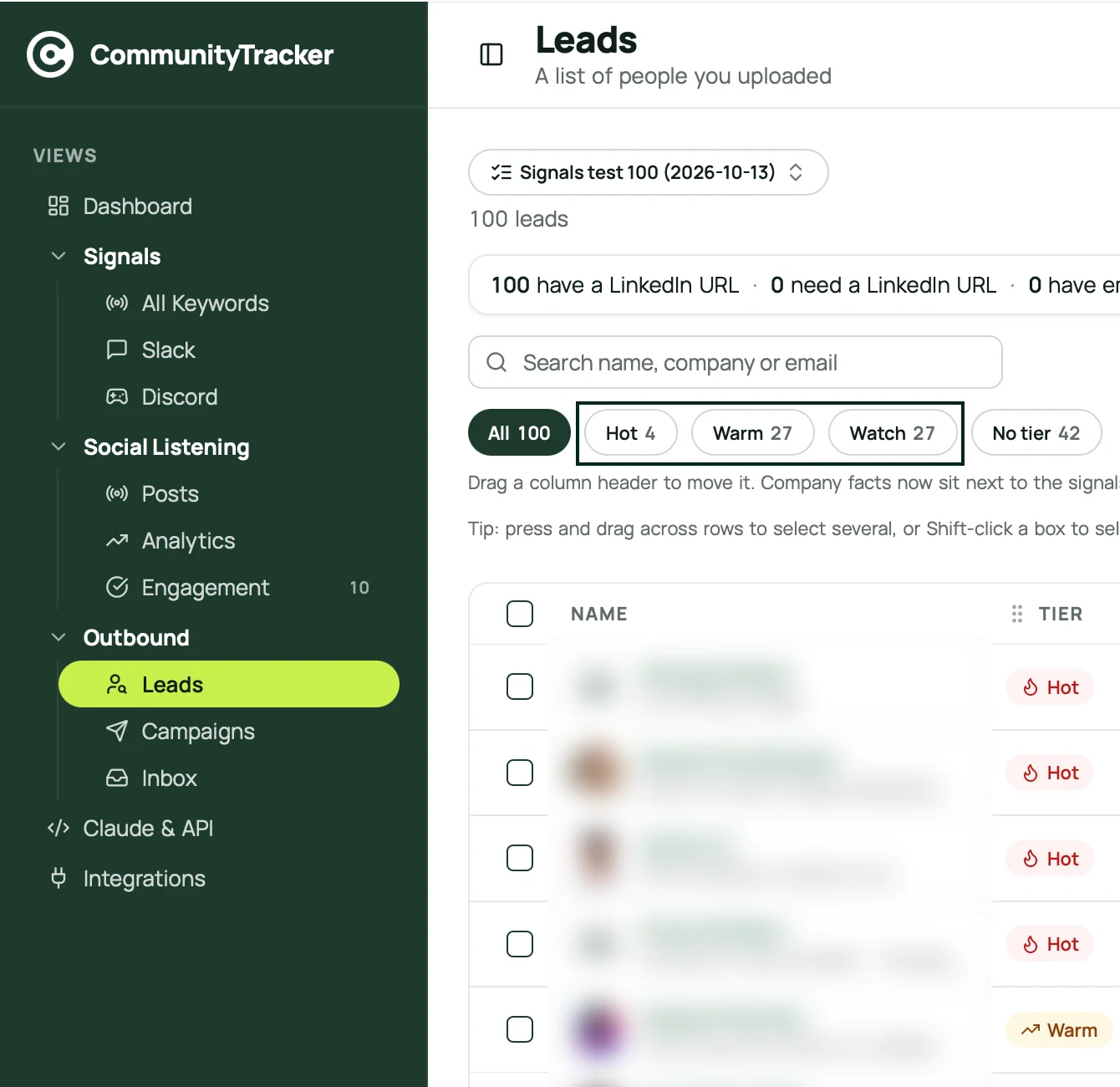
Instead of pulling another mention spreadsheet, I’d sort buyer threads by the Hot, Warm, and Watch chips inside this dashboard.
Plans start with Starter at $39 per month, step up to Pro at $99 per month, and top out at Advanced at $199 per month as a recurring monthly fee.
A seven-day trial costs $4.99.
One $4.99 payment activates Pro tools for seven days with 3 community intelligence searches and 5 keywords, and expires without renewing.
Starter alerts once a day.
Pro and Advanced cover all 10+ official platforms past Starter’s four networks, with daily Slack alerts included on Pro.
100 warm emails a month on Starter, unlimited on Pro.
Moving to Advanced retains unlimited warm emails and adds 20 keywords, 5 monthly community intelligence searches, an action plan, visibility gaps, plus PDF exports for share of voice.