7 Best Social Share of Voice Tools in 2027
Social share of voice tools for 2027: what each one counts, whether the share is community or social-only, how you act on the number, and the one I'd start with.
Adarsh Kumar
GTM Expert
Founder — CommunityTracker, Miraa.io, and Infraboxes
You get asked whether the brand is gaining on two rivals this quarter, and the only thing on your desk is a sheet of mention counts you built by hand.
Teams are now being asked for share of voice next to AI-search visibility, and they are stitching exports because the listening tool and the outbound tool still do not meet. That’s the job social share of voice tools are meant to do.
I’m sure you’ve tried a Brand24 export, a slide of mention counts, or a listening suite that will not show community-level share. Those can give you a total. They rarely tell you which community the talk sits in, or what to do next.
I’m putting these tools in order by what they count, whether they can show a share you can defend, and whether that number leads to an action. Open the first tool in the list when community share is the job.
TL;DR: The 7 Social Share of Voice Tools I’d Shortlist
CommunityTracker - Best for community-level share of voice across Reddit, LinkedIn, X and other communities, with an action path on higher plans
Brand24 - Best for small teams that want a social-only share by mentions and by reach, with a public monthly price
Mentionlytics - Best for agencies that send a share of voice report to clients every month
YouScan - Best for consumer brands that want a share built from what buyers post on their own
Awario - Best for tight budgets that still need a rival comparison
Sprout Social - Best for social desks whose posts already go out through Sprout
Brandwatch - Best for insight teams charting a multi-year trend, with procurement on their side
Start with CommunityTracker when the share you need is community share, and when the next step is a thread to join or a buyer to contact. Brand24 remains the start-here pick when the share has to be social-only across mainstream networks at a public monthly price.
What Buyers Ask Before They Pick One
Which social share of voice tool should I start with? If you need community share and a next step after the number, CommunityTracker. Brand24, if you report on social networks and need a public monthly price. Awario, if your budget sits under $50 a month.
How is social share of voice calculated? Your brand’s social mentions divided by the total social mentions for you and the rivals you track, times 100. Sprout uses the same idea with messages: matching messages for a competitor divided by all messages in the topic. CommunityTracker counts mentions of your brand across the communities you choose, compared with the competitors you track.
Do these tools count the same thing? No. Brand24 and Mentionlytics count mentions, Brand24 adds reach, Sprout counts messages, and the Brandwatch Benchmark widget counts posts each brand published. CommunityTracker counts mentions by community, not reach or published posts.
Can I see share of voice on social only? Brand24 can limit its share to social sources. YouScan can keep user-generated mentions and drop promotional posts and news. Brandwatch Benchmark lets you toggle Facebook, Instagram, X and YouTube. CommunityTracker shows share by community on Reddit, LinkedIn, X and the other official communities. It does not cover Instagram, TikTok or Facebook.
How many rivals fit on the cheapest plan? About two, on the social listening tools below. Each brand takes a keyword, topic or tracker, and Brand24, Mentionlytics, YouScan and Awario each start at 3. CommunityTracker compares your brand with the competitors you track, and share of voice starts on Pro.
Is there a free share of voice tool? Not for keeps. Every plan with a printed price here is paid, so the free route is a trial: 14 days on Brand24 or Mentionlytics, a no-card trial on Awario, and 30 days on Sprout. CommunityTracker’s seven-day trial includes share of voice, and it costs $4.99.
Can I send a share of voice report to a client? Yes. Mentionlytics has a pre-built Share of Voice report, and Awario says its reports can be shared with clients or colleagues as a PDF. CommunityTracker adds a share of voice PDF export on Advanced.
Is share of voice the same as share of market? No. Share of voice measures talk. Share of market measures sales.
How Each Tool Counts Share of Voice
Tool | What the share counts | How you narrow it | Brands on the entry plan |
|---|---|---|---|
CommunityTracker | Mentions of your brand vs the competitors you track, across chosen communities | Share by community | Share of voice starts on Pro |
Brand24 | Mentions, and reach | Social or non-social sources | 3 keywords on Individual |
Mentionlytics | Mentions, or sentiment | Share of Sentiment switch | 3 keyword rules on Core |
YouScan | Mentions per topic | WOM filter for user-generated posts | 3 topics on Starter |
Awario | Mentions per alert | Up to 15 alerts, from any project | 3 topics on Starter |
Sprout Social | Matching messages in a Listening topic | Exclude your own posts | Up to 10 competitors in one topic |
Brandwatch | Posts each brand published (Benchmark) | Network toggles | No public plan limits |
Entry Prices and Which Billing View They Come From
Tool | Entry plan | Month-to-month billing | Yearly billing, shown per month | First cap you’ll reach |
|---|---|---|---|---|
CommunityTracker | Pro, for share of voice | $99, billed monthly | Annual pricing on request | One share-of-voice report per workspace, refresh every Monday |
Brand24 | Individual | $249 | $199 | 3 keywords, 2,000 mentions, refresh every 12 hours |
Mentionlytics | Core | $69 in the comparison table, no billing view named | $39 on the Billed Yearly card, marked a limited-time offer | 3 keyword rules and 5,000 mentions |
YouScan | Starter | No monthly figure shown | $499 | 3 topics and 15,000 mentions a month |
Awario | Starter | $49 | $29 | 3 topics and 1 team member |
Sprout Social | Standard | No monthly figure for Standard | $199 per seat, on a page that notes annual billing | Listening costs extra, price on request |
Brandwatch | None listed | None listed | None listed | A demo before any quote |
Brandwatch is the only tool in this list with no public price. CommunityTracker Starter is $39 a month, billed monthly, and it does not include share of voice.
1. CommunityTracker
If the share you need is community share, and you want a next step after the number, begin with CommunityTracker. CommunityTracker is a GTM tool. The product measures how often your brand is mentioned across the communities you choose, compared with the competitors you track. The dashboard shows brand-versus-competitor trends, share of voice by community, and competitor mention comparisons.
It does not win on Instagram, TikTok or Facebook share. For a social-only number on mainstream networks, at a public monthly price, I still start with Brand24.
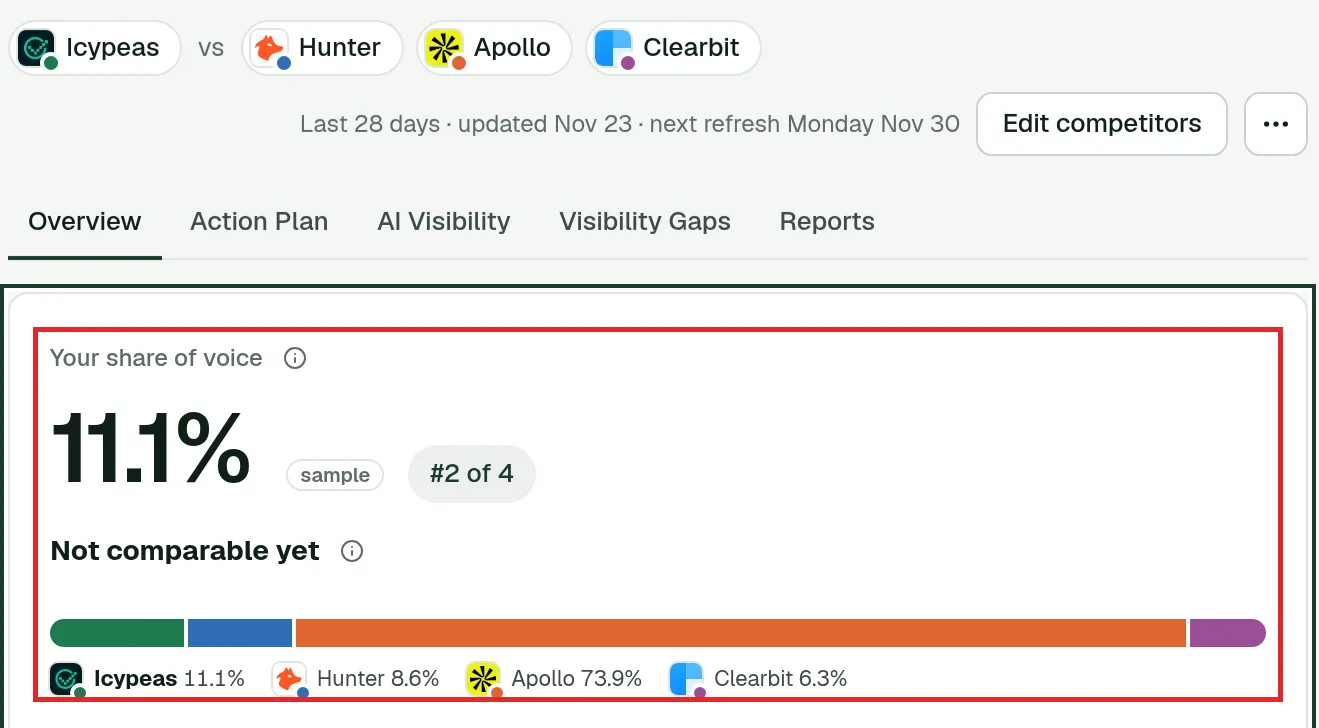
I’d open this share of voice overview first to see brand-versus-competitor share in a sample run that tracks Icypeas against Hunter, Apollo and Clearbit. The percentages on the card are marked sample, so I would not treat them as a market result.
Who it’s for
GTM and community teams who need share of voice across Reddit, LinkedIn, X and other official communities, not across Instagram or TikTok.
Teams that can start on Pro, since share of voice is not on Starter.
People who want the number to lead somewhere: a community to enter, or a buyer to contact, in the same product.
How the share is counted
CommunityTracker counts mentions of your brand across the chosen communities, compared with the competitors you track. You can read a blended share, and you can also read share of voice by community. Sentiment on mentions is optional, so I would not assume it is on until you turn it on.
A workspace has one share-of-voice report. That report refreshes every Monday, not continuously.
Share of voice is on Pro and Advanced, and it is included in the seven-day trial. Pro and Advanced open every official community source, so the share can include Reddit, LinkedIn and X, along with the other communities named on the pricing page. Instagram, TikTok, Facebook and Quora are outside that official list, so you cannot build a social-network share from them here.
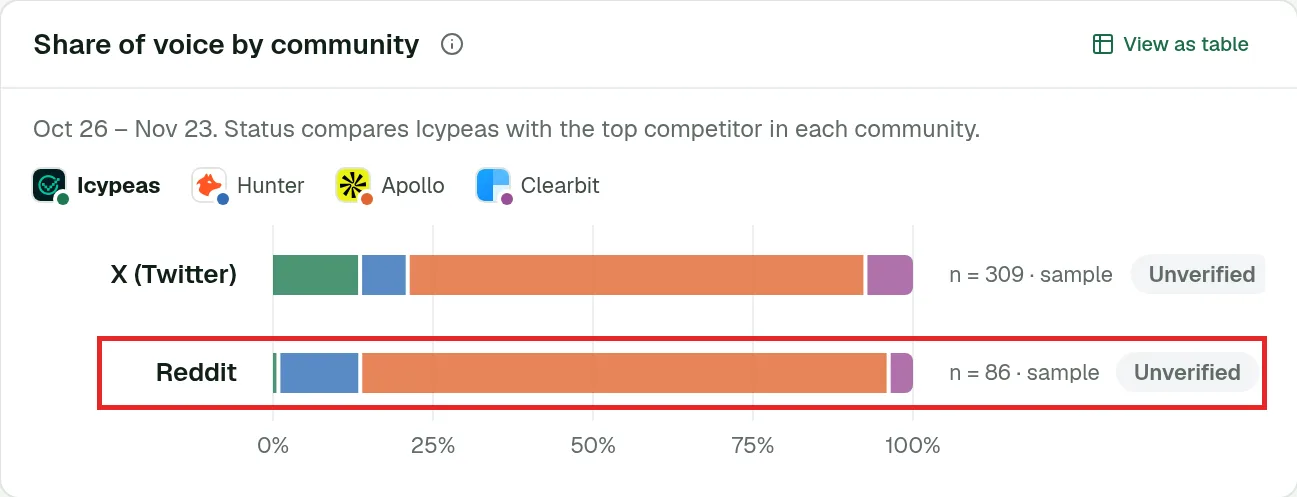
I’d start on the Reddit line of this by-community share chart to see where that sample set shows up, community by community. The app labels those bars sample and Unverified, so I would not quote them as a market share.
On Advanced, the same workspace adds visibility gaps and an action plan, plus a share of voice PDF export. Those three items sit on Advanced, not on the Pro card. Buyer outreach is already in the product on every paid plan: LinkedIn and email campaigns, with replies in one inbox.
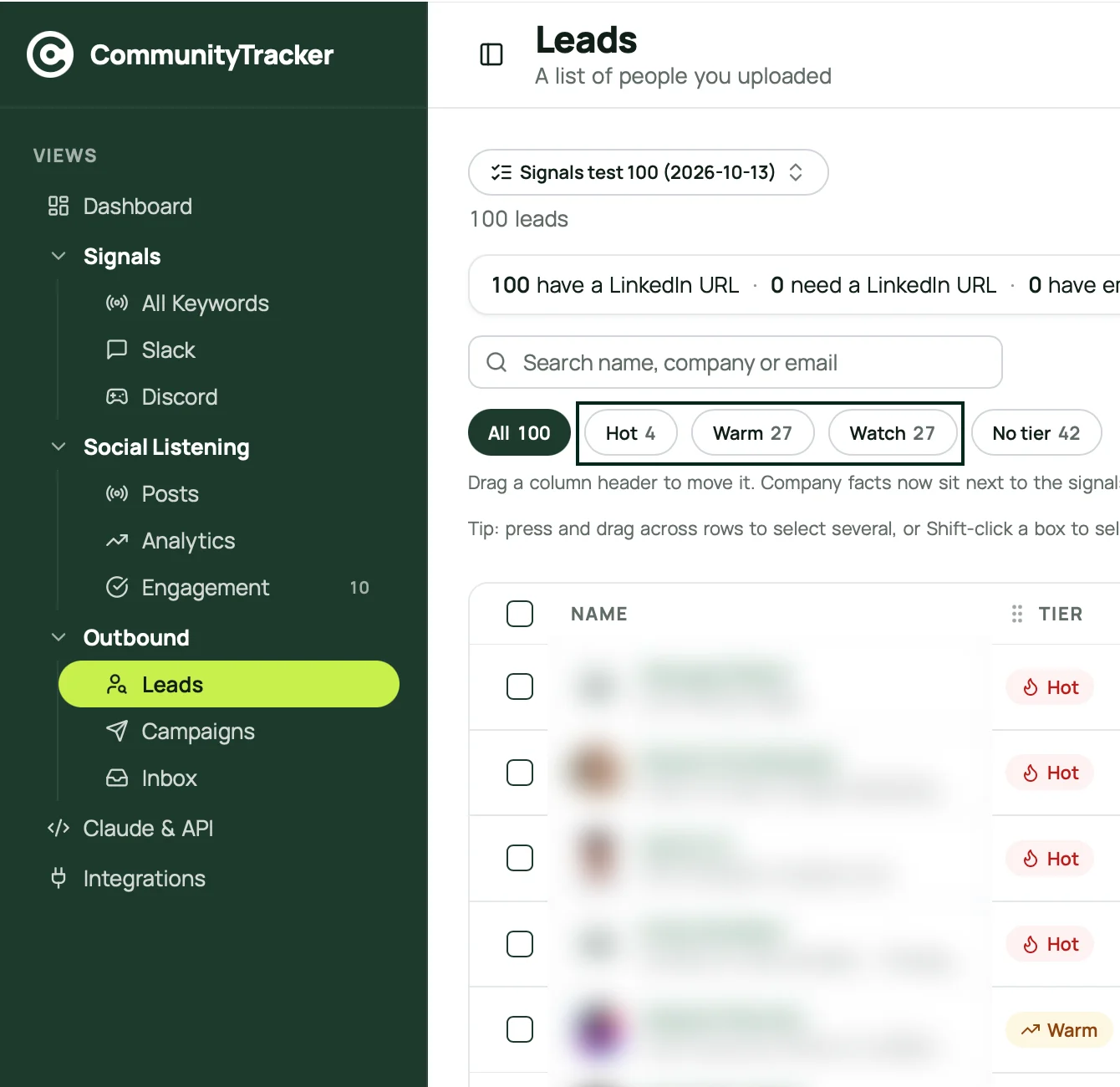
I’d use this Leads screen after I read the share, and I’d open Hot first when the next step is a person to contact. Chip totals here come from a sample account.
For the outreach side, read how to generate leads from communities. That guide covers the outreach steps. The prices below are the public monthly plans.
What you pay
These are the public monthly figures, each named with its billing view.
A seven-day trial costs $4.99.
That payment does not roll into a later month.
Starter alerts once a day.
I treat that as a once-a-day check, not a live listening pulse.
100 warm emails a month on Starter, unlimited on Pro.
For share of voice, budget $99 a month on Pro, billed monthly, or $199 a month on Advanced, billed monthly. Starter remains $39 a month, billed monthly, without share of voice.
Yearly billing is available if you ask, with no public annual rate on the page. You can cancel at any time, and there is no locked contract term on the public plans. New paid plans come with a 14-day refund window. Fees sit on the pricing page.
For seven days, the trial gives you the Pro feature set, and share of voice is part of that set.
On Starter you get four keywords, limited to Reddit, LinkedIn, Hacker News, plus GitHub, and a cap of 5,000 mentions. Share of voice is not in that plan.
The Pro card lists 10 keywords, coverage of the official platforms, unlimited mentions, AI intent scoring and filtering, share of voice, an AI keyword advisor, three community intelligence searches each month, and daily Slack alerts.
The Advanced card keeps the Pro set, then moves the keyword cap to 20, allows five community intelligence searches each month, and adds visibility gaps with an action plan plus a PDF export of the share report.
Pros
Native share of voice, including share by community, rather than a single blended total.
Brand-versus-competitor trends and mention comparisons sit in one dashboard.
The number can lead to an action: visibility gaps and an action plan on Advanced, and buyer outreach in the same product.
Pro and Advanced open the official community list, so the share can include Reddit, LinkedIn, X and the other listed communities.
You can see the monthly prices on the public pricing page, and you can start the seven-day trial from there.
Cons
Share of voice starts on Pro, so the $39 Starter plan is not an SOV plan.
A workspace has one share-of-voice report.
The report refreshes every Monday, not continuously.
Instagram, TikTok, Facebook and Quora are outside the official sources, so this is not a full social-network share tool.
Sentiment on mentions is optional, not a default I would assume is on.
Visibility gaps, the Advanced action-plan line, and the PDF export are on Advanced, not on the Pro card.
When I’d use it
I would keep CommunityTracker when you need community share and a path to act. Skip it if the report has to cover Instagram, TikTok or Facebook, or if you only need a social-only number at a public monthly price. For that second job, go to Brand24.
2. Brand24
You need a social share of voice number for this month’s report, and you can’t wait two weeks for a vendor call. That’s the job I’d give Brand24.
The Comparison tab carries a Share of Voice table with two charts. One shows each brand’s share of reach, the other its share of mentions. A switch narrows the view to social media sources or to non-social sources alone, and that switch is what turns a media share into a social share.
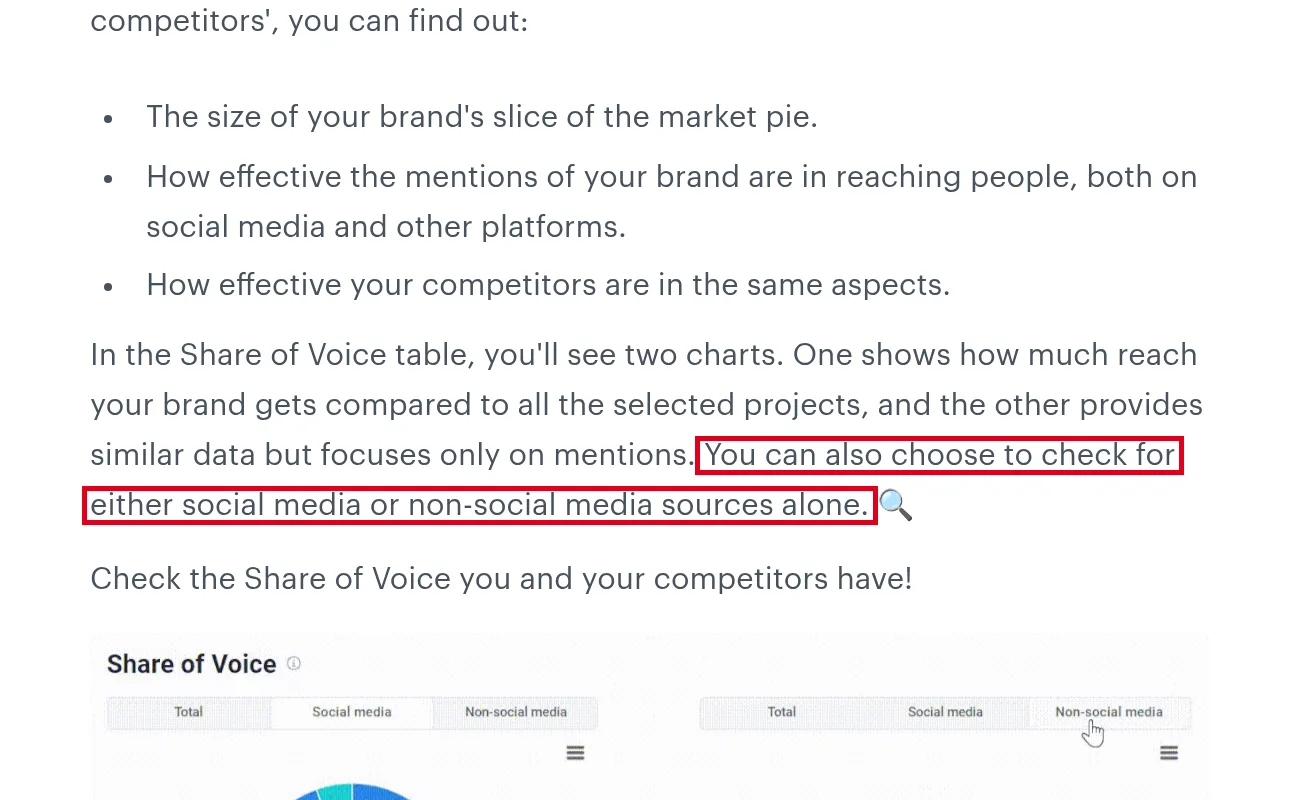
Brand24’s changelog for the Comparison tab. I’d flip this switch to social before the first report, so news sites don’t pad your slice.
Where the setup bites
Each rival is its own project with its own keywords, and keywords are what Brand24 rations by plan. You plus two rivals uses up Individual.
What you’ll pay
The pricing page has a Monthly and an Annually toggle:
Individual: $249 a month on monthly billing, or $199 a month on annual billing. You get 1 user, 3 keywords, a cap of 2,000 mentions and a refresh every 12 hours.
Team: $349 a month on monthly billing, or $299 a month on annual billing. Users become unlimited, with 7 keywords, a cap of 10,000 mentions and an hourly refresh.
You can’t buy the yearly rate at checkout. Brand24’s FAQ says to begin the free 14-day trial and then email them, and they move the plan to annual.
What a user says
I’d weigh this card for what it is: one short line from a user who names competitor tracking.
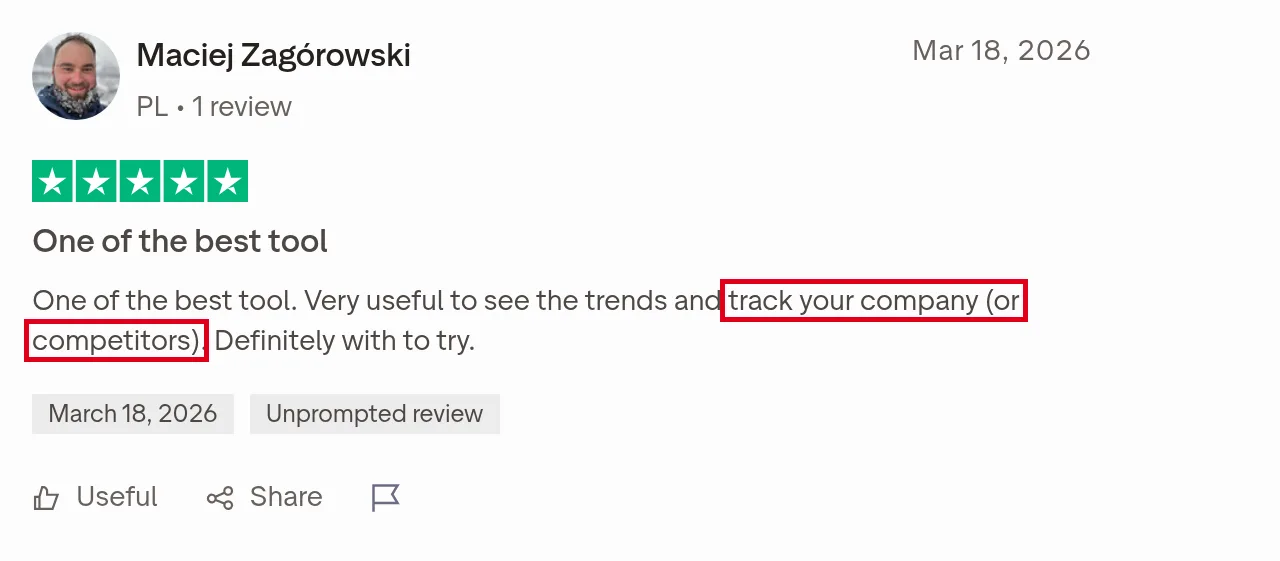
Trustpilot, Mar 18, 2026. Maciej Zagórowski’s card names tracking your company or competitors, and I’d count it as a light signal beside the Comparison tab.
Maciej Zagórowski wrote that Brand24 is “Very useful to see the trends and track your company (or competitors).” (Trustpilot, Mar 18, 2026).
Pros
Two shares, mentions and reach, so a viral rival post doesn’t hide behind a low mention count.
The social-only switch answers the exact question a social team gets asked.
Month-to-month billing on Individual, so you can pay for one month and judge it.
A 14-day free trial to check the Comparison tab before you pay.
Cons
3 keywords on Individual fits you and two rivals, with no room for product names.
A 12-hour refresh on Individual is slow for a launch week.
Every rival needs its own project, so setup grows with the rival list.
The annual price isn’t self-serve, so the cheaper rate needs a trial and an email to Brand24.
3. Mentionlytics
You run reporting for clients, and every month someone rebuilds the same share of voice slide by hand. Mentionlytics hands you that slide twice: once as a dashboard and once as a report.
The dashboard opens on a pie chart of your brand against each competitor by mention volume. One switch moves it from Share of Mentions to Share of Sentiment, so you see how much of each brand’s talk is positive, negative or neutral.
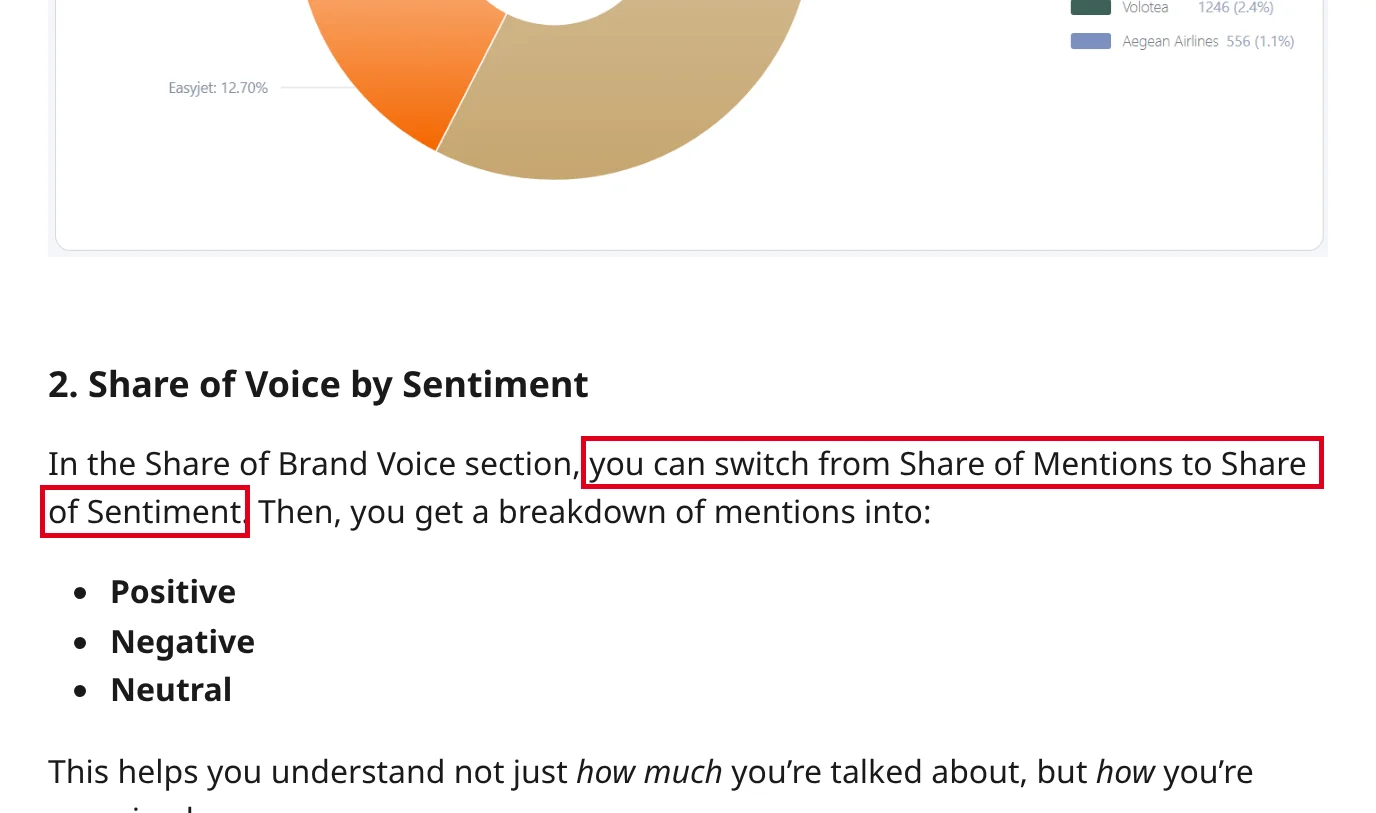
Mentionlytics help on its Share of Voice dashboard. I’d show clients the sentiment view next to the mention view, because a large slice of complaints is not a win.
The client report
The Share of Voice report is a pre-built Standard Report. It shows each brand as a bubble sized by total mentions, then a share of weekdays and a share of countries. Your competitors have to be set up as trackers first, because the report only reflects the trackers active when you load it.
What the pricing page shows
These plan cards sit under the “Billed Yearly” toggle:
Core: $39 a month billed yearly, marked a limited-time offer. 3 keyword rules, 5,000 monthly mentions, a 12-hour update.
Essential: $199 a month billed yearly. 10 keyword rules, 15,000 monthly mentions, a 6-hour update.
Advanced: $349 a month billed yearly. 15 keyword rules, 50,000 monthly mentions, Standard Reports included.
The comparison table further down the same page lists Core at $69, Essential at $169, Advanced at $299 and Pro at $499 a month, with no billing view named, and marks Core as available only with AI visibility plans. Get the plan price in writing before you sign. The 14-day free trial covers 3 keywords and 5,000 mentions.
What a user says
This is the line I’d show an agency owner, because it names the feature a client sees.
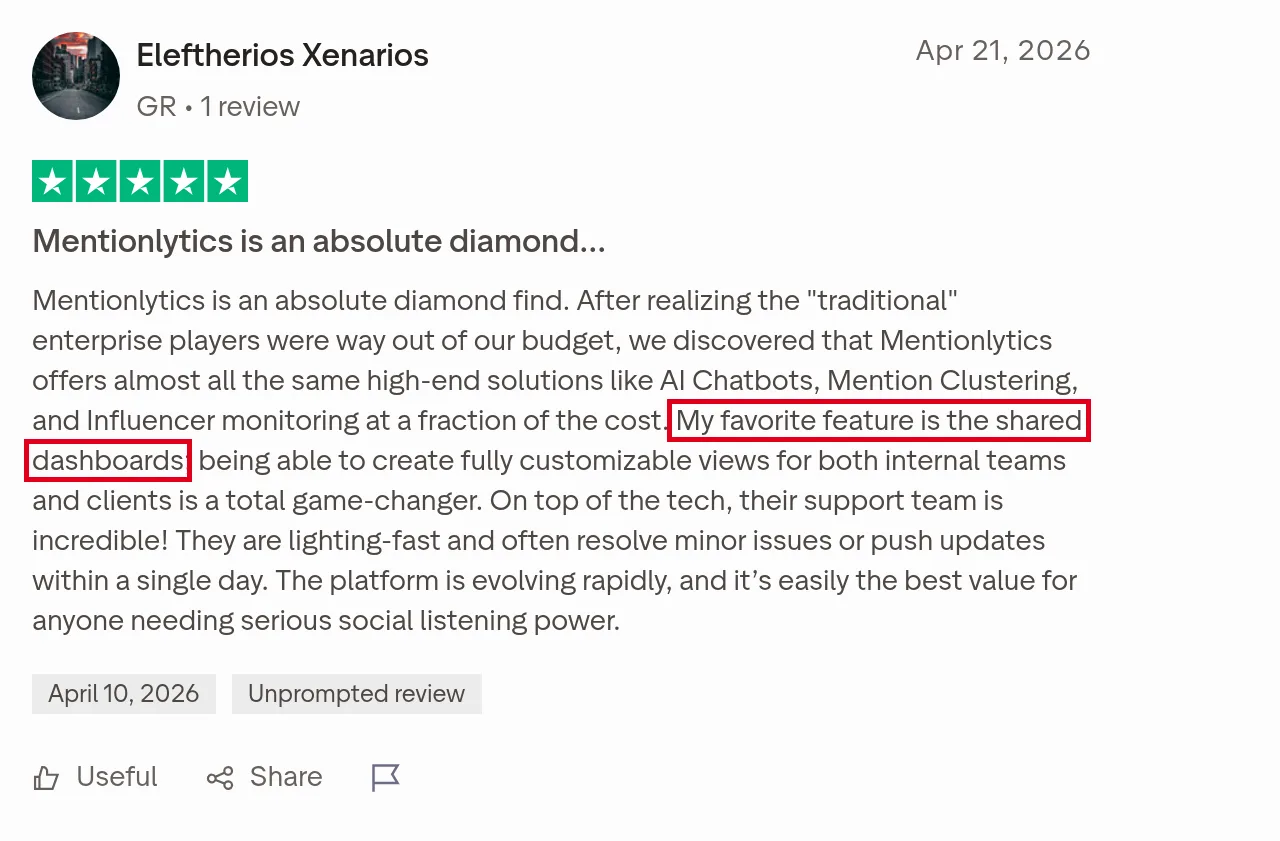
Trustpilot, Apr 21, 2026. Eleftherios Xenarios picks shared dashboards first, and that’s the piece I’d sell to a client.
Eleftherios Xenarios wrote: “My favorite feature is the shared dashboards” (Trustpilot, Apr 21, 2026).
Pros
Share of sentiment sits beside share of mentions.
A pre-built client report saves the monthly slide work.
Share of weekdays and share of countries in the same report.
A 14-day free trial with 3 keywords and 5,000 mentions.
Cons
Standard Reports first appear on the Advanced card, at $349 a month billed yearly.
Two sets of prices on one page, so you can’t budget from the site alone.
Competitors must exist as trackers before the report shows them.
The pie chart counts mention volume, so one loud news week can swing it.
4. YouScan
Your buyers post about the product without tagging you, and news coverage swamps every chart you build. YouScan is the one I’d open for that brand.
Its Comparison dashboard puts topics side by side, with a share of conversation graph for each brand’s slice. The filter I’d use first is WOM, which keeps user-generated mentions and drops promotional content and news stories. That leaves a share of what people say.
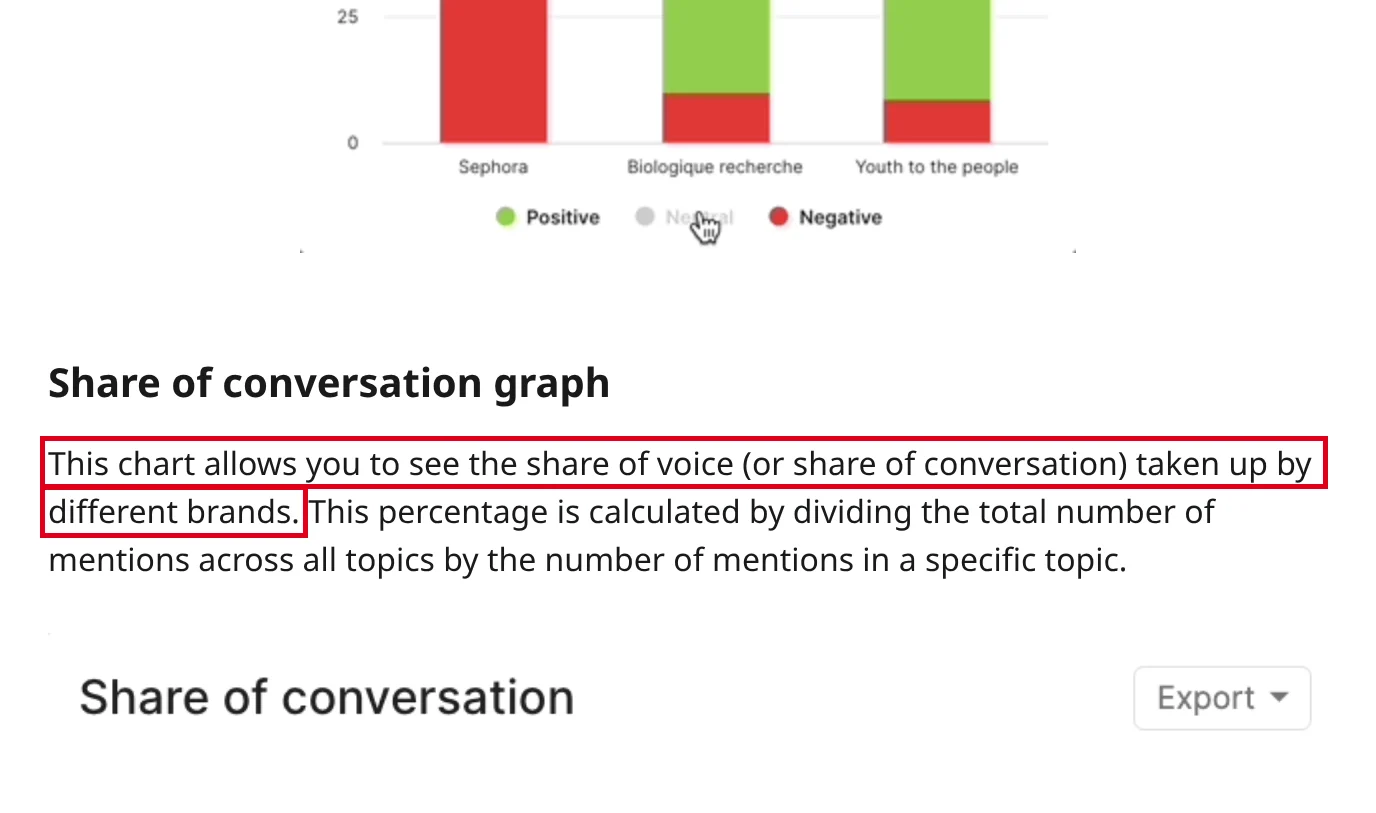
YouScan help on its Comparison feature. I’d run this graph with the WOM filter on, so press releases don’t count as buyer talk.
What else the dashboard does
Statistics by mentions, engagement, views, comments, reposts or likes.
No limit on how many topics you compare at once.
Export to PNG, JPEG, SVG, PDF, XLS or CSV.
What you’ll pay
YouScan prints a price for one plan, shown per month and billed annually:
Starter costs $499 per month on an annual contract. It covers 3 topics, at most 15,000 mentions a month, unlimited users and 10 Insights Copilot questions a month.
The Unlimited plans need a demo.
What a user says
The only reviews I can show for YouScan are old, so read this one as a hint, not proof.
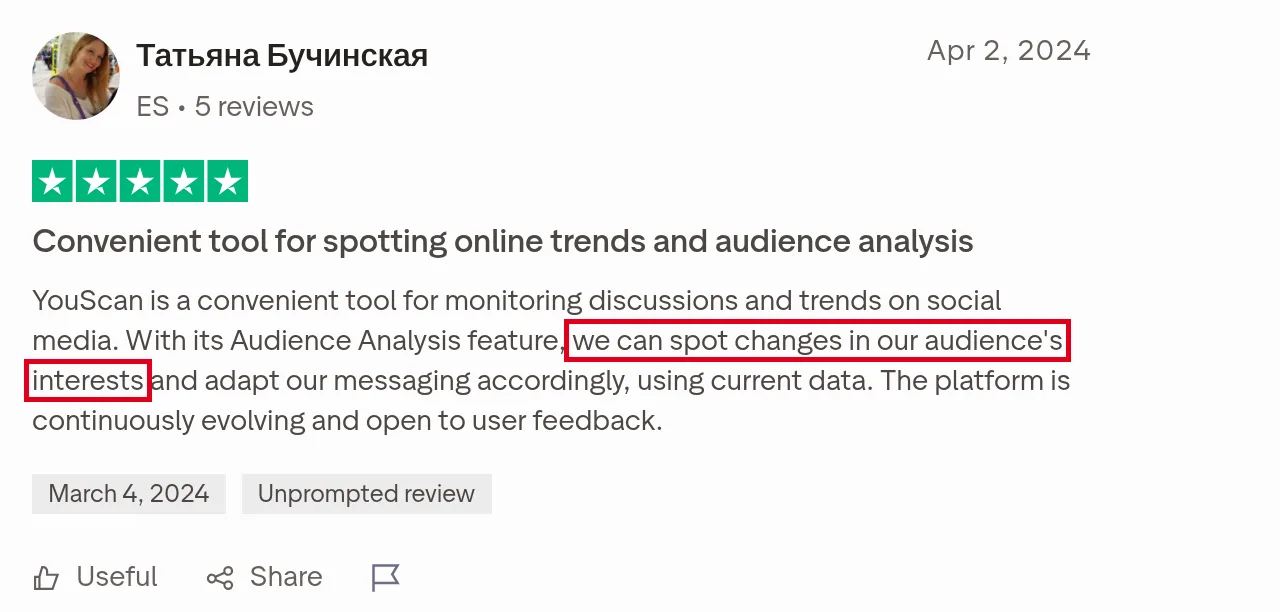
Trustpilot, Apr 2, 2024, older than 12 months. Татьяна Бучинская describes audience shifts, which is what I’d buy YouScan to watch.
Татьяна Бучинская wrote: “we can spot changes in our audience’s interests” (Trustpilot, Apr 2, 2024). That review is older than 12 months.
Pros
The WOM filter gives you a share of buyer conversation without news and ads.
Unlimited users on Starter.
Six export formats for a deck, a sheet or a PDF.
Stats by engagement or views, so a small brand with loud posts still shows up.
Cons
$499 a month, billed annually, is a lot if share of voice is the only job.
3 topics on Starter means you plus two rivals.
More topics sit behind a demo.
Its newest Trustpilot reviews are from 2024.
5. Awario
You need a rival comparison and the budget line says under $50 a month. Awario is the cheapest way into a share of voice chart on this list.
Its Alert Comparison report puts up to 15 alerts side by side, including alerts from other projects. Awario calls each tracked brand a topic, and a topic holds unlimited keywords, which helps a brand with nicknames and misspellings.
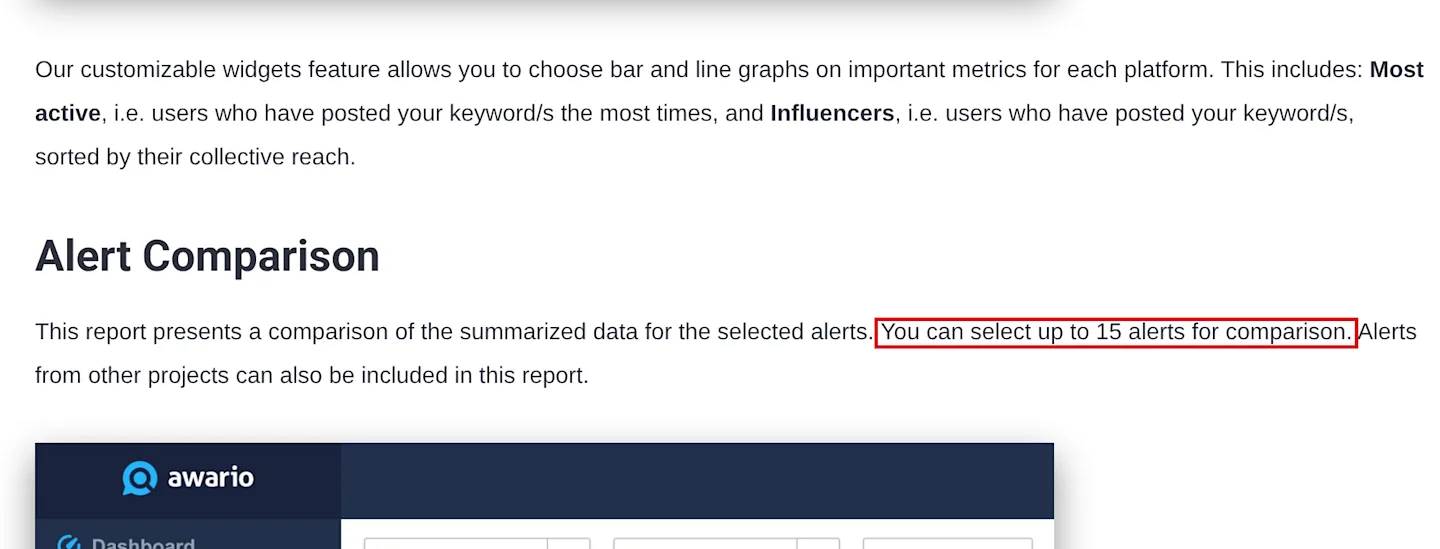
Awario help on its reports. I’d put your brand and each rival in this report from day one, since the 15-alert ceiling sits well above the Starter topic count.
What you’ll pay
Each plan card shows both billing views:
Starter: 3 topics, unlimited keywords per topic and 1 team member, for $29 per month when billed annually or $49 per month when billed monthly.
Pro: 15 topics and 10 team members, for $89 per month when billed annually or $149 per month when billed monthly.
Enterprise: 100 topics, for $249 per month when billed annually or $399 per month when billed monthly.
The free trial opens Starter, capped at 3 alerts and 30,000 mentions, and it needs no credit card.
What a user says
I’d read this card as a price-to-feature check, since the rest of her review calls Awario surprisingly affordable.
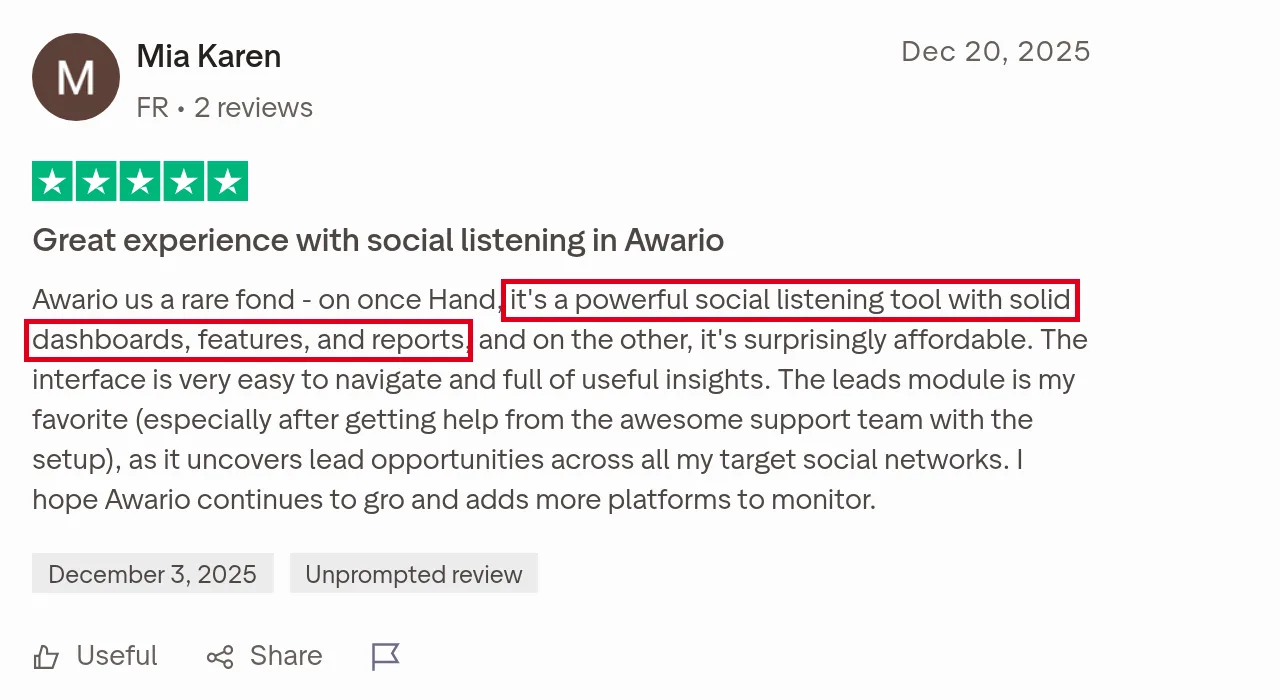
Trustpilot, Dec 20, 2025. Mia Karen points to dashboards and reports, which is the part I’d pay Awario for.
Mia Karen wrote that Awario is “a powerful social listening tool with solid dashboards, features, and reports” (Trustpilot, Dec 20, 2025).
Pros
$29 a month on annual billing is the lowest entry price here.
Unlimited keywords per topic.
Up to 15 alerts in one comparison report.
A free trial with no credit card.
Cons
Starter has 1 team member, so a second analyst means Pro.
Starter stores 5,000 mentions per topic, which a busy rival can fill.
A fourth brand pushes you to Pro, which costs $89 per month when billed annually.
The trial caps you at 3 alerts, so a long rival list won’t fit in the test.
6. Sprout Social
Your team already publishes from Sprout, and nobody wants a second login for a share of voice chart. Then Listening is the add-on I’d ask about.
You build a Competitive Analysis topic with up to 10 competitors. Sprout divides the messages that match each competitor by all messages in the topic, and a Competitor Scorecard ranks brands on share of voice, sentiment and more.
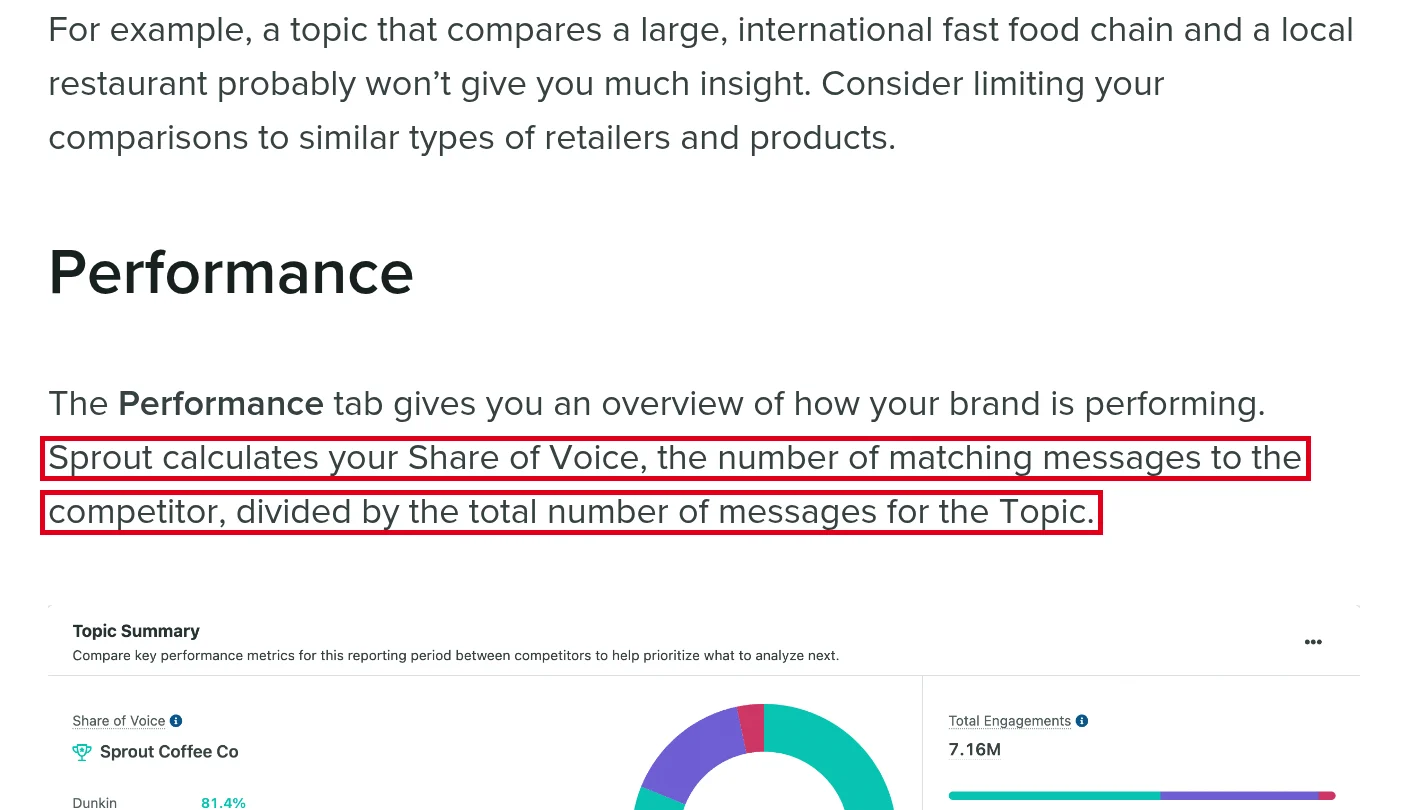
Sprout’s help on Competitive Analysis. I’d print this formula in the report footer, so nobody compares it with a mentions-based share.
Two rules before you build
Sprout recommends excluding your own posts so you don’t skew the result.
A competitor added later gets no history, only data from the day you save the change.
What you’ll pay
Sprout’s pricing page notes annual billing next to its trial offer. The only month-to-month figure it shows is for Essentials, at $99 per seat on monthly billing.
Standard costs $199 per seat each month, billed annually.
Professional costs $299 per seat each month, billed annually.
Advanced costs $399 per seat each month, billed annually.
Listening sits on top of Standard or a higher plan, and Sprout quotes that price privately. The 30-day trial needs no credit card.
What a user says
This is the use I’d expect from a Sprout team that adds Listening.
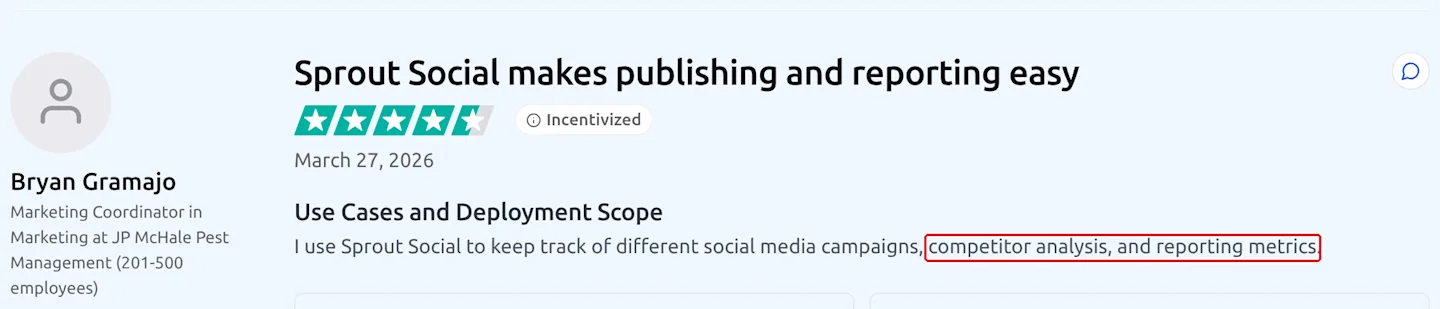
TrustRadius, March 27, 2026, Incentivized. Bryan Gramajo lists competitor analysis next to reporting, the pairing I’d buy Sprout Listening for.
Bryan Gramajo wrote that he uses Sprout “to keep track of different social media campaigns, competitor analysis, and reporting metrics.” (TrustRadius, March 27, 2026, Incentivized).
Pros
A published share of voice formula you can explain to a CFO.
Up to 10 competitors in one topic.
Share of voice in the same login as publishing.
A 30-day trial with no credit card.
Cons
You pay per seat and then for Listening, and the second price needs a sales call.
Competitors added later start from zero.
Topics are capped at 2,037 characters.
The Competitive Analysis template is only for Social Listening customers, so a seat alone won’t show share of voice.
7. Brandwatch
Your research team needs a share of voice trend across years, not weeks. Brandwatch is the one with history back to 2010.
There are two share of voice views, and they count different things. Brandwatch’s share of voice page pitches benchmarking against competitors and full historical data back to 2010. The Benchmark dashboard has a Share of voice widget, and hovering over it shows the posts each brand created in the period. That’s a share of output, not a share of conversation.
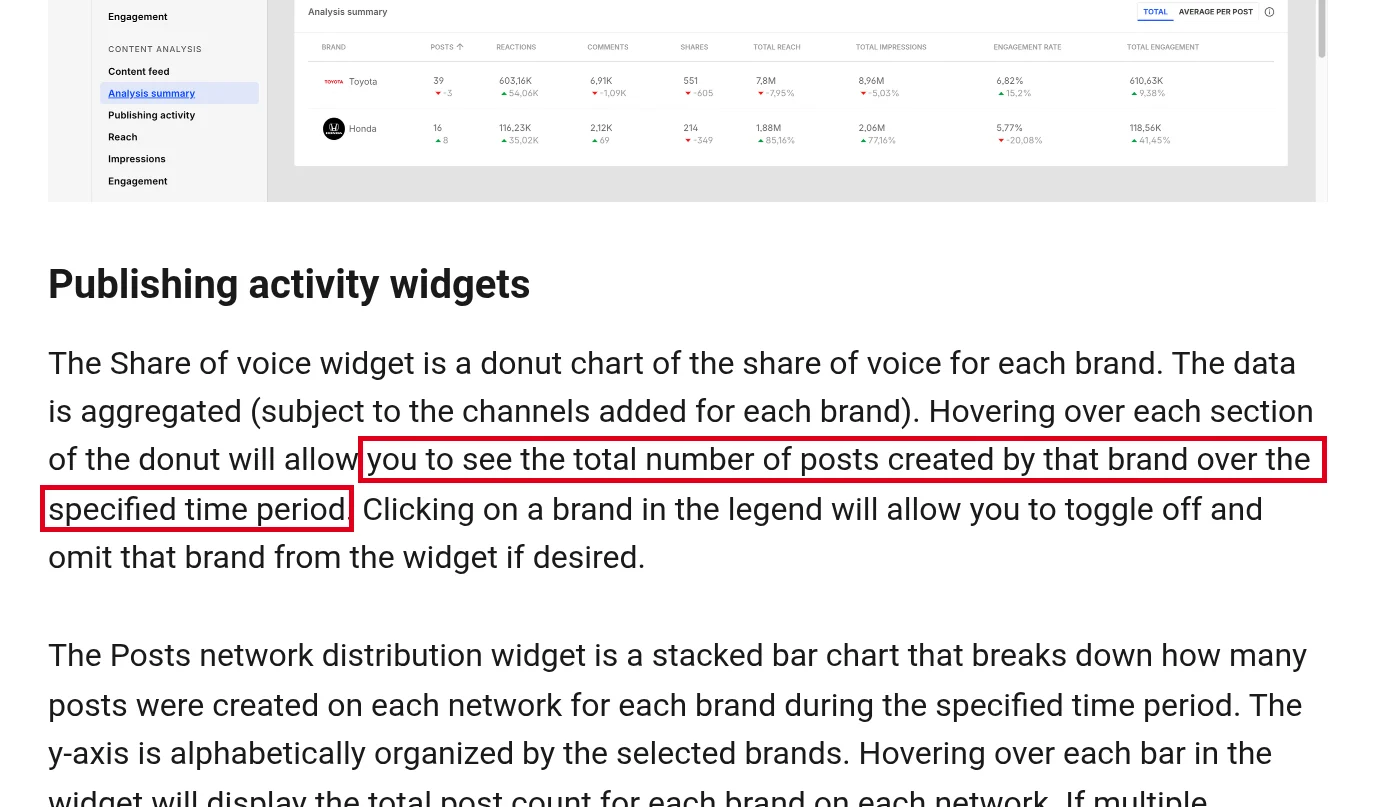
Brandwatch help on Benchmark. I’d keep this widget out of any report that also uses a mentions-based share, because it counts what each brand published.
What you’ll pay
Brandwatch publishes no prices. Its plans page asks you to book a demo. My Brandwatch pricing post collects what buyers report paying.
What a user says
The review I’d show here is from a listening analyst, which matches the buyer Brandwatch suits.
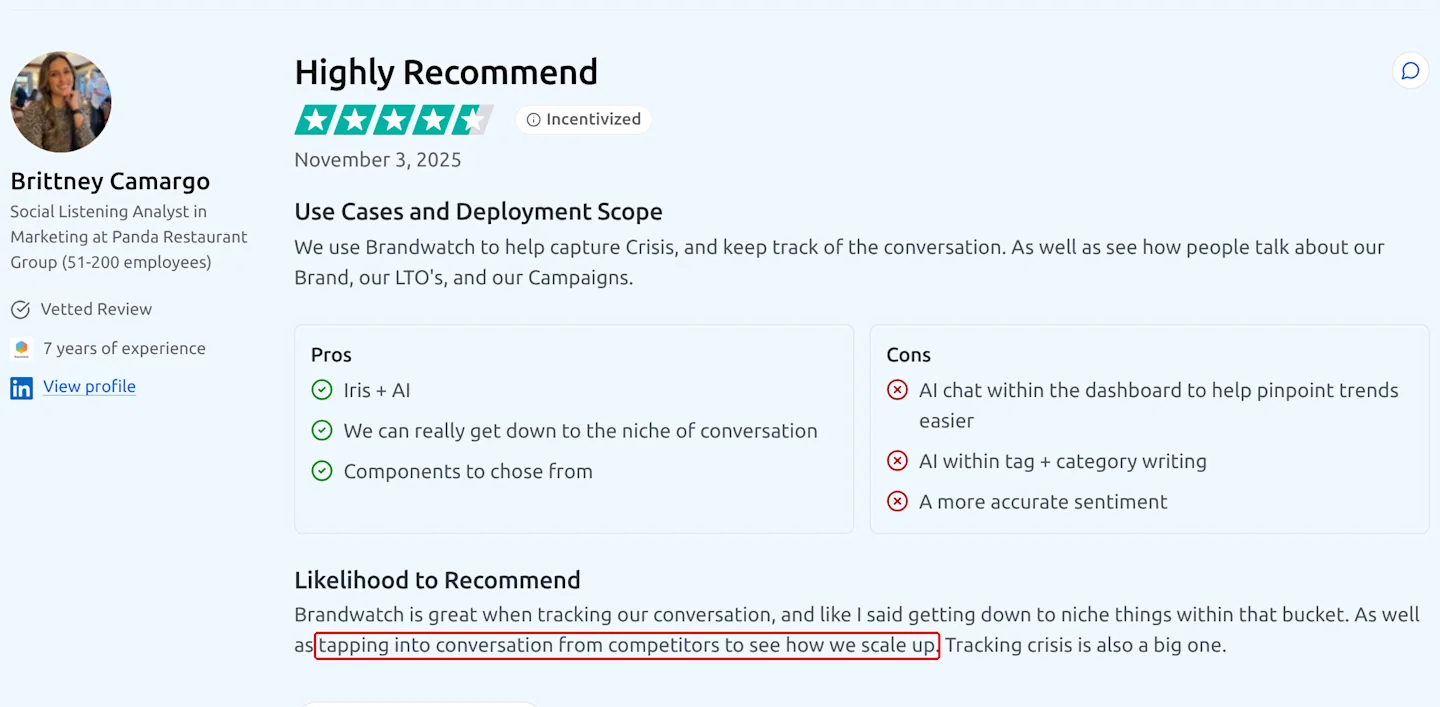
TrustRadius, November 3, 2025, Incentivized, older than 12 months. Brittney Camargo uses competitor conversation to see how her brand scales up, the research job I’d hand Brandwatch.
Brittney Camargo wrote that Brandwatch is good for “tapping into conversation from competitors to see how we scale up” (TrustRadius, November 3, 2025, Incentivized). That review is older than 12 months.
Pros
Historical data back to 2010 for a multi-year trend.
Benchmark toggles for Facebook, Instagram, X and YouTube.
Share of voice benchmarking against competitors, pitched on its own product page.
Real-time insight into the size of your online presence next to rivals.
Cons
No public price, so cost comparison needs a sales process.
The Benchmark widget counts posts, which is easy to mistake for share of conversation.
Cross-network analysis isn’t available for YouTube channels.
A demo comes before any number.
Matching the Tool to the Report You Owe
Start with who reads the number:
Community share you can act on: CommunityTracker, on Pro or Advanced.
Your own team, monthly, on social: Brand24, on Team if you track more than two rivals.
Clients: Mentionlytics, after you confirm the price of the plan with Standard Reports.
A share of buyer talk without news: YouScan with WOM on.
A first chart under $50: Awario Starter on annual billing.
A team already in Sprout: add Listening and build a Competitive Analysis topic.
A research team that needs years: Brandwatch.
Then count brands. You plus each rival takes one keyword, topic or tracker, and most entry plans stop at 3.
Last, write the formula into the report before the first meeting. My guide to what share of voice is covers the math, the social listening tools list covers wider listening, and the media monitoring tools roundup covers press coverage.