If you're searching for Bitscale Alternatives, you're probably trying to fix a real outbound bottleneck: your team has data, but not enough timing.
Maybe your reps can build a list and enrich it, but they still do not know which accounts are active right now. Your GTM engineer may like Bitscale's workflow depth, while the sales team wants something easier to run day to day.
Or your RevOps team needs buyer signals from Reddit, LinkedIn, X, Bluesky, Hacker News, Indie Hackers, Dev.to, Stack Overflow, Product Hunt, GitHub, and Slack, with account data in a grid as the supporting layer.
The bigger thing worth flagging before we get into the list: AI-powered lead research is only useful when it helps your team act. Static enrichment tells you who a company is. A buyer signal tells you why now. The best Bitscale Alternatives connect those two layers, then route the next move to the rep, CRM, inbox, or Slack.
In this post we'll cover the best Bitscale Alternatives by use case, why teams switch from Bitscale, how I judged the shortlist, and where each tool fits in a RevOps workflow. Then we'll show you the final decision guide. By the end, you'll know which tool fits your signal-to-pipeline motion.
Let's get started.
TL;DR: the best Bitscale Alternatives by use case#
Bitscale is good when you want an AI GTM workspace for enrichment, workflows, CRM sync, and provider orchestration. The alternatives below fit teams that need broader buyer-signal coverage, lower entry pricing, enterprise governance, deeper outbound execution, or a narrower tool for one part of the system.
CommunityTracker - Best alternative if you're looking for buyer signals across Reddit, LinkedIn, X, Bluesky, Hacker News, Indie Hackers, Dev.to, Stack Overflow, Product Hunt, GitHub, and Slack, with outreach context attached.
Common Room - Best alternative if your RevOps team needs enterprise buyer intelligence, enrichment, account scoring, and CRM/SEP routing.
Clay - Best alternative if your GTM engineer wants maximum control over enrichment, AI research, and custom workflow logic.
Persana - Best alternative if you want Clay-style prospecting, AI research, and enrichment at a lower self-serve entry point.
Apollo - Best alternative if you want a contact database, AI research, enrichment, sequencing, dialer, and CRM workflows in one sales platform.
Salesforge - Best alternative if your main gap is email-plus-LinkedIn execution, deliverability, mailbox rotation, and AI-assisted outreach.
lemlist - Best alternative if you want multichannel outbound with a large lead database, enrichment credits, and buying-signal add-ons.
Reply.io - Best alternative if you want sales engagement, live data, website visitor reveals, and an AI SDR path in one outreach system.
RB2B - Best alternative if your highest-intent signal is anonymous website traffic and you want Slack alerts tied to real visitor resolution.
Why teams switch from Bitscale#
The switch usually starts when one of these problems shows up.
The team wants buyer-signal coverage before enrichment. Bitscale is strong when you already know the workflow you want to build. Some RevOps teams first need a tool that finds high-intent conversations in the wild, then turns those signals into pipeline.
The self-serve price starts too high for a test. Bitscale has a free plan, but the first paid plan is Growth at $349/month. That can be reasonable for a production enrichment workflow, but it is a heavier first step for teams testing a new signal-led motion.
Outreach execution lives elsewhere. Bitscale connects with tools such as Instantly and Smartlead, which is useful. A sales leader who wants sequencing, inbox handling, deliverability, dialing, or AI SDR work inside the same product may prefer a dedicated engagement platform.
RevOps wants a narrower tool. A large workflow builder is powerful, but it can be too much for teams that only need website visitor identification, community-intelligence, or a database-plus-sequencer.
The right replacement depends on what you are replacing. A team switching because it needs community buyer signals should not pick the same tool as a team switching because it needs cheaper email volume.
We covered the broader idea in our demand signal detection guide, where the core question is not "how many records can we enrich?" It is "which buyer action should our team take this week?"
Turn Social Buyer Signals Into Pipeline With CommunityTracker
How I evaluated these Bitscale Alternatives#
I evaluated each tool based on how useful it is for RevOps and GTM teams that need lead research, signal quality, enrichment, and outreach to work as one operating motion. The bar is higher than "does it find emails?" A strong Bitscale alternative has to help the team find the right account, understand the trigger, reach the person, and keep the workflow clean enough to repeat.
Signal quality: Does the tool identify active buying moments, or does it mostly enrich static lists?
Research and enrichment depth: Can it add company, person, role, contact, intent, and context fields that reps can trust?
Outreach path: Does the workflow connect to email, LinkedIn, phone, meeting links, Slack, CRM routing, or sales engagement?
RevOps control: Can the team manage credits, sync fields, dedupe records, audit workflows, and avoid scattered tool sprawl?
Pricing risk: Does the entry plan match a real test, and does the top tier gate the features RevOps will need once the workflow works?
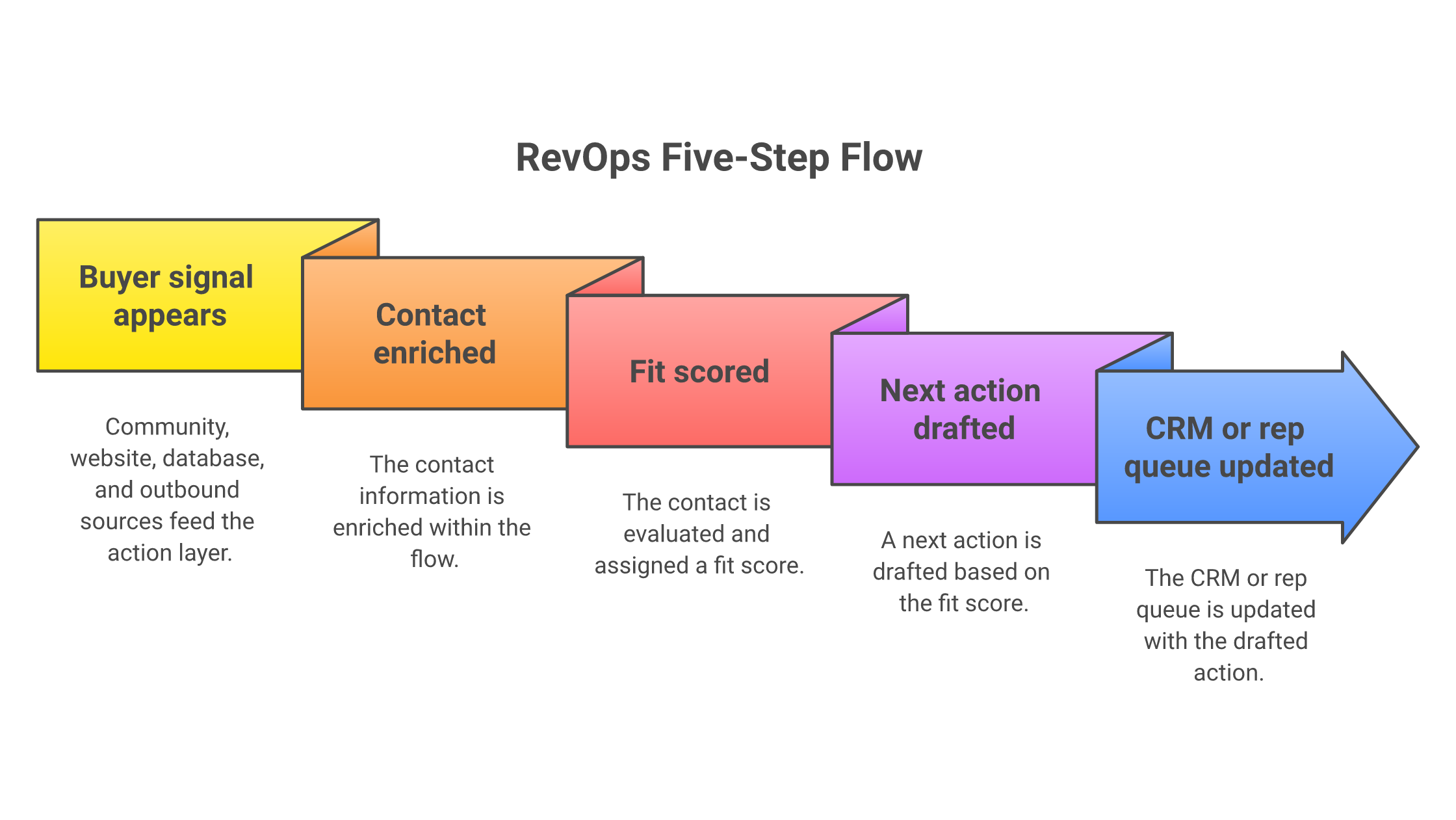
Here's what the workflow looks like:
At-a-glance comparison#
Tool | Best for | Starting price | Signal source | Outreach fit | Avoid if |
Community buyer signals | Free; paid from $39/mo | Reddit, LinkedIn, X, Bluesky, HN, Indie Hackers, Dev.to, Stack Overflow, Product Hunt, GitHub, Slack | Warm email, LinkedIn, phone, meeting links, Slack alerts | You need a publishing suite | |
Common Room | Enterprise buyer intelligence | $2,500/mo billed annually | Website, product, community, job changes, enrichment, Bombora topics | AI actions, CRM/SEP routing, Slack/email alerts | You need low-cost self-serve pricing |
Clay | Custom GTM workflows | Free; Launch from $185/mo | Job changes, company news, social, web intent, enrichment partners | Native sequencer or outbound integrations | You lack ops bandwidth |
Persana | Lower-cost AI prospecting | Free; Starter from $68/mo annually | Job changes, intent data, hiring, news, funding | AI research, sequencing integrations, Autopilot agents | You need deep governance on entry tiers |
Apollo | Database-led prospecting | Free; paid from $49/user/mo annually | B2B database, buyer intent, website visitors, inbound routing | Email, phone, sequences, dialer | You need community-first signals |
Salesforge | Deliverability-led outreach | Pro from $48/mo monthly | Imported lists, Leadsforge, intent integrations | Email, LinkedIn, Primebox, Agent Frank | You need native signal discovery |
lemlist | Multichannel outbound | Email from $55/user/mo annually | Lead database, enrichment credits, web visits, hiring, job changes | Email, LinkedIn, calls, SMS, WhatsApp | You want signals included in base price |
Reply.io | Sales engagement + AI SDR | Email from $49/user/mo annually | Live data, visitor reveals, intent signals in AI SDR | Email, LinkedIn, calls, SMS, WhatsApp | You need a research grid |
RB2B | Website visitor intent | Free; paid from $79/mo | Website visitor resolution, Hot Pages, Slack alerts | Slack, CRM routing, outreach triggers | Your signals happen off-site |
1. CommunityTracker: best for turning buyer signals into pipeline#
CommunityTracker is the best Bitscale alternative when the real pain is not enrichment. It is timing.
Bitscale helps teams build AI GTM workflows around records, providers, grids, and CRM sync. CommunityTracker starts one step earlier: it finds buyer signals across Reddit, LinkedIn, X, Bluesky, Hacker News, Indie Hackers, Dev.to, Stack Overflow, Product Hunt, GitHub, and Slack, then gives your GTM team the context and next move.
A founder on Reddit asks which tool replaces the one they are on. Budget is already moving. CT scores it a high-intent signal, drafts a response, and pushes a Slack alert. A Stack Overflow question describes the manual workaround your product removes. The asker is problem-aware and solution-unaware. CT flags it for a response.
Disclosure: We build CommunityTracker, and it earns the top slot because Bitscale Alternatives for RevOps should start with the live buyer signal before the enriched record.
Features#
Buyer-signal tracking across Reddit, LinkedIn, X, Bluesky, Hacker News, Indie Hackers, Dev.to, Stack Overflow, Product Hunt, GitHub, and Slack.
AI filtering for high-intent mentions, so reps focus on replacement requests, pricing complaints, workaround questions, competitor movement, and category searches.
Contact details for people posting on supported platforms, with context that explains why the person or account matters.
Warm email and response generation for turning a signal into a useful first touch.
Daily Slack alerts on Pro, so high-intent signals reach the team while they still matter.
Share of Voice and Community AI on Pro and Advanced for category visibility, competitor tracking, and AI visibility.
Meeting-link and outreach workflow support for turning qualified signals into calls.
Pricing#
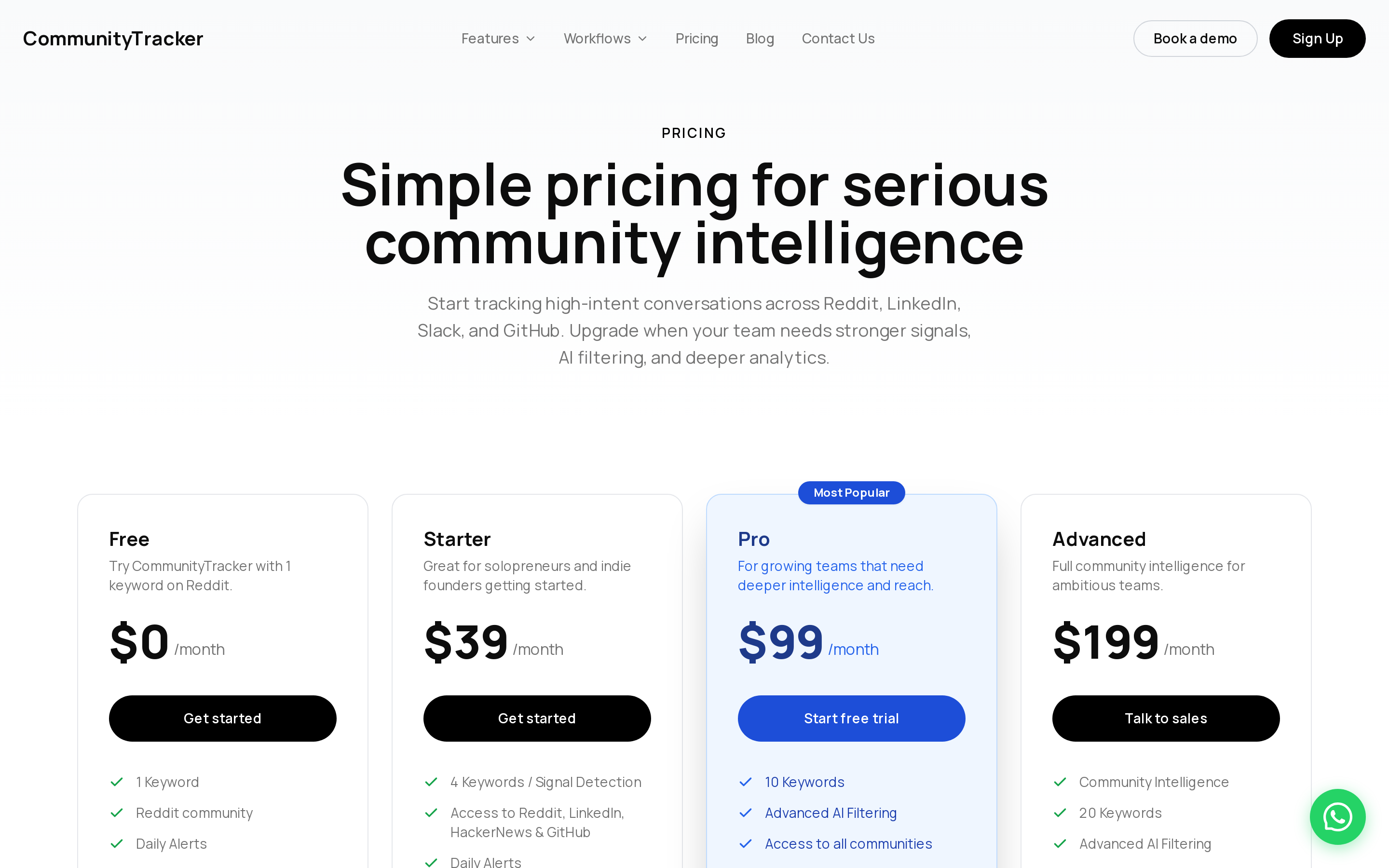
Free is $0 for one Reddit keyword with limited mentions, daily alerts, and basic analytics. Starter is $39/month for four keywords, 5,000 mentions, Reddit, LinkedIn, Hacker News, and GitHub, daily alerts, up to 100 warm emails per month, and response generation. Pro is $99/month for 10 keywords, all eleven platforms, unlimited mentions, unlimited warm emails, AI scoring, daily Slack alerts, Share of Voice, and Community AI. Advanced is $199/month for 20 keywords, unlimited mentions, Share-of-Voice Exporter, and AI visibility. Annual billing is contact.
CommunityTracker vs Bitscale#
Bitscale is the stronger choice when RevOps wants a flexible enrichment and workflow grid. CommunityTracker is stronger when the signal source is a real community conversation that your team needs to catch before your competitors do.
That difference matters for lead research. A static list can tell you that a company matches your ICP. A GitHub issue, Reddit replacement thread, LinkedIn pricing complaint, or Hacker News category discussion tells you what changed. CommunityTracker turns that moment into context, qualification, and outreach.
We wrote a full guide on generating leads from communities if your team wants to turn community conversations into pipeline without sounding like a drive-by pitch.
Pros#
Covers eleven named platforms where B2B buyers discuss pain before they enter your funnel.
Connects buyer-signal detection to outreach context, Slack alerts, warm email, LinkedIn, phone, and meeting links.
Starts at $39/month, which makes a signal-led motion easier to test before committing to a larger GTM workflow platform.
Share of Voice helps RevOps and marketing track category presence, not just individual contacts.
Cons#
CommunityTracker is not a publishing, scheduling, or broad inbox management suite.
Starter does not include all eleven platforms, so teams that need full coverage should budget for Pro.
It is newer than enterprise buyer-intelligence platforms with deep governance, CSM layers, and product-signal ingestion.
It does not replace a full sales engagement platform when you need complex sequence analytics, dialer management, or large outbound teams.
Who should not choose CommunityTracker: Choose Common Room if your enterprise team needs product-signal ingestion and heavy CRM governance. Choose Salesforge, lemlist, or Reply.io when your main gap is high-volume sending infrastructure, with community-intelligence handled elsewhere.
Summary#
CommunityTracker fits teams that want buyer signals early, context attached, and action routed fast. It is the strongest Bitscale alternative when the job is from signal discovery to GTM action, not simply enriching a lead list.
2. Common Room: best for enterprise buyer intelligence and RevOps governance#
Common Room is the enterprise-grade alternative for teams that want buyer intelligence, enrichment, AI research, account scoring, and signal routing in one workspace. It is built for teams that need to combine community activity, website visits, product signals, job changes, CRM history, enrichment, and sales engagement workflows.
For RevOps, the value is governance. Common Room can become the system where signals get deduped, enriched, scored, segmented, and routed to the right sales or marketing motion.
We wrote a deeper Common Room review if you want the full buyer-intelligence angle before comparing it with workflow builders.
Features#
Buyer signals across community activity, website visits, product activity, job changes, CRM history, and enrichment sources.
Person360 for identity resolution, enrichment, account context, and prospecting.
RoomieAI for research, briefs, message support, capture, and account questions.
Prospector credits, research credits, alerts, workflows, and segments across plans.
CRM, SEP, Slack, MCP, CLI, webhooks, and custom integrations depending on plan.
DataAgent add-on for data quality, deduplication, and CRM alignment.
Pricing#
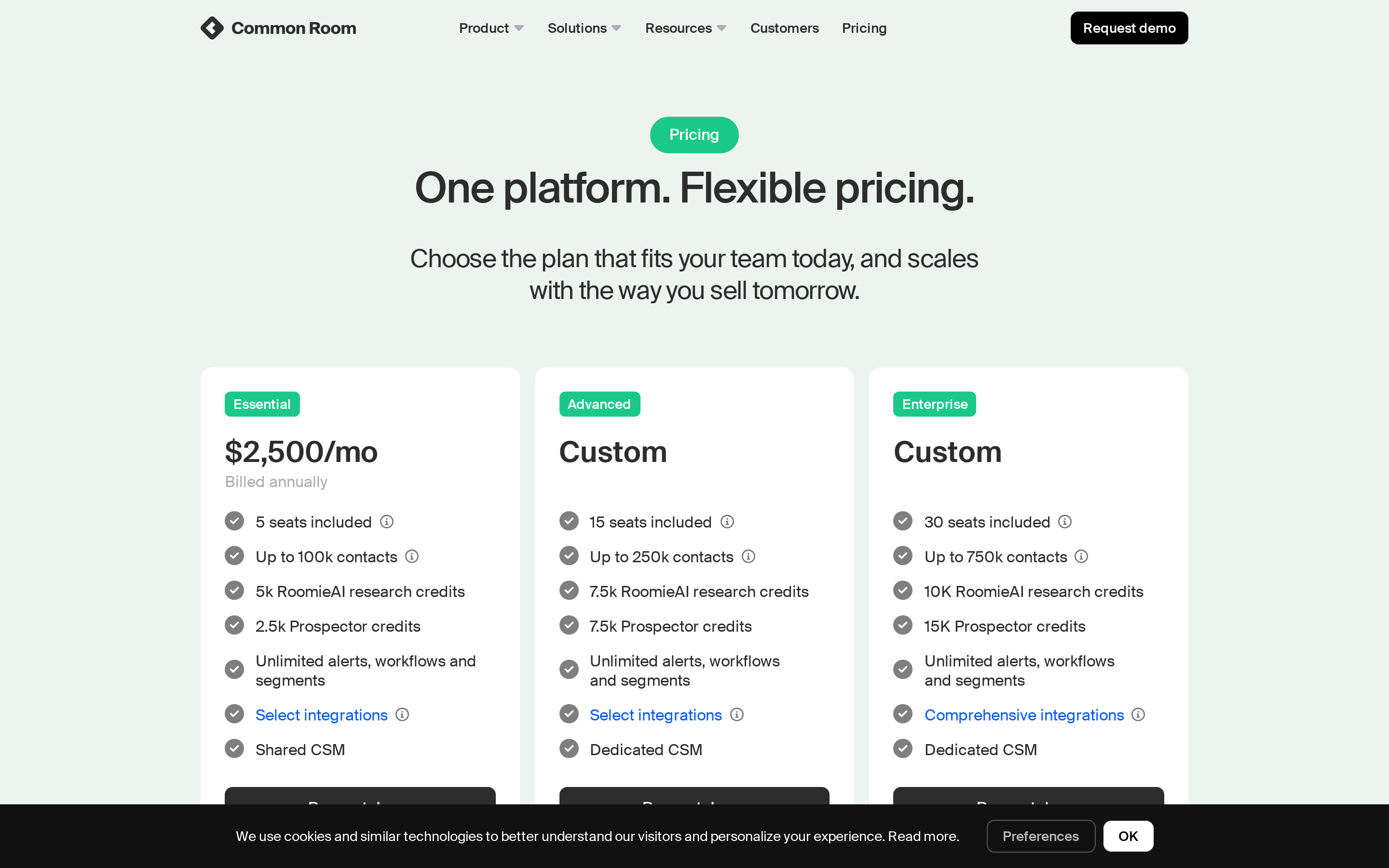
Essential is $2,500/month billed annually with five seats, up to 100,000 contacts, 5,000 RoomieAI research credits, 2,500 Prospector credits, unlimited alerts, workflows, and segments, plus a shared CSM. Advanced and Enterprise are custom. Advanced includes 15 seats, up to 250,000 contacts, 7,500 RoomieAI research credits, and 7,500 Prospector credits. Enterprise includes 30 seats, up to 750,000 contacts, 10,000 RoomieAI research credits, 15,000 Prospector credits, broader integrations, and dedicated support. No free plan or trial published.
Common Room vs Bitscale#
Common Room is stronger when the buying committee cares about governance, CRM alignment, and enterprise signal operations. Bitscale is more attractive when a team wants a configurable AI workflow layer for enrichment, scraping, actions, and GTM playbooks.
The practical tradeoff is budget and implementation. Bitscale Growth starts at $349/month. Common Room starts at $2,500/month billed annually. A startup testing an outbound workflow may prefer Bitscale, Clay, Persana, or CommunityTracker. A mature GTM team with product signals, Salesforce hygiene issues, and multiple routes to sales will understand why Common Room costs more.
Pros#
Strong fit for enterprise RevOps teams managing many signal types and routing rules.
Enrichment, AI research, scoring, alerts, workflows, and CRM/SEP integrations sit close together.
CSM and plan structure fit teams that need operating support, not just a self-serve product.
Product signals and data-quality add-ons help teams connect PLG, sales, and community context.
Cons#
$2,500/month billed annually is too heavy for lean teams testing signal-led outbound.
The workflow needs a clear owner, otherwise the product becomes another place signals go stale.
Several advanced pieces can sit behind higher tiers or add-ons.
It does not focus on community buyer-signal capture as narrowly as CommunityTracker.
Summary#
Common Room wins when buyer intelligence is an enterprise operating layer. CommunityTracker fits leaner B2B SaaS teams that need community-intelligence and fast action without buying a large annual platform.
3. Clay: best for custom enrichment and signal workflows#
Clay is the strongest Bitscale alternative for GTM engineers who want to design their own enrichment, AI research, signal tracking, and outbound handoff workflows. It feels less like a sales app and more like a programmable GTM spreadsheet.
That is the point. You can build prospecting tables, enrich accounts, run AI research, check job changes, detect signals, use web intent on higher tiers, and pass the result to outreach tools or CRM systems.
Features#
Multi-provider waterfall enrichment for emails, phone numbers, company fields, and custom data.
Claygent AI research for company and person context.
Job change tracking, company news, social signals, and web intent on paid tiers.
Native Clay Sequencer plus integrations with email campaign providers.
CRM auto-sync, HTTP API integrations, webhook automation, ads audience pushes, and warehouse syncs depending on plan.
Unlimited seats and tables, with plan limits around data credits, actions, rows, and advanced features.
Pricing#
Free includes unlimited seats and tables, multi-provider waterfalls, Claygent enrichment, Clay Sequencer, 100 Data Credits, 500 Actions/month, and up to 200 rows per table.
Launch starts at $185/month with 2,500 Data Credits, 15,000 Actions/month, phone enrichment, job change and signal tracking, campaign integrations, and up to 50,000 rows per table.
Growth starts at $495/month with 6,000 Data Credits, 40,000 Actions/month, CRM auto-sync, HTTP API integrations, webhook automation, web intent signal tracking, ads audience pushes, and priority support.
Enterprise is custom with 100,000+ Data Credits, 200,000+ Actions/month, SSO, RBAC, API access, data warehouse syncs, and dedicated support. A 14-day trial is available.
Clay vs Bitscale#
Clay and Bitscale are closest when the buyer wants a flexible enrichment and workflow layer. Bitscale packages more GTM playbooks, CRM sync, and provider actions around an AI GTM platform. Clay gives the operator a wider blank canvas.
That blank canvas is the advantage and the risk. If your RevOps team knows exactly how to build a workflow, Clay can become the most flexible system in the stack. When the team needs a clearer signal-to-action product with less workflow design, CommunityTracker or Apollo will feel easier to adopt.
Pros#
Excellent fit for GTM engineering, enrichment waterfalls, AI research, and custom account workflows.
Unlimited users keep sales, marketing, and RevOps inside the same workspace.
Works well as the data and personalization layer behind Smartlead, Instantly, lemlist, Apollo, or a CRM.
Credit and action model gives ops teams more control than a fixed data vendor contract.
Cons#
Requires workflow design; a team without ops ownership can build messy tables quickly.
Serious RevOps features such as CRM auto-sync and web intent sit on Growth, above the Launch tier.
Outreach execution often still needs a separate sales engagement platform.
Costs can be harder to forecast when data credits, actions, AI runs, and external tools stack up.
Summary#
Clay is the safer buy when you want maximum workflow control. CommunityTracker fits better when the priority is catching buyer signals in the wild and routing the next move without building the whole system yourself.
4. Persana: best for lower-cost AI prospecting and enrichment#

Persana is a practical Bitscale alternative for teams that want AI prospecting, enrichment, signals, and outbound handoff without starting at Bitscale Growth pricing. It is closest to Clay in buyer perception, but the entry price is lower and unlimited users are included across plans.
For RevOps, Persana works when the team wants to build lists from data sources, enrich leads, detect triggers, write outreach context, and send that data into sequencing tools.
Features#
100+ data providers, email waterfall enrichment, phone waterfall, and web scrapers.
Persana Quantum AI Research Agent for company and prospect research.
Job changes, intent data, hiring triggers, news, funding, and growth data on higher tiers.
Email sequencing integrations with Smartlead, Instantly, Salesloft, Outreach, and related tools.
HubSpot and Salesforce integrations on Pro.
Autopilot AI Agents and email sequencing on Unlimited.
Pricing#
Free is $0/month with 50 credits, 50 emails, five phones, unlimited users, 100+ data providers, and up to 500 people or company searches.
Starter is $68/month billed annually with 24,000 credits/year, 24,000 emails, 2,400 phones, credit rollover, and up to 7,000 people or company searches. Growth is $151/month billed annually with 60,000 credits/year, sequencing integrations, company lookalike finder, API-key support, and webhooks.
Pro is $400/month billed annually with 216,000 credits/year, CRM integrations, ABM, up to 10,000 exports, and signal data. Unlimited is $600/month billed annually with Autopilot AI Agents, email sequencing and sending, unlimited CSV exports, unlimited rows, and Slack support. Enterprise is custom.
A free trial is available on paid plans.
Persana vs Bitscale#
Persana is stronger when price and fast adoption matter more than deep GTM infrastructure. Bitscale is stronger when the team wants richer workflow deployment, custom CRM work, source scheduling, and production-grade GTM pipeline support.
The main buyer question is whether you need a product for prospecting or a system for GTM operations. Persana fits the first job well. Bitscale and Clay fit the second job better when the workflow becomes more technical.
Pros#
Lower paid entry point than Bitscale, Clay, and most enterprise buyer-intelligence tools.
Unlimited users make cross-functional testing easier.
Strong fit for enrichment-heavy prospecting and AI research.
Sequencing integrations help Persana feed the outbound tools your team already uses.
Cons#
Community buyer signals are not the core lane, so Reddit, GitHub, Stack Overflow, and Slack signal discovery remain gaps.
CRM integrations require Pro, which moves serious RevOps use to $400/month billed annually.
Teams still need discipline around credits, exports, and workflow quality.
The product is less mature as an enterprise governance layer than Common Room or larger sales-intelligence platforms.
Summary#
Persana fits teams that want lower-cost AI prospecting and enrichment. CommunityTracker remains the better fit when the strongest buying moment is a community conversation and the rep needs to act while the signal still matters.
Turn Social Buyer Signals Into Pipeline With CommunityTracker
5. Apollo: best for database-led prospecting and outreach in one platform#
Apollo is a strong Bitscale alternative when the team wants one product for prospecting data, enrichment, AI research, sequences, dialing, and CRM workflows. It is not as flexible as a workflow builder like Bitscale or Clay, but it is easier for many sales teams to adopt because the database and outreach tools live together.
For RevOps, Apollo's appeal is consolidation. Reps can search contacts, use credits, build sequences, call, use AI research, and sync with CRM systems from one workspace.
Features#
B2B database for people and companies, with search filters and Chrome extension prospecting.
Waterfall enrichment, CRM enrichment, CSV enrichment, and API enrichment.
Email sequences, dialer, AI research, automated workflows, inbound routing, and lead scoring depending on plan.
Integrations with Salesforce, HubSpot, Outreach, Salesloft, Marketo, SendGrid, LinkedIn, and email providers.
Apollo MCP, API, and CLI for technical GTM teams building workflows around Apollo data.
Website visitor identification and inbound lead routing inside the broader platform.
Pricing#
Free is $0 with 900 credits/year, two sequences, and basic filters. Basic is $49/user/month billed annually with 30,000 credits/year, unlimited sequences, CRM integrations, and buyer intent signals.
Professional is $79/user/month billed annually with 48,000 credits/year, US dialer, AI research, automated workflows, and five mailboxes.
Organization is $119/user/month billed annually with a three-user minimum, 72,000 credits/year, international dialer, SSO, advanced security, and 15 mailboxes. Trial plans include 50 credits and five mobile credits.
Apollo vs Bitscale#
Apollo is easier to buy when the sales team wants a single prospecting-and-engagement platform. Bitscale is better when RevOps wants a configurable AI workflow grid that can pull from many providers and push enriched outputs into specialized systems.
The tradeoff is flexibility versus adoption. Apollo can get reps working quickly. Bitscale gives operators more room to design custom research and enrichment workflows.
Pros#
Strong consolidation for contact data, enrichment, AI research, sequencing, dialing, and CRM sync.
Lower paid entry point than Bitscale Growth.
Useful for sales teams that do not want to build their own enrichment workflow from scratch.
API, MCP, and CLI make Apollo more useful to technical GTM teams than a basic database vendor.
Cons#
Community signal discovery is not the core product, so it can miss intent that starts in Reddit, GitHub, Slack, or Stack Overflow discussions.
Credit usage and export rules need RevOps governance as the team scales.
Data quality can still vary by region, persona, and contact type.
It can become the system of record for outbound without giving marketing a deep community-intelligence view.
Summary#
Apollo wins when sales wants one database-led outbound platform. CommunityTracker wins when RevOps wants to catch buyer signals before they become a search, form fill, or static target account.
6. Salesforge: best for deliverability-led outreach execution#
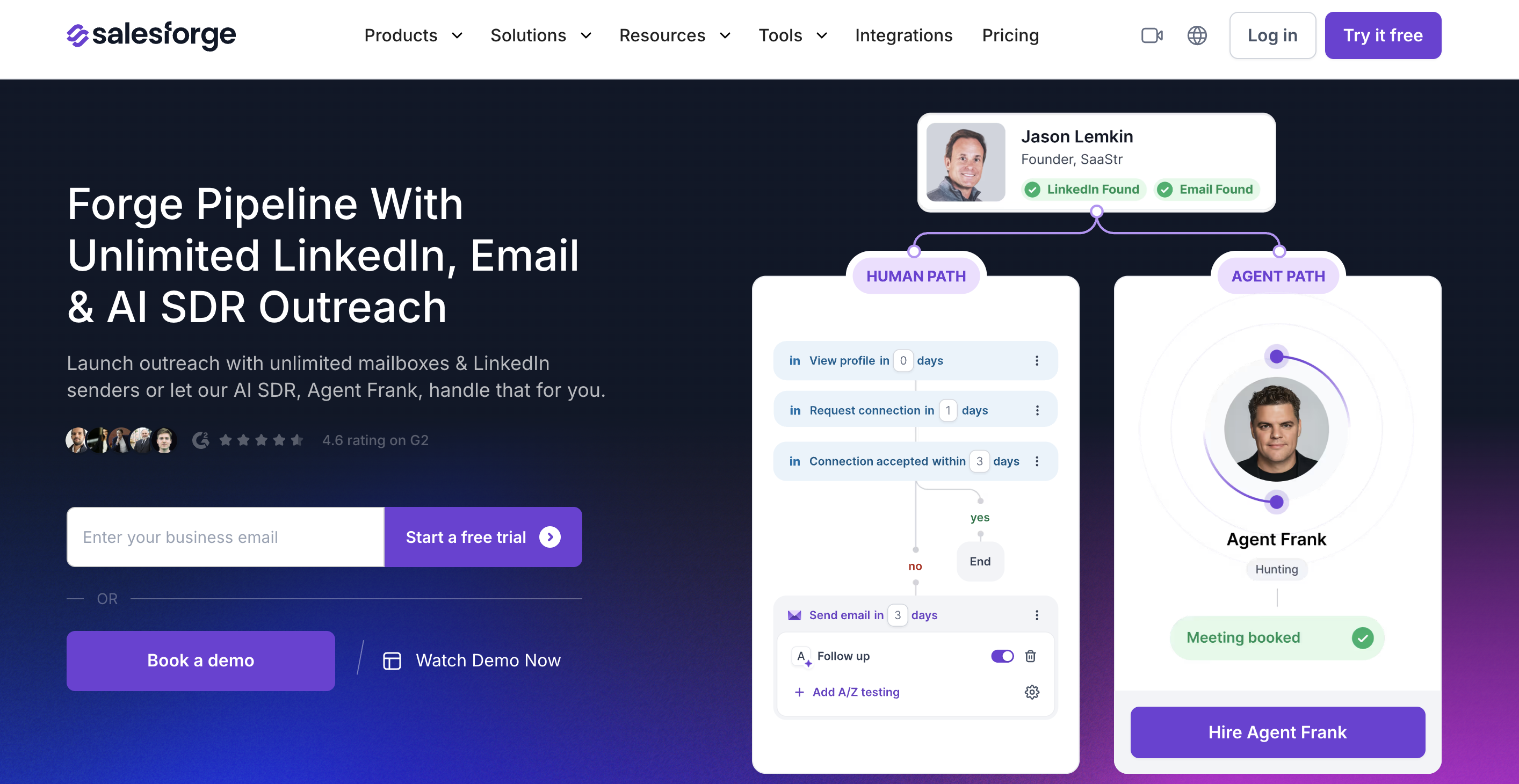
Salesforge is a Bitscale alternative only if the part you want to replace is outreach execution. It is not a research grid like Bitscale, and it is not a community-intelligence platform like CommunityTracker. Its lane is cold outreach: email, LinkedIn, personalization, deliverability, reply handling, and an optional AI SDR.
That makes it useful when RevOps already has a signal or list source and needs a cleaner system to execute the outreach.
Features#
Email and LinkedIn outreach in one sequence.
Primebox unified inbox for managing replies across channels.
Warmforge warm-up, mailbox health tracking, and deliverability tooling.
Unlimited users and LinkedIn senders on Growth.
Agent Frank as a separate AI SDR subscription for automated prospecting and follow-up.
Integrations with CRMs, intent tools, Clay, Zapier, and API access on Growth.
Pricing#
Pro is $48/month billed monthly or $40/month billed annually, with one user and one LinkedIn sender.
Growth is $96/month billed monthly or $80/month billed annually, with unlimited users, unlimited LinkedIn senders, A/B testing, API access, and Primebox AI.
Agent Frank is separate at $499/month billed quarterly or $416/month billed annually. A 14-day free trial is available.
Salesforge vs Bitscale#
Bitscale helps you research, enrich, and orchestrate GTM data. Salesforge helps you send and manage the outreach once the target list and message logic exist.
The best pairing is often layered. A team can use CommunityTracker for buyer signals, Clay or Bitscale for enrichment, and Salesforge for delivery. Salesforge is not the product to discover the buyer signal. When the outreach machine has to handle email plus LinkedIn with better deliverability controls, it earns the shortlist.
We covered LinkedIn-side collection in our LinkedIn post scraper tools guide, which is useful if your team needs to understand where LinkedIn data collection ends and outreach execution begins.
Pros#
Strong fit for multichannel outbound where email deliverability matters.
Growth pricing removes per-seat math for teams adding users or LinkedIn senders.
Primebox helps teams avoid scattered replies across inboxes and LinkedIn.
Agent Frank gives teams an AI SDR option without replacing the whole outbound stack.
Cons#
It is not built for native community buyer-signal discovery.
Lead research and data workflows still need a source such as CommunityTracker, Clay, Apollo, or Bitscale.
Agent Frank is a separate subscription, so the AI SDR path costs far more than the base plan.
Teams still need to manage message quality, domains, mailbox setup, and list quality.
Summary#
Salesforge fits teams whose real Bitscale gap is execution, not research. CommunityTracker fits better when the buyer signal itself has to be found across communities before outreach starts.
7. lemlist: best for multichannel outbound with data and intent add-ons#
lemlist is a practical Bitscale alternative for teams that want outbound execution and prospecting data in the same product. It includes a large lead database, email and phone finding, contact management, deliverability tooling, CRM/API support, and multichannel outreach on the higher plan.
The important detail is pricing structure. lemlist has core subscription plans, then credit-based data and signal costs on top.
Features#
Email outreach on the Email plan and broader multichannel outreach on the Multichannel plan.
650M+ lead database, account-based prospecting, unlimited contacts, and centralized contact management.
Email and phone number finder using credits.
Buying-intent signal tracking for company website visits, hiring and job changes, funding, and LinkedIn engagement.
Unified inbox, deliverability hub, warm-up, CRM integrations, API, and AI agents.
Enterprise features such as custom roles, SSO/SAML, dedicated account manager, and custom terms.
Pricing#
Email starts at $55/user/month billed annually or $69/user/month billed monthly, with a 14-day free trial, unlimited users, unlimited email senders, 50,000 emails/month, the lead database, contact management, lemlist MCP, unified inbox, and deliverability hub.
Multichannel starts at $87/user/month billed annually. Enterprise is custom. Data credits are rechargeable at $10 for 1,000 credits, with verified emails at five credits each and phone numbers at 20 credits each.
Buying-intent signals are pay-per-success, including company web visits at 20 credits per signal, hiring and job changes from 100 credits per signal, and LinkedIn engagement from 400 credits per signal. A free trial is available.
lemlist vs Bitscale#
lemlist is stronger when outreach is the center of the workflow. Bitscale is stronger when research, enrichment, scraping, CRM field control, and GTM playbooks matter more than sequencing.
For a RevOps manager, the real difference is where the workflow starts. lemlist starts from outreach. Bitscale starts from the data and workflow grid. CommunityTracker starts from the buyer signal.
Pros#
Good fit for teams that want prospecting data and outbound execution in one tool.
Multichannel plan covers more channels than a narrow email-only platform.
Credit-based signals let teams add timing data without buying a separate intent platform.
Lead database and contact management reduce the need for a separate list-building product at small scale.
Cons#
Buying signals and enrichment create a second usage-cost layer beyond the subscription.
Community conversations across Reddit, GitHub, Stack Overflow, and Slack are not the core signal source.
Multichannel functionality starts above the Email plan.
Serious data and signal usage needs budget tracking, otherwise credit spend can drift.
Summary#
lemlist fits teams that want outbound execution with data attached. CommunityTracker fits better when the buyer signal starts in community conversations and needs to become action before a sequence starts.
Turn Social Buyer Signals Into Pipeline With CommunityTracker
8. Reply.io: best for sales engagement and AI SDR workflows#
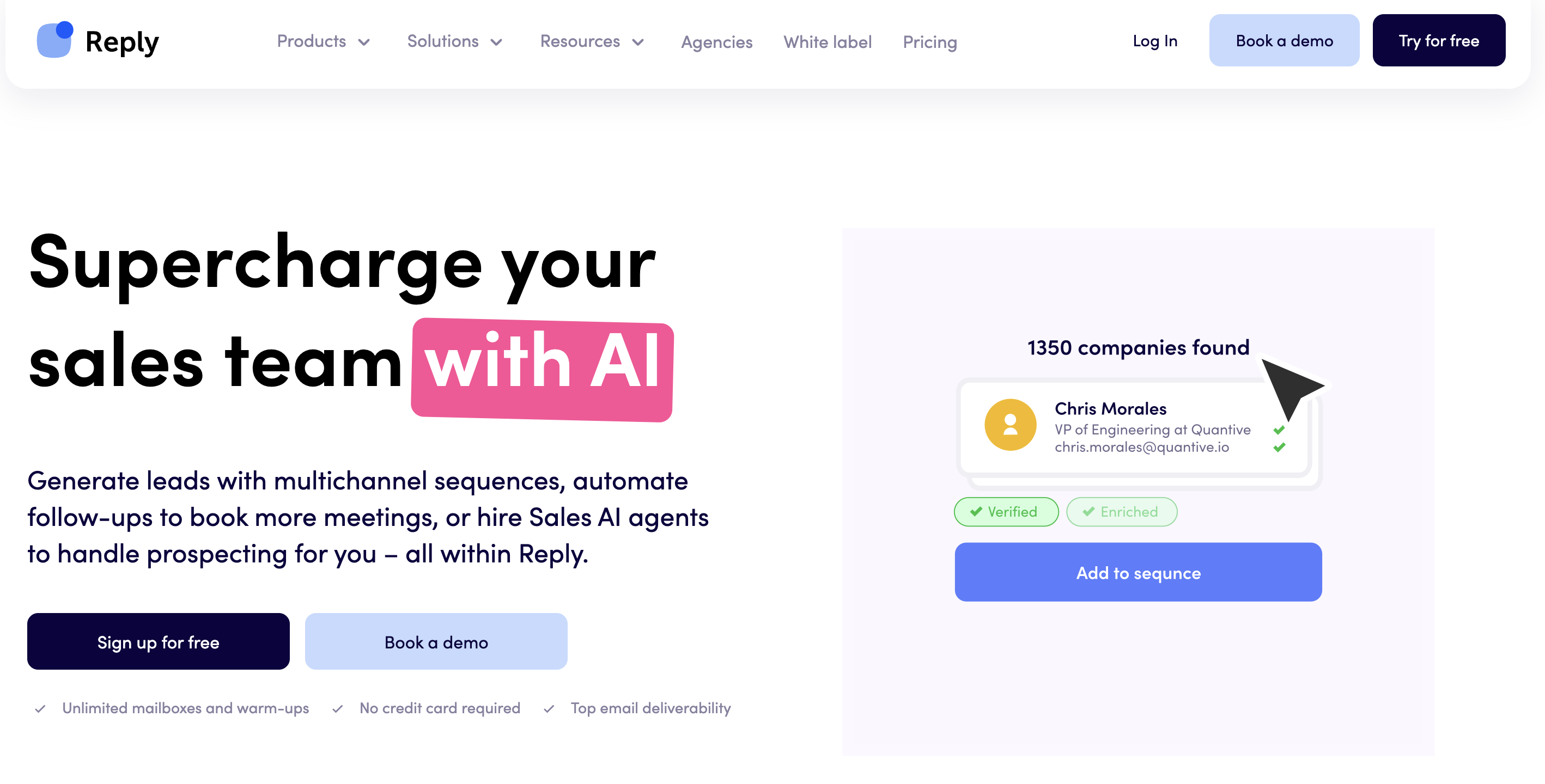
Reply.io is a strong Bitscale alternative when the buyer wants sales engagement first and data second. It supports email, LinkedIn, WhatsApp, SMS, calls, live B2B data, website visitor tracking, and Jason AI SDR.
For RevOps, the product is useful when the team already has a target-account logic and wants outreach channels, inboxes, data credits, and AI SDR workflows under the same roof.
Features#
Email Volume plans priced by active contacts.
Multichannel plan for email, LinkedIn, WhatsApp, SMS, and calls.
Jason AI SDR for prospecting, personalization, response handling, and meeting booking.
Live data credits, buyer intent signals, technology filters, CRM integrations, and CSV export.
Website visitor tracking with up to 200 reveals/month on base plans.
Agency plans for multi-client workspaces and white-label needs.
Pricing#
Email Volume starts at $49/user/month billed annually for 1,000 active contacts, then rises by contact volume. Multichannel starts at $89/user/month billed annually and bundles all channels.
AI SDR Starter starts at $500/month for 1,000 contacts billed annually, Growth starts at $1,500/month for 5,000 contacts, and Enterprise is custom. Agency Core starts at $210/month. A 14-day free trial is available, and base plans include 50 live data credits/month.
Reply.io vs Bitscale#
Reply.io is stronger when the buying decision is about outreach channels, active-contact volume, and AI SDR coverage. Bitscale is stronger when the team wants an upstream workflow for AI research, enrichment, provider orchestration, and CRM data preparation.
The operational risk is add-on complexity. Reply.io has separate paths for Email Volume, Multichannel, AI SDR, live data, and validation. That flexibility helps teams choose a path, but it also means RevOps has to model the real monthly cost.
Pros#
Strong channel coverage for sales engagement teams.
AI SDR option gives teams a more automated path than standard sequencers.
Live data and visitor reveals help close part of the gap between static lists and active intent.
Useful for agencies and teams that need outreach execution more than research workflow design.
Cons#
Base live data credits are light for teams doing serious prospecting.
Pricing model can become hard to compare because Email Volume, Multichannel, AI SDR, data, and validation are separate tracks.
Community buyer-signal coverage is not the core product.
It is less useful than Clay or Bitscale when RevOps needs custom enrichment logic before outreach.
Summary#
Reply.io fits teams that want an engagement platform with AI SDR options. CommunityTracker fits better when the first job is finding the high-intent signal before a rep or AI SDR writes anything.
9. RB2B: best for website visitor intent and Slack alerts#
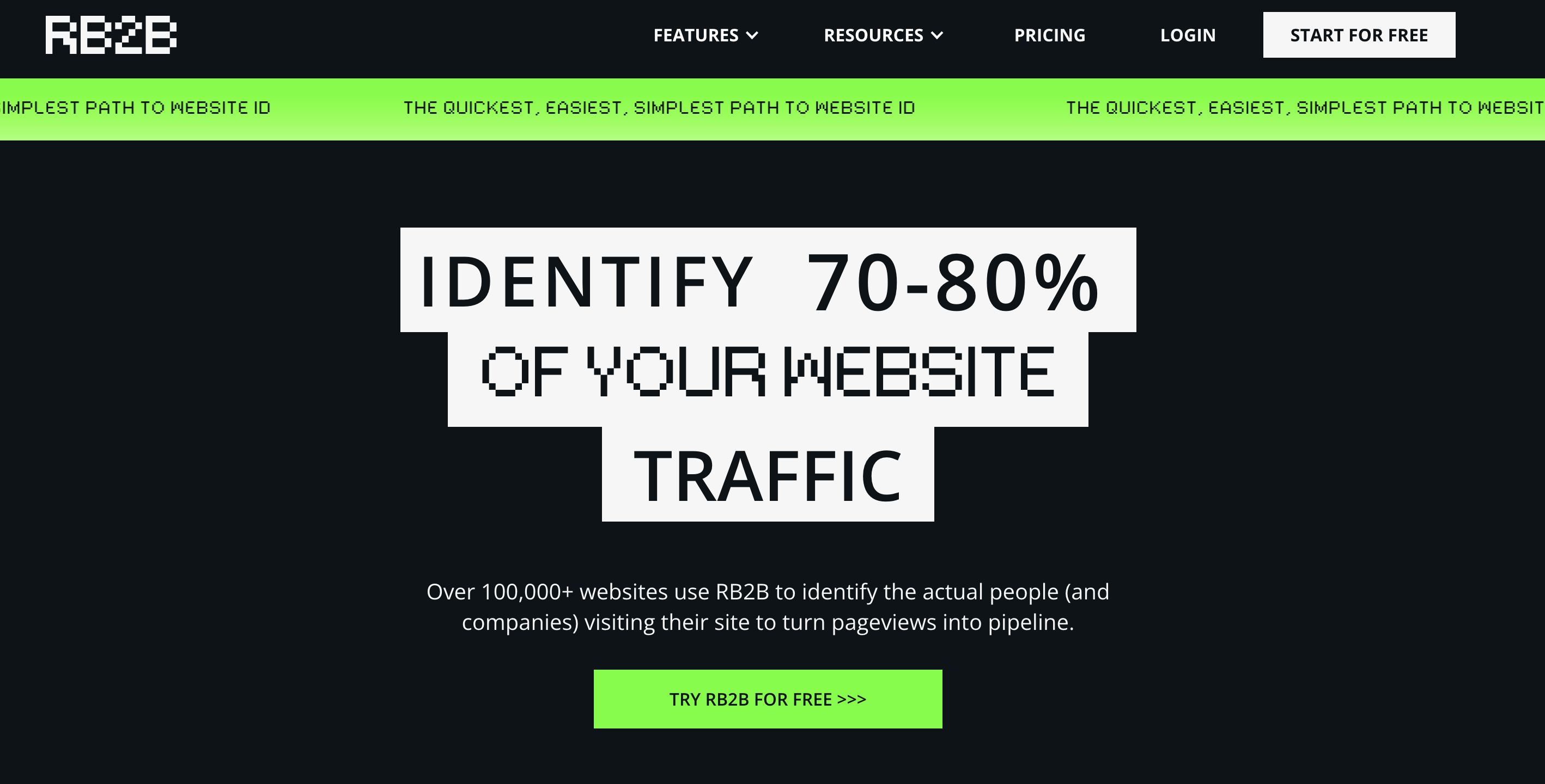
RB2B is a narrow but useful Bitscale alternative for teams that care most about first-party website intent. It identifies website visitors, pushes LinkedIn profiles or company-level information to Slack depending on plan, and helps sales teams act when a high-fit visitor is on important pages.
It is not a replacement for Bitscale's research grid, and it is not a community-intelligence platform. It is a sharper answer for one high-intent source: your website.
Features#
Website visitor identification with free company-level ID and paid person-level options.
Slack and Teams alerts depending on plan.
Monthly resolution-based pricing tied to visitor identity.
Hot Pages and Hot Leads for prioritizing high-intent site behavior.
CRM and outreach integrations on higher tiers.
Demandbase partnership for broader company-level resolution.
Pricing#
Free is $0/month with 150 monthly resolutions, company-level ID, Slack push, and no person-level ID or email addresses.
Starter is $79/month with 300 monthly resolutions, LinkedIn URLs pushed to Slack or Teams, and no email addresses or broader integrations. Pro starts at $149/month with higher resolution volume and stronger visitor identification.
Pro+ starts at $199/month with more coverage, support, and scaling options. A 7-day Pro trial is available.
RB2B vs Bitscale#
RB2B is better when the signal you trust most is a visitor on your pricing, comparison, demo, or case-study page. Bitscale is better when the workflow starts from a list or a GTM research process that needs enrichment, provider orchestration, and field-level CRM work.
The limitation is source coverage. RB2B helps you act on your own demand. CommunityTracker helps you catch demand that has not reached your website yet.
We have a longer dive on CommonRoom alternatives if you are comparing visitor, community, and account-intelligence tools from a broader buyer-signal angle.
Pros#
Clear fit for converting first-party website intent into sales action.
Free plan gives lean teams a way to test visitor resolution before buying.
Slack alerts make the signal visible quickly without forcing reps into another dashboard.
Pricing is easier to understand than enterprise sales-intelligence contracts.
Cons#
It only sees intent after the buyer reaches your website.
Person-level data and integrations are limited by plan and geography.
It does not provide broad lead research, enrichment workflows, or community signal tracking.
Teams still need an outreach platform, CRM workflow, or signal system around the resolved visitor.
Summary#
RB2B is the focused pick when website visitors are your highest-intent lead source. CommunityTracker fits better when buyers are still asking questions, comparing vendors, and showing pain outside your owned funnel.
Final decision guide: which Bitscale alternative should you choose?#
Use this shortlist by workflow, not by vendor popularity.
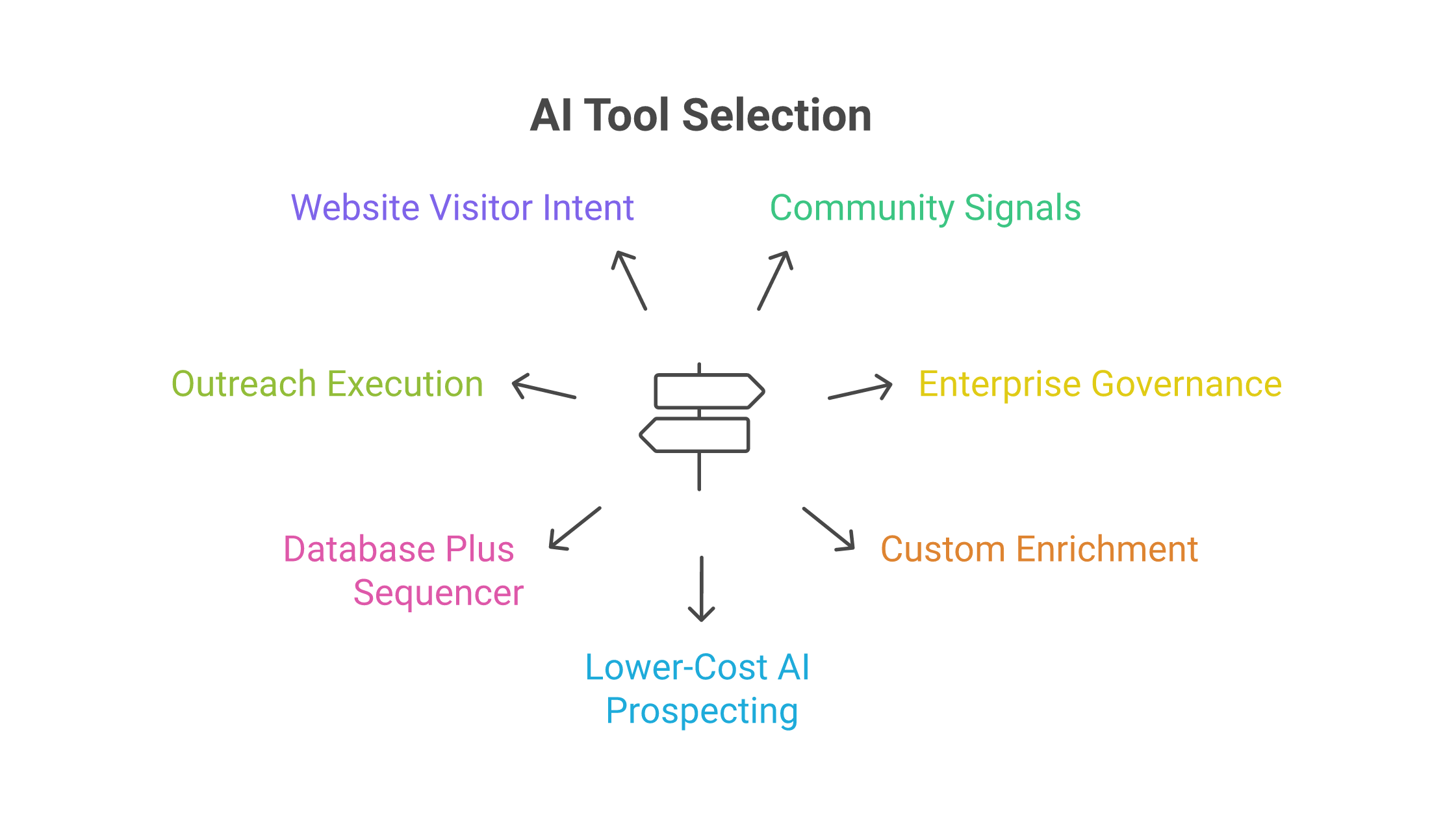
Pick CommunityTracker when your team needs to find buyer signals across Reddit, LinkedIn, X, Bluesky, Hacker News, Indie Hackers, Dev.to, Stack Overflow, Product Hunt, GitHub, and Slack, then turn those signals into outreach context.
Pick Common Room when enterprise buyer intelligence, product signals, CRM governance, and account workflows matter more than self-serve pricing.
Pick Clay when a GTM engineer owns the workflow and wants maximum control over enrichment, research, and routing logic.
Pick Persana when you want AI prospecting and enrichment with a lower paid entry point than Bitscale or Clay.
Pick Apollo when your sales team wants contact data, enrichment, sequences, dialing, and AI research in one platform.
Pick Salesforge when the biggest gap is email-plus-LinkedIn execution, deliverability, reply handling, and AI-assisted outreach.
Pick lemlist when you want multichannel outbound with lead data and pay-per-signal options in the same tool.
Pick Reply.io when you want sales engagement plus an AI SDR path and can model the active-contact and data-credit costs clearly.
Pick RB2B when website visitor identification is the highest-intent source you want to operationalize.
Bitscale remains a good fit when RevOps wants a production GTM workflow platform with enrichment, providers, CRM sync, and playbooks. The better alternative depends on which layer is missing.
Use CommunityTracker to catch buyer signals before the list goes cold#
Common Room, Clay, Persana, Apollo, Salesforge, lemlist, Reply.io, and RB2B all solve real problems. Some give you richer account data. Some execute outbound better. Others help you capture website intent or build custom enrichment workflows.
The gap they do not all close is the one that matters earlier in the funnel: finding the buyer while the problem is still active.
CommunityTracker is built for that moment. We watch Reddit, LinkedIn, X, Bluesky, Hacker News, Indie Hackers, Dev.to, Stack Overflow, Product Hunt, GitHub, and Slack for high-intent signals, add context, and help your team show the next move.
Use CommunityTracker when your GTM motion needs:
Buyer signals from communities before competitors see them.
Context that explains why the person or account matters.
Warm outreach tied to a real conversation, not a generic list.
If your team only needs a spreadsheet-style enrichment builder, Clay or Bitscale may be easier to justify. When the goal is to turn community conversations into pipeline, start with CommunityTracker.
Start Monitoring Buyer Signals and Turn Them Into Outreach With CommunityTracker