F5Bot Review 2026: Features, Pricing and Alternatives
This hands-on F5Bot review covers its keyword alerts, filters, pricing, limitations and whether it is right for Reddit and community monitoring.
Adarsh Kumar
GTM Expert
Founder — CommunityTracker, Miraa.io, and Infraboxes
F5Bot is one of the simplest tools I have used for monitoring Reddit, Hacker News, and Lobsters. You enter a keyword, apply any necessary filters, and receive an email when F5Bot finds a match.
I tested it with two phrases: “social listening,” representing a broad commercial category, and “supabase rls,” representing a specific technical problem.
The experience showed me what F5Bot does well. It is affordable, easy to configure, and capable of finding discussions inside Reddit comments as well as submissions.
It also revealed its main limitation for B2B use. F5Bot tells you that a keyword appeared, but it does not automatically determine whether the post is current, relevant to your ideal customer, or written by someone considering a purchase.
My verdict: F5Bot is a useful mention-monitoring tool. It is not a feed of qualified B2B opportunities.
Key takeaways from my F5Bot review
F5Bot monitors keyword mentions across Reddit, Hacker News, and Lobsters, including both submissions and comments.
The free personal plan supports five keywords and delivers grouped email alerts within two hours.
Setup is fast, and the dashboard is easy to navigate, but the interface feels dated.
F5Bot works best for monitoring distinctive brand names, competitors, and technical terms. Broad keywords tend to require more manual filtering.
It detects mentions rather than qualifying leads, so B2B users must evaluate relevance, buying intent, and ICP fit themselves.
Overall, F5Bot is a strong low-cost option for basic keyword monitoring, but not a complete social-listening or sales-intelligence platform.
What is F5Bot?
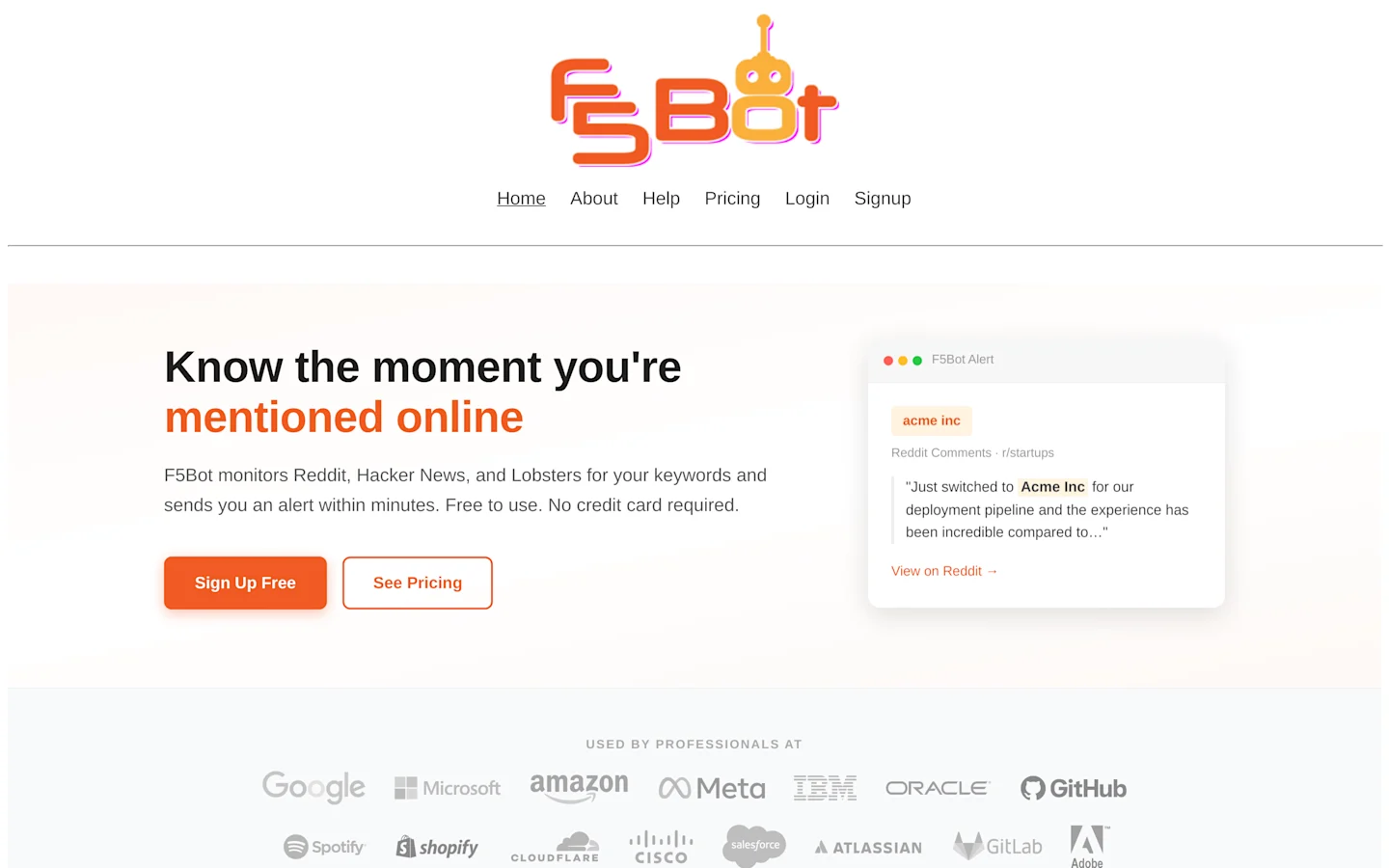
F5Bot is a keyword monitoring tool that emails you when selected keywords appear on Reddit, Hacker News, or Lobsters.
It searches both submissions and comments, making it especially useful for Reddit, where valuable complaints, recommendations, and product discussions often develop inside comment threads.
Setting it up is simple: enter a keyword or exact phrase, apply any relevant filters, and enable the alert. When F5Bot detects a match, the email links you to the original conversation so you can review it and decide whether to respond.
F5Bot finds matching conversations; deciding whether they represent relevant sales opportunities remains a manual process.
It is best understood as a mention detector rather than a complete social-listening or lead-generation platform.
My experience setting up F5Bot
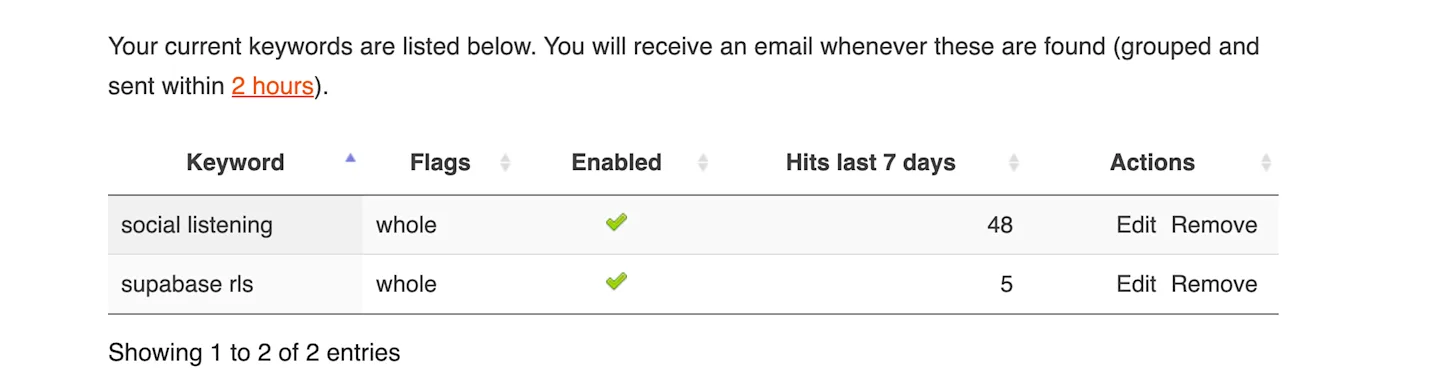
I tested F5Bot with two deliberately different phrases: “social listening,” a broad commercial term, and “supabase rls,” a narrower technical one.
I enabled the whole option for both so that F5Bot would match the complete words rather than fragments appearing inside unrelated terms.
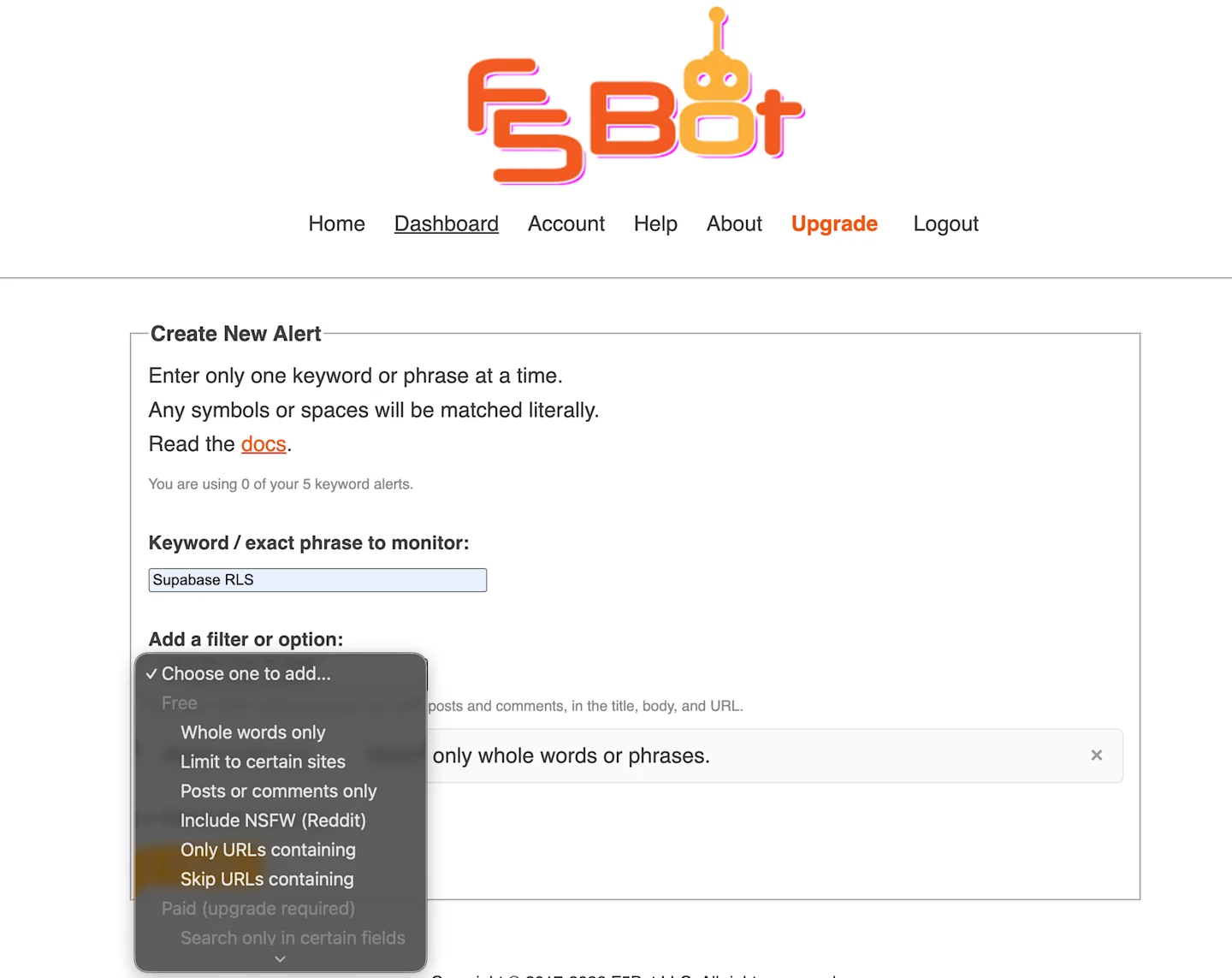
Creating each alert took very little time. I entered the phrase, selected the relevant filters from a dropdown, and enabled it.
The interface is basic and slightly dated, but it is not difficult to use. I could find all the important controls without much effort, although I had to consult the documentation to understand how some of the filters interact.
How F5Bot matches and filters keywords
F5Bot uses literal, case-insensitive matching across submission titles, URLs, and comment bodies. Word order, spaces, and punctuation still matter, so “Supabase RLS” can match “supabase rls,” but not “RLS Supabase.”
Standard alerts also lack fuzzy matching, regex, and wildcards, meaning they can miss misspellings, abbreviations, and relevant discussions phrased differently.
Eligible paid plans add natural-language AI filtering, although usage limits and additional charges can apply.
The free plan provides useful controls for whole-word matching, choosing platforms, separating posts from comments, and including or excluding particular URLs or subreddits.
One quirk is that multiple only- filters work as OR conditions. To monitor r/SaaS alone, use only-url=/r/saas/ without adding only-reddit, which would broaden the results to all of Reddit.
Related Read: 10 Best Social Media Monitoring Tools for Agencies in 2026
What I found after reviewing F5 results
I tested two whole-phrase alerts and reviewed the available results using a seven-day relevance window.
Keyword | Results reviewed | Recent results—under 7 days | Potentially relevant | Clear buying intent |
|---|---|---|---|---|
Social listening | 279 | 49 | 23 | 12 |
Supabase RLS | 79 | 5 | 2 | 0 |
Combined | 358 | 54 | 25 | 12 |
“Potentially relevant” includes recent posts that either showed commercial intent or described a problem related to my use case.
“Clear buying intent” is narrower and includes people actively requesting recommendations, comparing solutions, or looking for a provider.
How I interpreted the results
Finding | Result | What it means |
|---|---|---|
Outside my seven-day outreach window | 304 of 358 — 84.9% | Valid historical matches, but no longer timely for my B2B outreach |
Potentially relevant among recent results | 25 of 54 — 46.3% | Worth opening and evaluating further |
Not sufficiently relevant among recent results | 29 of 54 — 53.7% | Promotional, informational, incidental, or outside my use case |
Clear buying intent among recent results | 12 of 54 — 22.2% | Strongest candidates for immediate investigation |
Recent but without clear buying intent | 42 of 54 — 77.8% | Required further qualification before treating them as leads |
“Social listening” produced more useful activity, including recommendation requests, tool comparisons, and API searches. It also attracted product announcements, vendor comments, and general marketing discussions.
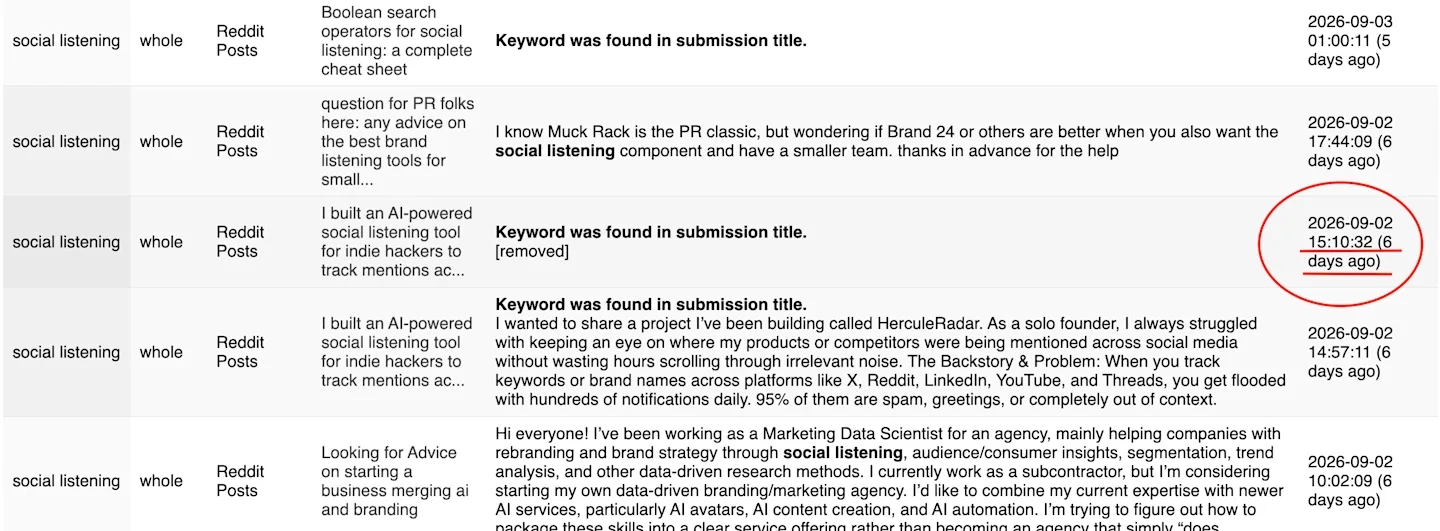
“Supabase RLS” produced fewer and more technical matches. Of its five recent results, two described relevant security problems, and three were promotional. None showed clear buying intent in my sample.
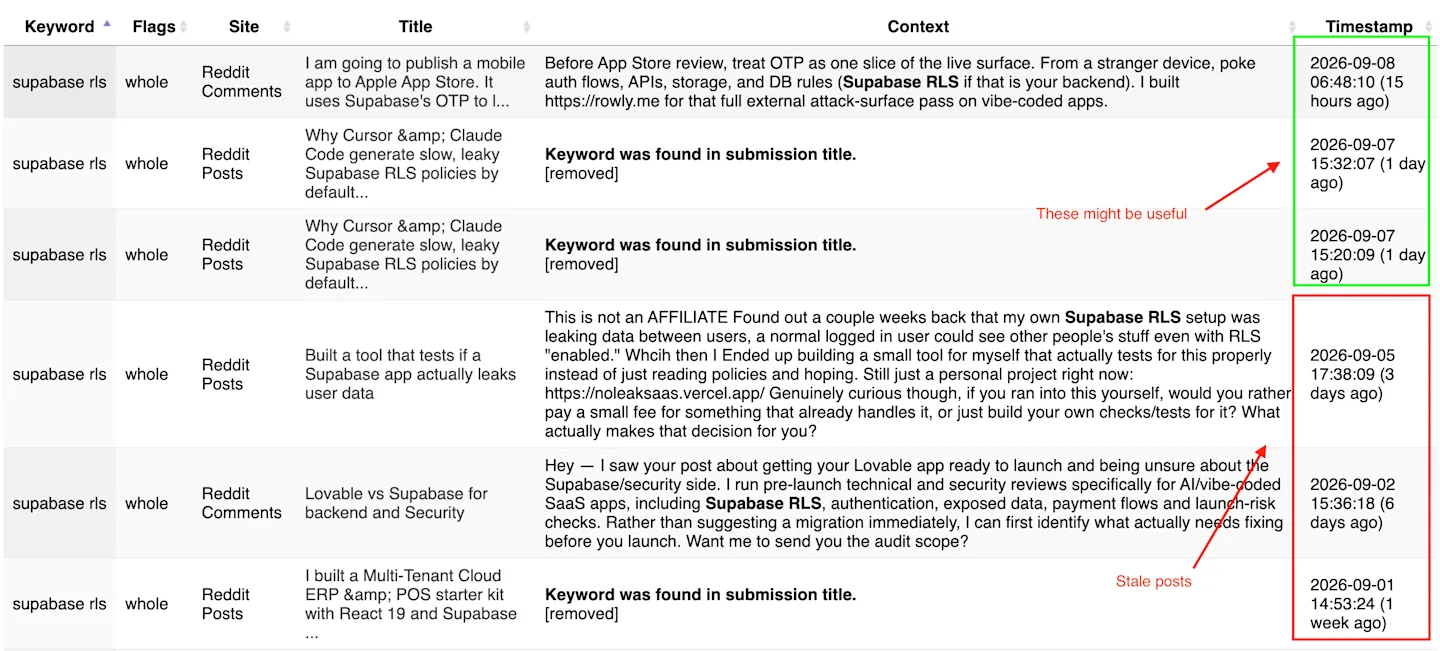
F5Bot matched the requested phrases, so these figures should not be interpreted as a technical failure or false-positive rate.
For my B2B workflow, the more useful finding was that 53.7% of recent results did not meet my broader relevance criteria, while 77.8% lacked clear buying intent.
F5Bot made the conversations easier to discover, but I still had to review their context, freshness, author, and ICP fit before deciding whether they represented genuine opportunities.
F5Bot pros and cons
What I liked
The free plan is genuinely usable. It supports five keyword alerts without requiring payment details, although F5Bot limits it to personal use.
It monitors Reddit comments as well as submissions. This helps uncover relevant discussions that do not mention the keyword in the post title.
Setup is simple. I could create, filter, enable, edit, and remove alerts from one uncomplicated dashboard.
It includes Hacker News and Lobsters. This is useful for monitoring developer and technology conversations.
The filtering controls are practical. Alerts can be narrowed by platform, subreddit, URL, or content type, with more advanced controls available on paid plans.
What could be better
Standard alerts rely on literal matching. They can miss relevant conversations that use different wording, abbreviations, or misspellings.
B2B qualification remains manual in the free workflow. I still had to determine freshness, buying intent, author type, and ICP fit myself.
Platform coverage is limited. F5Bot does not monitor LinkedIn, X, GitHub, Facebook, or YouTube.
The free plan can take up to two hours to deliver alerts. That may be too slow when early participation in a fast-moving discussion matters.
You get a lot of noise and old posts as well
Insightful Read: How to Monitor Slack Communities (Without Being Creepy)
F5Bot pricing
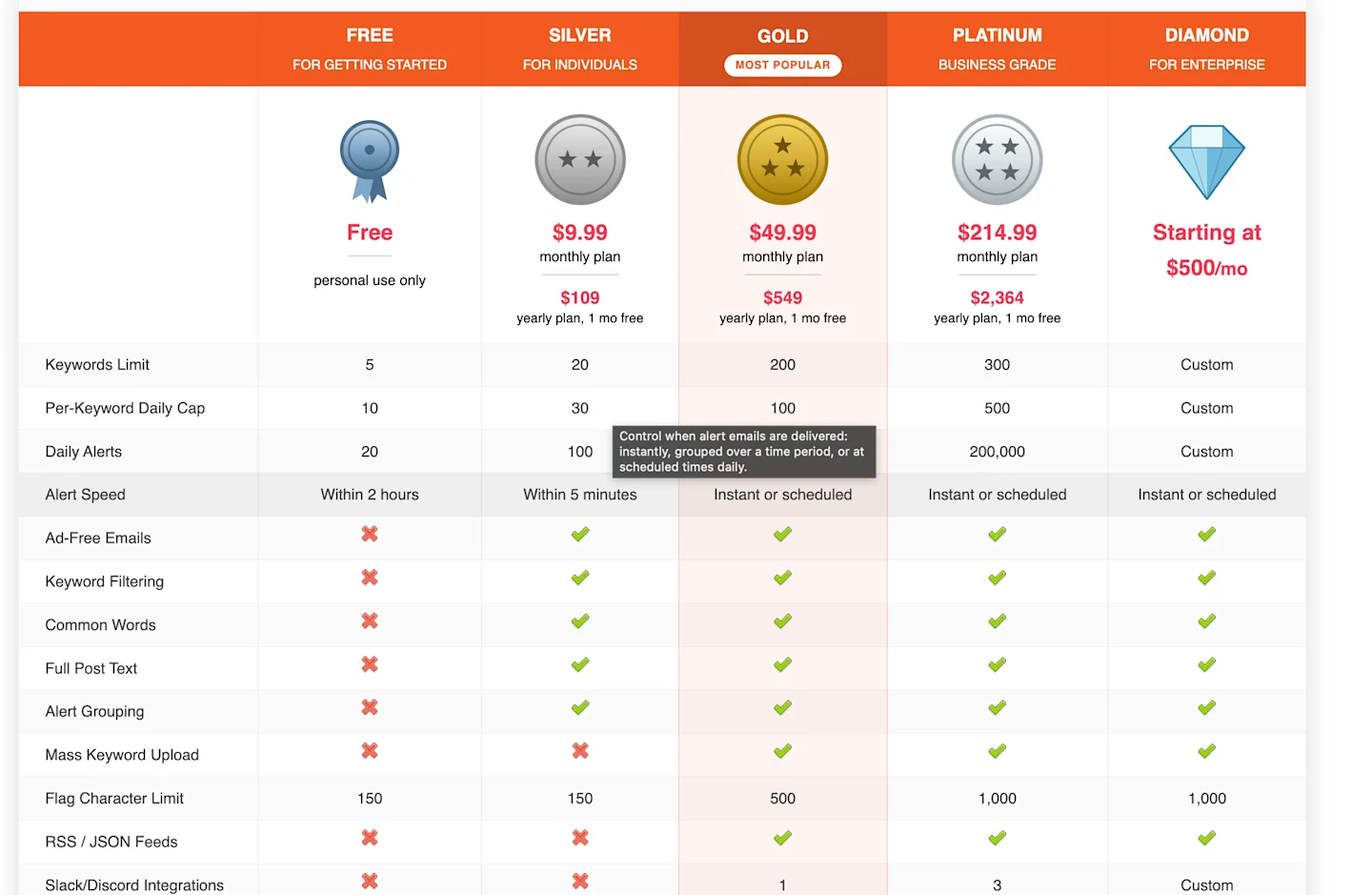
F5Bot has five plans. The free plan supports five keywords for personal use, with alerts delivered within two hours.
Silver costs $9.99 per month and adds 20 keywords, faster alerts, and improved filtering. Gold costs $49.99 per month and includes 200 keywords, AI filtering, feeds, and one Slack or Discord integration.
Platinum costs $214.99 per month and adds API access, webhooks, higher limits, and five AI filters. Custom Diamond plans start at $500 per month.
For most individual users, Free is sufficient for testing, while Silver offers the most practical upgrade.
Better F5Bot alternative: CommunityTracker
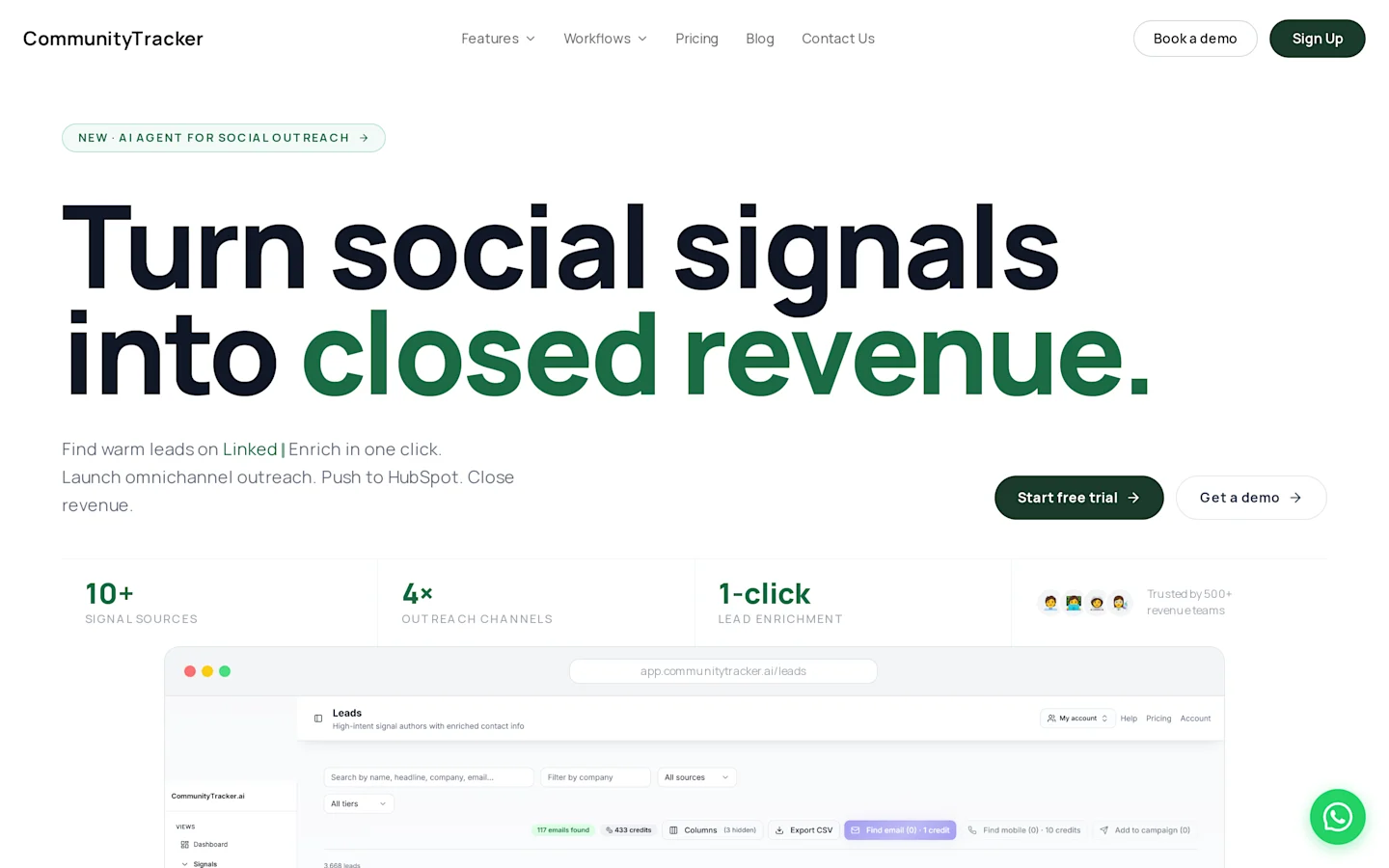
CommunityTracker is our product, so this is not an independent comparison. Still, testing both tools with the same keywords revealed a clear difference in how they handle results.
Related Read: 6 Best F5Bot Alternatives for Reddit & Community Monitoring in 2026
Area | F5Bot | CommunityTracker |
|---|---|---|
What I reviewed | 358 available historical matches | 15 signals shown for the same keywords* |
Post Qualification | Manual review required | Signal scores, intent labels, and AI overviews |
Sources observed | Reddit, Hacker News and Lobsters | Reddit, LinkedIn, GitHub, X, Bluesky and other communities |
Free plan | Five keywords for personal use | One Reddit keyword forever |
Starting paid price | $9.99 per month | $39 per month |
Best suited for | Basic mention monitoring | Finding and prioritizing B2B opportunities |
Note: These volumes are not directly comparable because the tools were not tested over an identical collection period.
F5Bot returned every literal match and left me to evaluate its relevance.


CommunityTracker surfaced 12 signals for “social listening” and 3 for “Supabase RLS,” prioritized using freshness, signal scores, and intent labels such as Buying Language, Feature Request, Competitor Dissatisfaction , and Team Decision.
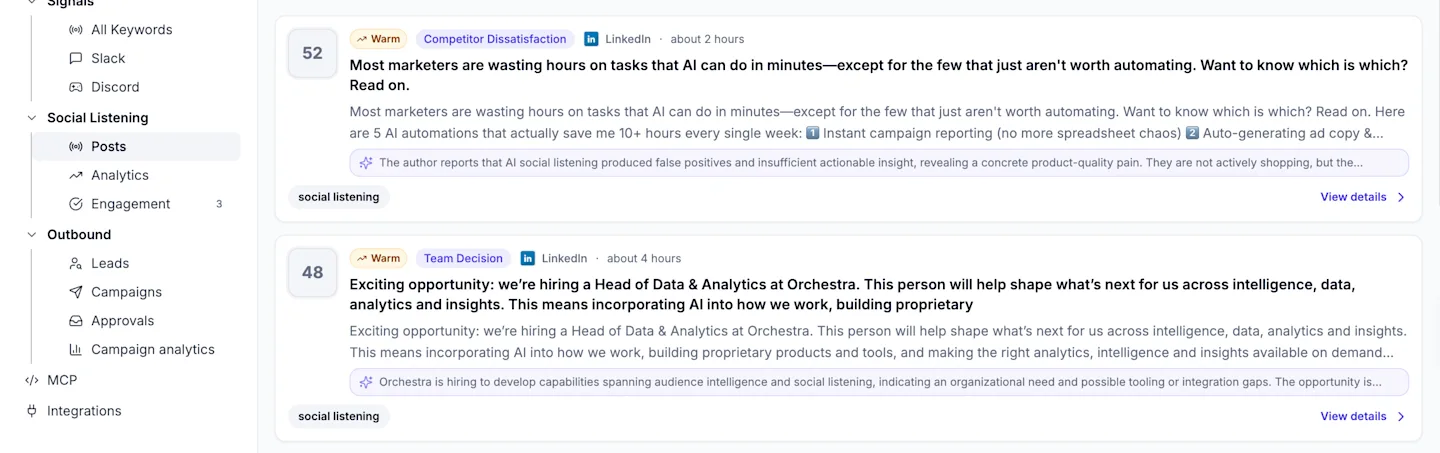
Broader source coverage also made a difference. CommunityTracker found a recent LinkedIn post seeking an application-security consultant for a Supabase project, something F5Bot could not surface because it does not monitor LinkedIn.
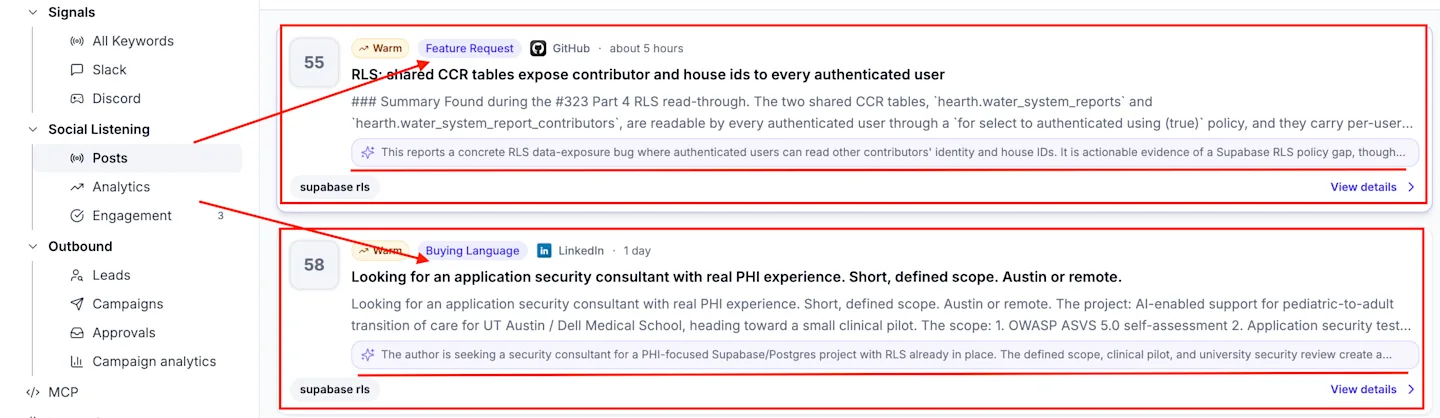
CommunityTracker costs more, but it is the stronger F5Bot alternative for B2B teams that want help qualifying and prioritizing opportunities instead of manually reviewing every match.
Who should use F5Bot?
F5Bot is best for founders, developers, and small teams who monitor specific terms across Reddit, Hacker News, and Lobsters. It is less suited to sales teams that require cross-platform coverage and automatic lead prioritization.
Conclusion
F5Bot is a reliable, affordable tool for monitoring specific terms across technical communities. It delivers what it promises without adding unnecessary complexity.
Use it for brand monitoring, competitor tracking, or following niche topics. If your main goal is B2B prospecting,
CommunityTracker is the better fit because it covers more sources and helps identify which conversations are worth acting on.
Frequently asked questions
Is F5Bot free?
Yes. F5Bot offers a free plan with five keyword alerts.
How quickly does F5Bot send alerts?
F5Bot delivers within two hours on Free, within five minutes on Silver, and instant or scheduled delivery on Gold and higher plans.
Does F5Bot monitor Reddit comments?
Yes. F5Bot monitors Reddit submissions and comments, as well as Hacker News and Lobsters.
Does F5Bot support Boolean search?
Boolean words are not interpreted inside the main keyword. Paid users can apply flags such as exclude=, include-any= and include-all=.
Does F5Bot support regex or wildcards?
No. Standard keyword matching is literal.
Can F5Bot find B2B leads?
F5Bot can uncover conversations that might contain opportunities. It does not automatically qualify those opportunities against your ICP in the free workflow.
Is CommunityTracker better than F5Bot?
CommunityTracker is better suited to broader B2B monitoring, signal scoring, and intent categorization. F5Bot is cheaper and simpler for basic alerts across its three supported communities.