YouScan Review 2026: Who Should Pay $499 a Month
I reviewed YouScan’s topic-based plans, its contract terms, paid modules and user reviews, and priced four alternatives for teams with more than 3 topics.
Adarsh Kumar
GTM Expert
Founder — CommunityTracker, Miraa.io, and Infraboxes
You book a YouScan demo, list your brand, two rivals and a product launch, and the sales rep tells you Starter holds three topics. Topic four means moving up to a tier YouScan quotes only after a call. You sign for more than you need, because the contract lets you add topics but never drop them.
Plan around that before the call. YouScan doesn’t charge per seat, so every colleague can log in at no added cost. It charges per topic, and each topic carries its own monthly mention cap. The modules that sell YouScan in a demo, such as logo recognition and audio transcripts, sit outside every plan.
Ahead of the demo, check how topics set your bill, what each plan unlocks, the contract rules and reviewer feedback. The alternatives table sets four other tools against it.
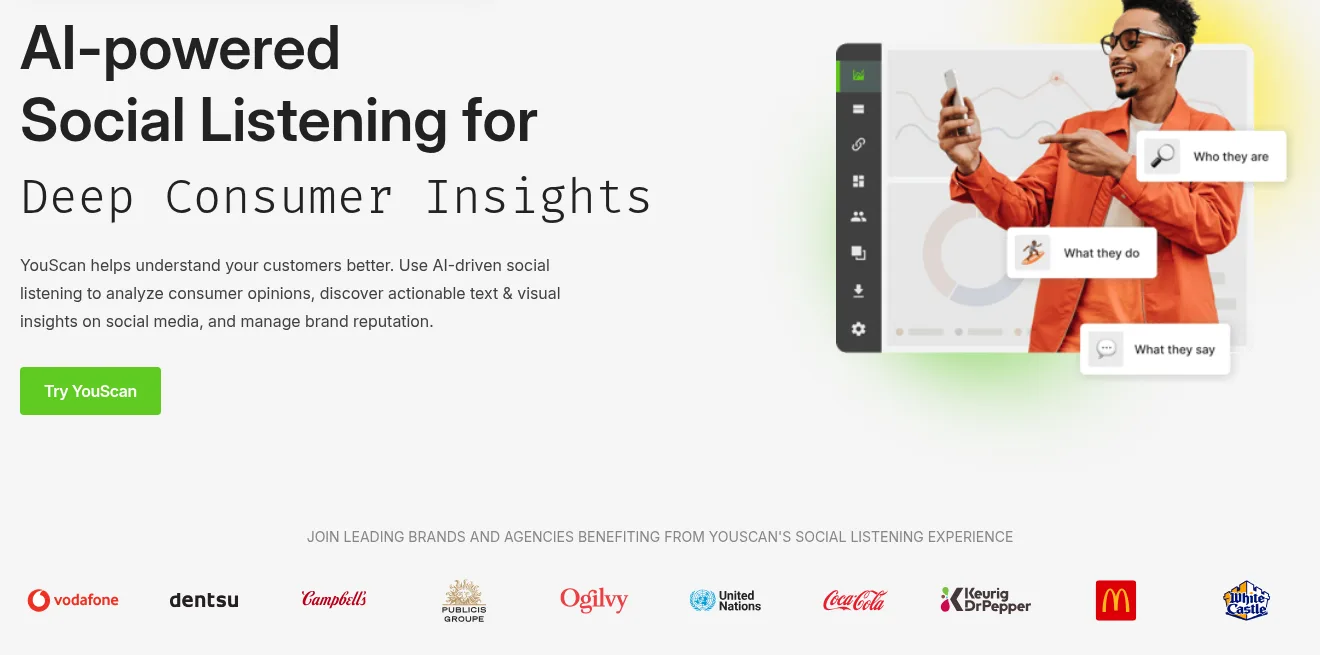
The YouScan homepage, with the Try YouScan button and a row of client logos.
YouScan in Short
I think YouScan is worth paying for when your report depends on logos in photos, TikTok coverage or spoken mentions in video, and you can fix your topic list and module list before you sign. For that team, the seat-free price and the source list do the job.
The risk is the contract. Starter stops at three topics, every plan above Starter is quote-only, the modules that sell the product cost extra, and the terms forbid refunds and downgrades. A wrong topic count stays on your bill for a full year.
YouScan at a glance | Answer |
|---|---|
Entry price per month, billed yearly | $499 |
Monthly billing | No |
Free plan | No |
Trial you can start alone | No |
Price above Starter in public | No |
Unlimited users | Yes |
Logo recognition inside a plan | No |
Refund for unused months | No |
Downgrades | No |
Trial length | Not published |
What YouScan Is and Who Runs It
YouScan is a listening tool for social and web posts. You write a search query, YouScan calls it a topic, and the platform fills that topic with posts it collects from social apps, forums, blogs, news outlets and review sites. On top of the text it can read logos and scenes in photos, transcribe spoken mentions in video and profile the people who post.
The contracting company is YouScan Limited, registered in Cyprus, and the terms fall under Cypriot law with the courts of Nicosia as the venue. YouScan claims it started in 2009, added image recognition in 2018 and works with more than 5,000 brands.
I’d put YouScan in front of brand and insight teams whose reports cover pictures and video next to text, and that can list every topic it needs ahead of the first sales meeting. If you only monitor text, or you want to pull buyers out of community discussions, the numbers in this review point elsewhere.
Why the Topic Count Decides Your YouScan Bill
Everything in YouScan hangs off the topic. A topic is one Boolean query: your brand, a competitor, a campaign or a product category. Users cost nothing on any plan, so your headcount never moves the price. Your topic list does.
Starter’s three fixed slots
On Starter the topic count stops at 3, and a fourth isn’t possible. Each topic takes in up to 5,000 fresh posts monthly, so the plan tops out at 15,000. History reaches back 30 days. If your list has four names on it, Starter is off the table from the first day.
Picture a brand topic pulling in 250 posts each day: the 5,000 allowance is gone after 20 days. From then until the 1st of the next month, you can’t edit that topic’s query, and that’s the week you’d want to tighten it.
How Listen and Analyze grow
Listen and Analyze start at 5 topics and grow in steps of 5. That step size matters. A team that needs 6 topics pays for 10, and an agency tracking 4 clients plus one rival each needs 8, which also lands on a 10-topic plan.
Listen caps each topic at 10,000 new mentions a month, and Analyze at 100,000. On Analyze, a topic can run to 10 million mentions a month with sampling. Both plans keep unlimited history, and both let you delete a topic and set up a replacement in its slot, so you can rotate campaigns without buying more slots.
What happens when a topic spikes
On Listen and Analyze, a topic that passes its cap during a spike keeps collecting. You lose the ability to edit its query, and YouScan expects you to upgrade if a topic passes its cap often. A spike in one topic leaves the others untouched, so a crisis around one product won’t blank your competitor reports.
Sources YouScan Reads and the Networks That Need a Login
YouScan’s source list covers Instagram, Facebook Pages, Twitch, Telegram, Reddit, YouTube, X and TikTok, plus blogs, forums and online news. Review platforms such as the App Store, TripAdvisor, Trustpilot, Amazon, Booking.com, OpenTable and Yelp come in as channels. YouScan claims more than 500,000 sources and 500 million new mentions a day, and claims that 95% to 97% of posts arrive within 2 minutes to 2 hours of publishing.
A channel collects everything a chosen page publishes, even posts your query wouldn’t match. One topic can hold up to 200 channels. TikTok gives you 5 channels before you have to ask support for more.
The Meta networks need extra setup:
Instagram: a keyword match needs the word as a hashtag in the post. Full account feeds need a business or creator account that you authorize through a linked Facebook Page.
Facebook: channels accept public Pages only. Groups and personal profiles can’t be added.
Authorization: Meta access runs out every 60 days, and LinkedIn’s every 365 days. For a LinkedIn page you don’t own, YouScan collects posts but not comments.
New sources: Starter accounts usually can’t ask YouScan to add a source.
When the trial opens, I’d link the Instagram business profile and the Facebook Page you own, load competitor Instagram profiles as channels, and set a reminder every 50 days to renew the Meta link.
YouScan Plans Compared Feature by Feature
On all four plans you get as many users, rules, alerts and social searches as you want, plus aspect sentiment, trend detection, word clouds, Insights Copilot, 1 custom dashboard and the Mention Wall for office screens.
YouScan claims Insights Copilot is an AI agent built on ChatGPT. You ask it a question about a topic and it applies filters and writes the answer as a report you can share. YouScan claims it was the first conversational listening assistant of its kind. On Starter you get roughly 10 Copilot questions monthly, and on Listen, Analyze and Enterprise about 20.
Capability | Starter | Listen | Analyze |
|---|---|---|---|
Entry price | $499 | Not published | Not published |
Seats with no limit | Yes | Yes | Yes |
More than 3 topics | No | Yes | Yes |
History past 30 days | No | Yes | Yes |
More than 10,000 new mentions per topic | No | No | Yes |
More than 10 Copilot questions a month | No | Yes | Yes |
Slack, Teams and Telegram together | No | Yes | Yes |
HelpDesk and CRM links | No | No | Yes |
Topic permissions | No | No | Yes |
Named Customer Success Manager | No | Yes | Yes |
30-minute first response | No | No | Yes |
Logo detection in photos | No | No | No |
The last row is the one I’d read twice. Logo recognition is a paid module on every plan, including Analyze.
Fourteen modules priced outside the plan
Section 2.6.6 of the YouScan terms lists 14 modules that cost extra, with no fee shown for any of them:
Visual Data Analysis, which spots brand marks, objects and settings in pictures.
Audience Insights, for the demographics and interests of people who post.
Audio Monitoring, for spoken mentions in video.
The API.
An Advanced API and Webhook.
Advanced Custom Dashboards, with unlimited dashboards and your own logos.
Advanced Insights Copilot, with up to 10,000 credits, about 1,000 questions, a month.
Additional Channels.
A branded Mention Wall.
Conversation Insights.
Extended Historical Data.
Smart Tags.
Topic Permissions.
A Tailored Intelligence Module.
If your brief depends on one of them, count its fee in your total and have it added to your Order Form ahead of weighing YouScan against a rival.
YouScan Pricing and the Math Behind It
YouScan claims unlimited mentions in its price list header. Starter is the only tier with a listed price, and it stops at 15,000 new mentions a month over 3 topics. In the terms, that’s 5,000 for each topic.
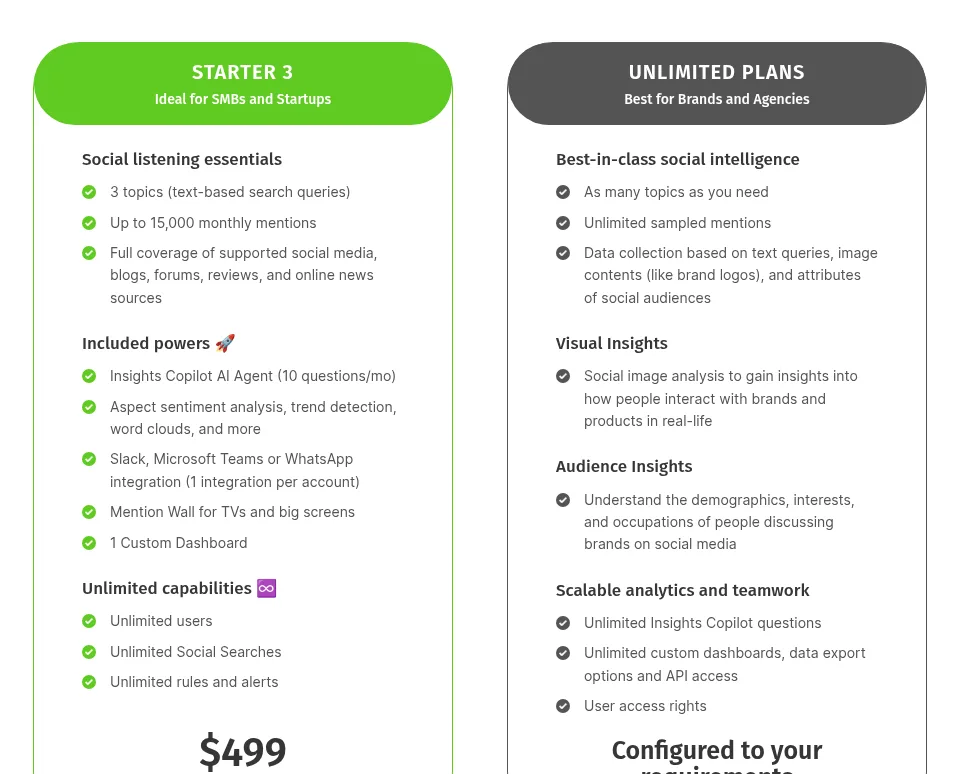
The YouScan pricing cards: Starter 3 at $499 beside the Unlimited plans card, which shows no figure.
Each plan in plain numbers
Starter ($499 monthly, with a yearly contract): you get 3 topics you can’t change in number, each capped at 5,000 new mentions, 30 days of history, about 10 Copilot questions, 1 integration and 1 custom dashboard. Support comes from the pooled team, with a first reply inside 2 hours.
Listen (price on request): 5 topics to start in steps of 5, 10,000 new mentions per topic, unlimited history, about 20 Copilot questions, Slack, Teams and Telegram, and a named Customer Success Manager with check-ins twice a year.
Analyze (price on request): 5 topics to start in steps of 5, 100,000 new mentions per topic, sampling up to 10 million per topic, unlimited history, topic permissions, HelpDesk and CRM links, a Customer Success Manager assigned to you who checks in each quarter, and a first reply inside 30 minutes.
Enterprise (price on request): custom limits under one account-wide mention cap. History stops at 3 times the yearly new-mention allowance, or 10 times with the Extended Historical Data module.
Support runs Monday to Friday, 06:00 to 23:00 UTC, which is 11:30 to 04:30 IST. Weekend posts wait for Monday.
What 1,000 YouScan mentions cost you
A year of Starter means paying $5,988 up front. Spread over 15,000 mentions a month, each 1,000 costs you $33.27, and each topic $166.33. A 5-topic Listen plan raises the cap to 50,000 a month and Analyze to 500,000, but YouScan doesn’t list those prices, so you won’t know their unit cost until after a demo.
Where the price list and the terms disagree
I found three places where YouScan’s price list and its own terms don’t match. For each one, here is what YouScan claims, what the terms say and what to ask.
Mentions: YouScan claims unlimited mentions in its price list header. The terms limit each Starter topic to 5,000 fresh mentions monthly. Ask YouScan: “Is my plan capped per topic or per account, and what is the number?”
Starter integration: YouScan claims Starter connects to WhatsApp, Slack or Microsoft Teams. The terms swap WhatsApp for Telegram. Ask YouScan: “Does Starter connect to WhatsApp or to Telegram?”
Copilot questions: YouScan claims unlimited Copilot questions on its Unlimited plans card. The terms give Enterprise 200 credits a month, which is about 20 questions. Ask YouScan: “How many Copilot credits does my plan include each month?”
The Order Form you sign follows the terms, so get YouScan’s answer to all three written into that form.
Questions to put to YouScan sales
Which integration does Starter include: Telegram or WhatsApp?
What mention cap applies on the plan you’re quoted, per topic or per account?
How many Copilot credits come with that plan?
What does each module on your brief cost, line by line?
How long does the trial run, and which modules can you test in it?
What does onboarding cost for your topic count?
The YouScan Contract Clauses That Bind You
The YouScan terms shape your risk more than the price does. Here is how each clause plays out once you sign:
Trial: a trial account follows your demo request. No trial length is published, and the account stays off after the trial until you pay in full.
Payment: card through Stripe or bank wire, invoiced in advance, with 100% of the fee paid up front.
Refunds: except where local law or your own Order Form says otherwise, nothing you pay comes back and you can’t cancel what you owe. Walking away mid-term doesn’t earn you a partial refund either. If you’re an EU consumer, the law gives you 14 days to cancel.
Downgrades: YouScan bars any switch that cuts your topics or features, and any plan change at all goes through a fresh Order Form.
Renewal: once YouScan has sent you notice, your contract rolls into another term as long as the last one, and if you keep logging in after it ends, YouScan treats that as a yes.
Late payment: YouScan can block your account after 5 days and charge 0.1% interest a day, up to 10% of the amount due.
Country: the licence covers the country where your company is registered. A branch abroad needs its own subscription.
Fair use: YouScan can restrict features or suspend an account if it judges your use slows the platform for others.
Onboarding: account setup sits outside the plans, except 1 topic on Analyze and up to 2 on Enterprise. Packages for 5, 25 or 50 topics carry a separate price.
Put together, these clauses mean a topic overcount stays on your bill for the full term. A team that signs for 10 Listen topics and uses 6 pays for 10 until renewal. I’d sign for the smallest count you can work with and add slots later, which the terms allow.
Where YouScan Earns Its Fee and Where It Costs You
What I’d pay YouScan for
Seat-free pricing: adding your thirtieth analyst costs nothing, so every colleague and client can have a login.
Review platforms, Telegram, Twitch and TikTok in the standard source list: a TikTok brief needs no extra module, and 5 TikTok channels come free.
Copilot on every plan: every tier lets you question a topic in plain language at no added charge.
Spike handling above Starter: on Listen and Analyze a topic keeps collecting past its cap, and a spike in one topic leaves the rest alone.
Unlimited history from Listen: year-on-year reports work once you leave Starter.
What I’d hold against it
One public price: with 4 topics, you have no figure to plan around until a quote arrives.
Starter’s ceiling: 3 fixed topics, a month of back data and no new source requests.
Paid modules: logo recognition, audience data, audio and the API all cost extra, with no price list.
No way back: refunds and downgrades are both off the table.
Annual prepay only: no monthly billing appears on the price list, so you can’t test a topic count for one month.
Meta friction: Instagram keyword matching needs a hashtag, and the Meta link expires every 60 days.
Teams That Fit YouScan
I’d buy YouScan for a consumer brand team that reports sponsorship visibility each quarter. That team needs logo counts in photos without a text mention, a fixed list of brands and events, and several analysts in the account. On a Listen plan that has Visual Data Analysis on the signed Order Form, YouScan does that job, and the seat-free model keeps the bill flat as the team grows.
A market research desk that studies TikTok or audio in video fits too, as long as it prices Audio Monitoring before it signs.
I would not buy Starter for a 4-client agency, since 3 fixed topics can’t hold them. Look elsewhere too if your topic count will shrink, if you need monthly billing, or if your aim is to answer people who want a tool like yours.
What YouScan Users Report
Every rating, quote and review count in this review sits in this section. I read 137 reviews. The Gartner network runs GetApp, Capterra UK, plus Software Advice, and the three share one set of 125. The other 12 sit on Trustpilot. TrustRadius lists YouScan with 0 written reviews.
Of the 137, 30 went up in the last twelve months, every one on the Gartner sites: 24 five-star and 6 four-star. Trustpilot has nothing that recent; its newest review dates from April 2024. Every quote below comes from a past-year review, so it describes the current topic and module setup.
YouScan ratings across review sites
Software Advice: 4.9 across 125 reviews (109 at five stars, 16 at four). The sub-scores are 5.0 for support, 4.8 for ease of use, 4.7 for functionality and 4.6 for value.
Capterra UK and GetApp: 4.9 from the same 125 reviews, so the three 4.9s count as one data point.
Trustpilot: a 3.6 TrustScore from 12 reviews, with 75% five-star and 17% one-star.
TrustRadius: YouScan has a profile there, but nobody has written a review on it.
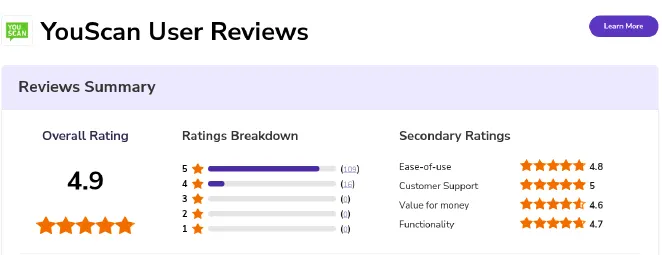
The Software Advice ratings summary for YouScan, with the star breakdown and four sub-scores.
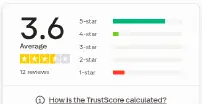
The Trustpilot score box for YouScan, built on 12 reviews.
Of the 125 Gartner reviewers, 39 name their field as advertising or marketing, and 10 as market research. 111 reviews carry an “Organic” label, 7 “Vendor-referred” and 7 “Incentivized”. 14 reviews share the date November 2018.
Praise from the past year
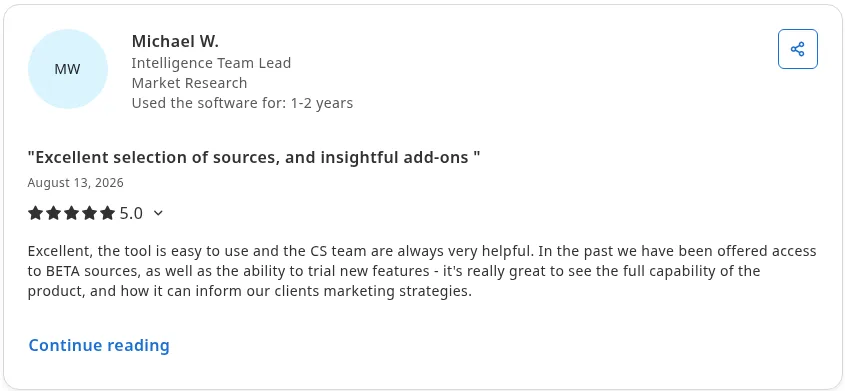
Capterra review, August 13, 2026.
TikTok data. Jack F., from a research firm with a staff of 11 to 50, wrote: “We originally subscribed to YouScan for its TikTok data, this is where it helps us the most” (via Software Advice, May 2026). Valdir U. pointed to “TikTok content and the ability of integrating Google Maps reviews” as sources he couldn’t get elsewhere (via Software Advice, Jun 2026).
Logo detection for a sponsor brief. Moa W. needed it for a client: “Our client brief explicitly included logo detection around series of sport events, and it was never going to be something we could sidestep” (via Software Advice, Jun 2026).
Account managers who build rules. Ann S. called the support “top-notch” (via Software Advice, Apr 2026). In hospitality, Erik S. said his account manager “recently implemented a custom rule to exclude neutral ratings and non-commented reviews” (via Software Advice, Apr 2026). Francisco M. rated the support “top-class” (via Capterra, May 2026). Michael W., an intelligence team lead in market research, wrote that “the CS team are always very helpful” (via Capterra, Aug 2026).
Copilot for research teams. Lubica J., who works in consumer goods, wrote that “Insights Copilot helps team to get to insights faster and improves the overall quality of outputs” (via Software Advice, Mar 2026). Alessandra P. said the feature “helps quickly retrieve information and supports high-quality qualitative analysis” (via Software Advice, Mar 2026).
Value next to the enterprise suites. Cesar C. put it this way: “The solution is as good as if not better than most enterprise listening tools and their pricing is even better” (via Software Advice, Jul 2026).
Audio in video. Silvia M. wrote in Spanish about “Su capacidad para detectar menciones en audio” (its ability to detect mentions in audio), which she tied to TikTok and YouTube (via Software Advice, Apr 2026).
The TikTok and logo praise carries the weight for me, because each reviewer ties it to a named brief. Note that logo and audio work both sit in paid modules, so these reviewers pay above the plan price.
What past-year reviewers flag
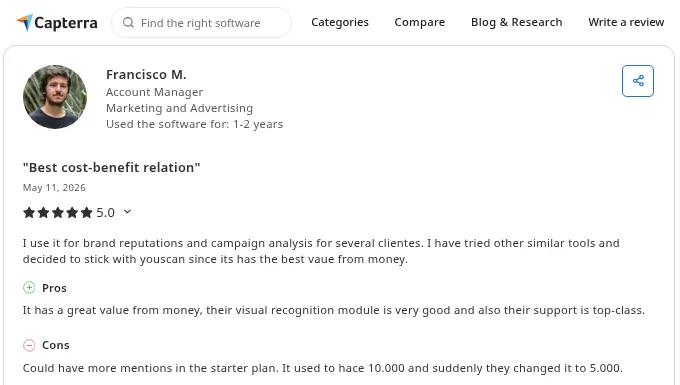
Capterra review, May 11, 2026.
Too few topics. Valdir U. wrote that “The number of queries (in all plans) is very limited, which implies combining several projects into one query” and that this “is not ideal for a medium or large operation, at least for agencies” (via Software Advice, Jun 2026).
A smaller Starter allowance. Francisco M. wrote: “It used to hace 10.000 and suddenly they changed it to 5.000” (via Capterra, May 2026). The archived Starter plan in the terms, open to existing clients only, still lists 10,000 per topic. An unnamed reviewer wrote in October 2026: “No me gusta que sea por limite de menciones su uso” (I don’t like that use depends on a mention limit) (via Software Advice, Oct 2026). Filipe P. wanted plans that are “more flexible in terms of pricing and number of mentions” (via Software Advice, Feb 2026).
Confusion over add-ons. Maggie W., in marketing and advertising, wished for “an understanding of which features need to be add-ons and topics” (via Software Advice, May 2026).
Slow collection. Laura P. wrote that it “Puede demorarse incluso 1 día en traer la información” (new data may arrive up to a day late) (via Software Advice, Aug 2026). Jack F. ran into “challenges with the time required for historical collection”.
Instagram and LinkedIn gaps. Alessandra P. said Instagram monitoring “depends on the presence of hashtags in posts and therefore narrows the overall monitoring scope.” Ann S. found it “inconvenient to have to re-authorize social media account access every three months”. Silvia M. wrote: “La cobertura de LinkedIn es muy acotada” (LinkedIn coverage is very narrow).
Noise in the matches. Giancarlo G. wrote: “I am searching for cars data, and gives some bikes data too” (via Software Advice, Feb 2026). Lubica J. found that “Visual insights often are too sensitive when reading the OCR and with that we usually get a lot of noise.”
Cost for small teams. Tomas C. wrote that “Pricing can also be a consideration for smaller teams” (via Software Advice, Jun 2026).
How far I trust these scores
I take the 4.9 to reflect support, sources and image work from teams that already pay. The 4.6 value score trails the other three sub-scores, and I think that’s the topic price showing through. The complaints I’d weigh first are about topic limits and mention allowances, because they come from agencies and research teams and the current terms still produce them. I give the Trustpilot pool little weight, since it has had no reviews in the past year.
How YouScan Lines Up Against Four Rivals
Each tool below answers a different YouScan problem. CommunityTracker surfaces people ready to buy inside online communities. Mentionlytics and Brand24 price text monitoring per keyword with a public list. Brandwatch goes the other way, with a bigger suite and no public price.
Capability | YouScan | CommunityTracker | Mentionlytics | Brand24 | Brandwatch |
|---|---|---|---|---|---|
Entry price per month | $499 | $39 | $49 | $199 | Not published |
Monthly billing | No | Yes | Yes | Yes | Not published |
Free tier offered | No | Yes | No | No | No |
Trial you can start alone | No | Yes | Yes | Yes | No |
Logo detection in photos | Yes | No | Yes | No | Yes |
Poster’s contact details | No | Yes | No | No | No |
Refund window in public | No | Yes | Yes | No | Not published |
YouScan, Mentionlytics and Brand24 prices here are yearly rates. CommunityTracker charges by the month, and sales sets up a yearly bill if you ask. YouScan’s logo recognition is a paid module, Mentionlytics keeps it for Business, its $624 tier, and Brandwatch keeps image analysis inside a quoted suite.
CommunityTracker for Teams That Want Buyers, Not Reports
When the threads you want are someone in r/SaaS or a Slack channel typing “what tool should I use for this?”, CommunityTracker is the alternative I’d test before YouScan. YouScan maps the sentiment around a brand. CommunityTracker hunts for the thread in which a person wants product suggestions in your space, rates how ready that person is to buy and gives you a first draft of your answer.
It pulls from GitHub, Hacker News, Indie Hackers, Slack, X, LinkedIn and Reddit, with only some blog and news coverage. Tier details live on CommunityTracker pricing. For outreach, I wrote up how I approach Reddit lead generation.
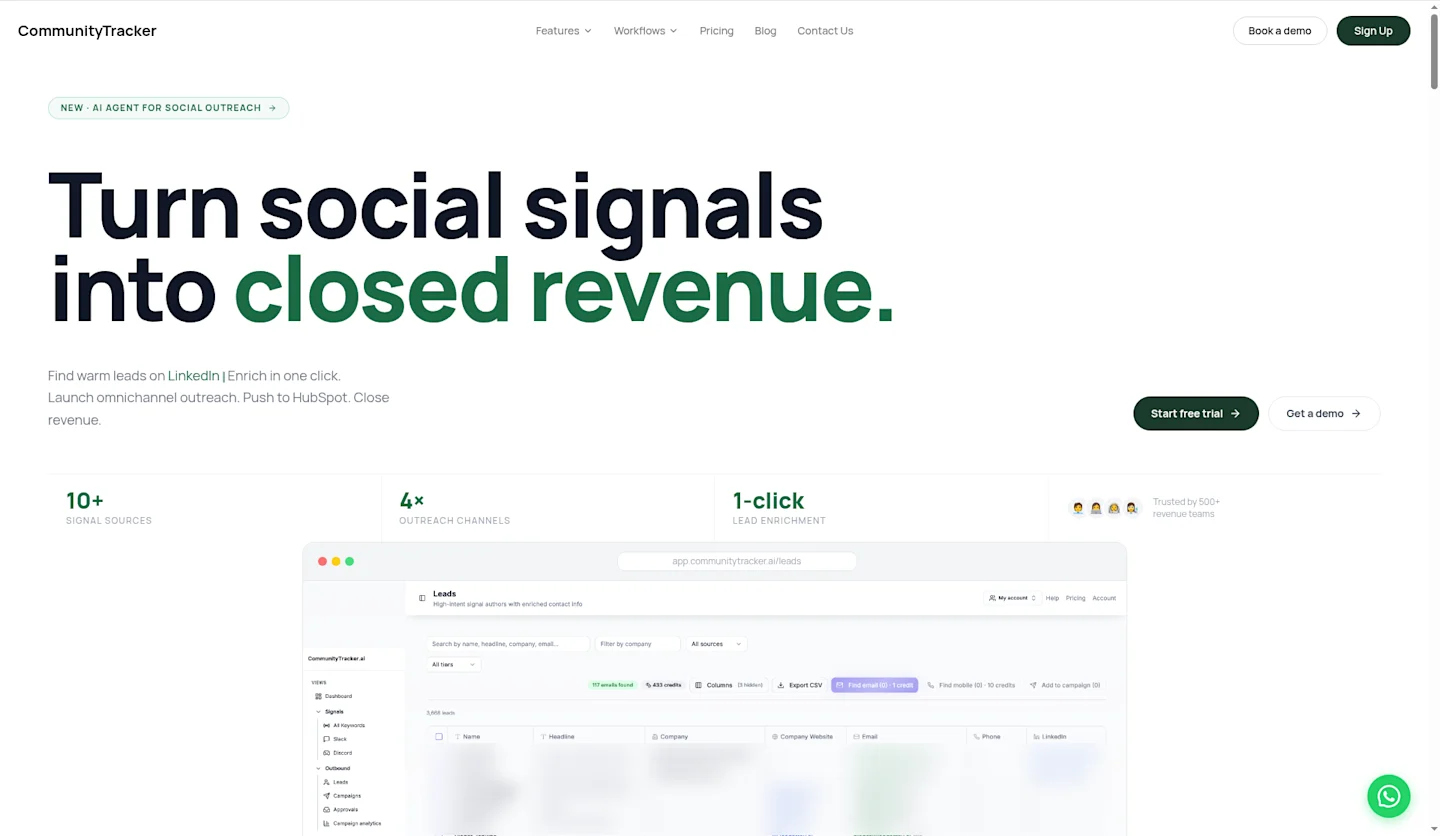
The CommunityTracker homepage; I’ve blurred each lead’s name and email address.
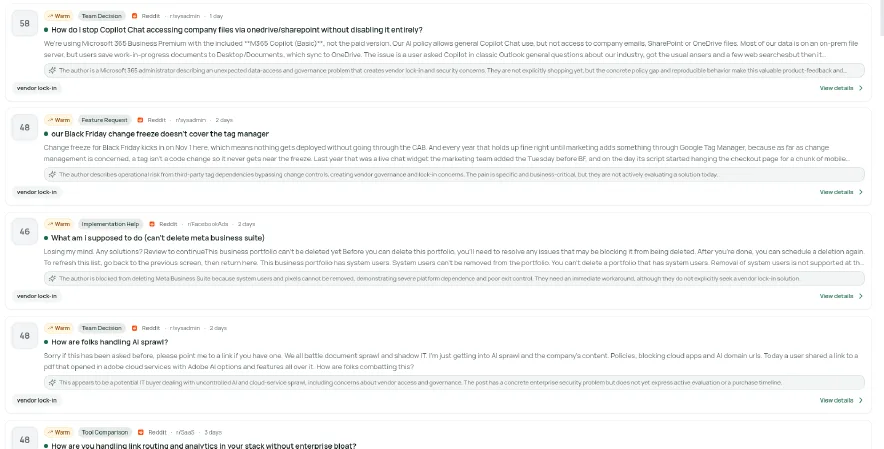
Scored Reddit posts inside CommunityTracker, with Warm tags on the likely buyers.
What you work with in CommunityTracker
Signal detection: it marks threads where people want a tool, a swap for their current one or a fix for a problem you solve.
AI scoring: a number on every post shows buying intent, and you sort by it.
Response generator: it drafts an answer that picks up the points in the post you’re replying to.
Warm emails: you get the poster’s contact details, capped at 100 monthly on Starter, with no ceiling on Pro or Advanced.
HubSpot hand-off: a lead lands in HubSpot together with the conversation it came from.
Share of voice: measured from Pro upward, and Advanced adds a way to export it plus tracking of AI visibility.
What each CommunityTracker tier costs
Free ($0): 1 Reddit keyword with daily alerts.
Starter ($39 a month): 4 keywords across Reddit, LinkedIn, Hacker News and GitHub, 5,000 mentions and up to 100 warm emails a month.
Pro ($99 a month): 10 keywords on all communities, unlimited mentions and warm emails, AI scoring, share of voice and daily Slack alerts, with a 3-day trial.
Advanced ($199 a month, talk to sales): 20 keywords, community intelligence, AI visibility and a share of voice exporter.
CommunityTracker charges you by the month, sets up a yearly bill on request and lets you stop paying whenever you want, where YouScan wants a year up front and won’t let you move down a tier.
Where CommunityTracker beats YouScan
Pro is $400 a month cheaper than YouScan Starter, and it keeps collecting with no mention ceiling. Slack groups are in its source list; YouScan doesn’t read them. You spot the buyer, get the email and write your opener without leaving the app, so there’s no second outreach tool to pay for. With monthly billing, getting your keyword count wrong costs you one month at most.
CommunityTracker’s gaps next to YouScan
Daily alerts on every plan, with Slack delivery from Pro.
Partial news and web coverage.
CommunityTracker reads text only: it has no logo recognition, no audio transcripts and no TikTok, so a visual brief stays on YouScan. It doesn’t collect app store or hotel reviews either, so you’d need another tool for those. Say your buyers are founders or ops leads who ask other people on Reddit what to buy. Then I’d add CommunityTracker alongside YouScan, or replace YouScan with it. Point the free tier at one Reddit keyword, wait seven days, and count the posts you’d answer. Ask within 14 days and CommunityTracker returns your first payment if that count disappoints you. If logos or TikTok audio drive your report, keep YouScan for that job.
Mentionlytics in Place of YouScan
Mentionlytics fits a team whose brief is text: brand mentions, sentiment, and how often you come up against a few named rivals. Mentionlytics lists every price, lets you pick monthly or yearly billing, and lets you trial it for two weeks before any card details go in. My Mentionlytics review covers its quota rules in depth.
The comparison that matters is volume for the money. On a yearly contract, $499 a month buys 15,000 YouScan mentions over 3 topics. Mentionlytics Essential gets you the same 15,000 over 10 keyword rules for $141, which works out to $9.40 per 1,000 mentions. Mentionlytics Advanced, which runs $299 on monthly billing and $249 on annual billing, raises that to 50,000 mentions and 15 rules with unlimited users, about $4.98 per 1,000.
Three things count against it next to YouScan. You get 2 logins on Basic and 10 on Essential, while YouScan doesn’t limit seats. Neither of those two tiers sells top-up mentions, so collection pauses at the quota and resumes on your next billing date; Advanced and higher tiers let you add 10,000 more for $10. Image and video analysis only arrive on Business, which costs $624 monthly when billed for the year.
Refunds are the other gap between the two. Cancel a yearly Mentionlytics plan inside 14 days and the whole fee comes back; between days 15 and 30 you get part of it. YouScan gives none. If you’re unsure of your keyword count, that window limits what a mistake costs.
I’d choose Mentionlytics Advanced over YouScan Starter for a one-brand team with 4 to 15 queries and no image brief.
Brand24 Against YouScan
Brand24 sells on a public price list and a trial you start alone, two things YouScan doesn’t give you. It shares YouScan’s stance on refunds: Brand24 won’t refund subscription fees, except where the law or your signed contract requires it. Exceed the monthly mention limit and Brand24 bills you overage.
Brand24 plan | Yearly price per month | Monthly price | Keywords | Mentions a month |
|---|---|---|---|---|
Individual | $199 | $249 | 3 | 2,000 |
Team | $299 | $349 | 7 | 10,000 |
Pro | $399 | $499 | 12 | 40,000 |
Business | $599 | $699 | 25 | 100,000 |
Enterprise | From $1,499 | Not published | Not published | Not published |
Pro is the plan to set against YouScan Starter. For $100 a month less, both billed yearly, you get 40,000 mentions instead of 15,000 and 12 keywords instead of 3 topics, about $9.98 per 1,000. Team adds unlimited users, so the seat question that favours YouScan goes away from that tier up.
The catch for a YouScan buyer is visual data. Brand24 can’t read logos on any tier. TikTok arrives on Team, review sites with Pro and podcasts only with Business, and API access adds $149 to each monthly bill. You can try Brand24 for 14 days without entering a card. My Brand24 review goes through the source tiers plan by plan.
I’d pick Brand24 Pro if you track text and video titles and want the price posted before any demo. Count your mentions over the 14-day trial first, since you pay overage past 40,000.
Brandwatch Against YouScan
Brandwatch moves in the opposite direction from the other three. You get a bigger suite and a longer archive, and you lose the public price. Brandwatch claims an archive of consumer opinion bigger than any rival’s. Brandwatch claims an archive back to 2008. Its lineup has three products (Consumer Intelligence, Influencer Marketing, Social Media Management), each sold through a demo.
For a YouScan buyer, the overlap is image analysis. Consumer Intelligence at Brandwatch detects logos and objects in photos without a module fee, where YouScan sells Visual Data Analysis as a module. Iris, its AI assistant, does the summary work that Insights Copilot does in YouScan.
The trade-off is budget certainty. Brandwatch shows no prices and has no self-started trial, so comparing it with YouScan takes two rounds of sales calls. If price is what brought you to YouScan, Brandwatch takes you further from it.
Before you book both demos, I’d send each vendor the same topic list and the same image brief, and request quotes that price each module. Then compare the two Order Forms line by line, including refund and downgrade terms. My Brandwatch review covers its plans in more detail.
Picking YouScan or a Rival for Your Situation
Your report counts logos, scenes or audio: book the YouScan demo, and get Visual Data Analysis or Audio Monitoring priced on the Order Form. Brandwatch is the second quote to request.
You track 3 text topics or fewer and want one known price: YouScan Starter fits, though Mentionlytics Essential or Brand24 Pro give you more mentions per dollar.
You track 4 to 15 text queries on one brand: start a Mentionlytics Advanced trial before any YouScan call.
You might cancel within a month: take Mentionlytics on a yearly bill, which refunds inside 30 days. Brand24 and YouScan both treat fees as non-refundable.
You want buyers, not reports: try the CommunityTracker free tier with a single Reddit keyword, then review the results after seven days.
Your topic count may drop next year: avoid a yearly YouScan contract, since the terms bar downgrades.
Whichever row fits you, write out every topic you’d track, mark the ones that need image or audio data, and send that list with any demo request. Don’t sign until the Order Form matches the quote.
YouScan Questions Buyers Ask
Is YouScan worth the money?
Yes, if your brief needs logo recognition, TikTok coverage or audio transcripts and each module has a price on paper ahead of signing. If you only track text, you can get 15,000 monthly mentions on Mentionlytics Essential for $141 a month, paid yearly.
What will YouScan charge me?
Starter is $5,988 a year, paid in advance. That covers 3 topics, with up to 15,000 mentions collected per month. Listen, Analyze and Enterprise are quote-only, and the 14 modules carry separate fees.
Does YouScan offer a free trial?
You get a trial account after a demo request. YouScan doesn’t say how long trials last and offers no free tier, so bring your topic list to that call and ask for the trial to run on those topics.
Does YouScan pay back unused months?
No. Under the terms, you can’t cancel what you’ve agreed to pay, nothing is refunded, and quitting early doesn’t return the unused months. Only EU consumers have a 14-day window to back out.
Can you downgrade a YouScan plan?
No. YouScan’s terms bar any switch that lowers your topic count or feature set. Sign for as few topics as you can manage and add more later.
How many topics does YouScan Starter include?
Starter has 3 topics with a 5,000-mention monthly limit each and 30 days of back data. You can’t add a fourth topic on Starter.
Does YouScan monitor Instagram and Facebook?
In part. On Instagram, keywords only match as hashtags, and you get full feeds only from authorized business or creator accounts. Facebook channels take public Pages only. You renew the Meta link every 60 days.
Which YouScan alternative costs less?
For text, look at Mentionlytics Essential ($141 a month, yearly) or Brand24 Pro ($399). For buyers posting on Reddit and in Slack, CommunityTracker offers a Free tier, and $99 a month buys its Pro plan.