5 Best Discord Monitoring Tools in 2027
Discord monitoring tools for 2027: which bot logs deleted messages, which one tracks activity, what each costs, where each one breaks, and the one I'd start with.
Adarsh Kumar
GTM Expert
Founder — CommunityTracker, Miraa.io, and Infraboxes
You’re looking for Discord monitoring tools because a member just asked why a post was deleted, nobody saved the text, and the channel has already moved on.
Teams are now being asked for a record of deleted messages and member activity, and they are finding that the channel as it stands today is not enough to settle a dispute.
I’m sure you’ve tried Discord’s Server Insights, a pinned log channel, or a free Dyno or Carl-bot install. Insights skips smaller servers, a pin does not catch deletions, and a bot you add after the fact cannot recover a message it never saw.
I’m ranking these five by what they log, whether the price is public, and whether they work on a server you already run. Start at the top when activity stats are the first job.
TL;DR: The 5 Discord Monitoring Tools I’d Use
Statbot - Best for server owners who want per member and per channel activity stats without paying on day one
Carl-bot - Best for mod teams that want deleted, edited and join logs split across channels in one command
Dyno - Best for servers that want an action log plus a yearly premium plan under $40
MEE6 - Best for servers already running MEE6 that want audit logs in the same dashboard
Common Room - Best for B2B teams that need Discord members matched to accounts and pipeline
I’d start with Statbot. It tracks messages and voice per user and channel for free, it works on servers under Discord’s 500-member Server Insights minimum, and you buy add-ons one at a time.
Straight Answers to the Questions You Searched
Which Discord monitoring tool should I start with? Statbot if you want activity numbers. Carl-bot if you want a log of what changed.
How do I see deleted messages in Discord? Add a logging bot before the message gets deleted. Carl-bot, Dyno and MEE6 all post deleted messages to a log channel you choose. A bot can only log a message it saw, so set one up now, not after the next dispute.
Can a bot tell me who deleted a message? Not from the deletion event. Dyno can’t log who deleted a message, because Discord limits what the bot sees. For mod actions, MEE6 and Carl-bot keep moderation logs that show which moderator acted.
How do I track members joining and leaving? Turn on the join and leave events in Carl-bot, Dyno or MEE6. Dyno also lists the roles a member had when they left.
Do I get analytics beyond Discord’s Server Insights? Yes, from Statbot. Server Insights isn’t available to servers under 500 members, and Statbot tracks per member and per channel data that Insights doesn’t.
Is there a free option? Yes. Statbot’s core tracking is free, and Dyno’s Action Log runs on the free bot with a smaller message cache.
Can I monitor a server I don’t run? No. Every tool here works through a bot, and Discord requires Administrative or Manage Server permissions to add a bot.
Do logs arrive in real time? Close to it. MEE6 posts logs in batches every 1 to 5 minutes, and Common Room imports new activity within a few minutes.
Can I tie Discord members to accounts in my CRM? Common Room is the one built for that, starting at $2,500 a month on an annual contract.
What Each Tool Watches
Tool | Deleted and edited messages | Joins and leaves | Per member activity stats | Ties members to companies | Free to start |
|---|---|---|---|---|---|
Statbot | No | No | Yes | No | Yes |
Carl-bot | Yes | Yes | No | No | Yes |
Dyno | Yes | Yes | No | No | Yes |
MEE6 | Yes | Yes | No | No | Yes |
Common Room | No | No | No | Yes | No |
Read the “No” cells as a reason to run two tools. Most servers I’d set up pair Statbot for numbers with one logging bot for the record.
Pricing at a Glance
Tool | Free tier | Paid entry point | Billing | Limit that bites first |
|---|---|---|---|---|
Statbot | Tracking per user and channel | Pick add-ons one at a time | Not published | Stats older than 30 days need History |
Carl-bot | Free tier, 250 reaction roles | Premium | Patreon or Discord, price Not published | Other bots’ bans in your mod log need Premium |
Dyno | Action Log | Standard, $39.99 a year | Monthly or yearly | 10 cached messages per channel on free |
MEE6 | Free plan | Monthly, $11.99 list | Monthly, yearly or lifetime | One log channel for every event |
Common Room | None | Essential, $2,500 a month | Annual | 15 days of Discord history on import |
If you want a paid plan with a public price, go straight to Dyno and its yearly plan.
1. Statbot
You run a server with a few thousand members and someone on your team asks which channels people use. Discord’s own answer is Server Insights, and Insights isn’t available below 500 members. Statbot gives you the numbers either way. It tracks messages and voice per user and channel, and it lets you filter the data. All of that is free.
I rank it first because that free layer covers the first question I’d ask about any server: who shows up, where, and when. You see the stats through the bot, through channel counters, or through a dashboard you can open to your team and members.
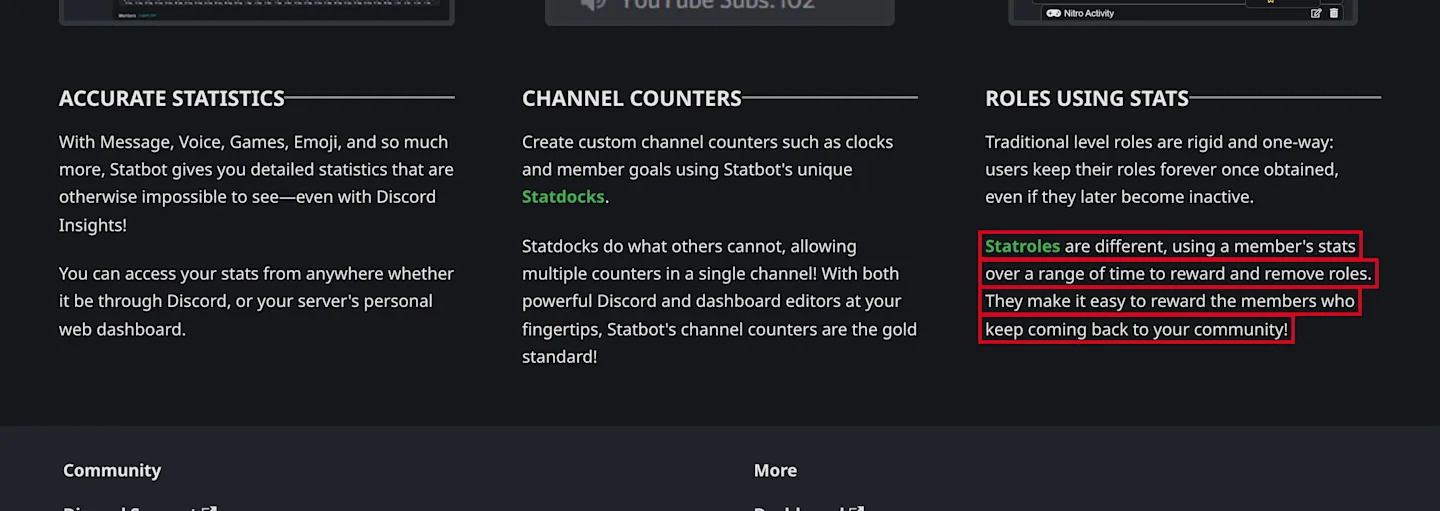
Statbot docs: Statroles hand out and take back roles based on a member’s stats over time, so your role list follows who is active now.
Who it’s for
Owners and mod leads who want activity by member, channel and hour.
Servers under 500 members that can’t open Server Insights.
Teams that want counters such as member goals and clocks in channel names.
What you pay
Statbot doesn’t sell tiers. You build your own subscription from add-ons such as History, Data+, Statdocks+ and Statroles+, and you pay only for those. Prices sit behind a login, so open the premium page with your server before you plan a budget.
Two limits drive the first upgrade:
Stats older than 30 days need History.
Without Statroles+, you get 4 Statroles, message and voice conditions only, updated once every 3 hours.
Pros
I’d judge Statbot on its free tier before its stars. It holds 3.91 out of 5 from 32 reviews on top.gg, where its listing shows 863,653 servers.
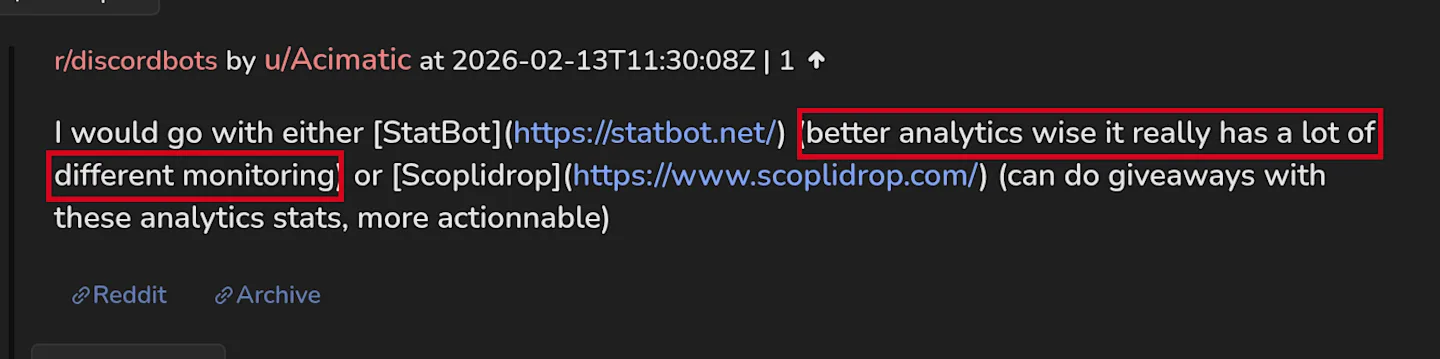
u/Acimatic on r/discordbots, February 13, 2026. A server owner asked for an analytics bot for a large server, and the first pick in the reply was Statbot.
Monitoring range. u/Acimatic recommends it as “better analytics wise it really has a lot of different monitoring” (Reddit, February 13, 2026).
Free tracking per member and channel, with filters.
Covers servers too small for Server Insights.
Three ways to read the stats: bot commands, channel counters, dashboard.
Cons
No message log. It counts activity, so pair it with a logging bot.
History past 30 days is a paid add-on.
Add-ons depend on each other. Plan which ones you need before you buy the first.
Prices aren’t public without a login.
Server Insights still shows channel reads and member regions, and no bot can pull those.
Where it stops
The day a mod asks what a deleted message said, Statbot has no answer. Add Carl-bot next to it.
2. Carl-bot
If you only install one logging bot, make it Carl-bot. One command, /log aio, creates a category, fills it with five channels and splits your logs across them. You skip the channel setup and your mods know where to look.
It logs deleted messages, edits, bulk deletions, posted invites, role changes, bans, timeouts, joins, leaves, name changes, channel and role changes, and voice joins, moves and leaves. You can ignore channels or members, so your staff room doesn’t flood the log.
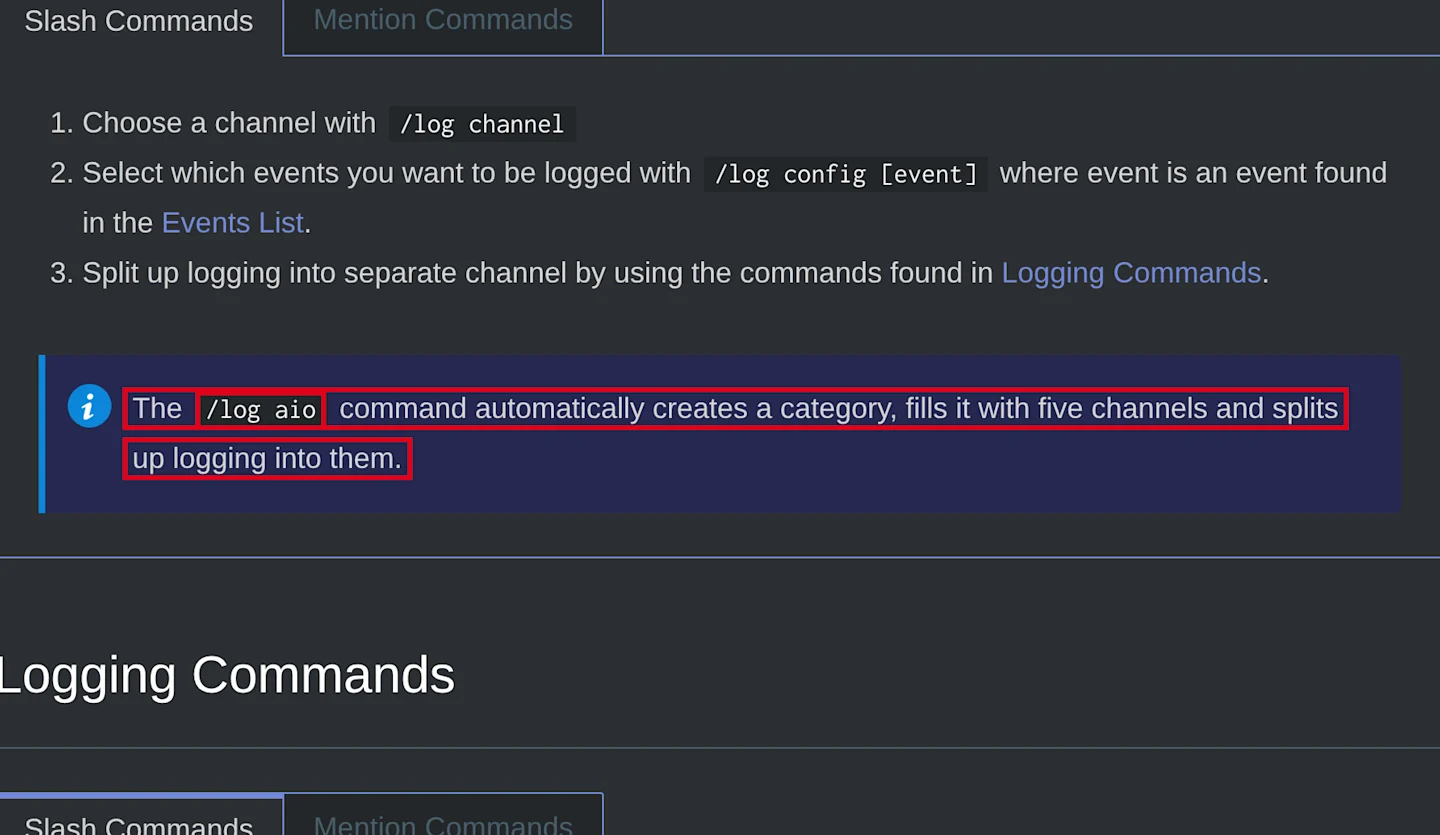
Carl-bot docs: one command builds the whole log layout, which is why I’d hand this bot to a new mod team first.
Setup in practice
/log channelsets the default log channel./log configtoggles each event.Separate channels for messages, members, joins, server changes and voice keep each log readable.
Every logging command needs Manage Server, so only your admins can change what gets logged.
Pros
I’d pick Carl-bot for the logs alone. It holds 3.14 out of 5 from 596 reviews on top.gg, and by its own count 15,523,231 servers run it.
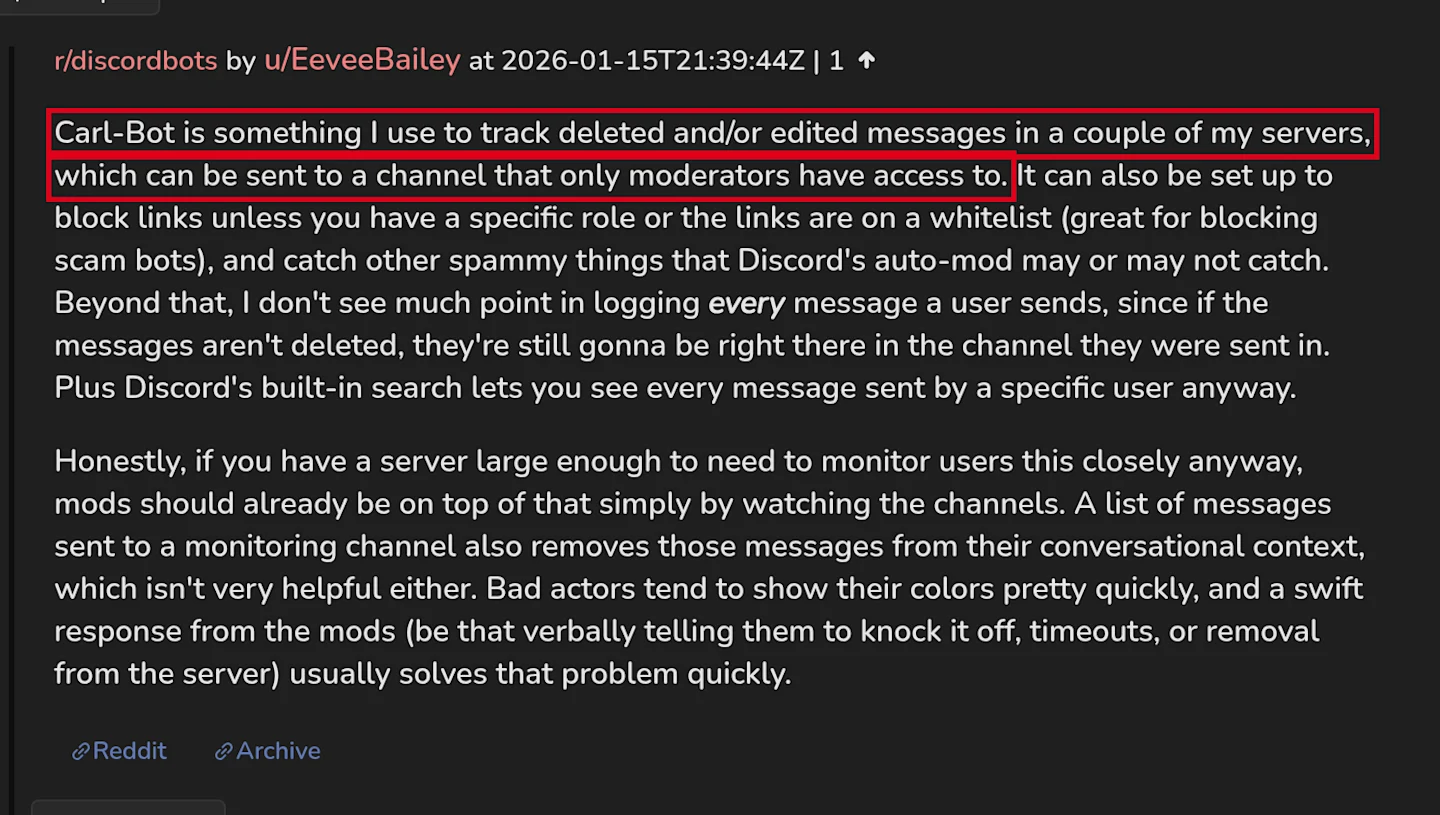
u/EeveeBailey on r/discordbots, January 15, 2026. This is the job I’d buy Carl-bot for: deleted and edited messages in a channel only your mods see.
Mod-only log channel. u/EeveeBailey wrote: “Carl-Bot is something I use to track deleted and/or edited messages in a couple of my servers, which can be sent to a channel that only moderators have access to.” (Reddit, January 15, 2026).
Picked over MEE6. u/saltshani1 wrote “Carl-bot is the better choice between the two.” (Reddit, April 7, 2026).
One command sets up five log channels.
Ignore lists keep staff channels out of the log.
Settings export and import, so you can copy a log setup to a second server.
Cons
You may not want every message logged. u/EeveeBailey also wrote: “I don’t see much point in logging every message a user sends” (Reddit, January 15, 2026).
No activity stats by member or channel.
Role order can trip you up. u/ayrasumi warns: “If it’s below, Carl-bot silently does nothing and you get no error message to explain why.” (Reddit, October 19, 2026).
Bans handed out by other mods or bots show in your moderation log only on Premium.
When I’d pick something else
If your mods already live in another bot’s dashboard, don’t add Carl-bot for logs alone. Turn on that bot’s log instead.
3. Dyno
Say your server gets a wave of scam posts and your mods delete them fast. You want a record of what got deleted and where. Dyno’s Action Log gives you that, plus joins, leaves, role changes, bans, timeouts, channel changes, emoji changes and voice moves.
Setup runs through the dashboard. You enable Action Log, pick a log channel, tick the events, and choose which channels and roles to ignore. Dyno needs Manage Webhooks, View Channel, Send Messages and Read Message History in that channel.
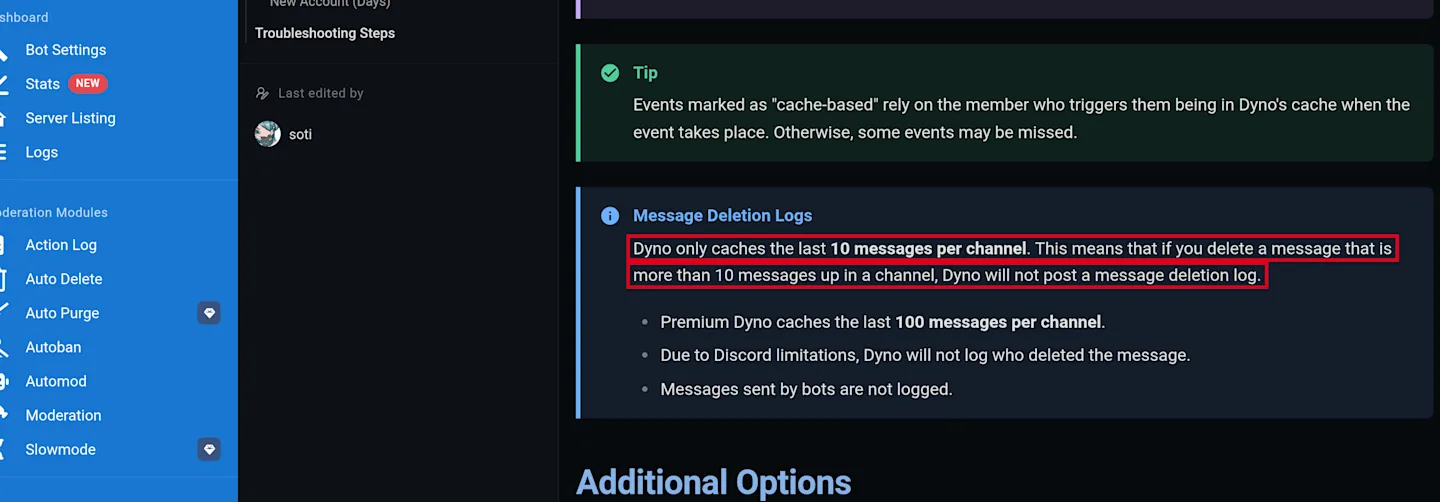
Dyno docs: the free bot caches 10 messages per channel and Premium caches 100, so on a busy channel the deletion log misses older posts unless you pay.
The cache catch
Free Dyno caches the last 10 messages per channel. Delete one further up and no log gets posted.
Premium raises that to 100.
Dyno won’t log who deleted a message, because of a Discord limitation.
Messages from bots don’t get logged.
During a raid, logs can back up behind Discord rate limits.
Pricing
Standard: $39.99 a year.
Premium: $39.99 a year, adds social feeds such as Twitch, YouTube, TikTok, Reddit and Kick.
Custom: $79.99 a year for your own branded bot.
Annual billing saves you 2 months against monthly. Non-profit communities can apply for free premium. Paid plans add multiple log channels, so budget for Standard if you want logs split.
Pros
Dyno wins on breadth, not memory. It holds 4.37 out of 5 from 376 reviews on top.gg, and its listing shows 11,649,927 servers.
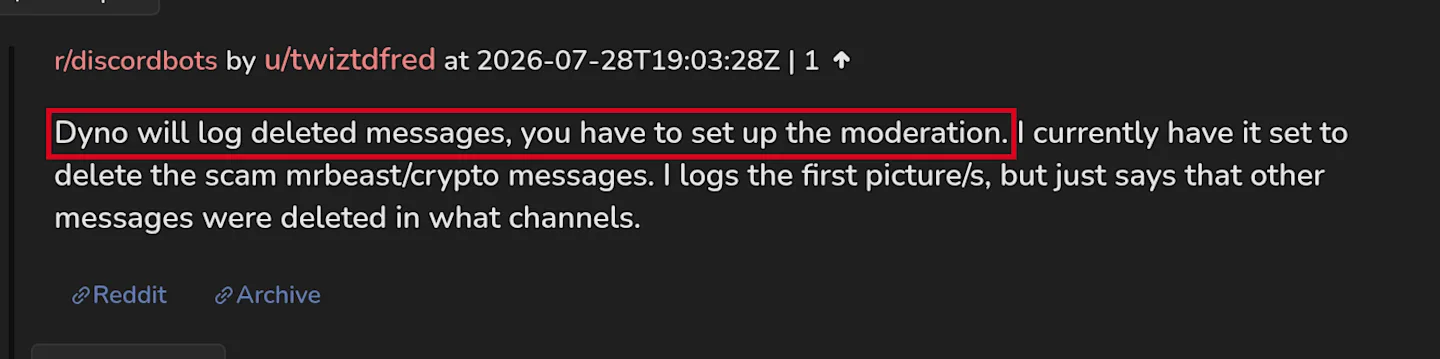
u/twiztdfred on r/discordbots, July 28, 2026. Dyno logs the deletions your automod makes, which is the record you want after a scam wave.
Logs deletions from your own automod. u/twiztdfred wrote: “Dyno will log deleted messages, you have to set up the moderation.” (Reddit, July 28, 2026).
Covers the audit basics. u/StalkingJay uses Carl-bot or Dyno to “know who entered the server, who left, edited/deleted messages, joining or leaving VC, roles and channels created etc.” (Reddit, September 19, 2026).
A paid plan at $39.99 a year, with the price on a public page.
Member Leave logs include the roles the member had.
Cons
Bulk deletions log thin. u/twiztdfred adds that it “just says that other messages were deleted in what channels.” (Reddit, July 28, 2026).
10 cached messages per channel on the free bot.
No record of who deleted a message.
Cache-based events can be missed when the member isn’t in Dyno’s cache.
The invite log filter is disabled across Dyno for now.
When to pay for Dyno
The free cache is too short for any channel that moves fast, so pay the $39.99 a year. If you only need logs on quiet channels, stay on free.
4. MEE6
Already running MEE6 for levels or welcome messages? Then you don’t need a second bot for logs. Open the Moderator plugin, go to Audit Logging and pick one channel for every log.
It tracks mutes, bans and unbans, edited and deleted messages, posted invites, nickname changes, joins and leaves, role changes, voice joins and leaves, server edits, emoji updates and channel changes. You can skip bot actions and ignore channels you don’t want logged.
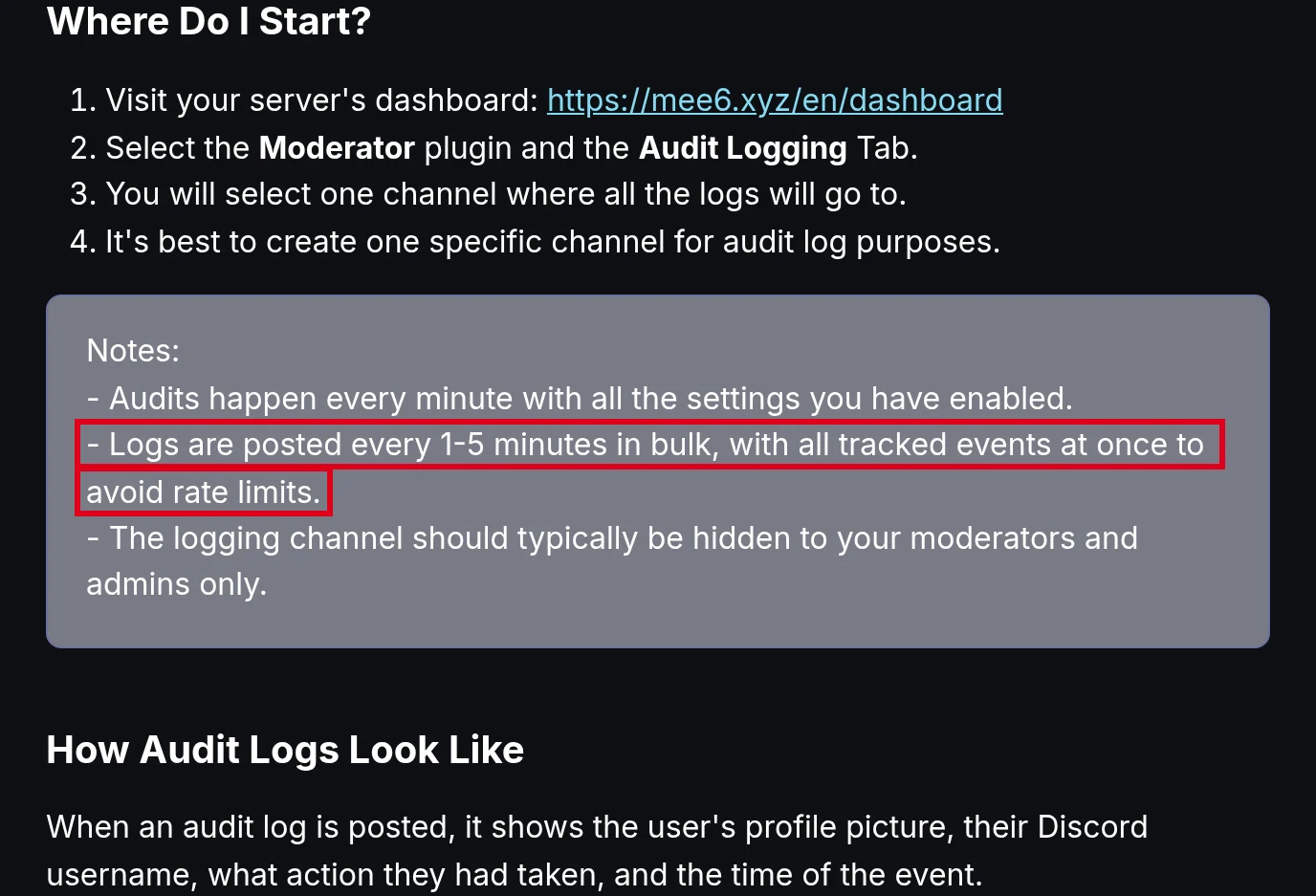
MEE6 help center: logs post in batches every 1 to 5 minutes, so a mod who reacts within the minute won’t see the log yet.
How the logs arrive
MEE6 audits every minute and posts logs in bulk every 1 to 5 minutes to stay under rate limits.
Everything lands in one channel you choose.
Each entry shows the member’s avatar, username, the action and the time.
MEE6 recommends hiding the log channel from everyone except mods and admins.
Price
List prices: $11.99 a month, $49.99 a year after the first year, or $89.99 for lifetime. Sale prices come and go on that page, so check what your first payment is before you pay. Every plan is refundable for 7 days and transferable to another server.
Pros
Expect the score to reflect the whole bot, not the log. MEE6 holds 4.8 out of 5 from 7,371 reviews on Trustpilot, and MEE6 puts its own server count above 21 million.
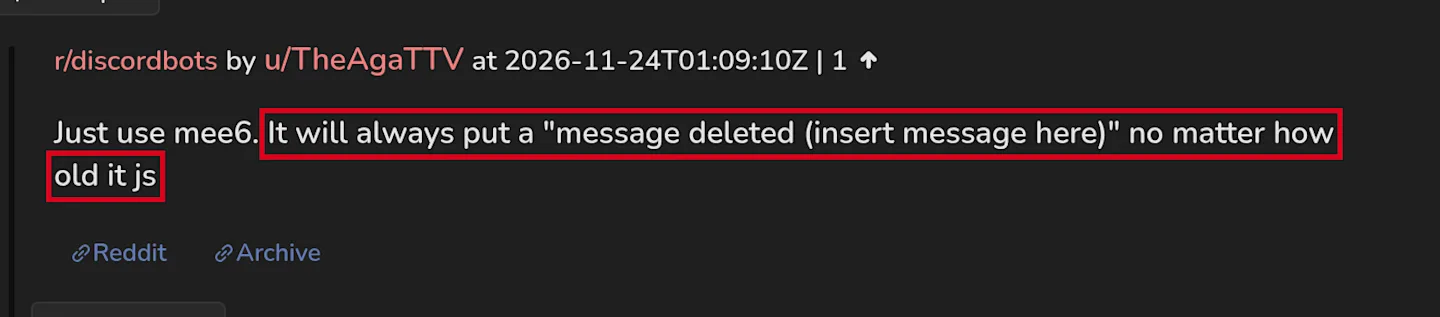
u/TheAgaTTV on r/discordbots, November 24, 2026. A member asked whether a bot logs deletions of old messages, and this reply pointed to MEE6, which you already have if MEE6 runs your server.
Deleted message logs. u/TheAgaTTV wrote: “It will always put a”message deleted (insert message here)” no matter how old it js” (Reddit, November 24, 2026).
Logs and other plugins share one dashboard.
Tracks which moderator took an action, which helps when mods review each other.
7-day refund on every plan.
Cons
One log channel for everything. Carl-bot and Dyno let you split logs.
Batched posting means a 1 to 5 minute delay.
A paywall complaint. u/ayrasumi wrote: “MEE6 puts most of its useful role features behind premium” (Reddit, October 19, 2026).
Losing to Carl-bot on logging. u/saltshani1 picked Carl-bot over MEE6 for automod, logging and reaction roles (Reddit, April 7, 2026).
Keep it or skip it
Keep MEE6 for logs if it already runs your server. Don’t install it for logs alone. Carl-bot splits them across channels.
5. Common Room
Every tool above tells you what happened in your server. Common Room tells you who those members are and which accounts they belong to. That’s a GTM question, and it’s the only reason I’d pay this much.
The Discord integration pulls posts, replies, reactions and roles from text and forum channels on every plan. New activity shows up within a few minutes. On first connect, it imports the last 15 days of server activity, and more history goes through sales.
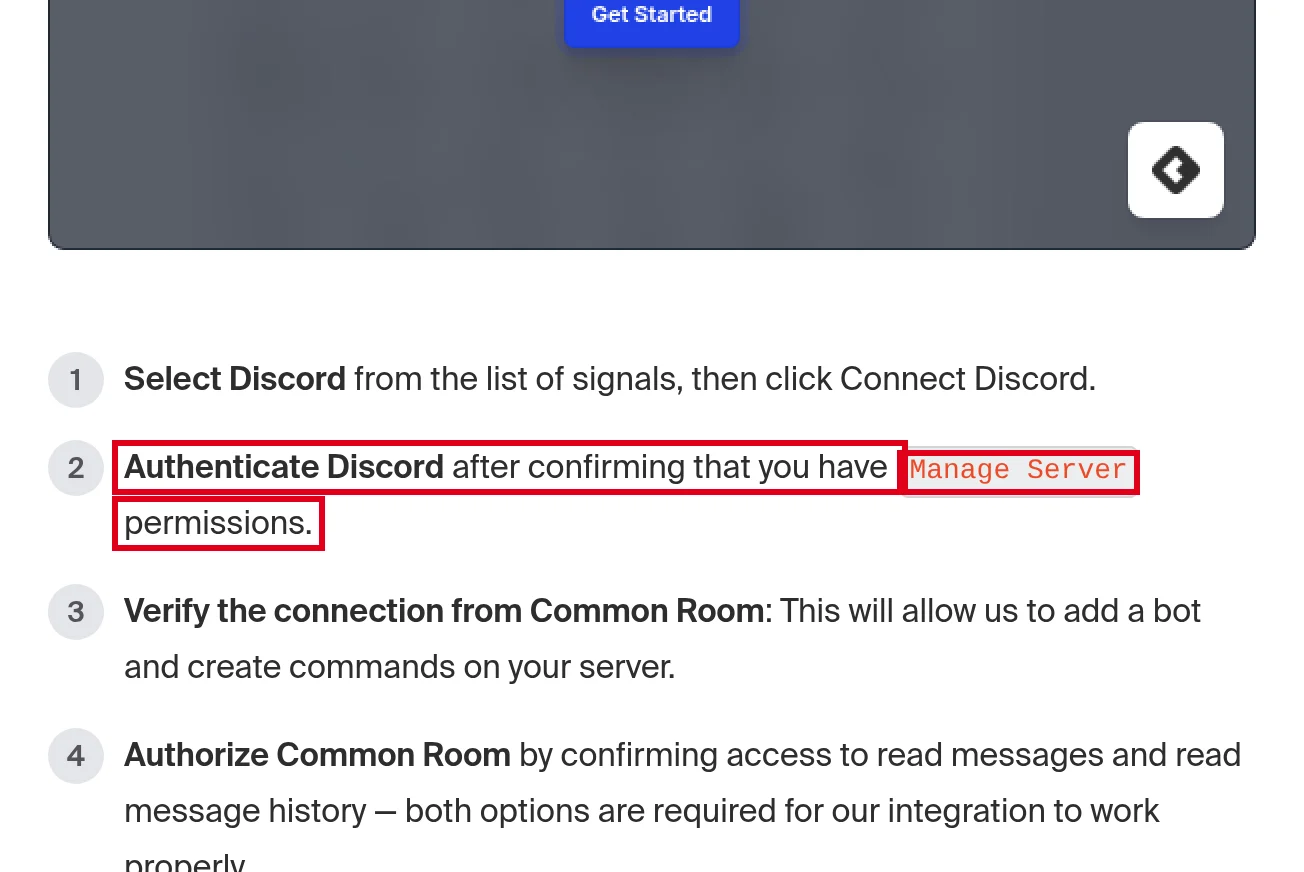
Common Room docs: you need Manage Server to connect, so loop in your server admin before the sales call, not after.
What it pulls from Discord
Posts, replies, reactions and roles across configured servers.
New activity within minutes.
15 days of history on import.
Discord members come in without email addresses. Common Room’s email verification workflow sits on Team and Enterprise plans.
The bill
Essential runs $2,500 a month on a yearly bill, with 5 seats and room for 100k contacts.
Advanced and Enterprise: custom.
Pros
Read the reviews for what Common Room does across channels, since the review I quote talks about ABM, not Discord. It scores 7.6 out of 10 from 10 reviews on TrustRadius.
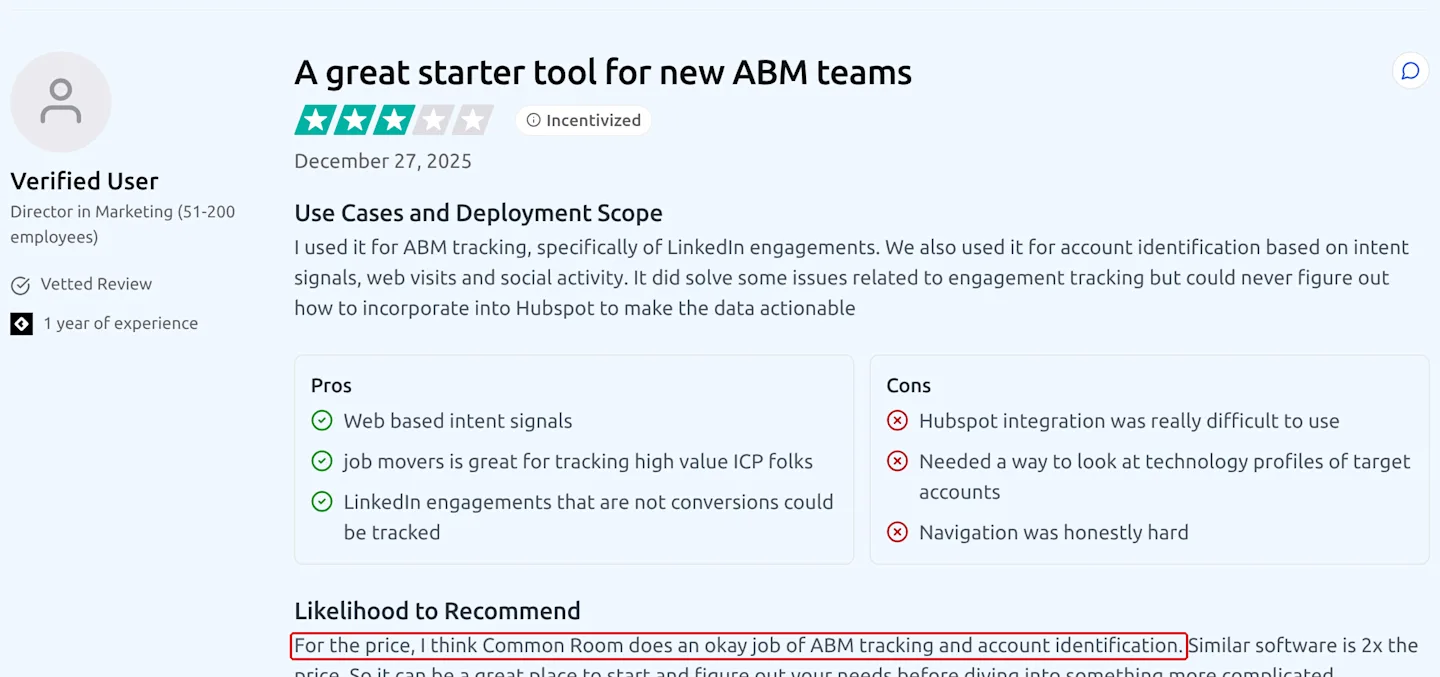
TrustRadius review, December 27, 2025, Incentivized. A marketing director rates it 6 out of 10 and calls it a place to start for ABM tracking, which is how I’d frame the contract.
Account identification. A marketing director wrote: “For the price, I think Common Room does an okay job of ABM tracking and account identification.” (TrustRadius, December 27, 2025; Incentivized).
Discord sits next to your web, product and social signals in one record.
Discord integration on every plan.
Activity lands within minutes.
Cons
$2,500 a month on an annual contract before you see a signal.
Discord members arrive without email, and verification needs Team or Enterprise.
CRM handoff hurts. The same reviewer wrote: “Hubspot integration was really difficult to use” (TrustRadius, December 27, 2025; Incentivized).
Onboarding help can lag. A sales reviewer wrote: “We tried to reach out to their team but we didn’t get much help until later in the process.” (TrustRadius, December 27, 2025; Incentivized).
Who should skip it
If your Discord is a support or fan community and nobody on your team sells to its members, skip it. Read my Common Room review before you book the demo.
How I’d Choose
Answer these in order and stop at the first “no”:
Question | Why it matters on Discord |
|---|---|
Do you need a record of deleted and edited messages? | A bot can only log what it saw before the delete |
Do you need activity by member and channel? | Server Insights needs 500 members and skips per member data |
Do you sell to the people in your server? | Only a GTM platform ties members to accounts |
Will you pay per year? | Yearly plans cut the bill on Dyno and MEE6 |
By the job you need done:
You want to know who is active and where: Statbot.
You want a log your mods can search, set up in one command: Carl-bot.
You want a log plus a paid plan under $40 a year: Dyno.
You already run MEE6: turn on its audit log.
You sell to members and need them in your CRM: Common Room.
By budget:
$0: Statbot for stats plus Dyno’s free Action Log.
Under $100 a year: Dyno Standard at $39.99, or MEE6 yearly.
$2,500 a month and up: Common Room on an annual contract.
Run one check before you switch anything. Delete a test message in a busy channel and see if your current bot logs it. If it doesn’t, you know which gap to fill.
If your community runs on Slack as well, read how to monitor Slack communities. For the metrics side, see my guide to community engagement analytics.
Finding Buyers Outside Your Own Server
The five tools above watch a Discord server you run. CommunityTracker is not a server-log bot, and it does not belong in that list. It will not log deleted messages, joins, or channel activity on a server you moderate.
If, after that server record is in place, you still need buying-intent threads on Reddit, LinkedIn, Hacker News and GitHub, then scored leads and outreach, I’d add it for that job. CommunityTracker is a GTM tool.
It covers a fixed set of official communities. The $39 Starter plan, billed monthly, covers four sources: Reddit and LinkedIn, then Hacker News and GitHub. Moving to Pro or Advanced opens the remaining official communities. There, a post is scored when a person requests a product in your category, vents about the tool they use, or weighs a shortlist. Every post gets an intent score. Signals land as Hot, Warm or Watch, and each one carries a reason.
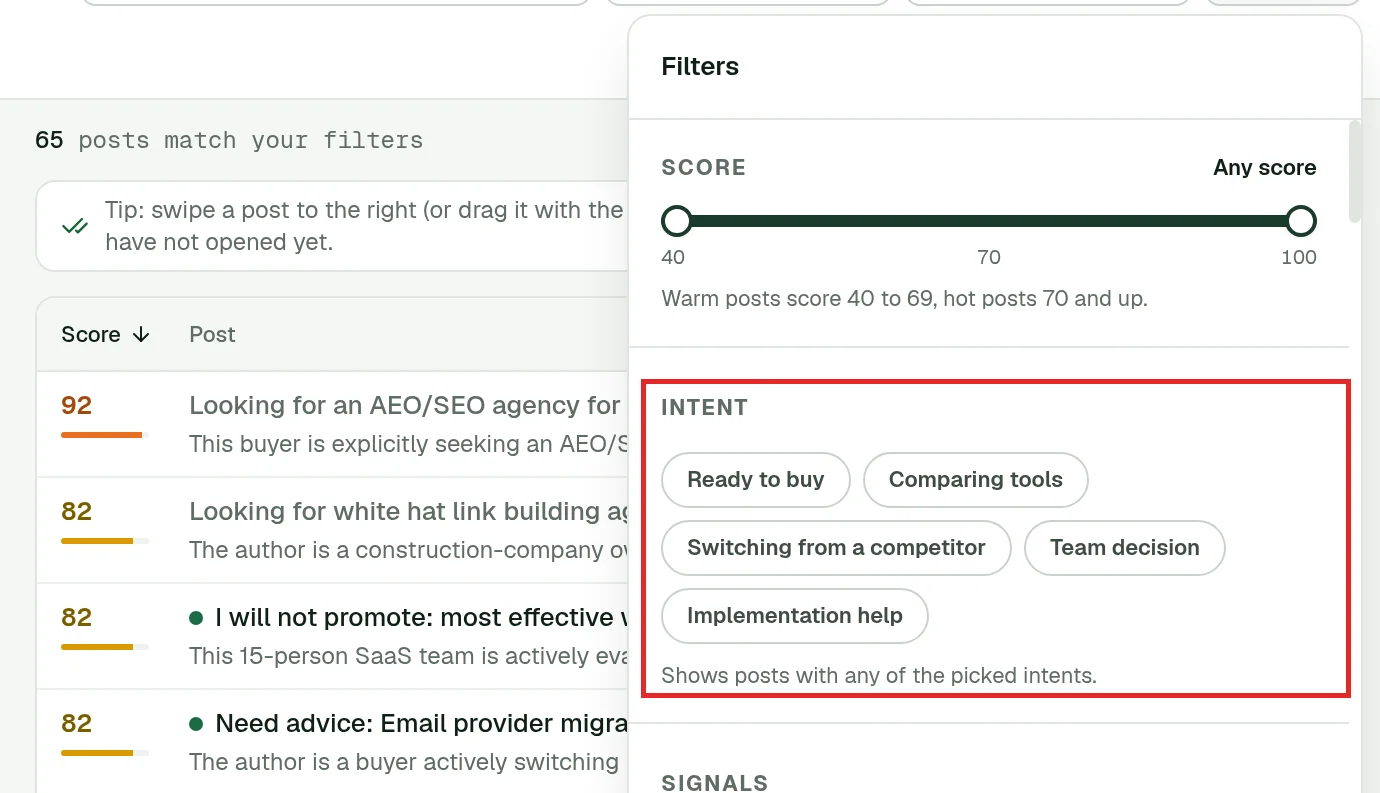
I’d filter with Team decision and Implementation help on this panel when I want a buying-intent thread. Those titles come from a tracked set and are marked sample.
The same Hot, Warm and Watch labels apply to job-change, funding and hiring signals. Lead lists and enrichment, plus buying-signal monitoring, sit on every paid plan and on the trial.
From the same product you can run LinkedIn and email campaigns, and replies arrive in a single inbox. You get a reply draft to edit and post yourself. You can send those leads into lemlist, Instantly, Smartlead or Salesforge, and you use a key of your own. A Hot or Warm post can become a HubSpot deal, and the signal stays attached.
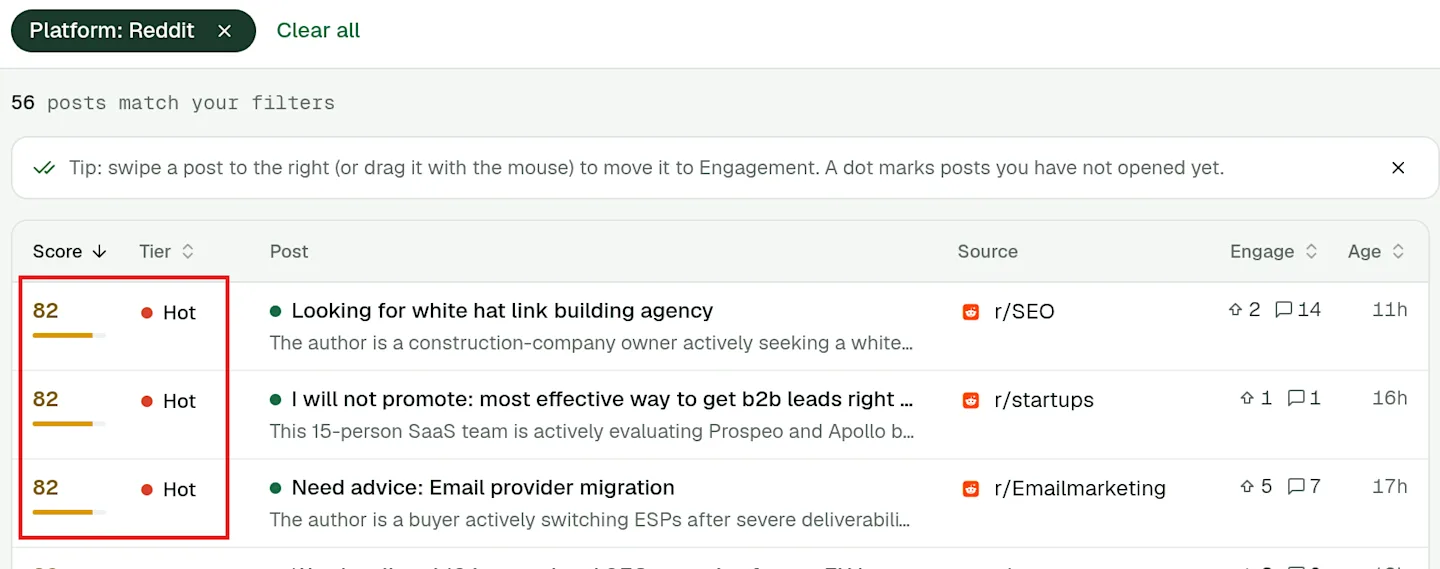
I’d work the Hot rows first in this Reddit feed when a scored post is the next step. The titles and scores are sample data from a tracked set.
Pass on CommunityTracker if Discord server logs are the only task. Keep it when the logging bot is already in place, or when you never needed one, and the next job is a path from community intent into a conversation.
Fees for this GTM add-on
A seven-day trial costs $4.99.
This charge ends when those seven days are over, and it does not start a subscription.
Starter alerts once a day.
I would treat that as a daily recap for this GTM job, not as a live server log.
100 warm emails a month on Starter, unlimited on Pro.
To add this GTM track, Starter runs $39 a month, billed monthly. Pro runs $99 a month, billed monthly. Advanced runs $199 a month, billed monthly (pricing).
You can ask for annual billing. You may stop a public plan whenever you choose, with no fixed term. A 14-day money-back period applies to new paid plans.
For seven days you get the Pro features. Starter stays at 4 keywords and a 5,000 mention cap, on the four communities above.
For the playbook, read how to generate leads from communities.