6 Best Tools to Detect Buying Signals on LinkedIn in 2026
Detect buying signals on LinkedIn with 6 tools compared by signal coverage, qualification, pricing, and the evidence each one gives your GTM team.
Adarsh Kumar
GTM Expert
Founder — CommunityTracker, Miraa.io, and Infraboxes
Your rep opens LinkedIn, scrolls for twenty minutes, and logs off with three likes and no lead. The buyer who asked for a fix on Tuesday got four replies by Wednesday, and none came from your team.
You know the signals exist. A head of sales posts that the team outgrew its tool. A VP moves to a new company with budget. An account starts reading about the problem you solve. Each one tells you who to call and why, but each one sits in a different place.
So your team guesses. You buy a contact list, sort it by title, and send the same opener to people who never asked for anything. Reply rates drop, and you blame the copy when the gap sits in the timing.
I think you should pick a tool by the signal it catches, not by the size of its database. If you know which signal your deals start from, the shortlist gets short.
TL;DR
My test asks one thing. Does the tool surface a LinkedIn signal your rep can use this week, with enough context to write the opening line, at a cost you could put in one short sentence?
Tool | Fits |
|---|---|
CommunityTracker | Public LinkedIn posts where a buyer names a problem, scored and delivered daily |
LinkedIn Sales Navigator | Buyer Intent and lead alerts on accounts you save inside LinkedIn |
Lusha | Contact data, job moves and LinkedIn activity intent from a browser extension |
Clay | Job change, news and social listening signals inside workflows you build |
Apollo.io | Topic intent at company level, next to a contact database and sequences |
Gojiberry | An AI agent that scores signal-based leads and runs the outreach for you |
Two kinds of signal decide your pick. One is a statement: a person says in public what they need. The other is a change: a person moves, an account hires, or a company reads about a topic. A statement hands you something to answer. A change hands you a reason for the call.
At a glance
Job | CommunityTracker | Sales Navigator | Lusha | Clay | Apollo.io | Gojiberry |
|---|---|---|---|---|---|---|
Reads public LinkedIn posts by keyword | Yes | No | Not published | Yes | No | Not published |
Job change signals | No | Yes | Yes | Yes | Not published | Not published |
Company intent by topic | No | No | Yes | Yes | Yes | Not published |
Interest in your own company | No | Yes | No | Not published | No | Yes |
Browser extension on LinkedIn profiles | No | No | Yes | Not published | Yes | Not published |
Contact email and phone data | No | No | Yes | Yes | Yes | Yes |
Free plan | Yes | No | Yes | Yes | Yes | Not published |
Monthly plan under $50 | Yes | No | Yes | No | Not published | No |
"Not published" means I found no product-side statement either way.
1. CommunityTracker: when the buyer writes the need down
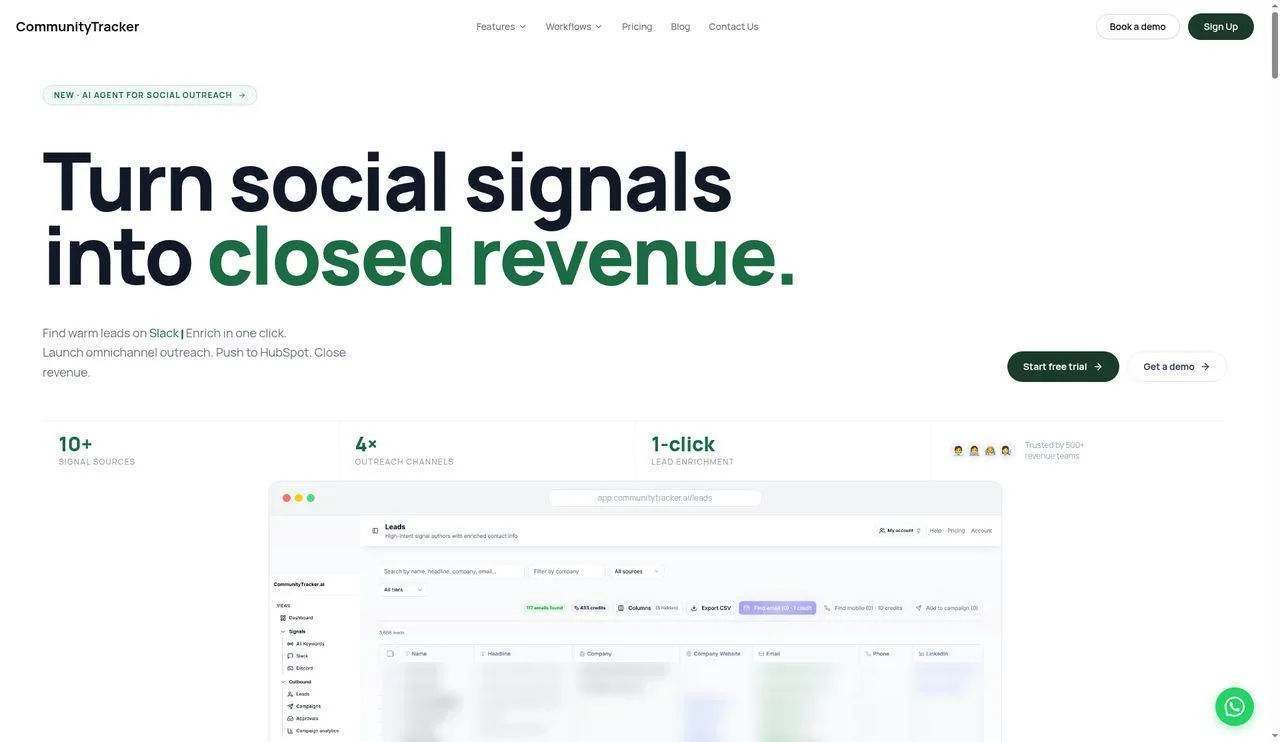
CommunityTracker homepage
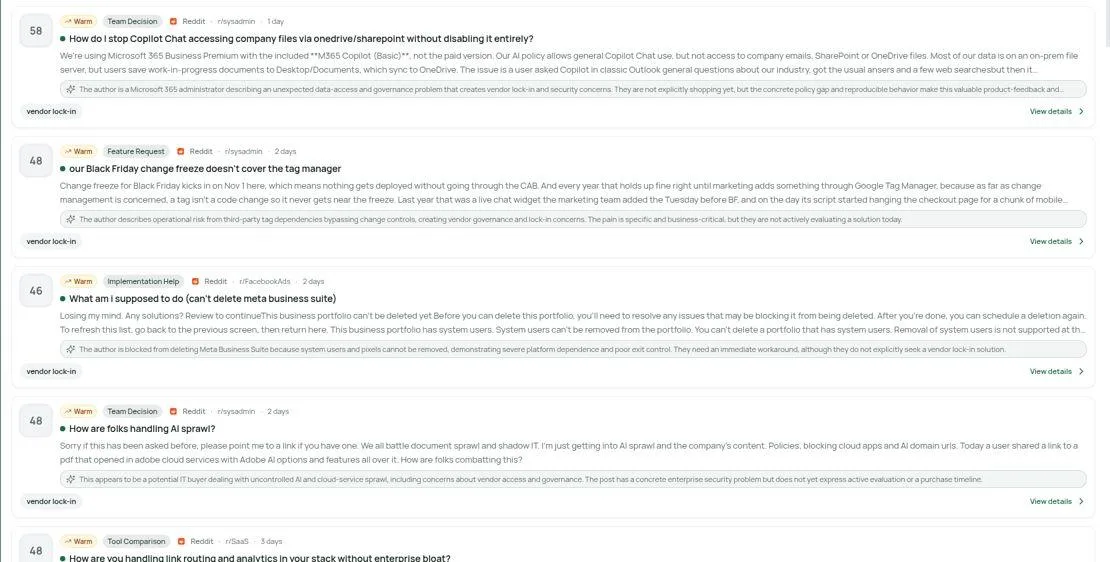
Inside the CommunityTracker app: Reddit threads ranked by intent score, each tagged by topic with an AI read of the author's problem
CommunityTracker ranks first for one reason: it catches the statement, not the change. When a buyer says in a public post on LinkedIn that a process broke or a tool fell short, you get the post, their exact words and a score, so your first message answers what they said. You only ever see buyers who write. Someone who never posts stays out of your queue.
Setup starts with words, not names. You list your brand, two or three competitors and the phrases your buyers reach for when they complain.
CommunityTracker then pulls LinkedIn posts containing those words, the same posts a LinkedIn post scraper would pull by hand. Starter adds Hacker News, GitHub and Reddit too, so all four sources land in one feed. Each morning you get a batch of new matches.
On Pro, each post carries an AI score for buying intent. You sort by score, read from the head of the list, and skip posts that only mention a word in passing.
Starter gives you signal detection on 4 keywords. That fits a test on one product and a rival or two, but a full watch on a category needs more room.
Two jobs stay with you. You tune keywords each week, and you write the reply. The tool supplies a response generator, and you decide what goes out.
Here is the case where it pays. A founder posts that their team spends Friday copying LinkedIn leads into a sheet. Your tool removes that Friday. You comment in the thread with one line on how you solve it, then follow up with a warm email.
Here is the case where it does not. Your buyers are CFOs at banks who never post about vendors. No keyword list finds a post that does not exist, and you pay for an empty queue.
Features
LinkedIn keyword monitoring from Starter, next to GitHub, Reddit and Hacker News
Keyword limits: Starter 4, Pro 10, Advanced 20
Intent scoring plus advanced AI filters, both from Pro
A response generator on Starter, upgraded to an AI version from Pro
Warm emails: Starter allows 100 per month, Pro and Advanced remove the limit
Community AI and Share of Voice arrive with Pro; on Advanced you can also export Share of Voice figures, and AI Visibility switches on
Pricing
No paid tier locks you into a contract; each renews monthly and can be cancelled at will. You can also trial the tool before paying.
Free: $0. A single keyword limited to Reddit, plus a daily alert email and simple analytics. LinkedIn is not on Free.
Starter: $39 a month. Four keywords that cover LinkedIn, GitHub, Reddit and Hacker News, plus daily alerts, simple analytics, room for 5,000 mentions, a response generator, and warm emails capped at one hundred a month.
Pro: $99 a month. Ten keywords, every community, AI scoring with advanced AI filters, no ceiling on mentions or on warm emails, an AI response generator, a daily Slack digest, Community AI, and Share of Voice.
Advanced: $199 a month. Everything Pro offers, raised to 20 keywords. Community Intelligence joins, AI Visibility is included, and you can export your Share of Voice figures.
Count your keywords first. One brand, two rivals and one problem phrase fill Starter. Add three more problem phrases and you need Pro.
Free shows you how alerts arrive, not what LinkedIn matches look like. If LinkedIn is why you are buying, set aside one month of Starter for the real test.
The step from Starter to Pro costs $60 a month. You get scoring, Slack and six more keywords for it. If your queue stays short, you can read it without a score and keep the $60.
Pros
You start from the buyer's words, so your opener responds to a stated need
LinkedIn sits on the $39 plan, so you test the channel without a $199 spend
Daily batches arrive without a search, so your rep stops scrolling the feed
Scoring on Pro puts likely buyers first, so you read fewer posts to find one
Monthly billing limits your loss to one month if the keywords miss
Cons
Daily alerts on every plan, with Slack delivery from Pro.
Partial news and web coverage.
Verdict
Choose CommunityTracker when your buyers describe their problems in LinkedIn posts before they ever talk to sales. For $39 a month on Starter you get each matching post in a daily alert, with an intent score added on Pro. I found no CommunityTracker listing on Capterra or TrustRadius, so this section carries no user quotes.
Good fit | Poor fit |
|---|---|
Your market talks shop in public, and you know the phrases buyers use when stuck | Your buyers stay silent online, or job moves and account intent matter more than post text |
Someone on your team checks alerts every day | You need each post within minutes of publication |
2. Sales Navigator: interest signals on your saved accounts
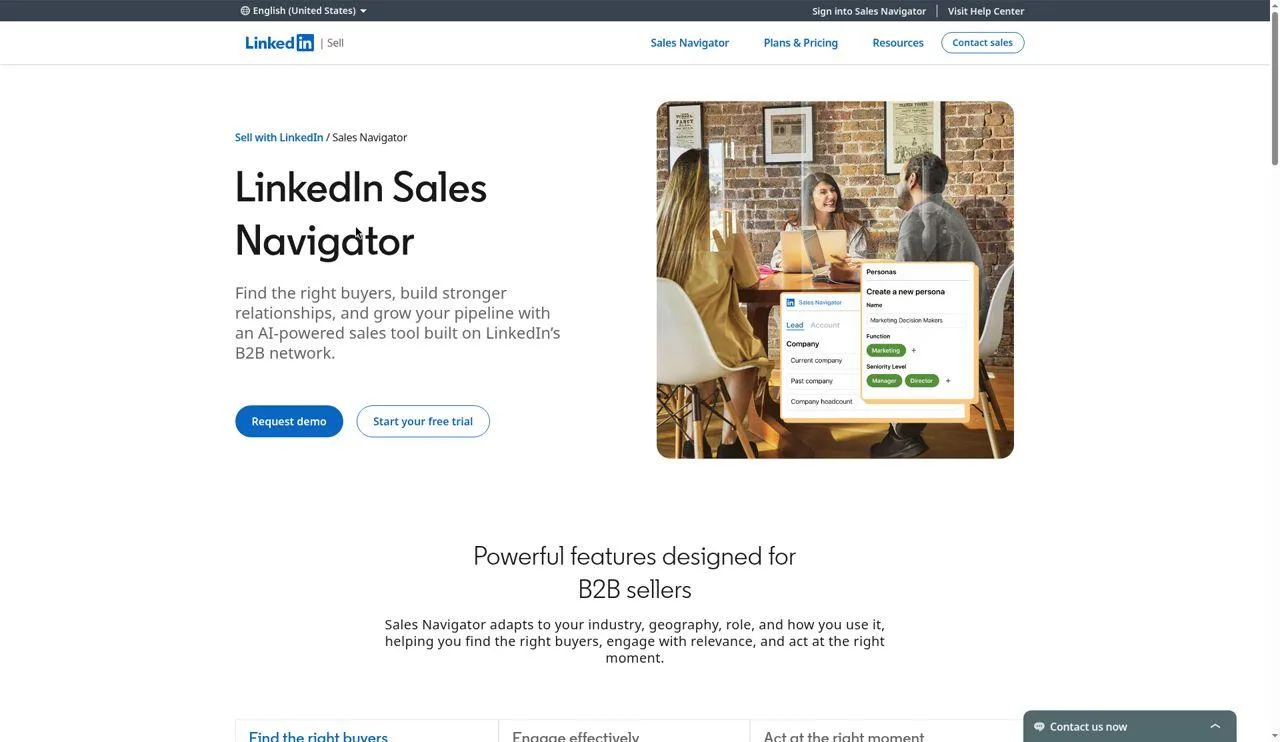
Homepage for LinkedIn Sales Navigator
Sales Navigator reads signals from inside LinkedIn itself, which is why it comes second. Buyer Intent flags accounts showing interest in your company, and lead alerts fire when a saved person changes role or posts. What it cannot do is watch strangers: you track only the people and accounts you save, and an unknown buyer posting a need in the open feed never shows up.
Your week here starts from a list. You run a search with filters, save the leads and accounts that fit, and let the alerts come to you.
The search grid is the core. LinkedIn claims 50+ advanced filters, and Account IQ and Lead IQ give you AI summaries of an account or a person before a call.
Buyer Intent is the signal piece. It flags when buyers show interest in your company. LinkedIn reserves it for the two upper tiers, Advanced and Advanced Plus, so a solo rep on Core works without it.
The Relationship Map gives your team a shared org chart with alerts on key leads. TeamLink shows you who on your team knows someone at the account, which turns a cold InMail into a warm ask.
You can also share content through Smart Links and see who opened it. That gives you a second signal: a lead who reads your deck twice is worth a call.
Price is the gate. On monthly billing, Core runs $119.99 for each licence. That is three times CommunityTracker Starter for one seat, and you still need a separate email finder.
LinkedIn does not hand you contact data off the platform. Reviewers pair it with enrichment extensions, and you should price that pairing in.
Features
Lead and account search with 50+ advanced filters, LinkedIn claims
Account IQ and Lead IQ for AI summaries of accounts and people
Buyer Intent, limited to Advanced and Advanced Plus, showing interest in your company
Relationship Map with alerts on key leads and gaps in the buying committee
TeamLink for warm introductions through your team's connections
Smart Links to track how prospects engage with content you share
Alerts delivered in Microsoft Teams
CRM integrations with Salesforce, HubSpot, Microsoft Dynamics and Oracle on higher tiers
Job change alerts on saved leads come from reviewers, not from the plan grid I checked, so you will find them in the quotes below rather than in this list.
Pricing
Core: $119.99 per licence each month, or $1,079.88 per licence for a full year
Advanced: $159.99 per licence each month, or $1,799.88 per licence for a full year
Advanced Plus: custom price, quoted by a LinkedIn sales rep based on team size, CRM integration and onboarding needs
A free trial of Core or Advanced is open to members who hold no paid LinkedIn plan and have not used a free trial in the past 365 days. LinkedIn asks for a card up front and, it says, emails a reminder seven days before the trial ends.
Annual Core works out to $89.99 a month per licence. Commit to a seat for twelve months and you save $360 against paying month by month.
Buyer Intent pushes the math. If seeing interest in your own company is the point, you need Advanced, which costs $1,799.88 per licence each year.
For a team of four on Advanced, that is $7,199.52 a year. Ask yourself how many deals a year start from a Buyer Intent flag, and divide.
Pros
Signals come from LinkedIn's own data, so you skip the scraping question
Buyer Intent on Advanced shows interest in your company, which no keyword tool sees
Lead IQ and Account IQ cut your research before a call
TeamLink finds a warm path into an account you already target
Teams alerts put lead updates where your reps already chat
Cons
You see signals on people you save, so open-feed posts by strangers pass you by
Core buyers miss Buyer Intent, the main signal feature, because it lives on Advanced
No contact data off LinkedIn, so you pay for a second tool to email or call
Per-licence pricing scales with headcount, not with the signals you use
A trial needs a card and a clean 365-day history, so some reps cannot test it
What users say
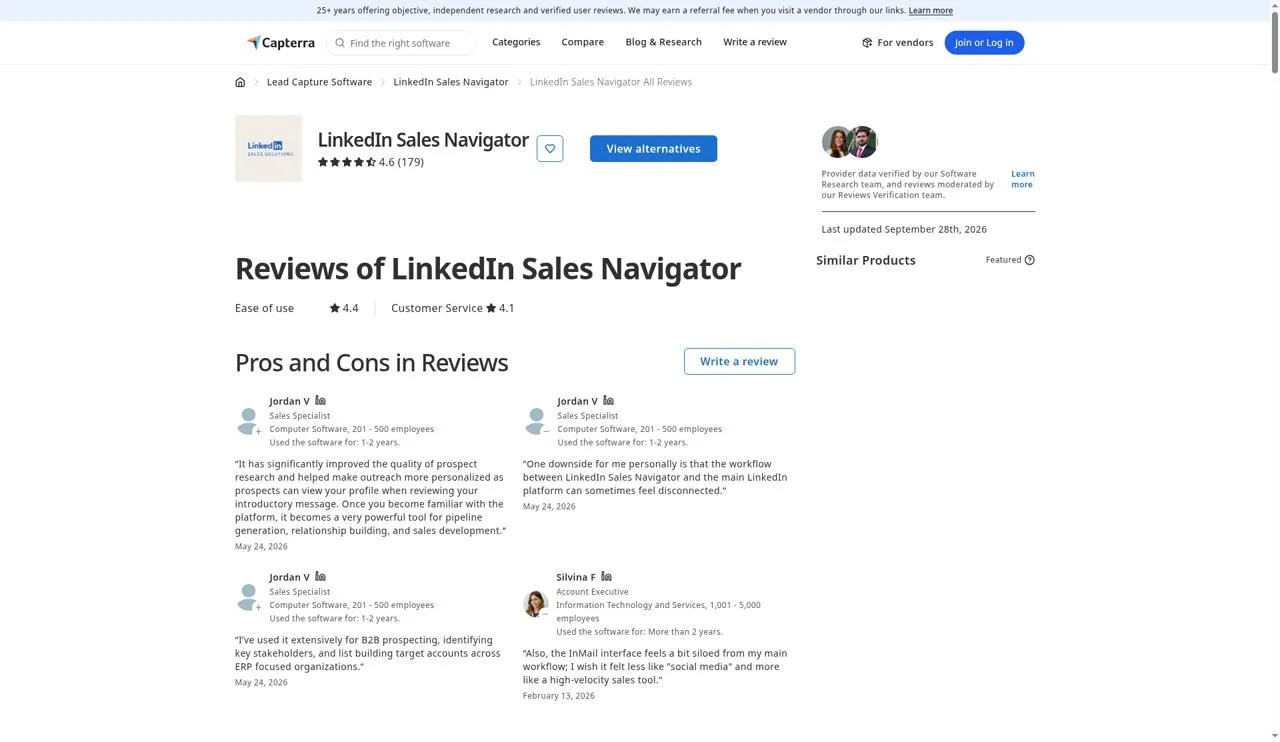
LinkedIn Sales Navigator reviews on Capterra
Below are quotes from 11 named, dated reviewers on LinkedIn Sales Navigator reviews on Capterra. Five of them reviewed it in the past year. The other six are older, so I list them apart.
Liked, last twelve months:
"Linkedin Sales Navigator was the best way to use linkedin as a prospecting tool and source of company and prospect intent on the linkedin platform," per Nicholas P., Account Development Manager, May 27, 2026
"It has significantly improved the quality of prospect research and helped make outreach more personalized as prospects can view your profile when reviewing your introductory message," per Jordan V., Sales Specialist, May 24, 2026
"it notifies of prospect job changes, company updates, and news to identify the best time to reach out to old and new leads," per Verified Reviewer, Project Manager, Mar 29, 2026
"You are able to identify exactly the people you need and pull their contact info," per Verified Reviewer, Director of Market Research, Apr 27, 2026
"I like how easy it integrates with enrichment extensions like lead iq and apollo," per Connor G., Business Development Representative, Apr 11, 2026
Disliked, last twelve months:
"The website can be buggy, it thinks I have premium and then it says I don't, and for a long time my regular linkedin wasn't synced to my Salesnav account," per Connor G., Business Development Representative, Apr 11, 2026
"If there were simpler ways to import and export data natively without needing to use other tools it would be great," per Nicholas P., Account Development Manager, May 27, 2026
"A bit slow as you are required to work on a page by page bases, which means 25 people at a time," per Verified Reviewer, Director of Market Research, Apr 27, 2026
"It is a large investment for those that dont se it to its fullest so I would suggest making sure that your team is in need and will use it," per Verified Reviewer, Project Manager, Mar 29, 2026
Praise from 2024 and 2025:
"I especially value the real-time updates on job changes, company growth, and shared connections - it’s like having a constant feed of warm conversation starters," per Scott B., Director, Sales Development, Aug 8, 2025
"it transforms prospecting from a guessing game into a strategic, insight-driven process," per Erin K., BDR, Aug 12, 2025
"Allows me to easily find the hierarchy and who best to talk to with individual companies," per Nathaniel W., Insight, May 4, 2025
Complaints from 2024 and 2025:
"It’s one of the more expensive prospecting tools, especially for smaller teams or individual reps," per Scott B., Director, Sales Development, Aug 8, 2025
"A downside is the time-consuming process of filtering through prospects," per Erin K., BDR, Aug 12, 2025
"Can have outdated information at times and sometimes completely invalid info," per Nathaniel W., Insight, May 4, 2025
"It would be great if LinkedIn Sales Navigator integrated directly with Salesforce so that you can save lead lists," per Yanne D., Account Executive, Jun 27, 2025
"It can be a bit expensive for smaller teams or individuals, and the platform occasionally has a steep learning curve for newcomers," per Jon H., SSBGC, Dec 19, 2024
"Sometimes you get inaccurate results because some people write that they are a SaaS solution, but in fact they are a marketing agency for SaaS solutions," per Habib B., Founder, Jan 8, 2025
Across both periods, people trust the search and the intent read. The pushback lands on cost and on getting data out.
Who should buy it
Three questions settle it:
Do you sell into a named account list, and do your reps already open LinkedIn every morning?
Does it matter which of those accounts show interest in you? That needs Advanced, at $159.99 per licence each month.
Can you live with a second tool for email and phone, and does the per-licence cost still work at your team size?
Three yeses point to Sales Navigator. If your leads come from strangers posting in public, look further down this list.
3. Lusha: for contact data and job moves from the LinkedIn tab
Lusha homepage
What if the signal and the phone number sat on one screen? That is Lusha's pitch, and it earns third place. Open a LinkedIn profile, click the extension, and contact data appears, while Lusha Signals tracks promotions, job moves, hiring surges and LinkedIn activity mapped to intent. Watch the credit meter, though. Signals and reveals share one pool, so a busy signal week eats the budget you set aside for phone numbers.
Your day with Lusha starts on LinkedIn. The extension runs on profiles, search results and Sales Navigator, so you keep working where you already prospect.
From the panel you save a contact to a table, push a lead to Salesforce, HubSpot or Pipedrive, or drop up to 150 contacts into a Lusha Engage email sequence.
Signals is the part that fits this list. Lusha documents contact signals for promotions and moves to a new employer. It also documents company signals for hiring surges, headcount change, news events and intent.
One intent type stands out for LinkedIn work. Lusha lists a signal that fires when employees post LinkedIn content mapped to an intent category. That gives you a post-based read at the account level, not a keyword watch on one person.
Lusha also tracks a weekly intent score by topic, with signals when a company starts on a new topic or its score moves up or down.
Signals carry a cost of their own. Lusha bills each matched signal per result, so choose only the signal types you will act on.
Lusha does not state which plan includes Signals in the pricing data I checked. Ask before you buy Starter and expect job moves.
Features
Browser extension for Chrome and Edge on LinkedIn profiles, search results, Sales Navigator, company sites, CRM and Gmail
Save to a table, export to Salesforce, HubSpot or Pipedrive, and add to a sequence from the extension
Contact signals for promotions and moves to a new employer
Company signals for hiring surges by department or location, headcount change over 1, 3, 6 and 12 months, website traffic and IT spend
News signals on risk, commercial activity, strategy, financial events, people, market and product moves
Intent signals, including LinkedIn activity mapped to an intent category and weekly topic score changes
Signals API that accepts up to 100 contact or company IDs in one request, per Lusha's docs
Pricing
Lusha prices by credits. An email reveal costs 1 credit, and a phone number costs 5.
Free: $0 with 40 credits a month
Starter: $49.90 a month on monthly terms with 400 credits, or $37.45 a month on annual terms
Pro: $69.90 a month on monthly terms with 600 credits, or $52.45 a month on annual terms
Premium: $399.90 a month on monthly terms with 3,400 credits, or $299.95 a month on annual terms
Scale: custom, through Lusha sales
Plan that includes Signals: Not published
On monthly plans, unused credits roll over up to twice your plan limit. Annual plans load every credit on day one, and the balance resets when the year is up.
Run the phone math first. On Starter, 400 credits buy 80 phone numbers or 400 emails. If your reps call, Pro at 600 credits buys 120 numbers for $20 more a month.
Signal charges add to that. If you watch job moves on a list of 500 past customers, each match draws from the same pool, so plan the pool for both.
Pros
The extension works inside LinkedIn and Sales Navigator, so your rep does not switch tabs
A job move and a phone number arrive in one place, so the call can happen the same day
A LinkedIn activity intent signal reads what an account's staff post
Free gives 40 credits monthly and never expires, so you can test reveals before you pay
Monthly credits roll over up to 2x, so a slow month is not lost
Cons
Signals charge per match, so a wide watch drains credits fast
The plan that unlocks Signals is not stated, so you need a written answer before you buy
Phone reveals cost 5 credits, so call-heavy teams outgrow Starter in a week
Signal types are documented in the API, so a non-technical team should confirm what shows in the app
Annual credits reset at year end, so overbuying on annual is a loss
What users say
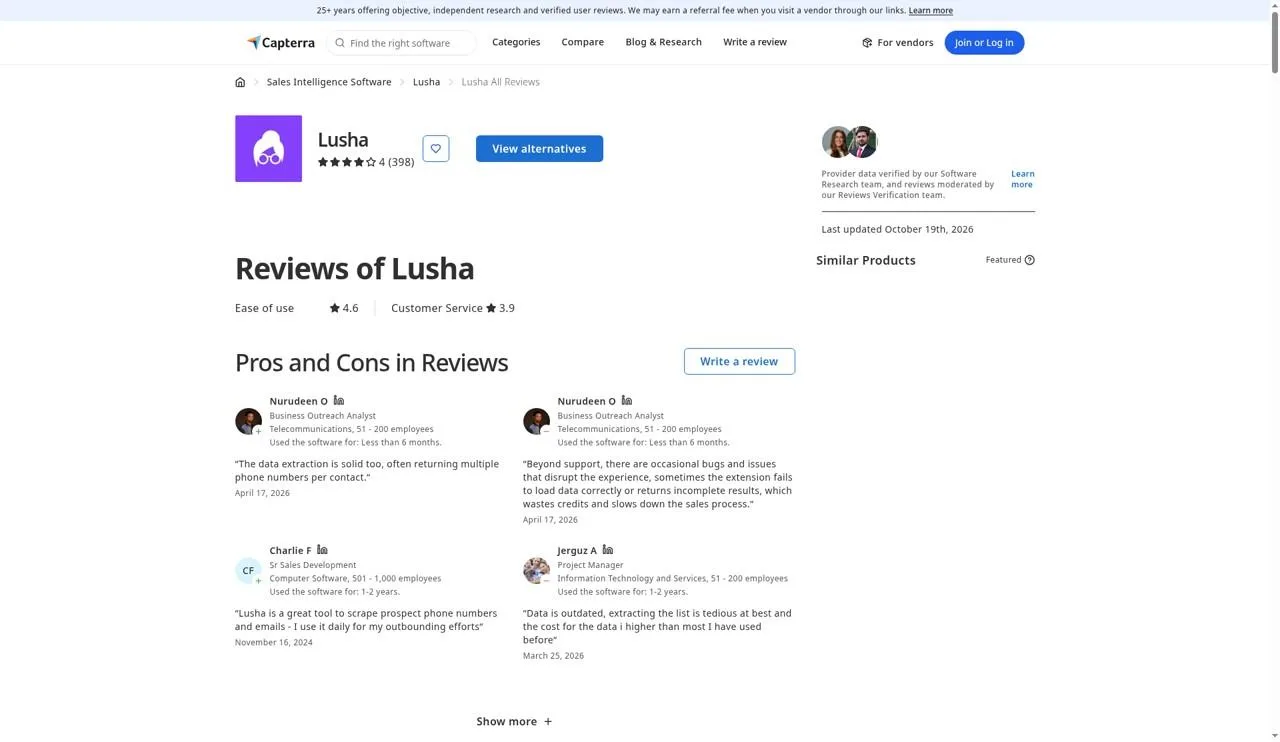
Lusha reviews on Capterra
Lusha reviews on Capterra gave me 12 reviewers I could name and date. Just 3 wrote within the last year, so most of what follows describes older use.
Recent, positive:
"Lusha's LinkedIn integration is a highlight, the Chrome extension captures leads directly from profiles, making it a smooth and efficient addition to any sales process," per Nurudeen O., Business Outreach Analyst, Apr 17, 2026
"Lusha has a great funtion to search for titles/rolls in companies and select the type of company and vertical you need," per Jerguz A., Project Manager, Mar 25, 2026
"Easier than Salesnav to find and source leads with added features that make outbound more streamlined," per Eric N., Business Development Manager, Dec 8, 2025
Recent, negative:
"sometimes the extension fails to load data correctly or returns incomplete results, which wastes credits and slows down the sales process," per Nurudeen O., Business Outreach Analyst, Apr 17, 2026
"Data is outdated, extracting the list is tedious at best and the cost for the data i higher than most I have used before," per Jerguz A., Project Manager, Mar 25, 2026
"When I made searches with lots of filters the whole system would bug out and not work properly which was very annoying," per Eric N., Business Development Manager, Dec 8, 2025
Before the past year, positive:
"The Google Chrome plugin works very well and easy to use in combination with linkedin," per Verified Reviewer, Sales consultant, Aug 4, 2025
"Having reliable direct dials saves a lot of time in prospecting and helps speed up the outreach process," per Kevin H., Senior SDR, Aug 26, 2025
"I also like its Integration with LinkedIn that in itself is a plus because every profile you click on, just brings out the data of that person if available," per Jennifer O., Appointment Setter, Nov 18, 2024
"Lusha has a fantastic web extension for LinkedIn and we've found their data accuracy to be amongst the best having trailed other tools previously," per Lucien H., VP of GTM, May 12, 2024
"The ability to pull contact details for LinkedIn members can save hours a week on searching manually," per Glenn L., Partner, May 27, 2022
Before the past year, negative:
"These would be things likes Hot Intent and Enrich seem to be driven by the current AI buzz, and have yet to really feel as substantive as some of their core features like Search and Recommendations, which are core functions," per Nolan W., Head of Sales, May 27, 2025
"Sometimes it consumes credit and the information is not entirely up to date, although in one way or another, it is usually useful anyway," per Claudi R., SDR Team Lead, May 5, 2025
"Contact data quality wasn't the best compared to other providers," per James W., Revenue Operations manager, Mar 23, 2025
"The only thing I don't like about Lusha is that the phone numbers are not classified as Switchboard or Direct dials," per Kartik G., Operation Leader North America, Jun 2, 2025
"You are charged a credit even though you report the incorrect state of the contact details presented," per Glenn L., Partner, May 27, 2022
"There is allways a pop-up in the screen," per Verified Reviewer, Sales consultant, Aug 4, 2025
The LinkedIn extension draws praise across years. Data age and credit use draw the complaints, and one Head of Sales doubts the intent features.
Is it for you?
Lusha suits a team that prospects from LinkedIn profiles, calls as well as emails, and wants job moves and hiring surges beside the contact record, all from $49.90 a month on Starter with monthly terms. It is the wrong buy if you want to read buyer posts by keyword, if Lusha will not confirm the Signals plan in writing, or if one credit pool cannot cover signal matches and phone reveals in the same month.
4. Clay: for signal workflows you build yourself
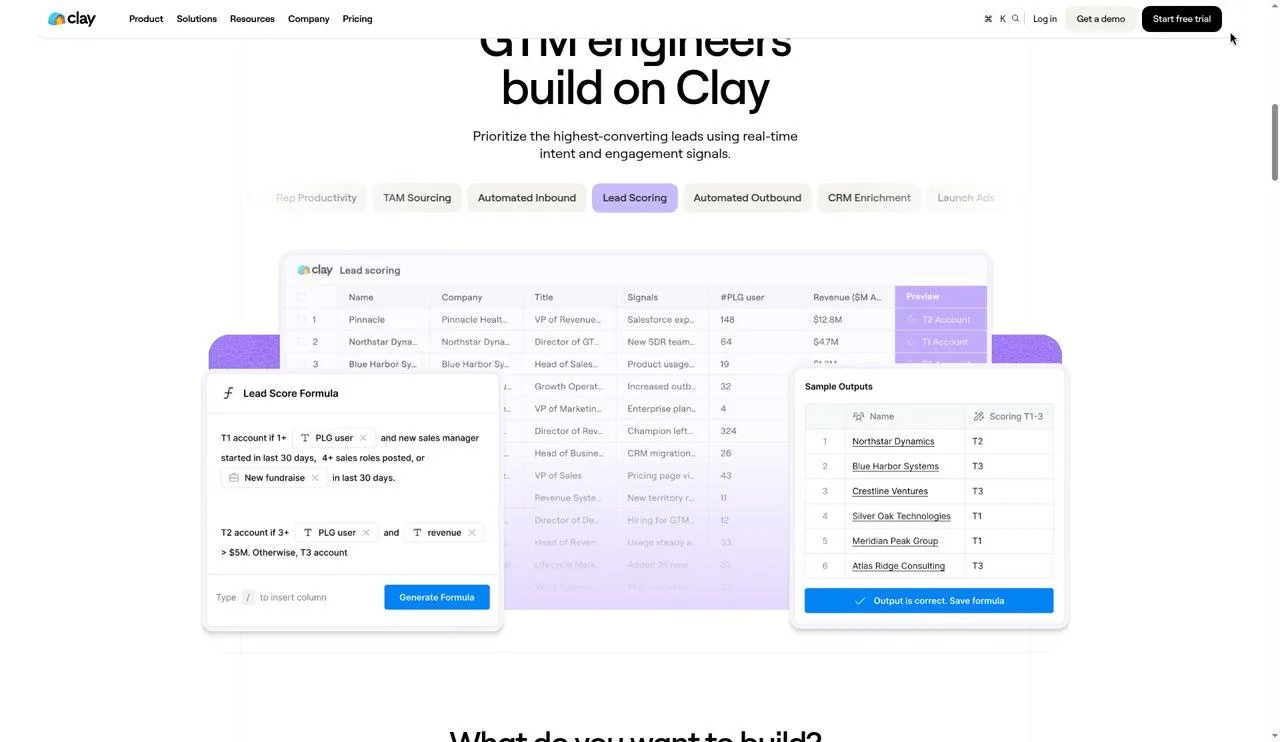
Clay homepage
Fourth place goes to Clay, which lets you shape signals in many ways and asks you to do the setup work. Launch adds signals for social listening, job changes and company news, and Growth adds web intent and webhook signals, all inside a table you run on a schedule. Nothing runs until you build it, so each signal is worth exactly as much as the workflow you set up and keep alive.
Your work in Clay looks like a spreadsheet where each column calls a data source or an AI step. You start with a list of accounts or people, add columns that check for a signal, and add columns that act on it.
Signals arrive on Launch, which lists three types: social listening, company news and job changes. Growth adds web intent signals and lets you trigger a workflow from any signal through a webhook.
Enrichment is the other half. Clay claims 150+ providers and runs waterfalls, so a column tries one source and moves to the next if the first returns nothing.
Claygent, Clay's AI agent, runs web research inside a column. You can ask it to read an account's site or a person's profile and write a custom data point, such as a first line for an email.
Here is a case where Clay fits. You want a Slack message when a former champion lands at an account on your target list, with their new email and a draft opener. You build that once, schedule it, and it runs.
Here is a case where it does not. Your rep wants to open one screen and see who to call. Clay gives you the parts, and someone on your team has to assemble them.
Clay prices each plan by the actions you run, and Pricing below shows the entry figures on annual billing so you can compare them with your usage.
Features
Free plan with unlimited seats and tables, multi-provider waterfalls, Claygent and up to 200 rows per table
Signals for social listening, company news and job changes from Launch
Web intent signals and webhook-triggered signals on Growth and up
Data from 150+ providers, Clay claims, with the option to bring your own API key
Email campaigns through Clay's sequencer or an integration from Launch
CRM auto-sync and enrichment on Growth, with HTTP API integrations
Ad audience push to LinkedIn and Meta on Growth
Schedule recurring enrichment runs from Launch
Pricing
Clay bills two units. Actions measure platform work, and data credits buy data and AI from Clay's providers.
Free: $0, with 500 actions and 100 data credits each month
Launch: $54 a month when paid yearly, with 15,000 actions
Growth: $185 a month when paid yearly, with 40,000 actions
Enterprise: custom price with an annual commitment
A 14-day trial is open on paid plans.
Data credits start at $0.05 each, Clay claims. On Launch and Growth, unused data credits roll over up to 2x your monthly amount, while actions reset each cycle.
Plan for signals first, not for rows. If social listening and job moves are your reason to buy, Launch covers them. If you need web intent, you need Growth.
Ask Clay for one total in writing that covers your actions and data credits. Data credits add to the plan price, so your first invoice can run above the figure you budgeted.
Pros
Social listening and job change signals sit on the same plan, so one workflow can use both
Waterfalls across providers raise your odds of finding a contact
Webhooks on Growth let any outside signal start a Clay workflow
Claygent writes custom data points, so research and the opener live in one row
Seats are unlimited from Free upward, so headcount does not set the bill
Cons
You build and maintain each workflow, so you need an owner with time
Two billing units make spend hard to forecast before your first month
Web intent signals need Growth, which costs several times Launch
Higher action volumes move you up a price tier, so you need a written quote
Free caps tables at 200 rows, so a real signal test needs a paid plan
What users say
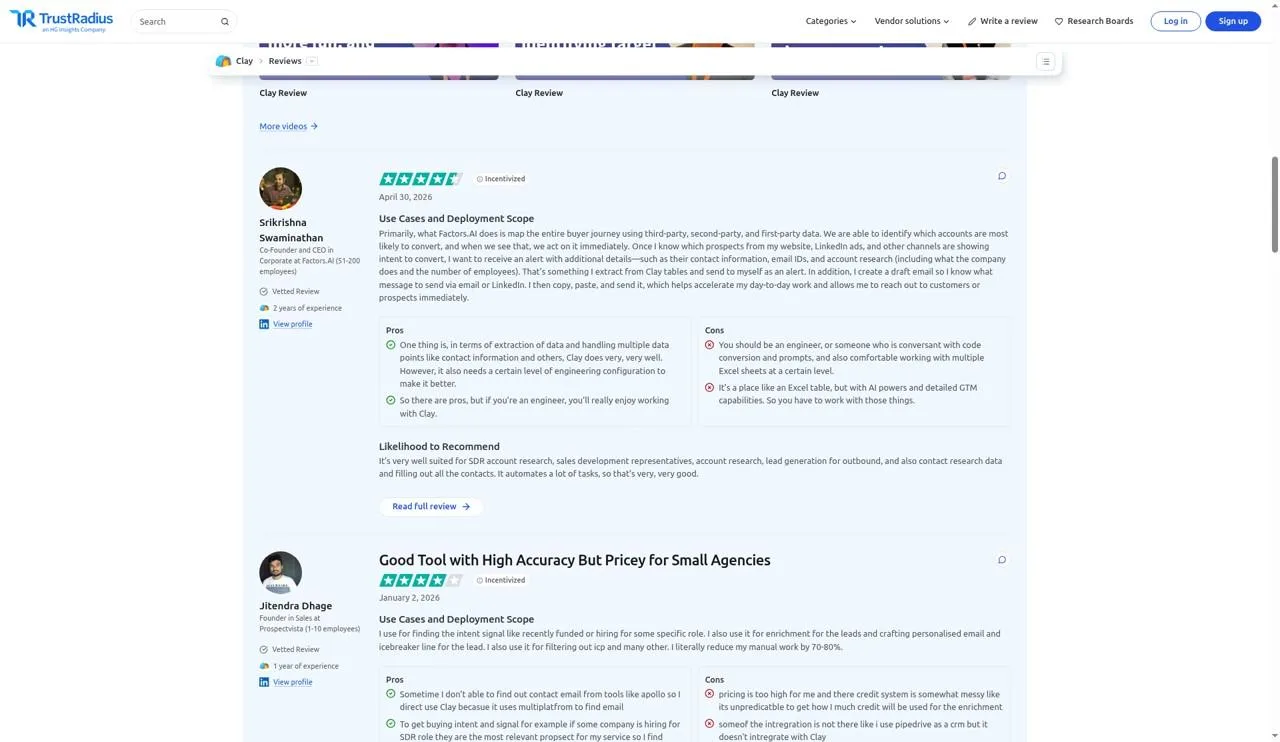
Clay reviews on TrustRadius
I took these from Clay reviews on TrustRadius: 10 reviewers, 2 of them from the past year. Read the other eight as a picture of Clay in autumn 2025.
2026 reviewers on what works:
"in terms of extraction of data and handling multiple data points like contact information and others, Clay does very, very well," per Srikrishna Swaminathan, Co-Founder and CEO, Factors.AI, Apr 30, 2026
"I find intent based signal from Clay like hiring or recemtly funded," per Jitendra Dhage, Founder, Prospectvista, Jan 2, 2026
2026 reviewers on what does not:
"You should be an engineer, or someone who is conversant with code conversion and prompts, and also comfortable working with multiple Excel sheets at a certain level," per Srikrishna Swaminathan, Co-Founder and CEO, Factors.AI, Apr 30, 2026
"pricing is too high for me and there credit system is somewhat messy like its unpredicatble to get how I much credit will be used for the enrichment," per Jitendra Dhage, Founder, Prospectvista, Jan 2, 2026
2025 reviewers on what works:
"Automated lead enrichment," per Verified User, Contributor in Sales, Oct 17, 2025
"I recommend Clay for it's integrations," per Divya Reddy, Manager in Engineering, Dell, Oct 15, 2025
"The software is very effective in sales intelligence and leads ingestion," per Marco Namer, Head of Marketing, Sicilsaldo Group, Oct 15, 2025
"Plug-in with SO many integrations," per Verified User, Contributor in Corporate, Oct 1, 2025
"You could generate GTM motions that are auto triggered by the signals, so you could actually create workflows that are triggered on specific signals," per Verified User, Executive in Sales, Sep 29, 2025
"Works really well for enrichment," per Justin Ashby, VP of Marketing, Glyphic, Sep 26, 2025
2025 reviewers on what does not:
"Data reliability across sources," per Verified User, Contributor in Sales, Oct 17, 2025
"I need RevOps to help me use Clay," per Aaron Leeder, VP, Partnerships + Alliances, Pavilion, Oct 17, 2025
"The software has some notification issues that affect service delivery," per Marco Namer, Head of Marketing, Sicilsaldo Group, Oct 15, 2025
"Pricing of the product is a challenge to many users especially small organisations and businesses," per Fattu Razione, Oct 15, 2025
"Getting started for signals and use cases," per Verified User, Contributor in Corporate, Oct 1, 2025
"I run into the column limit all the time and kind of have to figure out using multiple tables," per Justin Ashby, VP of Marketing, Glyphic, Sep 26, 2025
Reviewers praise how much data Clay reaches and how far the workflows go. They split on who can run it, and more than one says you need RevOps or engineering help.
Bottom line
Clay earns its place when:
a RevOps or GTM engineer on your team builds workflows, and you want signals to start them
one signal should kick off a chain of enrichment and outreach
two billing units do not scare your finance team
Look elsewhere when your reps want a ready list to call, nobody owns the build, or you need a firm price before the trial starts.
5. Apollo.io: for topic intent next to a contact database
Apollo.io homepage
Apollo lands fifth. Its intent signal is weekly and works at company level. You see which companies research the topics you pick, then pull contacts at those companies and start a sequence without leaving the tool. Intent names the company, though, not the reader, so you still guess who to message.
Your work in Apollo starts with topics. You pick topics tied to your product, your buyers' needs or your rivals, and Apollo claims more than 15,000 topics across its intent data providers. Bombora provides company-level buying intent scores.
Apollo refreshes intent each week and shows high intent at scores of 75 to 100 and medium intent at 61 to 74. Scores under 61 do not show.
Each company shows a 12-week intent history. You can save an intent search or set an alert, so new companies that match your profile and your topics reach you without a fresh search.
Intent sits on every plan, with a topic cap. Free tracks 1 topic, Basic and Professional track 6, and Organization tracks 12.
Apollo also lets you build custom signals from filters, such as company size or revenue, and use them in search, in a custom score, or in the Chrome extension's Compatibility check.
The LinkedIn link is the extension. On a LinkedIn profile you open it, save the contact, and pull an email or phone number for credits. Then you add the person to a list or a sequence.
Apollo claims 240M+ contacts in its database. Reviewers below split on how current those contacts are, so check a sample before you load a sequence.
Features
Buying intent on all plans, powered by Bombora, with 1 topic on Free, 6 on Basic or Professional and 12 on Organization
Weekly intent refresh, with high and medium bands and a 12-week history per company
Saved searches and alerts for new companies that match intent and filters
Custom signals from filters, usable in search, scores and the Chrome extension
Chrome extension on LinkedIn profiles to save contacts and access email and phone
Email sequences on every account, with Gmail on Free and other providers on paid plans
Integrations with Salesforce, HubSpot, Outreach, SalesLoft and LinkedIn
Job change alerts come up in one reviewer's account below, not in the help articles I checked, so I do not list them as a feature.
Pricing
Apollo bundles a seat with a credit allowance. Credits pay for emails, phone numbers, AI research and enrichment, and they do not roll over.
Free: $0
Paid plans: Apollo lists annual prices of $49 (Basic), $79 (Professional) and $119 (Organization, 3-user minimum) per user a month
Monthly-billing prices: Not published
Your team shares one credit pool, and it refills when each billing cycle begins. Add-on credits renew each cycle until you remove them.
Every seat on an account sits on the same plan. You cannot put one rep on Professional and the rest on Basic.
Intent topics set your tier as much as credits. If you sell three products to two buyer types, 6 topics on Basic fill fast, and 12 on Organization cost $119 a seat with three seats at minimum.
Pros
Intent, contacts and sequences sit in one tool, so the signal turns into outreach without an export
Intent comes on the Free plan, so one topic costs you nothing to try
Weekly alerts on intent searches bring new accounts to you
The extension works on LinkedIn profiles, so you can act on a profile you found by hand
Custom signals and scores let you rank results by your own rules
Cons
Intent is company level, so you still pick the person to contact
Weekly refresh means you see interest days after it starts
Topic caps by plan limit how many themes you can watch on Basic and Professional
Monthly-billing prices are not stated, so you need to ask before a short commitment
Credits do not roll over, so a quiet month wastes part of the budget
What users say
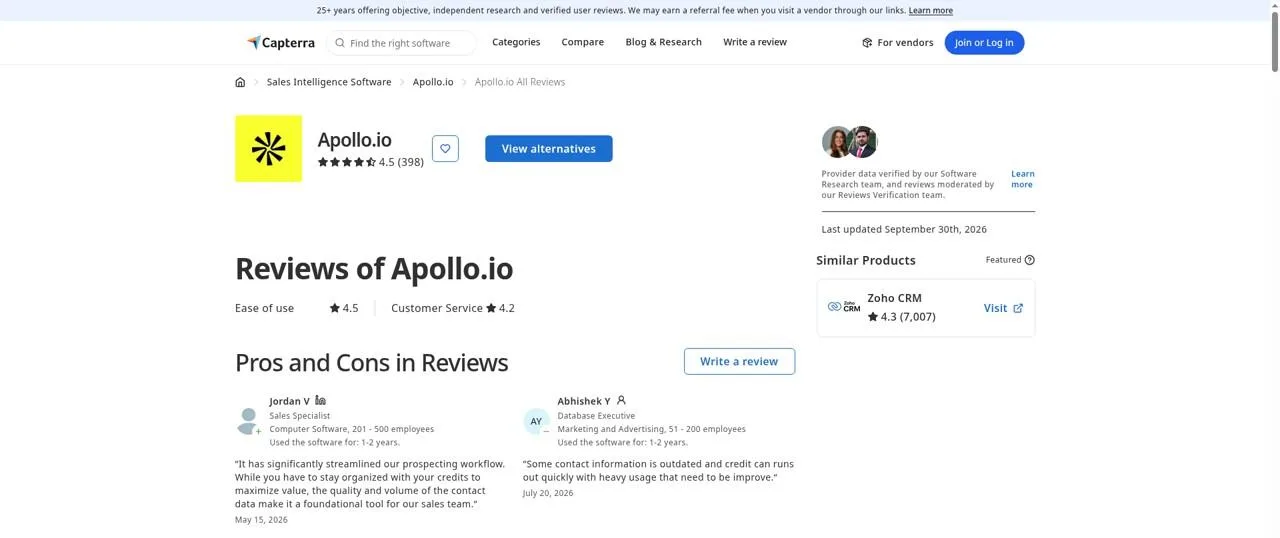
Apollo.io reviews on Capterra
Of the 12 reviewers I quoted from Apollo.io reviews on Capterra, 8 wrote in the past year. The four older ones sit in separate lists at the end.
What recent reviewers like:
"I also found the advanced filters really useful for narrowing down leads based on industry, company size, job title, and other criteria, which helped me focus on higher-quality prospects," per Ankita P., Business Development Executive, Jul 9, 2026
"It has significantly streamlined our prospecting workflow," per Jordan V., Sales Specialist, May 15, 2026
"I like that I can search for companies and specific roles and titles," per Jerguz A., Project Manager, Mar 25, 2026
"Apollo gave me enough reliable company and contact data without the enterprise-level pricing of ZoomInfo," per Ellie A., Co-Founder, May 16, 2026
"It has always been super useful especially the fact that it gives you emails for free," per Eric N., BDR, Dec 15, 2025
What recent reviewers dislike:
"Some contact information is outdated and credit can runs out quickly with heavy usage that need to be improve," per Abhishek Y., Database Executive, Jul 20, 2026
"Unclear pricing, forced waterfall verification, slow email access, and excessive credit consumption even for email-only exports," per Rafay A., Research, Jan 8, 2026
"The interface can feel a bit overwhelming at first," per ryan p., Owner, Oct 31, 2025
"Apollo.io uses a credit-based system can be a bit tricky to manage at first," per Jordan V., Sales Specialist, May 15, 2026
"For high-value accounts, I would not use Apollo as the only source of truth," per Ellie A., Co-Founder, May 16, 2026
"the contact data wasn't always accurate or up to date, so I occasionally had to verify email addresses or phone numbers before reaching out," per Ankita P., Business Development Executive, Jul 9, 2026
Older praise:
"the ability to track companies and individuals engaging with content and the corporate website enables lead scoring," per Shane S., CEO, Jun 12, 2025
"The LinkedIn extension really makes it easy to find relevant information quickly," per Kartik G., Principal Sales Development Lead, May 13, 2025
Older complaints:
"sometimes the Apollo LinkedIn plugin behaves a little weird," per Suvankar R., Lead generation specialist, Sep 7, 2025
"I have found that in a few cases, the people are no longer with the company," per Kartik G., Principal Sales Development Lead, May 13, 2025
"at times it will say the person has a new job, and the new job was a previous job," per Sherdah S., Account Manager, Dec 9, 2021
Recent reviewers like the filters and the price against enterprise data tools. Credits and contact age draw the complaints, and both decide how much weight an intent list can bear before you send.
My take
Your situation | Apollo? |
|---|---|
You sell to companies that research your category, and you can pick the right person once you know the account | Yes. Topic intent is on every plan, from an annual $49 per user a month on Basic |
You want intent, contacts and sequences under one login at a per-seat price | Yes |
You need the named person behind the interest, or a signal on the day it happens | No |
Your team will not verify contact data before a send | No |
6. Gojiberry: for an AI agent that finds signal leads and writes to them
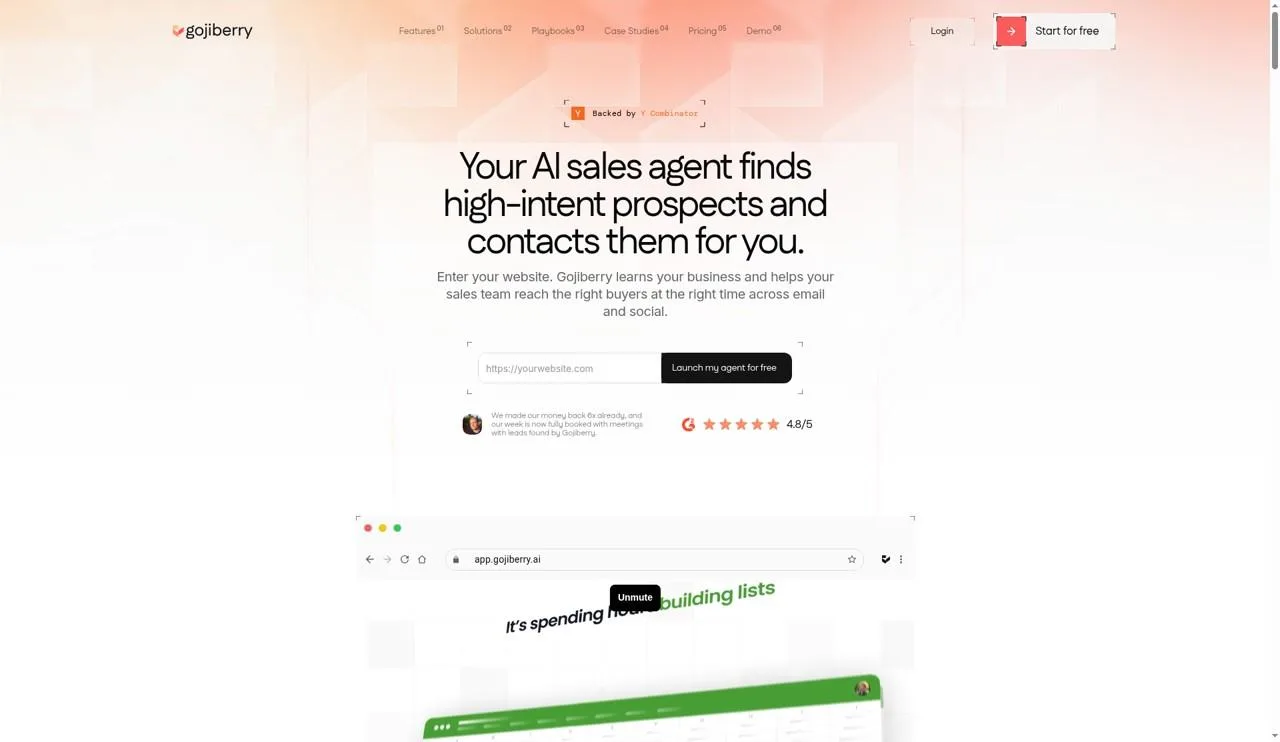
Gojiberry homepage
Gojiberry closes the list because it gives the whole loop, from signal to message, to an AI agent, and you see less of how each lead got picked. You save hours of manual prospecting. In return you accept copy and targeting that need a check before they reach a buyer.
Gojiberry starts from your website. You enter the URL, and the agent reads what you sell and who you target, Gojiberry claims, with no manual setup.
From there the agent looks for buying and social signals. Gojiberry names three on its homepage: engagement with a competitor, following your company, and activity in your space. It then scores each prospect against your ideal customer profile and ranks the ones it expects to convert.
Outreach runs from the same agent. Gojiberry claims it sends AI-personalized messages across email and social channels, coordinated for you, with no sequences to build. Replies land in a unified inbox, with drafts ready.
Here is a case where Gojiberry fits. You run outbound alone as a founder, you have no time to build lists, and you want warm leads and first touches to appear each morning while you work on the product.
Here is a case where it does not. You sell into a narrow market where one wrong job title in an opener costs you the account. In that case you want to see every signal and write every first line yourself.
The company is backed by Y Combinator and claims 3,500 plus B2B sales teams as users.
Features
Website-based setup, where the agent learns your offer and targets from your URL
Buying and social signal detection, including competitor engagement, follows of your company and activity in your space
Lead scoring against your ideal customer profile
Website visitor identification on Pro
AI-personalized outreach across email and social channels, coordinated by the agent
Unified inbox and an AI Copilot mode
Email and phone waterfall enrichment across 15 plus data providers, Gojiberry claims
Integrations with CRMs, an API and MCP, naming HubSpot, Pipedrive, Attio and Claude
Pricing
Gojiberry lists two plans and a free trial.
Pro: $99 a month, with two AI agents and as many as 1,800 prospects reached monthly
Custom: price on request, aimed at sales teams with three or more people
Annual billing price: Not published
Free plan: Not published
Custom adds more agents, more senders across channels, a named success manager, deeper integrations and admin access with a team view.
Check the trial terms before you start. Several reviewers below say a charge went through after they cancelled, so note the trial end date and get any cancellation confirmed in writing.
Pros
One agent covers signal detection, scoring, enrichment and outreach, so you need fewer tools
Setup starts from your URL, so a first campaign can go out the day you sign up
Website visitor identification and enrichment come on the Pro plan
Reviewers praise the speed of support
Cons
You see the agent's pick, not the raw post or event behind each lead
AI-written messages need review, as one reviewer reports wrong roles and industries in openers
Several reviewers report charges after a trial cancellation
Annual pricing and a free plan: Not published
Signal types beyond the three on the homepage are Not published
What users say
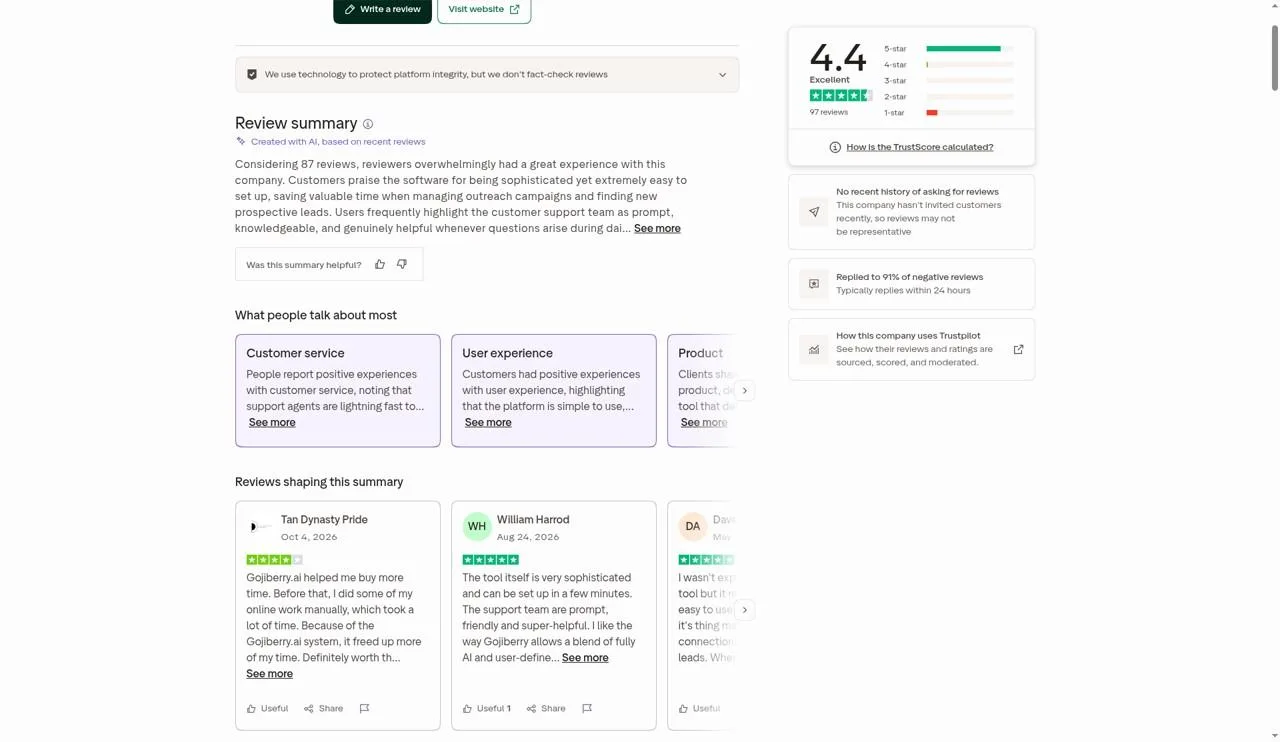
Gojiberry reviews on Trustpilot
Every one of the 12 reviewers I quoted from Gojiberry reviews on Trustpilot wrote in the past year. Trustpilot hides job titles, so each name carries the label Trustpilot reviewer.
The good:
"Easy to use for a complete novice, but the most important aspect for me has been the customer support," per Andres, Trustpilot reviewer, Oct 20, 2026
"It saves me an enormous amount of time when it comes to identifying potential clients and managing outreach messages," per Brandon Goldberg, Trustpilot reviewer, Oct 5, 2026
"Customer suport is great! The tool also helpe me to find the right lead," per Karthikraja R, Trustpilot reviewer, Oct 13, 2026
"Simple to use, and well supported," per Dave Carter, Trustpilot reviewer, Oct 7, 2026
"Because of the Gojiberry.ai system, it freed up more of my time," per Tan Dynasty Pride, Trustpilot reviewer, Oct 4, 2026
"A truly innovative solution that taps into the hidden strength of AI in B2B conversations," per Roman Seges, Trustpilot reviewer, Oct 20, 2026
The bad:
"the messages that claim to be personalised mention the wrong job role or industry to the prospect," per Carter s, Trustpilot reviewer, Oct 1, 2026
"I registered for a trial. I tried to cancel. They took 3 payments and they continue to take payments," per Negar Riazati, Trustpilot reviewer, Oct 21, 2026
"I was not convinced by the quality of the leads," per Andreas Felix, Trustpilot reviewer, Aug 5, 2026
"Cancelled after the trial because lead quality was poor," per Azeem Ushan, Trustpilot reviewer, Jul 1, 2026
"Did not find relevant leads," per Evan, Trustpilot reviewer, Jun 29, 2026
"I would get qualified meetings every month with AI. Do not use their solution, it doesn't work," per Serge Baudrillart, Trustpilot reviewer, Aug 20, 2026
Fans credit the time saved and the support team. Critics question lead quality and report billing after a cancelled trial.
Before you sign up
Gojiberry fits a founder running outbound alone who will read the agent's messages before they scale and wants warm leads without building lists. The $99 Pro plan covers signal detection, scoring, enrichment and outreach. Run the trial against three checks:
Can you trace each lead back to the post or event that triggered it? If not, and your market punishes one wrong detail in an opener, stop there.
Do the first ten messages get roles and industries right?
Are the billing and cancellation terms clear to you before the trial ends?
How I evaluated
I ranked on the signal first, then on how quickly it turns into action, then on cost. The signal question asks what each tool sees on LinkedIn: a post, a job move, interest in your company, or research on a topic. The action question asks how far you get from that signal to a message without a second tool.
Cost asks what you pay to see the signal you need, not the entry price. For Sales Navigator that means Advanced, since Buyer Intent sits there. For Clay that means Launch or Growth, since Free has no signals.
CommunityTracker leads because a post in which the buyer spells out the problem tells you both the who and the why, from $39 a month. Sales Navigator follows because its intent reads interest in your own company, at a per-licence price.
Lusha sits third because it joins job moves and LinkedIn activity intent to contact data inside the LinkedIn tab, with an open question on which plan carries Signals. Clay sits fourth because the signals are there but you build the path to action. Apollo.io sits fifth because its intent is company level and weekly. Gojiberry sits sixth because its agent hides the signal behind each lead, and reviewers split on lead quality and billing.
I did not let reviews decide the order. I used them as a check on each call and kept only quotes I could match word for word on the review page, with the reviewer name and date as shown there. I list older reviews apart from past-year ones, and I state the split when more than half of a block is older.
I replaced tools from the earlier version of this post that I could not back with ten or more dated reviewers, and one tool that announced its platform is winding down. Where a vendor gives no product-side answer, the cell or line says "Not published".
For the signals themselves, read B2B buying signals, by type and demand signal detection. For the LinkedIn side, read LinkedIn social listening, and for contact data, read LinkedIn email finder tools.
Match your last ten deals to a tool
Start from the first signal in your recent wins. Look at your last ten closed deals and write down what happened before the first call.
If a buyer posted a problem or asked for a tool in public, start with CommunityTracker. Budget $39 a month for Starter, and give one person thirty minutes a day to read alerts and reply.
If the account showed interest in your company before it talked to you, start with Sales Navigator on Advanced. Price every seat at $159.99 a month when paid month to month, and add an email tool to the budget.
If a contact moved jobs or an account hired for the team you sell to, test Lusha. Get the plan that includes Signals in writing, and size credits for both signals and phone reveals.
If your deals start from a mix of moves, news and posts, and you have a builder, test Clay on Launch. Build one workflow end to end in the trial, from signal to draft message, before you commit.
If accounts researched your category for weeks before they replied, test Apollo.io. Pick your 6 topics on Basic with care, and check a sample of contacts at high-intent accounts before you sequence them.
If you sell alone and want an agent to find leads and write the first touch, test Gojiberry on its $99 Pro plan. Read every message in the first week, and confirm any cancellation in writing.
If your last ten deals show no pattern, do not buy yet. Tag the first signal on each new deal for a month, then come back to this list with the answer.
You can stack two tools when your deals start in two ways. A post watch plus a contact tool covers the statement and the call. Two tools that catch the same signal add cost and no new leads.
The tool that pays is the one that shows you a buyer before your rival sees them, with words you can use in the first line. Count how often that happens in a month, and you have your answer.