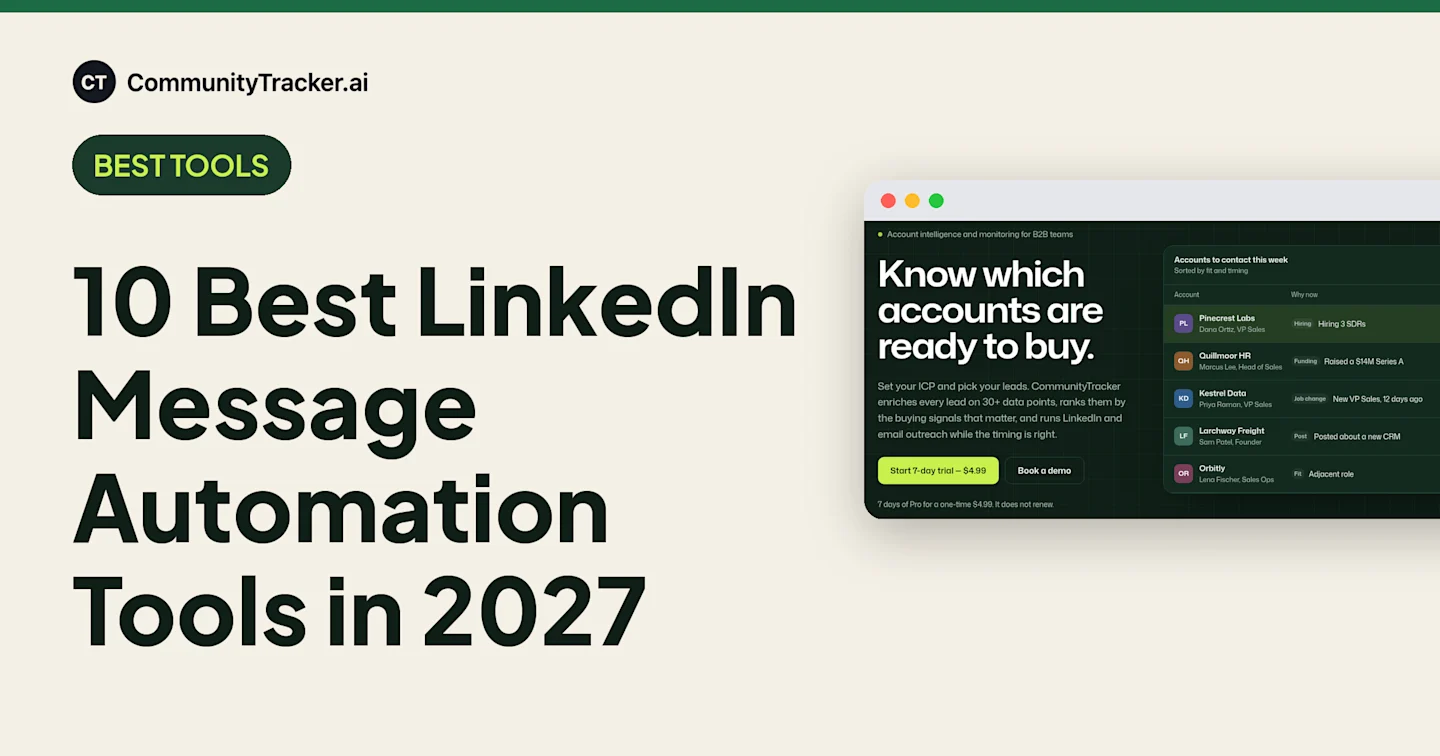
10 Best LinkedIn Message Automation Tools in 2027
LinkedIn message automation tools compared on seat price, daily limits, inbox and email steps, from a $9.99 plan to signal-led outreach.
Adarsh Kumar
GTM Expert
Founder — CommunityTracker, Miraa.io, and Infraboxes
You send a connection request, wait, follow up, then follow up again. Do that for 100 people a week by hand and you lose a day.
Automation gets the day back. It also puts your LinkedIn account on the line.
One G2 reviewer wrote that their tool “did trigger the soft ban once,” and a LinkedIn invitation restriction typically lasts a week.
The bigger problem is the list. A tool that sends invites all day to a cold list gets you a lot of cold invites.
So I compared 10 LinkedIn message automation tools on what they send, where they run, what a seat costs and how they handle LinkedIn’s limits, and I read the recent G2 and Capterra reviews for each one. To make the list, a tool had to send LinkedIn invites and messages from your account at a published price.
Sending is cheap now. Choosing who gets the message, and why, is where you win or lose.
TL;DR: The 10 LinkedIn Message Automation Tools I Recommend
CommunityTracker - Best for LinkedIn and email outreach started by a buying signal
PhantomBuster - Best for chaining LinkedIn outreach to data extraction
lemlist - Best for LinkedIn and email in one sequence
Dux-Soup (STACKED) - Best for LinkedIn-only campaigns, desktop or cloud
Octopus CRM - Best for a $9.99 test of basic automation
Dripify - Best for reps who want published daily quotas
Salesflow - Best for teams of 5 to 100+ seats
Reply.io - Best for email-first teams adding LinkedIn per account
LinkedRadar - Best for one person on a $19.9 budget
Meet Alfred - Best for LinkedIn, email and X in one sequence
CommunityTracker is first because it’s the only tool here built to pick who gets a message from a buying signal, with signals included on every paid plan. Pick a dedicated sender for volume, InMail or multiple accounts.
Features at a glance
“Not listed” means I checked the vendor’s pricing and feature pages and the feature isn’t there.
Tool | Email steps | InMail | Reply inbox | Native HubSpot | Buying-signal ranking | Free plan or trial |
|---|---|---|---|---|---|---|
CommunityTracker (My pick) | Yes | Not listed | Yes | Yes | Yes | Yes |
PhantomBuster | Not listed | Not listed | Not listed | Yes | Not listed | Yes |
lemlist | Yes | Yes | Yes | Yes | Yes (add-on) | Yes |
Dux-Soup (STACKED) | Not listed | Yes | Yes | Yes | Not listed | Yes |
Octopus CRM | Not listed | Not listed | Not listed | Via Zapier | Not listed | Yes |
Dripify | Yes | Yes | Yes | Yes | Not listed | Yes |
Salesflow | Yes | Yes | Yes | Yes | Not listed | Yes |
Reply.io | Yes | Yes | Yes | Yes | Not listed | Yes |
LinkedRadar | Not listed | Yes | Not listed | Not listed | Not listed | Not listed |
Meet Alfred | Yes | Yes | Yes | Yes (Agency) | Not listed | Yes |
Prices at a glance (USD)
Tool | Entry, monthly billing | Entry, annual billing | Billed per | Trial |
|---|---|---|---|---|
CommunityTracker | $0 Free plan; Starter $39 | On request | Plan | 7 days of Pro for $4.99 |
PhantomBuster | Not shown | $56 a month | Plan, unlimited users | Free trial |
lemlist (Multichannel, needed for LinkedIn) | $109 | $87 | User | 14 days |
Dux-Soup STACKED | $55 local, $99 cloud | $41.25 local, $74.17 cloud | Seat | Free trial |
Octopus CRM | $9.99 | Not shown | Plan | 7 days, no card |
Dripify | $79 | $59 | User | 7 days, no card |
Salesflow | $99 (1 seat) | Annual commitment at 50+ seats | Seat | 7 days, no card |
Reply.io (Email Volume + LinkedIn) | $59 + $69 | $49 + $69 | User + LinkedIn account | 14 days (Multichannel) |
LinkedRadar | $19.9 | $13.9 | Plan | Not listed |
Meet Alfred | $59 | $39 | Seat | 7 days, no card |
What LinkedIn allows before you automate anything
This applies to every tool here, CommunityTracker included.
LinkedIn bans automation tools. Section 8.2 of its User Agreement prohibits bots and browser extensions that scrape or automate activity. Accounts that use them risk restriction or shutdown.
Everyone has invitation limits. A restriction typically lasts a week, LinkedIn can’t shorten it, and withdrawing pending invites doesn’t lift it.
Free accounts get only a few personalized notes a month. Premium gets unlimited.
Repeat suspensions can escalate to a permanent restriction.
I’ve spent five years in GTM, taking companies from zero to $5M+ ARR, and the LinkedIn profile is the scarce asset. A $79 seat is replaceable. A founder’s profile with years of connections isn’t. So I weigh how a tool decides who gets a message, as well as how much it can send.
1. CommunityTracker
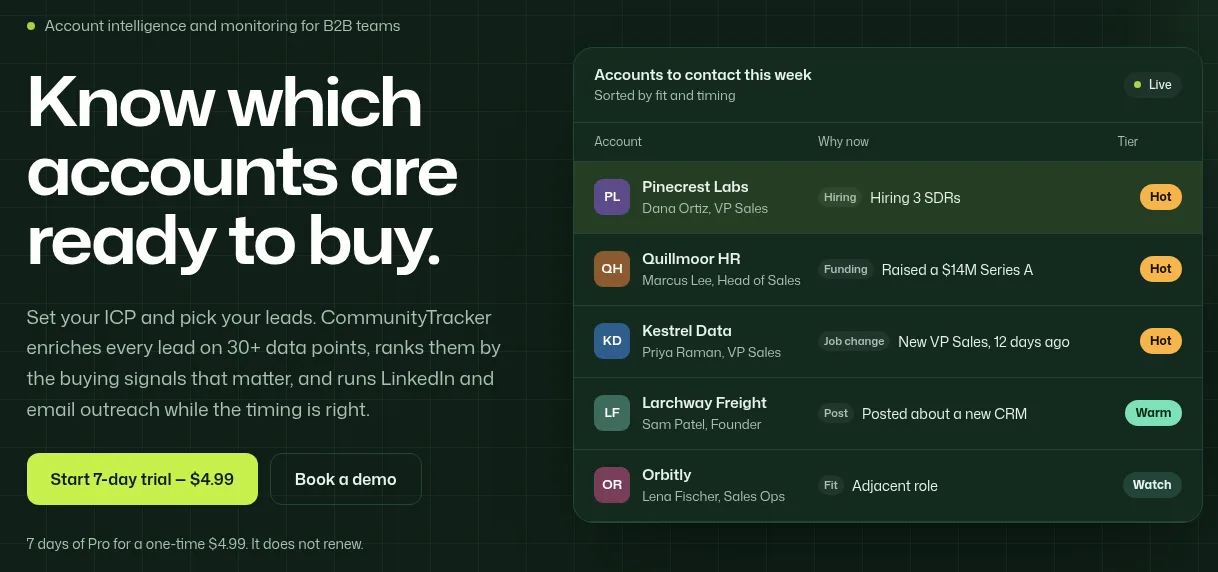
Most tools here answer “how do I send 500 LinkedIn messages a week?” CommunityTracker answers “which 20 people should get one this week, and what should it say?”
It watches your leads for buying signals, ranks them, then starts LinkedIn and email outreach from the signal.
It isn’t a full LinkedIn automation suite, and dedicated senders beat it on volume. For the signal side, see my LinkedIn buyer signals comparison.
Features
Signals: job changes in the role you sell to, new funding, hiring on the target team, tools named in job posts, and LinkedIn posts by the person and the company.
Tiers: every lead is Hot, Warm or Watch, with a one-line reason.
Outreach: LinkedIn connection requests and messages plus email, with replies in one inbox. A sample sequence: Day 1 invite, Day 3 message, Day 6 follow-up only if there’s no reply.
Hand-off: push leads to Instantly, Smartlead, Salesforge or lemlist with your own key. HubSpot sync is built in, and Pro adds daily Slack alerts.
A free LinkedIn signal outreach workflow for n8n drafts a connection request under 300 characters for each LinkedIn post scored above 70.
Pricing
CommunityTracker has a $0 Free plan. Paid plans:
Starter, $39 a month: 4 keywords, up to 100 warm emails a month.
Pro, $99 a month: 10 keywords, unlimited warm emails, AI intent scoring.
Advanced, $199 a month: 20 keywords.
Trial: Pro for 7 days for a one-time $4.99, no renewal.
LinkedIn and email outreach come with every paid plan, with no long-term contract and a 14-day money-back guarantee. See CommunityTracker pricing.
Pros
The first line is already written. The signal and the “why now” sit next to the lead.
A shorter send list. You message only the accounts that turned Hot this week.
A human can approve every message. That’s useful when a founder’s profile does the sending.
One bill. The $39 plan already includes signals, enrichment and outreach. lemlist charges $29 for 100 signals on top of a $109 seat.
Cons
No InMail or sender rotation listed. An agency running 10 LinkedIn profiles needs a separate tool.
No published LinkedIn quotas or account count. CommunityTracker doesn’t state how many LinkedIn accounts a plan connects or how many actions it sends a day.
Starter caps warm emails at 100 a month.
Enrichment uses credits. New accounts get 100.
One G2 review so far. There’s no crowd evidence to lean on yet.
Summary
Pick CommunityTracker when the hard part is knowing who to message.
2. PhantomBuster
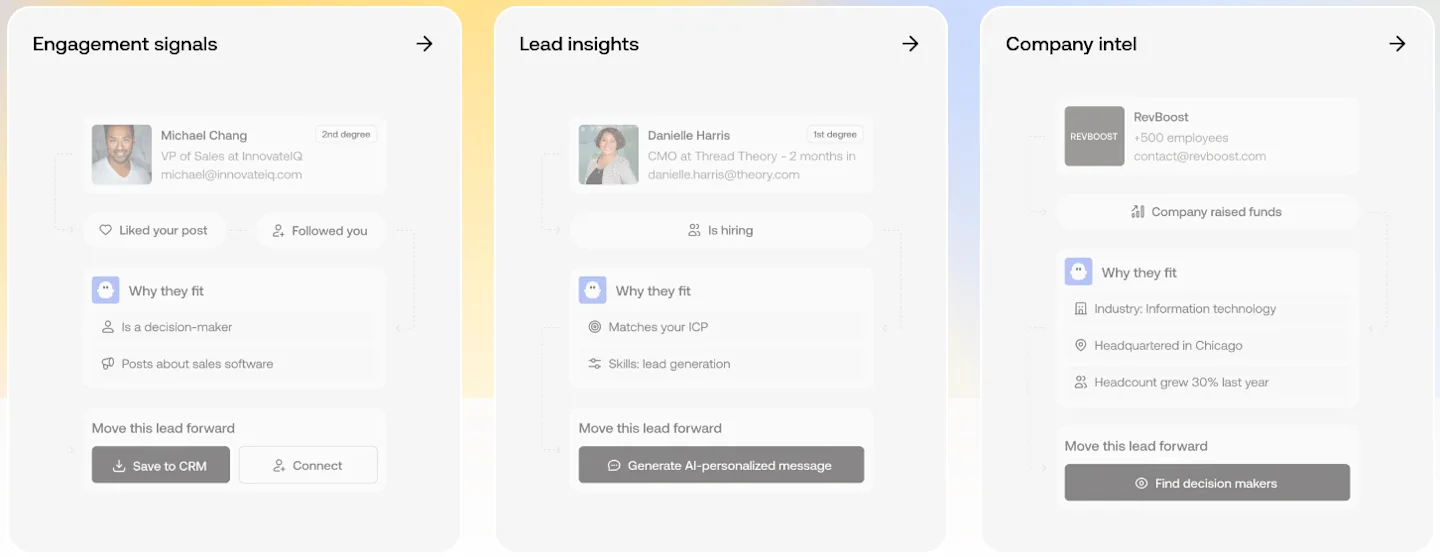
PhantomBuster is a data tool first. LinkedIn outreach campaigns, lead warming and AI writing are among its 100+ automations, so you chain messaging after steps like extracting the people who engaged with a post. Every plan connects multiple LinkedIn accounts, syncs to HubSpot and includes an MCP server for Claude and ChatGPT.
In PhantomBuster’s own MCP demo, the presenter sets up the LinkedIn outreach Phantom from a chat with Claude, at 20 a day.
Pricing
You pay for execution hours and parallel slots. Users are unlimited.
Trial: free, 2 hours, 5 slots.
Start: $56 a month billed annually, 20 hours, 5 slots.
Grow: $128 a month billed annually, 80 hours, 15 slots.
Scale: $352 a month billed annually, 300 hours, 50 slots.
Pros
No per-seat math. Five people pay one plan price.
Runs with your laptop closed.
Email enrichment is included, with 500 email credits a month on Start.
No surprise bill. Automations pause at the hour limit instead of charging overage.
Cons
Trial exports stop at 10 rows. Too few to judge quality.
No email sequences or reply inbox listed. Follow-up and replies live in another tool.
Monthly-billing prices aren’t stated. Check the rate at checkout.
Hard for non-technical users. One G2 reviewer called UX its weakest area for them.
Who should buy it
A team with a GTM engineer who owns workflows.
3. lemlist
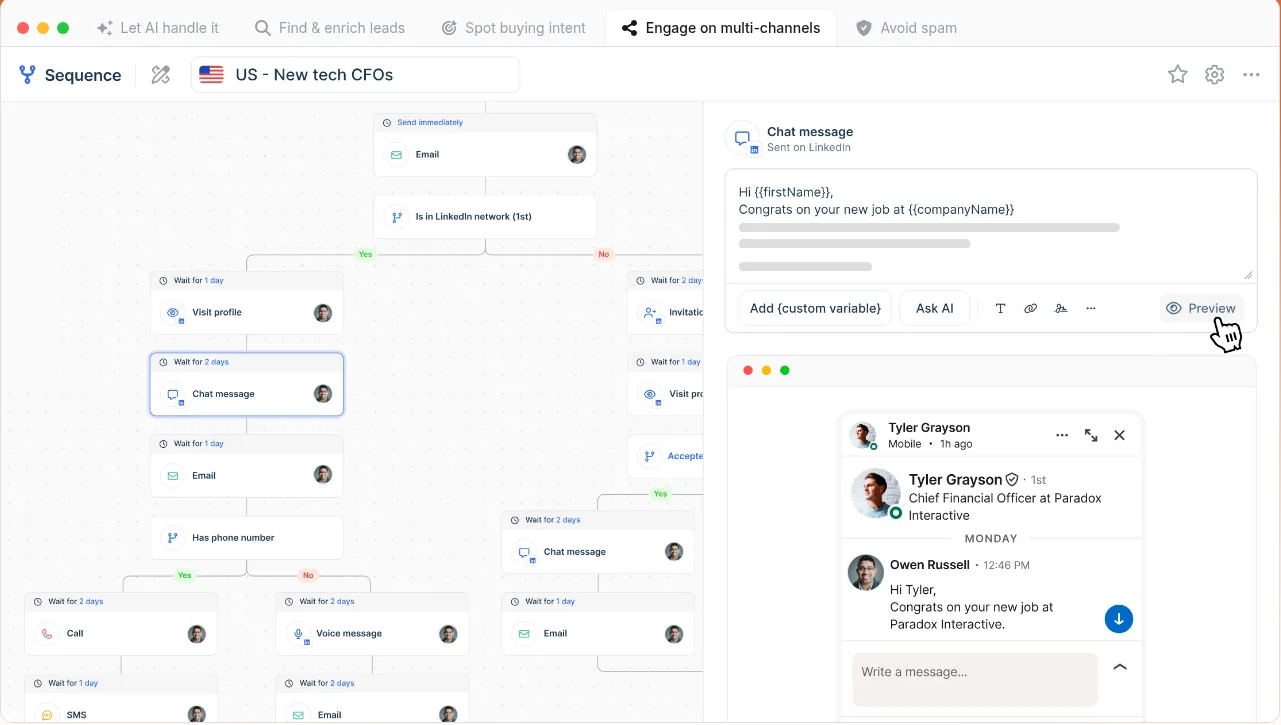
lemlist is an email tool that grew a full LinkedIn channel. One sequence can visit a profile, invite, send a text or voice message or an InMail, then switch to email when there’s no reply.
LinkedIn steps sit on the Multichannel plan. In lemlist’s own video, the presenter links LinkedIn through the Chrome extension and keeps limits under 30 actions a day. That’s one presenter’s habit. LinkedIn publishes no daily number.
Features
Profile visits, follows, invites, text and voice messages, InMail.
AI icebreakers from a lead’s LinkedIn bio.
Email, calls, SMS and a WhatsApp add-on in the same sequence.
Unified inbox and CRM sync.
Pricing
Email: $69 a month ($55 yearly). No LinkedIn.
Multichannel: $109 per user a month ($87 yearly), with LinkedIn, SMS and a dialer.
Enterprise: custom.
Trial: 14 days, LinkedIn included.
Pros
5 email senders per user on Multichannel.
AI-personalized voice notes.
The trial includes LinkedIn steps.
Works on a free LinkedIn account.
Cons
Buying signals cost extra. $29 a month for 100 signals.
Data costs credits. Enrichment and the 650M+ lead database draw on them.
SSO needs Enterprise.
The interface feels crowded, a G2 reviewer wrote in October 2026.
Summary
lemlist fits reps who live in email. A LinkedIn-only team pays for email it won’t use.
4. Dux-Soup (STACKED)
Dux-Soup launched STACKED in 2026, as a desktop app (local) or on Dux-Soup’s servers (cloud).
In the STACKED demo on Dux-Soup’s channel, an “enroll profiles” button on a LinkedIn or Sales Navigator search bulk-adds results.
Features
Campaigns of up to 12 actions: Visit, Follow, Endorse, Like a post, InMail, Connect, Message.
Response detection that pauses the campaign.
Works with LinkedIn, Sales Navigator and Recruiter.
Reply inbox, plus native Slack, Salesforce, Pipedrive, HubSpot and MS Teams.
Pricing
STACKED local: $55 per seat a month, or $41.25 billed annually.
STACKED cloud: $99 per seat a month, or $74.17 billed annually.
Free trial available.
Pros
Cheaper desktop option. Local costs $44 less per seat than cloud on monthly billing.
InMail and Recruiter support.
Teams alerts keep Sales Navigator replies from getting lost, one G2 reviewer wrote.
Unlimited concurrent campaigns.
Cons
The cheaper version needs your computer on.
No email steps. You need a second tool for email.
No scheduled send, a G2 reviewer noted.
Shared team campaigns need 2+ seats.
Verdict
Choose cloud for uptime, local for budget.
5. Octopus CRM
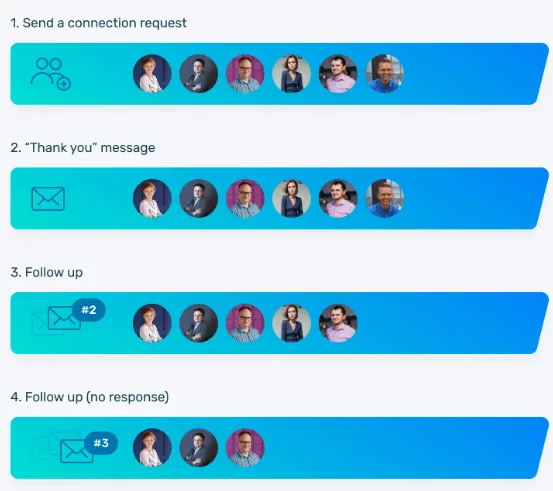
Octopus CRM has the lowest paid monthly price on this list: $9.99. It sends personalized invites and bulk messages to 1st-degree connections, views profiles and endorses up to 7 skills.
Plan | Monthly | Account types |
|---|---|---|
Starter | $9.99 | Free, Sales Navigator |
Pro | $14.99 | Free, Sales Navigator |
Advanced | $21.99 | Free, Sales Navigator |
Unlimited | $39.99 | Adds Premium and Recruiter |
The trial is 7 days, no card.
Pros
CSV import and export for moving lead lists in and out.
Sales Navigator works from Starter.
Funnels chain invite, thank-you and follow-up without a separate tool.
Activity Control alerts you when activity spikes.
Cons
Premium and Recruiter accounts need Unlimited, four times the Starter price.
No email sequences.
No reply inbox listed.
“Connect by Email” is sold as a way to bypass LinkedIn’s weekly invite limit. LinkedIn’s User Agreement prohibits bypassing use limits.
Use it as a $9.99 test of whether automated invites work for you.
6. Dripify
Dripify publishes daily quotas: 75 connection requests, 100+ messages and 30 Sales Navigator InMails a day.
Features
LinkedIn and email steps in one sequence.
Cloud execution from a unique local IP, with human behavior simulation.
Dedicated inbox and HubSpot integration.
Works with every LinkedIn account type.
Pricing
Pro: $79 per user a month, or $59 billed annually.
Advanced: $99 per user a month, or $79 billed annually, with A/B testing and team management.
Enterprise: custom.
Trial: 7 days on Advanced, no card.
Pros
An open API and an MCP server next to the HubSpot integration.
Email on every plan, with 100 email-finder credits a month.
Different paths for accepters and non-accepters. In Dripify’s own tutorial, a lead who hasn’t accepted after 1 day gets a profile view, a post like 3 days later, and a withdrawn request 5 days after that. Then Dripify tries its email finder.
Email sending isn’t metered. A credit is used only when the finder verifies an address.
Cons
One LinkedIn account per seat. Five reps need five seats.
A/B testing costs $20 more per seat.
Dripify’s own tutorial shows the inbox holding only campaign leads. Other chats stay in LinkedIn.
Extra email-finder credits cost $29 to $99.
Summary
The simplest pick for 1 to 3 reps who want LinkedIn and email in one tool.
7. Salesflow
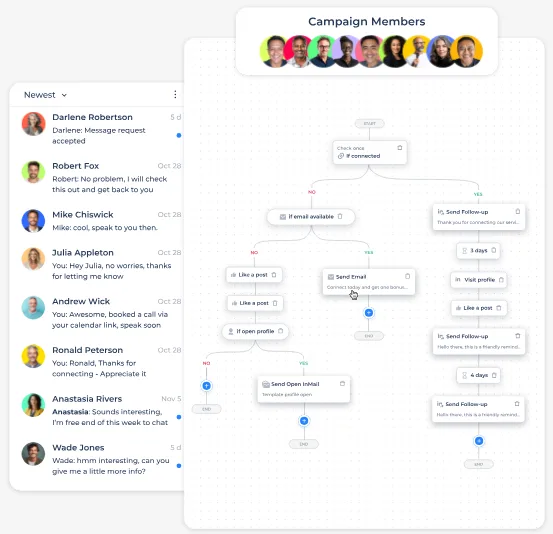
Salesflow prices by team size, from $99 for one seat down to $24.99 a seat at 100 seats. Sequences branch on connection status, email availability and engagement.
Features
Invites, messages and InMails, plus profile visits, likes and endorsements.
Unified LinkedIn and Sales Navigator inbox with reminders, snooze and scheduled sending.
Dedicated IPs, auto-withdrawal of pending invites and randomized actions.
LinkedIn and email in one sequence.
Pricing
Plan | Per seat a month | Minimum seats |
|---|---|---|
Basic | $99 | 1 |
Starter | $70 | 5 |
Pro | $39.95 | 20 |
Agency | $29.98 or $29.95 | 50 |
Enterprise | $24.99 | 100 |
Agency and Enterprise need an annual commitment. Salesflow Basic also sells 6-month billing at a discount. The trial is 7 days, no card.
Pros
20 seats cost about 60% less each than one.
Old invites get withdrawn automatically.
Reps can schedule replies.
Native HubSpot sync for messages and replies.
Cons
One seat costs more than Dripify Pro ($79) or Meet Alfred Multi-Channel ($69).
3 reps miss the $70 rate, which starts at 5 seats.
Annual lock-in from 50 seats.
Salesflow quotes the Agency rate as both $29.98 and $29.95. Confirm it on your quote.
Who should buy it
Teams with 5+ LinkedIn seats under one manager.
8. Reply.io

Reply.io is an email platform first, with LinkedIn safety settings you can see and change:
recommended daily limits per action, with an auto-pause
weekly invite-limit detection
cleanup of pending requests
manual steps when you want them
Features
Requests, messages, profile views, InMails, post likes and AI voice messages.
LinkedIn replies in the Reply inbox with AI categorization.
Email, calls, SMS and WhatsApp in one sequence.
Pricing
Email Volume: $59 per user a month ($49 billed annually). LinkedIn is $69 a month per account on top.
Multichannel: $99 per user a month ($89 billed annually), LinkedIn included.
Jason AI SDR: from $800 a month ($500 billed annually).
Trial: 14 days.
These are list prices; Reply.io is running a seasonal discount.
Pros
A G2 reviewer has run LinkedIn outreach on it for over a year without problems.
Preview before send.
Multichannel undercuts Email plus the add-on: $99 against $128 a month.
An AI SDR is available if you want outreach run for you.
Cons
Plans are sized on active contacts, starting at 1,000.
Jason costs more than five Multichannel seats ($500 against $445, both billed annually).
Contacts move through sequences unpredictably, one recent G2 reviewer wrote.
G2’s summary flags reviewers asking for smoother LinkedIn account connection.
Summary
Good for email-heavy teams adding LinkedIn with tight controls.
9. LinkedRadar
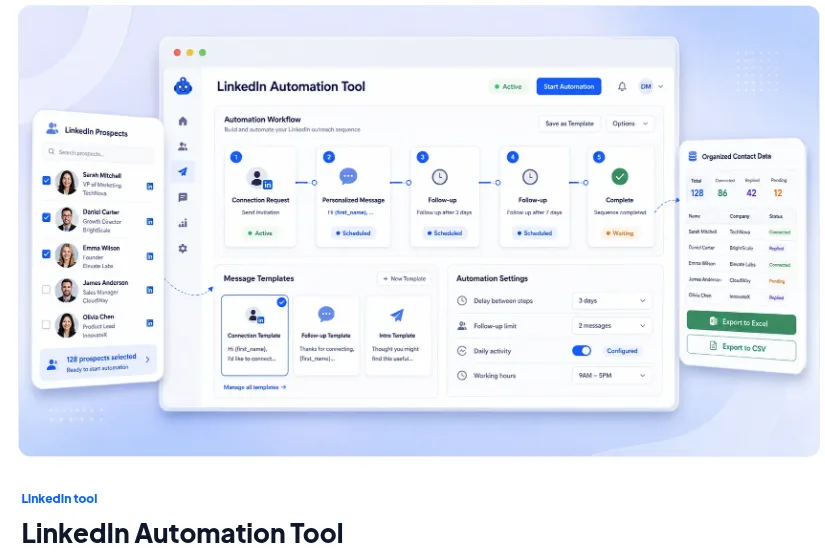
LinkedRadar runs as a Chrome extension on the same IP address you use every day. It sends invites, follow-ups and InMail against hard monthly caps. The company now leads with Instagram tools, and LinkedIn automation is one product line.
Plan | Monthly | Yearly, per month | Invites / InMails a month | Campaigns | LinkedIn accounts |
|---|---|---|---|---|---|
Start | $19.9 | $13.9 | 400 / 400 | 8 | 1 |
Biz | $29.9 | $23.9 | 800 / 800 | 15 | 1 |
Pro | $69.9 | $49.9 | 800 / 800 | 50 | 1 |
Team | $99.9 | $69.9 | Unlimited | Unlimited | 5 |
What works
400 invites and 400 InMails for $19.9 a month ($13.9 yearly).
AI rewrites on every plan, from 500 a month on Start.
Team covers 5 accounts for $99.9, under $20 an account.
Pro adds AI rewrites and campaigns. Invites and InMails stay at 800, so stay on Biz if 15 campaigns are enough.
What doesn’t
It ties up your LinkedIn. A Capterra reviewer couldn’t use LinkedIn for anything else while it ran.
One LinkedIn account below Team.
No trial listed.
Its 13 Capterra reviews date from 2022 and 2023.
Fine for one person who accepts extension risk.
10. Meet Alfred
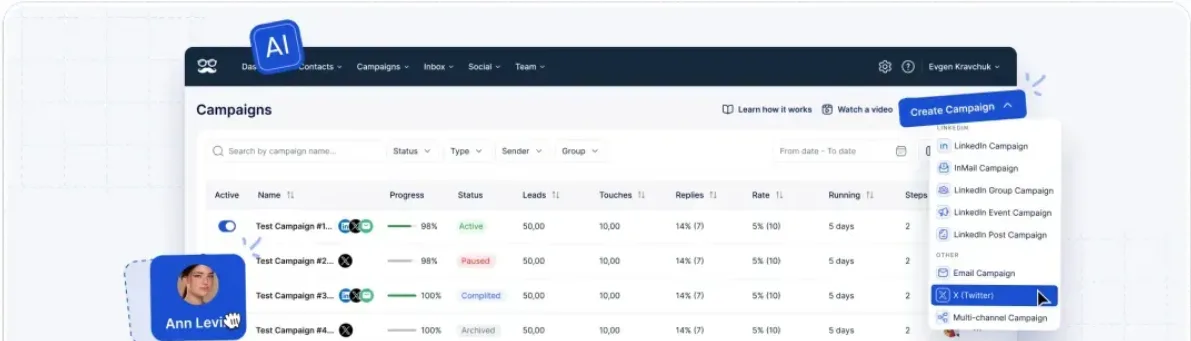
Meet Alfred is the only tool here that moves a lead between LinkedIn, email and X in one sequence.
Features
Multi-channel sequences across LinkedIn, email and X.
Groups, Events and post-engager campaigns.
Smart LinkedIn inbox, including InMail and Sales Navigator.
Pricing
Plan | Per seat, annual | Per seat, monthly | Adds |
|---|---|---|---|
LinkedIn Only | $39 | $59 | Core LinkedIn automation |
Multi-Channel | $49 | $69 | Email, X, InMail, Sales Navigator |
Agency | $59 | $79 | 3+ seats, native Salesforce and HubSpot, white label |
Unlimited | Custom | Custom | Volume pricing |
The trial is 7 days, no card.
Pros
Birthday and new-role greetings go out automatically.
Target by Group, Event or post reaction.
Shared team inbox on Agency.
Skipped-lead reasons are visible. Meet Alfred’s own walkthrough shows the campaign view listing skipped leads and why.
Cons
The $39 plan is LinkedIn Only, with no InMail or Sales Navigator.
Monthly billing costs $20 more per seat.
Native CRM sync needs Agency: 3 seats, $177 a month billed annually.
Meet Alfred shows two different price sets. Confirm at checkout.
Summary
Pick Multi-Channel if X or Groups are part of your outreach.
What a 3-rep team pays per month
The rule: three reps, each on their own LinkedIn account, on the cheapest paid plan that runs LinkedIn message sequences.
Tool and plan | Monthly billing | Annual billing, per month |
|---|---|---|
Octopus CRM Starter | 3 × $9.99 = $29.97 | Not shown |
LinkedRadar Start | 3 × $19.9 = $59.70 | 3 × $13.9 = $41.70 |
PhantomBuster Start (one plan, unlimited users) | Not shown | $56 |
Dux-Soup STACKED local | 3 × $55 = $165 | 3 × $41.25 = $123.75 |
Meet Alfred LinkedIn Only | 3 × $59 = $177 | 3 × $39 = $117 |
Dripify Pro | 3 × $79 = $237 | 3 × $59 = $177 |
Salesflow Basic | 3 × $99 = $297 | Not shown |
Reply.io Multichannel | 3 × $99 = $297 | 3 × $89 = $267 |
lemlist Multichannel | 3 × $109 = $327 | 3 × $87 = $261 |
Reps on LinkedIn Premium or Recruiter need Octopus Unlimited: 3 × $39.99 = $119.97. PhantomBuster’s 20 hours are shared by the whole team. CommunityTracker isn’t here because it doesn’t publish seat or LinkedIn-account counts per plan.
What G2 and Capterra reviewers say
Tool | Rating | Reviews |
|---|---|---|
4.6 | 2,673 | |
4.6 | 1,568 | |
4.5 | 354 | |
4.3 | 141 | |
4.4 | 138 | |
4.3 | 118 | |
4.4 | 91 | |
4.3 | 52 | |
4.8 | 13 | |
CommunityTracker on G2 | 5.0 | 1 |
What they like:
Fewer tools. One lemlist reviewer replaced HubSpot Sales Hub, a LinkedIn tool and a dialer with it.
Scale. A Dux-Soup reviewer worked through about 16,000 contacts.
Niche reach. Patty A. found Meet Alfred the only platform that schedules posts to a LinkedIn Group.
What they dislike:
Account warnings. G2’s Dux-Soup summary notes reviewers reporting LinkedIn warnings, restrictions or bans. Krystyna F. reported LinkedIn fraud alerts on Salesflow, which sells dedicated IPs and randomized actions, and a refused refund.
Breakage. A PhantomBuster reviewer said workflows break when LinkedIn changes. A Meet Alfred reviewer said catching up “can take a few weeks.”
Metering. Naud H. found PhantomBuster’s 80 Grow hours run out fast. A lemlist reviewer said scaling LinkedIn means adding seats.
Glitches. A Reply.io reviewer reported “double messaging on LinkedIn.”
How I picked
I judged each tool on what it sends, where it runs, what happens on a reply, price per seat or account, published LinkedIn limits, and whether it helps you choose who to message. I checked every price on the vendor’s own site.
How to choose a LinkedIn message automation tool
By situation:
Timing matters more than volume: CommunityTracker. If you detect buying signals on LinkedIn by hand today, this replaces the spreadsheet.
One founder testing: Octopus CRM or LinkedRadar, then Meet Alfred once you’re sure.
Three reps, LinkedIn plus email: Dripify Pro ($177 a month billed annually) or Meet Alfred Multi-Channel ($147 billed annually).
Email-first: lemlist or Reply.io Multichannel.
5+ seats or an agency: Salesflow, or Meet Alfred Agency for white label. Replacing a pooled-sender tool? See my HeyReach alternatives.
You have a GTM engineer: PhantomBuster.
For AI SDR tools, see Valley alternatives. To track accounts before you message them, see how to monitor LinkedIn leads.
FAQ
How many LinkedIn connection requests can I automate a day?
LinkedIn doesn’t publish a daily number. Dripify’s quota is 75 a day, lemlist’s presenter stays under 30 actions, and PhantomBuster’s demo uses 20. Start low.
Is LinkedIn automation against LinkedIn’s rules?
Yes. Section 8.2 of LinkedIn’s User Agreement bans it, and accounts risk restriction.
Can I automate LinkedIn messages on a free account?
Yes. Dripify, lemlist and Octopus CRM work on free accounts. Free members can personalize only a few invite notes a month, though.
Which tool messages people only when they show buying intent?
CommunityTracker ranks leads by signals such as a new leader, funding or hiring, then starts outreach from that signal.
What does LinkedIn message automation cost for a 3-person team?
On the cheapest paid plan that runs LinkedIn sequences, a 3-person team pays $29.97 to $327 a month on monthly billing (Octopus CRM Starter to lemlist Multichannel). On annual billing it pays $41.70 to $267 a month (LinkedRadar Start to Reply.io Multichannel). The annual range starts higher only because Octopus CRM doesn’t show an annual price.
My verdict
Buy CommunityTracker if your problem is who to message and when. Buy Dripify or Meet Alfred for 1 to 3 reps, Salesflow at 5+ seats, lemlist or Reply.io if email leads, and PhantomBuster if someone owns the workflows.
Next step: pull your last 10 closed deals and note what changed at each account in the month before the first reply. If it was a job change, funding or hiring, start with signals.