6 Best Social Media Analytics Tools in 2027
Social media analytics tools for 2027, judged on how far back the data goes, what you can export, how many rivals you can watch, and which billing view each price comes from.
Adarsh Kumar
GTM Expert
Founder — CommunityTracker, Miraa.io, and Infraboxes
You have a monthly social report due Monday. You pull numbers from four native dashboards, paste them into slides, and the Instagram follower line refuses to match last month’s deck because the two date ranges were set differently.
Social media analytics tools fix that by pulling every channel into one place and turning it into a report you can send without a spreadsheet in the middle.
The ones worth paying for settle three things: how far back the data goes, what you can export, and how many rival accounts you can watch. Those limits move by plan far more than by brand. A tool that looks generous on its pricing page can stop at 30 posts or three months of history on the cheapest tier, so read the history window before the price.
TL;DR: The 6 Social Media Analytics Tools I’d Shortlist
Metricool - Best for freelancers and small teams who need client PDFs and long history on a cheap plan
Sprout Social - Best for in-house teams reporting on many profiles to leadership
Hootsuite - Best for teams that want rival benchmarks next to the scheduler
Agorapulse - Best for agencies that have to prove ROI to clients
Later - Best for Instagram-led brands and creators
Buffer - Best for one person who wants a quick weekly check for free
Metricool is where I’d start. Its Starter plan downloads reports as PDF or PPT, keeps analytics history with no end date, and watches up to 100 competitors, for $20 a month when billed yearly, or $25 when you pay month to month. Hootsuite, Later and Agorapulse each hold one of those back on their entry plans: Hootsuite Standard has no report export, Later Starter stops at three months of analytics, and Agorapulse Standard keeps six months of data.
What Buyers Ask Before They Pick One
What does a social media analytics tool do? It collects follower, engagement, impression and post data from the accounts you connect, shows it in one dashboard, and turns it into reports you can export or schedule.
Which one should I start with? Metricool, if price and client reports matter most. Sprout Social, if you report on many profiles to leadership and can set aside $199 for each seat every month, paid annually.
Is there a free one? Two come close. Buffer’s Insights is free on every plan, and the free Buffer plan connects up to 3 channels. Metricool’s free plan covers 1 brand with 30 days of analytics. Neither includes report exports for free: Buffer keeps CSV, Markdown and PDF exports for paid plans and gives the free plan chart snapshots, and Metricool reports start on Starter.
How far back can I see my data? It depends on the plan. Later shows up to 3 months on Starter, 1 year on Growth and 2 years on Scale. Agorapulse holds data for half a year on Standard, a full year on Professional and two years on Advanced. Metricool Starter keeps unlimited history.
Can I track competitors? Yes, with caps. Metricool watches 5 competitor profiles on its free plan and up to 100 on Starter. Hootsuite’s pricing table allows 5 rivals on Standard, then 20 apiece on its two middle tiers. Agorapulse adds competitor benchmarking on Advanced, and Later adds it on Scale.
Why don’t the numbers match the native app? Each tool counts and syncs differently. Sprout’s Profile Performance Report counts activity in the period you pick, even on old posts. Agorapulse syncs daily, and some networks run up to two or three days behind.
Do any of them backfill history when I connect? A little. Agorapulse pulls about 60 days of audience data and about 30 days of content data on connection. Hootsuite backfills 30 days for each competitor you add, and none for their follower count.
Entry Plans and the Billing View Behind Each Price
Tool | Entry paid plan | Price, with its billing view | The limit you’ll hit first |
|---|---|---|---|
Metricool | Starter | $20 a month when billed yearly, $25 when billed month to month (up to 5 brands) | Custom report templates wait for Advanced |
Sprout Social | Essentials | $79 a seat monthly if you pay annually, $99 a seat if you pay monthly | 5 social profiles |
Hootsuite | Standard | Up to 10 social accounts | No report export |
Agorapulse | Standard | $79 per user a month paid annually, $99 paid monthly | 6 months of data retention |
Later | Starter | $18.75 USD a month, billed yearly | 3 months of analytics, last 30 posts |
Buffer | Essentials | $5 per channel a month, shown as $60 billed yearly | 1 user account |
1. Metricool
You look after five or six small brands, and each one expects a monthly PDF with its own logo. That’s the job I’d hand Metricool.
Reports live under Reporting in the top menu and open on Starter. You choose a full month or a custom range, the language, the networks, how tables sort and how many rows they show, then add a logo if you want one and download the file as PDF or PPT. Advanced and Custom plans add your own report templates, and the Data Studio connector is there for full customization.
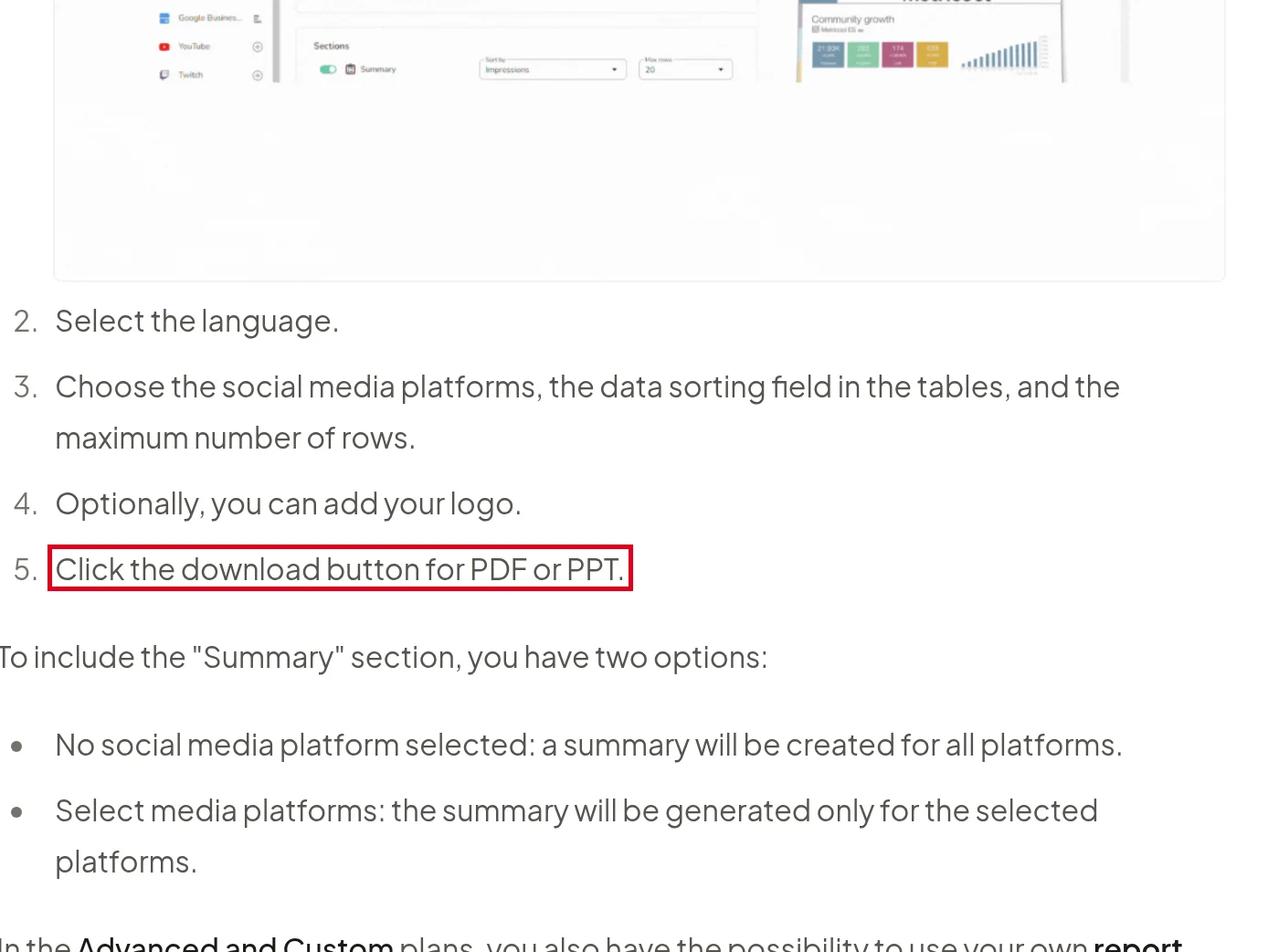
Metricool’s help steps for a report. I’d drop each client’s logo in at the logo step and send the PDF as it comes out, since Starter already includes this download.
History and rivals
Starter keeps analytics with unlimited history, so a year-on-year slide doesn’t need an old export. It also tracks up to 100 competitors. One quirk to explain to clients: Metricool’s help says Reports compare periods differently from Analytics, so a figure can shift between the two screens.
Plans in US dollars
The pricing page switches between Annual and Monthly:
Free: $0 a month for 1 brand, 30 days of analytics, 5 competitor profiles and 20 scheduled posts a month. LinkedIn and Twitter aren’t included.
Starter, billed yearly: up to 5 brands cost $20 a month, and up to 10 brands cost $36 a month.
Starter, billed month to month: up to 5 brands cost $25 a month, and up to 10 brands cost $45 a month.
Advanced: starts at $53 monthly when billed yearly and $67 monthly when billed month to month, for up to 50 brands, with custom report templates, the Data Studio connector and a post approval system.
The page notes that VAT isn’t included in those prices.
From a TrustRadius card
Dustin Day is a director of UX development, social media and SEO/SEM, and the card reads as a short, positive note on the analytics side.
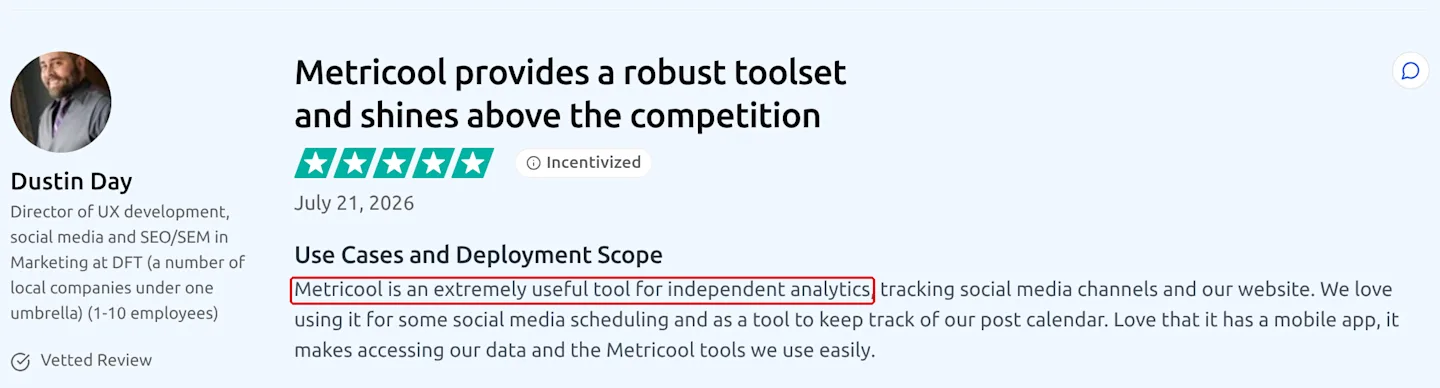
TrustRadius, July 21, 2026, Incentivized. I’d read Dustin Day’s first line as the reason to trial Metricool for analytics before scheduling.
Dustin Day opens with “Metricool is an extremely useful tool for independent analytics” (TrustRadius, July 21, 2026, Incentivized).
Pros
PDF and PPT reports on Starter, with your logo on them.
Unlimited analytics history from Starter up.
Up to 100 competitors on Starter.
A public month-to-month price, so one month is a cheap test.
A free plan for a single brand.
Cons
Custom report templates start on Advanced.
The post approval system starts on Advanced too.
The free plan leaves out LinkedIn and Twitter.
Reports and Analytics compare periods differently, which can confuse a client.
2. Sprout Social
You report to a VP who wants twenty profiles in one deck, and the numbers have to hold up when finance asks how they were counted. Sprout is built for that seat.
The Profile Performance Report pulls Facebook, X, Instagram, Threads, Pinterest, LinkedIn, YouTube and TikTok metrics into one view. Its CSV export takes up to 50 columns, broken out by day, network or profile, and you can compare custom date ranges, such as this year’s launch against last year’s.
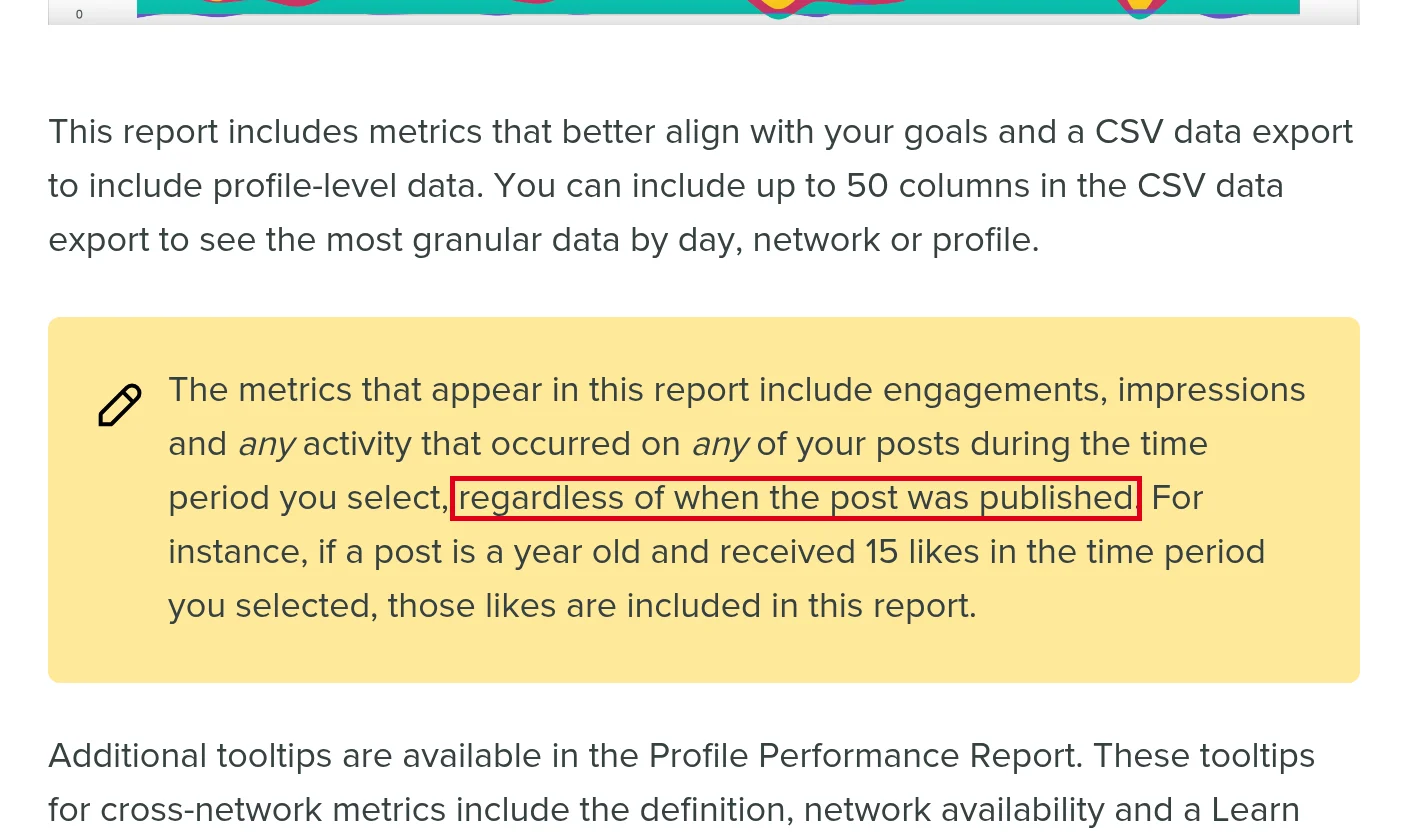
Sprout’s help on what the report counts. I’d explain this rule to leadership before the first deck, because an old post can lift this month’s engagement.
The counting rule
Engagements and impressions count when they happen, not when the post went live. A year-old post that picks up 15 likes this month adds 15 likes to this month. It’s the first thing I’d say out loud in a review meeting.
What the seats cost
The pricing page header reads “No credit card required. Annual billing.” Each figure below is per seat, per month:
Essentials: $79 on annual billing, or $99 billed monthly. Up to 5 social profiles, with profile and post-level reporting.
Standard: $199, billed annually, for 5 social profiles.
Professional: $299, billed annually. Extensive competitor, tag and paid insights arrive here, along with unlimited profiles.
Advanced: $399, billed annually, adding team productivity and social customer care reports.
Premium Analytics is an add-on for Standard and up. The trial runs 30 days.
One user’s note
amy chudy is a digital marketing manager at Splash Car Wash, and the card names the one-dashboard view.
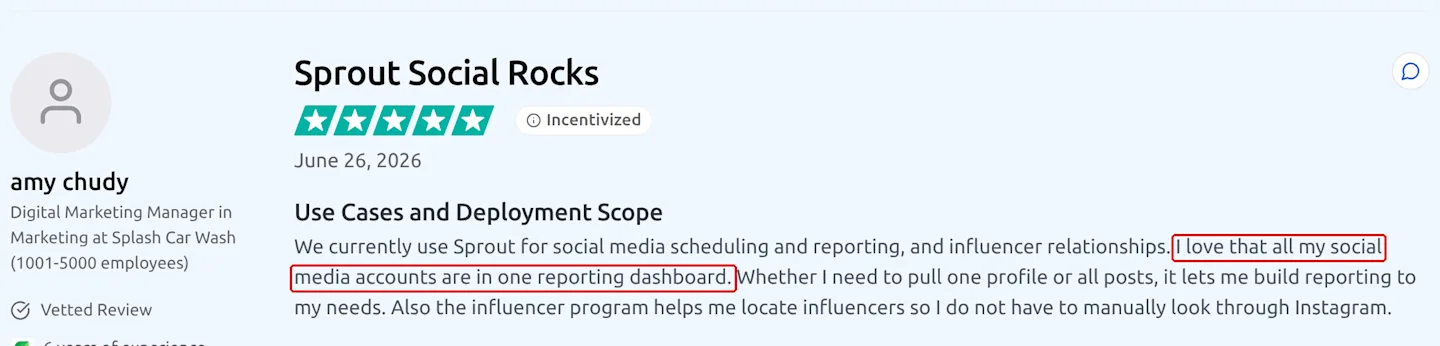
TrustRadius, June 26, 2026, Incentivized. I’d take amy chudy’s line as the reason a multi-profile team pays Sprout’s seat price.
amy chudy wrote: “I love that all my social media accounts are in one reporting dashboard.” (TrustRadius, June 26, 2026, Incentivized).
Pros
Period-based counting that holds up in a finance review.
A CSV export of up to 50 columns.
Custom date range comparisons inside the report.
Eight networks in one report.
Thirty days to try it, and no card needed.
Cons
Per-seat pricing grows with every teammate.
Essentials and Standard stop at 5 social profiles.
Extensive competitor insights wait for Professional at $299 per seat, billed annually.
Link clicks aren’t available for Instagram, Threads, YouTube, TikTok or Pinterest.
3. Hootsuite
Your boss keeps asking how often the two main rivals post and whether their audiences grow faster. Hootsuite puts that answer next to its scheduler.
Competitive analysis compares content strategy across X, Facebook Pages and Instagram Business accounts. You add rivals to a watchlist that the whole team shares, then line one of your accounts up against as many as twenty competitor accounts on the same network.
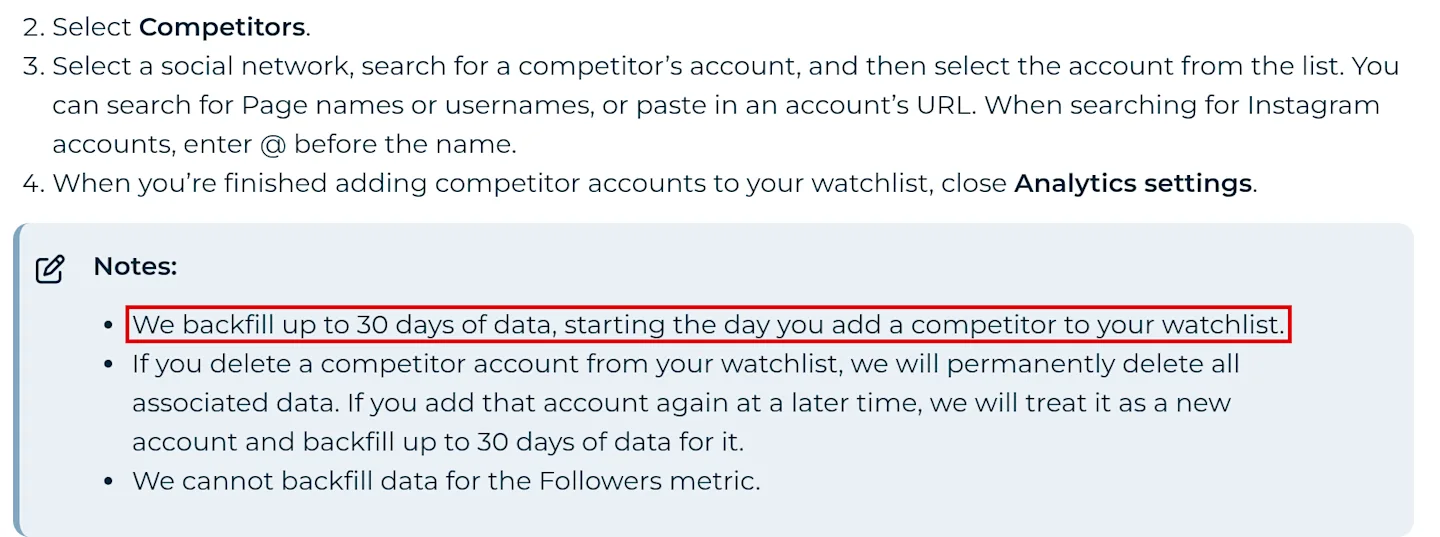
Hootsuite’s help on competitor data. I’d add every rival on the first day of the quarter, because Hootsuite reaches back only 30 days from the day you add one.
The backfill gap
The help center adds two limits next to that line. Hootsuite can’t backfill the Followers metric, and deleting a competitor deletes its data, so adding it again starts a fresh 30 days.
Hootsuite’s pricing table puts 5 competitors on Standard and 20 each on the two tiers above it.
Reports by plan
Post performance reports and best-times-to-publish charts come with every plan, and industry benchmarking runs from Standard up. Exports are where the plans split. Standard has no report export. Professional adds PDF and PPT export with emailed report schedules, and CSV or XLSX export waits for Advanced. Standard also leaves out customizable reports.
What each plan includes
Standard covers up to 10 social accounts. Professional is the first plan that can export a PDF or PPT report, and Advanced is the first that can export CSV or XLSX.
The trial lasts 14 days, and regular billing starts when it ends unless you cancel first.
A user’s take on reporting
Amanda Bellavance works in development and marketing at A Step Beyond, and the card describes Hootsuite for drafts, manager review and performance data.
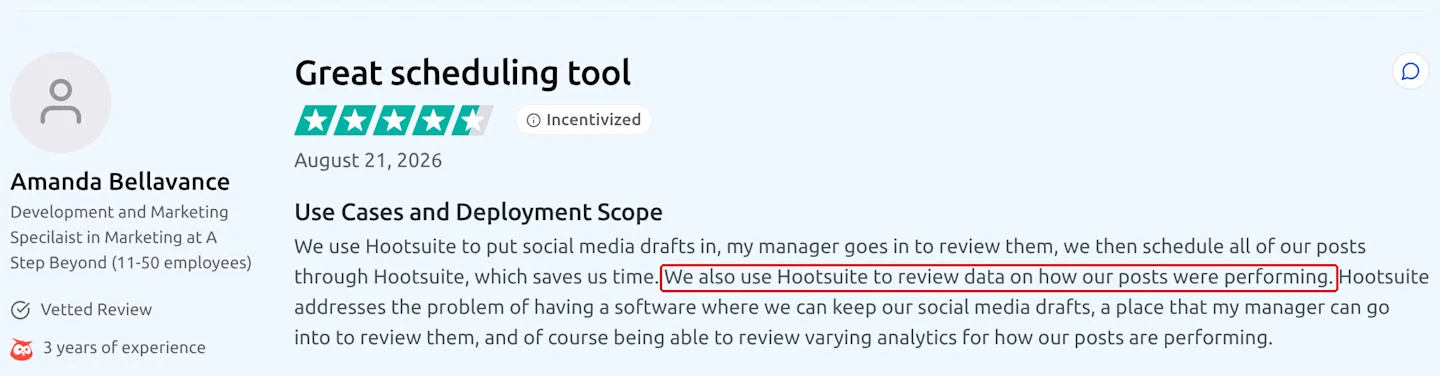
TrustRadius, August 21, 2026, Incentivized. I’d note that Amanda Bellavance uses Hootsuite for scheduling first and performance data second, which matches where its reports sit.
Amanda Bellavance wrote: “We also use Hootsuite to review data on how our posts were performing.” (TrustRadius, August 21, 2026, Incentivized).
Pros
Competitor benchmarking even on Standard, with 5 rivals.
Industry benchmarking from Standard up.
Best-times charts and post performance reports on every plan.
Paid and organic posts in one view.
Cons
Standard can’t export reports at all.
CSV and XLSX export wait for Advanced.
Follower history for a new competitor can’t be backfilled.
The 14-day trial starts regular billing unless you cancel first.
4. Agorapulse
You run an agency, and every renewal call starts with the client asking what the retainer bought them. Agorapulse is the tool I’d bring to that call.
Its reports cover audience, content, team, ads and competitors across Facebook, Instagram, Threads, LinkedIn, TikTok, YouTube and X, with X reporting only on the X Plus add-on. Branded report exports come with Standard. Advanced adds ROI analysis and competitor benchmarking, and the help center lists Power Reports, with automated exports, PPTX exports and a custom comparison period, for Advanced and Custom plans.
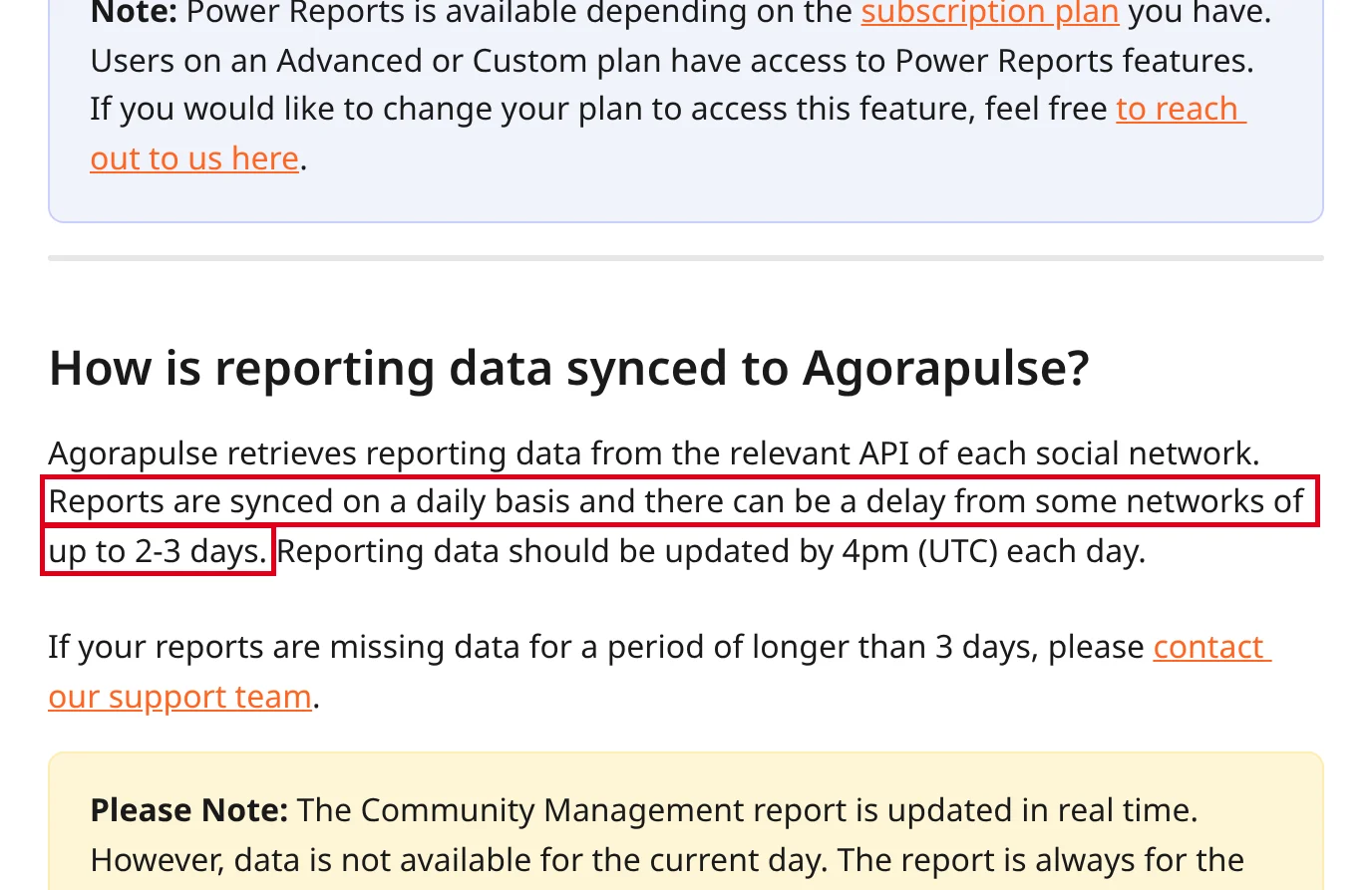
Agorapulse’s help on data freshness. I’d send client reports on the fourth of the month instead of the first, so the slower networks have caught up.
How long it keeps your data
Agorapulse keeps reporting data for 6 months on Standard, 12 months on Professional and 24 months on Advanced and Custom. When you connect a profile, it syncs about 60 days of audience data and about 30 days of content data, and X history starts on the day X Plus is added.
Pay monthly or annually
The pricing page toggles between the two, and the yearly figure is the lower one on each card:
Standard: $79 per user a month paid annually, or $99 paid monthly, with 10 social profiles, basic audience and top content reports, and branded exports.
Professional: $119 per user a month paid annually, or $149 paid monthly, adding team performance reports.
Advanced: $149 per user a month paid annually, or $199 paid monthly, adding advanced reports, ads reports, ROI analysis and competitor benchmarking.
The trial is free for 30 days with no card.
An agency owner’s words
Autumn runs a social media agency and writes about client reporting, in a review older than 12 months.
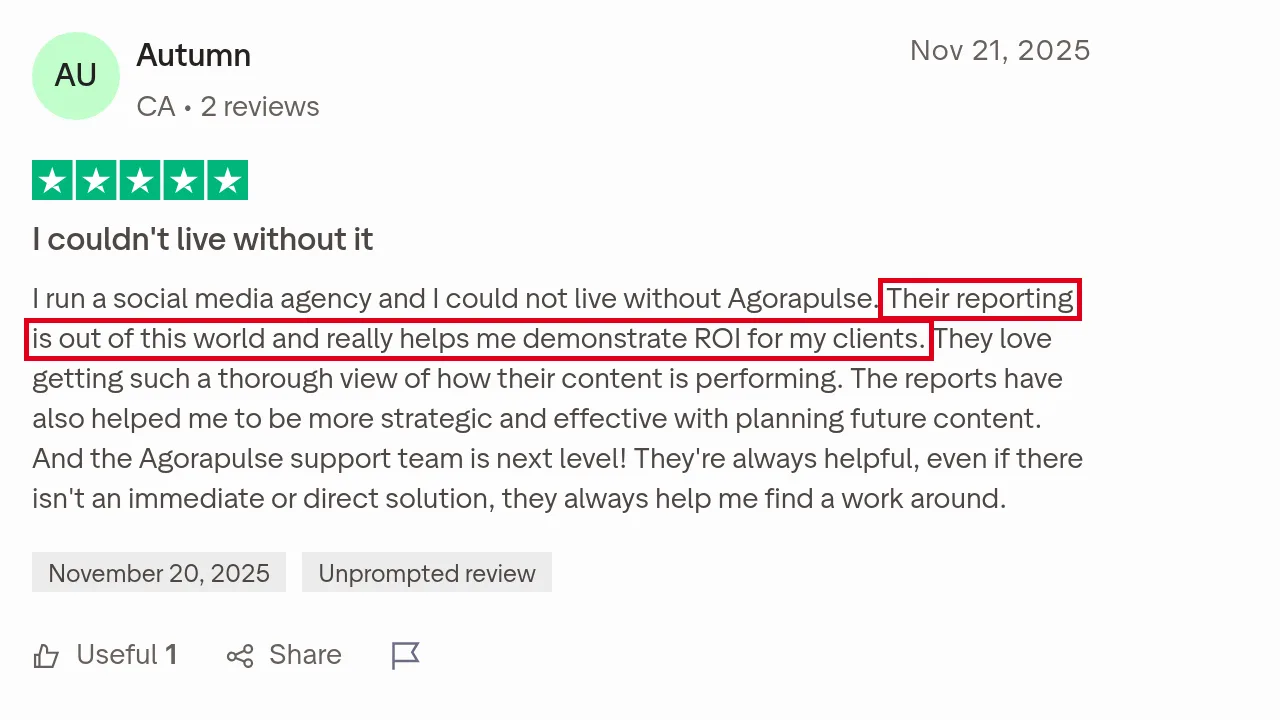
Trustpilot, Nov 21, 2025, older than 12 months. I’d show Autumn’s card to an agency owner, since ROI proof is the reason to pay for Advanced.
Autumn wrote: “Their reporting is out of this world and really helps me demonstrate ROI for my clients.” (Trustpilot, Nov 21, 2025). Keep in mind this card is older than 12 months.
Pros
Branded report exports from Standard.
ROI analysis on Advanced, which is what a renewal call needs.
24 months of data retention on Advanced.
A free 30 days before you pay, without a card.
A clear daily sync, so you know when data lands.
Cons
ROI analysis and competitor benchmarking only on Advanced.
Standard keeps just 6 months of data.
X reporting needs the X Plus add-on.
Some networks lag by two or three days.
5. Later
Most of your growth comes from Instagram, and you want to know which Reels and Stories pulled their weight last quarter. Later’s analytics are built around that question.
Every plan gets Reels performance, Story performance, hashtag analytics, a performance report and CSV export. The catch is the time window, which Later sets by plan, and the fact that Instagram analytics need a Business or Creator profile. Audience analytics also need at least 100 followers.
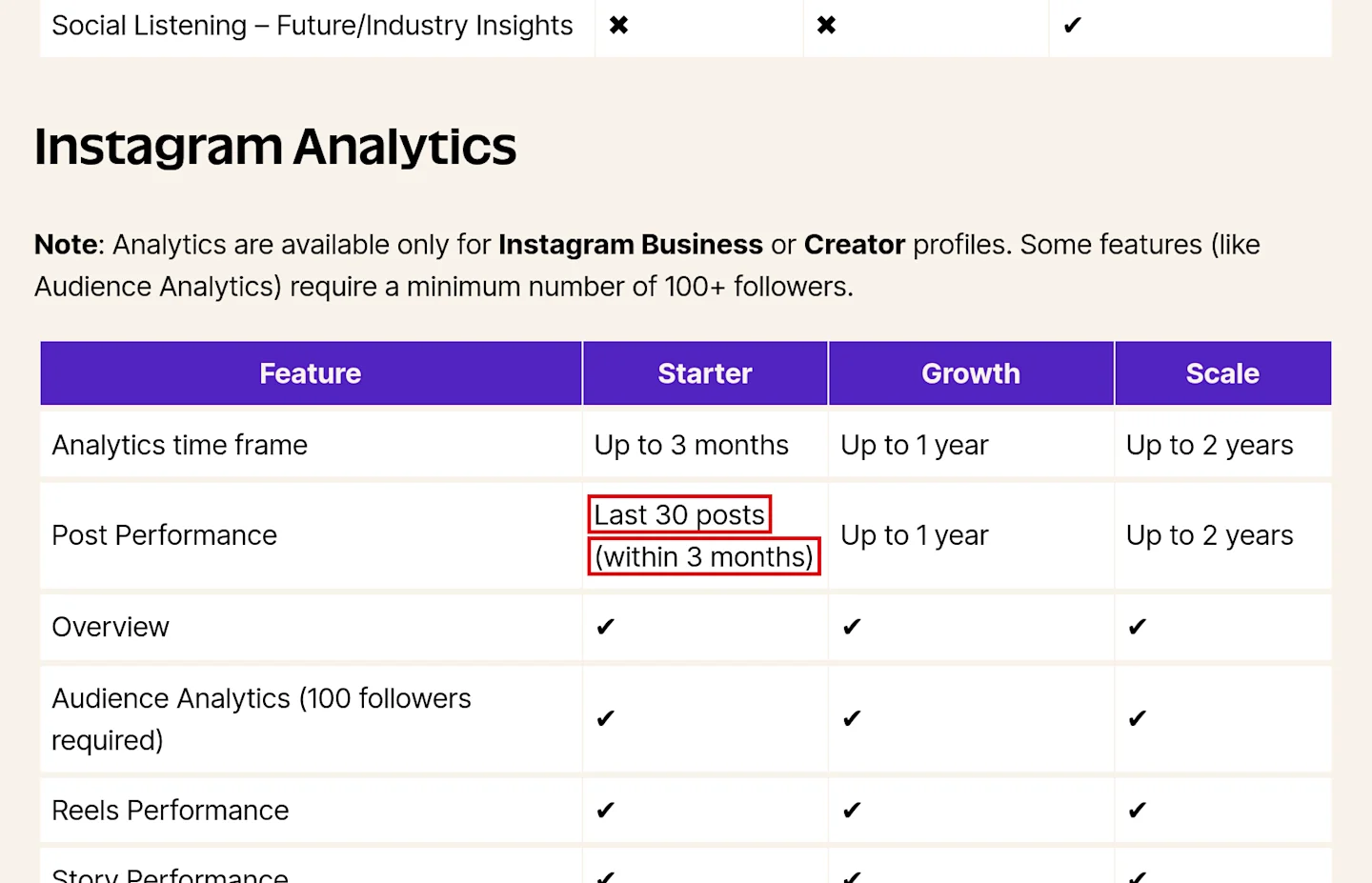
Later’s plan table for Instagram analytics. I’d skip Starter if you post every day, since 30 posts covers roughly a month of feed.
The window by plan
Instagram analytics go back up to 3 months on Starter, 1 year on Growth and 2 years on Scale. Pinterest analytics stop at 3 months on all three. Custom analytics and competitor benchmarking open only on Scale.
Yearly-billing prices
These figures come from the Bill Yearly view, which Later labels “3 months free | 25% off”:
Starter: $18.75 USD a month, billed yearly, for 1 social set (8 profiles) and 1 user.
Growth: $37.50 USD a month, billed yearly, for 2 social sets and 2 users.
Scale: $82.50 USD a month, billed yearly. You get 6 social sets, 4 users, Meta Ads analytics, custom analytics and competitive benchmarking.
Switch the page to Bill Monthly before you budget month to month. Later offers a 14-day free trial on each of the three.
A creator’s view
Andrada Cirjeu’s card is short and names reporting directly.
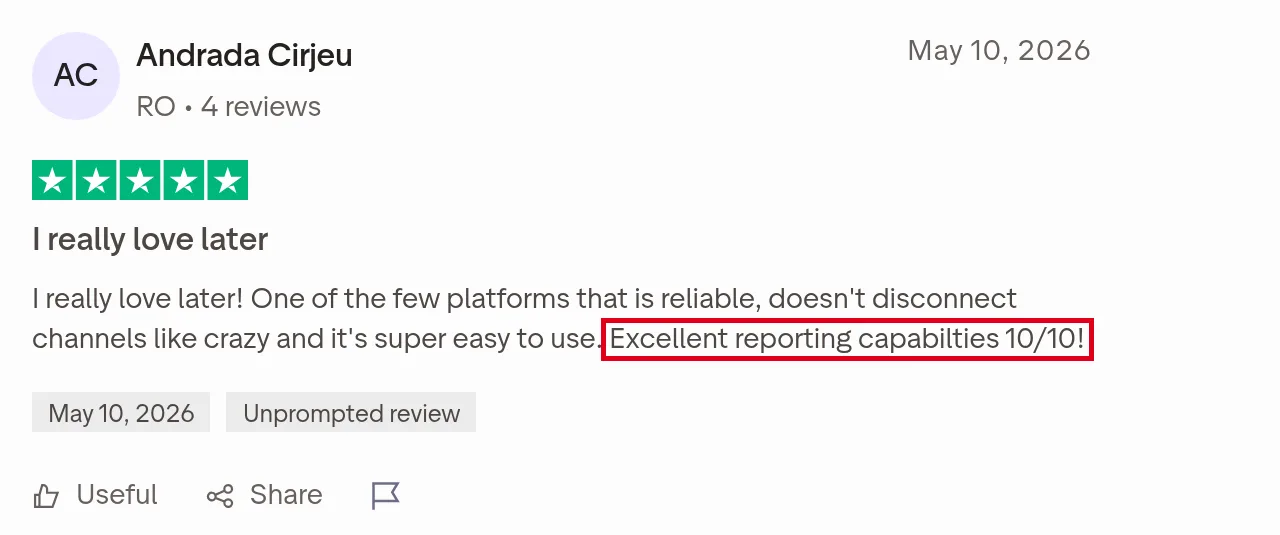
Trustpilot, May 10, 2026. I’d treat Andrada Cirjeu’s 10/10 as a light vote for Later’s reports, beside the plan table above.
Andrada Cirjeu wrote: “Excellent reporting capabilties 10/10!” (Trustpilot, May 10, 2026).
Pros
CSV export on every plan.
Reels and Story performance from Starter.
Two years of Instagram history on Scale.
One social set covers 8 profiles.
Cons
Starter post performance stops at the last 30 posts.
Pinterest data stops at 3 months on every plan.
Instagram analytics need a Business or Creator profile.
Competitor benchmarking only on Scale.
6. Buffer
You post for one brand on three channels and want to know, in two minutes on a Monday, whether last week worked. Buffer’s Insights covers that for free.
Insights shows follower growth, engagement and impressions for one channel or across all of them. It covers Instagram professional accounts, Facebook Pages, X, LinkedIn Pages and Profiles, TikTok, Pinterest, Threads, Bluesky, YouTube and Mastodon, but not Google Business Profiles. Buffer retired its older Analyze product on October 7, 2026.
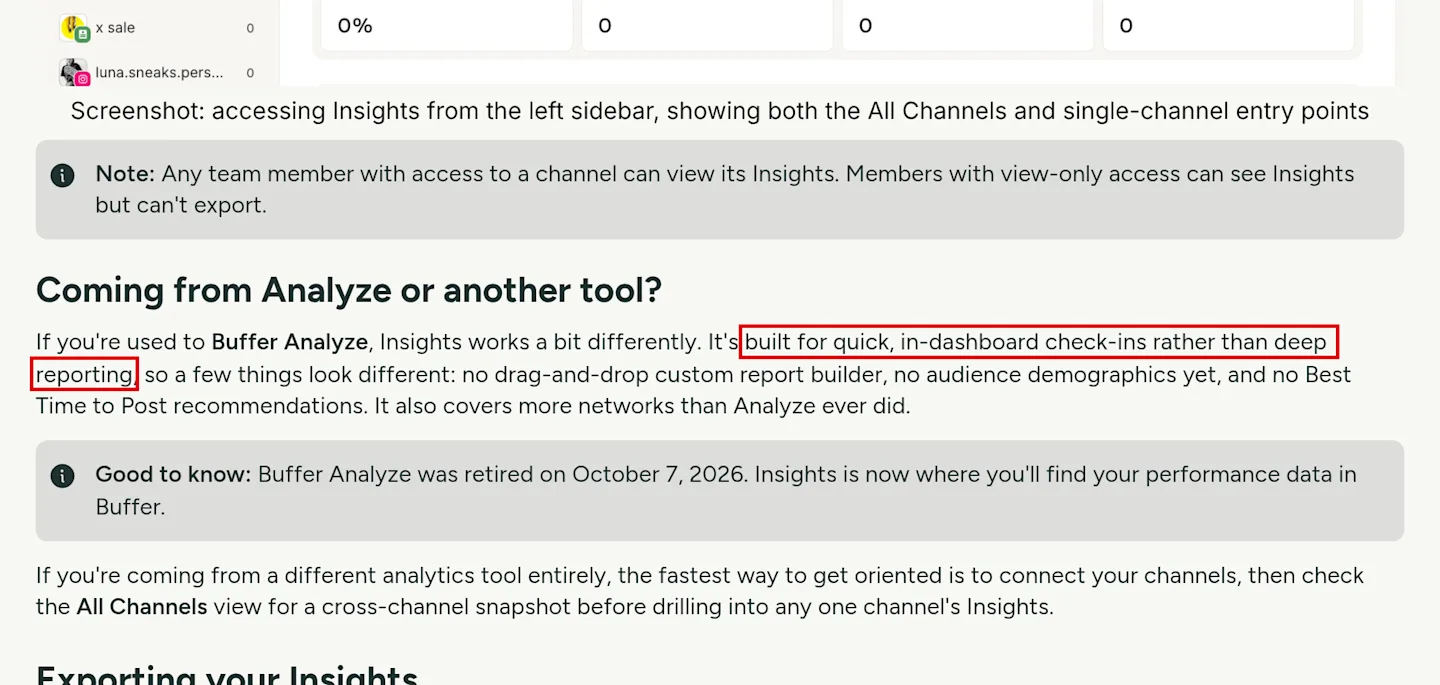
Buffer’s help on what Insights is for. I’d use it for the Monday glance and move to a heavier tool once a client asks for audience demographics.
What’s left out
Buffer lists the gaps itself: no drag-and-drop report builder, no audience demographics yet and no best-time-to-post suggestions. On paid plans you can export a zip of CSVs, a Markdown file for docs or AI tools, or a branded PDF with a cover logo. The free plan gets chart snapshots, and the Last month and custom date range options are paid too.
Per-channel pricing
Buffer charges by channel, and the figures below come from the yearly view:
Free: $0, up to 3 channels and 1 user, with Insights.
Essentials: $5 per channel a month, shown as $60 billed yearly for one channel, with 1 user.
Team: $10 per channel a month, shown as $120 billed yearly for one channel, with unlimited team members.
Both paid plans start with a 14-day free trial.
A digital director’s card
Allie Cobb’s card predates the switch from Analyze to Insights, and it is older than 12 months.
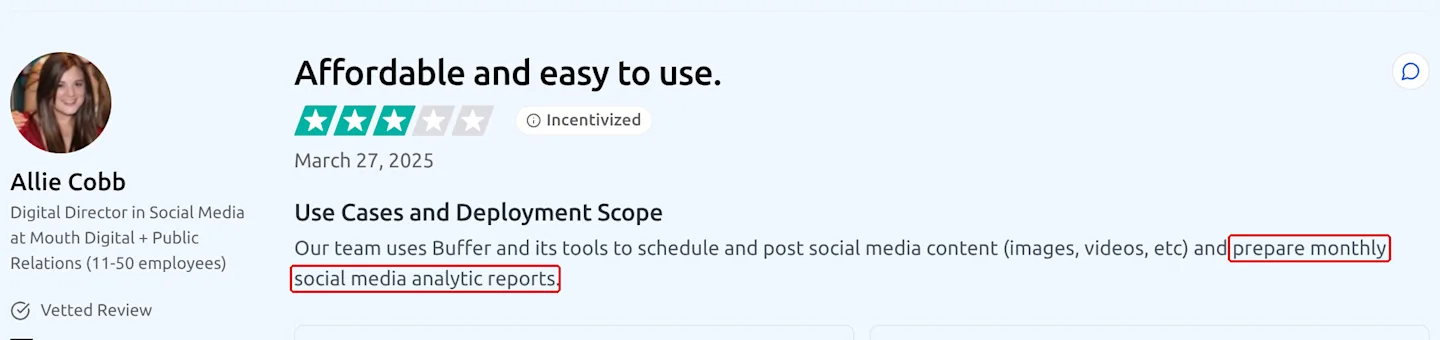
TrustRadius, March 27, 2025, Incentivized, older than 12 months. I’d count Allie Cobb’s monthly report routine as a sign Buffer suits light reporting, from before the October 2026 change.
Allie Cobb wrote that the team uses Buffer to schedule posts and “prepare monthly social media analytic reports” (TrustRadius, March 27, 2025, Incentivized). Read it as older than 12 months, written in the Analyze era.
Pros
Insights is free on every plan.
Ten networks, including Bluesky and Mastodon.
A Markdown export you can paste into docs or AI tools.
A branded PDF on paid plans.
Low per-channel pricing.
Cons
No audience demographics yet.
No custom report builder.
Exports, Last month and custom ranges are paid only.
Google Business Profiles aren’t covered.
How I’d Match a Team to a Tool
Start from the report you send, not the dashboard you like:
Client PDFs on a small budget: Metricool Starter.
A leadership deck across many profiles: Sprout Social, with the counting rule explained up front.
Rival benchmarks beside the scheduler: Hootsuite Professional.
Renewal calls with ROI on the table: Agorapulse Advanced.
An Instagram-first brand: Later Growth or Scale, for the longer window.
A Monday check for one person: Buffer Insights.
Then look at history. If you need last year on a slide, rule out any plan that stops at three or six months. If the deck compares you with rivals, read my explainer on share of voice before you settle on a formula. For listening beyond your own accounts, see my social listening tools list, and for comments and replies, the guide to community engagement analytics. Longer reads on three of these sit in my Sprout Social review, Hootsuite review and Agorapulse review.
If Your Reports Keep Pointing at Buyers
Owned-channel analytics tell you how your own posts did. They don’t show you who in your market is asking for a product like yours in communities you don’t run. That’s a sales question, and I’d fund it from a sales budget, not the analytics line.
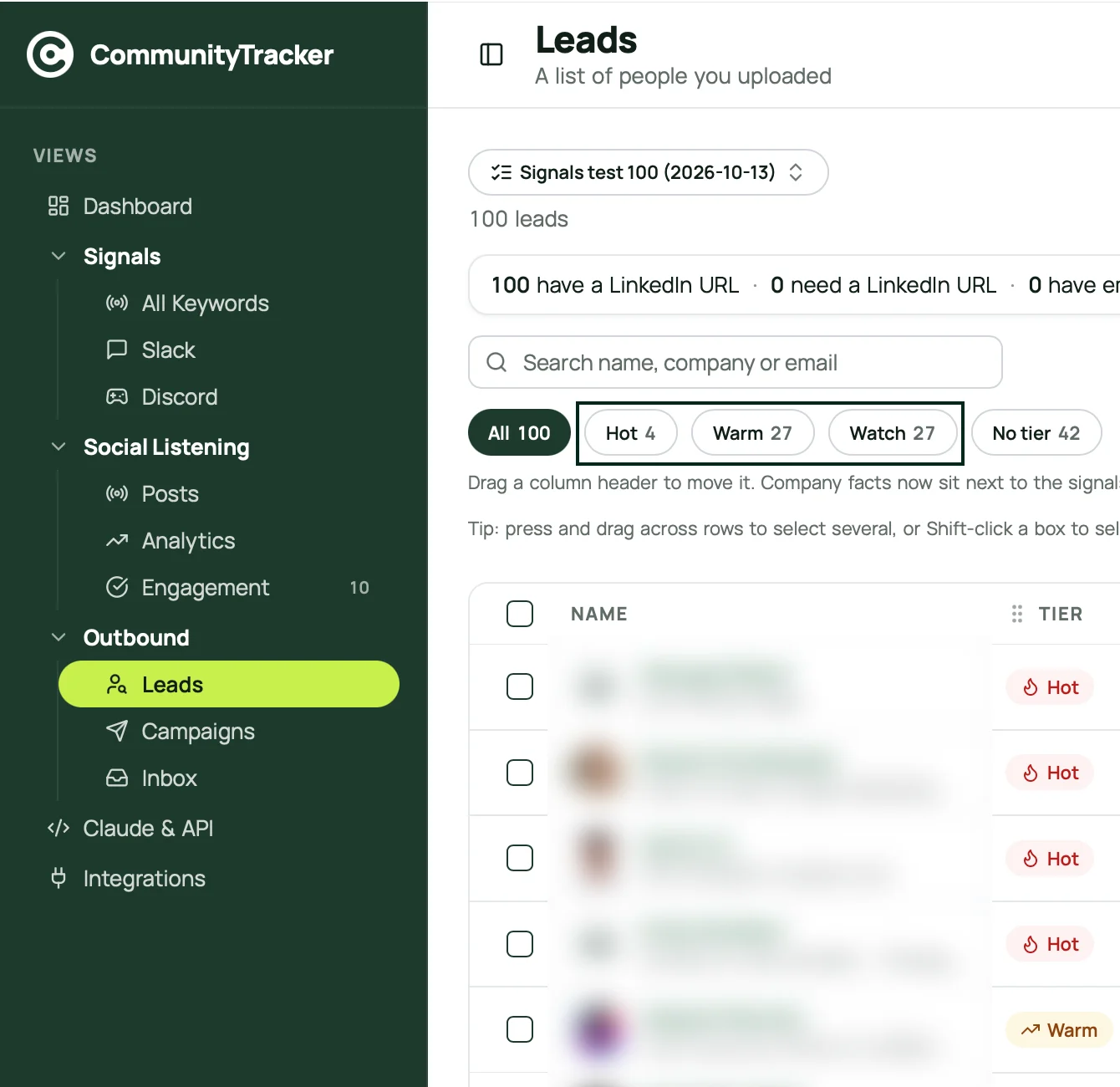
I’d give a rep the Hot chip before the monthly analytics deck goes out, keep Warm for follow-ups, and park Watch until one of those threads becomes a question.
The three plans, Starter, Pro and Advanced, break down like this:
CommunityTracker is a GTM tool.
Starter runs $39 a month, with 100 warm emails a month included.
Starter alerts once a day.
On Pro, warm emails are unlimited, at $99 a month.
Advanced runs $199 monthly, the top of the three.
A seven-day trial costs $4.99.
When a lead turns up, my guide on how to generate leads from communities covers the outreach.