7 Sprinklr Alternatives I Compared in 2026 (Price + Terms)
Paying for a Sprinklr suite your team half uses? I compared 7 alternatives on features, price and exit terms, with dated reviews for each.
Adarsh Kumar
GTM Expert
Founder — CommunityTracker, Miraa.io, and Infraboxes
You open the Sprinklr renewal and count the modules your team touched this quarter. Care runs in one corner, publishing in another, and the listening dashboards someone built last year sit unopened. The price came from a quote, the fees went out in advance, and the contract gives you no clean way to drop the parts you stopped using. You can read the full set of terms in why teams look past Sprinklr.
The second trigger is fit. Your social team wants a scheduler it can learn in a week. Your research lead wants history and image analysis without a suite around them. Your product marketers want the Reddit and LinkedIn threads where buyers ask for tools like yours. One contract tries to serve all three, and each group feels the gaps in its own corner.
The useful question is which Sprinklr job you still run and which exit you can live with. I compared CommunityTracker.ai, Sprout Social, Hootsuite, Brandwatch, Meltwater, Lumen by Talkwalker and Pulsar against those jobs.
TL;DR
You want community listening outside the Sprinklr suite: CommunityTracker.ai covers Reddit, LinkedIn, Hacker News, GitHub, Slack communities and X at $0, $39, $99 or $199 a month, with monthly billing and no long-term contract.
Publishing and a shared inbox are the job: Sprout Social Essentials costs $79 a seat a month billed annually, or $99 billed monthly, with a 30-day trial.
You want publishing, care routing and listening from one vendor: Hootsuite starts at $99 a user a month billed annually and adds listening powered by Lumen on Enterprise.
Sprinklr Insights is a research job for you: Brandwatch claims posts back to 2008, and you buy it through a quote.
Your listening module feeds the PR team: Meltwater puts press, broadcast and a media contact database next to social data, through a quote.
Sprinklr seat counts squeeze your analysts: Lumen by Talkwalker gives every paid plan unlimited users, through a quote.
You want a renewal cap in writing: Pulsar caps renewal increases at 10% in its published terms, with 90 days' notice to leave.
Sprinklr Service runs your contact center: read who should stay before you plan an exit.
Compared
Features
Tool | Publishing | Social listening | Logo or image recognition | Monthly billing |
|---|---|---|---|---|
CommunityTracker.ai | No | Yes | No | Yes |
Sprout Social | Yes | Yes | Not published | Yes |
Hootsuite | Yes | Yes | Not published | Yes |
Brandwatch | Not published | Yes | Yes | No |
Meltwater | Not published | Yes | Yes | No |
Lumen by Talkwalker | No | Yes | Yes | No |
Pulsar | No | Yes | Yes | No |
Sprinklr | Yes | Yes | Yes | No |
Sprout sells Listening as an add-on, and keyword monitoring starts on Standard. Hootsuite puts advanced listening on Enterprise. Sprout bills monthly on Essentials, and Hootsuite offers monthly billing on Standard, Professional and Advanced. Brandwatch turns image analysis on through an account manager, and Meltwater sells logo detection in Explore+.
Pricing
Tool | Entry price | Billing | Term or refund note |
|---|---|---|---|
CommunityTracker.ai | $0, then $39/month per team | Monthly | No long-term contract |
Sprout Social | $79/seat/month billed annually | Annual, or $99 monthly on Essentials | Enterprise by quote |
Hootsuite | $99/user/month billed annually | Annual or monthly | 60 days' notice in published Enterprise terms |
Brandwatch | Quote | Annual | Sold by product line |
Meltwater | Quote | Annual | 60 days' notice in published Canada terms |
Lumen by Talkwalker | Quote | Not published | Unlimited users on every plan |
Pulsar | Quote | Annually in advance | 90 days' notice; increase capped at 10% |
Sprinklr | Quote | In advance | Fees non-cancelable unless your Order Form differs |
Three tools show a price you can pay without a sales call: CommunityTracker, Sprout Social and Hootsuite. Of the four quote-only rivals, Pulsar publishes a renewal cap; I found none in the Brandwatch, Meltwater or Lumen material.
Why Teams Look Past Sprinklr
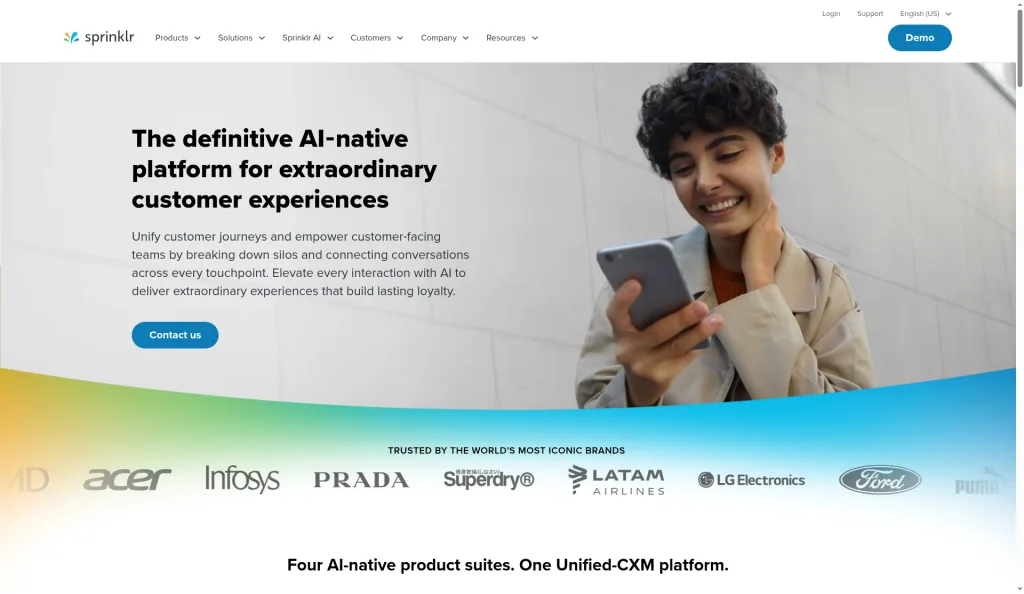
Sprinklr sells four modules on one platform: Sprinklr Service, Sprinklr Insights, Sprinklr Marketing and Sprinklr Social. That breadth is the reason teams buy it, and the same breadth makes the renewal hard to trim.
Source: Sprinklr homepage
See the Sprinklr review for the full module breakdown.
The contract clock
The Sprinklr USA Master Services Agreement (version 2.7) sets the rules you work against:
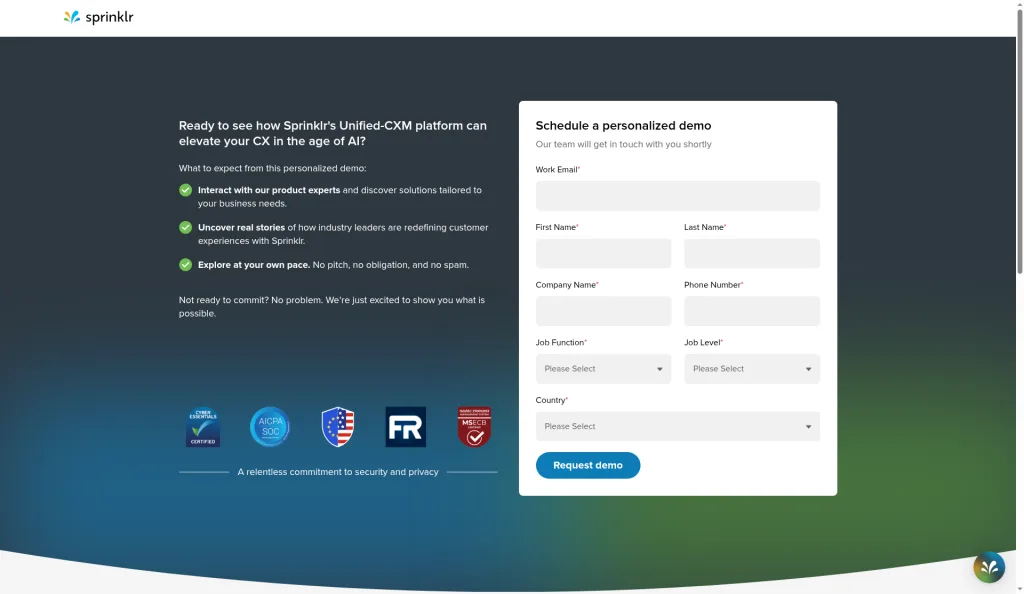
Price access: you request a demo to see a price. Sprinklr discontinued its Self-Serve products, and existing self-serve service ended on April 30, 2026.
Payment: "All Fees are payable in advance, are non-cancelable, and are based on the Sprinklr Services purchased, unless stated otherwise in an applicable Order Form and/or SOW."
Term: "Each Order Form and SOW will have its own term."
Renewal and notice: the MSA carries no renewal or notice clause, so both sit in your Order Form.
Early exit: the FAQ on the MSA states that Sprinklr does not allow termination for convenience, and that it invoices all fees on execution with 30-day payment terms.
Source: Sprinklr demo request page
For you, the Order Form is the exit plan. Find the renewal clause and the notice period in it before you price any alternative. If it is silent, ask your account team in writing which date stops the renewal, and diary that date the day you get the answer. A module you can't cancel this term still bills until the term ends.
The bundle problem
Sprinklr earns its price when care, publishing and listening all run every week. When one of them goes quiet, you pay for a module the team no longer opens. Splitting the suite means two or three tools, so price the jobs you still run, not the whole platform.
The setup load
Setup time and training come up again and again in the reviews below. If the person who configured your instance has left, your team inherits workflows it never designed. At that point, test a lighter tool against the same job.
What users say
Capterra showed 4.2 from 94 reviews. TrustRadius showed 8.8 from 175 for Sprinklr Social and 7.5 from 80 for Sprinklr Insights, so the publishing side scores above the listening side.
Liked:
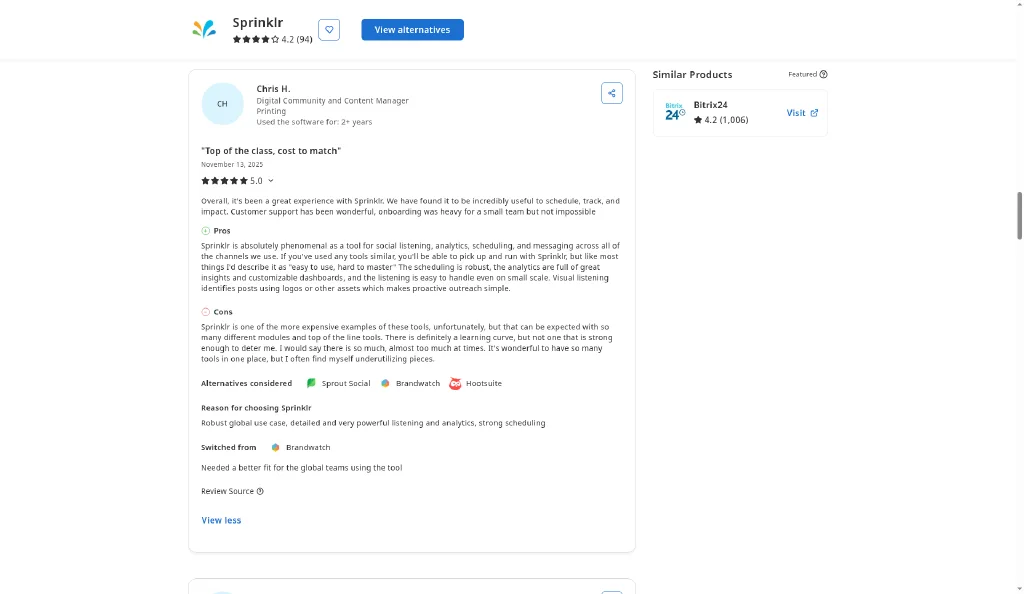
Chris H., a content manager, writes that "Visual listening identifies posts using logos or other assets" (Capterra, Nov 13, 2025).
Jessie E., a public sector advertiser, keeps internal and external teams current through live reports (Capterra, Sep 23, 2026).
Denis L. credits "Highly customizable dashboards and reporting tools" (Capterra, Sep 25, 2026).
Muhammad Zohaib A. runs publishing and scheduling from one dashboard (Capterra, Sep 12, 2026).
Christina K. plans and shares post ideas across her team and franchise (Capterra, May 21, 2026).
Dana M., a retail client support lead, trusts the AI on sentiment and trend prediction (older than 12 months) (Capterra, May 20, 2025).
Amit Potdar runs publishing for country teams from one place and sends approvals to people without a login (older than 12 months) (TrustRadius, May 9, 2025).
Source: Capterra review of Sprinklr by Chris H.
Disliked:
Chris H. calls it "one of the more expensive examples of these tools" (Capterra, Nov 13, 2025).
Jessie E. finds it "not user-friendly" with "a steep learning curve" (Capterra, Sep 23, 2026).
Denis L. sat through a lengthy implementation and setup (Capterra, Sep 25, 2026).
Muhammad Zohaib A. finds it expensive for small businesses (Capterra, Sep 12, 2026).
Mike, in the US, spent days checking sentiment scores that marked agents down for replying "No thank you" (Trustpilot, Jul 17, 2026).
Junior T. sees usability and cost problems outside large operations (Capterra, Dec 23, 2025).
Gabriel S., a digital strategist, sums up the price as "Way too expensive" (older than 12 months) (Capterra, Oct 21, 2024).
pankaj j., a quality auditor, found support not always helpful and exports slow (older than 12 months) (Capterra, Jun 18, 2024).
Alisia Lewis got help as videos, with no person to talk to (older than 12 months) (Trustpilot, Jan 30, 2025).
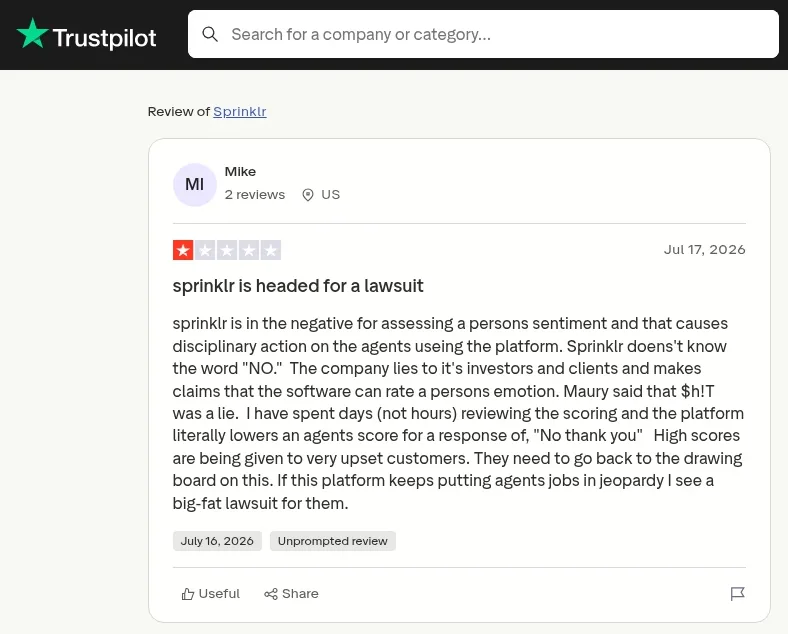
Source: Trustpilot review of Sprinklr by Mike
Praise repeats on dashboards, reporting and publishing. Complaints repeat on price, setup time and the learning curve, and six of the nine complaints fall inside the last 12 months.
Where Sprinklr Earns Credit
One contract for care, publishing and listening. If your team runs all three every week, none of the rivals below covers them in a single platform.
Visual Insights. Sprinklr claims it finds visual brand mentions across news, print, broadcast and 30+ social and digital channels, and claims it trains a new logo within 4 to 5 business days of your request.
Four modules on one platform. Service, Insights, Marketing and Social come from one vendor.
Reporting and governance. Reviewers in What users say credit live dashboards and approvals for country teams.
If your contact center lives in Sprinklr Service, test any replacement against your case volume first, and read who should stay.
How I Evaluated These Sprinklr Alternatives
I evaluated each tool on four things: the results it returns for a Sprinklr job, the features behind those results, what you pay and how you leave, and which problem it solves for a team splitting the suite. CommunityTracker ranks first because it fixes the community listening gap with the lightest exit. The other six follow in order of the Sprinklr job they replace: publishing and care, then research listening, then PR, seats and renewal caps.
1. CommunityTracker.ai
Your Sprinklr Order Form bills listening as one module in a suite, and the community threads where buyers ask for tools often fall outside it. I rank CommunityTracker.ai first because it closes that gap without a second annual term: it finds the Reddit, LinkedIn and Slack threads, and you run it next to Sprinklr until your renewal. The trade is scope. It reads community conversations, not press, broadcast or images, and it does no publishing.
Features
Sprinklr bundles care and publishing with listening. CommunityTracker does one of those jobs. You open a feed of threads where someone wants a product like yours, filter to the ones scored as buying intent, and answer them. Care, publishing and visual listening stay where they are.
Free covers Reddit. Starter adds LinkedIn, Hacker News and GitHub, and Pro and Advanced add every community, Slack and X included.
AI Scoring on Pro marks threads where a person asks for a tool in your category.
The Response Generator writes a first reply, and you edit it.
You get Share of Voice from Pro, and Advanced adds an exporter.
Advanced adds AI Visibility, which follows your brand mentions in ChatGPT and Perplexity answers.
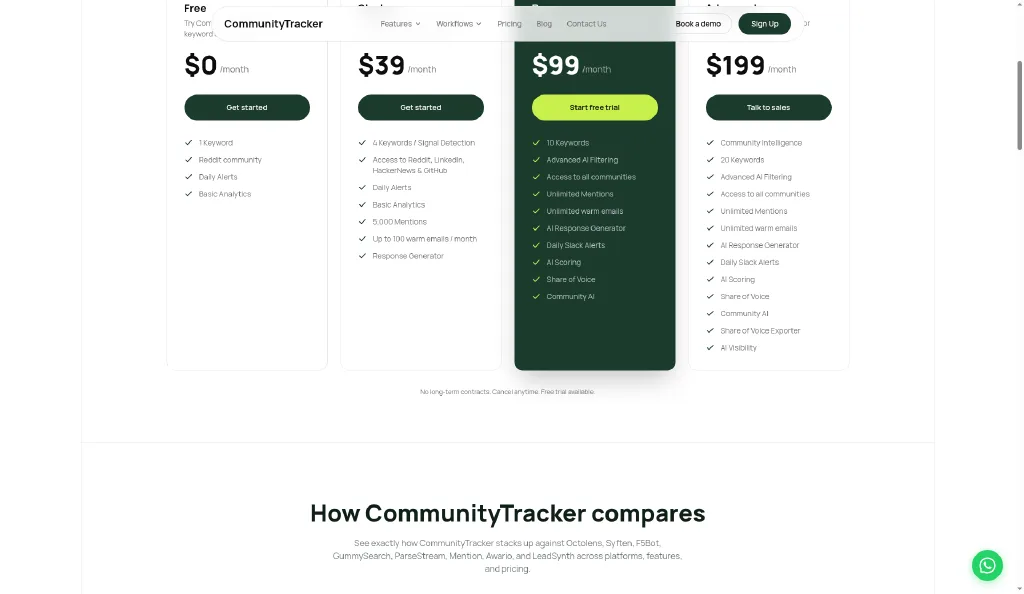
Source: CommunityTracker pricing page, plans at $0, $39, $99 and $199 a month
Pricing
Compare this with a Sprinklr module quote. The CommunityTracker pricing page lists four plans:
Free: $0, for one Reddit keyword.
Starter: $39 a month, for 4 keywords and 5,000 mentions.
Pro: $99 a month, for 10 keywords and unlimited mentions.
Advanced: $199 a month, for 20 keywords and AI Visibility.
You sign no long-term contract and can cancel whenever you want. For a team stuck in a non-cancelable Sprinklr term, that means you can start now and pay month by month until your Order Form ends.
Pros
A team pays $1,188 a year for Pro.
Monthly billing against fees paid in advance at Sprinklr.
You track no notice date.
A Free plan to run beside Sprinklr Insights before your renewal.
Cons
Partial news and web coverage.
Daily alerts on every plan, with Slack delivery from Pro.
You get no publishing tool and no shared inbox.
No logo recognition.
No reviews on review sites yet.
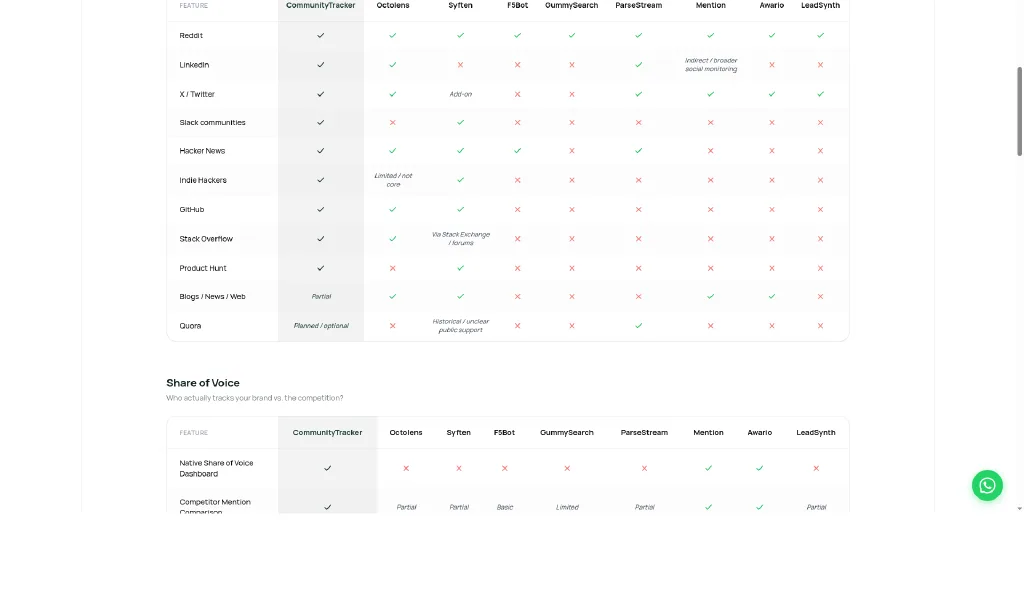
Source: CommunityTracker pricing page, platform comparison
What users say
Review sites list no CommunityTracker reviews so far. Run the Free plan on one keyword beside your Sprinklr Insights topic and compare which threads each one catches.
Summary
Pick this for the community slice of a Sprinklr contract.
Pick it if buyers ask for tools in community threads and you want to pay $99 a month without another annual term.
Skip it if you need publishing, care or logo detection from the same tool.
Read the AI social listening tools guide for more on intent scoring.
2. Sprout Social
I rank Sprout Social second because it solves the publishing and care problem at a price you can read today: a shared inbox, scheduling and reports, with a 30-day trial that needs no card. The trade is listening, which Sprout sells as an add-on through sales, and seat prices that climb fast past Essentials.
Features
Your social team schedules posts, answers comments and DMs in one inbox, and sends reports to clients or executives. If Sprinklr Social is the module you open most, this is a swap you can price without a call.
A shared inbox for comments and DMs, with collaboration tools.
Keyword and location monitoring and review management from Standard.
Unlimited profiles from Professional.
Sentiment, the Sprout API, Helpdesk integrations and spike alerts on Advanced.
Listening and Premium Analytics as add-ons.
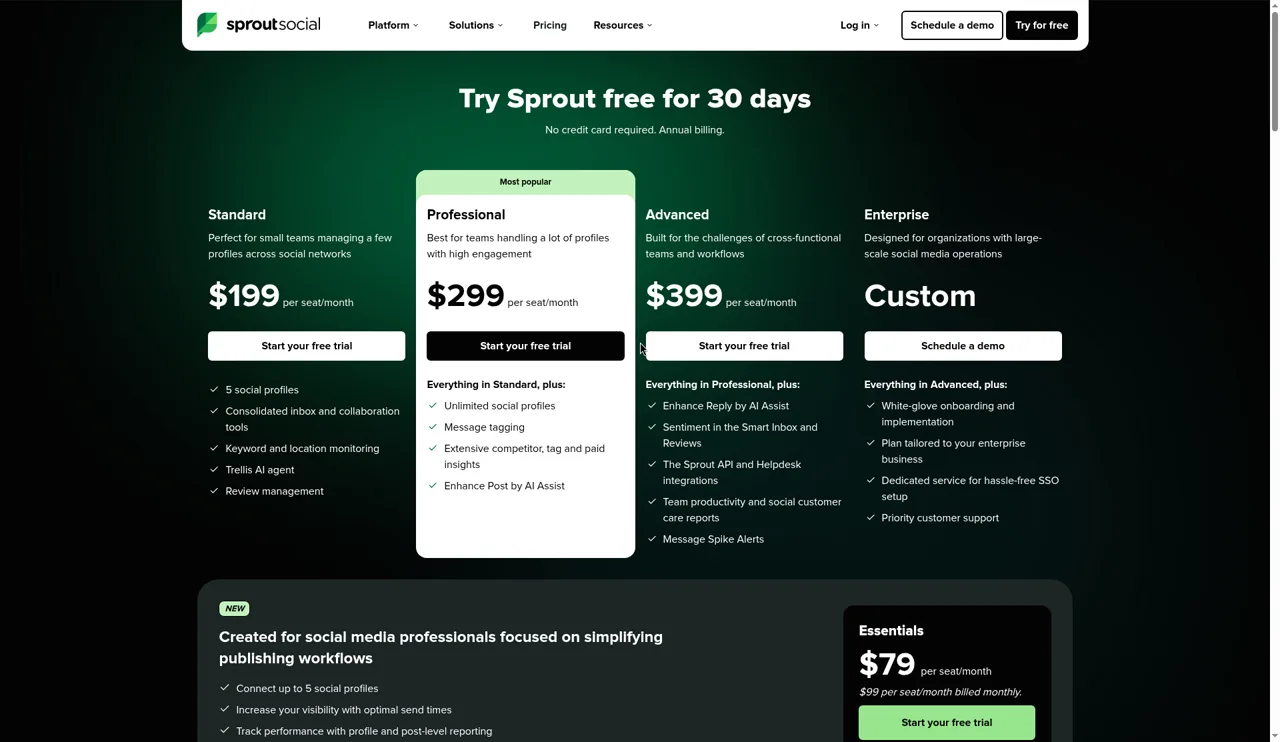
Source: Sprout Social pricing page
Pricing
Per seat a month, billed annually unless marked:
Essentials: $79, or $99 billed monthly.
Standard: $199.
Professional: $299.
Advanced: $399, with the API and Helpdesk integrations.
Enterprise: custom, with onboarding, SSO and priority support.
A 10-seat team on Standard pays $23,880 a year. See the Sprout Social review and Sprout Social alternatives for the tiers.
Pros
A seat price you can read, from $79.
Monthly billing on Essentials.
Helpdesk integrations and an API on Advanced, for teams that route care to a ticket system.
A 30-day trial without a card.
Cons
Listening is an add-on priced through sales.
Seat prices rise to $199 on Standard, so a large care team pays more each year as it grows.
Logo or image recognition: Not published.
Contract and support complaints repeat on Trustpilot.
What users say
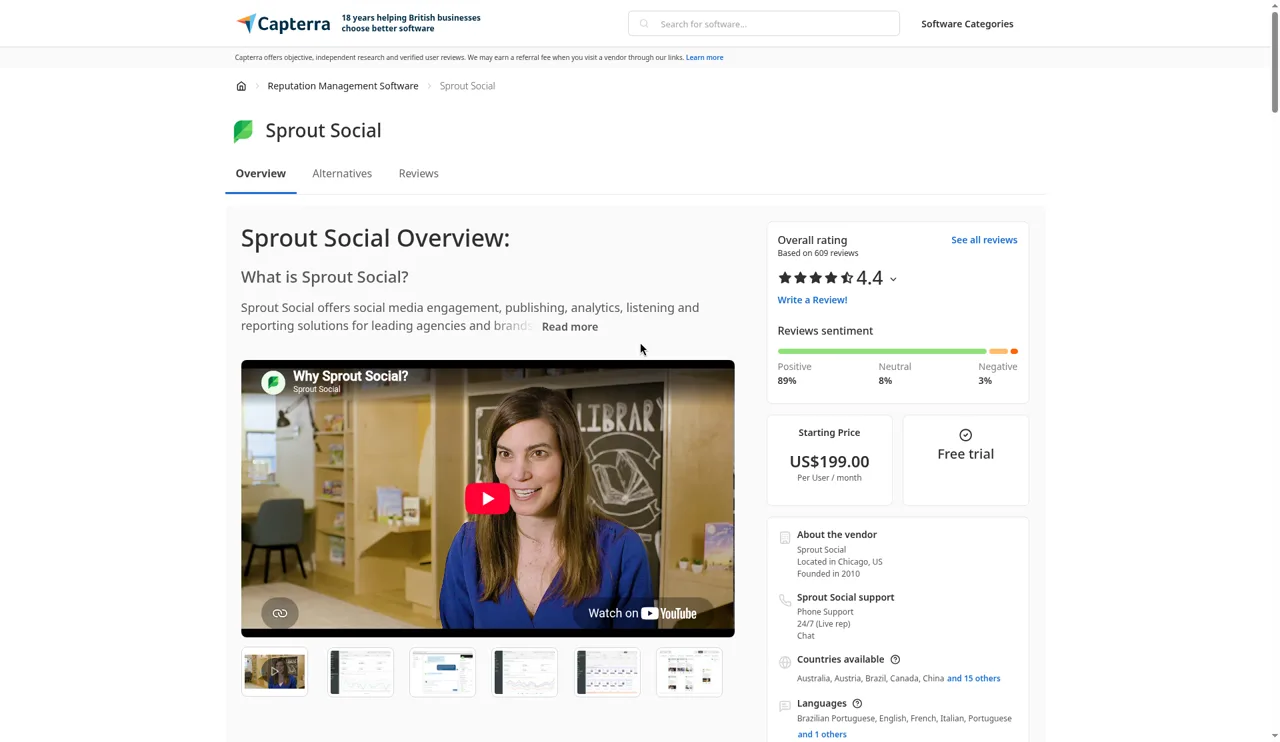
Capterra UK showed 4.4 from 609 reviews. Trustpilot showed 1.8 from 88.
Liked:
Zach manages 12 handles under one login and rates the reports "top tier" (Capterra UK, Feb 22, 2026).
Heather Mills, at YMH Studios, posts about 1,500 times a month across 55+ accounts (TrustRadius, Jun 26, 2026).
Christian Estrellado, at Estro Communications, sends clients dashboards and PDF reports monthly (TrustRadius, Apr 7, 2026).
A PR agency marketer sets several approvers per client before a post goes out (TrustRadius, Aug 29, 2026).
Bob Sadowski, at myCUmortgage, replies to Google Business reviews from inside Sprout (TrustRadius, Jun 26, 2026).
Jeff, a marketing director, handles comments and messages in one queue (older than 12 months) (Capterra UK, Sep 16, 2025).
Source: Capterra UK Sprout Social page
Disliked:
Tommy S went weeks without word from his account manager (Trustpilot, Oct 15, 2026).
Étienne, a VP, found reporting errors more than once (Capterra UK, Sep 18, 2026).
Jim Gilbert of Wheels and Deals signed a 24-month term he took for a formality (Trustpilot, Nov 19, 2025).
Jessica asked for onboarding help and met a chat bot (Trustpilot, Apr 15, 2026).
A C-level marketer at a small agency scored it 3 out of 10 and lost comments and DMs in the inbox (TrustRadius, Mar 25, 2026).
A utilities franchise strategist calls it "very pricey" and can't share a login with a colleague at the same time (TrustRadius, Jun 26, 2026).
Praise repeats on reports, approvals and a single inbox. Jim Gilbert's 24-month story means you should read a Sprout order form as closely as your Sprinklr one.
Summary
Pick this when publishing and the inbox are the Sprinklr jobs you still run.
Pick it if Sprinklr Social is the module you use most and your care team fits a seat budget.
Skip it if your contact center runs on Sprinklr Service with case routing.
3. Hootsuite
I rank Hootsuite third because it solves the one-vendor problem for teams that use publishing, care and listening: approvals and message routing on Advanced, and listening powered by Lumen on Enterprise. The trade is support complaints in recent reviews and a 60-day notice window in its published Enterprise terms.
Features
Your team schedules posts, routes messages to the right person and checks performance in one account. Since Hootsuite owns Talkwalker, Enterprise customers get Lumen listening from the same vendor.
Standard: up to 10 social accounts, unlimited scheduling, one inbox, brand and competitor monitoring.
Professional: unlimited accounts, inbox automation and trend forecasts up to 90 days ahead.
Advanced: content approvals, message routing and team performance reports.
Enterprise: advanced listening powered by Lumen and SSO, and Hootsuite claims 13 months of history.
Source: TrustRadius Hootsuite review by a marketing analyst
Pricing
Per user a month, billed annually:
Standard: $99.
Professional: $199.
Advanced: $399.
Enterprise: custom.
Monthly billing is also offered on Standard, Professional and Advanced, and the trial runs 14 days. Self-serve plans renew on their own, and you cancel before the renewal date with no refund. The Enterprise terms renew for one year unless you give written notice at least 60 days before the term ends. Tier details sit in the Hootsuite review.
Pros
Approvals and message routing on a self-serve plan.
Listening powered by Lumen on Enterprise, from the same owner.
Unlimited social accounts from Professional.
Monthly billing on self-serve plans.
Cons
Advanced listening sits on Enterprise, by quote.
60 days' notice in published Enterprise terms.
No refunds on self-serve plans once a term renews.
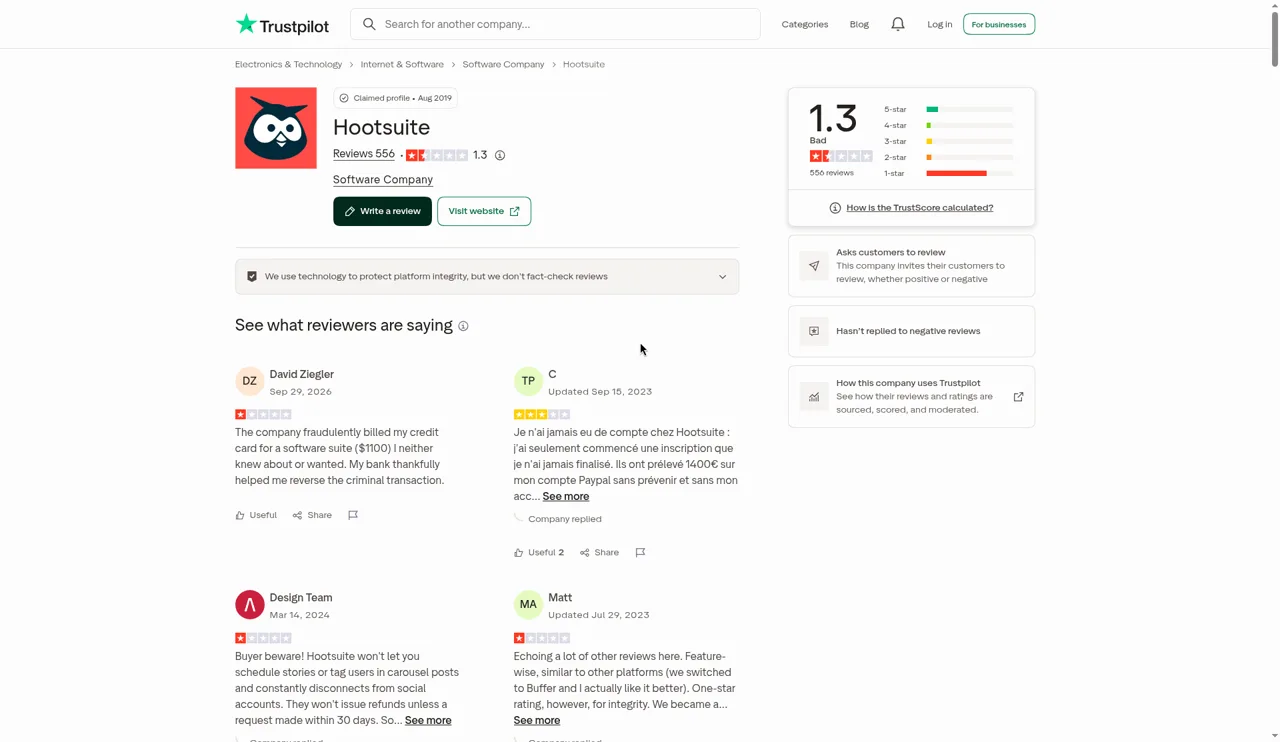
Support waits of days in 2026 reviews.
Source: Trustpilot, Hootsuite reviews
What users say
Capterra UK showed 4.4 from 3,804 reviews. Trustpilot showed 1.3 from 556.
Liked:
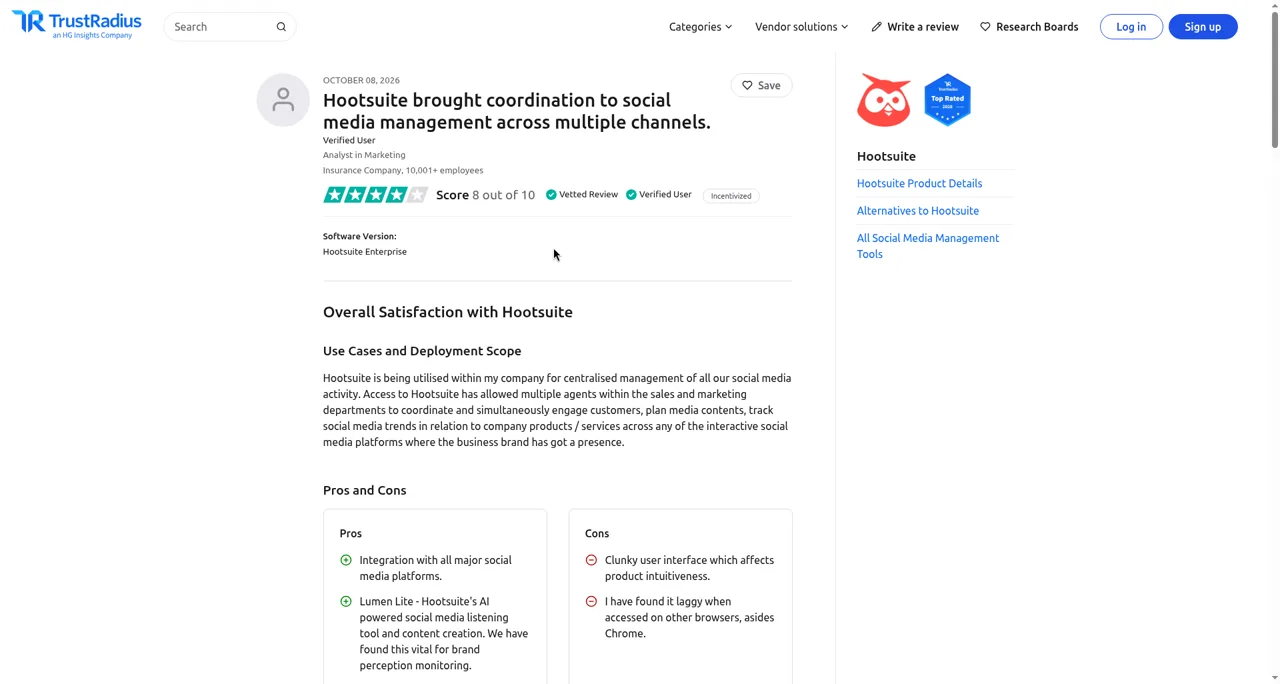
A marketing analyst relies on Lumen Lite to follow how people see the brand (TrustRadius, Oct 8, 2026).
Amanda Bellavance's manager reviews drafts and past analytics in Hootsuite (TrustRadius, Aug 21, 2026).
Leeann Gibbs's team at Caribbean Airlines answers DMs and checks industry benchmarks there (TrustRadius, Aug 21, 2026).
Keri Kuiper publishes to her 3 networks in one action (TrustRadius, Aug 20, 2026).
Grace sends one post to several Facebook pages and Instagram accounts (older than 12 months) (Trustpilot, Oct 22, 2025).
Disliked:
Nelly Y waited "days and days" for an emailed answer (Trustpilot, Aug 31, 2026).
John Siegel has to reconnect accounts that drop (TrustRadius, May 1, 2026).
Gary Oak got replies 48 hours apart and no live help (Trustpilot, Feb 13, 2026).
Melissa Ziegler's team missed the cancellation window by days and was billed half the annual price (Trustpilot, Dec 12, 2025).
Satu Kujanpää gave 60 days' notice, was held to a 90-day rule and paid $500 more (older than 12 months) (Trustpilot, Jun 5, 2025).
Satu's 90 days does not match the 60 days in the published Enterprise terms, so ask sales which notice period your contract carries and get it in writing. Two renewal complaints and two support complaints sit in this set.
Summary
Pick this for publishing, care routing and Lumen listening under one vendor.
Pick it if you want to drop Sprinklr Social and Insights for one contract and you will negotiate the renewal clause.
Skip it if support response times decide your choice.
4. Brandwatch
Some Sprinklr buyers pay for the whole suite when Insights research is the only module they use every week. I rank Brandwatch fourth because it carries that research on its own: Brandwatch claims an archive back to 2008, and it adds image analysis for analysts who build trend lines. I warn you about the buying model, though. You get a quote and an annual contract, close to the Order Form you want to leave.
Features
If your team bought Sprinklr Insights for research and not alerts, Brandwatch Consumer Intelligence covers that job. Your analysts build queries, segment the results and compare brands across years, using the query builder and an archive Brandwatch claims reaches 2008.
Brandwatch claims its post archive starts in 2008, so you compare years against it.
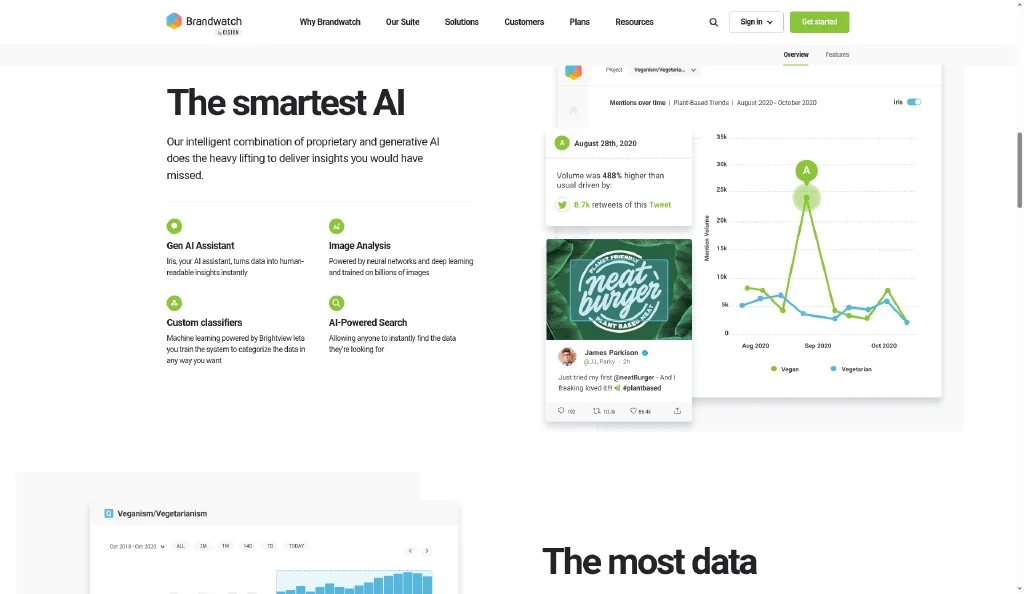
Once an account manager turns it on, image analysis finds logos, objects, scenes and actions.
Iris AI summarizes your query results.
You sort mentions into your own categories with custom classifiers.
Source: Brandwatch Consumer Research page
Pricing
Consumer Intelligence: quote, with users set in the quote.
Read the Brandwatch review for each product.
Pros
Brandwatch claims searchable history from 2008.
It detects logos and scenes in images.
You define the categories your classifiers use.
Cons
You have to add image analysis to the quote as an extra.
Brandwatch prints no price, so negotiation comes before any test.
You sign an annual contract and get another renewal date to watch, as with Sprinklr.
What users say
On Capterra, Brandwatch had 4.2 from 255 reviews, and Falcon.io reviews count toward that total.
Liked:
Daniel A. relies on the AI image analysis (Capterra, May 4, 2026).
Flynn M. sets up his own queries and dashboards (Capterra, Apr 28, 2026).
Monica M. runs all her reporting from dashboards (Capterra, Apr 28, 2026).
Tanya S. works from the historical data and the query builder (Capterra, May 4, 2026).
George L. pulls large queries without hitting mention limits (Capterra, Apr 28, 2026).
Kristen L. points to the number of graph types and how deep the data goes (Capterra, Apr 29, 2026).
Disliked:
Brandwatch renewed Maddie's plan automatically when she did not expect it (Trustpilot, Jul 9, 2026).
BIeh paid $12,000 a year for 3 users on a 2-year deal, then paid extra as features stacked up (Trustpilot, Dec 30, 2025).
Holly Weaver got 2 to 3 sales calls a day (Trustpilot, Jan 31, 2026).
Matisse D. thinks the price keeps smaller teams out (Capterra, May 8, 2026).
Jordan H. saw report numbers that differed from the data in the platform (Capterra, May 15, 2026).
Aneri D. only gets a world map, and Iris insights repeat a single mention (Capterra, May 4, 2026).
George L. wants TikTok, which Brandwatch does not connect to (Capterra, Apr 28, 2026).
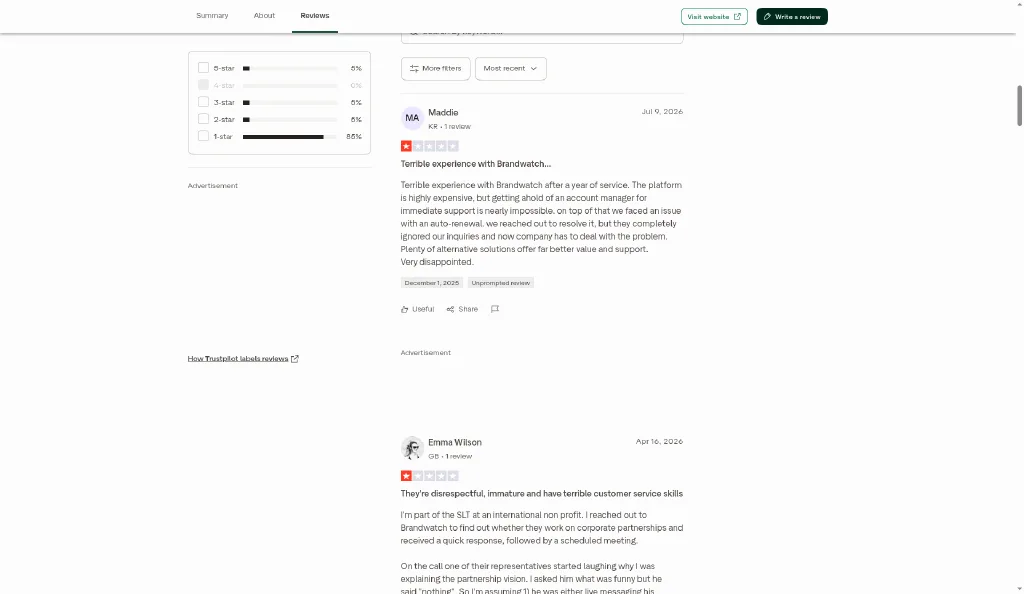
Source: Trustpilot review of Brandwatch by Maddie
Every review here dates from the last 12 months. Renewal wording in a Brandwatch order needs the same care as your Sprinklr Order Form.
Summary
Brandwatch fits a Sprinklr buyer who only kept the suite for Insights research.
Pick it if your analysts chart trends back to 2008, the start Brandwatch claims for its archive, and another tool handles publishing.
Skip it if you leave Sprinklr to get out of annual contracts.
5. Meltwater
If your Sprinklr listening module mostly feeds press reports, you pay suite prices for a PR job. I rank Meltwater fifth because it puts press, broadcast and social listening in one contract for that team. You still face a quote, modules sold as add-ons and a notice window, so read its terms the way you read your Order Form.
Features
Sprinklr bundles care and publishing with listening, and Meltwater bundles PR with it instead. One account serves your PR lead and your social analyst. You see clippings, broadcast transcripts and social mentions in one view, and you run outreach from the contact database.
Explore+ adds logo detection and computer vision, plus speech-to-text for video and audio.
You read print, broadcast and online news next to social mentions.
A press contact database supports outreach and release distribution.
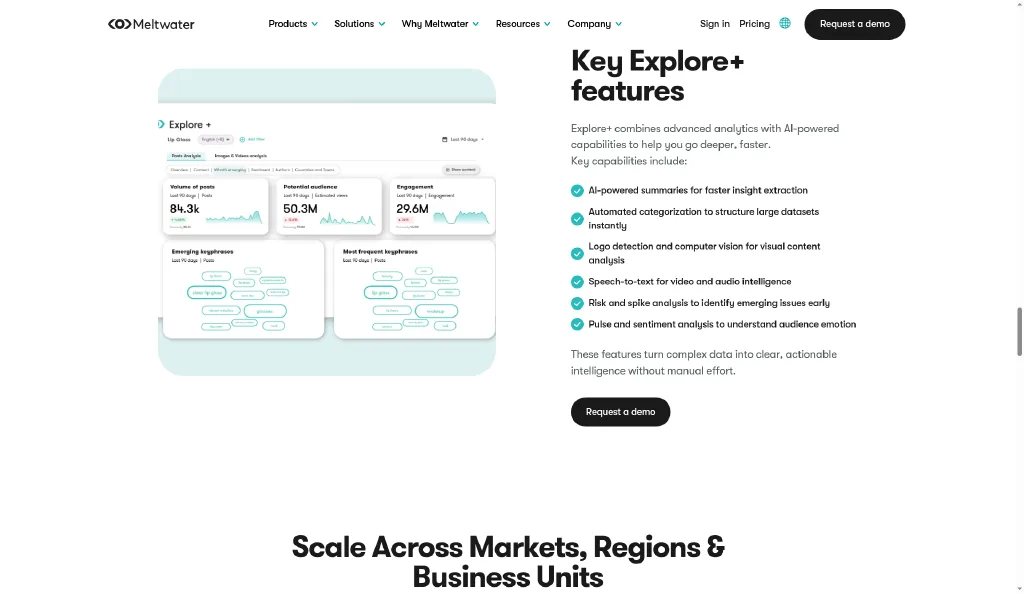
Source: Meltwater Explore+ page
Pricing
All plans: Meltwater quotes each one by your goals, modules and coverage.
Notice: under Meltwater's published Canada terms (Apr 5, 2025), each term renews at then-current prices if you miss the 60-day written notice before it ends. Ask sales which terms apply to your own Order Form.
Read the Meltwater review and Meltwater alternatives for the full terms.
Pros
You get clippings and journalist contacts in the same account as social data.
You search broadcast and video speech as text.
One contract for PR and social listening.
Cons
You pay extra for logo and speech features in Explore+.
Without 60 days' written notice, you renew at then-current prices, and Meltwater publishes no increase cap.
Meltwater shows no price for any plan until sales quotes you.
What users say
On Capterra, Meltwater had 4.0 from 96 reviews, and value for money scored lowest at 3.4.
Liked:
Rishikesh M. gives each brand or campaign its own dashboard (Capterra, Jan 9, 2026).
Marina C. likes how much the control panel shows (older than 12 months) (Capterra, Jul 30, 2023).
Antony B. pulls media articles and social mentions together by keyword (older than 12 months) (Capterra, Dec 17, 2024).
Dan L. gives the PR media database high marks (older than 12 months) (Capterra, Aug 16, 2024).
Katie F. gets global mentions in a daily email (older than 12 months) (Capterra, May 6, 2019).
Shane R. faces no cap on data pulls (older than 12 months) (Capterra, Sep 7, 2021).
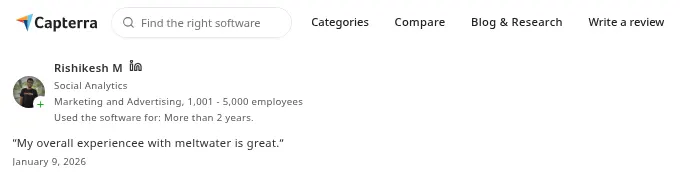
Source: Capterra review snippet of Meltwater by Rishikesh M., from the Pros and Cons in Reviews block
Disliked:
Rishikesh M. writes complex queries through trial and error, and large dashboards load slowly (Capterra, Jan 9, 2026).
Abe G. waited weeks for a reply to cancellation requests (older than 12 months) (Capterra, Jan 31, 2023).
Hailley G. had to send written notice to stop the auto-renewal (older than 12 months) (Capterra, Jan 10, 2019).
DeDe C. gets charged for every new feature (older than 12 months) (Capterra, Oct 30, 2020).
Tabytha F. finds it hard to compare more than two competitors (older than 12 months) (Capterra, Jan 2, 2025).
Meltwater renewed Andrus Kiisküla's plan without a warning (older than 12 months) (Trustpilot, Mar 12, 2025).
Shaun Shelly found out cancellation had to come 3 months before renewal (older than 12 months) (Trustpilot, May 7, 2024).
Six years of reviews repeat the same renewal complaint. Put the Meltwater notice date in your calendar the day you sign, as you would with Sprinklr.
Summary
Meltwater fits a Sprinklr buyer whose listening spend serves PR.
Pick it if your team wants social listening plus press, broadcast and journalist contacts.
Skip it if notice windows drive your move away from Sprinklr.
6. Lumen by Talkwalker
Sprinklr module pricing grows with the people who need access, so many teams ration Insights logins. I rank Lumen by Talkwalker sixth because every paid plan includes unlimited users, plus image recognition, and Talkwalker claims 187 languages. You still buy through a quote, and I found no published renewal cap.
Features
With no seat limit, each analyst gets a login, sets up views and follows spikes. If you report on events, logo detection turns uncaptioned photos into a sponsorship value.
Talkwalker claims it covers 187 languages, monitors 150 million websites and tracks 30,000+ brand logos.
Image recognition spots logos with no text mention and adds them to sponsorship value.
Wisdom flags spikes and writes summaries.
You add as many users as you want on paid plans.
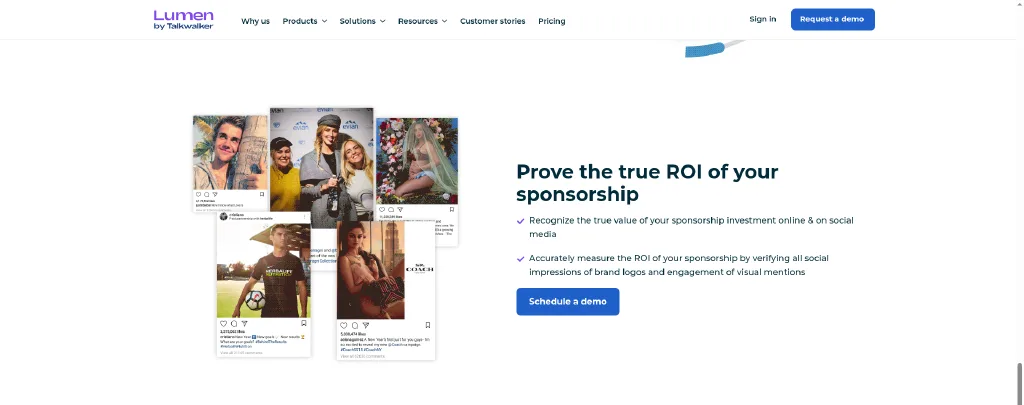
Source: Lumen by Talkwalker image recognition page
Pricing
Core, Analyze, Business: each comes by quote and includes unlimited users, onboarding, training and regional support.
Read the Talkwalker review for each plan.
Pros
Every paid plan includes unlimited users.
Logo detection links to sponsorship value.
The same owner runs Hootsuite, so publishing stays in the family.
Cons
You need a quote for each paid plan.
No renewal increase cap appears in public material.
You set up the logo set with Talkwalker before detection works.
What users say
On Capterra, Lumen by Talkwalker had 4.4 from 24 reviews, and the newest one is from Feb 3, 2025.
Liked:
Karan R. gives top marks to the conversation analytics (older than 12 months) (Capterra, Feb 3, 2025).
Mustafa F. spotted political issues early during an election project (older than 12 months) (Capterra, Mar 18, 2022).
Guido N. contacts support through mail, phone or a meeting (older than 12 months) (Capterra, Dec 5, 2020).
Maria B. tailored the product after training (older than 12 months) (Capterra, Jul 25, 2019).
Grace H. splits audiences into segments and tailors email reports (older than 12 months) (Capterra, Mar 3, 2021).
Gerald H. got his answers in a few minutes (older than 12 months) (Capterra, May 5, 2020).
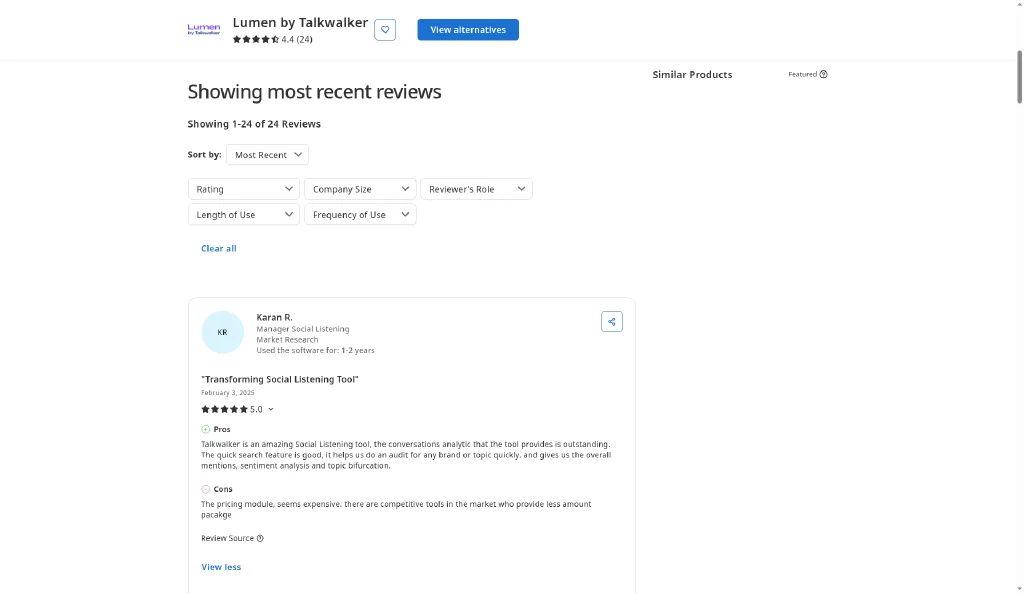
Source: Capterra Lumen by Talkwalker reviews, most recent first
Disliked:
Talkwalker asked Findahobby to pay 25% more at renewal (Trustpilot, Apr 21, 2026).
Karan R. thinks the pricing module costs too much (older than 12 months) (Capterra, Feb 3, 2025).
namitha B. had no way to tailor reports (older than 12 months) (Capterra, Nov 28, 2019).
Guido N. found little to work with in Facebook and Instagram listening (older than 12 months) (Capterra, Dec 5, 2020).
Mustafa F. took a course before she could use the tool (older than 12 months) (Capterra, Mar 18, 2022).
Enes Y. thinks the app costs a lot (older than 12 months) (Capterra, Jun 10, 2022).
Vinora C. had to know Boolean to set up topics (older than 12 months) (Capterra, Nov 28, 2019).
Most of this set predates the Lumen name. Ask sales for a customer who renewed in 2026, and ask whether your Order Form caps the renewal increase.
Summary
Lumen fits a Sprinklr buyer who rations Insights seats today.
Pick it if your whole analyst team needs logins and your reports depend on image recognition.
Skip it if you want a renewal cap written into your next contract.
7. Pulsar
I rank Pulsar seventh because it solves the renewal-surprise problem for research teams: its published terms cap renewal increases at 10%, and TRAC reads logos, image text and video speech. The trade is 90 days' notice to stop a renewal and no publishing or care.
Features
Your research lead builds an audience map, sees which communities talk about a topic, and pulls images and video into the same search. If your Sprinklr Insights use is audience and trend research, this covers that slice.
Logo Detection in TRAC, a Vertical Image AI model you enable per search, trained on a set of brands and sectors.
Image tags and image text filters.
Pulsar claims video transcripts from X, Instagram, YouTube and Facebook in 16 languages.
Audience segmentation that groups the communities talking about you.
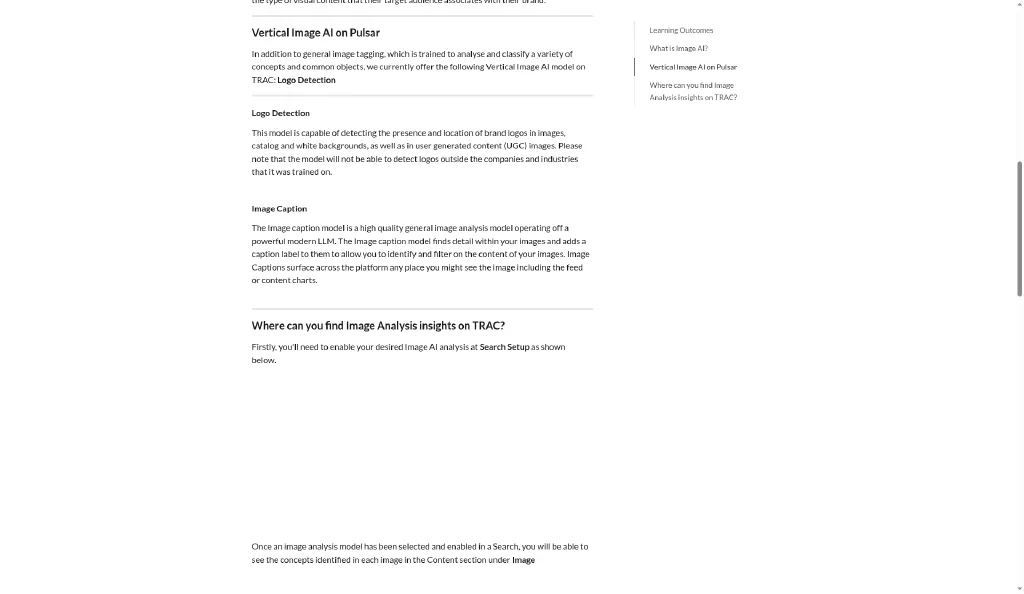
Source: Pulsar TRAC image analysis page
Pricing
Larger plans: quote set by seats, data volume, sources and languages.
Terms: Pulsar invoices 100% of fees on or before the start and each renewal, due in 30 days. A contract renews unless you give written notice 90 days before the end, and increases cap at 10% at each renewal.
Overage: mentions past your limit bill at £0.00625 each.
The Pulsar review covers the notice clause.
Pros
A 10% renewal cap in published terms.
Logos, image text and video speech in one search.
Audience groups for research briefs.
Cons
90 days' notice to stop a renewal.
Logo detection limited to its trained set.
No publishing or care.
Mention overage bills per mention past your limit.
What users say
G2 showed 4.3 from 105 reviews.
Liked:
A verified apparel enterprise user tracks emerging trends with it (G2, Jul 23, 2026).
Marie B. values having insights from many sources in one place for client reports (G2, Jul 31, 2026).
Kevin M. keeps data clean with the query builder and coverage past the obvious networks (G2, Jun 8, 2026).
Francesca B. praises the mention volume on Instagram and TikTok (G2, Jul 22, 2026).
A media strategy director has yet to find a client or category "where the tool was not useful" (Gartner Peer Insights, Sep 8, 2026).
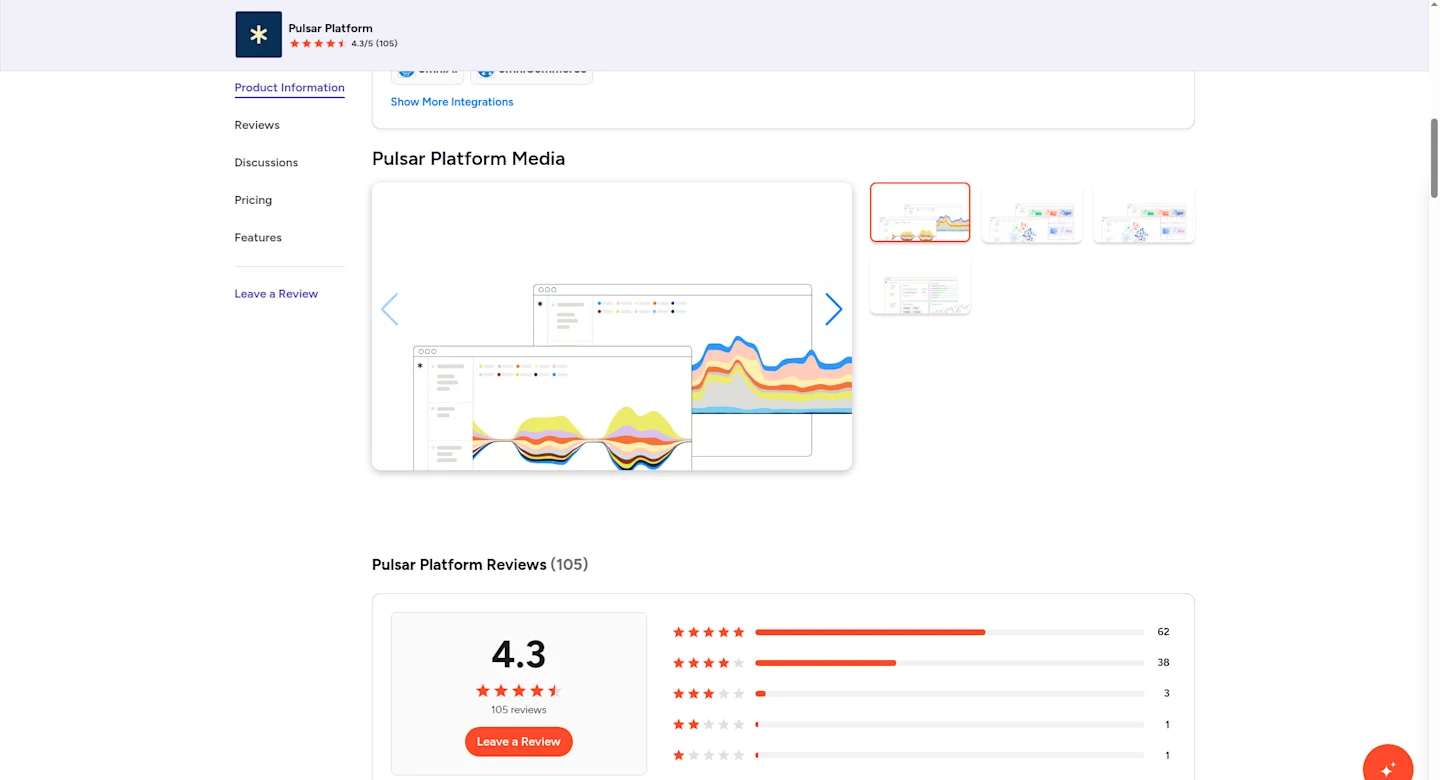
Source: G2 Pulsar summary
Disliked:
Kevin M. calls the learning curve the main downside (G2, Jun 8, 2026).
A marketing and advertising user rates the setup "quite complex" for anyone "new or rusty" (G2, Mar 25, 2026).
ANGY P. cut World Cup and Colombian politics topics from a client plan over conversation limits (G2, Jul 24, 2026).
Yohana Gabriella Nanda K. finds prepositions tagged as topics in Indonesian data (G2, Mar 27, 2026).
A computer software reviewer hits "a bug or an issue" every session (older than 12 months) (G2, Jun 11, 2025).
zineb a. lost PhD data and waited 4 months for support (older than 12 months) (G2, Jun 12, 2024).
None of these reviewers describes Logo Detection, so test it on your own logo before you sign.
Summary
Pick this for research listening with a renewal cap.
Pick it if your Sprinklr Insights use is audience and trend research, and you can track a 90-day notice date.
Skip it if you need publishing or care from the same vendor.
FAQ
Does Sprinklr publish its prices?
No. Sprinklr sells by quote after a demo request, and its Self-Serve products are discontinued.
Can you cancel Sprinklr mid-term?
Under the MSA, fees are payable in advance and non-cancelable unless your Order Form or SOW states otherwise, and the MSA FAQ rules out termination for convenience. Plan a switch for the end of your term.
How do you stop a Sprinklr renewal?
The MSA gives each Order Form its own term and carries no renewal or notice clause, so the rule sits in your Order Form. Find the notice period there, or ask your account team to confirm it in writing.
Which alternative covers publishing and care?
Sprout Social and Hootsuite both cover publishing and a social inbox. Hootsuite adds message routing on Advanced, and Sprout adds Helpdesk integrations on Advanced.
Which alternative replaces Sprinklr Insights?
Brandwatch, Lumen by Talkwalker and Pulsar cover research listening with image recognition, and Meltwater adds press monitoring. CommunityTracker covers community listening at a public price.
Which alternative bills monthly?
CommunityTracker bills every paid plan monthly. Sprout bills Essentials monthly at $99 a seat, and Hootsuite offers monthly billing on its three self-serve plans.
Who Should Switch
Teams using Sprinklr for publishing and an inbox. Sprout Essentials starts at $79 a seat billed annually.
Teams whose listening work is community threads. CommunityTracker Pro costs $1,188 a year for the team.
Research teams that want history and image analysis. Brandwatch claims search back to 2008.
Buyers who want a renewal cap. Pulsar writes 10% into its published terms.
Who Should Stay
Contact centers on Sprinklr Service. Test any replacement against your case routing and volume before you plan an exit.
Enterprises using care, publishing and Insights every week. Two or three replacements bring two or three contracts and renewal dates.
Teams early in a non-cancelable Order Form. Run a free or monthly tool beside Sprinklr now, and plan the switch for your renewal date.
How to Decide, by Situation
If your buyers ask for tools in Reddit, LinkedIn or Hacker News, pick CommunityTracker Pro at $99 a month.
If you want publishing, an inbox and reports at a visible price, pick Sprout Social.
If you want publishing, care routing and Lumen listening from one vendor, pick Hootsuite and negotiate Enterprise.
If your analysts need history to 2008, which Brandwatch claims, pick Brandwatch.
If PR and listening share a team, pick Meltwater.
If you need image recognition with unlimited users, pick Lumen by Talkwalker.
If you want a renewal cap on a research tool, pick Pulsar.
If Sprinklr Service runs your contact center, stay and renegotiate the Order Form.
For more, see social listening tools and Brandwatch alternatives.