Most people comparing UserGems alternatives are not trying to rip out their whole stack. They usually just want a better way to power one part of the pipeline, maybe champion movement, public buyer conversations, website visitors, multi-source intelligence, or a workflow they can shape themselves.
That matters because UserGems now does a lot more than champion tracking. It brings buyer and account signals into one place, adds CRM context and scoring, tracks website activity and intent, monitors job changes, and can trigger outbound actions. It also starts at a fairly high price: Core is around $33,000 a year, plus implementation.
So the question is not “which tool has the most features?” It is “Which signal do you care about, and what do you want to do with it once you have it?”
7 Best UserGems Alternatives Based on Use Case #
It depends on the signal you’re trying to catch:
CommunityTracker: best if buyers are talking publicly about the problem.
Champify: best if champion movement is the main motion.
Common Room: best if you want product, CRM, web, and community activity in one place.
Clay: best if you want to build your own signal workflow.
Warmly: best if your best signal is someone actively on your website.
RB2B: best if you want a simpler website visitor feed.
Trigify: best if public posts and engagement should trigger a play.
No single product matches every part of UserGems equally well. The best choice is the one that matches the signal your team can actually turn into a conversation.
Why users switch from UserGems#
The real question is not whether buyer signals work. It is what signals actually turn into a pipeline for your business.
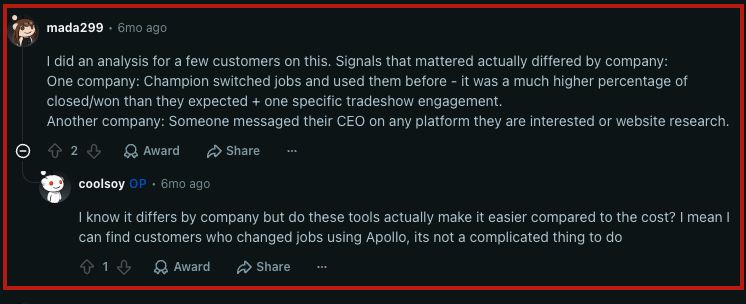
For some teams, a champion changing jobs is a strong signal. For others, the useful signal comes from someone talking about a problem on Reddit or LinkedIn, visiting a pricing page, messaging a founder, or taking an important product action. In practice, signal quality varies a lot from company to company.
Cost matters too. Teams with strong RevOps support can piece together parts of this workflow with tools like Clay, Apollo, sequencing software, and automation. That can make a big dedicated platform hard to justify if only one or two signals really matter.
And more alerts do not automatically mean more pipeline. Sales still needs enough context to understand why the signal fired and whether outreach is actually worth it. That is why some teams prefer tools built around clear events like public conversations, website activity, product usage, or job changes instead of a broad intent score.
So the best Usergems alternative depends on the event that reliably gives your sales team a good reason to reach out.
What UserGems still does well#
UserGems is good at turning relationship changes into something your team can act on. It tracks champions and other contacts when they switch jobs, enriches the new record, ties the move back to CRM history, scores the opportunity, and can kick off an outbound play.
But UserGems is no longer just about job changes. It also brings together website activity, intent, company events, and other buyer signals in the same account context, then helps prioritize and route the next step instead of leaving everything in separate alerts.
That wider scope is exactly why it still belongs on the shortlist for teams that already get meetings from several different signal types. If one signal is doing most of the work, though, a narrower tool usually makes more sense.
Our guide to B2B buying signals that predict revenue explains why the source event matters more than an opaque score.
How I evaluated these UserGems competitors#
I looked at these tools based on the kind of buying event they catch and how much work they remove after that signal appears. I put more weight on a clear source event than on a generic intent score.
The best alternative to UserGems should help you spot the right person, keep the context intact, and make it easy to take a useful next step before the signal goes stale.
Signal fit: Does it catch the buyer event that actually matters? That could be a job change, a public post, a website visit, or a product action.
Identity and contact data: Can you identify the person or account and get a usable email, phone number, or LinkedIn profile when policy allows?
Action path: Can the signal reach Slack or a CRM? Email, LinkedIn, and meeting flows should not require manual list work.
Data controls: Can you filter noise, define your ICP, see why a signal fired, and avoid reaching out to irrelevant people?
Cost and operating risk: Is there a trial or free tier? Does pricing scale in a way that makes sense with contacts, credits, traffic, or seats?
The criteria work together. A signal without identity just sits in research, while identity without context turns into cold outreach that no one acts on in time.
UserGems alternatives comparison#
Tool | Best signal source | Identity depth | Action path | Starting paid price | Avoid when |
Public buyer conversations | Contact details where available | Email; LinkedIn, phone, Slack, meeting flow | $39/month | You only need job changes or publishing | |
Champion and colleague moves | Known-contact relationship data | Salesforce, Slack, email alerts | $2,000/month | You use HubSpot without Salesforce | |
Website, product, CRM, job, community | Person360 contact and account data | Workflows, CRM, SEP, Slack | $2,500/month annually | You need a lean self-serve tool | |
Job changes, web intent, custom signals | Configurable enrichment and research | Scoring, CRM sync, webhooks, sequencer | $185/month | You need a packaged system with less setup | |
Live website activity | Person and company identification | Chat, email, LinkedIn, ads, routing | $10,000/year | Website traffic is too low to support the cost | |
US website visits | Person-level ID on paid plans | Slack, CRM, outbound integrations | $79/month | You need global person-level coverage | |
Public posts and engagement | Profile-level enrichment | Workflows, CRM, API, email | $40/month | Job changes are the primary signal |
The table is intentionally narrow. Signal origin and action path decide the purchase. A long feature checklist hides that decision.
1. CommunityTracker: best for turning live buyer conversations into pipeline#
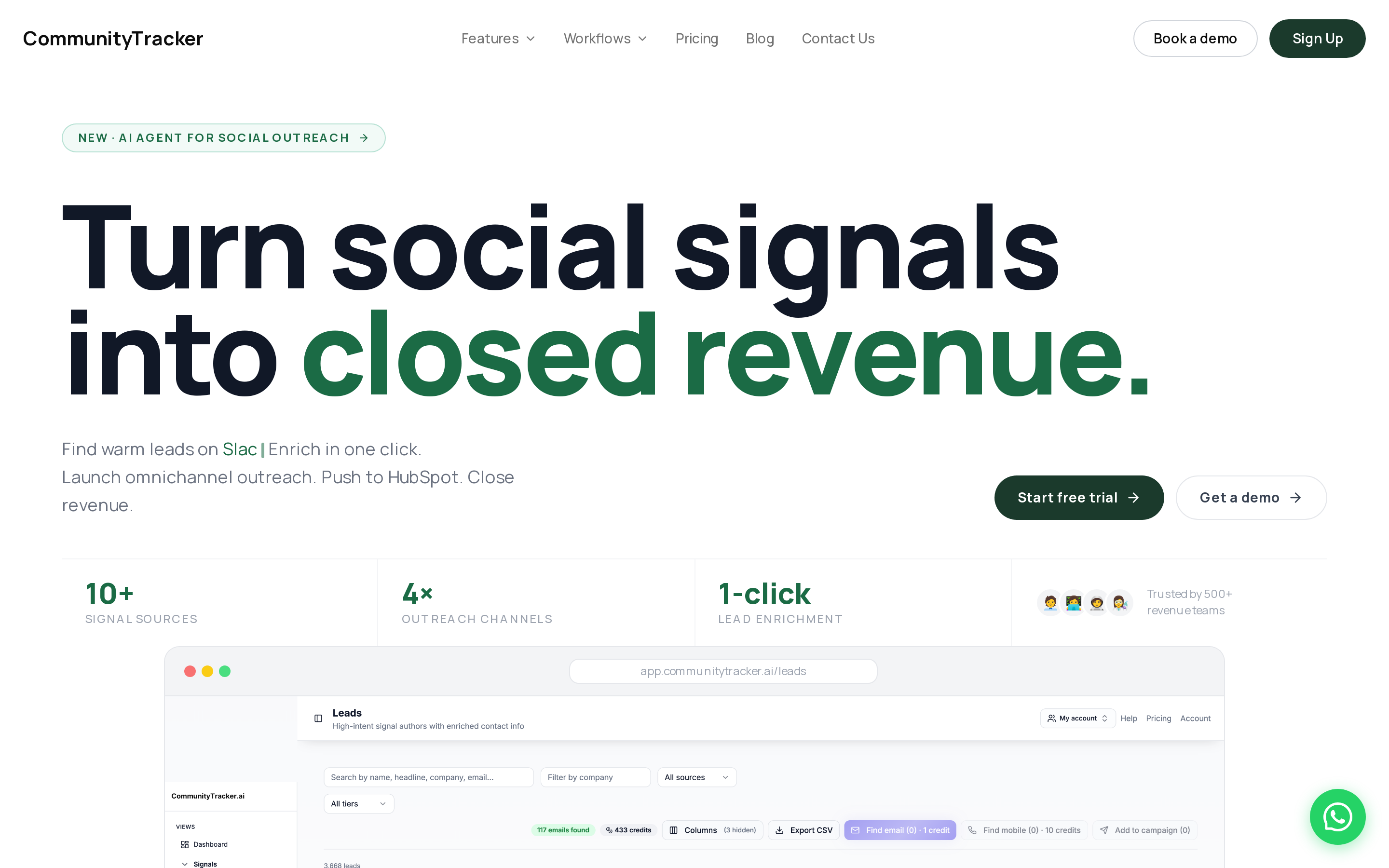
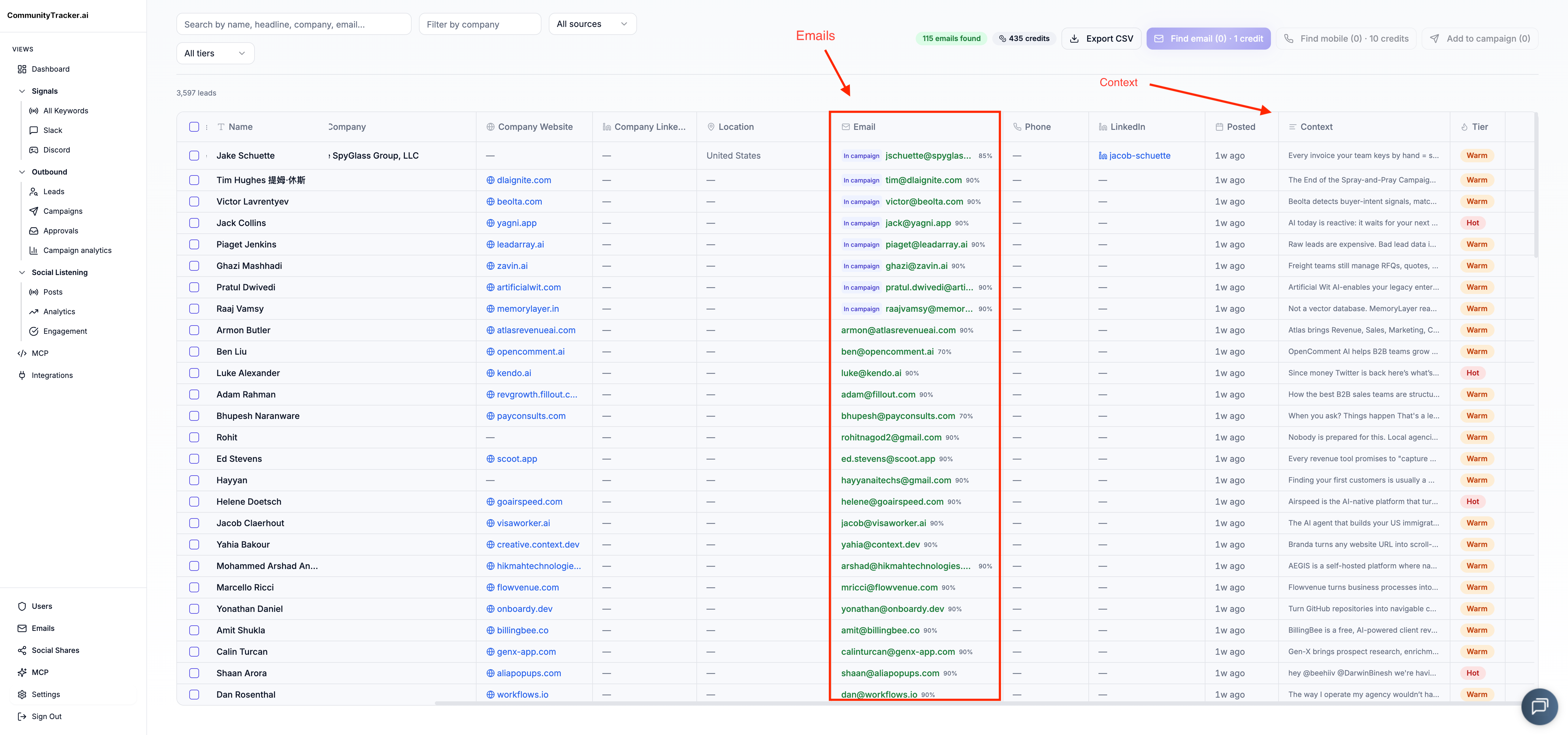
CommunityTracker helps you catch demand while the buyer is still talking about the problem. You can monitor ICP keywords and competitor names across Reddit, LinkedIn, X, Bluesky, Hacker News, Indie Hackers, Dev.to, Stack Overflow, Product Hunt, GitHub, and Slack.
The real unit here is the conversation. A Reddit post about a competitor’s comparison, for example, can be a pretty clear sign of buyer intent to evaluate.
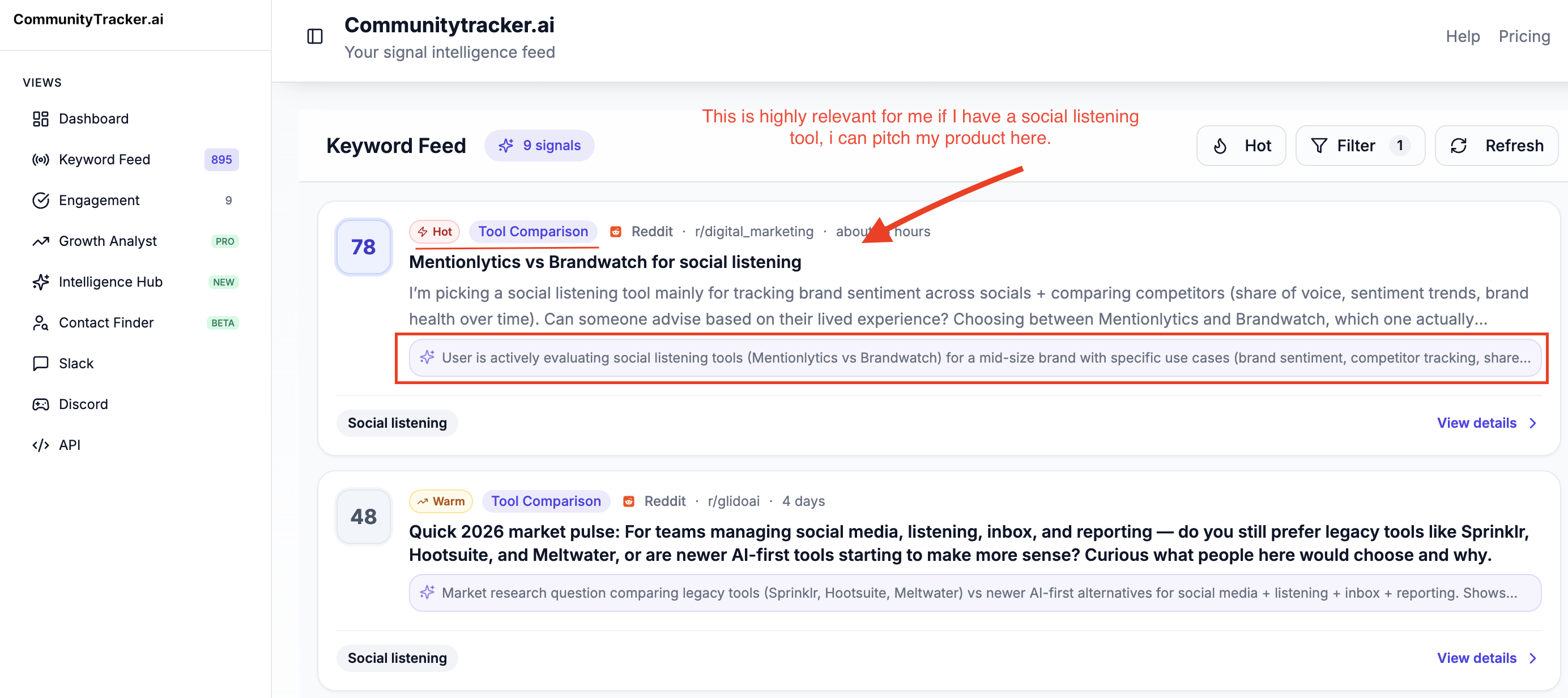
CommunityTracker shows you the context of the post and any contact details it can find, so you can follow up through LinkedIn, email, or phone. From there, a meeting link or outreach sequence helps move the lead forward.
That is where it differs from UserGems. UserGems starts with known contacts, account data, and things like job changes. CommunityTracker starts with what the buyer actually said. That makes it more of a community-intelligence and buyer-signal tool than a publishing or scheduling tool.
Key features:
Scores high-intent signals such as recommendation requests, competitor complaints, and problem-aware technical discussions.
Surfaces available contact data. Preserves the source post for message context.
Supports warm email and LinkedIn actions. Response generation, Slack alerts, meeting links, and lead qualification continue the workflow.
Measures Share of Voice so you can see whether category conversations name you or a competitor.
Pricing: Free costs $0 with one Reddit keyword and limited mentions. Starter costs $39 per month for four keywords and 5,000 mentions. It covers four sources, daily alerts, and up to 100 warm emails.
Pro is $99 per month for ten keywords and unlimited mentions across all eleven platforms. It adds unlimited warm emails, AI scoring, Slack alerts, Share of Voice, and Community AI.
Advanced costs $199 per month and raises the keyword limit to 20 with Share-of-Voice reports. Annual billing contact-only.
Pros:
The original post remains attached to the lead, so your first message can respond to a stated problem.
Pricing supports a small signal experiment before you commit to an annual enterprise contract.
Coverage includes dev platforms such as GitHub and Stack Overflow alongside Reddit and LinkedIn.
The workflow can continue from discovery into outreach instead of ending at an alert.
Cons:
CommunityTracker does not track champion job changes as a dedicated relationship graph.
Publishing, scheduling, and content calendars sit outside its scope.
A keyword model needs careful terms. Exclusions or broad category language will still create noise.
Who should not choose CommunityTracker: Pick Champify when Salesforce relationship tracking is the entire motion. Warmly is a better purchase when live website identification and chat matter more than public conversation discovery.
A founder on Reddit asking what replaces their current tool is already moving budget; CommunityTracker scores that high-intent signal, prepares the response, and sends the alert to Slack.
Insightful Read: The AI social listening tools comparison goes deeper on filtering buyer intent from ordinary mentions.
2. Champify: best for a Salesforce-native relationship motion#
Champify is the closest alternative to UserGems when your best signal is a person you already know moving to a new company. It monitors first-party relationships, sends company-change alerts, and keeps the operating workflow inside Salesforce.
The product makes most sense once your CRM has enough history to compound; Champify says relationship tracking produces its best return above 10,000 monitored contacts. At that point, colleague referrals, calendar relationships, and champion movement can create a durable acquisition source.
Key features:
Monitors known contacts for company changes. Routes qualified moves into Salesforce.
Adds calendar relationship context on higher plans.
Includes Salesforce field mapping. Account matching. Deduplication, reporting, and opportunity contact roles stay in the same system.
Sends Slack and email alerts without charging per surfaced signal.
Adds Insider AI for account research and nurture context on Pro.
Pricing: Core starts at $2,000 per month for at least 15,000 tracked contacts, unlimited Salesforce users, standard onboarding, and a dedicated CSM.
Pro starts at $3,000 per month with at least 40,000 contacts, 50 calendar users, and 2,000 Insider AI accounts. Enterprise starts at $6,000 per month and raises relationship tracking to at least 150,000 contacts. No free plan or trial is published.
Pros:
Salesforce is the operating surface, which cuts the adoption cost for a mature relationship program.
Unlimited Salesforce users avoid a seat tax on people who only consume alerts or reports.
Contact-volume pricing makes signal output predictable when job-change volume fluctuates.
Cons:
There is no native HubSpot integration; HubSpot data must pass through Salesforce.
The $24,000 annual entry cost is difficult to defend before relationship data has enough scale.
Public conversations and website behavior sit outside its main signal model.
#
3. Common Room: best for combining product, web, CRM. And community activity#
Common Room brings website activity and product usage into one person and account model; CRM records, job changes, and public engagement add more context. It then scores that activity and routes work through alerts, segments, and workflows. And AI research.
That breadth is the reason to buy it. A product-led company can see an account visit documentation, activate a feature, engage on GitHub, and later appear in Salesforce. The identity layer resolves those events into one buying narrative.
Key features:
Person360 resolves contact identity across first-party and external sources.
Account and contact scoring combines activity with fit.
Spark notifications summarize why a person matters. Send alerts through Slack or email.
Native integrations cover Salesforce, HubSpot, Outreach. GitHub, LinkedIn, X. Data warehouses, and product data widen the source map.
Job-change tracking sits beside website deanonymization and custom signals.
Pricing: Essential costs $2,500 per month billed annually. It includes five seats and 100,000 contacts. The allowance also covers 5,000 RoomieAI research credits, 2,500 Prospector credits, and 1,000 monthly website deanonymizations. Advanced and Enterprise use custom pricing, with Enterprise raising capacity to 750,000 contacts and adding broader integrations. No free plan or trial is published on the current pricing offer.
Pros:
One identity layer reduces duplicate people across product, CRM, and public activity.
The source mix supports several motions without stitching together separate alert feeds.
Signals retain enough context for account research and prioritization.
CRM and sales-engagement connections provide a direct action path.
Cons:
Essential commits you to $30,000 a year before add-ons.
Product signals and recurring exports are gated or sold as add-ons on lower plans.
Breadth creates implementation work around identity, scoring, routing. And ownership.
It can be excessive when one source produces nearly all useful intent.
The platform earns its price when a buyer journey crosses product usage and website visits before reaching the CRM through public activity that still needs identity resolution. CommunityTracker is easier to justify when buyer conversations are the primary source.
Related Read: 9 Best Common Room Alternatives To Find Actual Buyers in 2026
4. Clay: best for building customizable buyer-signal and enrichment workflows#
Clay replaces the buildable parts of UserGems. It can track job changes and other company events, enrich people and accounts, monitor web intent on Growth, score records, route events through webhooks or CRM sync, and launch outbound actions through its sequencer or integrations.
This is the build-your-own alternative. A GTM or RevOps team can combine career movement with website activity, social mentions, company news, product data, and custom research. The team decides how each signal is weighted and where it goes.
That flexibility is also the cost. UserGems supplies a packaged signal model, relationship context, and enterprise operating layer. Clay asks you to design the tables, enrichment waterfalls, scoring rules, schedules, and routing logic. It does more for an operator who knows the desired workflow and less for a buyer seeking an out-of-the-box champion program.
Key features:
Tracks job changes, promotions, new hires, company news, and social mentions on Launch.
Adds web-intent signals, CRM auto-sync, HTTP APIs, and webhook automation on Growth.
Combines multiple data providers through enrichment waterfalls.
Uses Claygent and more than 200 enrichments to create custom research fields and signals.
Sends email through Clay Sequencer or connected campaign tools.
Pricing: Launch starts at $185 per month with 2,500 data credits and 15,000 monthly actions. A 14-day trial is available. The Free plan includes 100 data credits, 500 monthly actions, and up to 200 rows per table, but signal tracking starts on Launch.
Growth starts at $495 per month and gates web intent, CRM auto-sync, HTTP APIs, and webhook automation. Enterprise adds SSO, RBAC, warehouse sync, and dedicated support.
Pros:
Custom signals can reflect the exact events behind your sales motion.
Enrichment and action live in the same configurable workspace.
The free plan gives operators room to learn the table model before committing.
Usage-based plans start far below a UserGems Core contract.
Cons:
Workflow design and maintenance are handled by your team.
Web intent and native CRM automation require the Growth tier.
Credits and actions create two usage meters for forecasting.
Clay does not reproduce UserGems' packaged relationship graph or enterprise governance by default.
Clay belongs on the shortlist when customization is the goal. Champify or UserGems is easier to operate when champion tracking needs to work without an internal builder.
5. Warmly: best for identifying and engaging visitors while they browse#
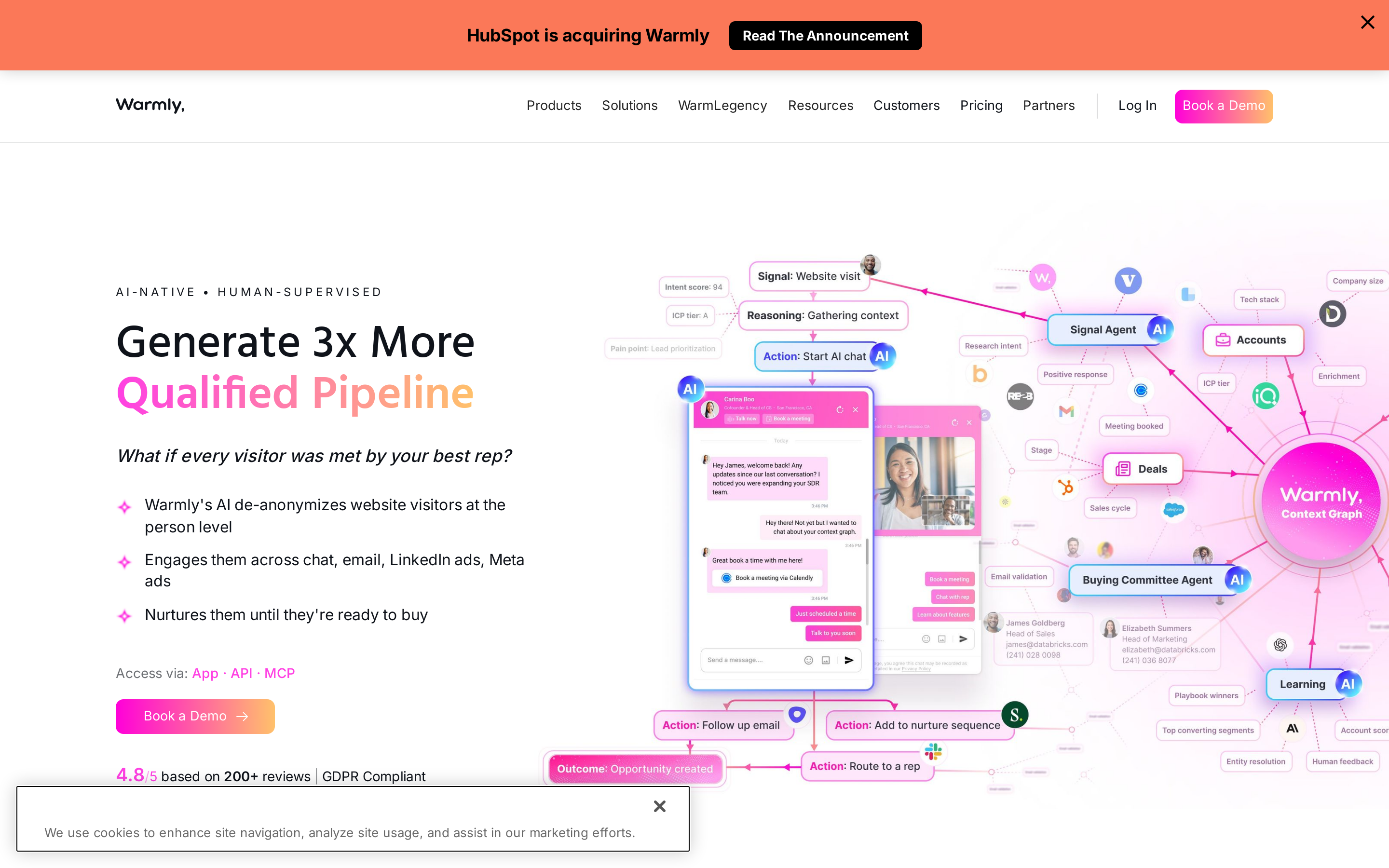
The platform acts the moment a buyer reaches your website. It identifies people and companies, scores fit, alerts the right owner, and can start a chat or follow-up sequence before the visitor leaves.
Warmly can attach page history and firmographic context, route a high-fit person, send email, launch LinkedIn follow-up, or personalize the website. This is a strong fit when inbound traffic exists but forms capture too little of it.
Key features:
Person-level and company-level website visitor identification.
Real-time Slack alerts, CRM sync, lead routing, and ICP filtering.
AI chat and meeting booking for active visitors.
Email, LinkedIn, and ad retargeting after the visit.
Optional funding, hiring, intent. And competitor signals.
Pricing: AI Web-Deanonymization starts at $10,000 per year with 10,000 monthly credits. A free plan allows up to 500 identified visitors each month. Inbound Chat starts at $20,000 per year. The GTM Signals Package costs another $10,000 per year.
The main pricing selector focuses on annual and quarterly paid products. The highest configuration is custom and can add premium identification, multi-CRM sync, agents, and an SLA.
Pros:
Identification and engagement happen in the same live session.
Behavioral context makes a pricing-page visitor easier to prioritize than a generic account surge.
Routing, chat, email. And retargeting cover several responses to the same visit.
The small free allowance can test match quality before an annual commitment.
Cons:
The paid entry point jumps to $10,000 per year.
Identification never covers every visitor. A 2026 G2 reviewer reported receiving data for roughly 30% to 40% of traffic.
The signal arrives only after someone visits your website.
Buying several modules raises cost quickly when chat. Third-party signals are both required.
This product deserves the win when response speed on your own site is the bottleneck; CommunityTracker should come first when you need to catch the conversation that happens before the visit.
6. RB2B: best for a simpler US website visitor feed#
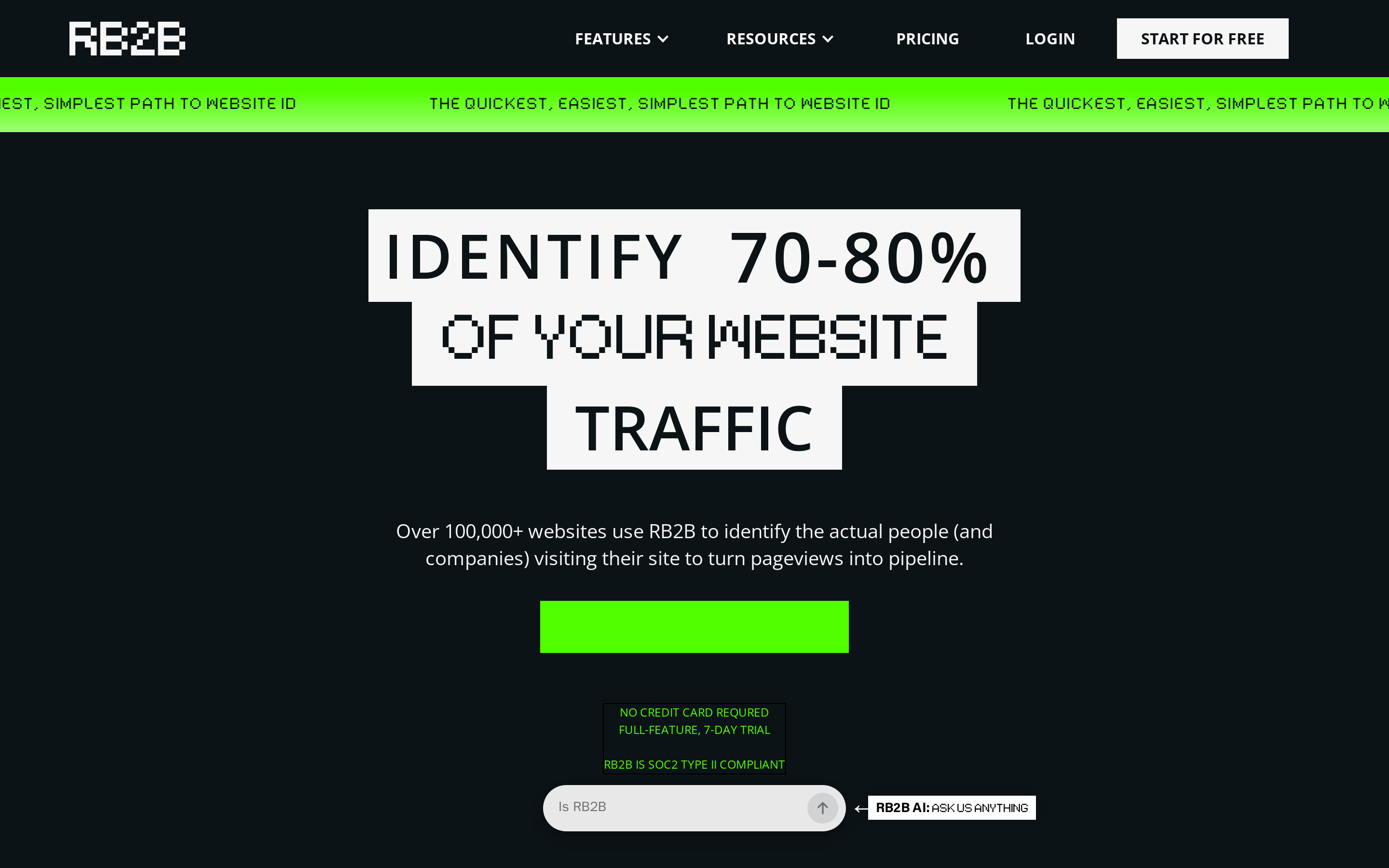
RB2B takes a narrower approach than Warmly. Add its script, identify US visitors at the person level on paid plans, and push profiles into Slack or connected systems. The simplicity is useful when you already have enrichment and outbound tools.
Its pricing also creates a low-risk test. At $0, RB2B provides company-level resolution; Starter exposes LinkedIn profiles. Pro adds business email and integrations. You can decide how much identity you need without buying chat or a broad intent platform.
Key features:
Company-level identification for global traffic.
Person-level identification for US traffic on Starter and above.
LinkedIn profile delivery through Slack or Microsoft Teams.
Business email and CRM or outbound integrations on Pro.
Hot-page and ICP filtering on higher tiers.
Pricing: A free plan costs $0 with 150 monthly company-level resolutions and Slack delivery.
Starter costs $79 per month for 300 resolutions and person-level LinkedIn URLs, but no email addresses. Pro starts at $149 per month for 600 resolutions, business emails, and integrations. Pro+ starts at $199 per month with premium resolution. All plans can use a seven-day full-featured trial. Higher Pro+ volumes reach $1,499 per month.
Pros:
A $79 entry point is accessible for a focused visitor-identification experiment.
Setup is narrow enough to produce a useful Slack feed quickly.
You can keep your existing outbound system instead of replacing it.
Cons:
Person-level identification is limited to US traffic.
Starter withholds business email and non-Slack integrations.
G2 review themes include low match rates, irrelevant profiles, and data accuracy gaps.
A focused visitor feed does not score job changes, product use, or public conversations.
RB2B beats Warmly when you want identified visitors without buying a larger engagement system. It loses to UserGems when champion moves matter and to CommunityTracker when demand surfaces in a public thread.
7. Trigify: best for building workflows from public engagement#
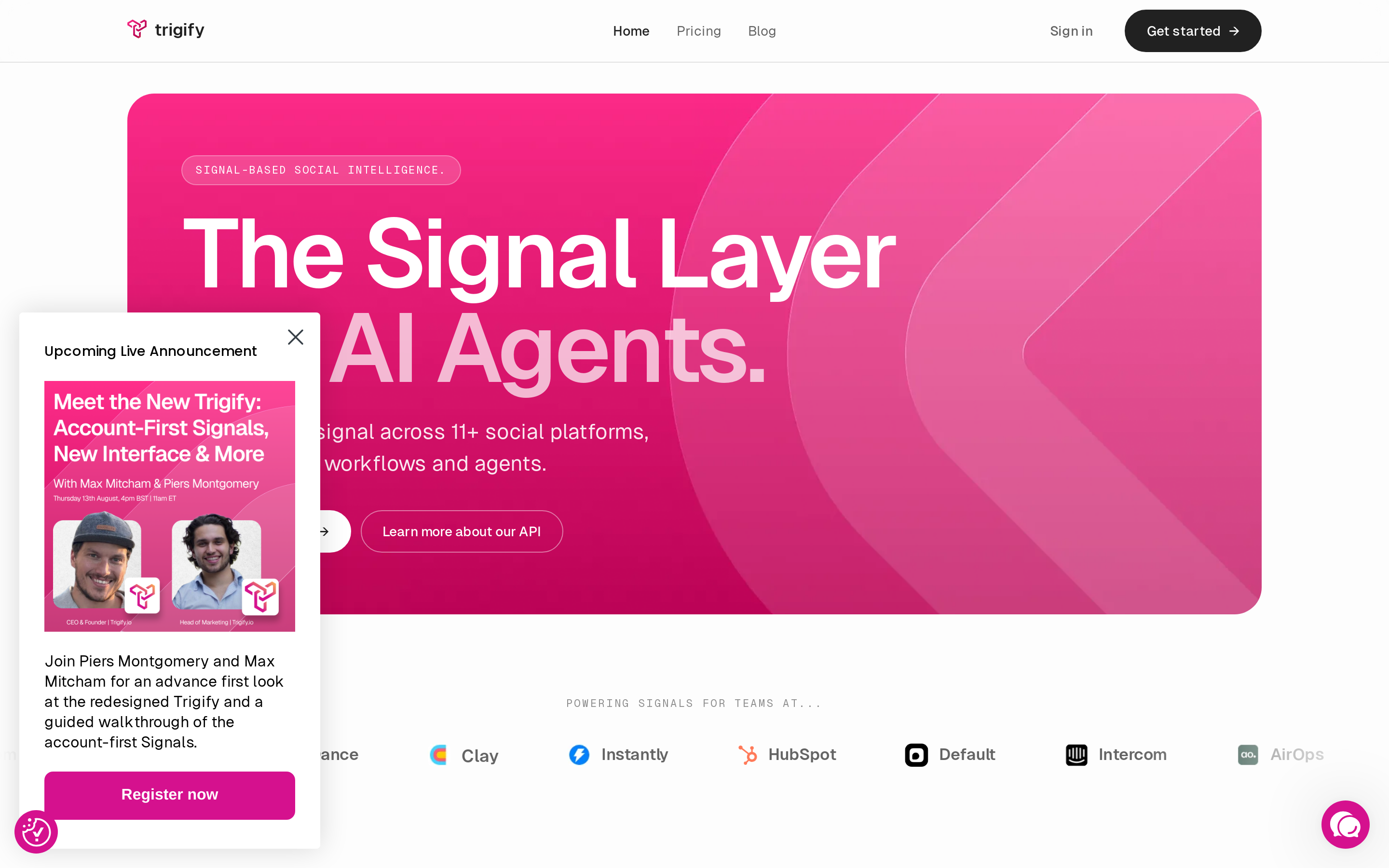
Trigify monitors posts, profiles, and keywords. And engagement across sources such as LinkedIn, X, Reddit, Substack, and developer discussions. You can turn a competitor mention, product complaint, hiring move, or comment into a workflow trigger.
You define listening searches, enrich the people behind a signal, and send selected events into a workflow. Trigify suits an operator who wants to assemble a custom motion from signal credits rather than buy a fixed relationship product.
Key features:
Listening searches for keywords, accounts, posts. And buying-intent language.
Social Signals profiles that monitor named people and their engagement.
Shared credits across signals, enrichment, engagement. And Jarvis runs.
Workflow, API, CRM. And email action paths.
Search history from seven days on Starter to all time on Enterprise.
Pricing: Starter costs $40 per month with a 14-day trial, 25 listening searches, 50 profiles, 4,000 credits, and seven days of history. Max costs $199 per month with unlimited searches, 5,000 profiles, 40,000 credits, and 12 months of history. Enterprise is custom with unlimited credits and full history. There is no free plan.
Pros:
The $40 plan creates an affordable route into post-level signal workflows.
Original context stays close to the person who created or engaged with the post.
Shared credits let you decide whether detection, enrichment, or action deserves more spend.
Developer sources add useful coverage for technical buyers.
Cons:
Starter searches only seven days of history. Looks back 24 hours for some social signals.
Reposts, private posts, and engagement beyond platform limits are not collected.
Profile changes are limited, which constrains frequent list experiments.
Alert volume can become noisy without disciplined filters and scoring.
Trigify is the stronger fit for an operator building custom triggers around named profiles and posts. CommunityTracker fits when you want a broader community-intelligence workflow with Share of Voice and warm outreach under one product.
How to choose without buying the wrong signal#
Start by looking at the last five prospects who had a real conversation with your team. Work backward from the moment they first came into view, then follow Signal → Identity/Context → Action.
If a known champion moved companies, shortlist Champify and UserGems. Champify is the more focused Salesforce option, while UserGems offers a broader relationship and activation system.
If a buyer described the problem publicly, start with CommunityTracker. It keeps the original conversation intact, scores intent, enriches the contact details it can find, and supports warm outreach without trying to replace UserGems’ relationship graph.
If you need one identity layer across first-party and public activity, Common Room is worth a look. It helps when product, website, CRM, and community signals would otherwise stay fragmented.
If your team wants to build its own signal logic, Clay can combine job changes, enrichment, web intent, scoring, routing, and outbound action. Just plan for someone to maintain it.
If the website session is the moment to act, Warmly covers live engagement. RB2B is the narrower option if you just want visitor identification.
If a specific post or profile interaction should trigger a play, Trigify gives you control over public and social triggers.
Run one source for four weeks and see what actually happens. Track useful signals, qualified replies, meetings, false positives, and the time spent filtering. Then compare actionable signals per month and cost per meaningful conversation.
Don’t optimize for cost per alert. Focus on cost per useful conversation or actionable signal.
The community engagement analytics guide explains how to measure intent density during a public-conversation pilot. For a LinkedIn-heavy motion, our LinkedIn social listening comparison identifies the engagement patterns worth acting on.
Use CommunityTracker to act while the buyer's problem is visible#
UserGems and Champify are both good fits when relationship movement is what drives the pipeline. Common Room gives you a broader identity layer, while Clay gives a more hands-on operator extra control. Warmly, RB2B, and Trigify are better when you only need a narrower signal.
CommunityTracker works when a buyer is openly talking about the problem in places like Reddit, LinkedIn, X, Bluesky, Hacker News, Indie Hackers, Dev.to, Stack Overflow, Product Hunt, GitHub, or Slack. It keeps the original context, scores intent, enriches the contact details it can find, and helps you move from discovery to outreach.
It is not the right choice if your motion depends mainly on champion tracking and CRM relationship history — that is where Champify or UserGems make more sense. And if all you need is the website visit itself, Warmly or RB2B is usually the better fit.
If public conversations are disappearing before anyone catches them, start with one keyword on CommunityTracker’s free plan. See how many signals are actually worth responding to, then measure cost per meaningful conversation.